Introduction
A Knowledge Graph Database is a specialized type of database designed to store and manage data as a network of interconnected entities (nodes) and the meaningful relationships (edges) between them. Unlike traditional relational databases that store data in rigid rows and columns, knowledge graphs excel at capturing context and semantic meaning. They allow organizations to represent complex, real-world information in a way that is intuitive for both humans and machines to understand. By mapping out “who knows what,” “how parts connect,” or “why a customer bought a specific item,” these databases turn raw data into a web of navigable intelligence.
This technology is important because we live in an era of “connected data.” Traditional systems often struggle to find deep patterns across siloed datasets, but knowledge graphs thrive on complexity. Real-world use cases include fraud detection (identifying hidden links between suspicious accounts), personalized recommendation engines (Netflix or Amazon-style suggestions), and drug discovery in healthcare (mapping interactions between genes, proteins, and chemicals). When choosing a tool, you should evaluate its query language support (like Cypher or SPARQL), scalability, ability to handle real-time updates, and the robustness of its data reasoning capabilities.
Best for: Data scientists, knowledge engineers, and enterprise architects in large-scale organizations. It is particularly beneficial for industries like finance, healthcare, e-commerce, and cybersecurity where understanding the relationship between data points is more valuable than the individual data points themselves.
Not ideal for: Simple applications with highly structured, flat data that doesn’t change frequently. If you are building a basic contact list or a simple inventory system where entities are independent of one another, a standard SQL database is likely more efficient and much easier to maintain.
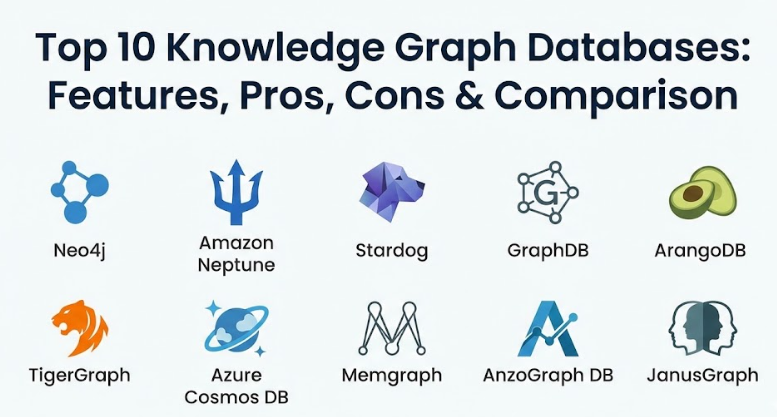
Top 10 Knowledge Graph Databases
1 — Neo4j
Neo4j is the market leader in the graph database space, known for its “native” graph storage and processing. It is designed for developers who need high-performance, real-time traversal of complex data relationships across massive datasets.
- Key features:
- Native graph storage and processing engine for optimized performance.
- Uses Cypher, a powerful and intuitive graph query language.
- Support for ACID-compliant transactions to ensure data integrity.
- Neo4j Bloom for visual data exploration and storytelling.
- Graph Data Science (GDS) library for running advanced algorithms like PageRank.
- High availability and horizontal scaling through Causal Clustering.
- Pros:
- The Cypher query language is widely considered the easiest to learn and use in the industry.
- It has a massive ecosystem and a huge library of plugins for almost any use case.
- Cons:
- Scaling to truly “massive” multi-petabyte datasets can be more expensive and complex than distributed NoSQL options.
- Memory usage can be high, requiring powerful hardware for complex graph traversals.
- Security & compliance: SOC 2 Type II, GDPR, HIPAA (available), ISO 27001. Features include SSO, granular role-based access control (RBAC), and encryption at rest/transit.
- Support & community: Industry-leading documentation, a massive “Neo4j Ninja” community, free online certification courses, and 24/7 enterprise support.
2 — Amazon Neptune
Amazon Neptune is a fully managed, high-performance graph database service provided by AWS. It is built for organizations that want to run graph applications without the overhead of managing the underlying infrastructure.
- Key features:
- Supports both Property Graph (Gremlin) and RDF (SPARQL) models.
- Fully managed and serverless scaling options to handle variable workloads.
- High availability with data replicated across three Availability Zones.
- Automatic backups to Amazon S3 and continuous monitoring.
- Integrated with AWS Identity and Access Management (IAM).
- Neptune ML for easy machine learning on graph data.
- Pros:
- If your business is already on AWS, the integration with other services is seamless.
- Eliminates the need for database administrators to worry about patching or hardware maintenance.
- Cons:
- It is a “closed” ecosystem; moving your data out of Neptune to an on-premise system can be challenging.
- Pricing can be unpredictable due to the “pay-as-you-go” model for I/O and storage.
- Security & compliance: SOC 1/2/3, ISO 27001, HIPAA, GDPR, and PCI DSS compliant. Features VPC isolation and encryption using AWS KMS.
- Support & community: Enterprise-grade support via AWS Support plans, extensive AWS documentation, and a large global network of cloud partners.
3 — Stardog
Stardog is an Enterprise Knowledge Graph platform that goes beyond simple storage by adding a “reasoning” layer. It is designed for organizations that need to unify siloed data and infer new knowledge through logical rules.
- Key features:
- Virtual Graph technology that allows querying data where it lives without moving it.
- Built-in logical reasoning engine for inferring hidden relationships.
- Support for RDF, SPARQL, and GraphQL.
- Semantic search capabilities for finding data based on meaning.
- Knowledge toolkit for building ontologies and data schemas.
- Integrated data quality checks and validation.
- Pros:
- The “virtualization” feature is a game-changer for companies that don’t want to build massive, expensive data warehouses.
- The reasoning engine allows the database to “discover” facts that weren’t explicitly written down.
- Cons:
- The learning curve is steep because it requires knowledge of ontologies and formal logic.
- It is more specialized for semantic web use cases than for simple “social network” style graphs.
- Security & compliance: SOC 2 compliant, GDPR ready. Includes SSO, LDAP integration, and field-level security permissions.
- Support & community: High-quality professional services, a dedicated “Stardog Academy,” and strong enterprise customer success models.
4 — GraphDB (Ontotext)
GraphDB is a highly specialized RDF database that focuses on the “Semantic Web.” It is a top choice for organizations that deal with massive amounts of unstructured text and need to link it to structured data.
- Key features:
- Full support for RDF and SPARQL standards.
- Advanced text mining and entity linking capabilities.
- Optimized for handling massive ontologies and taxonomies.
- High-performance reasoning and inference.
- Visual graph exploration and query building tools.
- Connectors for Lucene, Solr, and Elasticsearch for full-text search.
- Pros:
- It is arguably the best tool on the market for handling complex “Linked Data” projects.
- The inference engine is highly optimized, making it very fast at logical deduction.
- Cons:
- The interface and terminology are very academic and can be intimidating for general developers.
- It is less suitable for “Property Graph” use cases where simple node-edge relationships are needed.
- Security & compliance: GDPR compliant, SSO support, and standard encryption. Enterprise versions include audit logs and RBAC.
- Support & community: Excellent academic documentation, regular webinars, and professional support focused on semantic data engineering.
5 — ArangoDB
ArangoDB is a “multi-model” database that treats graphs as a first-class citizen alongside document and key-value storage. It is designed for teams that want the power of a graph without giving up the flexibility of a JSON document store.
- Key features:
- Multi-model engine allowing graph and document queries in one go.
- AQL (ArangoDB Query Language), which is declarative and similar to SQL.
- ArangoSearch for integrated full-text search and ranking.
- SmartGraphs for scaling graph data across a distributed cluster.
- Pregel-based graph analytics for large-scale computation.
- Microservices framework (Foxx) built directly into the database.
- Pros:
- Having one database handle three models (graph, document, key-value) significantly reduces your “tech stack bloat.”
- The query language is very flexible, making it easy to join graph data with standard document data.
- Cons:
- Because it tries to do everything, it might not be as “raw” fast as a purely native graph database like Neo4j for specific tasks.
- Managing the cluster configuration for “SmartGraphs” requires technical expertise.
- Security & compliance: ISO 27001, SOC 2, HIPAA, and GDPR compliant. Includes SSO and advanced encryption options.
- Support & community: Very active Slack community, clear documentation, and a helpful “Oasis” managed cloud service.
6 — TigerGraph
TigerGraph is an enterprise-scale graph database designed for massive parallel processing (MPP). It is the go-to tool for organizations that need to run deep, multi-hop queries across billions of entities in real-time.
- Key features:
- Native MPP architecture for extremely high performance at scale.
- GSQL query language, which is Turing-complete and similar to SQL.
- Capability to handle “deep link” analytics (10+ hops) in sub-seconds.
- Automated data partitioning and distributed processing.
- TigerGraph Insights for building low-code graph visualization dashboards.
- Built-in machine learning workbench.
- Pros:
- It is arguably the fastest graph database for complex, deep-traversal analytics on huge datasets.
- The GSQL language allows you to write complex logic directly in the query.
- Cons:
- The system is resource-heavy and requires significant hardware to perform at its best.
- GSQL, while powerful, has a slightly higher learning curve than Cypher.
- Security & compliance: SOC 2 Type II, HIPAA, and GDPR compliant. Features multi-tenancy and data-at-rest encryption.
- Support & community: High-touch enterprise support, developer certification programs, and an active community forum.
7 — Azure Cosmos DB (Gremlin API)
Azure Cosmos DB is Microsoft’s globally distributed, multi-model database. Its Gremlin API allows developers to build graph applications that are automatically replicated across the globe with low latency.
- Key features:
- Turnkey global distribution to any number of Azure regions.
- Elastic scaling of throughput and storage.
- Guaranteed low latency at the 99th percentile.
- Support for Apache TinkerPop (Gremlin) query language.
- Multiple consistency levels to balance performance and accuracy.
- Integrated with the entire Azure monitoring and security stack.
- Pros:
- The “global distribution” feature is unbeatable for applications with users spread across different continents.
- No need to manage servers; it is a true serverless/PaaS offering.
- Cons:
- As a multi-model database, its graph features are not as “deep” as specialized native graph databases.
- Some Gremlin features and steps are not fully supported, which can lead to compatibility issues.
- Security & compliance: ISO 27001, SOC 1/2/3, HIPAA, GDPR, and FedRAMP. Enterprise-grade security through Azure AD.
- Support & community: World-class Microsoft support, extensive documentation, and a massive community of Azure developers.
8 — Memgraph
Memgraph is an in-memory graph database designed for high-performance, real-time streaming analytics. It is a modern, lightweight tool that is fully compatible with the Neo4j ecosystem.
- Key features:
- In-memory storage for lightning-fast query execution.
- Full compatibility with the Cypher query language.
- Native integration with streaming platforms like Kafka and Redpanda.
- Support for Bolt protocol, allowing you to use Neo4j drivers.
- Memgraph MAGE for running graph algorithms in real-time.
- C++ based core for maximum hardware efficiency.
- Pros:
- It is incredibly fast for real-time use cases like fraud detection in banking.
- Since it uses Cypher, Neo4j users can switch to Memgraph with almost zero retraining.
- Cons:
- Because it is “in-memory,” the size of your graph is limited by your RAM, which can be expensive for massive datasets.
- The community and ecosystem are smaller than those of the established giants.
- Security & compliance: GDPR compliant. Supports LDAP, SSO, and standard encryption for its cloud and enterprise versions.
- Support & community: Very responsive engineering-led support and a modern, developer-centric documentation site.
9 — AnzoGraph DB (Cambridge Semantics)
AnzoGraph is a massively parallel processing (MPP) native graph database designed for analytics and data warehousing. it is built for the “Semantic” world but optimized for big data speed.
- Key features:
- Support for SPARQL, Cypher, and SQL in a single platform.
- MPP architecture for fast analytical queries (OLAP).
- Built-in data science and statistical functions.
- Ability to join graph data with relational data in real-time.
- Scalable from a single laptop to large clusters.
- Designed to work with the Anzo data integration platform.
- Pros:
- It is one of the few databases that can handle both RDF and Property Graph queries effectively.
- Excellent for complex data integration projects involving many different data sources.
- Cons:
- It is an enterprise-focused tool and can be quite expensive for smaller projects.
- The user interface is more focused on analysts than on general application developers.
- Security & compliance: Enterprise security features including LDAP/AD integration and data encryption. Varies / N/A for standard certifications.
- Support & community: High-quality professional services and a dedicated customer success portal.
10 — JanusGraph
JanusGraph is an open-source, distributed graph database that is part of the Linux Foundation. It is designed for developers who want to build a customized graph system using their own storage backend like Cassandra or HBase.
- Key features:
- Pluggable storage backend (Cassandra, HBase, Google Cloud Bigtable).
- Pluggable index backend (Elasticsearch, Solr, Lucene).
- Supports the Gremlin query language.
- Designed for very large graphs with billions of vertices and edges.
- Open-source and community-driven development.
- Integrated with big data processing frameworks like Apache Spark.
- Pros:
- It is completely free and open-source, providing ultimate flexibility for specialized projects.
- Because you can choose your storage, you can leverage existing clusters (like Cassandra) you already have.
- Cons:
- It is famously difficult to set up and manage; you need a strong “DevOps” culture to run it.
- Documentation can sometimes be fragmented compared to commercial products.
- Security & compliance: Depends on the underlying storage and index backends used. Generally supports standard encryption and RBAC.
- Support & community: Active community on GitHub and Google Groups, but no formal “enterprise” support unless purchased through a third-party vendor.
Comparison Table
| Tool Name | Best For | Platform(s) Supported | Standout Feature | Rating |
| Neo4j | General Purpose Graph | Cloud, Linux, Windows | Cypher Query Language | 4.7/5 |
| Amazon Neptune | AWS Cloud Native | AWS Managed Service | Serverless Scalability | 4.3/5 |
| Stardog | Semantic Reasoning | Cloud, Linux, Windows | Virtual Graph (No ETL) | 4.5/5 |
| GraphDB | Linked Data & RDF | Cloud, Linux, Windows | High-Performance Inference | 4.4/5 |
| ArangoDB | Multi-model Apps | Cloud, Linux, Windows | Graph + Document Store | 4.5/5 |
| TigerGraph | Massive Scale Analytics | Cloud, Linux | Multi-hop (10+) Speed | 4.6/5 |
| Azure Cosmos DB | Global Distribution | Azure Managed Service | Turnkey Global Replication | 4.2/5 |
| Memgraph | Real-time Streaming | Cloud, Docker, Linux | In-Memory Performance | 4.6/5 |
| AnzoGraph DB | Analytical Warehousing | Cloud, Linux | SPARQL + Cypher Support | 4.3/5 |
| JanusGraph | Custom Big Data | Linux, Docker | Pluggable Storage Backend | N/A |
Evaluation & Scoring of Knowledge Graph Databases
To help you choose, we have evaluated these tools against a weighted scoring rubric. Each tool is rated based on how it serves a modern enterprise environment.
| Evaluation Category | Weight | Description |
| Core Features | 25% | Query language power, reasoning, and native graph storage. |
| Ease of Use | 15% | Developer experience, learning curve, and GUI tools. |
| Integrations | 15% | Connectors for cloud, streaming, and BI tools. |
| Security & Compliance | 10% | Encryption, SSO, and regulatory certifications. |
| Performance | 10% | Query speed, latency, and real-time processing. |
| Support & Community | 10% | Quality of documentation and community size. |
| Price / Value | 15% | Total cost vs. performance and features. |
Which Knowledge Graph Database Is Right for You?
By Role and Company Size
- Solo Developers & Startups: If you are just starting out, Neo4j (Community Edition) or Memgraph are excellent. They are easy to set up and use the intuitive Cypher language.
- Mid-Market: ArangoDB is a great choice here because it prevents you from needing multiple databases for your documents and your graphs.
- Enterprise: TigerGraph or Stardog are built for the complexity and scale of national banks and global retail chains.
By Technical Requirement
- Real-time Performance: If your application needs to catch a fraudster in milliseconds as they swipe a card, Memgraph is the top choice due to its in-memory speed.
- Cloud Convenience: If you don’t want to touch a single server, Amazon Neptune or Azure Cosmos DB allow you to start building immediately.
- Deep Analytics: If you need to find a connection that is 15 steps away across billions of people, TigerGraph is the performance leader.
By Budget
- Zero Cost: JanusGraph is free to use if you have the technical skills to manage it yourself.
- Scalable Pay-as-you-go: Amazon Neptune and Cosmos DB allow you to start with a very low budget and only pay more as your traffic grows.
Frequently Asked Questions (FAQs)
1. What is the difference between a Graph Database and a Knowledge Graph?
A graph database is the software that stores data. A knowledge graph is the data itself organized with semantic meaning, often using an ontology to define what the nodes and relationships mean.
2. Do I need to learn a new language?
Usually, yes. Most graph databases use either Cypher (which looks like ASCII art) or Gremlin (which is a functional language). If you are using RDF databases, you will use SPARQL.
3. Can I still use SQL?
Some multi-model databases like ArangoDB have SQL-like languages, and tools like TigerGraph use GSQL which is very similar to SQL, but traditional SQL is not designed for graph traversals.
4. Is it hard to migrate from a Relational Database?
The challenge isn’t moving the data; it’s rethinking your data model. You move from thinking about “tables” to thinking about “entities and connections.”
5. Are graph databases secure enough for banking?
Yes. Modern enterprise graph databases like Neo4j and TigerGraph provide the same level of encryption and ACID compliance as traditional banking databases.
6. What is “Inference” or “Reasoning”?
It is the ability of the database to create new facts. For example, if “John is the son of Mike” and “Mike is the son of Bill,” a reasoning engine can automatically infer that “Bill is the grandfather of John.”
7. Can I visualize my data?
Yes. Most tools on this list come with visual explorers, and there are third-party tools like Linkurious or KeyLines designed specifically to help humans “see” the graph.
8. What is the difference between RDF and Property Graphs?
Property Graphs (Neo4j, TigerGraph) are great for performance and “social network” style use. RDF (Stardog, GraphDB) is better for academic and “Linked Data” projects where every term needs a formal definition.
9. How do graph databases handle “Big Data”?
Distributed graph databases (TigerGraph, JanusGraph) partition the graph across many servers, allowing them to store trillions of connections.
10. What is the most common mistake when starting?
Trying to make the graph too complex too quickly. Start with a small, specific problem (like “recommendations”) and grow the graph as you learn.
Conclusion
Choosing the right Knowledge Graph Database is about matching the complexity of your data with the right technical engine. If you need simple, beautiful relationships and an easy learning curve, Neo4j is the standard. If you need to solve massive big-data problems with deep connections, TigerGraph is your power tool. For those already in the cloud, Amazon Neptune and Azure Cosmos DB offer unmatched convenience.
The “best” tool isn’t the one with the most features; it’s the one that helps your organization turn disconnected data into a strategic asset. By understanding the connections between your clients, your products, and your risks, you gain a level of insight that traditional databases simply cannot provide. Start small, pick a tool that matches your existing cloud or technical skills, and begin building your web of intelligence.