Introduction
In the rapidly evolving landscape , data has become more fragmented than ever, scattered across multi-cloud environments, on-premises legacy systems, and various SaaS applications. Traditional methods of data integration, like ETL (Extract, Transform, Load), often struggle to keep up with the demand for real-time insights due to the sheer volume and latency of moving data into a central warehouse. This is where Data Federation Platforms step in.
Data federation is a category of software that provides a single, unified view of data from multiple disparate sources without requiring the data to be physically moved or copied. By creating a virtual database layer, these platforms allow users to query data as if it were in one place, while it remains at the source. This “logical” approach is essential for organizations needing immediate access to distributed data for real-time analytics, regulatory compliance, and cross-functional reporting.
When choosing a data federation tool, organizations must evaluate key criteria such as query performance optimization, security and governance controls, connectivity depth, and ease of use for business analysts. Modern platforms now frequently leverage AI-driven cost-based optimizers to ensure that federated queries don’t overwhelm source systems or run slowly.
Best for: Large enterprises with siloed data across hybrid-cloud environments, data engineers needing to build rapid prototypes, and compliance-heavy industries (like finance and healthcare) where data movement is restricted.
Not ideal for: Small teams with simple, centralized data needs or use cases requiring heavy, complex data transformations that are better handled by traditional ETL/ELT pipelines.
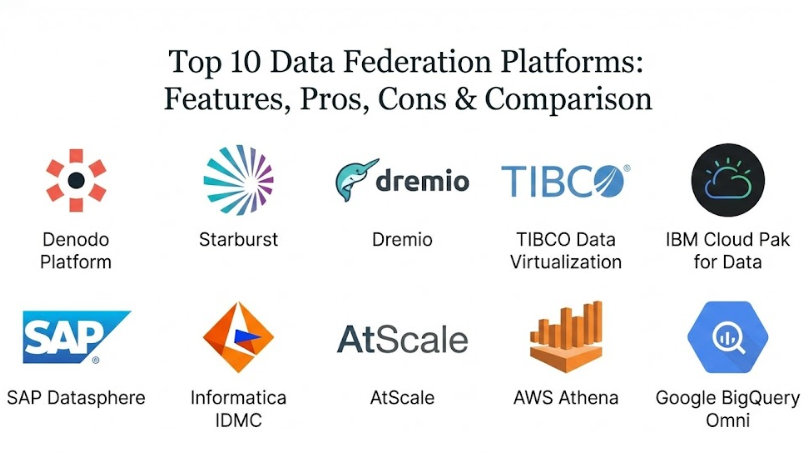
Top 10 Data Federation Platforms
1 — Denodo Platform
The Denodo Platform is widely recognized as the market leader in data virtualization and federation. It offers a sophisticated logical data fabric that connects to virtually any data source—from RDBMS and NoSQL to Hadoop and cloud storage—providing a unified semantic layer for the entire enterprise.
- Key features:
- Advanced query optimizer with AI-assisted performance tuning.
- Dynamic caching and materialization for frequently accessed data.
- Unified data catalog and metadata management.
- Robust security features including row- and column-level masking.
- Self-service data portal for business users.
- Broad connectivity via 150+ native adapters and APIs.
- Pros:
- Incredible performance for real-time operational use cases.
- Comprehensive governance that ensures data privacy across all virtual views.
- Cons:
- High initial cost and complexity may be overkill for smaller projects.
- Requires a skilled data architect to design an efficient virtual model.
- Security & compliance: SSO, AES-256 encryption, HIPAA, GDPR, SOC 2, and advanced audit logging.
- Support & community: 24/7 enterprise support, comprehensive documentation, and an active Denodo Community portal with training labs.
2 — Starburst (Enterprise Trino)
Starburst is built on top of Trino (formerly PrestoSQL), the high-performance distributed SQL query engine. It is specifically designed for high-scale analytical queries across massive data lakes and heterogeneous sources.
- Key features:
- Distributed SQL execution for massive scalability.
- Cost-based query optimizer for multi-source federation.
- Native integration with popular data lakes like S3, ADLS, and GCS.
- Starburst Stargate for cross-region and cross-cloud querying.
- Granular access control and auditing.
- Integration with modern BI tools like Tableau and Power BI.
- Pros:
- Unrivaled performance for large-scale analytical workloads.
- Open-source foundation allows for high flexibility and no vendor lock-in.
- Cons:
- Infrastructure management can be complex for on-premises deployments.
- Lacks the deep “semantic modeling” features of pure virtualization tools like Denodo.
- Security & compliance: GDPR, SOC 2, SSO (SAML/OIDC), and encryption in transit.
- Support & community: Enterprise support with SLAs, vast documentation, and strong ties to the Trino open-source community.
3 — Dremio
Dremio is often called the “Easy Button” for data lakes. It uses an Apache Arrow-based engine to provide high-speed, self-service SQL access to data stored in cloud and on-premise storage.
- Key features:
- “Data Reflections” technology for massive query acceleration.
- Unified semantic layer for consistent business definitions.
- Direct-to-S3/ADLS/GCS query performance.
- Self-service UI for data exploration and curation.
- Dremio Arctic for Git-like versioning of data (Iceberg).
- Pros:
- Extremely fast query response times for data lake environments.
- User-friendly interface lowers the barrier for non-technical analysts.
- Cons:
- Heavily focused on data lakes; federation to traditional RDBMS is supported but not as optimized as Denodo.
- Resource-intensive caching requires careful memory management.
- Security & compliance: SOC 2, GDPR, HIPAA support, and end-to-end encryption.
- Support & community: 24/7 technical support, Dremio University training, and active community forums.
4 — TIBCO Data Virtualization
Now part of the Cloud Software Group, TIBCO Data Virtualization (TDV) is a mature, enterprise-grade platform that excels at orchestrating data across complex, multi-layered infrastructures.
- Key features:
- Orchestrated data layer for complex transformations.
- Web-based Studio for building and managing virtual data services.
- Extensive library of connectors for legacy and modern sources.
- Advanced push-down optimization to minimize source load.
- Strong metadata management and lineage tracking.
- Pros:
- Deeply integrated with the TIBCO ecosystem (Spotfire, BusinessWorks).
- Excellent for operationalizing data as web services (REST/SOAP).
- Cons:
- User interface feels a bit dated compared to modern cloud-native tools.
- Scaling in hybrid-cloud environments can be more cumbersome than competitors.
- Security & compliance: SSO, encryption, ISO 27001, and SOC 2 (Varies by deployment).
- Support & community: Enterprise support, global service network, and a professional user community.
5 — IBM Cloud Pak for Data (Watson Query)
IBM’s federated query capability, formerly known as Watson Query, is a core component of the Cloud Pak for Data. It uses a patented “computational mesh” to distribute queries across a cluster.
- Key features:
- Unified federated access across IBM and third-party sources.
- AI-powered query optimization and automated governance.
- Native integration with Watson Studio for AI/ML workflows.
- Containerized deployment on Red Hat OpenShift.
- Collaborative data cataloging.
- Pros:
- Seamless integration for organizations already invested in IBM’s AI and data stack.
- Strong hybrid-cloud flexibility due to its OpenShift foundation.
- Cons:
- High complexity and cost for organizations not using the broader Cloud Pak for Data.
- Steep learning curve for administrative tasks.
- Security & compliance: FedRAMP, HIPAA, SOC 2, and high-level encryption.
- Support & community: Global IBM enterprise support and extensive professional service availability.
6 — SAP Datasphere
SAP Datasphere is the successor to SAP Data Warehouse Cloud, providing a comprehensive data fabric that unifies SAP and non-SAP data into a single, governed business layer.
- Key features:
- Tight integration with SAP S/4HANA and SAP BW.
- Virtual data modeling with an emphasis on business context.
- Native federation to multi-cloud sources (Azure, AWS, Google).
- Built-in data catalog and lineage tracking.
- Flexible “Spaces” for departmental data management.
- Pros:
- The best choice for SAP-centric organizations wanting to federate data without replication.
- Maintains the complex business logic of SAP applications during federation.
- Cons:
- Optimization and features are significantly better for SAP sources than third-party ones.
- Pricing can be opaque and tied to SAP’s broader licensing.
- Security & compliance: GDPR, ISO 27001, SOC 2, and SAP Cloud Trust Center standards.
- Support & community: SAP Enterprise Support, SAP Community forums, and extensive training through openSAP.
7 — Informatica Intelligent Data Management Cloud (IDMC)
Informatica’s IDMC platform includes a powerful data virtualization engine that works in tandem with its industry-leading data integration and quality tools.
- Key features:
- AI-powered CLAIRE engine for automated metadata discovery.
- Logical data layer integrated with physical ETL/ELT pipelines.
- Comprehensive data quality and master data management (MDM).
- Deep lineage tracking across physical and virtual layers.
- Cloud-native, microservices-based architecture.
- Pros:
- Unrivaled for organizations prioritizing data quality and governance.
- Single platform handles both virtual federation and physical movement.
- Cons:
- Interface can be fragmented across many different modules.
- Premium pricing reflects its position as a top-tier enterprise suite.
- Security & compliance: HIPAA, GDPR, SOC 2 Type II, and ISO 27001.
- Support & community: Platinum-level support options, Informatica University, and a global user community.
8 — AtScale
AtScale provides a semantic layer that federates data across multiple cloud data warehouses and lakes, specifically optimized for BI acceleration.
- Key features:
- Universal semantic layer for consistent BI definitions.
- Autonomous data engineering with automated aggregate management.
- “Query push-down” to leverage the power of cloud warehouses like Snowflake.
- Multi-source federation for hybrid-cloud reporting.
- Native support for Excel, Power BI, and Tableau.
- Pros:
- Significantly improves BI performance without moving data into a new silo.
- Ensures everyone in the company is looking at the same KPIs.
- Cons:
- Niche focus on BI acceleration; less suited for general application data services.
- Lacks the broad “data catalog” features of Denodo or Informatica.
- Security & compliance: SSO, GDPR, and SOC 2.
- Support & community: High-touch enterprise support and dedicated customer success teams.
9 — AWS Athena (Federated Query)
AWS Athena is a serverless, interactive query service. With Athena Federated Query, users can run SQL queries across data in S3, relational databases, NoSQL, and custom sources.
- Key features:
- Serverless architecture—no infrastructure to manage.
- Athena Query Federation SDK for building custom connectors.
- Native integration with AWS Glue Data Catalog.
- Pay-per-query pricing model.
- Integration with Amazon QuickSight for visualization.
- Pros:
- Incredibly easy to get started for existing AWS users.
- Cost-effective for occasional or ad-hoc federated queries.
- Cons:
- Lacks a dedicated governance and semantic modeling UI.
- Performance can vary depending on the Lambda-based connectors.
- Security & compliance: FedRAMP, HIPAA, GDPR, and AWS IAM integration.
- Support & community: AWS Support plans, extensive developer documentation, and a massive ecosystem.
10 — Google BigQuery Omni
BigQuery Omni is a multi-cloud analytics solution that allows you to run BigQuery queries on data stored in AWS S3 or Azure Blob Storage without moving it.
- Key features:
- Cross-cloud query execution using Anthos technology.
- Serverless, fully managed SQL engine.
- Standard BigQuery SQL syntax across all clouds.
- Unified management and security within the Google Cloud Console.
- Seamless integration with Looker.
- Pros:
- Simplifies multi-cloud analytics by removing the need for egress costs and pipelines.
- High performance for large datasets using the BigQuery execution engine.
- Cons:
- Requires a Google Cloud tenant even for querying AWS/Azure data.
- Federation is mainly cross-cloud; limited native connectors for on-prem legacy systems compared to Denodo.
- Security & compliance: GDPR, ISO 27001, SOC 2, and GCP VPC Service Controls.
- Support & community: Google Cloud Support, Qwiklabs training, and a global developer network.
Comparison Table
| Tool Name | Best For | Platform(s) Supported | Standout Feature | Rating (Gartner/True) |
| Denodo | Pure Data Virtualization | Cloud, On-Prem, Hybrid | AI Query Optimizer | 4.6 / 5 |
| Starburst | Big Data Analytics | Cloud, Data Lakes | Distributed Trino Engine | 4.5 / 5 |
| Dremio | Lakehouse Federation | Cloud, Data Lakes | Data Reflections Acceleration | 4.6 / 5 |
| TIBCO DV | Operational Data Services | Hybrid, On-Prem | Complex Transformations | 4.4 / 5 |
| IBM Watson Query | Hybrid-Cloud / AI | Red Hat OpenShift | Computational Mesh | 4.4 / 5 |
| SAP Datasphere | SAP Ecosystems | SAP Cloud, Multi-cloud | Business Context Modeling | 4.2 / 5 |
| Informatica | Governance & Quality | Multi-Cloud, Hybrid | CLAIRE AI Metadata | 4.4 / 5 |
| AtScale | BI Semantic Layer | Cloud Warehouses | Autonomous Aggregates | 4.5 / 5 |
| AWS Athena | Ad-hoc Cloud Queries | AWS Cloud | Serverless / Pay-per-query | 4.3 / 5 |
| BigQuery Omni | Multi-Cloud Analytics | Google, AWS, Azure | Cross-Cloud Queries | 4.5 / 5 |
Evaluation & Scoring of Data Federation Platforms
To accurately score these platforms, we used a weighted rubric that reflects the priorities of modern data-driven organizations.
| Criteria | Weight | Evaluation Highlights |
| Core Features | 25% | Query push-down, caching, cataloging, and semantic modeling. |
| Ease of Use | 15% | Intuitiveness of the UI and low-code/no-code capabilities. |
| Integrations | 15% | Breadth of native connectors and BI/SaaS tool support. |
| Security & Compliance | 10% | Granular access control, encryption, and auditability. |
| Performance | 10% | Scalability under concurrent load and query speed. |
| Support & Community | 10% | Quality of documentation and responsiveness of technical support. |
| Price / Value | 15% | ROI based on time-to-insight vs. licensing costs. |
Which Data Federation Platforms Tool Is Right for You?
The right tool depends on your existing infrastructure and the specific “pain point” you are trying to solve.
Solo Users vs SMB vs Mid-Market vs Enterprise
- Solo Users & Researchers: Stick to serverless, ad-hoc tools like AWS Athena. It requires zero upfront investment and is perfect for exploring small datasets.
- SMBs: Look at Dremio or Denodo Standard. These offer a professional federation layer without the extreme complexity of a full-scale enterprise fabric.
- Mid-Market: AtScale or Starburst Galaxy (the managed service) are excellent for companies needing reliable BI acceleration across a few cloud sources.
- Enterprises: Full-featured platforms like Denodo Enterprise, Informatica, or IBM Cloud Pak are necessary to handle global governance, hundreds of sources, and thousands of users.
Budget-Conscious vs Premium Solutions
- Budget-Conscious: AWS Athena or BigQuery Omni are best, as you only pay for what you use. Open-source versions of Trino or Dremio are also options if you have the engineering talent to manage them.
- Premium: Denodo and Informatica are the gold standards. You pay a premium for the advanced query optimization and the “safety net” of robust data governance.
Feature Depth vs Ease of Use
If your priority is a Semantic Layer for business users, Denodo or AtScale are the winners. If your priority is Raw Query Speed across massive data lakes, Starburst is the better choice.
Integration and Scalability Needs
If you are an “SAP Shop,” go with SAP Datasphere. If your data is largely in an S3/Azure data lake, Dremio will offer the best performance-to-simplicity ratio.
Frequently Asked Questions (FAQs)
1. What is the difference between Data Federation and Data Virtualization?
Data Federation is a specific technique that focuses on executing queries across multiple sources and combining them. Data Virtualization is the broader platform category that includes federation, as well as caching, governance, security, and the creation of a semantic business layer.
2. Does data federation slow down source systems?
It can if not managed properly. Modern platforms use “cost-based optimizers” and “push-down” logic to perform as much work as possible at the source. They also use caching to ensure that identical queries don’t hit the source system repeatedly.
3. Can data federation replace a Data Warehouse?
In some cases, yes (for agile reporting), but usually, it is a complement. Data warehouses are better for historical deep-dives and complex aggregations, while federation is better for real-time access and rapid prototyping across disparate sources.
4. Is data federation secure?
Yes. These platforms act as a central gatekeeper. You can apply security policies (like masking a customer’s Social Security Number) in the virtual layer, and it will be enforced regardless of where the data came from.
5. How long does it take to implement?
A basic federated view can often be built in hours or days, compared to the weeks or months required for a physical ETL project. This “time-to-insight” is the primary driver for adoption.
6. Do these tools support NoSQL or APIs?
Most enterprise-grade tools (like Denodo and TIBCO) have native connectors for MongoDB, Cassandra, and even REST/JSON APIs, allowing you to query a web service like it’s a table in a database.
7. What is “Push-Down” optimization?
This is a technique where the federation engine sends the SQL commands (like filters and joins) to the source database to be executed there, rather than pulling all the data across the network and doing the work locally.
8. Can I use data federation for “Data Mesh” architectures?
Absolutely. Data federation is a core technology for Data Mesh, as it allows individual “data domains” to keep their data local while still providing a unified access point for the rest of the company.
9. Are there open-source data federation tools?
Yes, Trino (Presto) and Dremio OSS are highly popular open-source engines. However, enterprise versions add essential features like management UIs, advanced security, and professional support.
10. How much do these platforms cost?
Pricing ranges from serverless “cents per query” (AWS Athena) to six-figure annual enterprise licenses (Denodo/Informatica). Most mid-market managed services start around $20k-$50k per year.
Conclusion
The “best” Data Federation Platform is the one that removes the friction between your distributed data and your decision-makers. the market has matured to offer everything from high-scale analytical engines like Starburst to governed, business-friendly semantic layers like Denodo.
When choosing, focus on Performance Optimization and Governance. A tool that makes data easy to find but is too slow to query—or one that exposes sensitive data accidentally—will quickly become a liability. By adopting a logical data layer, you are not just buying a tool; you are building a more agile, responsive, and data-literate organization.