Introduction
Workflow orchestration tools are the specialized software “conductors” that manage these complex sequences of tasks. They ensure that each step happens in the right order, at the right time, and only if the previous step was successful. Instead of writing messy, manual code to link different programs together, developers use these tools to build a clear, automated “map” of their work. If one part of the chain fails, the orchestrator can automatically try again or alert a human, preventing the entire system from crashing.
Workflow orchestration is the backbone of automation in high-tech industries. Without these tools, engineers would spend most of their day manually checking if a data job finished or writing complex “glue code” to connect different apps. Orchestration tools solve this by providing a centralized platform to define, schedule, and monitor work. They use a concept called a Directed Acyclic Graph (DAG) to visualize how data flows from one task to another. This visibility is vital for large teams because it allows everyone to see exactly where a process is stuck and how to fix it.
These tools are important because they bring reliability to unpredictable environments. In a world where servers can go down and internet connections can drop, an orchestrator acts as a safety net. It can handle “retries” automatically and manage “dependencies”—meaning it won’t let Step B start until Step A is 100% finished. This ensures that the final data is accurate and that no resources are wasted on broken processes.
Key Real-World Use Cases:
- Data Engineering: Moving millions of rows of data from an app to a storage warehouse every night.
- Machine Learning: Automatically training a new AI model whenever fresh data is uploaded.
- Infrastructure Management: Setting up hundreds of virtual servers and configuring them in a specific order.
- Business Automation: Linking a sales lead from a website to a CRM, a Slack notification, and an email marketing tool.
Evaluation Criteria:
When choosing a tool, you should look for how easy it is to define a workflow (using code or a visual builder). It is also important to consider the “ecosystem”—does it connect to the databases and clouds you already use? Scalability is another major factor; the tool should work just as well for ten tasks as it does for ten thousand. Finally, check the monitoring features; you need a clear dashboard that shows you exactly when and why a task failed.
Best for:
- Data Scientists and Engineers: Who need to manage complex data pipelines and model training.
- DevOps Teams: Who automate the deployment and scaling of software applications.
- Medium to Large Enterprises: Companies with vast amounts of data moving between many different systems.
- Tech Startups: Groups that want to build automated, scalable systems from day one.
Not ideal for:
- Solo Users with Simple Tasks: If you just need to move one file once a day, a simple “cron job” or basic script is much faster.
- Non-Technical Business Teams: Most of these tools require at least some coding knowledge; if you want “no-code,” a tool like Zapier is a better alternative.
- Very Small Projects: The effort of setting up and maintaining an orchestration platform might be more work than the task itself for tiny projects.
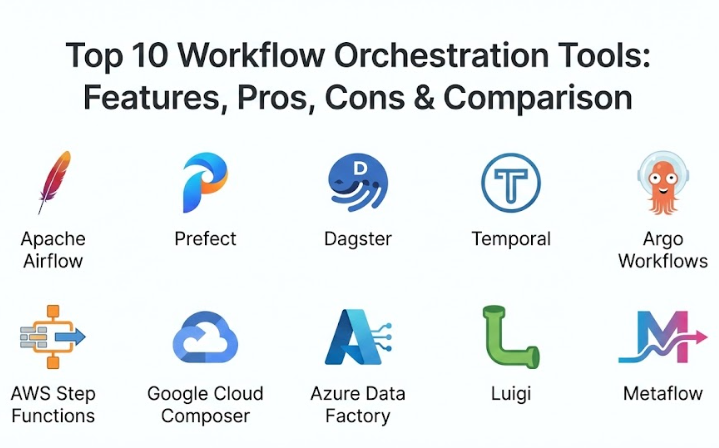
Top 10 Workflow Orchestration Tools
1 — Apache Airflow
Apache Airflow is the most famous and widely used tool in the orchestration world. Originally created at Airbnb, it is an open-source platform that allows you to write your workflows as Python code. It is known for its massive community and its ability to connect to almost every technical service on the planet.
- Key Features:
- Workflows are defined as Python code, making them very flexible and version-controlled.
- A powerful web interface to visualize and monitor complex task chains.
- Over 1,000 “providers” to connect to AWS, Google Cloud, Snowflake, and more.
- Scalable architecture that can handle thousands of tasks across multiple servers.
- Detailed logging that shows exactly what happened at every step.
- Built-in scheduling for running tasks at specific times or intervals.
- Pros:
- It has the biggest community, which means you can always find help or pre-made code.
- It is incredibly flexible; if you can write it in Python, Airflow can run it.
- Completely free and open-source, so you aren’t locked into one company.
- Cons:
- It is a “heavy” tool that requires a lot of computer resources to run.
- Setting it up and keeping it running can be quite difficult for beginners.
- Security & Compliance: Supports Kerberos, LDAP, and OAuth for secure logins. Offers role-based access control (RBAC) and encrypted data storage. Compliant with standard enterprise privacy rules.
- Support & Community: One of the most active open-source communities in the world. Excellent documentation and many professional training courses available.
2 — Prefect
Prefect is a modern orchestration tool that was built to fix some of the “annoyances” found in older platforms like Airflow. It focuses on being very easy for developers to use, allowing them to turn any regular Python function into a tracked task with just one line of code.
- Key Features:
- “Code as Workflows” approach that doesn’t require complex boilerplate.
- Dynamic mapping that allows tasks to scale based on how much data is coming in.
- A beautiful, modern cloud interface for monitoring your work.
- “Hybrid” model where your data stays on your servers while Prefect manages the “metadata.”
- Excellent support for real-time, event-driven tasks rather than just scheduled ones.
- Built-in “caching” to prevent the same task from running twice and wasting money.
- Pros:
- It feels much more “modern” and less clunky than traditional tools.
- The setup is very fast—you can have a workflow running in minutes.
- It handles data “parameters” and state changes much more naturally.
- Cons:
- The community is smaller than Airflow’s, so there are fewer pre-made connectors.
- The advanced cloud features require a paid subscription for enterprise use.
- Security & Compliance: SOC 2 Type II compliant. Offers SSO, API key management, and data encryption. Their hybrid model is great for HIPAA and GDPR because they never actually see your data.
- Support & Community: Very active Slack community and high-quality digital documentation. Professional enterprise support is available for paid users.
3 — Dagster
Dagster is a relatively new tool that focuses on the “data” part of data engineering. It treats the data itself as the most important thing, helping developers test their code more easily and ensure the data remains clean throughout the process.
- Key Features:
- Focus on “Software-Defined Assets” rather than just tasks.
- Built-in testing tools to catch errors before they reach the real database.
- A very fast and responsive web interface for exploring data pipelines.
- “Declarative” style where you describe what you want, and the tool figures out how to do it.
- Integration with modern data tools like dbt, Airbyte, and Fivetran.
- Excellent versioning for tracking how your data changes over time.
- Pros:
- It makes it much easier to catch bugs early in the development process.
- The “Asset” mindset is very helpful for teams that care about data quality.
- It is designed to be run locally on a laptop just as easily as in the cloud.
- Cons:
- It has a different way of thinking that can take a while for traditional engineers to learn.
- The community is still growing, so help can be harder to find than for Airflow.
- Security & Compliance: Supports SSO, audit logs, and fine-grained permissions. Fully compliant with modern data security standards.
- Support & Community: Rapidly growing community with very helpful developers. Good documentation and a dedicated cloud support team.
4 — Temporal
Temporal is a very different kind of orchestrator. Instead of just “scheduling” tasks, it makes your code “durable.” This means if your server crashes in the middle of a 10-step process, Temporal remembers exactly where it was and resumes immediately once the server is back.
- Key Features:
- “Workflow-as-Code” where the state of your app is automatically saved.
- Supports many languages including Java, Go, Python, and TypeScript.
- Able to handle workflows that last for seconds or for years.
- Automatic retries and “compensating actions” (like a “refund” if a “charge” fails).
- Massive scalability used by companies like Uber and Netflix.
- Visibility into every step of a running process via a simple UI.
- Pros:
- It is almost “invincible”—it handles crashes and network drops perfectly.
- It is great for complex business logic, like processing a bank loan.
- It allows developers to write code that looks like a normal program but is “magically” durable.
- Cons:
- It is quite complex to understand for people who are used to simple scheduling.
- It requires a dedicated cluster of servers to manage the workflow state.
- Security & Compliance: SOC 2 compliant and supports mTLS for all communications. Very secure and used in high-stakes financial environments.
- Support & Community: Strong developer community and professional enterprise support. Excellent documentation for advanced software engineers.
5 — Argo Workflows
Argo is a tool built specifically for Kubernetes, which is the system most modern companies use to run their apps. Because it is “native” to Kubernetes, it is the best choice for teams that want to manage their workflows the same way they manage their web servers.
- Key Features:
- Designed specifically to run as containers on Kubernetes.
- Workflows are defined using YAML, which is the standard “language” of Kubernetes.
- High performance and able to handle massive parallel processing.
- Built-in support for “Artifacts” (saving files from one step to the next).
- Visual dashboard to see the status of every container in the chain.
- Easy integration with CI/CD tools for automated software testing.
- Pros:
- It is incredibly fast and efficient because it uses standard cloud tech.
- It is free and open-source with no hidden costs.
- Perfect for “Cloud Native” companies that already use Kubernetes.
- Cons:
- You must have a Kubernetes cluster to use it, which is hard to set up.
- YAML can be frustrating to write for very complex logic compared to Python.
- Security & Compliance: Uses Kubernetes’ own security model (RBAC). Supports SSO and is very secure for internal private networks.
- Support & Community: Large community of DevOps and Cloud engineers. Part of the CNCF (Cloud Native Computing Foundation).
6 — AWS Step Functions
For companies that use Amazon Web Services, Step Functions is the “easy” button for orchestration. It is a “serverless” tool, meaning you don’t have to manage any servers; you just upload your logic and Amazon takes care of the rest.
- Key Features:
- Visual workflow designer where you can drag and drop different Amazon services.
- “Serverless” architecture—you only pay for each time a workflow runs.
- Automatic scaling to handle millions of requests without you doing anything.
- Native integration with every AWS service (Lambda, S3, DynamoDB, etc.).
- Built-in error handling and retries for every step.
- Support for “Express” workflows that run very fast and cost very little.
- Pros:
- Zero maintenance—you never have to fix a server or update software.
- Very easy to visualize how your different cloud services talk to each other.
- Extremely reliable with Amazon’s global infrastructure behind it.
- Cons:
- You are “locked” into Amazon; it is very hard to move to a different cloud later.
- It can become very expensive if you have millions of very small tasks.
- Security & Compliance: Inherits all of AWS’s massive security certifications (HIPAA, GDPR, SOC 1/2/3, ISO). Best-in-class security.
- Support & Community: Supported by Amazon’s global technical team. Huge amount of online tutorials and documentation.
7 — Google Cloud Composer
Cloud Composer is essentially a “managed” version of Apache Airflow run by Google. It gives you all the power of Airflow without the headache of setting up the servers and database yourself.
- Key Features:
- Full Apache Airflow experience with all its plugins and features.
- Fully managed by Google—they handle the updates and the security.
- Deep integration with Google BigQuery, Dataflow, and Vertex AI.
- One-click deployment of new Airflow environments.
- Built-in monitoring and logging using Google Cloud’s standard tools.
- Pay-as-you-go pricing based on the size of the environment.
- Pros:
- You get the world’s most popular tool (Airflow) with zero setup work.
- It is the best choice if your data is already in Google Cloud.
- Google takes care of the difficult “scaling” and “database” parts for you.
- Cons:
- It can be more expensive than running Airflow yourself if you aren’t careful.
- You are slightly limited in which versions of Airflow you can use.
- Security & Compliance: Fully compliant with all major global standards and integrated with Google’s IAM security system.
- Support & Community: Backed by Google’s enterprise support and the global Airflow community.
8 — Azure Data Factory
Microsoft’s answer to orchestration is Azure Data Factory. It is a powerful tool designed specifically for moving data around. It is unique because it offers a “no-code” visual builder that is perfect for people who aren’t software experts.
- Key Features:
- Visual “drag-and-drop” interface for building data pipelines.
- Over 90 built-in “connectors” to pull data from almost any source.
- Fully managed and serverless—no infrastructure to maintain.
- Support for running existing SQL Server Integration Services (SSIS) packages.
- Integrated monitoring and alerting with Azure Monitor.
- High-speed data movement across global regions.
- Pros:
- You don’t need to know how to code in Python to build a complex pipeline.
- It is the natural choice for companies that use Microsoft Office and Azure.
- Very easy to “lift and shift” old database work into the modern cloud.
- Cons:
- It is less flexible for “general” software tasks compared to Airflow or Prefect.
- It is strictly a Microsoft product; it doesn’t work well on other clouds.
- Security & Compliance: Meets all Microsoft Azure security standards, which are among the best in the world.
- Support & Community: Professional Microsoft support and a massive library of official learning paths.
9 — Luigi
Luigi is one of the “original” orchestration tools, created by Spotify. It is a simple, lightweight Python library that is great for people who want a reliable system without the complexity of a massive web platform.
- Key Features:
- Simple Python-based task definitions.
- Focuses on “Target” files (e.g., “don’t run this task if the file already exists”).
- Built-in visualizer to see the progress of your jobs.
- Handles dependencies and retries automatically.
- Lightweight and can be run on a single small server.
- No complex database required for the basic version.
- Pros:
- Very easy to understand for anyone who knows basic Python.
- It is battle-tested and has been used by Spotify for many years.
- Much “lighter” and faster to start than Apache Airflow.
- Cons:
- It lacks the advanced scaling and “dynamic” features of newer tools.
- The web interface is very basic and hasn’t been updated in a long time.
- Security & Compliance: Basic security; mostly relies on the security of the server it is running on.
- Support & Community: Stable community but not as active as the newer platforms. Documentation is clear but simple.
10 — Metaflow
Metaflow was created at Netflix to help data scientists manage their machine learning projects. It focuses on the “human” side of engineering, making it easy to run code on your laptop and then “push” it to the cloud with one click.
- Key Features:
- Focuses on the “Data Science Lifecycle” (experimenting, training, deploying).
- Automatically versions your data and code every time you run it.
- One-click “cloud” execution on AWS or Kubernetes.
- Built-in support for “Cards”—visual reports that show the results of a task.
- Very high performance for large-scale data processing.
- Designed to stay “invisible” so scientists can focus on their models.
- Pros:
- It is the best tool for “experimental” work where things change quickly.
- The versioning is a lifesaver—you can always go back to a previous “good” result.
- It makes “scaling up” to a big cloud feel like magic.
- Cons:
- It is primarily focused on Python and R; it isn’t a general software tool.
- It is heavily tied to AWS for its best cloud features.
- Security & Compliance: Supports standard cloud security and can be run inside private networks.
- Support & Community: Very active community of data scientists and great documentation from Netflix and Outerbounds.
Comparison Table
| Tool Name | Best For | Platforms | Standout Feature | Rating |
| Apache Airflow | Large Teams / Python | Any Cloud / On-Prem | Huge Ecosystem | 4.8 |
| Prefect | Modern Python Teams | Cloud / Hybrid | Dynamic Scaling | 4.7 |
| Dagster | Data Quality | Cloud / Local | Asset-Based Design | 4.6 |
| Temporal | “Invincible” Logic | Any Cluster / Cloud | Durable State | 4.5 |
| Argo Workflows | Kubernetes Users | Kubernetes | Native Performance | 4.6 |
| AWS Step Functions | AWS Users | AWS Only | Zero-Maintenance | 4.5 |
| Google Composer | Google Cloud Users | Google Cloud | Managed Airflow | 4.4 |
| Azure Data Factory | “No-Code” Data | Azure Only | Visual Designer | 4.3 |
| Luigi | Simple Python Jobs | Any Server | Lightweight / Spotify-built | 4.1 |
| Metaflow | Data Scientists | AWS / Local | Automatic Versioning | 4.6 |
Evaluation & Scoring of Workflow Orchestration Tools
The following table shows how these tools are generally evaluated by technical experts. Each category is weighted based on its importance to a typical business project.
| Criteria | Weight | Evaluation Focus |
| Core Features | 25% | Scheduling, retries, dependency management, and UI. |
| Ease of Use | 15% | How quickly a new developer can build a workflow. |
| Integrations | 15% | Connectivity to databases, clouds, and third-party APIs. |
| Security | 10% | SSO, encryption, and compliance certifications. |
| Reliability | 10% | Stability under heavy load and handling of system crashes. |
| Support | 10% | Quality of documentation and community help. |
| Price / Value | 15% | Transparency of costs and ROI. |
Which Workflow Orchestration Tool Is Right for You?
Choosing the right tool is a balance between power and simplicity. If you choose a tool that is too powerful, you will waste time managing it; if it is too simple, it will break as your business grows.
Solo Users vs. SMB vs. Mid-market vs. Enterprise
If you are working alone or in a tiny startup, look at Prefect or Luigi. They are fast to set up and don’t require a lot of help. For mid-market companies, Dagster or Argo are great because they offer more structure. If you are a global enterprise, you will likely choose Apache Airflow or one of the managed cloud services (like Google Composer) because they are proven to work at a massive scale.
Budget-Conscious vs. Premium Solutions
If budget is your main concern, the open-source tools like Airflow, Argo, and Luigi are technically free. However, remember that you have to pay for the servers to run them. If you want a “premium” experience where someone else does all the work, AWS Step Functions or Azure Data Factory are worth the cost because they save your team hundreds of hours of maintenance time.
Feature Depth vs. Ease of Use
If you want a tool that your whole team can understand—even the ones who aren’t experts—Azure Data Factory is the winner because of its visual builder. If you need a tool that can do absolutely anything and you have smart Python developers, Apache Airflow and Dagster provide the most depth and flexibility.
Integration and Scalability Needs
Never pick a tool that doesn’t “talk” to your existing software. If you use Microsoft tools, stay with Azure. If you use Google BigQuery, stay with Google. If you plan on running thousands of different jobs at the same time, look at Temporal or Argo, which are built specifically for that kind of high-speed performance.
Frequently Asked Questions (FAQs)
1. What is workflow orchestration?
It is like a “manager” for computer tasks. It makes sure that each task happens in the right order and fixes things if a task fails.
2. Why can’t I just use a simple script?
A script is hard to monitor. If a script fails at 2:00 AM, you might not know until the next day. An orchestrator will tell you exactly what happened and try to fix it automatically.
3. Do I need to know how to code?
For most of these tools, yes. Most require Python or YAML. However, Azure Data Factory and AWS Step Functions have visual builders for people who don’t want to code.
4. What is a “DAG”?
DAG stands for Directed Acyclic Graph. It is a fancy way of saying a “flowchart” where the work only moves in one direction and never goes in a circle.
5. How much do these tools cost?
The open-source ones are free. The cloud ones (like AWS or Google) charge you a small fee for every task they run. For a big company, this can range from $50 to $5,000 per month.
6. Which tool is the most popular?
Apache Airflow is the most popular by far. It has been around the longest and is used by almost every big tech company.
7. Can I run these tools on my own laptop?
Yes, tools like Dagster, Luigi, and Prefect are designed to be run on a laptop so you can test your work before putting it online.
8. Are these tools safe for patient data?
Yes, but you have to set them up correctly. Look for tools that have “SOC 2” or “HIPAA” certificates and make sure you use encryption.
9. What is “Serverless” orchestration?
It means you don’t have to worry about the computer running the software. You just upload your “logic” and the cloud provider (like Amazon) takes care of the rest.
10. How long does it take to learn these tools?
A simple tool like Luigi can be learned in a day. A complex one like Apache Airflow or Kubernetes can take several weeks to master.
Conclusion
Selecting a workflow orchestration tool is one of the most important technical decisions your team will make. The right tool will turn your messy data into a smooth, automated engine that works while you sleep. The wrong tool will become a “second job” for your engineers, requiring constant fixing and maintenance.
Remember that there is no “best” tool for everyone. The winner for your project is the one that fits your team’s skills, connects to your data, and stays within your budget. Start small, pick a tool that feels natural to your developers, and scale up as your needs grow. With the right orchestrator in place, your team can stop “fighting” the data and start using it to grow your business.