Introduction
GPU cluster scheduling tools are specialized software systems designed to manage and distribute computing tasks across a network of Graphics Processing Units (GPUs). Unlike traditional CPU scheduling, GPU scheduling must account for unique hardware constraints, such as high-bandwidth memory, NVLink inter-connectivity, and the massive parallel processing nature of deep learning workloads. These tools act as the “brain” of a data center, deciding which researcher or team gets access to which GPU at any given time, ensuring that expensive hardware doesn’t sit idle while developers wait in line.
The importance of these tools has exploded alongside the rise of Generative AI and Large Language Models (LLMs). Training a single model can require thousands of GPUs working in perfect synchronization; without a scheduler, the system would face constant bottlenecks and resource conflicts. Real-world use cases include training autonomous driving algorithms, running complex climate simulations, and managing large-scale inference for chatbots. When choosing a tool, users should look for features like “fair-share” scheduling (ensuring no single user hogs all resources), preemption (pausing low-priority tasks for urgent ones), and “topology awareness” (placing related tasks on GPUs that are physically close to each other to speed up data transfer).
Who Benefits Most and Who Might Not Need It
Best for:
These tools are essential for Machine Learning Engineers, Data Scientists, and Infrastructure Architects. They are most beneficial for mid-sized to large enterprises, research universities, and AI startups that manage a cluster of at least 8 to 16 GPUs. Industries such as Pharmaceuticals (for drug discovery), Finance (for high-frequency trading models), and Tech (for AI development) gain the most from the increased efficiency and reduced cloud costs these tools provide.
Not ideal for:
A solo developer or a small student team working on a single workstation with one or two GPUs does not need a cluster scheduler; the overhead of setting up the software would outweigh the benefits. Additionally, companies that exclusively use “Serverless” AI platforms where the provider handles all infrastructure might find these tools unnecessary. If your workloads are infrequent and small-scale, manual scheduling via a shared calendar or basic script is often sufficient.
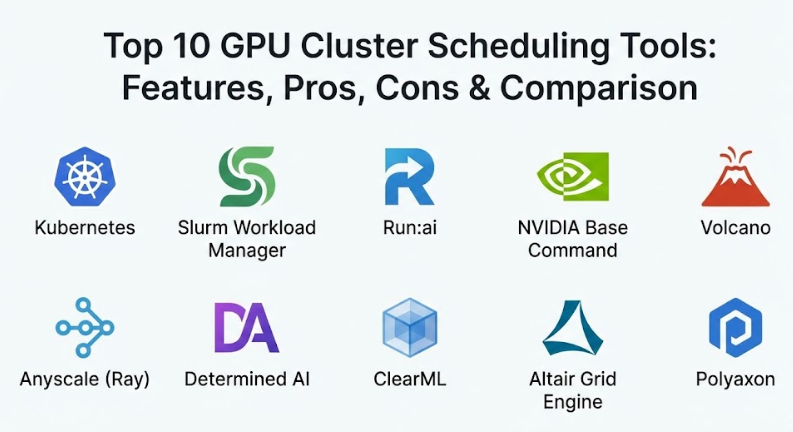
Top 10 GPU Cluster Scheduling Tools
1 — Kubernetes (with NVIDIA Device Plugin)
Kubernetes (K8s) is the world’s most popular container orchestration platform. While not a GPU scheduler by default, the addition of the NVIDIA Device Plugin allows it to treat GPUs as first-class resources that can be requested by containers.
- Key features:
- Native support for containerized AI workloads.
- Horizontal scaling to manage thousands of nodes.
- Dynamic resource allocation based on real-time demand.
- Health monitoring and auto-restarting of failed pods.
- Massive ecosystem of add-ons for logging and monitoring.
- Support for “Taints and Tolerations” to reserve specific GPU nodes.
- Pros:
- It is an industry standard, meaning most engineers already know how to use it.
- Highly flexible and integrates with almost every cloud provider.
- Cons:
- Extremely steep learning curve and high management overhead.
- Lacks built-in “Batch” scheduling features (like job queues) without extra plugins.
- Security & compliance: SOC 2, HIPAA, GDPR, and ISO compliant (depending on deployment).
- Support & community: Massive open-source community and enterprise support from vendors like Red Hat and VMware.
2 — Slurm Workload Manager
Slurm is the “old reliable” of the High-Performance Computing (HPC) world. It is a highly scalable, open-source cluster management and job scheduling system used by many of the world’s most powerful supercomputers.
- Key features:
- Advanced job queuing with priority-based scheduling.
- Topology-aware placement to maximize NVLink speeds.
- GRES (Generic Resource) support for fine-grained GPU allocation.
- Support for “Backfilling” (running small jobs while waiting for resources for a large job).
- Extensive command-line interface for researchers and scientists.
- Pros:
- Highly efficient for massive, long-running batch training jobs.
- Very low system overhead compared to container-heavy platforms.
- Cons:
- Not natively built for modern “Cloud-Native” or Docker-heavy workflows.
- The configuration files are complex and can be intimidating for AI engineers.
- Security & compliance: Supports Kerberos, Munge authentication, and detailed audit logs.
- Support & community: Strong academic community and professional support from SchedMD.
3 — Run:ai
Run:ai is a modern, enterprise-focused platform built on top of Kubernetes. it introduces a “virtualization layer” for GPUs, allowing for much more granular control over hardware than standard Kubernetes.
- Key features:
- GPU Fractioning (splitting one physical GPU among multiple users).
- Dynamic “Fair-Share” scheduling to prevent resource hoarding.
- Automated preemption and resume for high-priority jobs.
- Unified dashboard for managing on-premise and cloud GPUs.
- Deep integration with Jupyter Notebooks and PyTorch.
- Pros:
- Dramatically increases GPU utilization rates (often by 2x or 3x).
- Provides an “Easy Button” for AI teams who don’t want to manage raw Kubernetes.
- Cons:
- It is a premium, paid product with a significant cost.
- Requires an existing Kubernetes cluster to function.
- Security & compliance: SOC 2 Type II, GDPR, and ISO 27001 compliant.
- Support & community: Dedicated enterprise support and high-quality onboarding for large teams.
4 — NVIDIA Base Command
NVIDIA Base Command is a part of the NVIDIA AI Enterprise suite. It is a premium service designed to manage the lifecycle of AI development specifically on NVIDIA hardware.
- Key features:
- Optimized for NVIDIA DGX systems and HGX clusters.
- Integrated telemetry for GPU health, power, and temperature.
- Built-in datasets and model registries.
- Direct integration with NVIDIA NGC (container registry).
- Multi-node training coordination with one-click setup.
- Pros:
- Offers the best possible performance and stability for NVIDIA hardware.
- Fully managed “Control Plane” reduces the need for internal DevOps.
- Cons:
- Locked into the NVIDIA ecosystem; no support for other GPU vendors.
- High cost associated with the NVIDIA AI Enterprise license.
- Security & compliance: SOC 2, GDPR, and enterprise-grade encryption.
- Support & community: Direct access to NVIDIA’s world-class engineering support.
5 — Volcano
Volcano is a batch scheduling system built specifically for Kubernetes. It was created to bridge the gap between the “Web Service” world of K8s and the “Batch Job” world of AI and Big Data.
- Key features:
- Gang Scheduling (ensuring all parts of a distributed job start at once).
- Job priority and preemption policies.
- Support for high-performance frameworks like TensorFlow and Spark.
- Fair-share scheduling across different namespaces.
- Advanced bin-packing to maximize node density.
- Pros:
- Essential for running distributed training on Kubernetes without manual hacks.
- Open-source and supported by the Cloud Native Computing Foundation (CNCF).
- Cons:
- Adds another layer of complexity to an already complex Kubernetes setup.
- Documentation can be difficult to follow for beginners.
- Security & compliance: Inherits Kubernetes security features; GDPR/SOC 2 compatible.
- Support & community: Growing community of contributors from companies like Huawei and AWS.
6 — Anyscale (Ray)
Ray is an open-source framework for scaling AI and Python applications. Anyscale is the commercial platform built by the creators of Ray, providing a fully managed cluster environment.
- Key features:
- Distributed computing for Python without changing your code.
- Ray Train for scaling deep learning across multiple GPUs.
- Ray Serve for high-performance model inference.
- Automated cluster autoscaling (up and down) to save costs.
- Native support for PyTorch, XGBoost, and Scikit-learn.
- Pros:
- Extremely developer-friendly; feels like writing code on your local laptop.
- Handles both training and serving in a single, unified system.
- Cons:
- Not a general-purpose “Tool” for managing any job; it is a code-level framework.
- Anyscale managed service can be expensive for high-volume users.
- Security & compliance: SOC 2 Type II and HIPAA compliant (on Anyscale).
- Support & community: Huge GitHub community and professional support via Anyscale.
7 — Determined AI
Determined AI (acquired by HPE) is an open-source deep learning training platform. It simplifies the process of training models by handling the scheduling, networking, and fault tolerance automatically.
- Key features:
- Integrated Hyperparameter Tuning (using the Hyperband algorithm).
- Automated checkpointing and model versioning.
- Resource pooling to share GPUs across different teams.
- Support for distributed training without manual boilerplate code.
- Smart preemption for “Spot Instances” in the cloud.
- Pros:
- The built-in hyperparameter tuning is a massive time-saver for researchers.
- Excellent for improving the “Experimental” phase of AI development.
- Cons:
- Less focused on model “Inference” or production serving.
- Integrating with legacy data pipelines can be a challenge.
- Security & compliance: SOC 2, ISO 27001, and SSO integration.
- Support & community: Strong open-source presence and enterprise support from HPE.
8 — ClearML
ClearML is a comprehensive MLOps platform that includes a powerful orchestration and scheduling engine. It is designed to turn any set of machines (cloud or local) into a managed cluster.
- Key features:
- ClearML Agent for converting any machine into a worker node.
- Visual task queue and scheduling dashboard.
- Automated data management and versioning.
- Support for “Over-the-air” code updates to worker nodes.
- Integrated experiment tracking and model registry.
- Pros:
- Very easy to set up for teams with a mix of local workstations and cloud nodes.
- Offers a “Community Edition” that is very generous for small teams.
- Cons:
- The interface is dense with many features, which can be overwhelming.
- Scheduler is not as “Low-level” as Slurm for ultra-scale supercomputing.
- Security & compliance: SOC 2, GDPR, and SSO support.
- Support & community: Excellent Slack-based support and detailed YouTube tutorials.
9 — Altair Grid Engine
Formerly known as Sun Grid Engine (SGE), Altair Grid Engine is a battle-tested distributed resource management system used in high-tech manufacturing and life sciences.
- Key features:
- Advanced policy management for complex business rules.
- Support for “Docker” containers within traditional HPC jobs.
- Dynamic resource allocation based on budget or project code.
- High-throughput scheduling (handling thousands of small jobs per second).
- Detailed reporting for cost allocation and department chargebacks.
- Pros:
- Extremely reliable for production environments that cannot fail.
- Excellent at managing costs and “Who pays for what” in a large company.
- Cons:
- Has a “Corporate” feel and is less popular with the modern Generative AI crowd.
- Licensing is opaque and usually requires a sales call.
- Security & compliance: Varies; supports full encryption and audit logging.
- Support & community: World-class enterprise support and professional consulting.
10 — Polyaxon
Polyaxon is a platform for reproducing and managing the whole lifecycle of machine learning projects. It focuses on making the scheduling process “Reproducible.”
- Key features:
- YAML-based specification for defining GPU jobs.
- Automated scaling on Kubernetes.
- Integrated “Comparison” tools to see which job performed best.
- Visualization of GPU utilization and memory usage per job.
- Support for many frameworks including Keras and MXNet.
- Pros:
- Great for teams that prioritize “Record Keeping” and scientific reproducibility.
- Can be installed on-premise for companies with strict data privacy.
- Cons:
- Smaller community compared to heavyweights like Kubernetes or Slurm.
- Some users find the YAML configurations to be overly verbose.
- Security & compliance: RBAC, SSO, and secure data isolation.
- Support & community: Solid documentation and a helpful GitHub community.
Comparison Table
| Tool Name | Best For | Platform(s) Supported | Standout Feature | Rating (Gartner/Peer) |
| Kubernetes | General Orchestration | Cloud / On-prem | Industry Ecosystem | 4.8 / 5 |
| Slurm | Scientific Research | Linux Clusters | Topology Awareness | N/A |
| Run:ai | Maximizing Utilization | Kubernetes | GPU Fractioning | 4.7 / 5 |
| NVIDIA Base Cmd | DGX Owners | NVIDIA Hardware | Peak Optimization | 4.6 / 5 |
| Volcano | K8s Batch Jobs | Kubernetes | Gang Scheduling | N/A |
| Anyscale (Ray) | Python Developers | Cloud / SaaS | Zero-code Scaling | 4.9 / 5 |
| Determined AI | Deep Learning Exp. | Cloud / Hybrid | Hyperparameter Tuning | 4.5 / 5 |
| ClearML | Hybrid Clusters | Any Machine | Local Agent Setup | 4.7 / 5 |
| Altair Grid Engine | High-Throughput | Hybrid / On-prem | Business Policy Mgmt | N/A |
| Polyaxon | Reproducibility | Kubernetes | Scientific Tracking | N/A |
Evaluation & Scoring of GPU Cluster Scheduling Tools
We have scored these tools based on a weighted rubric that reflects the priorities of modern AI teams.
| Criteria | Weight | Industry Average Score | Weighted Score |
| Core Features | 25% | 9.0 / 10 | 2.25 |
| Ease of Use | 15% | 7.0 / 10 | 1.05 |
| Integrations | 15% | 8.5 / 10 | 1.28 |
| Security & Compliance | 10% | 9.0 / 10 | 0.90 |
| Performance & Reliability | 10% | 9.5 / 10 | 0.95 |
| Support & Community | 10% | 8.0 / 10 | 0.80 |
| Price / Value | 15% | 7.5 / 10 | 1.13 |
| Total Weighted Score | 100% | N/A | 8.36 / 10 |
Which GPU Cluster Scheduling Tool Is Right for You?
By Team Size and Budget
If you are a small startup on a budget, stick with Kubernetes using Volcano or the community edition of ClearML. These offer massive power without upfront licensing fees. For mid-market enterprises that need to move fast, Run:ai or Anyscale provide a much smoother experience that will save you from hiring three extra DevOps engineers.
By Workload Type
If your primary goal is Research and Experimentation, tools like Determined AI or Polyaxon are best because they focus on tracking different versions of your models. If you are doing Large-Scale Production Training (like building your own LLM), Slurm or NVIDIA Base Command are the only choices that can handle the sheer scale and hardware complexity required.
By Infrastructure Choice
If you are Cloud-Only, look at Anyscale or the native schedulers provided by AWS (SageMaker) or Google (Vertex AI). If you have a Hybrid setup (some GPUs in the office, some in the cloud), ClearML is the most flexible. If you have invested millions in NVIDIA DGX systems, it makes the most sense to use NVIDIA Base Command to get the best performance for your money.
Frequently Asked Questions (FAQs)
1. Can I use a regular CPU scheduler for GPUs?
Technically yes, but it will be very inefficient. CPUs are “general purpose,” while GPUs have specific needs like NVLink connectivity and large memory footprints that CPU schedulers don’t understand.
2. What is “GPU Fractioning”?
It is the ability to take one physical GPU (like an NVIDIA H100) and slice it into smaller virtual GPUs so that multiple people can use it at the same time for small tasks.
3. Does Kubernetes natively support GPUs?
Not exactly. It requires the “NVIDIA Device Plugin” to see the GPUs, and often a secondary scheduler like “Volcano” to handle the batch-style training jobs typical in AI.
4. What is “Gang Scheduling”?
In distributed training, if you need 4 GPUs but only 3 are available, a gang scheduler will wait until all 4 are free before starting. This prevents “deadlocks” where a job starts but can’t finish.
5. How much do these tools usually cost?
Open-source options are free but require expensive engineering time. Paid tools like Run:ai or Anyscale usually charge based on the number of GPUs you are managing, ranging from $1,000 to $5,000+ per GPU per year.
6. Can I manage AMD or Intel GPUs with these tools?
Most (like Kubernetes and Slurm) support them, but NVIDIA-specific tools like Base Command or Run:ai (mostly) are optimized for the NVIDIA CUDA ecosystem.
7. What is “Preemption”?
Preemption is when the scheduler pauses a low-priority job (like a student’s project) to give resources to a high-priority job (like a production bug fix).
8. Do I need a scheduler for inference?
Yes, but the needs are different. Inference scheduling focuses on “latency” and “throughput,” while training scheduling focuses on “batch efficiency” and “long-term stability.”
9. Can these tools help reduce cloud costs?
Yes. By increasing your GPU utilization from 20% to 80% and utilizing “Spot Instances,” these tools can often cut your cloud bill in half.
10. How long does implementation take?
A basic Slurm or ClearML setup can take a few days. A full-scale enterprise Kubernetes rollout with Run:ai can take several months of planning and integration.
Conclusion
Building a GPU cluster is an enormous financial investment, but that investment is wasted if the hardware sits idle or is used inefficiently. A GPU cluster scheduling tool is the essential bridge between your data scientists and your hardware.
The “best” tool is the one that removes friction from your workflow. If your team lives in Python, Ray/Anyscale is your best bet. If you are a traditional research lab, Slurm remains the king. If you are a modern enterprise running on Kubernetes, Run:ai offers the most professional control. Regardless of your choice, the goal is the same: making sure your GPUs are always crunching data and your AI models are getting to market faster.