Introduction
Edge Device Management Tools are specialized software platforms designed to provision, monitor, update, and secure hardware located at the “edge” of a network. Unlike traditional IT assets kept in a climate-controlled data center, edge devices—such as industrial sensors, smart cameras, gateways, and robotics—are often deployed in remote, harsh, or geographically dispersed locations. These tools provide a centralized “cockpit” for administrators to manage thousands of devices simultaneously without needing to be physically present at each site. They bridge the gap between physical hardware and cloud applications, ensuring that the data collected at the edge is processed reliably and securely.
The importance of these tools has skyrocketed as companies move toward decentralized computing to reduce latency and bandwidth costs. In the real world, edge management is critical for Smart Manufacturing (tracking machine health), Fleet Management (monitoring delivery vehicles), and Retail Analytics (managing smart shelves). When choosing a tool, you must evaluate its ability to handle “Zero-Touch Provisioning,” its resilience during intermittent network connectivity, the robustness of its over-the-air (OTA) update mechanism, and its ability to scale from ten devices to ten thousand without performance degradation.
Best for: These tools are a lifeline for IoT architects, DevOps engineers, and Operations Managers in mid-to-large enterprises. Industries like energy, logistics, manufacturing, and telecommunications benefit the most. Not ideal for: Small businesses with a handful of static office devices or individuals who only need to manage consumer smart-home gadgets that can be handled by basic mobile apps.
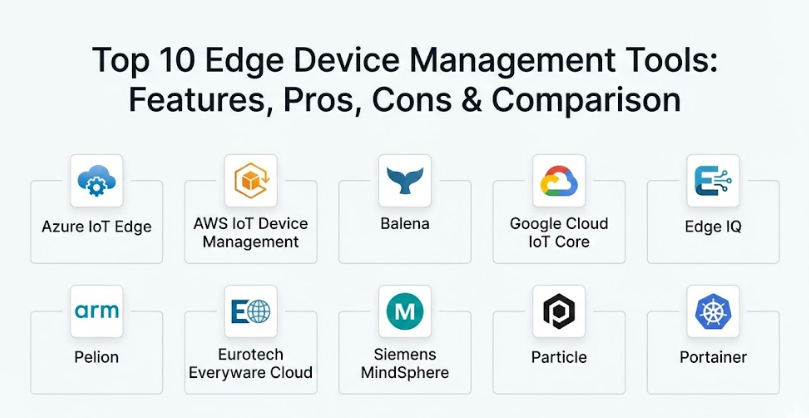
Top 10 Edge Device Management Tools
1 — Azure IoT Edge
Azure IoT Edge is a fully managed service built on Azure IoT Hub, designed to deploy cloud workloads—such as AI, Azure services, or custom logic—directly to your edge devices. It is built for seamless integration within the Microsoft ecosystem.
- Containerized Module Deployment: Uses Docker-compatible containers to run custom code or Azure services on the edge.
- Offline Operation: Devices can continue to function and store data during internet outages, syncing with the cloud once reconnected.
- Azure Stream Analytics: Enables real-time data processing locally to reduce latency.
- Zero-Touch Provisioning: Uses the Device Provisioning Service (DPS) to enroll thousands of devices securely.
- Seamless AI Integration: Allows for the deployment of machine learning models trained in the cloud to run locally on the edge.
- Security Hierarchy: Built-in support for hardware security modules (HSM) to protect device identity.
Pros:
- Unbeatable integration for companies already using Azure cloud services and tools.
- Excellent at handling “heavy” edge workloads like local AI processing and complex data filtering.
Cons:
- Can be very complex to set up for teams not familiar with the Azure ecosystem.
- Pricing can become unpredictable as data throughput and the number of modules increase.
Security & compliance: SOC 2, ISO 27001, GDPR compliant; supports TLS 1.2, X.509 certificates, and TPM-based security.
Support & community: Extensive Microsoft documentation, dedicated enterprise support, and a massive global developer community.
2 — AWS IoT Device Management
AWS IoT Device Management is a comprehensive service that makes it easy to track, monitor, and manage large fleets of IoT devices throughout their entire lifecycle. It is highly scalable and integrated with the vast AWS service library.
- Bulk Registration: Quickly onboards large numbers of devices using templates and X.509 certificates.
- Fine-Grained Indexing: Search and filter your fleet based on any combination of device attributes or state.
- Fleet Indexing and Search: Find devices across your entire global fleet in seconds using metadata.
- Over-the-Air (OTA) Updates: Securely push firmware and software updates to devices in the field.
- Secure Tunneling: Establish secure, remote SSH or VNC sessions to troubleshoot devices behind firewalls.
- Jobs and Notifications: Automate multi-step update processes with built-in rollback capabilities if a job fails.
Pros:
- Highly reliable and capable of managing millions of devices simultaneously.
- The “Secure Tunneling” feature is a game-changer for troubleshooting remote hardware without VPNs.
Cons:
- The learning curve for the AWS Console and permissions (IAM) can be quite steep.
- Users may find the interface for managing complex edge logic less intuitive than container-focused tools.
Security & compliance: HIPAA eligible, SOC 1/2/3, ISO certified, and GDPR compliant.
Support & community: World-class AWS technical support, extensive whitepapers, and a huge library of community-led tutorials.
3 — Balena (formerly Resin.io)
Balena is a complete set of tools for building, deploying, and managing fleets of connected Linux devices. It is a favorite among developers for its “git push” workflow for hardware.
- Container-Based Management: Every application runs in a lightweight Docker container for consistency.
- BalenaCloud: A centralized dashboard to monitor device health, logs, and public URLs for devices.
- Delta Updates: Only sends the changes in a container image over the network, drastically saving bandwidth.
- Host OS Management: A minimal, robust Linux OS (balenaOS) designed specifically for edge reliability.
- Multi-Container Support: Run and manage multiple services on a single edge device.
- Public Device URLS: Allows for easy remote access to web interfaces running on the edge hardware.
Pros:
- The “delta updates” are arguably the best in the industry for remote devices on limited data plans.
- Provides a very “developer-friendly” experience that feels like managing cloud servers.
Cons:
- Primarily focused on Linux-based edge devices, which may not fit every industrial hardware case.
- Higher cost per device compared to some “bare-bones” cloud provider tools.
Security & compliance: SOC 2 Type II compliant; features encrypted communication and secure boot support.
Support & community: Active community forums, excellent “Getting Started” guides, and professional support for large fleets.
4 — Google Cloud IoT Core
Note: While Google has transitioned its IoT approach, the technology remains a cornerstone of their edge strategy, focusing on deep integration with BigQuery and AI.
- Fully Managed Service: No infrastructure to manage; scales automatically to support millions of devices.
- Protocol Bridge: Native support for MQTT and HTTP protocols to connect a wide variety of devices.
- Pub/Sub Integration: Seamlessly routes device data into Google’s data analytics pipeline.
- Device Shadows: Maintains a virtual representation of the device to track state even when it’s offline.
- Stackdriver Monitoring: Provides detailed logging and error reporting for the entire device fleet.
- End-to-End Security: Uses asymmetric key authentication and TLS for all communications.
Pros:
- Best-in-class integration for organizations that rely on Google BigQuery for data science.
- Very simple and clean pricing model based on data volume.
Cons:
- Less emphasis on “on-device” application management compared to Azure or Balena.
- The ecosystem of pre-certified edge hardware is smaller than that of AWS.
Security & compliance: ISO 27001, SOC 2/3, HIPAA compliant, and follows Google’s high-security standards.
Support & community: Strong documentation and integration with the broader Google Cloud community.
5 — Edge IQ
Edge IQ is a hardware-agnostic platform that focuses on “Device Operations.” It is designed to simplify the management of heterogeneous fleets where you might have different types of hardware and various software stacks.
- Hardware Agnostic: Works across different chipsets, operating systems, and connectivity types.
- Zero-Touch Orchestration: Automates the lifecycle from factory to field deployment.
- Policy-Based Management: Define rules for how groups of devices should behave or update.
- Integrated Connectivity Management: Manage your cellular data plans and SIM cards in the same tool.
- Health and Performance Monitoring: Visual dashboards for CPU, memory, and signal strength.
- Third-Party Integrations: Easily pushes data to AWS, Azure, or private data centers.
Pros:
- Excellent for companies that don’t want to be “locked in” to a single cloud provider.
- One of the few tools that integrates cellular data management alongside device management.
Cons:
- The interface can be complex due to the sheer number of supported hardware types.
- Smaller brand recognition compared to the “Big Three” cloud providers.
Security & compliance: SSO support, data encryption, and audit logs.
Support & community: High-touch customer success and personalized onboarding for enterprise clients.
6 — Pelion (by Arm)
Pelion is a flexible IoT and edge management platform that provides a secure foundation for connecting and managing diverse devices, particularly those built on Arm architecture.
- Device Identity Management: Assigns unique, non-forgeable identities to every device at the factory.
- Firmware Over-the-Air (FOTA): Reliable updates even for resource-constrained microcontrollers.
- Connectivity Management: Supports cellular, Wi-Fi, and Ethernet connectivity globally.
- Secure Device Access: Remote terminal access for debugging and maintenance.
- Edge Application Orchestration: Deploy and manage applications across different types of gateways.
- Broad OS Support: Works with Mbed OS, Linux, and other RTOS (Real-Time Operating Systems).
Pros:
- Deep expertise in hardware-level security, especially for Arm-based devices.
- Very strong at managing very low-power devices that aren’t powerful enough for Docker containers.
Cons:
- The platform has undergone several corporate changes, which can lead to confusion regarding long-term roadmaps.
- Documentation can be fragmented across different versions of the service.
Security & compliance: PSA Certified, ISO 27001, and GDPR compliant.
Support & community: Technical documentation and professional support services are available.
7 — Eurotech Everyware Cloud
Eurotech offers an end-to-end “Edge-to-Cloud” platform that is heavily focused on industrial settings (IIoT) and ruggedized hardware management.
- Everyware Software Framework (ESF): An enterprise-ready IoT edge framework based on Eclipse Kura.
- Remote Configuration: Change device settings and parameters without a reboot.
- Real-Time Data Management: Powerful tools for filtering and “thinning” data before it’s sent to the cloud.
- Advanced Diagnostics: Detailed logs and performance metrics for industrial gateways.
- Secure VPN Tunneling: Built-in secure remote access for deep technical troubleshooting.
- Multi-Tenant Architecture: Designed for service providers who manage fleets for multiple different clients.
Pros:
- Built specifically for the “Industrial Edge”—very reliable in tough environments.
- Excellent at managing data flow to prevent high cellular data bills.
Cons:
- Best experienced when using Eurotech’s own ruggedized hardware.
- The interface feels more like a technical “engineering” tool than a modern web app.
Security & compliance: IEC 62443 (Industrial Security), SOC 2, and GDPR compliant.
Support & community: Professional engineering support and a strong presence in the open-source Eclipse community.
8 — Siemens MindSphere (Siemens Xcelerator)
MindSphere is Siemens’ industrial IoT as a service, offering extensive edge management capabilities specifically for the manufacturing and automation sectors.
- MindConnect Edge Analytics: Advanced local processing for high-speed industrial data.
- Closed-Loop Integration: Connects edge data back to digital twins and PLM software.
- Pre-Built Industrial Apps: A large library of apps for predictive maintenance and energy management.
- Secure Edge Device Management: Centralized updates and health checks for Siemens hardware.
- Open API Architecture: Allows developers to build their own industrial applications on top of the platform.
- Visual Data Mapping: Easy-to-use tools for connecting industrial protocols (Modbus, OPC UA) to the cloud.
Pros:
- The undisputed leader for companies that already use Siemens factory automation and PLCs.
- Incredible depth of features for “Predictive Maintenance” and industrial efficiency.
Cons:
- Very expensive and primarily aimed at the high-end industrial market.
- Can feel like a “walled garden” if you use non-Siemens hardware.
Security & compliance: ISO 27001, SOC 2 Type II, and extensive industrial security certifications.
Support & community: Global professional services and a dedicated industrial user community.
9 — Particle
Particle is an all-in-one IoT platform that provides the hardware, the connectivity, and the management software in a single package. It is known for its “it just works” experience.
- Integrated Hardware & Software: Manage Particle-branded cellular and Wi-Fi modules seamlessly.
- Particle Console: A clean, easy-to-use dashboard for tracking fleet health and deployments.
- Cellular Data Management: Native integration with global cellular networks—no third-party SIMs needed.
- Logic Engine: Easily deploy “Cloud Functions” that trigger based on edge device events.
- Firmware Management: Robust OTA updates with automatic versioning and rollbacks.
- Device Vitals: Real-time signal strength, battery level, and memory usage tracking.
Pros:
- The fastest way to go from a prototype to a fleet of 1,000 devices.
- Eliminates the headache of managing separate cellular contracts and device software.
Cons:
- Requires you to use Particle-branded hardware, which might not be powerful enough for all edge cases.
- Less flexible for running large “custom” Linux applications compared to Balena.
Security & compliance: SOC 2 Type II compliant; features encrypted communication by default.
Support & community: Fantastic documentation and one of the most active IoT developer communities in the world.
10 — Portainer
While originally a general-purpose container management tool, Portainer has evolved a specialized “Edge Agent” that makes it a powerful choice for managing containerized edge hardware.
- Edge Agent: A lightweight agent that allows the central Portainer instance to manage remote devices over unstable networks.
- Visual Container Management: Deploy Docker containers to the edge using a simple, graphical web interface.
- Environment Groups: Organize edge devices into logical groups for bulk deployments.
- GitOps Integration: Automatically update edge applications when you push new code to your Git repository.
- Edge Compute Features: Specifically designed to work with “pull-based” communications to bypass firewalls.
- Resource Monitoring: Basic stats for CPU and RAM usage across your edge fleet.
Pros:
- The best choice for teams that want a “vendor-neutral” way to manage edge containers.
- Extremely cost-effective, with a very generous free tier for smaller fleets.
Cons:
- Does not manage “firmware” or “OS updates”—it only manages the applications (containers).
- Lacks the deep “IoT-specific” features like device shadows or cellular management.
Security & compliance: SSO support, RBAC (Role-Based Access Control), and audit logs.
Support & community: Strong community support and professional support plans for businesses.
Comparison Table
| Tool Name | Best For | Platform(s) Supported | Standout Feature | Rating |
| Azure IoT Edge | Azure Users | Linux, Windows | Cloud Intelligence at the Edge | N/A |
| AWS IoT Device Mgmt | Large AWS Fleets | Linux, RTOS | Secure Remote Tunneling | N/A |
| Balena | Developer-First Teams | Linux (balenaOS) | Delta (Minimal) Updates | N/A |
| Google Cloud IoT | Data Science / AI | Linux, Android | Seamless BigQuery Integration | N/A |
| Edge IQ | Mixed Hardware Fleets | Agnostic | Integrated Cellular Management | N/A |
| Pelion | Arm Architecture | Linux, RTOS | Hardware-Level Secure ID | N/A |
| Eurotech Everyware | Industrial (IIoT) | Linux (ESF) | Ruggedized Gateway Mgmt | N/A |
| Siemens MindSphere | Manufacturing | Industrial OS | Predictive Maintenance Library | N/A |
| Particle | End-to-End Speed | Particle Hardware | Hardware + Connectivity + SW | N/A |
| Portainer | Container Management | Linux, Docker | Visual GitOps for the Edge | N/A |
Evaluation & Scoring of Edge Device Management Tools
This rubric evaluates tools based on their ability to survive and thrive in remote, decentralized environments.
| Category | Weight | Evaluation Criteria |
| Core Features | 25% | Quality of OTA updates, provisioning, and offline capabilities. |
| Ease of Use | 15% | Intuitiveness of the dashboard and ease of developer onboarding. |
| Integrations | 15% | How well it talks to cloud providers, databases, and industrial hardware. |
| Security & Compliance | 10% | Support for hardware security (TPM), encryption, and global certifications. |
| Performance | 10% | Latency, update reliability, and impact on device resources. |
| Support & Community | 10% | Availability of expert help, documentation quality, and peer forums. |
| Price / Value | 15% | Transparency of costs and ROI for large-scale deployments. |
Which Edge Device Management Tool Is Right for You?
The “best” tool is the one that minimizes your “truck rolls”—the expensive trips a technician makes to fix a device in the field.
Solo Users vs SMB vs Mid-Market vs Enterprise
- Solo Users/Prototypers: Start with Particle or the free tier of Balena. They take away the complexity so you can focus on your code.
- SMBs: Portainer or Edge IQ are excellent if you want to avoid being locked into one big cloud provider.
- Mid-Market: Balena is often the sweet spot here, offering a high-end developer experience with professional fleet tools.
- Large Enterprise: Stick with the “Big Three” (AWS, Azure, Google) or Siemens for industrial cases. They offer the global scale and security certifications you require.
Budget-Conscious vs Premium Solutions
If you have more time than money, Portainer (Open Source) or Eclipse Kura (the base for Eurotech) are your best bets. If you are “time-poor” and need things to work out of the box, paying the premium for AWS or Particle is almost always worth the investment in saved engineering hours.
Feature Depth vs Ease of Use
If you need to run deep learning models at the edge, you need the depth of Azure IoT Edge. If you just need to know if a door sensor is open and update its simple code once a month, the ease of use of Particle or AWS IoT is much more appropriate.
Integration and Scalability Needs
Always work backward from your data. If your data must end up in a Microsoft SQL database, Azure is the path of least resistance. If you plan to scale to 100,000 devices, ensure your chosen tool has robust “Bulk Provisioning” features so you don’t have to manually register each one.
Frequently Asked Questions (FAQs)
1. What is “Zero-Touch Provisioning”?
It is a process where a device is shipped directly to its location, plugged in by a non-technical person, and it automatically connects to the management tool to download its configuration and software without any manual setup.
2. Can these tools update devices on slow cellular connections?
Yes, tools like Balena use “delta updates” to only send the tiny parts of the code that have changed, making it possible to update hardware even on very slow or expensive data plans.
3. What happens if an update fails halfway through?
Professional tools like AWS or Azure have “Automatic Rollback.” If the device detects that the new update didn’t install correctly, it will automatically switch back to the last working version to avoid becoming a “brick.”
4. Can I manage devices behind a strict firewall?
Yes, most of these tools use a “Pull” model. The device reaches out to the management server periodically, which bypasses most firewall restrictions that would normally block incoming connections.
5. What is a “Device Shadow”?
A device shadow is a cloud-based copy of your device’s state. You can change a setting in the “shadow” while the device is offline, and the next time the device connects, it will see the change and update itself.
6. Do I need a different tool for different hardware?
Not necessarily. Agnostic tools like Edge IQ or Portainer can manage a mix of different brands. However, for deep specialized features, you might sometimes choose a tool from the hardware manufacturer.
7. Is my data encrypted while traveling from the edge?
Yes, all professional tools on this list use industry-standard TLS (Transport Layer Security) encryption, the same technology that protects your online banking.
8. Can I use these tools for “bare-metal” devices without an OS?
Tools like Pelion or AWS IoT (using FreeRTOS) can manage very simple chips. However, container-based tools like Balena or Azure require a full operating system like Linux.
9. How do these tools handle power outages?
Most edge management agents are “resilient,” meaning they will automatically resume their tasks and reconnect to the dashboard as soon as the power and internet return.
10. How much does edge management software cost?
Costs range from $0 (Open Source) to about $1.00 – $5.00 per device, per month for enterprise services. Some also charge based on the total amount of data sent to the cloud.
Conclusion
To wrap up, the “best” Edge Device Management tool is the one that you never have to think about. It should sit quietly in the background, ensuring your remote hardware is healthy, secure, and running the latest version of your software.
When making your final choice, remember that your needs will change. A tool that is great for managing 10 devices might be a nightmare for managing 1,000. Prioritize security, reliable OTA updates, and scalability. Start with a small pilot program of five devices, test the “update and rollback” features extensively, and ensure your team is comfortable with the interface before committing to a long-term contract. With the right management partner, the “edge” stops being a source of stress and starts being your greatest source of business insight.