Introduction
IoT Device Management Platforms are the specialized software solutions designed to solve this problem. These platforms act as a remote control and mission control center for your entire fleet of hardware. They allow you to “provision” (set up) new devices, monitor their battery life and signal strength, push software updates to fix bugs, and securely wipe data if a device is stolen.
An IoT Device Management Platform is the glue that holds a connected project together. Without one, managing a large-scale IoT rollout would be a nightmare. Imagine having ten thousand smart sensors buried in a farm field; you cannot manually visit each one to update its software. These platforms provide a digital interface where you can see every device on a map, check if they are “online,” and send commands to all of them at once. They are vital because IoT devices are often located in hard-to-reach places and are frequent targets for hackers. A good platform ensures that every device is running the latest security patch and is only talking to authorized servers.
By using these tools, businesses can transform from reactive troubleshooting to proactive management. Instead of waiting for a machine to break, the platform can alert you that a sensor’s temperature is rising, allowing for “predictive maintenance.” This saves an enormous amount of money and prevents dangerous system failures in critical industries like healthcare or energy.
Key Real-World Use Cases:
- Smart Cities: Managing thousands of connected streetlights to save energy and report outages automatically.
- Industrial Automation: Monitoring factory robots to ensure they are operating within safe parameters.
- Connected Healthcare: Tracking medical equipment and wearable heart monitors to ensure patient data is flowing safely.
- Logistics and Fleet: Managing GPS trackers on shipping containers to track cargo across oceans.
Evaluation Criteria:
When choosing a tool, you should look for “zero-touch provisioning,” which lets devices connect and configure themselves as soon as they are powered on. You also need to check if the platform supports the specific “language” (protocol) your devices use, such as MQTT or LwM2M. Scalability is essential; the tool should work just as well for ten devices as it does for ten million. Finally, ensure it offers robust security features like “over-the-air” (OTA) updates and strong data encryption.
Best for:
- IoT Developers and Engineers: Who need a reliable way to deploy and debug code on remote hardware.
- Operations Managers: Who need to monitor the health and location of physical assets in the field.
- Enterprises in Manufacturing, Energy, and Logistics: Companies that rely on large-scale hardware deployments for their daily business.
- Security Officers: Who must ensure that every connected gadget follows strict company privacy rules.
Not ideal for:
- General Home Users: If you only have a smart toaster and a couple of lightbulbs, the built-in apps from the manufacturer are enough.
- Small Projects with Local Access: If your devices are always within arm’s reach and never leave your office, a full management platform might be more than you need.
- Businesses with No Connected Hardware: If your business is entirely software-based (like a website), these tools do not apply to you.
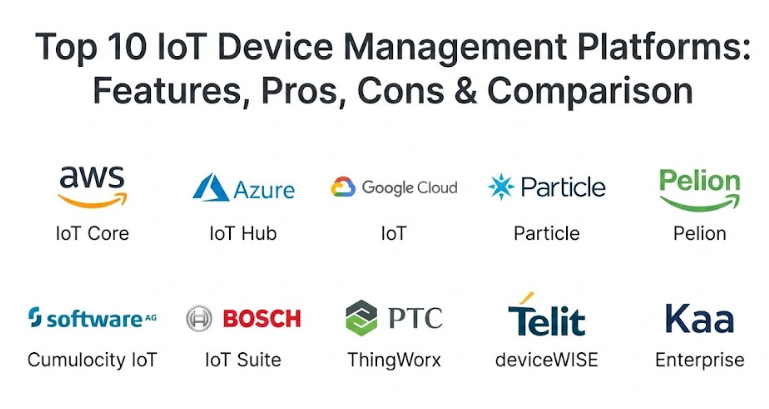
Top 10 IoT Device Management Platforms Tools
1 — AWS IoT Core and Device Management
Amazon Web Services (AWS) provides a massive, global infrastructure for IoT. Their device management tool is designed to help you track, organize, and monitor your gadgets at a truly massive scale. It is part of the broader AWS ecosystem, making it a natural choice for companies already using Amazon for their cloud storage and computing.
- Key Features:
- “Things Graph” to visually connect different types of devices and web services.
- Secure “Device Shadows” that store the last known state of a device even when it is offline.
- Bulk registration tools to set up thousands of gadgets in minutes.
- Over-the-air (OTA) update scheduling to push new code to devices safely.
- Real-time monitoring of device logs to find and fix errors quickly.
- Fine-grained access control to ensure only the right people can control specific hardware.
- Pros:
- It can scale to millions of devices without any loss in performance.
- It integrates perfectly with other AWS tools like Lambda and S3 for data processing.
- You only pay for what you use, which is great for growing projects.
- Cons:
- The interface and setup can be very complex and overwhelming for beginners.
- Costs can become difficult to predict as your data usage increases.
- Security & Compliance: Offers world-class security including automated certificate rotation, data encryption, and full audit logs. It is compliant with GDPR, HIPAA, and SOC 2.
- Support & Community: Backed by a massive global community, extensive professional documentation, and premium enterprise support options.
2 — Azure IoT Hub and Device Provisioning Service
Microsoft Azure is the top competitor to AWS and is often preferred by large companies that already use Microsoft software for their business. Their IoT suite is known for being very professional and having excellent tools for “Edge” computing (processing data on the device itself).
- Key Features:
- “IoT Plug and Play” to quickly connect devices without writing a lot of code.
- Zero-touch provisioning to automatically set up devices at scale.
- Support for multiple languages like C, Java, and Python.
- Secure, bi-directional communication between the cloud and the device.
- Deep integration with Microsoft’s “Digital Twins” to create virtual models of your hardware.
- Advanced analytics to spot trends in your device data.
- Pros:
- The integration with Microsoft’s other business tools is unmatched.
- It is very strong at managing “Edge” devices that need to do smart work offline.
- The user interface feels familiar and professional.
- Cons:
- Like AWS, it has a steep learning curve and requires a lot of technical knowledge.
- You can sometimes feel “locked-in” to the Microsoft ecosystem.
- Security & Compliance: Fully compliant with global standards like ISO 27001 and FedRAMP. Provides high-level security for every connection.
- Support & Community: Offers a huge library of tutorials, regular webinars, and a global network of certified experts.
3 — Google Cloud IoT Core
Google’s platform is focused on being fast and very smart. It is particularly good for companies that want to use “Machine Learning” to look at their IoT data. While Google has changed how they offer some of these services, their technology remains a favorite for data-heavy projects.
- Key Features:
- High-speed data ingestion that can handle massive amounts of information at once.
- Built-in connection to Google’s BigQuery for advanced data analysis.
- Global load balancing to ensure your devices stay connected everywhere.
- Support for the standard MQTT protocol used by most IoT hardware.
- Visual dashboards to see the status of your fleet at a glance.
- Automatic scaling that adds more power as your fleet grows.
- Pros:
- It is the best choice if you want to use your IoT data for advanced AI and research.
- The network performance is incredibly fast and reliable.
- Cons:
- Google has a history of changing its product names and features, which can be confusing.
- It has fewer “pre-built” device management features than AWS or Azure.
- Security & Compliance: Meets the highest levels of global security and is fully GDPR compliant.
- Support & Community: Strong developer support and a growing ecosystem of Google Cloud partners.
4 — Particle
Particle is unique because they provide the whole “stack.” They make the hardware (the chips), the connection (the SIM cards), and the management software. It is a favorite for startups and mid-market companies that want everything to “just work” out of the box.
- Key Features:
- Integrated hardware, cellular connectivity, and cloud software.
- “Device Vitals” that show signal strength and battery health in real-time.
- Simple Over-the-Air (OTA) firmware updates that are very reliable.
- A visual “Console” that makes managing devices feel like using a simple website.
- Pre-built integrations with tools like Google Maps and Microsoft Azure.
- Excellent tools for debugging code while the device is in the field.
- Pros:
- It is by far the easiest and fastest way to get an IoT project started.
- You don’t have to worry about managing multiple different vendors.
- The community is very friendly and full of helpful developers.
- Cons:
- You are largely tied to using Particle’s specific hardware.
- Costs can be higher per device than if you built everything yourself.
- Security & Compliance: Offers secure boot, encrypted communication, and is SOC 2 Type II compliant.
- Support & Community: One of the best developer communities in the world, with extensive forums and clear documentation.
5 — Pelion (by Arm)
Pelion is a platform that focuses on “flexibility.” It is designed to help you manage any device, on any network, in any cloud. It is a great choice for companies that have a messy mix of different hardware and want one tool to rule them all.
- Key Features:
- Support for a huge variety of device types and connection methods.
- Advanced “Connectivity Management” for managing global SIM cards.
- Secure device identity to prevent unauthorized gadgets from joining.
- Efficient data orchestration to send the right info to the right place.
- Robust firmware update management for keeping fleets safe.
- Tools for managing devices at the “Edge” of the network.
- Pros:
- It is truly “vendor-neutral,” meaning it doesn’t care whose hardware you use.
- Excellent for managing devices that move between different countries.
- Cons:
- The interface is more technical and less “pretty” than some competitors.
- It can take longer to set up because it is so flexible.
- Security & Compliance: Built on Arm’s world-class security foundations and compliant with major global standards.
- Support & Community: Professional enterprise support and deep technical documentation.
6 — Cumulocity IoT (by Software AG)
Cumulocity is designed to be a “ready-to-use” platform. It focuses on helping business people—not just engineers—understand their IoT data. It is very popular in the manufacturing industry.
- Key Features:
- “Low-code” dashboards that you can build by clicking and dragging.
- Pre-built “cockpits” for monitoring specific types of machines.
- Automated alerts that can trigger a phone call or email.
- Powerful “Streaming Analytics” to catch problems as they happen.
- Support for over 100 different industrial protocols.
- Offline capabilities to keep things running even if the internet goes down.
- Pros:
- It is very fast to go from a “pilot” project to a full rollout.
- You don’t need a huge team of programmers to get value out of it.
- The industrial focus makes it very reliable for factory work.
- Cons:
- It can be quite expensive for small companies.
- It might be too “structured” for developers who want total control.
- Security & Compliance: Adheres to strict European data privacy rules and is ISO 27001 certified.
- Support & Community: Strong professional services team and a well-organized user portal.
7 — Bosch IoT Suite
Bosch is a giant in the world of physical products, so it makes sense that they have a great platform for managing them. Their suite is built on open-source technology and is very popular in the automotive and smart home industries.
- Key Features:
- “Digital Twin” technology to create a 1:1 virtual copy of your hardware.
- Specialized tools for managing software updates in cars and trucks.
- Open-source foundations (Eclipse Ditto) to prevent vendor lock-in.
- Secure access management for sharing data with partners.
- Automated device provisioning for high-volume manufacturing.
- Integrated billing and subscription tools for IoT services.
- Pros:
- They understand the “physical” world better than almost any software company.
- The use of open-source standards makes it a safe long-term choice.
- Cons:
- The setup is very complex and requires specialized knowledge.
- It is primarily focused on large-scale industrial and automotive uses.
- Security & Compliance: Meets the incredibly high security standards of the German automotive industry.
- Support & Community: Professional enterprise-grade support and active involvement in open-source communities.
8 — PTC ThingWorx
ThingWorx is a leader in “Industrial IoT.” It is built for companies that want to connect their factory floor to their business office. It is known for having amazing 3D and “Augmented Reality” (AR) features.
- Key Features:
- Visual application builder to create IoT apps without coding.
- Advanced AR tools to show data “floating” over a physical machine.
- Integration with CAD software to see live data on a 3D model.
- Powerful automated anomaly detection to spot weird machine behavior.
- Tools for managing the entire lifecycle of a product.
- High-speed connections to industrial PLC and SCADA systems.
- Pros:
- The AR and 3D features are far ahead of any other platform.
- It is excellent at turning complex data into a simple “health score.”
- Cons:
- It is a very expensive “premium” solution for big businesses.
- It requires a lot of training to use all the advanced features.
- Security & Compliance: Fully compliant with enterprise security standards and offers deep audit logs.
- Support & Community: Large training academy and a global network of industrial partners.
9 — Telit deviceWISE
Telit started as a hardware company and built a platform to support their devices. It is one of the best choices for “factory-floor” automation and connecting old machines to the modern internet.
- Key Features:
- “Zero-code” integration for connecting old factory machines.
- Built-in drivers for hundreds of different types of industrial hardware.
- Advanced cellular connectivity management for mobile assets.
- High-speed data processing at the “Edge” of the network.
- Visual dashboards that can be built in minutes.
- Secure remote access to troubleshoot machines from anywhere.
- Pros:
- It is the best tool for “Retrofitting” old factories with new technology.
- It is very robust and rarely crashes, even in harsh environments.
- Cons:
- The interface can feel a bit industrial and dated.
- It is more focused on “factories” than on “consumer electronics.”
- Security & Compliance: Industry-standard encryption and secure multi-factor authentication.
- Support & Community: Deep technical support with a focus on industrial engineering.
10 — Kaa Enterprise
Kaa is an open-source platform that offers a professional “Enterprise” version. It is very flexible and is popular with developers who want a modern, “clean” platform to build their own custom IoT applications.
- Key Features:
- Modern, clean web interface for managing device fleets.
- Flexible “Data Collection” that can handle any type of sensor info.
- Support for Over-the-Air (OTA) updates with a high success rate.
- Multi-tenancy support for managing many different customers at once.
- Easy integration with other cloud platforms like AWS or Azure.
- Automated device provisioning and identity management.
- Pros:
- It is one of the most “modern-feeling” platforms on the market.
- The open-source roots make it very easy for developers to understand.
- It offers a good balance of features and price for mid-market companies.
- Cons:
- The community is smaller than the giants like AWS or Particle.
- You may need more “hands-on” coding to get everything perfect.
- Security & Compliance: Offers standard enterprise security and is GDPR compliant.
- Support & Community: Good technical documentation and professional support for enterprise users.
Comparison Table
| Tool Name | Best For | Platform(s) | Standout Feature | Rating |
| AWS IoT | Giant Global Fleets | Cloud | Scale & Ecosystem | 4.7 |
| Azure IoT | Microsoft Companies | Cloud / Edge | Digital Twin / Edge AI | 4.6 |
| Google IoT | Data Scientists | Cloud | Machine Learning Focus | 4.5 |
| Particle | Startups / Fast Prototyping | Integrated Stack | All-in-one Hardware/Soft | 4.8 |
| Pelion | Mixed Hardware Fleets | Any Network | Carrier-Grade Flexibility | 4.4 |
| Cumulocity | Factory Managers | Cloud / Local | Ready-to-use Dashboards | 4.5 |
| Bosch IoT | Cars & Smart Homes | Cloud / Open-source | Automotive Standards | 4.3 |
| ThingWorx | Industrial Augmented Reality | Cloud / On-Prem | 3D & AR Visualization | 4.6 |
| Telit | Old Factory Retrofitting | Local / Cloud | Zero-code connectivity | 4.4 |
| Kaa Enterprise | Custom App Builders | Cloud / Hybrid | Clean Developer API | 4.5 |
Evaluation & Scoring of IoT Device Management Platforms
The following table shows how we grade these platforms. “Core Features” and “Price” are usually the most important factors for most people.
| Criteria | Weight | What it means |
| Core Features | 25% | Provisioning, Monitoring, and OTA Updates. |
| Ease of Use | 15% | Is the dashboard simple and clear? |
| Integrations | 15% | Does it talk to other apps and clouds? |
| Security | 10% | Encryption, Audit logs, and GDPR rules. |
| Reliability | 10% | Does the system stay up all the time? |
| Support | 10% | Quality of the help docs and training. |
| Price / Value | 15% | Is it a good deal for the features? |
Which IoT Device Management Platforms Tool Is Right for You?
Choosing the right platform is like picking a partner for a long journey—you need to make sure you can grow together without getting frustrated.
Solo Users vs. SMB vs. Enterprise
If you are a solo inventor or a very small startup, Particle is almost always the best choice because it takes all the hard work away. For mid-sized companies (SMBs) that want a professional feel without the massive complexity, Kaa or Cumulocity are great. If you are a giant global company, you will almost certainly end up with AWS or Azure because they have the “muscle” to handle your scale.
Budget-conscious vs. Premium Solutions
If you are on a tight budget, look for tools with a “free tier” to start, like AWS or Particle. For companies where money is less of an issue and they need the most advanced features possible, “Premium” solutions like ThingWorx or Bosch offer features (like AR and automotive safety) that you simply can’t find elsewhere.
Feature Depth vs. Ease of Use
If you want something that your team can learn in a single day, Particle and Cumulocity are the winners. If you have a team of very smart engineers who want to control every single bit and byte, they will prefer the depth and flexibility of Pelion or Telit.
Security and Scalability Needs
If you are in a highly regulated industry like healthcare, ensure your platform has a HIPAA or ISO certificate. Also, think about the future—if you plan on going from 1,000 devices to 1,000,000, you need a platform like AWS that has already proven it can handle that kind of weight.
Frequently Asked Questions (FAQs)
1. What is an IoT Device Management Platform?
It is a remote control for your connected hardware. It lets you set up devices, see if they are working, and update their software from your computer.
2. Why can’t I just use a simple database?
A database just stores data. These platforms actually “talk” to the hardware, manage security keys, and send large update files across unreliable networks.
3. Do these tools work with every gadget?
Not necessarily. Most follow standard “rules” (protocols) like MQTT, but some are better at talking to specific types of industrial machines or cars than others.
4. What is an Over-the-Air (OTA) update?
It is a way to send a new version of software to a device wirelessly. It’s like how your phone updates itself while you sleep, but for industrial machines.
5. How much do these platforms cost?
Most charge a small fee per device, per month. For example, you might pay $1 per device. Some also charge for the amount of data the device sends.
6. Do I need an engineering degree to use these?
For the “Ready-to-use” platforms like Cumulocity, no. For the “Big Clouds” like AWS, you definitely need a technical background.
7. Is my data safe from hackers?
Usually, yes. These platforms spend millions of dollars on security. Your biggest risk is often choosing a weak password or failing to update your devices.
8. Can I manage devices in different countries?
Yes, most are built for “Global” use. However, you may need a tool like Telit or Pelion that is good at managing different cellular carriers.
9. What happens if the internet goes out?
Some platforms have “Edge” features that allow the device to keep making smart decisions locally until the connection comes back.
10. Can I switch to a different platform later?
It is possible, but it is very difficult. Because of how security “keys” work, you often have to touch every device to switch platforms. It’s better to choose the right one the first time!
Conclusion
Building an IoT project is about more than just the hardware—it is about the life of the device after it leaves the factory. Choosing a management platform is the most important long-term decision you will make. If you choose correctly, your fleet will stay secure, healthy, and up to date for many years.
Don’t pick a tool just because it has the most features. Pick the one that fits your team’s skills and your project’s budget. If you are just starting out, keep it simple with an integrated tool. If you are a global giant, look for the ecosystem that connects to your existing software. With the right platform, you stop worrying about the gadgets and start focusing on the data that powers your business.