Introduction
Enterprise Browser Management refers to the technology and processes used by organizations to configure, secure, and monitor the web browsers used by their employees. While traditional management relied on simple Group Policy Objects (GPOs), modern solutions offer a much deeper level of control. These platforms allow IT teams to manage extensions, enforce security protocols, isolate sensitive data, and gain visibility into how web-based resources are being utilized across the company.
Why It Is Important
The browser is currently the most vulnerable point in the corporate network. It is where phishing attacks happen, where unauthorized extensions can leak data, and where “shadow IT” (unsanctioned apps) thrives. Effective management is vital because it allows companies to implement Zero Trust principles directly at the point of interaction. By securing the browser, organizations can protect sensitive data even when employees are working from home on personal devices or using unmanaged networks.
Key Real-World Use Cases
- SaaS Data Protection: Preventing users from downloading or copy-pasting sensitive information from platforms like Salesforce or Jira.
- Legacy App Support: Enabling modern browsers to run older web applications that require specific settings or older web standards.
- Extension Governance: Auditing and blocking browser extensions that request excessive permissions or have known vulnerabilities.
- Contractor Access: Providing a secure, isolated browser environment for third-party workers without requiring them to use a full Virtual Desktop Infrastructure (VDI).
What to Look For
When evaluating tools, look for deep visibility into extension behavior and a central dashboard that supports multiple operating systems (Windows, macOS, Linux). Security features like data loss prevention (DLP), URL filtering, and isolated execution are critical. Finally, ensure the tool integrates seamlessly with your existing Identity Provider (IdP) for easy onboarding and offboarding.
Best for: IT administrators, Security Operations (SecOps) teams, and compliance officers in mid-to-large enterprises, especially in highly regulated sectors like finance, healthcare, and government.
Not ideal for: Very small businesses with minimal web-based workflows or organizations that do not handle sensitive data, as the management overhead might exceed the perceived security benefits.
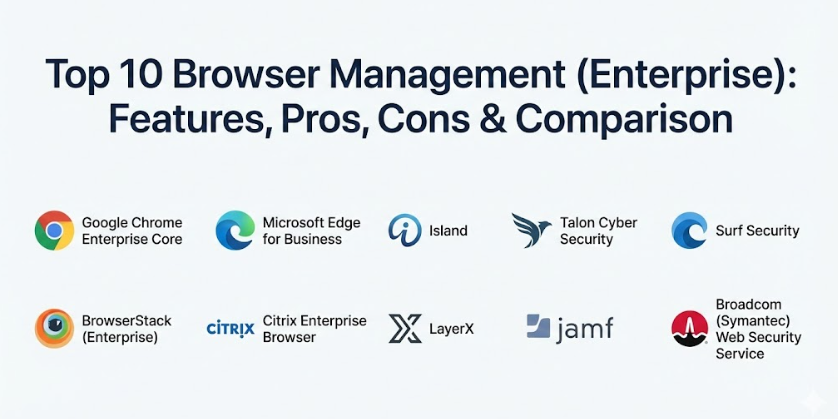
Top 10 Browser Management (Enterprise) Tools
1 — Google Chrome Enterprise Core
Chrome Enterprise Core is the standard-bearer for browser management. It provides a cloud-based management console that allows IT teams to manage Chrome browser instances across the entire organization, regardless of the device they are on.
- Key features:
- Centralized cloud-based management console.
- Detailed reporting on browser versions and extension usage.
- Granular policy enforcement for over 400 settings.
- Integration with BeyondCorp for Zero Trust access.
- Managed extension web store for internal apps.
- Automated update management to ensure security patches are applied.
- Pros:
- Completely free to use for any organization with a Google account.
- Works across Windows, macOS, Linux, iOS, and Android.
- Cons:
- Requires users to be signed into a managed profile for full features.
- Some advanced security features require a paid Chrome Enterprise Premium license.
- Security & compliance: SOC 2, ISO 27001, GDPR compliant, and supports SSO/MFA.
- Support & community: Extensive documentation, Google’s enterprise support tier, and a massive global community.
2 — Microsoft Edge for Business
Microsoft has reinvented Edge as a powerhouse for the enterprise. It is designed to be the “secure work browser” that automatically separates personal and work browsing into two distinct containers, ensuring corporate data stays within corporate bounds.
- Key features:
- Native integration with Microsoft 365 and Entra ID (Azure AD).
- Automatic switching between work and personal profiles.
- Integrated “Microsoft Defender SmartScreen” for phishing protection.
- Built-in Internet Explorer (IE) mode for legacy web applications.
- Management via Microsoft Intune or Group Policy.
- Enterprise Sync for bookmarks and settings across devices.
- Pros:
- Best-in-class support for legacy apps via IE mode.
- No additional cost for organizations already using Microsoft 365.
- Cons:
- Management is most effective when used within the Microsoft ecosystem.
- Can feel “pushed” on users who prefer other browser engines.
- Security & compliance: HIPAA, GDPR, SOC 2, and FIPS 140-2 validated.
- Support & community: Direct support via Microsoft Enterprise agreements and a wide network of certified partners.
3 — Island (The Enterprise Browser)
Island is a specialized browser built from the ground up specifically for the enterprise. Unlike traditional browsers, it is designed with the IT and Security teams in mind first, offering surgical control over every action a user takes within the window.
- Key features:
- Native Data Loss Prevention (DLP) including copy/paste and print restrictions.
- Last-mile visibility into every user click and data movement.
- Smart isolation for high-risk web activities.
- Built-in password manager and privileged access controls.
- Branded browser interface to reinforce corporate identity.
- Automated workflow triggers based on browser activity.
- Pros:
- Provides the highest level of security control currently available.
- Can replace expensive VDI or VPN setups for many users.
- Cons:
- Requires users to adopt a completely new browser brand.
- Higher price point as a dedicated security solution.
- Security & compliance: SOC 2 Type II, GDPR, and ISO 27001 compliant.
- Support & community: High-touch white-glove onboarding and 24/7 dedicated enterprise support.
4 — Talon Cyber Security (by Palo Alto Networks)
Talon (recently acquired by Palo Alto Networks) provides a secure enterprise browser that turns any device into a secure workspace. It is particularly effective for securing unmanaged devices, such as those used by contractors or employees in a BYOD (Bring Your Own Device) program.
- Key features:
- Deep workspace isolation that separates work apps from the OS.
- Real-time file scanning for downloads and uploads.
- Detailed audit logs for compliance and forensics.
- Integration with the broader Palo Alto Networks SASE platform.
- Zero-friction user experience that looks like a standard browser.
- Policy-based access for specific SaaS applications.
- Pros:
- Excellent for securing “Shadow IT” and contractor access.
- Minimal performance impact on the user’s device.
- Cons:
- Now tied into the Palo Alto ecosystem, which may affect standalone buyers.
- Requires a robust initial configuration to be effective.
- Security & compliance: SOC 2, GDPR, and high-level encryption for all data in transit.
- Support & community: Backed by Palo Alto’s global security support infrastructure.
5 — Surf Security
Surf Security offers an “Enterprise Browser” that focuses on the concept of identity-centric security. It aims to protect the user’s digital identity while providing IT with the tools to manage how that identity interacts with the web.
- Key features:
- Zero Trust browser isolation for all web traffic.
- Central management of all browser extensions and plugins.
- Real-time phishing and malware protection.
- Integrated multi-factor authentication for browser access.
- Cross-platform support for all major desktop and mobile OS.
- Anonymous browsing modes for specific research tasks.
- Pros:
- Strong focus on privacy and identity protection.
- Very clean and modern administrative dashboard.
- Cons:
- Smaller market presence compared to Google or Microsoft.
- Community resources are still growing.
- Security & compliance: GDPR, SOC 2 Type II, and ISO 27001.
- Support & community: Personal customer success managers for enterprise clients.
6 — BrowserStack (Enterprise)
While often known for testing, BrowserStack’s enterprise management features allow organizations to manage a fleet of “real” browsers in the cloud. This is particularly useful for teams that need to ensure internal web tools work across every possible browser version without maintaining local hardware.
- Key features:
- Instant access to thousands of real browser/OS combinations.
- Secure tunnel technology for accessing internal staging environments.
- Single Sign-On (SSO) integration for team access management.
- Automated cleanup of session data for security.
- Detailed logging of all remote browser interactions.
- Team-based permissions and resource allocation.
- Pros:
- Eliminates the need to maintain an internal browser lab.
- Highly reliable for specialized web-based troubleshooting.
- Cons:
- Not intended as a daily “productivity” browser for all employees.
- Can become expensive if used for high-volume, long-duration sessions.
- Security & compliance: SOC 2 Type II compliant and GDPR ready.
- Support & community: Robust documentation and 24/7 technical support for enterprise plans.
7 — Citrix Enterprise Browser
Part of the Citrix Workspace, this browser is designed to give users a unified, secure access point for all their web and SaaS applications. It is built to provide the security of a virtualized app but with the speed and local performance of a standard browser.
- Key features:
- Integrated with Citrix Cloud for centralized management.
- Watermarking of sensitive pages to prevent unauthorized photos.
- Anti-keylogging and anti-screen capture technology.
- Policy-driven URL filtering and site categorization.
- Support for “micro-apps” directly within the browser interface.
- Unified search across all SaaS and internal applications.
- Pros:
- Seamless for organizations already using Citrix for VDI.
- Strongest “anti-theft” features (watermarking/anti-screen cap).
- Cons:
- Can be complex to set up if you aren’t already a Citrix customer.
- The interface is heavily tied to the Citrix Workspace app.
- Security & compliance: ISO 27001, SOC 2, and HIPAA compliant.
- Support & community: Extensive global network of Citrix consultants and support.
8 — LayerX
LayerX takes a different approach by offering a “browser-agnostic” security layer. Instead of a new browser, it is a management extension that sits on top of existing browsers (Chrome, Edge, Firefox) to monitor and secure all web activities.
- Key features:
- Works with any existing browser already used by employees.
- High-resolution visibility into web-based threats.
- Real-time prevention of data exfiltration to non-corporate apps.
- Discovery of “Shadow SaaS” accounts used by staff.
- Automated risk scoring for browser extensions.
- Policy enforcement without requiring a VPN or proxy.
- Pros:
- Zero friction for users—they keep using their favorite browser.
- Extremely fast to deploy across a large fleet.
- Cons:
- As an extension, it can technically be disabled if not properly locked down via GPO.
- Does not offer the “hard” isolation of a dedicated enterprise browser.
- Security & compliance: SOC 2 Type II, GDPR, and ISO 27001.
- Support & community: Active support team and detailed technical integration guides.
9 — Jamf (for Apple Browser Management)
For organizations that are “all-in” on Apple, Jamf provides the specialized tools needed to manage Safari and Chrome on macOS and iOS. It focuses on the unique configuration profiles and security settings native to the Apple ecosystem.
- Key features:
- Zero-touch deployment of browser settings via MDM.
- Enforced URL filtering and content blocking for Safari.
- Automated distribution of browser extensions.
- Integration with Apple Business Manager.
- Real-time compliance monitoring for browser versions.
- Custom “Self Service” portal for approved browser tools.
- Pros:
- The gold standard for managing browsers on Mac and iPad.
- Native feel that respects the Apple user experience.
- Cons:
- Limited functionality for Windows or Linux devices.
- Requires a Jamf Pro or School subscription.
- Security & compliance: SOC 2, ISO 27001, and HIPAA compliant.
- Support & community: Massive “Jamf Nation” community and world-class Apple-specific support.
10 — Broadcom (Symantec) Web Security Service
Symantec (Broadcom) provides an enterprise-grade cloud web gateway that includes robust browser management and isolation features. It is built for the high-security requirements of large financial and government institutions.
- Key features:
- Web Isolation technology to execute risky code in the cloud.
- Advanced URL filtering and category-based blocking.
- Integrated DLP for all web and cloud traffic.
- Real-time malware scanning and sandboxing.
- Global intelligence network for emerging threat detection.
- Detailed compliance reporting for regulatory audits.
- Pros:
- Proven track record in high-security enterprise environments.
- Very strong integration with broader Symantec security suites.
- Cons:
- Can be complex to administer due to its deep feature set.
- May feel “over-engineered” for smaller, agile companies.
- Security & compliance: FIPS 140-2, SOC 2, ISO 27001, and GDPR.
- Support & community: Premium global support and extensive training certifications.
Comparison Table
| Tool Name | Best For | Platform(s) Supported | Standout Feature | Rating (Gartner/Other) |
| Chrome Enterprise | General Enterprise Use | All | Cloud-based GPO management | 4.6 / 5 |
| Edge for Business | Microsoft 365 Shops | All | Built-in IE Mode for legacy | 4.5 / 5 |
| Island | High Security / VDI Replacement | Windows, macOS | Surgeon-level action control | N/A |
| Talon | Contractors / BYOD | All | Isolated workspace on any device | N/A |
| Surf Security | Identity Protection | All | Zero Trust Identity-centric | N/A |
| BrowserStack | Troubleshooting & Dev | Cloud-based | Access to 3000+ real browsers | 4.4 / 5 |
| Citrix Browser | Citrix Customers | Windows, macOS | Anti-screen cap & watermarking | 4.1 / 5 |
| LayerX | Zero-friction deployment | All (via extension) | Browser-agnostic security layer | N/A |
| Jamf | Apple-centric offices | macOS, iOS | Native Apple MDM integration | 4.7 / 5 |
| Symantec WSS | High Compliance / Govt | Cloud-based | Advanced Cloud Web Gateway | 4.2 / 5 |
Evaluation & Scoring of Browser Management
To provide a clear picture of the market, we evaluated these categories based on the needs of a typical IT department.
| Evaluation Category | Weight | Score (Avg) | Analysis |
| Core Features | 25% | 9 / 10 | Standards are high; almost all tools now offer basic GPO/cloud sync. |
| Ease of Use | 15% | 7 / 10 | Legacy tools are complex; modern SaaS-born tools are very intuitive. |
| Integrations | 15% | 8 / 10 | Identity Provider (IdP) integration is now a universal standard. |
| Security & Compliance | 10% | 10 / 10 | This is the strongest area, with most tools meeting top global standards. |
| Performance | 10% | 8 / 10 | Minimal impact is the goal, though isolation can add minor latency. |
| Support | 10% | 8 / 10 | Enterprise support is generally excellent but often tied to premium tiers. |
| Price / Value | 15% | 7 / 10 | Free tiers (Chrome/Edge) offer great value, while niche tools are pricey. |
Which Browser Management Tool Is Right for You?
Deciding on a browser management strategy depends largely on your existing infrastructure and your primary security concerns.
Solo Users vs SMB vs Enterprise
For solo users or very small teams, simply using the management features built into Chrome or Edge is usually enough. For SMBs, a solution like LayerX offers great security without the need to switch browsers. Large Enterprises should look toward Island or Talon if they have heavy contractor usage or need to replace expensive VDI environments.
Budget-Conscious vs Premium Solutions
If you are budget-conscious, you cannot beat Chrome Enterprise Core or Edge for Business, as they are essentially “free” if you are already in those ecosystems. If you need Premium security—such as preventing users from taking screenshots or printing sensitive data—you will need to invest in Island, Citrix, or Talon.
Feature Depth vs Ease of Use
If your priority is Ease of Use and fast deployment, a management extension like LayerX is the way to go. If you need maximum Feature Depth and complete control over the entire browser code, a dedicated browser like Island is the only choice.
Integration and Scalability
For those heavily invested in a specific ecosystem, the choice is often made for you. Jamf is the best for Apple, while Edge is the best for Microsoft-heavy environments. Always check how the tool handles scalability—can it manage 10,000 browsers as easily as 100?
Frequently Asked Questions (FAQs)
1. Is browser management different from a VPN?
Yes. A VPN secures the connection between a device and a network. Browser management secures the actions taken within the browser, such as preventing data downloads or blocking malicious extensions.
2. Can I manage browsers on employees’ personal laptops?
Yes, tools like Island, Talon, and LayerX are designed specifically for BYOD. They create a secure “container” for work work without touching the employee’s personal files.
3. Does browser management slow down the internet speed?
Generally, no. Most modern tools are highly optimized. Only “Cloud Browser Isolation” might add a slight delay as the website is rendered on a remote server.
4. Can I block specific extensions across the whole company?
Absolutely. This is one of the core features of all these tools. you can create “Allow lists” or “Block lists” for every extension in the store.
5. How does this help with legacy web apps?
Browsers like Edge have an “IE Mode” that uses a legacy engine to render old sites, while allowing modern sites to use the fast, secure modern engine.
6. Is it possible to see exactly what sites employees are visiting?
Yes, most enterprise tools provide detailed URL logs for compliance and security auditing, though these can be restricted based on privacy settings.
7. Do I need to be a coding expert to use these tools?
No. Most modern solutions use a graphical dashboard where you simply toggle “On” or “Off” for specific security policies.
8. Can I brand the browser with my company logo?
Specialized enterprise browsers like Island and Citrix allow you to customize the browser’s look and feel to match your company branding.
9. What happens if an employee loses their managed device?
You can remotely wipe all corporate browser data and revoke access to all SaaS applications instantly via the central management console.
10. Are these tools GDPR compliant?
Yes, the top-tier tools are designed with privacy-by-design principles and allow you to configure data logging to meet local privacy laws.
Conclusion
The web browser has become the most critical application in the enterprise. Treating it as an unmanaged utility is no longer a viable security strategy. By implementing a robust Browser Management solution, organizations can protect their most sensitive data while providing employees with a fast, modern, and flexible way to work.
Whether you choose to leverage the built-in power of Chrome and Edge, or you opt for the surgical security of a dedicated browser like Island, the key is to start managing your web environment today. The “best” tool is the one that fits your current workflow while closing the security gaps that put your business at risk. Take the time to run a pilot program with a small group of users to see which platform offers the best balance of security and productivity for your team.