Introduction
ITIL Change Management tools are specialized software applications designed to help IT teams manage the lifecycle of changes within an organization’s technology environment. Following the Information Technology Infrastructure Library (ITIL) framework, these tools ensure that standardized methods and procedures are used for efficient and prompt handling of all changes. The primary goal is to minimize the impact of change-related incidents upon service quality and consequently improve the day-to-day operations of the business.
The importance of these tools lies in their ability to provide control and visibility. In a modern IT environment, a single uncoordinated update to a server or a small code change can lead to massive service outages. These platforms help teams assess the risk of a change, obtain necessary approvals through a Change Advisory Board (CAB), and maintain a clear audit trail. Real-world use cases include scheduling maintenance windows to avoid business disruption, managing emergency patches for security vulnerabilities, and coordinating large-scale software deployments across global offices.
When choosing a tool, you should look for core capabilities such as a centralized Change Advisory Board (CAB) workbench, risk impact assessment modules, and seamless integration with a Configuration Management Database (CMDB). A strong tool should make it easy to see which services will be affected by a change before it is ever implemented.
Who Benefits Most and Who Might Not Need It
Best for:
These tools are indispensable for IT Service Management (ITSM) professionals, Change Managers, and DevOps teams. They are particularly beneficial for mid-sized to large enterprises in highly regulated industries like finance, healthcare, and government, where maintaining a strict audit trail is a legal requirement. Any organization that manages complex infrastructure and needs to reduce the frequency of “failed changes” will find significant value here.
Not ideal for:
Very small businesses or startups with only a few IT staff members may find a full ITIL-compliant change management tool to be overly restrictive and slow. In these environments, simple project management boards or basic ticketing systems might be more effective for maintaining speed. Additionally, organizations that do not follow the ITIL framework may find the rigid workflows of these specialized tools to be cumbersome rather than helpful.
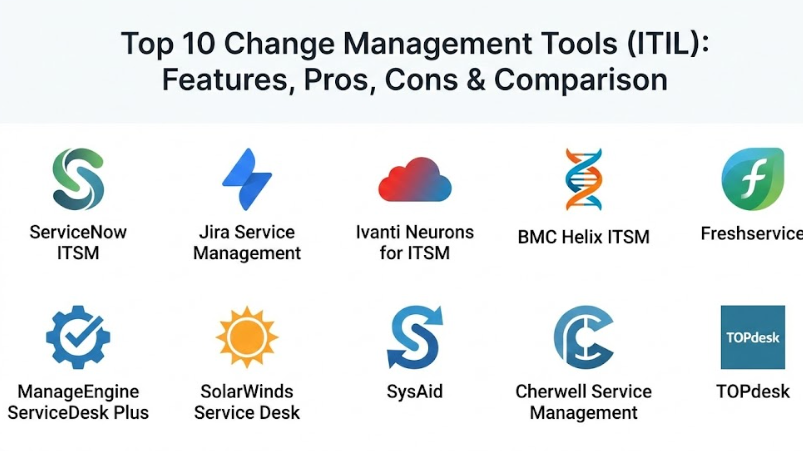
Top 10 Change Management Tools (ITIL)
1 — ServiceNow ITSM
ServiceNow is widely considered the industry leader in the ITIL space. Its change management module is built on a powerful platform that connects IT processes to the rest of the enterprise.
- Key features:
- Automated risk assessment and impact calculation.
- Centralized Change Advisory Board (CAB) workbench for meeting management.
- Conflict detection to prevent simultaneous changes on the same system.
- Direct integration with a robust, real-time CMDB.
- State-driven workflows that guide changes from request to closure.
- AI-powered recommendations for change success probability.
- Pros:
- Highly customizable to fit even the most complex global business processes.
- Excellent visibility into how changes affect broader business services.
- Cons:
- Very expensive licensing and high cost of implementation.
- Requires specialized, certified administrators to manage and update.
- Security & compliance: SOC 1, SOC 2, ISO 27001, HIPAA, and FedRAMP compliant.
- Support & community: Massive global user community, extensive documentation, and premium 24/7 enterprise support.
2 — Jira Service Management
Atlassian’s Jira Service Management (JSM) is a favorite among DevOps teams. It bridges the gap between development and IT operations by using the familiar Jira interface.
- Key features:
- Seamless integration with Jira Software and Bitbucket for CI/CD tracking.
- Automated change requests from development pipelines.
- Risk assessment engine with customizable scoring.
- Intuitive “Change Calendar” for scheduling and visibility.
- Collaborative document editing for change plans via Confluence.
- Built-in automation rules to speed up low-risk changes.
- Pros:
- Much easier to learn and deploy than traditional legacy ITSM tools.
- Perfect for companies that want to unite “Dev” and “Ops” workflows.
- Cons:
- Can become cluttered as the volume of tickets and projects grows.
- Advanced ITIL features often require additional plugins or high-tier plans.
- Security & compliance: SOC 2, GDPR, HIPAA (on Enterprise plans), and ISO 27001.
- Support & community: One of the largest tech communities in the world and excellent online resources.
3 — Ivanti Neurons for ITSM
Ivanti focuses on automation and “self-healing” IT. Their change management tool is designed to provide high levels of automation to reduce manual administrative tasks.
- Key features:
- Automation bots that can perform pre-change checks.
- Drag-and-drop workflow designer for custom change paths.
- Impact analysis that visualizes upstream and downstream dependencies.
- Voice-enabled automation and mobile access for on-the-go approvals.
- Integrated release management to coordinate multiple changes.
- Pros:
- Very strong automation capabilities that save time for Change Managers.
- Flexible deployment options (Cloud, On-premise, or Hybrid).
- Cons:
- The user interface can feel a bit dated compared to cloud-native rivals.
- Professional services are often needed for the initial complex setup.
- Security & compliance: SOC 2, ISO 27001, and GDPR compliant.
- Support & community: Reliable technical support and a solid library of help documentation.
4 — BMC Helix ITSM
BMC is a long-standing giant in the IT management world. Helix is their modern, AI-driven platform that handles massive scale for the world’s largest companies.
- Key features:
- Cognitive automation that categorizes and routes changes using AI.
- Multi-cloud management to track changes across AWS, Azure, and Google Cloud.
- Real-time social collaboration for IT teams within the change ticket.
- Advanced analytics and “what-if” modeling for high-risk changes.
- Deep integration with the BMC Discovery tool for accurate CMDB data.
- Pros:
- Built for massive scale; it can handle thousands of changes daily without lag.
- AI insights are genuinely helpful for predicting which changes might fail.
- Cons:
- Steep learning curve for new users and administrators.
- Significant infrastructure or cloud costs for full deployment.
- Security & compliance: FIPS 140-2, SOC 2, GDPR, and ISO 27001.
- Support & community: Strong enterprise-grade support and a global partner network.
5 — Freshservice
Freshservice, by Freshworks, is known for its “consumer-grade” user experience. It aims to make ITIL processes feel as simple as using a standard mobile app.
- Key features:
- Highly intuitive and clean interface that requires minimal training.
- Simple CAB management with one-click approvals via email or mobile.
- Integrated “Sandbox” for testing change workflows before going live.
- Visual CMDB to see how infrastructure components are linked.
- Gamification elements to encourage team productivity.
- Pros:
- Very fast implementation time (days or weeks rather than months).
- Transparent pricing that is affordable for mid-market companies.
- Cons:
- Lacks some of the ultra-deep customization found in ServiceNow.
- Not ideal for organizations with highly complex, multi-layered approval hierarchies.
- Security & compliance: SOC 2, GDPR, ISO 27001, and HIPAA compliant.
- Support & community: 24/5 or 24/7 support depending on the plan, and a helpful knowledge base.
6 — ManageEngine ServiceDesk Plus
ManageEngine is a popular choice for organizations looking for a feature-rich ITIL tool that offers great value for the price.
- Key features:
- Built-in Change Advisory Board (CAB) roles and workflows.
- Detailed Change Advisory templates for standard, minor, and major changes.
- Post-implementation review (PIR) tracking to document lessons learned.
- Automatic closure of changes based on associated incident resolutions.
- Direct integration with ManageEngine’s desktop management tools.
- Pros:
- Offers a very comprehensive feature set at a lower price point than big-name rivals.
- Great for companies already using the ManageEngine ecosystem (OpManager, ADManager).
- Cons:
- The interface can be quite cluttered and “click-heavy.”
- Advanced customization often requires working within rigid pre-built frameworks.
- Security & compliance: SOC 2, GDPR, and ISO 27001.
- Support & community: Large library of video tutorials and a very active user forum.
7 — SolarWinds Service Desk
SolarWinds provides a cloud-native service desk that focuses on simplicity and helping IT teams stay organized without unnecessary fluff.
- Key features:
- Risk detection that flags potential conflicts with other scheduled changes.
- Automated routing of change requests based on the affected service.
- Simple “drag-and-drop” change plan builder.
- Integration with SolarWinds monitoring tools to see real-time performance.
- Historic change data audit logs for compliance audits.
- Pros:
- Very easy to navigate, even for employees who don’t use it daily.
- Strong integration with IT infrastructure monitoring alerts.
- Cons:
- The CMDB capabilities are not as deep as ServiceNow or BMC.
- Limited advanced AI features compared to modern “Cognitive” platforms.
- Security & compliance: SOC 2 Type II, ISO 27001, and GDPR.
- Support & community: SolarWinds “Thwack” community is one of the most active in IT.
8 — SysAid
SysAid is a platform that focuses heavily on using AI to help smaller IT teams punch above their weight class by automating repetitive tasks.
- Key features:
- AI-driven “Service Assistant” for change requestors.
- Automatic population of change tickets based on incident data.
- Integrated asset management to track the “Target” of the change.
- Built-in workflow designer for multi-step ITIL change paths.
- Robust reporting on change success rates and “mean time to repair.”
- Pros:
- Excellent balance of features and ease of use for mid-sized companies.
- Strong focus on customer service and user experience.
- Cons:
- Reporting can be difficult to customize for very specific requirements.
- Some users find the mobile app to be less powerful than the desktop version.
- Security & compliance: SOC 2, GDPR, and ISO 27001 compliant.
- Support & community: Dedicated account managers and regular user training sessions.
9 — Cherwell Service Management (Acquired by Ivanti)
Cherwell became famous for its “codeless” platform, allowing IT teams to build complex change workflows without writing a single line of code.
- Key features:
- Truly codeless design that makes upgrades much easier.
- Flexible mApp (Mergeable Application) exchange for community-built features.
- Visual impact analysis through an interactive CMDB map.
- Multi-layered approval processes that can include non-IT stakeholders.
- Strong “Project Management” module to link changes to broader initiatives.
- Pros:
- The most flexible tool for teams that want to build very specific workflows.
- “Codeless” nature means you won’t get stuck on old versions during upgrades.
- Cons:
- Future development is currently being merged into the Ivanti platform.
- Can be overly complex to set up if you don’t have a clear plan.
- Security & compliance: Varies by deployment; supports SOC 2 and HIPAA.
- Support & community: Strong community history, though shifting under Ivanti ownership.
10 — TOPdesk
TOPdesk is a European-based service management tool that focuses on “Service Excellence” and a very practical approach to the ITIL framework.
- Key features:
- Modular design—you only buy the change management features you need.
- Clean, card-based interface for managing change requests.
- Integrated “Knowledge Base” to attach documentation to change plans.
- Simple collaboration tools for different departments (HR, Facilities, IT).
- Strong focus on “Shift Left”—helping users help themselves.
- Pros:
- One of the most user-friendly tools on the market.
- Excellent for organizations that want to use the same tool for IT and Facilities.
- Cons:
- Not as much “built-in” AI as some of the newer American platforms.
- Can lack the “brute force” power needed by massive global enterprises.
- Security & compliance: ISO 27001 and GDPR compliant.
- Support & community: Renowned for excellent customer service and personal support.
Comparison Table
| Tool Name | Best For | Platform(s) Supported | Standout Feature | Rating (Gartner) |
| ServiceNow ITSM | Large Global Enterprises | Cloud / SaaS | AI Impact Analysis | 4.8 / 5 |
| Jira Service Mgmt | DevOps-centric Teams | Cloud / On-prem | CI/CD Integration | 4.5 / 5 |
| Ivanti Neurons | Automation Needs | Cloud / Hybrid | Self-healing Bots | 4.4 / 5 |
| BMC Helix | Massive Scale & Multi-Cloud | Cloud-native | Cognitive Automation | 4.6 / 5 |
| Freshservice | Mid-market Ease of Use | SaaS | Gamified UX | 4.7 / 5 |
| ManageEngine | Budget-conscious IT | Cloud / On-prem | Broad Tool Ecosystem | 4.3 / 5 |
| SolarWinds SD | Monitoring Integration | Cloud / SaaS | Thwack Community | 4.4 / 5 |
| SysAid | Mid-sized Teams | SaaS / On-prem | AI Service Assistant | 4.5 / 5 |
| Cherwell | High Customization | Cloud / On-prem | Codeless Platform | N/A |
| TOPdesk | Practical Service Mgmt | SaaS / On-prem | Cross-dept. Support | 4.6 / 5 |
Evaluation & Scoring of Change Management Tools (ITIL)
Choosing the right tool requires looking at more than just the price. We evaluate these platforms using a weighted scoring model to reflect what actually matters in a daily IT operation.
| Criteria | Weight | Industry Average Score | Weighted Score |
| Core Features (CMDB, CAB, Risk) | 25% | 9.0 / 10 | 2.25 |
| Ease of Use | 15% | 7.5 / 10 | 1.13 |
| Integrations & Ecosystem | 15% | 8.0 / 10 | 1.20 |
| Security & Compliance | 10% | 9.5 / 10 | 0.95 |
| Performance & Reliability | 10% | 9.0 / 10 | 0.90 |
| Support & Community | 10% | 8.5 / 10 | 0.85 |
| Price / Value | 15% | 7.0 / 10 | 1.05 |
| Total Weighted Score | 100% | N/A | 8.33 / 10 |
Which Change Management Tool (ITIL) Tool Is Right for You?
Selecting a tool is a decision that will affect your IT team for years. Use this guide to narrow down your choices.
By Company Size and Budget
- Solo Users & Small Teams: You likely don’t need a full ITIL tool. Start with a basic Jira board or a free ticketing system until your volume increases.
- SMB (50–200 employees): Freshservice or SysAid are excellent choices because they offer a lot of power without needing a massive team to run them.
- Mid-Market to Enterprise: ServiceNow and BMC Helix are the gold standards for large-scale operations where the cost of a failed change is very high.
By Technical Strategy
- DevOps Focus: If your developers and IT operations are merging into one team, Jira Service Management is the most logical choice because of its deep links to code repositories.
- Automation Focus: If you want to reduce the number of humans involved in approvals and checks, Ivanti Neurons and BMC Helix lead the pack in AI and bot-driven management.
By Deployment and Compliance
- Strict Security: If you are in a high-security industry, ensure your choice supports SSO, Data Encryption at Rest, and has specific certifications like SOC 2 Type II.
- On-Premise Needs: If your company forbids cloud storage for IT data, ManageEngine, Ivanti, and Cherwell offer the strongest on-premise installation options.
Frequently Asked Questions (FAQs)
1. What is the difference between a “Standard” and a “Major” change?
A standard change is low-risk, pre-approved, and follows a set procedure (like a routine patch). A major change is high-risk, requires a full CAB meeting, and has a significant potential impact on the business.
2. Do I really need a CMDB for change management?
Technically, no, but practically, yes. A Configuration Management Database (CMDB) shows you which servers and services are connected, which is the only way to accurately predict the impact of a change.
3. What is the role of a Change Advisory Board (CAB)?
The CAB is a group of stakeholders who review high-risk changes. Their job is to assess the risk, ensure the plan is solid, and give the “green light” or “red light” for the change to proceed.
4. Can these tools help with “Emergency Changes”?
Yes. These tools have specific “Emergency” workflows that bypass the normal long-winded approval process while still documenting exactly what was done for later review.
5. How do these tools prevent change collisions?
Most tools use a “Change Calendar.” If two people try to schedule a change on the same database at the same time, the tool will flag a conflict and force one to move their window.
6. Is ITIL v3 or ITIL 4 more important for these tools?
ITIL 4 is the modern standard, focusing more on value and agility. Most top tools are now certified for ITIL 4, which is better for modern, fast-moving IT teams.
7. Can non-IT departments use these tools?
Yes. Platforms like ServiceNow, TOPdesk, and Freshservice are increasingly used by HR and Facilities to manage their own internal requests and changes.
8. How much do these tools cost?
Pricing varies wildly. Basic cloud tools might start at $20–$50 per agent per month, while enterprise platforms like ServiceNow can cost hundreds of thousands of dollars per year.
9. What is a “Post-Implementation Review” (PIR)?
A PIR is a meeting or report done after a major change is finished. It documents what went well and what went wrong so the team can do better next time.
10. Do these tools integrate with Slack or Microsoft Teams?
Yes, most modern tools allow for “ChatOps,” where IT staff can approve changes or get alerts directly within their favorite chat application.
Conclusion
Managing IT changes is a delicate balance between moving fast and keeping the business stable. The “best” tool for your organization depends entirely on where you sit on that spectrum. If you are a high-speed software company, a developer-friendly tool like Jira Service Management will be your best ally. If you are a global bank that cannot afford a single minute of downtime, the massive power and control of ServiceNow or BMC Helix are worth the investment.
What matters most is choosing a tool that your team will actually use. A complex tool that everyone ignores is far more dangerous than a simple tool that everyone follows. Look for a balance of core ITIL features, a clean user interface, and the ability to grow as your organization becomes more mature. By putting the right Change Management tool in place, you protect your company from the chaos of unmanaged updates and ensure a stable, professional IT service for your users.