Introduction
An SLA Management Tool is a software solution designed to monitor, track, and report on Service Level Agreements (SLAs). In the world of business services and IT, an SLA is a formal contract between a service provider and a customer that defines the expected level of service, such as uptime, response time, and resolution time. These tools act as the “policemen” of these contracts, providing real-time visibility into whether those promises are being kept. Instead of relying on manual logs or guesswork, businesses use these platforms to automate timers, trigger alerts when a deadline is approaching, and generate reports on performance trends.
SLA management is important because it directly impacts customer trust and financial health. Missing an SLA can lead to frustrated clients, lost contracts, or even expensive financial penalties. Real-world use cases include an IT help desk ensuring that “Priority 1” tickets are addressed within an hour, or a cloud service provider maintaining a 99.9% uptime guarantee. When choosing a tool in this category, users should evaluate the flexibility of the “timer” logic, the robustness of the notification system, the quality of reporting, and how well it integrates with existing ticketing or monitoring systems.
Who It Is For and Who It Isn’t For
Best for: IT Service Management (ITSM) professionals, customer success teams, Managed Service Providers (MSPs), and DevOps teams. These tools are essential for mid-market to enterprise-level companies in industries like software, telecommunications, healthcare, and finance where service reliability is mission-critical.
Not ideal for: Very small businesses or solo freelancers who handle a low volume of requests and can manage expectations through simple communication. Additionally, companies that do not provide time-sensitive services or don’t have formal performance contracts may find these tools to be unnecessary overhead compared to a basic task manager or shared inbox.
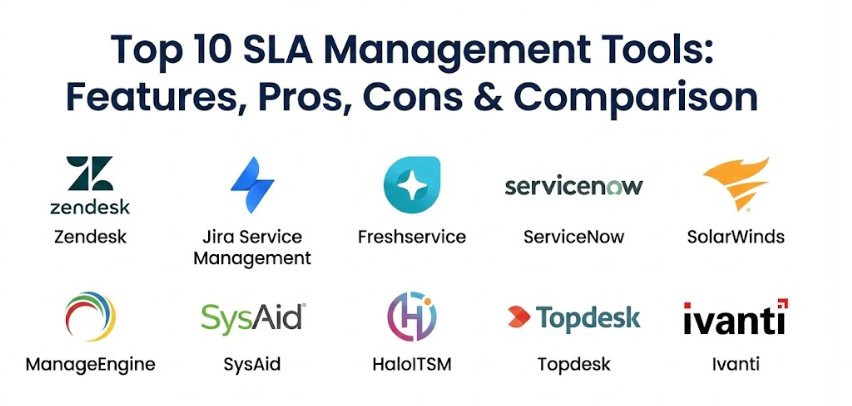
Top 10 SLA Management Tools
1 — Zendesk Service
Zendesk is a powerhouse in the customer service world, offering a highly intuitive platform for managing customer interactions. Its SLA management features are built directly into the ticketing system, allowing teams to set specific policies based on ticket priority and type.
- Key features:
- Multi-level SLA policies based on ticket priority.
- Real-time “SLA countdown” timers visible to agents.
- Automated workflows that trigger based on impending breaches.
- Support for multiple time zones and business hours.
- Detailed “SLA Reporting” dashboard to track achievement rates.
- Integration with Slack and Microsoft Teams for instant alerts.
- Pros:
- The interface is incredibly clean and easy for agents to navigate.
- Setup is straightforward, allowing teams to go live with basic policies quickly.
- Cons:
- Advanced SLA configurations sometimes require moving to higher-priced tiers.
- Customizing deep, complex logic can feel restrictive compared to dedicated ITSM tools.
- Security & compliance: SOC 2 Type II, ISO 27001, HIPAA (available), GDPR compliant, and SSO support.
- Support & community: Extensive documentation, a massive user forum, “Zendesk Relate” events, and 24/7 global support.
2 — Jira Service Management (Atlassian)
Jira Service Management (JSM) is a favorite for technical teams, especially those already using Jira for software development. It offers deep, granular control over SLAs, making it ideal for complex IT environments.
- Key features:
- Highly flexible SLA goal setting (e.g., time to first response, time to resolution).
- Ability to pause timers during specific ticket statuses (like “Waiting for Customer”).
- Powerful JQL (Jira Query Language) to create highly specific SLA targets.
- Automated escalation rules to notify managers before a breach occurs.
- Seamless integration with the broader Atlassian ecosystem.
- Custom calendars to account for regional holidays and shifts.
- Pros:
- Offers the most customization options for technical and “logic-heavy” SLA needs.
- Excellent for connecting dev teams and support teams in one platform.
- Cons:
- The learning curve is steep; it requires a dedicated admin to manage properly.
- The user interface can feel cluttered and overwhelming for non-technical users.
- Security & compliance: ISO 27001, SOC 2, HIPAA, GDPR, and FedRAMP (available on specific plans).
- Support & community: “Atlassian University” for training, a huge global community, and extensive documentation.
3 — Freshservice
Freshservice is a cloud-based ITSM solution designed to be easy to use but powerful enough for enterprise IT teams. It focuses on making SLA management a natural part of the agent’s workflow.
- Key features:
- Drag-and-drop SLA policy builder.
- “Operational Level Agreements” (OLAs) to track internal team performance.
- Escalation hierarchies (Level 1, Level 2, etc.) for missed deadlines.
- Automated “Satisfaction Surveys” triggered after SLA resolution.
- Mobile app alerts to keep agents updated on the move.
- Gamification features to encourage agents to meet targets.
- Pros:
- Very modern and “friendly” UI that reduces agent fatigue.
- Excellent balance of enterprise features and small-team simplicity.
- Cons:
- Some of the more advanced automation features are locked behind the Pro/Enterprise plans.
- Customizing the look and feel of reports is somewhat limited.
- Security & compliance: SOC 2, ISO 27001, HIPAA, GDPR, and data residency options.
- Support & community: Detailed knowledge base, Freshworks Academy, and 24/5 or 24/7 support depending on the plan.
4 — ServiceNow
ServiceNow is the “heavyweight champion” of the ITSM world. It is a massive enterprise platform where SLA management is just one piece of a giant service-governance engine.
- Key features:
- Enterprise-wide Service Level Management (SLM) covering IT and HR.
- Multi-stage SLA timers (Start, Pause, Resume, Stop) with precision.
- “Service Level Indicators” (SLIs) to measure specific performance metrics.
- Deep integration with the Configuration Management Database (CMDB).
- Predictive AI to suggest when an SLA might be at risk.
- Global, multi-language, and multi-currency support.
- Pros:
- Unmatched scalability for organizations with tens of thousands of employees.
- The most robust reporting and analytics engine in the industry.
- Cons:
- Extremely expensive and requires a team of certified developers to maintain.
- Too complex for smaller or mid-sized companies that just need basic tracking.
- Security & compliance: ISO 27001, SOC 1 & 2, HIPAA, FedRAMP High, and global data privacy certifications.
- Support & community: “ServiceNow Community” is one of the largest in tech; 24/7 global enterprise support.
5 — SolarWinds Service Desk
SolarWinds provides an integrated service management platform that is particularly strong for organizations that need to monitor their physical IT infrastructure alongside their service requests.
- Key features:
- Unified view of IT assets and SLA performance.
- Automated ticket routing based on SLA priority.
- Visual breach indicators (color-coded) for quick identification.
- Historical SLA trend analysis over months or years.
- Integration with SolarWinds’ monitoring tools for automated ticket creation.
- Employee self-service portal to view ticket progress.
- Pros:
- Excellent for teams that manage both software support and hardware maintenance.
- Pricing is generally more predictable than other enterprise rivals.
- Cons:
- The interface can feel a bit more “utility-like” and less modern than Freshservice or Zendesk.
- Reporting can be rigid and difficult to customize for non-standard metrics.
- Security & compliance: SOC 2, ISO 27001, GDPR compliant, and SSO integration.
- Support & community: Strong community forum (THWACK), extensive documentation, and technical support.
6 — ManageEngine ServiceDesk Plus
ManageEngine is known for offering feature-rich tools at a very competitive price point. Their SLA management module is robust, focusing on multi-level escalations.
- Key features:
- Four levels of escalation for both response and resolution times.
- Automated “E-mail to Ticket” conversion with SLA assignment.
- Ability to exclude weekends and public holidays from timers.
- Automatic closure of tickets after a set period of inactivity.
- Detailed dashboards for “Technician Load” vs. SLA performance.
- On-premise or cloud deployment options.
- Pros:
- One of the best values for money in the ITSM space.
- Having an on-premise option is a big plus for highly secure or sensitive industries.
- Cons:
- The initial configuration can be a bit clunky compared to modern cloud-first tools.
- The mobile app is not as feature-rich as the desktop version.
- Security & compliance: GDPR compliant, SSO, encryption at rest and in transit, and ISO certifications.
- Support & community: Regular webinars, a user community, and 24/5 global support.
7 — SysAid
SysAid focuses heavily on automation and AI. It is designed for IT departments that want to use “Service Automation” to handle the heavy lifting of SLA monitoring.
- Key features:
- AI-powered ticket categorization that suggests the correct SLA policy.
- Built-in asset management to link SLAs to specific hardware.
- Automatic “nudges” to agents when a ticket is nearing a breach.
- Advanced analytics to identify “bottleneck” technicians.
- Self-service portal with an integrated FAQ and knowledge base.
- Customizable service catalogs with defined SLA targets.
- Pros:
- The AI features are genuinely helpful for reducing manual data entry.
- It provides a very holistic view of IT operations beyond just ticketing.
- Cons:
- The user interface has a bit of a learning curve for new agents.
- Advanced customization often requires help from their professional services team.
- Security & compliance: SOC 2, ISO 27001, GDPR, and HIPAA compliant options.
- Support & community: Dedicated account managers for most tiers and an active online community.
8 — HaloITSM
HaloITSM is a rapidly growing contender that prides itself on being “all-inclusive.” It is built on a modern architecture and is extremely fast to navigate.
- Key features:
- Highly visual and modern interface with drag-and-drop capabilities.
- Unlimited SLA levels and types.
- Real-time “Wallboards” for display in the office.
- Integrated project management and asset tracking.
- Deep integration with Microsoft 365 and Azure.
- Automated recurring reports sent to stakeholders.
- Pros:
- The speed of the platform is noticeable; there is almost no lag between actions.
- Their pricing model is very transparent and includes all modules by default.
- Cons:
- Because they are a newer player, the third-party integration ecosystem is still growing.
- There are fewer community-created templates compared to Jira or ServiceNow.
- Security & compliance: ISO 27001, SOC 2, GDPR, and encryption of all data at rest.
- Support & community: Known for very high-quality onboarding and direct access to engineers.
9 — Topdesk
Topdesk is a European-based service management tool that emphasizes “Service Excellence.” It is built around a modular philosophy, allowing you to pay only for what you need.
- Key features:
- Simple, clean “card-based” ticketing system.
- Clear visualization of SLA agreements for both agents and customers.
- Automated communication templates for SLA milestones.
- Easy-to-use self-service portal for end-users.
- Change management and problem management modules.
- Support for multi-departmental service desks (IT, HR, Facilities).
- Pros:
- Very easy to implement and get teams productive within days.
- Excellent for organizations that want to use one tool for all internal services.
- Cons:
- It lacks the deep “heavyweight” automation features found in Jira or ServiceNow.
- The reporting engine, while simple, may be too basic for data scientists.
- Security & compliance: ISO 27001 certified, GDPR compliant, and SSO supported.
- Support & community: Strong presence in Europe with local support and user groups.
10 — Ivanti Neurons for ITSM
Ivanti focuses on the “self-healing” IT environment. Their SLA management tool is built to handle complex enterprise workflows with a heavy focus on security.
- Key features:
- Automated “healing” scripts that trigger when an SLA is breached.
- Voice-enabled service desk capabilities.
- Advanced lifecycle management for tickets and assets.
- Multi-tenant support for Managed Service Providers (MSPs).
- Detailed risk analysis for changes that might impact SLAs.
- Integration with Ivanti’s world-class security and patching tools.
- Pros:
- The “self-healing” automation is a game-changer for reducing ticket volume.
- Ideal for organizations where security and patching are as important as support.
- Cons:
- It is a very complex system that requires significant training.
- The cost is on the higher end, similar to ServiceNow.
- Security & compliance: ISO 27001, SOC 2, HIPAA, FedRAMP, and global privacy standards.
- Support & community: Ivanti Global Support and a professional certification program for admins.
Comparison Table
| Tool Name | Best For | Platform(s) Supported | Standout Feature | Rating |
| Zendesk Service | Customer Support | Cloud / Web | Intuitive Countdown Timers | 4.4/5 |
| Jira Service Mgmt | Technical IT Teams | Cloud / On-Prem | Powerful JQL Logic | 4.5/5 |
| Freshservice | Modern IT Teams | Cloud / Web | OLA & Gamification | 4.6/5 |
| ServiceNow | Global Enterprises | Cloud-Based | Predictive AI Analytics | 4.5/5 |
| SolarWinds SD | IT Infrastructure | Cloud / Web | Asset-Linked SLAs | 4.1/5 |
| ManageEngine SP | Budget-Conscious | Cloud / On-Prem | Multi-Level Escalation | 4.2/5 |
| SysAid | Automation Seekers | Cloud / Web | AI Category Suggestion | 4.3/5 |
| HaloITSM | Fast-Growing Firms | Cloud / On-Prem | Modern Speed & UI | 4.8/5 |
| Topdesk | Internal Services | Cloud / Web | Simple Card Interface | 4.0/5 |
| Ivanti Neurons | Security-First IT | Cloud-Based | Self-Healing Scripts | 4.2/5 |
Evaluation & Scoring of SLA Management Tools
To provide a fair comparison, we have evaluated these tools using a weighted scoring rubric that reflects the priorities of a modern service manager.
| Category | Weight | Description |
| Core Features | 25% | Timer flexibility, multi-level escalations, and OLA support. |
| Ease of Use | 15% | Agent interface clarity and ease of initial setup. |
| Integrations | 15% | Connection to Slack, Teams, CRMs, and monitoring tools. |
| Security & Compliance | 10% | Certifications (SOC 2, ISO) and data privacy controls. |
| Performance | 10% | System uptime, speed, and reliability of alerts. |
| Support & Community | 10% | Quality of documentation and customer help availability. |
| Price / Value | 15% | Feature set compared to total cost of ownership. |
Which SLA Management Tool Is Right for You?
Choosing an SLA management tool is not a one-size-fits-all decision. The right tool depends on your team’s size, technical skills, and budget.
Company Size and Budget
- Solo and SMBs: If you are a small team, Freshservice or Zendesk are fantastic because they don’t require a full-time admin to run. They offer “pay-as-you-go” pricing that grows with you. If you are on a very tight budget, ManageEngine offers the most features for every dollar spent.
- Mid-Market: Growing firms that need speed and modern features should look at HaloITSM. It provides the power of an enterprise tool without the “legacy” bloat.
- Enterprise: If you have thousands of employees and complex global requirements, ServiceNow or Ivanti are the standard choices. They are expensive, but they provide the governance needed for massive organizations.
Technical Needs vs. Ease of Use
- Simplicity First: If your agents aren’t very “tech-savvy,” Topdesk or Zendesk have the most user-friendly interfaces that minimize the time spent in the tool.
- Logic and Power: If you have complex “if-this-then-that” scenarios for your service levels, Jira Service Management is the clear winner due to its query-based logic.
Deployment Preferences
- Cloud-Only: Most tools on this list are cloud-first, which is ideal for remote teams.
- On-Premise: If your industry (like defense or banking) requires you to host your own data, ManageEngine, HaloITSM, or Jira (Data Center) are your best bets.
Frequently Asked Questions (FAQs)
1. What is an SLA breach?
An SLA breach occurs when a service provider fails to meet the agreed-upon targets. For example, if the contract says a ticket must be answered in 4 hours and it takes 5, a breach has occurred.
2. Can these tools track internal deadlines?
Yes. This is often called an Operational Level Agreement (OLA). It tracks how long a specific internal team (like the server team) takes to do their part of a larger customer ticket.
3. Do SLA tools work in real-time?
Yes, modern tools use real-time timers. As soon as a ticket is created or updated, the timer adjusts instantly, and alerts are sent out immediately if a deadline is approaching.
4. Can I exclude holidays and weekends from the timer?
Most professional tools allow you to set “Business Hours.” If your support is only 9-to-5, the timer will pause at 5:00 PM on Friday and resume at 9:00 AM on Monday.
5. Is there a difference between Response Time and Resolution Time?
Yes. Response time is how long it takes to acknowledge the customer. Resolution time is how long it takes to actually fix the problem. Good tools track both separately.
6. Do I need an ITSM tool to manage SLAs?
While you can use a basic spreadsheet, it is almost impossible to do accurately at scale. A dedicated ITSM tool automates the process and provides the “proof” you need if a customer disputes a service level.
7. Can these tools send alerts to Slack or Microsoft Teams?
Yes, almost all the top-tier tools have native integrations that can ping a specific channel when an SLA is at 50%, 75%, or 90% of its limit.
8. What is a “Multi-Level” escalation?
This is a policy where different people are notified as time passes. For example, at 2 hours the agent is pinged; at 3 hours the manager is pinged; at 4 hours the director is notified.
9. Can I customize the reports for my clients?
Yes. Most tools allow you to export SLA reports as PDFs or CSVs. Some even allow you to give your clients a “view-only” portal so they can see their own SLA status.
10. What is a common mistake in SLA management?
The biggest mistake is setting “impossible” targets. If your team can’t realistically meet a 1-hour resolution time, setting it in the tool will only lead to constant alerts and agent burnout.
Conclusion
Choosing the right SLA Management Tool is about finding a balance between accountability and efficiency. These tools are much more than just digital stopwatches; they are the foundation of professional service delivery. They provide the data you need to hire more staff, the alerts you need to prevent mistakes, and the reports you need to prove your value to your customers.
The “best” tool is ultimately the one that your team will actually use every day. If the tool is too complex, they will find ways to work around it. If it’s too simple, you’ll miss out on the insights needed to grow. Start by defining your most critical service promises, and then choose the platform that makes keeping those promises a natural part of your daily work. Whether you choose a giant like ServiceNow or a modern speedster like HaloITSM, moving to an automated system is the first step toward true service excellence.