Introduction
A B2B Customer Portal is a secure, private web interface that allows business clients to access specific information, complete transactions, and communicate with a vendor independently. Unlike standard B2C storefronts, these portals are built to handle the complexity of business-to-business relationships, which often involve custom pricing, bulk ordering, contract management, and multi-user approval workflows. Essentially, it serves as a digital “self-service” hub where customers can find everything from their invoice history to real-time order tracking without needing to call a sales representative.
The importance of these portals has skyrocketed as businesses look to scale their operations without exponentially increasing their support staff. By giving clients the power to solve their own problems—such as downloading a tax document or checking inventory levels—companies can significantly reduce overhead while improving the customer experience. Real-world use cases include manufacturing firms allowing distributors to place complex re-orders, software companies providing technical documentation and license management, and logistics providers offering real-time shipment transparency.
When evaluating a B2B customer portal, you should focus on several key criteria: integration capabilities (does it talk to your CRM and ERP?), ease of use (will your customers actually use it?), and customization (can you apply your own branding and unique business logic?). Furthermore, robust security and granular permission settings are non-negotiable, as you are often dealing with sensitive financial and proprietary data.
Best for: B2B customer portals are most beneficial for mid-market and enterprise-level companies in industries like manufacturing, wholesale distribution, SaaS, and professional services. They are essential for account managers and customer success teams who want to automate routine inquiries and focus on high-value strategic growth.
Not ideal for: Very small businesses or solo entrepreneurs with a limited client base may find the implementation cost and complexity unnecessary. In these cases, a simple shared folder system or a basic email-based support desk is often a more practical and cost-effective alternative.
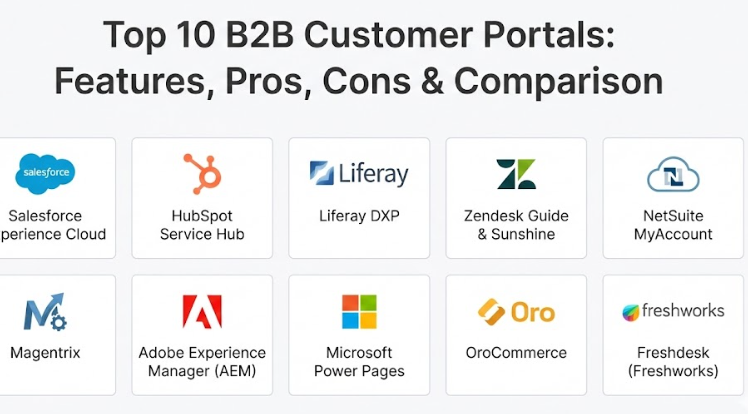
Top 10 B2B Customer Portals Tools
1 — Salesforce Experience Cloud
Salesforce Experience Cloud is a powerful platform that allows businesses to create branded digital spaces for customers, partners, and employees. It is designed for companies already using the Salesforce ecosystem that want to provide a deeply integrated self-service experience.
- Key features:
- Native integration with Salesforce CRM for real-time data synchronization.
- Drag-and-drop “Experience Builder” with pre-built industry templates.
- Advanced personalization based on user profiles and past behavior.
- Integrated Knowledge Base for automated support and FAQs.
- Secure file sharing and collaborative document management.
- Built-in analytics to track user engagement and portal health.
- Mobile-responsive design with dedicated app options.
- Pros:
- Unmatched data connectivity; if a piece of information exists in your CRM, it can easily be shown in the portal.
- Highly scalable for global enterprises with complex, multi-layered customer relationships.
- Cons:
- Extremely high cost, often requiring expensive consulting for a custom setup.
- The learning curve is steep, and maintaining the portal usually requires a dedicated Salesforce administrator.
- Security & compliance: SOC 2, HIPAA, GDPR, ISO 27001, and robust multi-factor authentication (MFA).
- Support & community: Extensive documentation, a massive “Trailblazer” community, and 24/7 premium enterprise support.
2 — HubSpot Service Hub
HubSpot Service Hub offers a customer portal feature that focuses on simplicity and connection. It is designed for growing SMBs and mid-market companies that want to unify their support tickets and customer communications in one easy-to-use interface.
- Key features:
- Automated ticket management allowing customers to view and update support requests.
- Shared inbox for seamless communication between the client and the support team.
- Knowledge Base integration to encourage self-service before a ticket is opened.
- Customer feedback surveys (NPS, CSAT) built directly into the portal.
- Mobile-optimized interface for on-the-go business clients.
- Integration with HubSpot’s free CRM for a complete view of the customer journey.
- Pros:
- One of the most user-friendly interfaces in the market, requiring very little technical training.
- Quick implementation time; you can have a basic portal running in hours rather than months.
- Cons:
- Limited customization compared to enterprise-grade platforms.
- Advanced features and higher volume limits require moving into expensive “Professional” or “Enterprise” tiers.
- Security & compliance: GDPR, SOC 2 Type II, and data encryption at rest and in transit.
- Support & community: Extensive HubSpot Academy courses, 24/7 phone support for paid tiers, and a vibrant user forum.
3 — Liferay DXP
Liferay DXP is an open-source based digital experience platform that excels at creating complex, highly customized B2B portals. It is designed for organizations that need to aggregate data from many different legacy systems into a single, cohesive view.
- Key features:
- Flexible content management system (CMS) for personalized messaging.
- Robust identity and access management for multi-org structures.
- Integrated B2B e-commerce capabilities for complex ordering.
- Workflow engine for managing multi-step approvals and business processes.
- Native support for multiple languages and global regional settings.
- Open API architecture for deep integration with ERPs and back-office tools.
- Pros:
- Incredible flexibility; if you can imagine a feature, you can probably build it in Liferay.
- Strong “multi-tenancy” features, allowing you to manage different portals for different client groups from one place.
- Cons:
- Requires a significant technical team (Java developers) to build and maintain.
- The interface can feel “industrial” and less modern than some SaaS-native competitors.
- Security & compliance: ISO 27001, SOC 2, and advanced audit logging.
- Support & community: Professional enterprise support subscriptions and a strong global developer community.
4 — Zendesk Guide & Sunshine
Zendesk provides a portal experience through its Guide and Sunshine platforms, focusing primarily on the support and service aspect of the B2B relationship. It is built for companies that prioritize ticketing efficiency and documentation.
- Key features:
- High-speed ticket tracking and history for all customer interactions.
- Community forums where customers can help each other.
- AI-powered Answer Bot to deflect routine questions within the portal.
- Themeable interface to match company branding.
- Support for “Organization” views, allowing a manager to see tickets from their entire team.
- Integration with thousands of apps via the Zendesk Marketplace.
- Pros:
- Excellent for high-volume support environments where speed is the top priority.
- Very easy to set up for basic ticket-based communication.
- Cons:
- It is primarily a support portal; it lacks deep e-commerce or contract management features.
- Customizing the “look and feel” beyond basic colors requires CSS/HTML knowledge.
- Security & compliance: HIPAA, SOC 2, ISO 27001, and GDPR compliant.
- Support & community: Comprehensive online documentation, 24/7 support, and a large global user base.
5 — NetSuite MyAccount
NetSuite MyAccount is a self-service portal specifically for companies already using the NetSuite ERP. It allows customers to manage their financial relationship with a vendor, including payments and order history.
- Key features:
- Real-time visibility into quotes, orders, and invoices directly from the ERP.
- Online payment processing for outstanding balances.
- Return Authorization (RMA) management for physical goods.
- Case management for non-financial support inquiries.
- Address book and profile management for business users.
- Integration with NetSuite’s SuiteCommerce for a full shopping experience.
- Pros:
- Zero data lag; because it is part of the ERP, a change in the back office is immediately visible to the customer.
- Simplifies the “Order-to-Cash” cycle by allowing customers to pay their own bills online.
- Cons:
- Only available to NetSuite customers, making it a “locked-in” solution.
- The design options are somewhat rigid and can look like a standard administrative tool.
- Security & compliance: PCI DSS compliant for payments, SOC 2, and high-level data encryption.
- Support & community: Professional services from Oracle NetSuite and a massive network of implementation partners.
6 — Magentrix
Magentrix specializes in “Channel Portals”—spaces designed for partners, distributors, and high-value B2B customers. It acts as a bridge between your CRM and your external stakeholders.
- Key features:
- Seamless, two-way synchronization with Salesforce and Microsoft Dynamics.
- Document management with version control and viewing permissions.
- Partner Relationship Management (PRM) features like lead distribution.
- Learning Management System (LMS) modules for customer training.
- Custom social feeds and collaboration tools for account teams.
- Mobile app integration for field-based clients.
- Pros:
- Specifically built for the B2B use case, so it includes many “out-of-the-box” features other tools lack.
- Much faster to deploy than a custom Salesforce Experience Cloud build.
- Cons:
- Limited as a standalone tool; you really need a supported CRM to get the most value.
- The styling and layout options are less flexible than a full DXP.
- Security & compliance: SOC 2 Type II, GDPR, and data residency options.
- Support & community: High-touch onboarding and dedicated account management for enterprise clients.
7 — Adobe Experience Manager (AEM)
Adobe Experience Manager is an enterprise-level platform used by global brands to create immersive, content-rich customer portals. It is designed for companies where brand image and content delivery are critical.
- Key features:
- Best-in-class content management for personalized user journeys.
- Integration with Adobe Creative Cloud for high-quality visual assets.
- Dynamic media delivery (video, 3D assets) within the portal.
- Robust AI (Adobe Sensei) for automating content tagging and delivery.
- Headless CMS options for delivering portal data to different devices.
- Deep integration with Adobe Analytics and Marketo.
- Pros:
- Provides the most “premium” feeling customer experience possible.
- Excellent for companies that need to manage massive amounts of marketing and technical content.
- Cons:
- One of the most expensive tools on this list, both in licensing and implementation.
- Overly complex for companies that just need to show invoices or track tickets.
- Security & compliance: SOC 2, ISO 27001, HIPAA, and GDPR compliant.
- Support & community: Extensive enterprise support and a large network of specialized Adobe agencies.
8 — Microsoft Power Pages
Microsoft Power Pages (formerly Power Apps Portals) is part of the Power Platform. It allows businesses to build secure, low-code portals that surface data stored in Microsoft Dataverse and Dynamics 365.
- Key features:
- Low-code design Studio for building pages without heavy programming.
- Direct connection to Dynamics 365 Sales, Service, and Supply Chain.
- Integrated security roles that mirror your Microsoft 365 environment.
- Ability to embed Power BI dashboards for customer reporting.
- Support for external identities like LinkedIn, Google, and Azure AD.
- Extensible with JavaScript and Liquid templates for advanced users.
- Pros:
- The natural choice for companies already deep in the Microsoft ecosystem.
- Very affordable entry point if you already have Power Apps licenses.
- Cons:
- The “Power Pages” branding and licensing can be confusing.
- Performance can sometimes be slower than dedicated, high-performance SaaS platforms.
- Security & compliance: Inherits the world-class security of Microsoft Azure; SOC, ISO, and HIPAA compliant.
- Support & community: Massive global community of Microsoft users and 24/7 technical support.
9 — OroCommerce
OroCommerce is a platform built from the ground up specifically for B2B e-commerce and customer portals. It handles the specific complexity of wholesale and industrial business models natively.
- Key features:
- Native support for corporate account hierarchies (multi-user/multi-buyer).
- Custom price lists and catalogs for different customer groups.
- RFQ (Request for Quote) workflows built directly into the portal.
- Integration with OroCRM for a unified view of sales and service.
- Multi-warehouse and inventory visibility for clients.
- Support for complex payment terms (e.g., Net 30, Net 60).
- Pros:
- You don’t have to “bend” the software to handle B2B logic; it was built for it.
- Excellent for manufacturers and distributors who need a portal that is also a store.
- Cons:
- Less focus on “knowledge base” or content marketing features.
- Requires specialized PHP knowledge for heavy customization.
- Security & compliance: GDPR compliant and supports PCI DSS standards.
- Support & community: Strong documentation and professional services for implementation.
10 — Freshdesk (Freshworks)
Freshdesk provides a lightweight, customer-facing portal centered around support and community. It is a favorite for SaaS companies and tech-forward SMBs.
- Key features:
- Simple ticket submission and tracking interface.
- Multilingual knowledge base for global support.
- “Canned Snippets” and automated suggestions for portal users.
- Customizable portal themes to match brand colors.
- SSO (Single Sign-On) for seamless customer login.
- Community forums for user-to-user engagement.
- Pros:
- Extremely fast setup; you can have a portal live in less than an hour.
- Very affordable for small teams, with a generous “Free” tier for basic needs.
- Cons:
- Lacks the deep data integration needed for complex B2B financial management.
- Customization is limited to basic layout and color changes on lower tiers.
- Security & compliance: SOC 2, GDPR, ISO 27001, and HIPAA compliant.
- Support & community: Excellent 24/7 support and a helpful online academy.
Comparison Table
| Tool Name | Best For | Platform(s) Supported | Standout Feature | Rating |
| Salesforce Exp. | Enterprise CRM users | Cloud / Web | Native Salesforce Data Link | 4.4 / 5 |
| HubSpot Service | Scaling SMBs | Cloud / Web | Extreme Ease of Use | 4.5 / 5 |
| Liferay DXP | High Customization | On-Prem / Cloud | Open-source flexibility | 4.3 / 5 |
| Zendesk | Ticket-heavy Support | Cloud / Web | AI Support Automation | 4.4 / 5 |
| NetSuite | ERP-integrated Finance | Cloud / Web | Real-time Invoice/Payment | N/A |
| Magentrix | Channel/Partner Portals | Cloud / Web | CRM Bridge / PRM | 4.7 / 5 |
| Adobe Exp. | Premium Content/Brands | Cloud / Web | AI-driven Content Personalization | 4.2 / 5 |
| Power Pages | Microsoft Ecosystem | Cloud / Web | Low-code Power BI integration | N/A |
| OroCommerce | B2B E-commerce | Cloud / Web | B2B-specific Ordering Logic | N/A |
| Freshdesk | Lightweight Support | Cloud / Web | Fast Deployment / Free Tier | 4.5 / 5 |
Evaluation & Scoring of B2B Customer Portals
To help you make an objective decision, we have evaluated the general category of B2B customer portals using the following weighted scoring rubric. This reflects what modern businesses prioritize most during the selection process.
| Evaluation Category | Weight | Score (1-10) | Explanation |
| Core Features | 25% | 9.0 | Most top-tier tools cover the essentials (tickets, orders, docs) very well. |
| Ease of Use | 15% | 7.5 | There is often a trade-off between power and simplicity. |
| Integrations | 15% | 8.5 | High marks for tools that sit natively within an existing CRM or ERP. |
| Security & Compliance | 10% | 10.0 | In the B2B space, these standards are high across the board. |
| Performance | 10% | 8.0 | SaaS platforms generally offer excellent uptime and speed. |
| Support & Community | 10% | 8.0 | Large ecosystems provide the best long-term safety net. |
| Price / Value | 15% | 7.0 | Enterprise tools are expensive, but the ROI from automation is high. |
Which B2B Customer Portals Tool Is Right for You?
Choosing the right portal is less about finding the “best” software and more about finding the best fit for your existing tech stack and customer needs.
Solo Users vs SMB vs Mid-Market vs Enterprise
If you are a smaller business (SMB), you should prioritize ease of setup and maintenance. Tools like HubSpot Service Hub or Freshdesk allow you to provide a professional portal without needing a developer on staff. Mid-market companies with complex data needs should look at Magentrix or OroCommerce. For large enterprises with thousands of users and complex security requirements, Salesforce Experience Cloud, Liferay, or Adobe are the industry standards.
Budget-Conscious vs Premium Solutions
If budget is a major concern, look at Freshdesk or the basic tiers of Microsoft Power Pages. These allow you to start small and pay as you grow. If you have the budget and want to provide a world-class, immersive experience that acts as a competitive advantage, Adobe Experience Manager and Salesforce offer the most “premium” features but come with significant price tags.
Feature Depth vs Ease of Use
There is almost always a trade-off here. Liferay and Salesforce offer incredible depth but are notoriously difficult to learn. On the other hand, HubSpot is incredibly easy to use but may feel “limiting” if you need to build a custom tool that tracks complex manufacturing blueprints or multi-level approval hierarchies.
Integration and Scalability Needs
This is perhaps the most important question: Where does your customer data live today? If it’s in Salesforce, use Experience Cloud. If it’s in NetSuite, use MyAccount. If it’s in Microsoft Dynamics, use Power Pages. Breaking out of your existing ecosystem is possible, but it adds a layer of technical debt and integration cost that you should only take on if your current ecosystem’s portal is truly inadequate for your needs.
Frequently Asked Questions (FAQs)
1. What is the difference between a B2B and B2C portal?
B2C portals are built for speed and individual purchases. B2B portals handle complex business relationships, such as tiered pricing, multi-user accounts (where five people from one company share a login), and integration with heavy-duty ERP systems.
2. Can I use my own domain name for the portal?
Yes. Most professional portals allow you to use a custom URL (e.g., https://www.google.com/search?q=portal.yourcompany.com) so the transition from your main website to the portal feels seamless for the customer.
3. Do these tools support online payments?
Many do, especially those integrated with ERPs like NetSuite or e-commerce tools like OroCommerce. This allows customers to pay invoices via credit card or ACH directly through the portal.
4. How long does it take to implement a B2B portal?
A simple support-focused portal (like Freshdesk) can be live in a day. A complex, enterprise-grade portal with ERP integration (like Salesforce or Liferay) typically takes 3 to 9 months to fully deploy.
5. Is my data safe in a cloud-based portal?
Yes, provided you choose a reputable vendor. Most top-tier portal tools use enterprise-grade encryption and comply with global standards like SOC 2 and GDPR to ensure data privacy.
6. Can I restrict what different users see?
Absolutely. Granular permissions are a core feature of B2B portals. You can ensure that a “Buyer” can see prices and place orders, while an “Accountant” can only see invoices and payment history.
7. Does a customer portal replace my support team?
No. It augments them. By letting customers handle routine tasks like password resets or tracking an order, your support team can focus on solving complex problems that require a human touch.
8. Do I need to be a developer to build a portal?
It depends on the tool. “Low-code” or “No-code” tools like HubSpot or Power Pages are designed for business users. Tools like Liferay or Adobe definitely require professional developers.
9. Can I offer training materials through the portal?
Yes, many portals include “Knowledge Bases” or even “Learning Management Systems” (LMS) where you can host videos, PDFs, and quizzes to train your customers on your products.
10. How do I get my customers to actually use the portal?
The best way is to make it the “path of least resistance.” If the portal is the fastest way to get an invoice or a tracking number, customers will naturally migrate there. Continuous onboarding and clear benefits are key.
Conclusion
The shift toward digital self-service is no longer a luxury in the B2B world; it is a requirement. A well-executed B2B customer portal transforms the way you interact with your clients, moving the relationship from a series of reactive phone calls to a proactive, data-driven partnership. While the “best” tool depends on whether you prioritize deep CRM integration (Salesforce), ease of use (HubSpot), or complex e-commerce (OroCommerce), the outcome is the same: increased efficiency, lower costs, and happier customers.
When making your final choice, remember that the portal is a reflection of your brand. It should be secure, intuitive, and—most importantly—it should actually make your customer’s job easier. Start by identifying your most common customer “pain points” and choose the tool that solves them most directly.