Introduction
Enterprise Risk Management (ERM) tools are specialized software platforms designed to help organizations identify, assess, manage, and monitor risks across the entire company. Instead of looking at risks in isolation—like just focusing on IT or just on finance—ERM tools provide a bird’s-eye view of everything that could potentially go wrong or offer an opportunity. These tools replace messy spreadsheets and disconnected emails with a centralized system where every department can report and track potential threats. By using these platforms, businesses can predict problems before they happen and create solid plans to handle them, ensuring the company remains stable and successful.
The importance of ERM tools has grown significantly as the business world becomes more complex. They are vital for maintaining “Business Continuity” (making sure the lights stay on during a crisis), “Regulatory Compliance” (following laws to avoid heavy fines), and “Strategic Planning” (making big moves with confidence). In the real world, a bank might use ERM tools to track credit risks, while a manufacturing company might use them to monitor supply chain disruptions. When searching for the right tool, you should look for ease of data entry, the ability to create visual risk heat maps, strong reporting features, and how well the software automates reminders for risk owners.
Best for: These tools are most beneficial for Chief Risk Officers (CROs), compliance managers, and executive leadership teams in medium to large enterprises. They are particularly essential in highly regulated sectors like banking, healthcare, energy, and government. Not ideal for: Small businesses with very simple operations or solo entrepreneurs who can manage their few risks through basic project management tools or simple checklists.
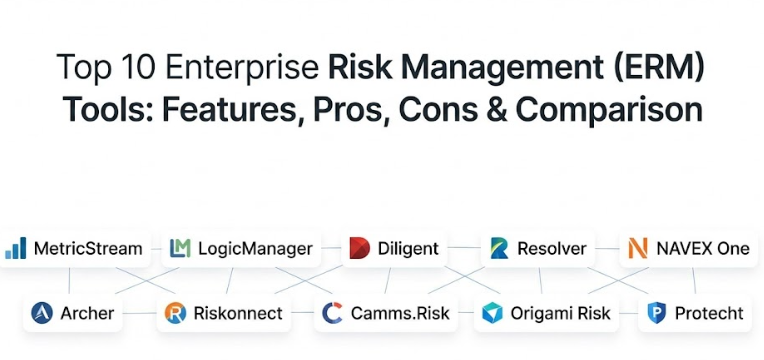
Top 10 Enterprise Risk Management (ERM) Tools
1 — MetricStream
MetricStream is a market leader in the GRC (Governance, Risk, and Compliance) space, providing a highly comprehensive platform that connects various risk functions into one single system. It is designed for large global organizations that need to manage complex, multi-layered risks.
- Connected Risk Architecture: Links operational, digital, and strategic risks to provide a unified view.
- Risk Heat Maps: Provides visual representations of risk severity and likelihood for quick decision-making.
- Automated Workflows: Sends automatic notifications and reminders to risk owners to ensure timely action.
- Regulatory Content Integration: Feeds latest regulatory changes directly into the system to help with compliance.
- Advanced Analytics: Uses data to predict potential risk trends and suggest mitigation strategies.
- Mobile Access: Allows field workers or traveling executives to report incidents or check risk status on the go.
Pros:
- Exceptionally deep functionality that can handle the needs of the world’s largest companies.
- Highly customizable to fit very specific industry requirements or unique internal processes.
Cons:
- The setup process is known to be quite long and requires significant technical resources.
- The interface can feel overwhelming for users who only need to perform simple risk tasks.
Security & compliance: SOC 2 Type II, ISO 27001, GDPR compliant, and features robust encryption and multi-factor authentication (MFA).
Support & community: Offers a dedicated customer success manager, comprehensive online training through MetricStream University, and a large global user community.
2 — LogicManager
LogicManager is widely recognized for its “taxonomy” approach, which helps organizations see how one risk might impact multiple areas of the business. It is built for teams that want a logical, guided way to build their risk program.
- Centralized Risk Library: Stores all identified risks in one place with easy-to-use search and filtering.
- Incident Management: Tracks actual events and links them back to the original risk assessments.
- Custom Reporting Engines: Allows users to build professional reports for board meetings with a few clicks.
- Relationship Mapping: Visually connects risks to specific business goals and departments.
- Audit Trail: Maintains a permanent record of every change made to a risk profile for accountability.
- Task Management: Assigns specific “to-do” items to employees to reduce the likelihood of a risk occurring.
Pros:
- Known for having one of the best customer onboarding experiences in the industry.
- The software is very logical and helps teams who are new to ERM learn the best practices.
Cons:
- The visual design of the software feels a bit older compared to some modern cloud startups.
- Heavy customization can sometimes make the system run a little slower.
Security & compliance: HIPAA compliant, SOC 2 Type II certified, and uses advanced data encryption at rest and in transit.
Support & community: Offers unlimited support and training, a dedicated analyst for every client, and a deep library of educational webinars.
3 — Diligent (formerly HighBond/Galvanize)
Diligent offers a modern, high-tech platform that focuses on making risk management data-driven rather than just based on opinions. It is excellent for organizations that want to automate their risk monitoring.
- Robotic Process Automation (RPA): Can automatically pull data from other systems to monitor risk levels 24/7.
- Integrated Board Reporting: Easily pushes risk data into the same platform the board uses for meeting materials.
- Internal Audit Integration: Seamlessly connects the risk management team with the internal audit team.
- Strategy Maps: Links high-level corporate goals directly to the risks that might prevent them.
- Storyboards: Transforms data into easy-to-read visual stories for non-technical managers.
- Compliance Maps: Tracks how well the company is meeting specific legal requirements in real-time.
Pros:
- The automation features save a massive amount of manual data entry time.
- The interface is modern, clean, and very easy for executives to navigate.
Cons:
- Can be quite expensive when you start adding multiple modules for different departments.
- Some users find the advanced automation features difficult to set up without expert help.
Security & compliance: FedRAMP authorized, SOC 2, ISO 27001, and GDPR compliant with world-class data centers.
Support & community: 24/7 global support, an active user community portal, and extensive online documentation.
4 — Resolver
Resolver focuses on “Risk Intelligence,” meaning it helps companies understand the relationship between different types of incidents to prevent future occurrences. It is particularly strong in corporate security and physical risk.
- Incident Reporting: Makes it very easy for any employee to report a problem or a “near miss.”
- Root Cause Analysis: Tools to help teams figure out exactly why something went wrong, not just what happened.
- Risk Assessment Surveys: Sends out simple forms to staff to gather their thoughts on potential threats.
- Vulnerability Tracking: Focuses heavily on identifying weak points in physical and digital security.
- Dashboard Customization: Users can create their own views to see only the data relevant to their job.
- Workflow Engine: Automates the steps required to investigate an incident from start to finish.
Pros:
- Excellent for companies that have a lot of physical locations or security concerns.
- The mobile reporting feature is very intuitive and encourages staff to participate.
Cons:
- Not as strong in “Financial Risk” or specialized “Banking Compliance” as some other tools.
- The reporting tool has a bit of a learning curve for creating complex, multi-variable charts.
Security & compliance: SOC 2 Type II, HIPAA, and ISO 27001 certified with role-based access controls.
Support & community: Provides a dedicated implementation team and a comprehensive online help center with video tutorials.
5 — NAVEX One
NAVEX is a giant in the compliance world, and their NAVEX One platform brings together risk management, ethics, and third-party monitoring into a single ecosystem.
- Third-Party Risk Management: Excellent tools for checking the risks posed by vendors and suppliers.
- Whistleblower Integration: Connects your risk program to the company’s ethics hotline.
- Policy Management: Stores and tracks who has read and signed off on company risk policies.
- Continuous Monitoring: Checks vendor data and news feeds for potential risks to your reputation.
- Regulatory Cross-Walking: Helps you see how one action satisfies multiple different laws.
- Executive Summaries: Generates high-level views specifically for the C-suite.
Pros:
- The best-in-class tool for managing risks related to vendors and third parties.
- Having ethics, policies, and risks in one platform creates a very strong “compliance culture.”
Cons:
- The platform is made of different modules that don’t always feel perfectly integrated.
- Higher price point makes it difficult for mid-sized companies with tight budgets.
Security & compliance: GDPR, SOC 2, and ISO 27001 compliant with high-level encryption for sensitive whistleblower data.
Support & community: Offers 24/7 support, a massive library of compliance research, and regional user groups.
6 — Archer
Archer (formerly part of RSA) is one of the “original” big players in the risk space. It is incredibly powerful and is often the choice for the world’s most complex financial and government institutions.
- Multi-Org Support: Can manage risks across many different sub-companies or international branches.
- Deep Quantification: Tools to put actual dollar amounts on risks for better financial planning.
- Resiliency Management: Focuses on how the company can bounce back after a major disruption.
- Regulatory Tracking: Covers hundreds of global regulations with pre-mapped controls.
- Advanced Permissions: Extremely granular control over who can see every single field of data.
- Extensive Integration Library: Connects to almost any other enterprise software through a robust API.
Pros:
- There is virtually no risk scenario that Archer cannot handle or be configured for.
- Very stable and reliable, which is why it is used by huge banks and government agencies.
Cons:
- Requires specialized “Archer Admins” to keep the system running and updated.
- The interface can feel quite technical and “clunky” compared to modern web apps.
Security & compliance: ISO 27001, SOC 2, HIPAA, and various government-level security clearances.
Support & community: A very mature user community and a huge network of third-party consultants for hire.
7 — Riskonnect
Riskonnect is built on the Salesforce platform, which means it is incredibly flexible and already feels familiar to many business users. It excels at “Integrated Risk Management.”
- Salesforce Integration: Inherits all the power and flexibility of the Salesforce cloud.
- Claims Management: Links risk management to insurance claims and legal cases.
- Internal Audit: Provides a full suite for managing the audit lifecycle within the same tool.
- Health & Safety: Includes modules for tracking workplace injuries and environmental risks.
- Visual Data Explorer: Allows users to “click through” charts to see the raw data underneath.
- Global Support: Handles multiple languages and currencies for international risk tracking.
Pros:
- If your company already uses Salesforce, the setup and user adoption are much easier.
- Combines insurance and claims data with risk data better than almost anyone else.
Cons:
- You are tied to the Salesforce ecosystem, which might not fit every IT strategy.
- Pricing can be complex as it often involves both Riskonnect and Salesforce licensing.
Security & compliance: Benefits from Salesforce’s top-tier security, plus SOC 2 and ISO 27001 certifications.
Support & community: Extensive online training, a large partner network, and 24/7 technical support.
8 — Camms.Risk
Camms offers a platform that focuses heavily on the link between risk and “Performance.” It helps companies understand that risk isn’t just about avoiding bad things, but about achieving goals.
- Strategic Planning Link: Directly connects every risk to a specific corporate objective.
- Simple Scorecards: Uses “Red-Amber-Green” (RAG) status to show the health of different departments.
- Flexible Registers: Users can easily create custom risk registers for different projects.
- Project Risk Management: Includes specific tools for managing risks within large construction or IT projects.
- Integrated Dashboards: Clean, modern views that are easy for non-experts to understand.
- Compliance Tracking: Monitors how well the company is following internal and external rules.
Pros:
- Very user-friendly and doesn’t require as much training as the “heavyweight” tools.
- Excellent for organizations that want to use risk management to drive better business results.
Cons:
- Not as many “pre-built” regulatory feeds as some of the larger US competitors.
- Some of the more advanced “quantification” features are not as deep as Archer or MetricStream.
Security & compliance: ISO 27001 and SOC 2 compliant with data hosting options in multiple regions (UK, US, AU).
Support & community: Known for being very responsive to customer feedback and offering personalized onboarding.
9 — Origami Risk
Origami Risk started in the insurance space and has grown into a powerful, all-in-one risk platform known for its speed and modern technology.
- Single Codebase: All users are on the same version, meaning updates are fast and seamless.
- Highly Mobile: One of the best mobile apps for conducting audits or reporting risks in the field.
- Automated Data Import: Can easily pull in data from insurance carriers and third-party sources.
- Custom Portals: Create simple screens for employees or vendors to enter data without seeing the full system.
- Powerful Workflow Engine: Allows users to build complex “if-then” logic for risk alerts.
- Analytics & Benchmarking: Compare your risk levels against industry averages.
Pros:
- The software is very fast and responsive, with a very high “uptime” record.
- Extremely easy to build custom forms and workflows without knowing how to code.
Cons:
- Some users find the sheer number of configuration options a bit confusing at first.
- Historically focused on insurance, so some “Strategic Risk” features are still evolving.
Security & compliance: SOC 1 & 2 Type II, ISO 27001, and HIPAA compliant with high-end encryption.
Support & community: Each client is assigned a specific “service team” rather than a random help desk.
10 — Protecht
Protecht is an Australian-based company that has gained global popularity for its “Protecht.ERM” tool, which is designed to be highly visual and interactive.
- Flexible Risk Registers: Allows teams to build their own layouts for different types of risk.
- Dynamic Dashboards: Charts and maps update instantly as soon as data is entered.
- Compliance Management: Tracks regulatory obligations and internal control testing.
- Training Management: Tracks whether employees have completed required risk and compliance training.
- Key Risk Indicators (KRIs): Sets “tripwires” that alert managers when a risk level is getting too high.
- App Marketplace: Offers pre-built modules for specific industries like finance or government.
Pros:
- Very visual and “colorful,” which actually helps people engage with risk management more.
- Great value for money, offering many “enterprise” features at a more accessible price.
Cons:
- Support hours can be tricky for US-based companies depending on the service level.
- The reporting engine, while visual, can be a bit rigid when trying to create very unique layouts.
Security & compliance: ISO 27001 certified and GDPR compliant with secure data centers in various global locations.
Support & community: Offers “Protecht Academy” for training and very high-quality technical documentation.
Comparison Table
| Tool Name | Best For | Platform(s) Supported | Standout Feature | Rating |
| MetricStream | Global Enterprise | Cloud / Hybrid | Connected Risk Architecture | N/A |
| LogicManager | Guided Best Practices | Cloud (SaaS) | Holistic Taxonomy Mapping | N/A |
| Diligent | Board-Level Reporting | Cloud (SaaS) | Robotic Data Automation | N/A |
| Resolver | Incident Intelligence | Cloud / Mobile | Security Incident Analysis | N/A |
| NAVEX One | Third-Party Compliance | Cloud (SaaS) | Ethics & Vendor Ecosystem | N/A |
| Archer | Highly Regulated Finance | Cloud / On-prem | Extreme Customization Depth | N/A |
| Riskonnect | Salesforce Users | Cloud (Salesforce) | Integrated Claims Management | N/A |
| Camms.Risk | Strategy & Performance | Cloud (SaaS) | Links Risk to Objectives | N/A |
| Origami Risk | Speed & Field Work | Cloud / Mobile | No-code Workflow Builder | N/A |
| Protecht | Visual Engagement | Cloud (SaaS) | Dynamic Heat Map Visuals | N/A |
Evaluation & Scoring of Enterprise Risk Management (ERM) Tools
To help you compare these tools fairly, we have evaluated them using a weighted scoring rubric based on what matters most to professional risk managers.
| Evaluation Criteria | Weight | What We Look For |
| Core Features | 25% | Quality of risk registers, heat maps, and assessment tools. |
| Ease of Use | 15% | How quickly average employees can learn to report risks. |
| Integrations | 15% | Ability to connect to ERP, HR, and Financial systems. |
| Security | 10% | Certifications like SOC 2 and the quality of data encryption. |
| Performance | 10% | System speed, uptime, and mobile responsiveness. |
| Support | 10% | Availability of experts and quality of training materials. |
| Price / Value | 15% | Transparent pricing and a high return on investment. |
Which Enterprise Risk Management (ERM) Tool Is Right for You?
Selecting the right ERM tool is a major commitment that will affect your company for years. Use this guide to narrow down your choices based on your specific situation.
Organization Size & Maturity
- SMBs (100–500 employees): If you are just starting your risk journey, look at Camms.Risk or Protecht. They offer a great balance of features without being too complex.
- Mid-Market: LogicManager is an excellent choice here because their analysts will help you build your program as you go.
- Global Enterprise: If you have thousands of employees across many countries, you need the “heavy lifting” capabilities of MetricStream, Archer, or Diligent.
Budget & Pricing Models
- Budget-Conscious: Consider tools that allow you to start with one module and grow. Protecht and Camms are often more accessible.
- Premium / Best-of-Breed: If budget is not the primary concern and you need the absolute best in a specific area (like vendor risk), NAVEX or Archer are the industry standards.
Specialized Needs
- Field-Heavy Industries: If you have many workers in the field (construction, energy, retail), Origami Risk or Resolver have the best mobile tools for on-the-spot reporting.
- Salesforce Shop: If your company is already built on Salesforce, choosing Riskonnect is almost always the most efficient path.
- Board Focus: If your main goal is providing clear, beautiful reports to a Board of Directors, Diligent is specifically designed for that workflow.
Frequently Asked Questions (FAQs)
1. Can’t we just use Excel for risk management?
While you can use Excel for a small list of risks, it quickly becomes dangerous for larger companies. Excel doesn’t have an audit trail, it’s hard to collaborate in, and it’s prone to human error. ERM tools ensure data integrity and automate the boring parts.
2. How long does it take to implement an ERM tool?
A simple implementation for a mid-sized company can take 3 to 4 months. For a global enterprise using a tool like Archer or MetricStream, it can take 9 to 18 months to fully roll it out across all departments.
3. Do these tools come with a list of risks already in them?
Most modern tools like LogicManager or NAVEX come with “Risk Libraries” or “Templates” based on your industry. You don’t have to start from a blank page; you can select risks that apply to you and customize them.
4. Is it hard to get employees to use these tools?
This is the biggest challenge! That is why “Ease of Use” is so important. Choosing a tool with a simple, clean interface—or one that allows users to report risks via email or a simple mobile app—will help people actually use it.
5. How much do ERM tools typically cost?
Pricing is rarely public, but for a mid-market company, you can expect to pay anywhere from $15,000 to $50,000 per year. For large enterprises, the cost can easily exceed $100,000 to $250,000 depending on the number of modules and users.
6. What is the difference between GRC and ERM?
GRC (Governance, Risk, and Compliance) is the broader umbrella. ERM is a specific part of GRC that focuses specifically on identifying and managing threats and opportunities. Most GRC tools include an ERM module.
7. Can these tools help with HIPAA or GDPR compliance?
Yes! Most of the tools on this list have specific modules that track the requirements of HIPAA, GDPR, and other laws, mapping your risks directly to those legal obligations.
8. Do these tools work on Macs and mobile devices?
Almost all modern ERM tools are “Cloud/SaaS” based, meaning they work in any web browser on a Mac or PC. Many also offer dedicated apps for iPhones and Android devices for field use.
9. Can we integrate our ERM tool with our financial software?
Yes, most enterprise-level tools (like Riskonnect, Archer, or MetricStream) have APIs that allow them to pull data from ERPs like SAP or Oracle to monitor financial risk levels automatically.
10. Who should own the ERM tool inside our company?
Usually, the Risk Management department or the Internal Audit department owns the tool. However, for it to be successful, every “Head of Department” must be responsible for managing the risks within their own area of the software.
Conclusion
To wrap up, choosing the right Enterprise Risk Management tool is about finding the perfect match between your company’s culture and the software’s capabilities. If you choose a tool that is too complex, your employees won’t use it; if you choose one that is too simple, it won’t give your leadership the insights they need to make safe decisions.
When you begin your search, prioritize data security, ease of reporting, and integration capabilities. Remember that the best tool is the one that actually gets used by your staff and provides a clear, honest picture of the risks your business faces. Risk management isn’t just about avoiding failure—it’s about having the confidence to take the right risks to grow your business.