Introduction
A Risk Management Information System, often called an RMIS, is a special kind of software that helps companies track all these problems in one place. Think of it as a super-organized digital filing cabinet for everything related to insurance, claims, and safety. Instead of using messy spreadsheets or paper files, a company uses an RMIS to see exactly how much they are spending on accidents and how they can stop them from happening again.
A Risk Management Information System (RMIS) is a platform that brings together all the data a company needs to manage its risks. This includes details about insurance policies, records of past accidents (claims), and safety inspection reports. By putting all this data into one system, managers can quickly see patterns. For example, if a grocery store chain notices that people are falling in the frozen food aisle more often, the RMIS will show that trend. This allows the company to fix the floor or change the cleaning schedule to save money and keep people safe.
The primary goal of an RMIS is to lower the “total cost of risk.” This means spending less on insurance premiums and paying out less for accidents. It also makes life much easier for the people who have to report these incidents. Instead of filling out three different forms for one broken window, they just enter the info once into the RMIS, and the system tells the insurance company and the boss at the same time.
Key Real-World Use Cases:
- Claims Management: Tracking a worker’s injury from the moment it happens until they are healthy and back at work.
- Insurance Renewals: Gathering all the company’s asset data to show insurance companies that the business is safe, which helps get lower prices.
- Safety Inspections: Using a mobile phone to check if equipment is safe and recording the results directly into the system.
- Certificate Tracking: Making sure that every contractor working for the company has their own insurance so the company isn’t held responsible for their mistakes.
Evaluation Criteria:
When you are looking for an RMIS, you should check how easy it is to enter data. If it’s too hard, people won’t use it. You should also see if it can “talk” to other systems, like your payroll software. Good reporting is a must—you want to be able to make a chart or a graph with just one click. Finally, make sure the system is safe and follows privacy rules so that personal information stays private.
Best for:
- Risk Managers and Safety Officers: These are the people who use the tool every day to stay organized.
- Large Corporations: Companies with many locations and hundreds of employees benefit the most from having a single source of truth.
- Insurance Brokers: They use this data to help their clients get the best deals on insurance.
- Public Entities: Cities and school districts use RMIS to track liability and property damage.
Not ideal for:
- Very Small Businesses: If you only have five employees, a simple spreadsheet might be all you need.
- Companies with Zero Physical Assets: If your business is entirely digital and has very few risks, a full RMIS might be more software than you need.
- Teams without IT Support: Some of the bigger systems require a bit of technical help to get started.
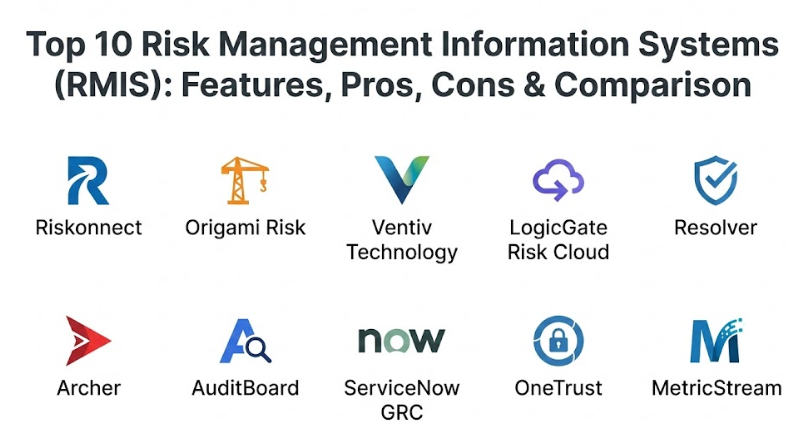
Top 10 Risk Management Information Systems (RMIS) Tools
1 — Riskonnect
Riskonnect is a massive, all-in-one platform built on top of the Salesforce system. It is designed for very large companies that want to see every single risk—from insurance claims to digital threats—on one screen.
- Key Features:
- Full claims administration to track every penny spent on injuries.
- Policy and asset management to keep track of what the company owns.
- Safety and audit tools to prevent accidents before they happen.
- Advanced analytics that can predict future costs based on past data.
- Health and safety modules for tracking workplace wellness.
- Third-party risk tracking to manage vendors and contractors.
- Pros:
- Because it sits on Salesforce, it is very stable and has a familiar look.
- It can handle a huge amount of data without slowing down or crashing.
- The reporting is very deep and can show almost any data point you want.
- Cons:
- It can be very expensive, which makes it hard for mid-sized companies to buy.
- Setting it up can take a long time and usually requires professional help.
- Security & Compliance: Offers top-tier security with SSO, data encryption, and full audit logs. It is compliant with GDPR, HIPAA, and SOC 2.
- Support & Community: They provide 24/7 global support, a dedicated success manager for big clients, and a large online community for learning.
2 — Origami Risk
Origami Risk is famous for being incredibly flexible. It was built by people who wanted to make an RMIS that was actually easy to change without needing to write code. It is popular across many different industries.
- Key Features:
- A single platform for insurance, safety, and general risk management.
- Drag-and-drop tools that let you change the screens yourself.
- Mobile apps for doing safety checks out in the field.
- Automated emails that remind people to finish their reports.
- A powerful engine for creating custom reports and graphs.
- Tools for managing insurance certificates from vendors.
- Pros:
- Users love how easy it is to customize the system without calling IT.
- It is updated very often with new features based on what users ask for.
- The user interface is clean and looks more like a modern website.
- Cons:
- Because you can change so much, it’s easy to make the system too complex if you aren’t careful.
- Pricing is not always clear and can go up as you add more features.
- Security & Compliance: Uses bank-level encryption and multi-factor authentication. Fully compliant with SOC 2 and ISO standards.
- Support & Community: They are known for having some of the best customer service in the industry with very fast response times.
3 — Ventiv Technology
Ventiv is a veteran in the risk world. They offer a suite of tools that are especially strong for companies that have very complex insurance and claims needs, particularly in the global market.
- Key Features:
- Claims administration for high-volume insurance programs.
- Advanced predictive modeling to guess how much a claim will cost.
- Global reporting that can handle different currencies and languages.
- A dedicated module for property and asset values.
- Connectivity tools to link with insurance carriers directly.
- Workflow automation to speed up data entry.
- Pros:
- Excellent for businesses that operate in many different countries.
- The predictive tools are very smart and help with budgeting.
- Very strong at handling the “nitty-gritty” details of insurance math.
- Cons:
- The software can feel a bit more traditional and less “modern” than some newer tools.
- The learning curve is a bit steep for people who are new to risk management.
- Security & Compliance: High-level audit trails and encrypted data storage. Compliant with GDPR and HIPAA.
- Support & Community: Offers deep technical documentation and classroom-style training for new users.
4 — LogicGate Risk Cloud
LogicGate takes a different approach. Instead of a rigid system, they use a “no-code” platform that feels like building with digital blocks. It is great for companies that want their RMIS to grow as they grow.
- Key Features:
- Visual workflow builder to show how a risk moves through the company.
- Centralized risk register to list every potential problem.
- Automated evidence collection for audits and inspections.
- Easy-to-build forms that look good on tablets and phones.
- Integrated dashboards that update in real-time.
- Pre-built templates for common risks like cyber or compliance.
- Pros:
- Incredibly easy to learn; you don’t need to be a tech expert.
- Very fast to set up compared to the old-school systems.
- The design is modern and very pleasing to use.
- Cons:
- It might not have the deep insurance-specific math that some old-school RMIS tools have.
- Large companies with millions of claims might find it less focused on “claims” than on “risk.”
- Security & Compliance: SOC 2 Type II certified and supports SSO and advanced user permissions.
- Support & Community: Strong onboarding program and a very helpful customer success team.
5 — Resolver
Resolver is focused on “Integrated Risk Management.” They want to help you see how a safety incident might lead to a financial loss or a legal problem. It is best for mid-to-large sized companies.
- Key Features:
- Incident management for tracking accidents and security breaches.
- Regulatory compliance tools to make sure you follow the law.
- Internal audit modules to check your own company’s performance.
- Risk heat maps that show you where your biggest dangers are.
- Investigation tools for digging deep into why an accident happened.
- Business continuity planning to help you recover after a disaster.
- Pros:
- Great at showing the big picture across different departments.
- The software is very good at helping you stay compliant with laws.
- Easy to generate professional reports for board meetings.
- Cons:
- Some users find the navigation a bit confusing at first.
- Customization can sometimes require help from the Resolver team.
- Security & Compliance: Fully compliant with ISO and GDPR. Data is encrypted and backed up regularly.
- Support & Community: Good online help center and regular webinars for training.
6 — Archer
Archer (formerly RSA Archer) is one of the oldest names in the industry. It is a very heavy-duty tool used by some of the biggest banks and government agencies in the world.
- Key Features:
- Enterprise risk management for identifying global threats.
- Policy management to keep company rules in one place.
- Vendor risk management to watch out for problems with partners.
- Operational resilience tools to keep the business running during crises.
- Audit management for official government checks.
- Deep data analysis for calculating financial impact.
- Pros:
- It is one of the most powerful and “complete” tools available.
- Trusted by the world’s most secure organizations.
- Can be customized to fit almost any business process imaginable.
- Cons:
- Very expensive and requires a lot of server power to run.
- It can be very slow to implement—sometimes taking over a year.
- Security & Compliance: Meets the highest government security standards. Fully HIPAA and SOC 2 compliant.
- Support & Community: Massive global network of partners and experts who can help with setup.
7 — AuditBoard
AuditBoard started as an audit tool but has grown into a very capable risk platform. It is known for having one of the best user interfaces in the business, making it a favorite for modern teams.
- Key Features:
- Connected risk platform that links audit, risk, and compliance.
- Automated workflows to eliminate manual email follow-ups.
- Real-time reporting on the status of your risk mitigations.
- Easy collaboration tools for teams to work together on one file.
- Resource management to see who is working on what risk.
- SOX and internal controls management.
- Pros:
- The interface is beautiful and very easy for non-technical people.
- It saves an enormous amount of time on administrative tasks.
- Customer feedback is taken very seriously and used for updates.
- Cons:
- It focuses more on “controls” than on “insurance claims” math.
- Pricing can be high for companies that only need a small part of it.
- Security & Compliance: SOC 2 Type II and GDPR compliant. Uses advanced encryption for data at rest.
- Support & Community: Highly rated support and a very active user group for sharing best practices.
8 — ServiceNow GRC
If your company already uses ServiceNow for IT support, their Risk and Compliance module is a natural choice. It connects your risk data directly to your IT and HR departments.
- Key Features:
- Risk management that is built into your daily IT workflows.
- Continuous monitoring of controls to catch errors instantly.
- Automated policy lifecycle management.
- Detailed audit planning and execution.
- Dashboards that show risk across the whole company.
- Vendor risk assessments that are sent out automatically.
- Pros:
- No need for a new login if you already use ServiceNow.
- The automation is extremely powerful and can save weeks of work.
- It connects “risk” to “action” better than almost any other tool.
- Cons:
- It can be very complex to set up correctly the first time.
- If you don’t already use ServiceNow, it’s probably too much for you.
- Security & Compliance: Follows the strict security protocols of the main ServiceNow platform.
- Support & Community: Huge community of developers and plenty of official training courses.
9 — OneTrust
OneTrust is the leader in privacy and data risk. While it started with GDPR compliance, it now offers a full suite for managing all kinds of enterprise and third-party risks.
- Key Features:
- Privacy management and data mapping.
- Third-party risk for checking the safety of your vendors.
- Ethics and compliance tools like whistleblower hotlines.
- ESG tracking for environmental and social goals.
- Automated risk assessments with pre-built questionnaires.
- Regulatory intelligence to keep up with changing laws.
- Pros:
- The best tool if your biggest risk is data privacy or compliance.
- Very modern and gets updated with new laws almost instantly.
- Modular, so you only buy the parts you actually need.
- Cons:
- Not as strong for traditional “slip-and-fall” insurance claims.
- The system can feel like it has too many different parts to learn.
- Security & Compliance: Excellent security features, including localized data storage for different countries.
- Support & Community: Very large library of help articles and a dedicated support team.
10 — MetricStream
MetricStream is a high-end platform for “Connected GRC.” They focus on helping companies align their risk management with their overall business strategy.
- Key Features:
- A unified platform for all types of risk (financial, IT, operational).
- AI-powered tools to identify hidden patterns in your data.
- Regulatory change management to help you stay legal.
- Front-line reporting apps to let employees report risks quickly.
- Complex risk modeling and “what-if” scenarios.
- Custom dashboards for different levels of management.
- Pros:
- Very good at bringing together data from many different departments.
- The AI features are ahead of many older competitors.
- Highly scalable for the world’s biggest companies.
- Cons:
- The user interface can feel a bit cluttered and overwhelming.
- It requires a significant investment of both money and time.
- Security & Compliance: Fully compliant with global standards like ISO, SOC 2, and HIPAA.
- Support & Community: Global support team and detailed technical training programs.
Comparison Table
| Tool Name | Best For | Platforms Supported | Standout Feature | Rating |
| Riskonnect | Very Large Enterprise | Cloud / Mobile | Salesforce Integration | 4.5 |
| Origami Risk | High Customization | Cloud / Mobile | No-Code Flexibility | 4.8 |
| Ventiv | Global Insurance | Cloud / On-Prem | Predictive Analytics | 4.4 |
| LogicGate | Rapid Setup / SMB | Cloud | Visual Workflow Builder | 4.6 |
| Resolver | Incident Tracking | Cloud | Investigatory Tools | 4.3 |
| Archer | Gov & Large Banks | Cloud / On-Prem | Massive Power/Depth | 4.2 |
| AuditBoard | Modern Audit Teams | Cloud | Beautiful Interface | 4.7 |
| ServiceNow | ServiceNow Users | Cloud | Unified Data Model | 4.5 |
| OneTrust | Privacy & Data Risk | Cloud | Regulatory Intelligence | 4.6 |
| MetricStream | Strategy Alignment | Cloud / Hybrid | AI Risk Prediction | 4.1 |
Evaluation & Scoring of Risk Management Information Systems (RMIS)
We evaluate these tools based on what matters most to real-world users. Each category is given a weight based on how much it impacts the success of the software.
| Criteria | Weight | What it measures |
| Core Features | 25% | Can it handle claims, policies, and safety reports? |
| Ease of Use | 15% | Can a regular person use it without months of training? |
| Integrations | 15% | Does it talk to payroll, HR, and insurance carriers? |
| Security | 10% | Is the data safe and compliant with privacy laws? |
| Reliability | 10% | Does the system stay up and run fast? |
| Support | 10% | Is there someone helpful to talk to if things break? |
| Price / Value | 15% | Is it worth the money for the problems it solves? |
Which Risk Management Information Systems (RMIS) Tool Is Right for You?
Finding the right RMIS is like buying a car—the “best” one depends on where you are driving and how many people you need to carry.
Solo Users vs. SMB vs. Enterprise
If you are a solo consultant or a very small business, you probably don’t need a full RMIS. A simple database or spreadsheet will do. For small-to-mid-sized businesses (SMBs), a tool like LogicGate or AuditBoard is great because they are easy to set up. If you are a global enterprise with thousands of employees and complex insurance, you need the heavy lifting of Riskonnect, Origami Risk, or Archer.
Budget-Conscious vs. Premium Solutions
If you are on a tight budget, look for tools that offer modular pricing where you only buy what you need—OneTrust and LogicGate are good for this. If money is less of a concern and you want the most “complete” system possible, Riskonnect or MetricStream are the high-end choices.
Feature Depth vs. Ease of Use
Sometimes more features make a system harder to use. If you want something that your employees will actually enjoy using every day, AuditBoard and Origami Risk win on design. If you need deep, complex mathematical modeling for insurance premiums, you might have to accept a steeper learning curve with Ventiv or Archer.
Security and Integration Needs
If your company is already “locked in” to a system like ServiceNow or Salesforce, it makes a lot of sense to stay in that family. This makes integration much easier. If you handle a lot of sensitive European data, OneTrust is the leader in keeping you compliant with privacy laws.
Frequently Asked Questions (FAQs)
1. What is the difference between RMIS and GRC?
RMIS is usually more focused on insurance, claims, and safety incidents. GRC (Governance, Risk, and Compliance) is broader and covers things like company rules, legal compliance, and internal audits. Modern tools often do both.
2. How long does it take to get an RMIS running?
A simple system can be ready in a few weeks. A very large system for a global company can take six months to a year, especially if you have to move old data into it.
3. Will an RMIS lower my insurance premiums?
Often, yes. By showing your insurance company that you have clean data and are actively fixing safety problems, you can prove your company is a “lower risk,” which leads to better prices.
4. Do these tools work on mobile phones?
Most modern systems have an app or a mobile-friendly website so that safety inspectors and managers can report incidents while they are walking around the job site.
5. Can I move my data from Excel to an RMIS?
Yes, almost all these tools have “import” features that let you upload your old spreadsheets to get started quickly.
6. Do I need an IT degree to use these?
No. Most are designed for Risk Managers and Safety Officers. However, the “no-code” tools are definitely the easiest for people who aren’t tech-savvy.
7. Is my data safe in the cloud?
Yes. These companies spend millions of dollars on security. Your data is usually much safer in a professional RMIS than on a single computer in your office.
8. Can an RMIS help with COVID-19 or health tracking?
Many tools added features for health tracking, vaccination status, and return-to-work workflows to help during recent health crises.
9. What happens if I want to switch to a different tool later?
You own your data. Every good RMIS will let you export your data so you can move it to a different system if you decide to switch.
10. What is the biggest mistake people make when buying an RMIS?
Buying too much software. People often get excited about “fancy” features they will never actually use. It’s better to start simple and add more features later.
Conclusion
Choosing the right Risk Management Information System is a major step toward making your company safer and more profitable. There is no “perfect” tool for everyone, but by understanding your own needs—whether it’s deep claims tracking, simple safety reports, or privacy compliance—you can find a partner that fits.
The most important thing is to pick a tool that your team will actually use. Even the most powerful software in the world is useless if it sits empty. Look for a balance of power and simplicity, and don’t be afraid to ask for a demo to see the screens for yourself. With the right RMIS, you stop just reacting to accidents and start preventing them.