Introduction
Operating Room Scheduling Software is a specialized digital tool used by hospitals and surgical centers to coordinate everything that happens in a surgery department. At its simplest, it is a master calendar that tracks which surgeons are working, which rooms are available, and what equipment is needed for a specific procedure. Instead of using paper logs or basic spreadsheets, this software uses data to make sure surgeries start on time and that the hospital’s most expensive rooms are not sitting empty.
The importance of this software cannot be overstated. A single minute of “down time” in an operating room can cost a hospital a significant amount of money. By using smart scheduling tools, medical facilities can reduce the time wasted between surgeries, prevent double-booking of equipment, and ensure that staff members are not overworked or under-utilized. Real-world use cases include managing “block time” (hours reserved for specific surgeons), predicting how long a surgery will actually take based on past data, and providing real-time updates to families waiting in the lobby.
When choosing a tool, users should look for ease of use, the ability to integrate with existing medical records, and mobile accessibility. A good system should also provide clear analytics so managers can see where delays are happening and how to fix them.
Best for: This software is most beneficial for large hospitals, multi-specialty surgical centers, and health systems that manage dozens of operating rooms. It is designed for surgical directors, nurse managers, and hospital administrators who need to balance high patient volume with limited resources.
Not ideal for: Small private clinics with only one or two procedure rooms may find these tools too complex or expensive. If a facility only performs minor procedures that do not require intensive resource coordination, a basic medical appointment scheduler might be a better and more affordable fit.
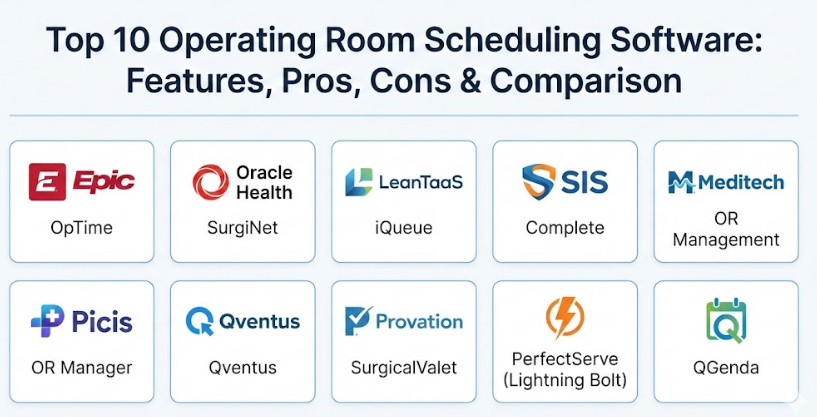
Top 10 Operating Room Scheduling Software Tools
1 — Epic OpTime
Epic OpTime is the dedicated operating room management module within the larger Epic electronic health record system. It is designed to handle everything from scheduling and anesthesia documentation to inventory management for large health systems.
- Key features:
- Centralized surgical scheduling linked to patient charts.
- Integrated anesthesia record-keeping and documentation.
- Real-time status boards for tracking patient progress.
- Advanced tools for managing surgical “blocks” and open time.
- Inventory tracking to ensure supplies are ready for each case.
- Seamless data sharing with other hospital departments like pharmacy and lab.
- Detailed reporting on surgeon performance and room utilization.
- Pros:
- Because it is part of the larger Epic system, all patient data is in one place without needing to switch apps.
- Extremely powerful for large organizations that need to manage hundreds of surgeons across multiple sites.
- Cons:
- The setup process is very long and requires a lot of technical staff to maintain.
- The interface can feel cluttered and may require significant training for new users.
- Security & compliance: HIPAA compliant, SOC 2, end-to-end encryption, and robust audit logs.
- Support & community: Extensive documentation through the “UserWeb,” 24/7 enterprise support, and a massive community of hospital users.
2 — Oracle Health (Cerner) SurgiNet
SurgiNet is the perioperative solution from Oracle Health. It focuses on providing a clear workflow for the entire surgical team, from the moment a surgery is booked until the patient is moved to recovery.
- Key features:
- Customizable scheduling templates for different surgical specialties.
- Automated case duration predictions to help avoid delays.
- Integration with anesthesia monitors for automatic data capture.
- Supply chain management that connects surgery usage to billing.
- Electronic “preference cards” that tell staff exactly what a surgeon needs.
- Case tracking monitors for families and staff.
- Pros:
- Very strong at coordinating documentation across different roles (nurses, surgeons, and anesthesiologists).
- Highly scalable, making it a good fit for growing hospital networks.
- Cons:
- Some users report that the system can be slow or “laggy” during peak hours.
- Navigating through different screens can take many clicks, which might frustrate busy staff.
- Security & compliance: HIPAA compliant, ISO certifications, and enterprise-grade user access controls.
- Support & community: Structured onboarding programs and global customer support teams.
3 — HST Pathways (HST Case Coordination)
HST Pathways offers ASC-specific operating room scheduling software through HST Case Coordination. Built for ambulatory surgery centers rather than hospital-first perioperative environments, it helps teams manage OR block time, share schedule updates in real time, coordinate with physician offices and anesthesia, and reduce manual back-and-forth. HST Pathways was ranked #1 in the 2024 Best in KLAS report for Ambulatory Surgery Center Solutions and was named Healthcare Tech Outlook’s 2026 ASC Software of the Year for the third consecutive year.
Key features:
- Advanced block time management with release rules to open unused blocks
- Automatic OR time sharing with physician practices
- Real-time case updates and notifications for staff, anesthesia providers, vendors, and physicians
- HIPAA-compliant chat for faster care-team communication
- Mobile app access for surgeons and staff to view and manage cases from anywhere
- Broadcast scheduling to help fill open OR time and improve utilization
- Role-based access and shared scheduling data across HST workflows
Pros:
- Built specifically for ambulatory surgery centers
- Strong OR block time management and real-time scheduling visibility
- Mobile access for surgeons and staff
- Better coordination with physician offices, anesthesia, and vendors
- Strong fit for surgery center scheduling workflows
Cons:
- Best fit for ASCs rather than large hospital-wide perioperative environments
- Pricing is not publicly listed
- Specialty focus may be narrower than general enterprise hospital platforms
Security & compliance:
- HITRUST r2 Certification across nine solutions
- Enterprise risk program audited through third-party attestations in line with AICPA SOC II requirements
- U.S.-based hosting
- Encryption in transit and at rest
- Role-based access controls
- Audit logs
- MFA support
4 — Surgical Information Systems (SIS) Complete
SIS Complete is a cloud platform built specifically for Ambulatory Surgery Centers (ASCs). It combines scheduling, clinical notes, and billing in one easy-to-manage package.
- Key features:
- Built-in rules to prevent scheduling conflicts.
- Cloud-based access that works on tablets and mobile devices.
- Specialized modules for anesthesia and nursing documentation.
- Patient engagement tools like text message reminders.
- Financial tools that track the “cost-per-case” in real-time.
- Pros:
- Designed specifically for outpatient centers, so it isn’t weighed down by unnecessary hospital features.
- Easier to learn and faster to get running compared to large hospital systems.
- Cons:
- May not have the heavy-duty features needed for a massive university hospital.
- Integration with older, legacy hospital systems can sometimes be tricky.
- Security & compliance: HIPAA compliant and hosted on secure cloud environments.
- Support & community: Strong focus on the ASC community with dedicated training and help desks.
5 — Meditech OR Management
Meditech’s OR module is part of their Expanse platform. It focuses on creating a unified record for the patient while giving the surgical team the tools they need to stay organized.
- Key features:
- Drag-and-drop scheduling interface for quick changes.
- Automated supply and implant tracking.
- Real-time integration with the patient’s full medical history.
- Preference cards that update automatically based on usage.
- Billing integration that captures charges as they happen.
- Pros:
- Well-known for being reliable and stable for core hospital operations.
- Offers a very integrated experience where scheduling and clinical notes feel like one tool.
- Cons:
- The interface can look a bit dated compared to newer cloud startups.
- Customization options are sometimes more limited than competitors.
- Security & compliance: HIPAA compliant, SOC 1 and SOC 2 audits, and multi-factor authentication.
- Support & community: Long-standing user groups and a well-established support infrastructure.
6 — Picis OR Manager
Picis specializes in “high-acuity” areas of the hospital, meaning places where patients need the most care, like the ER and the OR. Their software is built for deep clinical detail.
- Key features:
- Detailed anesthesia and perfusion documentation.
- Advanced surgical scheduling that handles complex, multi-stage procedures.
- Tools for managing the recovery room (PACU) workflow.
- Interoperability with many different medical device brands.
- Reporting tools focused on clinical quality and patient outcomes.
- Pros:
- Great for specialty surgery centers that need very detailed clinical tracking.
- Handles emergency scheduling and trauma cases better than most generic tools.
- Cons:
- The high level of detail can lead to data entry fatigue for nurses.
- The software requires a dedicated IT person who understands the Picis system.
- Security & compliance: HIPAA compliant and follows strict international data standards.
- Support & community: Professional services for custom integrations and technical support.
7 — Qventus
Qventus is an operations platform that uses behavioral science and AI to manage the OR. It doesn’t just show the schedule; it actively tries to improve it by talking to the staff.
- Key features:
- Automated outreach to surgeons to offer available time.
- Predictive modeling to identify which surgeries are likely to run late.
- Digital assistants that help “nudge” schedulers toward better decisions.
- Strategic growth tools to help hospitals attract more surgeons.
- Real-time coordination boards for the entire perioperative team.
- Pros:
- Excellent at automating the phone calls and emails usually required to fill a schedule.
- The interface is clean, modern, and very easy to navigate.
- Cons:
- Requires a culture shift where staff are willing to trust AI suggestions.
- The primary value is in the smart features, so if you just want a simple calendar, it may be overkill.
- Security & compliance: HIPAA compliant and SOC 2 certified.
- Support & community: Focuses on partnership and helping hospitals meet specific financial goals.
8 — Provation SurgicalValet
SurgicalValet acts like a digital assistant for the surgery department. It is designed to sit on top of an existing hospital system to fill in the gaps in scheduling and patient prep.
- Key features:
- Clinical algorithms that help screen patients before surgery.
- Automatic “readiness” checklists to ensure no surgery is canceled at the last minute.
- A mobile portal for surgeons to manage their own blocks.
- Real-time coordination between the surgeon’s office and the hospital.
- Automated patient engagement and instructions.
- Pros:
- Very good at reducing “day-of” cancellations, which is a major pain point for hospitals.
- The subscription-based pricing is often more affordable for mid-sized centers.
- Cons:
- Because it’s a modular system, you have to choose which “pieces” you want, which can be confusing.
- It may feel like “yet another tool” if not integrated perfectly with the main EHR.
- Security & compliance: HIPAA compliant and hosted on secure Azure cloud servers.
- Support & community: 24/7 technical monitoring and dedicated account managers.
9 — PerfectServe (Lightning Bolt)
PerfectServe, through its Lightning Bolt technology, focuses heavily on the “people” side of scheduling—specifically making sure the right doctors and nurses are available when the rooms are.
- Key features:
- Complex staff scheduling based on rules and preferences.
- Near-real-time synchronization between staff shifts and the OR schedule.
- Tools to prevent staff burnout by ensuring fair shift distribution.
- Secure communication for surgery teams to chat about changes.
- API connections to pull data from other hospital systems.
- Pros:
- The best tool for solving “who is on call?” and “who is in room 4?” at the same time.
- Very flexible and can handle very complex “rules” for different medical groups.
- Cons:
- Focuses more on the staff than the “clinical documentation” of the surgery itself.
- Requires a lot of work at the beginning to input all the staff rules.
- Security & compliance: HIPAA compliant, SOC 2, and secure messaging encryption.
- Support & community: Strong onboarding and training for medical staff and schedulers.
10 — QGenda
QGenda is a leader in healthcare workforce management. For the operating room, it ensures that every room has a surgeon, an anesthesiologist, and a nursing team assigned without any overlaps.
- Key features:
- Automated provider scheduling across multiple locations.
- Credential tracking to make sure only qualified staff are assigned to cases.
- Mobile app for staff to request swaps or time off.
- Detailed analytics on staff costs and utilization.
- Integration with major hospital record systems (EHRs).
- Pros:
- Extremely powerful for managing the human resources needed for surgery.
- Reduces the time spent on manual spreadsheets by a huge margin.
- Cons:
- There is a steep learning curve to set up the automated rules.
- Can be expensive for smaller facilities that don’t have complex staffing needs.
- Security & compliance: HIPAA compliant, enterprise-grade data centers, and SSO support.
- Support & community: Well-regarded customer support and a dedicated help center.
Comparison Table
| Tool Name | Best For | Platform(s) Supported | Standout Feature | Rating |
| Epic OpTime | Large Health Systems | Windows, iOS, Web | Full patient chart integration | N/A |
| SurgiNet | Multi-Site Hospitals | Windows, Web | Seamless clinical workflows | N/A |
| HST Pathways (HST Case Coordination) | Ambulatory surgery centers (ASCs) | Cloud, Web, iPhone, Android | ASC-specific operating room scheduling, OR block time management, real-time schedule updates, surgeon office coordination, mobile access | Contact vendor for pricing |
| SIS Complete | Surgery Centers (ASC) | Cloud, Tablet | ASC-specific billing/clinical | N/A |
| Meditech OR | Reliable Hospital Ops | Web, Windows | Stable, unified patient records | N/A |
| Picis Manager | High-Acuity Specialty | Windows, Web | Deep anesthesia documentation | N/A |
| Qventus | Automated Efficiency | Web, Mobile | Behavioral science nudges | N/A |
| SurgicalValet | Reducing Cancellations | Web, Cloud | Pre-op patient readiness | N/A |
| PerfectServe | Staff Coordination | Web, Mobile | Burnout-prevention rules | N/A |
| QGenda | Provider Scheduling | Web, Mobile | Credential-aware scheduling | N/A |
Evaluation & Scoring of Operating Room Scheduling Software
The following scoring rubric evaluates the current landscape of OR scheduling technology. These scores represent the industry average for leading solutions in this category.
| Evaluation Category | Weight | Score (1-10) | Explanation |
| Core Features | 25% | 9.0 | Most top tools cover scheduling, blocks, and tracking excellently. |
| Ease of Use | 15% | 7.0 | Medical software is notoriously complex and often hard to learn. |
| Integrations | 15% | 8.0 | High marks for EHR connectivity, but legacy systems remain a hurdle. |
| Security & Compliance | 10% | 10.0 | Security is non-negotiable and nearly all tools meet high standards. |
| Performance | 10% | 8.5 | Generally reliable, though some legacy systems suffer from lag. |
| Support | 10% | 8.0 | Enterprise support is standard, though response times vary. |
| Price / Value | 15% | 7.5 | High cost is a factor, but ROI from filled rooms is significant. |
Which Operating Room Scheduling Software Tool Is Right for You?
Choosing the right tool depends entirely on your specific environment and goals. There is no one-size-fits-all answer in healthcare technology.
Solo Users and Small Centers
If you are a small clinic or a solo surgical provider, you likely do not need a massive enterprise system like Epic or Cerner. Instead, look for cloud-based, lightweight solutions like SIS Complete or Provation SurgicalValet. These tools are easier to set up, require less IT support, and focus on the essential tasks like making sure patients show up and the bills get paid.
Mid-Market and Large Enterprises
For large hospital systems with many operating rooms, the priority is system unity—making sure every department speaks the same language. In this case, sticking with your main record provider (like Epic OpTime or Meditech) is usually the safest bet. However, many large hospitals are now adding a smart layer like LeanTaaS or Qventus on top of their main system to use AI for better efficiency.
Budget vs. Premium Solutions
If budget is your primary concern, look for modular solutions where you only pay for what you use. Some vendors offer subscription models that are more affordable than a massive upfront purchase. However, remember that premium solutions often pay for themselves by helping you perform more surgeries every month through better scheduling.
Feature Depth vs. Ease of Use
If your clinical team is highly specialized (for example, a dedicated heart or brain surgery center), you may need the deep clinical features of Picis. If your team is struggling with burnout and shift confusion, a staff-focused tool like PerfectServe or QGenda might be the most important investment you can make.
Suggested “Which tool is right for you?” addition
Ambulatory Surgery Centers (ASCs)
If you operate an ASC, look for operating room scheduling software built specifically for surgery center workflows. HST Pathways (HST Case Coordination) is a strong option for ASCs that want real-time scheduling, block time management, mobile access, and better coordination with physician offices, anesthesia teams, vendors, and internal staff.
Suggested ASC-specific subsection
Operating Room Scheduling Software for Surgery Centers (ASCs): Look for ASC-specific workflows
When evaluating operating room scheduling software for an ambulatory surgery center, prioritize tools designed specifically for ASC operations. The best surgery center scheduling software should make it easier to manage block time, share OR availability, coordinate schedule changes in real time, and keep surgeons, staff, anesthesia, vendors, and patients aligned.
- Advanced block time management with release rules
- Real-time case notifications and care-team communication
- Mobile access for surgeons and staff
- Broadcast scheduling to help fill open OR time
- Role-based access and full patient scheduling visibility
- Connected data across scheduling, billing, and patient workflows
Frequently Asked Questions (FAQs)
1. What is the main difference between an EHR and OR scheduling software?
An Electronic Health Record (EHR) is the general database for all patient history. OR scheduling software is a specialized module that focuses specifically on the logistics of the surgery department, like room timing and equipment.
2. Can these tools really reduce surgery cancellations?
Yes. Many tools include patient readiness checklists. This ensures that lab results are in and the patient has followed pre-op instructions before the surgery date, preventing last-minute cancellations.
3. Is cloud-based software safe for patient data?
Yes. Modern cloud providers use advanced encryption and security measures that often exceed what a local hospital’s own server room can provide. They are designed to meet all legal requirements.
4. How long does it take to implement this software?
A simple cloud-based tool can be up and running in a few weeks. A major hospital-wide system can take several months to fully set up and train everyone.
5. Does the software help with billing?
Most high-end OR tools track the supplies used during surgery (like implants or bandages) and automatically send that data to the billing department so nothing is missed.
6. Can surgeons see the schedule on their phones?
Most modern tools have mobile apps. This allows surgeons to check their cases, request time, or see if a room is running late without having to call the hospital office.
7. What is Block Scheduling?
Block scheduling is when a hospital reserves certain hours or days for a specific surgeon or specialty. The software helps manage these blocks and releases them if they aren’t going to be used.
8. Do I need to buy new hardware to use these tools?
Many modern tools are web-based, meaning they run in a normal internet browser. However, some clinical tools might require specific tablets or wall-mounted monitors for the OR staff.
9. How does AI help in the operating room?
AI looks at past data to predict that a specific surgeon usually takes 90 minutes for a procedure, even if the “average” is 60 minutes. This allows the schedule to be more realistic.
10. What happens if the internet goes out?
Most enterprise medical software has offline modes or read-only backups. Most hospitals also have backup internet lines to ensure they never lose access to the schedule.
11. What is the best operating room scheduling software for ambulatory surgery centers?
For ASCs, one of the strongest options is HST Pathways (HST Case Coordination). It was built specifically for ambulatory surgery centers and combines real-time scheduling, OR block time management, mobile access, case notifications, and care-team communication in one ASC-focused platform.
Conclusion
Selecting the right Operating Room Scheduling Software is one of the most important decisions a surgical leader can make. The best tool isn’t the one with the most features; it’s the one that your staff will actually use every day. Whether you need a massive, integrated system to manage a whole hospital or a smart, AI-driven tool to find more space in your schedule, the goal remains the same: better care for patients and a more organized environment for the medical team.
When evaluating these tools, focus on how they fit into your existing workflow. A tool that saves five minutes of data entry for a nurse or helps a surgeon release an unused block with one click will provide far more value than a complex system that is difficult to understand. Take the time to involve your surgeons and nursing leads in the decision-making process, as their support is the real secret to making any technology successful.