Introduction
Customs brokerage software is a specialized digital tool designed to help businesses manage the complex process of moving goods across international borders. These platforms act as a communication bridge between shippers, freight forwarders, and government customs authorities. Instead of filling out piles of paper forms by hand, this software automates the submission of import and export declarations, calculates taxes and duties, and ensures that every shipment follows the law. By using these tools, companies can avoid expensive delays at the border and make sure they are paying the correct amount of money to the government.
Customs brokerage software is a critical part of the modern global supply chain. Its primary job is to simplify the way businesses interact with customs agencies. It manages everything from classifying products using the correct codes to tracking shipments in real-time. Without this software, a single mistake on a form could lead to a shipment being stuck at a port for weeks, resulting in spoiled goods or unhappy customers. In a world where speed is everything, these tools allow for “electronic filing,” which means paperwork that used to take days can now be processed in just a few minutes.
Real-world use cases for these tools are found everywhere. For example, a clothing company importing fabric from overseas uses the software to calculate the exact tariff owed to the government. A freight forwarder might use it to manage hundreds of different clients, keeping all their customs documents organized in one place. When choosing a tool, users should look for strong connectivity to government systems (like ACE in the United States or GVMS in the UK), ease of use for their staff, and the ability to integrate with their existing shipping and accounting software.
Best for:
These tools are most helpful for Customs Brokers, logistics managers at large retail companies, and freight forwarding agencies. They are also highly valuable for “compliance officers” who are responsible for making sure a company doesn’t break any international trade laws. Whether you are a small business starting to export or a massive global corporation, this software keeps your shipments moving smoothly.
Not ideal for:
Businesses that only ship goods locally or within a single trade zone (like moving goods only within the same country) do not need this software. It is also likely unnecessary for very small “mom and pop” shops that only ship a few items a month through a standard mail carrier, as the carrier usually handles the basic customs needs for them.
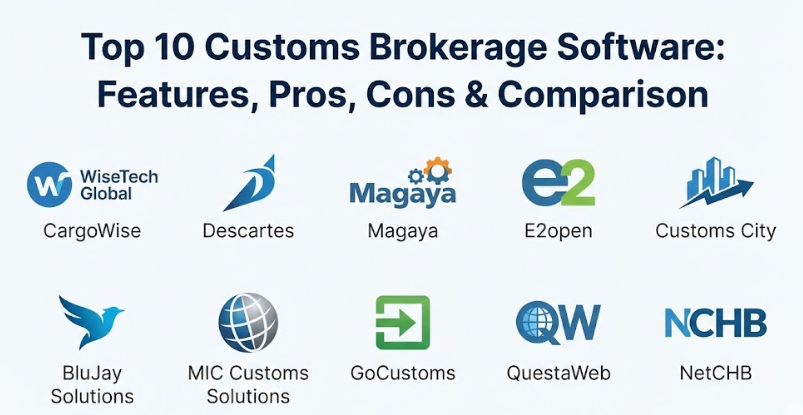
Top 10 Customs Brokerage Software Tools
1 — CargoWise (WiseTech Global)
CargoWise is one of the most powerful and well-known logistics platforms in the world. It is an “all-in-one” solution that handles everything from freight forwarding to complex customs brokerage for global enterprises.
- Single-Platform Architecture: Uses one database for all your global operations, so you don’t have to enter data twice.
- Deep Customs Integration: Directly connected to customs authorities in dozens of countries for instant electronic filing.
- Automated Tariff Classification: Helps users find the right codes for their products to ensure tax compliance.
- Real-Time Workflow Tracking: Shows exactly where a document is in the approval process at any given moment.
- Comprehensive Document Management: Stores all digital copies of invoices, permits, and declarations securely.
- Multi-Currency Accounting: Handles the financial side of duties and taxes across different global regions.
Pros:
- It is incredibly thorough, covering almost every possible logistics need in a single piece of software.
- The “enter once, use everywhere” data model saves hours of manual work and prevents typing mistakes.
Cons:
- The software is famous for having a very steep learning curve; it takes a long time for a team to become experts.
- It is quite expensive and usually requires a significant investment in training and setup.
Security & compliance: ISO 27001 certified; supports SSO, data encryption, and provides full audit logs for every transaction.
Support & community: Extensive online “WiseLearning” portal, a massive global community of certified partners, and high-level enterprise support.
2 — Descartes Global Customs
Descartes offers a modular platform that focuses on connectivity. It is designed for businesses that need to talk to many different government agencies and transportation providers simultaneously.
- Global Customs Gateway: A single point of access to submit filings to hundreds of agencies worldwide.
- Compliance Management: Automatically checks shipments against “denied party” lists to make sure you aren’t trading with restricted groups.
- Lighthouse Reporting: Provides high-level dashboards to show management how well their customs operations are performing.
- Modular Design: You can buy only the specific customs modules you need for the countries you trade in.
- EDI Messaging: Seamlessly sends and receives data from carriers, warehouses, and government portals.
- Security Filing Support: Handles special safety filings like ISF (Importer Security Filing) for ocean cargo.
Pros:
- Excellent for companies that operate in many different countries with varying laws.
- Because it is modular, it can grow with your business as you expand into new markets.
Cons:
- Because it is made of many modules, the interface can sometimes feel disjointed or inconsistent.
- Support response times can vary depending on which specific module you are using.
Security & compliance: SOC 2 compliant; uses industry-standard encryption and secure data centers.
Support & community: Strong professional services team for onboarding and a deep library of technical documentation.
3 — Magaya Supply Chain
Magaya is known for being much more user-friendly than the giant enterprise systems. it provides a smooth experience for mid-sized freight forwarders and brokers who need to get work done quickly.
- Integrated Customs Compliance: Built-in tools for filing entries directly with customs authorities without leaving the app.
- Live Tracking Portal: Allows your clients to log in and see the status of their own customs clearances.
- Automated Data Capture: Uses smart technology to read data from invoices and put it into the correct forms.
- Digital Signature Support: Allows for the fast, legal signing of documents within the platform.
- Warehouse Integration: Connects your customs data to your inventory, so you know exactly what is in your building.
- Customizable Alerts: Notifies you immediately if a shipment is flagged by a government agency.
Pros:
- The user interface is modern and very easy to navigate, which reduces the time needed for training.
- Great balance of features and price for small to mid-sized logistics companies.
Cons:
- It might not have the same level of “global depth” as CargoWise for very complex, multi-country operations.
- Some users find the reporting tools could be more flexible.
Security & compliance: GDPR compliant; supports secure user permissions and encrypted data storage.
Support & community: Very active user community and a helpful “Magaya Academy” for learning the software.
4 — E2open (Amber Road)
E2open is a “Global Trade Management” (GTM) giant. It is designed for the world’s biggest companies that need to manage massive supply chains and stay compliant with very complex trade laws.
- Trade Content Database: Access to thousands of pages of global trade laws and tariff rates that are updated daily.
- Duty Drawback Management: Helps companies get money back from the government for goods that are later exported.
- Supplier Collaboration: Connects directly with your suppliers to get accurate data before the goods even ship.
- Risk Assessment: Uses AI to identify potential delays or compliance risks in your supply chain.
- Free Trade Agreement (FTA) Support: Helps you take advantage of lower tax rates by proving where your goods were made.
- End-to-End Visibility: Tracks the journey of a product from the raw material stage to the final delivery.
Pros:
- The data on trade laws is incredibly accurate and updated constantly by a dedicated team of experts.
- It is one of the best tools for saving money through duty recovery and trade agreements.
Cons:
- The software is very complex and can be overwhelming for smaller teams.
- It is a “premium” solution with a price point that reflects its enterprise status.
Security & compliance: ISO 27001 and SOC 2; features high-end enterprise security and HIPAA/GDPR support if needed.
Support & community: Dedicated account managers for large clients and a professional global support network.
5 — Customs City
Customs City is a modern, cloud-native solution that focuses on making the actual filing process as simple as possible. It is a great choice for companies that want a lightweight, fast tool.
- ACE and ACI Filing: Certified for fast electronic filing with the US and Canadian governments.
- Pay-As-You-Go Pricing: Offers a flexible model where you only pay for the number of filings you actually do.
- API-First Design: Easy to connect to your existing online store or ERP system.
- Bulk Data Import: Upload thousands of line items from an Excel sheet in seconds.
- Real-Time Status Updates: Get instant feedback from customs agencies on whether your entry was accepted or rejected.
- Simplified UI: Strips away the clutter to focus on the forms you need most.
Pros:
- Very affordable for businesses that don’t have a massive volume of shipments every single day.
- The interface is clean and doesn’t require a computer science degree to understand.
Cons:
- It lacks the broader “logistics management” features (like warehouse or fleet tracking) found in other tools.
- The community and third-party partner network is smaller than the industry giants.
Security & compliance: Varies; primarily uses secure cloud encryption and standard government-certified communication protocols.
Support & community: Good customer support via email and phone; growing library of video tutorials.
6 — BluJay Solutions (by e2open)
BluJay is a leader in “network” logistics. They focus on the idea that customs is just one part of a huge network of carriers, brokers, and warehouses that all need to talk to each other.
- Global Trade Network: Access to a huge community of thousands of carriers and brokers already on the platform.
- Automated Screening: Checks every shipment against global “watchlists” automatically.
- Declaration Management: Supports many different languages and local customs requirements.
- Workflow Automation: Sets up “if-this-then-that” rules to handle routine filings without human help.
- Centralized Compliance: Manage all your global customs entries from one single screen.
- Dashboard Analytics: Visualizes your trade spend and identifies where you might be overpaying in taxes.
Pros:
- The “Network Effect” is real; it is very easy to find and connect with new partners who are already using the tool.
- Very strong at handling the transportation and customs side of a business simultaneously.
Cons:
- Since being acquired, some users have noted that the integration between different products can be tricky.
- It can be a bit overkill for a business that only ships between two countries.
Security & compliance: SOC 2 and GDPR compliant; uses robust encryption and secure user management.
Support & community: Large user base and regular “user group” meetings to share best practices.
7 — MIC Customs Solutions
MIC is a highly specialized European provider that is perfect for companies with very complex manufacturing needs, such as the automotive or electronics industries.
- Special Customs Procedures: Handles complicated things like “Bonded Warehousing” and “Inward Processing” perfectly.
- Global Product Classification: Uses advanced logic to help you classify millions of parts correctly.
- Origin Calculation: Automatically determines the country of origin for complex products with many parts.
- Direct Government Connectivity: Links directly to over 50 different national customs systems.
- Inventory Tracking for Customs: Keeps a perfect audit trail of where every piece of duty-unpaid inventory is located.
- Export Control: Ensures that you aren’t sending sensitive technology to restricted countries.
Pros:
- If you have a very complex factory where you import parts and export finished goods, this is the most accurate tool.
- Excellent at preventing legal issues during high-stakes government audits.
Cons:
- The software looks and feels very technical and “industrial.”
- Not as widely used in North America as some other brands, though its reach is growing.
Security & compliance: ISO 27001; follows strict European data privacy laws and government security standards.
Support & community: Highly professional technical support with deep expertise in customs law.
8 — GoCustoms
GoCustoms is a newer, high-tech platform that uses artificial intelligence to make customs work feel modern. It is designed for businesses that want to automate as much as humanly possible.
- AI Data Extraction: “Reads” PDFs and photos of commercial invoices to fill out customs forms automatically.
- Cloud-First Architecture: No servers to maintain; everything runs in your web browser.
- Collaborative Workspace: Allows brokers and clients to chat and share files directly inside the shipment record.
- Smart Tariff Suggestions: Suggests the best HTS codes based on your product descriptions.
- Instant API Integration: Built for developers who want to embed customs filing into their own apps.
- Real-Time Tax Calculation: Shows you the exact cost of your shipment before you even file.
Pros:
- The AI features save a massive amount of time on data entry.
- It feels like a modern startup tool—clean, fast, and intuitive.
Cons:
- It is a younger company, so it may not have all the “niche” features that 30-year-old platforms have.
- Some users might be hesitant to trust AI for 100% of their legal compliance.
Security & compliance: GDPR compliant; uses high-end modern web security and encryption.
Support & community: Responsive chat support and a very helpful “getting started” guide.
9 — QuestaWeb (by Descartes)
QuestaWeb is a “Global Trade Management” solution that has been a favorite for many years due to its flexibility and deep focus on compliance.
- Foreign Trade Zone (FTZ) Management: One of the best tools for managing duty-free zones in the United States.
- Import/Export Visibility: A single view of all goods entering and leaving your company.
- Financial Management: Tracks letters of credit and other complex trade finance documents.
- Automated Duty Calculations: Always uses the most current rates to avoid surprises.
- Audit Trail: Every change to a document is logged, making government audits much less stressful.
- Web-Based Interface: Easy to access from anywhere in the world.
Pros:
- Incredibly strong at handling US-specific trade programs like FTZs.
- The software is very stable and has been tested by many of the world’s largest companies.
Cons:
- The user interface can feel a bit dated compared to some of the newer “cloud-native” apps.
- Can be complex to configure initially if you have a lot of custom needs.
Security & compliance: SOC 2 and ISO 27001; built with high-level corporate security in mind.
Support & community: Solid customer support and a history of reliable service for enterprise clients.
10 — NetCHB
NetCHB is a focused, “built-by-brokers-for-brokers” tool. It doesn’t try to do everything; it focuses on making US customs entries as fast and reliable as possible.
- Fast Entry Filing: Specifically designed for high-speed filing with US Customs (CBP).
- Automated Billing: Automatically creates invoices for your clients as soon as the customs work is done.
- Integration with QuickBooks: Makes it easy for small brokers to manage their books.
- ISF Filing Support: Simple, standalone tool for mandatory ocean security filings.
- Payment Processing: Allows you to pay duties to the government electronically through the app.
- Document Imaging: Easily scan and attach documents to any shipment record.
Pros:
- It is very lightweight and reliable; it doesn’t get bogged down by unnecessary features.
- The customer support team is known for actually understanding the life of a customs broker.
Cons:
- It is primarily focused on the US market; not a great fit for a company that needs to file in Europe or Asia.
- Lacks the advanced supply chain analytics found in the bigger “GTM” suites.
Security & compliance: Varies; meets all mandatory CBP (US Customs) security and communication standards.
Support & community: Excellent, “real-person” support and a loyal community of US-based brokers.
Comparison Table
| Tool Name | Best For | Platform(s) Supported | Standout Feature | Rating |
| CargoWise | Global Enterprises | Web, Cloud, Windows | All-in-One Data Model | N/A |
| Descartes | Multi-Country Compliance | Web, Cloud | Global Trade Network | N/A |
| Magaya | Mid-Sized Forwarders | Web, Desktop | User-Friendly Interface | N/A |
| E2open | Large Scale GTM | Web, Cloud | Huge Trade Law Database | N/A |
| Customs City | Simple/Cloud Filings | Web, Cloud | Pay-As-You-Go Pricing | N/A |
| BluJay | Networked Logistics | Web, Cloud | Collaborative Carrier Network | N/A |
| MIC Solutions | Manufacturing/Automotive | Web, On-Premise | Complex Origin Logic | N/A |
| GoCustoms | AI-Driven Automation | Web, Cloud | AI Document Reading | N/A |
| QuestaWeb | FTZ Management | Web, Cloud | Strong US Compliance Focus | N/A |
| NetCHB | US Customs Brokers | Web, Cloud | Broker-Focused Workflow | N/A |
Evaluation & Scoring of Customs Brokerage Software
We evaluate these platforms based on several key factors that matter most to a busy logistics professional.
| Criteria | Weight | Evaluation Focus |
| Core Features | 25% | Direct government connectivity, HTS classification, and document management. |
| Ease of Use | 15% | How quickly new employees can learn the system without constant errors. |
| Integrations | 15% | Ability to connect with ERPs, accounting software, and carriers. |
| Security | 10% | Data encryption, audit trails, and compliance with privacy laws like GDPR. |
| Reliability | 10% | System uptime and the speed of processing filings during peak times. |
| Support | 10% | Quality of help desk and availability of “customs-expert” technicians. |
| Price / Value | 15% | Does the software save enough time and money to justify its monthly cost? |
Which Customs Brokerage Software Tool Is Right for You?
Choosing the right tool is a big decision. Here is how you can narrow down your options based on your specific situation.
Solo Users vs. SMB vs. Mid-Market vs. Enterprise
If you are an independent broker or a small team, look at NetCHB or Customs City. They are easy to set up and won’t break the bank. Mid-market companies will appreciate the balance of Magaya, while massive global giants will need the incredible depth and power of CargoWise or E2open.
Budget-Conscious vs. Premium Solutions
If you are watching every penny, a “Pay-As-You-Go” model like Customs City is perfect. If you have a larger budget and want the best data and highest level of service, a “Premium” solution like MIC or Descartes is worth the investment because it protects you from much more expensive legal fines.
Feature Depth vs. Ease of Use
If you have a very complex business (like a car factory), you need Feature Depth. You should choose MIC or CargoWise, even if they are harder to learn. If your business is straightforward and you want your team to be happy, prioritize Ease of Use with a tool like GoCustoms or Magaya.
Integration and Scalability Needs
If you plan on growing quickly, you need a tool that can scale. Descartes and BluJay are excellent because they have huge networks you can tap into. If you already use a specific ERP (like SAP or Oracle), make sure the tool you choose has a “ready-made” integration for it.
Security and Compliance Requirements
For companies in highly regulated industries (like chemicals or defense), security is the top priority. Ensure your chosen tool is ISO 27001 or SOC 2 certified. If you operate primarily in Europe, GDPR compliance is non-negotiable.
Frequently Asked Questions (FAQs)
1. What exactly is “HTS Classification”?
HTS stands for Harmonized Tariff Schedule. It is a giant list of numbers used to identify every type of product. The software helps you pick the right number so you pay the correct amount of tax.
2. Can I use this software to file in multiple countries?
Some tools, like CargoWise and Descartes, are designed for global use. Others, like NetCHB, are specifically focused on one country (the USA). Always check the list of supported countries first.
3. Does the software connect directly to the government?
Yes, most professional tools use a secure electronic link (like EDI) to send your paperwork directly to customs agencies like CBP in the US or CBSA in Canada.
4. How much does customs brokerage software cost?
It ranges from “Pay-As-You-Go” models ($10-$20 per filing) to large enterprise subscriptions that can cost thousands of dollars per month.
5. How long does it take to learn these tools?
Simple tools can be learned in a few days. Complex, all-in-one systems like CargoWise can take months of training to use all the advanced features correctly.
6. Is my data safe in the cloud?
Most modern providers use very high-level encryption, similar to what banks use. Look for “SOC 2” or “ISO 27001” certifications as a sign of high security.
7. Can the software help me find free trade agreements?
Yes, tools like E2open and MIC have built-in rules that look at where your product was made and tell you if you can pay lower taxes under agreements like USMCA.
8. Do I still need a licensed customs broker?
While the software does the hard work, many countries still require a licensed individual to oversee the process. However, the software makes the broker’s job much faster and more accurate.
9. What happens if I file the wrong information?
The software usually has “validation” checks that flag errors before you hit send. However, if you do file wrong, you could face fines, so having a good audit trail in the software is vital.
10. Can I track my shipments on a map?
Many of these tools (like Magaya and CargoWise) include GPS tracking, so you can see exactly where your cargo ship or plane is while the customs work is being processed.
Conclusion
Finding the right customs brokerage software is about matching the tool to the complexity of your business. If you are a global enterprise moving thousands of different parts across many borders, you need the massive, technical power of a tool like CargoWise or MIC. If you are a growing mid-sized business that wants to move fast without a headache, a modern, user-friendly platform like Magaya or GoCustoms is often a much better fit.
The most important thing to remember is that the “best” software is the one that your team will actually use correctly. A tool that is too complex will lead to mistakes, and a tool that is too simple won’t provide the protection you need during a government audit. Focus on your primary trade routes, your budget, and how much automation you really need, and the right choice will help your business grow without the friction of borders.