Introduction
Asset Performance Management, or APM for short, is a type of industrial software that helps companies keep their big machines and equipment running smoothly. Imagine you have a massive factory with hundreds of pumps, motors, and conveyor belts. If one of those breaks unexpectedly, the whole factory might stop, costing the company thousands of dollars every minute. APM software acts like a smart health monitor for these machines. It collects data from sensors attached to the equipment—like temperature, vibration, and speed—and uses it to predict when something might go wrong before it actually happens.
This software is important because it moves a company away from “fixing things when they break” to “fixing things at exactly the right time.” It helps businesses save money, improve safety for workers, and reduce waste. In the real world, you will see APM being used in power plants to prevent blackouts, in oil refineries to stop leaks, and in food factories to ensure the production lines never stop.
When choosing an APM tool, you should look at how easily it connects to your existing machines, how smart its “prediction” math is, and whether the dashboard is easy for your maintenance team to understand. You want a tool that gives clear instructions, not just a bunch of confusing charts.
Best for: Large-scale industrial companies in sectors like energy, mining, manufacturing, and chemicals. It is ideal for maintenance managers, reliability engineers, and plant directors who oversee expensive, “mission-critical” equipment that cannot afford to fail.
Not ideal for: Small businesses with simple equipment that is cheap to replace, or companies that do not have sensors or digital data coming off their machines yet. If your equipment is easy to fix and doesn’t cause a major headache when it stops, you might be better off with a simple digital clipboard or basic maintenance schedule.
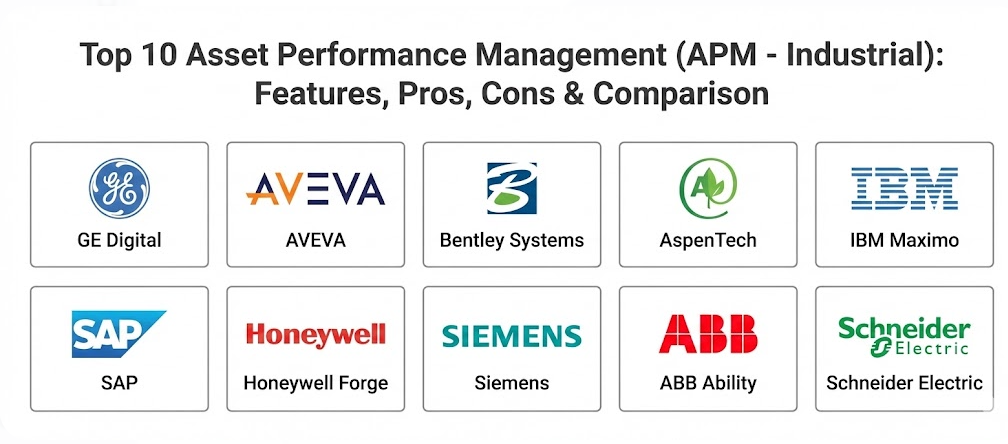
Top 10 Asset Performance Management (APM – Industrial) Tools
1 — GE Digital APM
GE Digital offers one of the most famous APM platforms in the world. It was originally built to manage massive jet engines and power turbines, so it is designed to handle some of the most complex machinery on Earth. It is a heavy-duty tool for companies that have a lot of data and need very deep technical analysis.
Key Features
- Health Monitoring: Provides a real-time view of how every machine is performing across multiple locations.
- Reliability Management: Uses advanced math to find the “weak spots” in your factory setup.
- Strategy Optimization: Helps you decide if it is cheaper to fix a machine now or wait a little longer based on risk.
- Integrity Management: Specifically tracks things like pipe thickness and tank corrosion to prevent leaks.
- Root Cause Analysis: When something does fail, the tool helps you figure out exactly why so it never happens again.
- Mobile Access: Maintenance workers can see machine health and alerts on tablets while they are walking around the plant.
Pros
- It has a massive library of “blueprints” for how different machines should behave, making setup easier for common equipment.
- The software is incredibly powerful and can handle data from thousands of machines at once without slowing down.
Cons
- Because it is so powerful, it can be very difficult and expensive to set up and learn.
- Small teams might find the interface too crowded with features they will never use.
Security & compliance: Includes SSO, full data encryption, and detailed audit logs. It meets ISO standards and is SOC 2 compliant.
Support & community: Offers a very large user community, professional training certifications, and 24/7 enterprise-grade support.
2 — AVEVA APM
AVEVA is known for making software that connects different parts of a business together. Their APM tool is great at taking information from the design phase of a factory and using it to help run the factory better. It focuses heavily on “closed-loop” management, meaning the data always flows back to help make better decisions.
Key Features
- Predictive Analytics: Uses artificial intelligence to spot tiny changes in machine behavior that humans might miss.
- Asset Strategy Optimization: Helps you balance the cost of maintenance against the risk of a breakdown.
- Condition-Based Maintenance: Triggers a repair job only when the machine actually shows signs of wear, not just because a calendar says so.
- Guided Remediation: Tells the worker exactly what steps to take when an alert pops up.
- Mobile Operator Rounds: Replaces paper checksheets with digital versions that feed directly into the APM system.
- Library of Models: Includes pre-made patterns for hundreds of industrial asset types.
Pros
- It integrates perfectly with other AVEVA products, which many big factories already use for their blueprints and controls.
- The visual dashboards are very clean and help managers see the “big picture” of plant health quickly.
Cons
- It can be pricey, especially for companies that only need a few of its many features.
- Implementing the full suite across a global company takes a lot of time and specialized help.
Security & compliance: GDPR compliant, uses secure cloud hosting, and offers robust user permission controls.
Support & community: Provides an extensive online knowledge base, regular webinars, and global customer success teams.
3 — Bentley Systems AssetWise
Bentley Systems is a leader in infrastructure software. Their AssetWise tool is a bit different because it focuses heavily on “linear” assets—things like miles of railway tracks, long pipelines, or big bridges—as well as factory machines.
Key Features
- Digital Twins: Creates a virtual 3D map of your assets that updates in real-time as data comes in.
- Compliance Tracking: Ensures that all maintenance work follows government and safety laws perfectly.
- Risk-Based Inspections: Prioritizes inspections for the parts of your infrastructure that are most likely to fail.
- Information Integrity: Makes sure that the manuals, drawings, and sensor data for a machine are always accurate and linked.
- Corrosion Management: Specialized tools for tracking how weather and chemicals are wearing down metal structures.
- Lifecycle Management: Tracks an asset from the day it is built until the day it is retired.
Pros
- If your “assets” are spread out over hundreds of miles (like a power grid), this is one of the best tools available.
- The 3D visualization helps people understand where problems are located in a physical space.
Cons
- It is highly specialized, so it might not be the best fit for a single, compact manufacturing plant.
- The learning curve for the 3D “Digital Twin” features can be quite steep for some users.
Security & compliance: ISO certified, supports SSO, and provides comprehensive audit trails for regulatory compliance.
Support & community: Strong focus on engineering communities and offers very detailed technical documentation.
4 — AspenTech (Aspen Mtell)
AspenTech is a company that loves data. Their APM tool, called Aspen Mtell, is famous for being a “low-touch” AI tool. This means the software is very good at teaching itself what a “healthy” machine looks like without needing a human to write thousands of rules.
Key Features
- Autonomous Agents: Small pieces of software that “watch” specific machines and learn their unique vibrations and sounds.
- Early Warning System: Can often predict a machine failure weeks or even months before it actually happens.
- Prescriptive Advice: Not only tells you that a pump will fail, but tells you why and how to stop it.
- Rapid Deployment: Designed to be connected to machines and start learning very quickly compared to other tools.
- Transfer Learning: Allows the software to take what it learned from one pump and apply it to a similar pump in a different factory.
- Failure Memory: Remembers every past breakdown so it can recognize the warning signs if they appear again.
Pros
- It is widely considered to have some of the most accurate “prediction” math in the industry.
- It requires less “data scientist” work to get started because the AI does a lot of the heavy lifting.
Cons
- The focus is very much on the math and predictions, so it might lack some of the “business” and “budgeting” features of other tools.
- The user interface is more technical and might feel a bit “dry” compared to more modern apps.
Security & compliance: SOC 2 compliant, uses high-level encryption for data in transit, and supports multi-factor authentication.
Support & community: Offers excellent technical support and a “Customer Success” program to help you get the most out of the AI.
5 — IBM Maximo Asset Performance Management
IBM Maximo is a legendary name in the maintenance world. Their APM suite is an add-on to their famous Maximo system, which many companies already use to manage their work orders and spare parts. It brings the power of IBM’s “Watson” AI to the factory floor.
Key Features
- Health Scoring: Gives every machine a simple score from 0 to 100 so you know exactly which ones need attention.
- Predictive Maintenance: Uses AI to analyze historical data and sensor feeds to find patterns of failure.
- Visual Inspection: Can use cameras and AI to “look” at equipment and spot cracks or leaks automatically.
- Reliability Centered Maintenance: Helps you build a strategy that focuses your money on the most important assets.
- Seamless Integration: Connects directly to the Maximo work order system so a “prediction” can become a “repair job” instantly.
- Weather Integration: Can take local weather data into account (e.g., “Will this storm make my outdoor equipment overheat?”).
Pros
- If you already use IBM Maximo for your daily maintenance, adding the APM module is a very natural step.
- The “Visual Inspection” feature is a game-changer for equipment that is hard for humans to reach safely.
Cons
- It is a massive enterprise system, which means it can be very expensive and slow to implement.
- You often need a dedicated team of experts to keep the system running and updated.
Security & compliance: Top-tier enterprise security, including HIPAA (if needed), GDPR, and global ISO certifications.
Support & community: One of the largest user communities in the world with endless forums, books, and expert consultants.
6 — SAP Asset Strategy and Performance Management
SAP is the giant of business software. Their APM tool is perfect for companies that want their maintenance data to live in the same place as their money, their people, and their customers. It focuses on making sure maintenance decisions make good business sense.
Key Features
- Asset Central Foundation: A master registry for every piece of equipment your company owns globally.
- Risk Assessment: Tools like FMEA (Failure Mode and Effects Analysis) built right into the software.
- Standardized Templates: Ensures that every factory in your company is measuring machine health the exact same way.
- Collaborative Platform: Allows you to share machine data with the company that built the machine so they can help you fix it.
- Financial Impact Analysis: Shows exactly how much money a machine breakdown will cost the company in lost sales.
- Integration with ERP: Links directly to your spare parts inventory and purchasing systems.
Pros
- It is the best choice for high-level managers who need to see how maintenance affects the company’s bank account.
- It helps large global companies standardize their processes across dozens of different countries.
Cons
- Like most SAP products, it can feel very “corporate” and stiff to the actual workers in the factory.
- The setup process is famous for being long and requiring expensive outside consultants.
Security & compliance: Follows all major global standards, including SOC 1, SOC 2, and GDPR, with very high security.
Support & community: Massive global support network, though it can sometimes be hard to get a quick answer without a support contract.
7 — Honeywell Forge
Honeywell is a company that actually builds industrial hardware, so they know exactly how these machines work. Honeywell Forge is their “cloud-based” software that focuses on making buildings and factories more efficient and reliable.
Key Features
- Enterprise Performance Management: A high-level view that connects the health of your machines to the productivity of your plant.
- Advanced Process Control: Not just monitoring machines, but helping to “tune” them so they run more efficiently.
- Cybersecurity Monitoring: Since APM connects machines to the internet, Forge helps protect those machines from hackers.
- Digitized Worker: Provides mobile tools and “augmented reality” (AR) help for technicians in the field.
- Sustainability Tracking: Helps track how much energy your assets are using and where you can save power.
- Remote Assistance: Allows an expert in a different city to see what a technician sees and help them fix a machine.
Pros
- Because Honeywell also makes sensors and controllers, their software and hardware work together very smoothly.
- It is very strong on “Cybersecurity,” which is a growing worry for many industrial companies.
Cons
- It works best if you already have Honeywell hardware, so it might be less ideal if your factory is full of other brands.
- Some users find the cloud-only approach a bit limiting if they have poor internet at their mine or factory.
Security & compliance: Very high focus on industrial cybersecurity, ISO 27001 compliant, and uses secure data tunnels.
Support & community: Excellent enterprise support with a focus on “on-site” success and technical training.
8 — Siemens Senseye Predictive Maintenance
Siemens is another engineering powerhouse. Their Senseye tool is designed to be “plug-and-play” AI. It is built specifically for manufacturing companies that want to start predicting failures quickly without needing to hire a team of scientists.
Key Features
- Automatic Machine Learning: The software automatically picks the best math model for each machine you connect.
- Ease of Use: A very simple “Traffic Light” dashboard (Green = Good, Yellow = Warning, Red = Danger).
- High Scalability: You can start with 10 machines and grow to 10,000 machines very easily.
- Agnostic Connectivity: Designed to work with almost any brand of machine or sensor, not just Siemens equipment.
- Remaining Useful Life (RUL): Tells you exactly how many hours or days a machine has left before it will likely fail.
- ROI Calculator: Tracks how much money the software has saved you by preventing specific breakdowns.
Pros
- It is one of the easiest “advanced” APM tools to actually use on a daily basis.
- The focus on “Remaining Useful Life” is very helpful for planning when to order spare parts.
Cons
- It is a “pure” predictive maintenance tool, so it might lack some of the deeper “strategy” features found in GE or AVEVA.
- It is primarily a cloud-based tool, which might not work for every high-security “offline” factory.
Security & compliance: ISO 27001 certified, GDPR compliant, and uses modern encryption for all data.
Support & community: Offers very good onboarding support to make sure your first few machines are connected correctly.
9 — ABB Ability Asset Performance Management
ABB Ability is a collection of digital tools from one of the world’s biggest robotics and power companies. Their APM tool is particularly strong in the power grid, mining, and heavy shipping industries.
Key Features
- Condition Monitoring: Very deep tracking of electrical health (voltage, current) as well as mechanical health.
- Asset Health Center: A central “brain” that collects data from all your different ABB devices.
- Risk-Based Maintenance: Helps you spend your limited budget on the machines that would cause the most trouble if they broke.
- Optimized Maintenance Loops: Connects the “prediction” of a problem to the actual “scheduling” of the repair.
- Expert Services: Allows ABB’s own engineers to look at your data remotely and give you advice.
- Fleet Analysis: Compares your machines against thousands of others in the same industry to see if yours are underperforming.
Pros
- If you have a lot of electrical equipment (transformers, switchgear), ABB’s knowledge is second to none.
- The “Expert Services” feature is like having a world-class engineer on call 24/7.
Cons
- The software can feel a bit fragmented because it is part of a much larger ecosystem of tools.
- The interface can be quite technical and is clearly designed for engineers rather than general managers.
Security & compliance: Varies by specific module, but generally follows high enterprise standards for data safety and privacy.
Support & community: Global support network with deep expertise in heavy industry and electrical engineering.
10 — Schneider Electric EcoStruxure
Schneider Electric is a leader in energy management. Their EcoStruxure APM tool focuses on “Asset Advisors.” It is built for companies that want to keep their machines running while also using as little electricity and water as possible.
Key Features
- Asset Advisor: A service where Schneider experts monitor your data and send you alerts when they see trouble.
- Energy Usage Tracking: Links machine health to how much power it is drawing from the grid.
- Thermal Monitoring: Uses sensors to watch for “hot spots” in electrical panels before they start a fire.
- Cloud-Based Dashboard: Allows you to check the health of all your buildings and factories from your phone.
- Cybersecurity Services: Helps protect your building management systems from being tampered with.
- Lifecycle Services: Helps you plan when to upgrade your old equipment to newer, more efficient models.
Pros
- This is the best choice if “Fire Safety” and “Energy Saving” are your top priorities.
- The “Service” aspect (where their experts watch your data) is great for companies with small maintenance teams.
Cons
- It is less of a “heavy industrial” tool for deep vibration analysis and more of a “facility” tool.
- You are often tied into the Schneider ecosystem to get the most value out of the software.
Security & compliance: Very strong focus on building security and data privacy, meeting all major international standards.
Support & community: Excellent customer support with a focus on long-term partnerships and sustainability.
Comparison Table
| Tool Name | Best For | Platform(s) Supported | Standout Feature | Rating |
| GE Digital | Complex heavy industry | Cloud / On-premise | Massive asset blueprint library | 4.6 / 5.0 |
| AVEVA | Integrated operations | Cloud / Hybrid | Visual engineering digital twins | 4.5 / 5.0 |
| Bentley | Infrastructure/Pipelines | Cloud / Hybrid | 3D Digital Twin visualization | 4.4 / 5.0 |
| AspenTech | High-accuracy AI | Cloud / On-premise | Low-touch “Autonomous Agents” | 4.7 / 5.0 |
| IBM Maximo | Enterprise maintenance | Cloud / On-premise | AI-powered Visual Inspection | 4.5 / 5.0 |
| SAP ASPM | Business/Finance focus | Cloud (S/4HANA) | Financial impact integration | 4.2 / 5.0 |
| Honeywell | Cybersecurity/Facility | Cloud / Hybrid | Integrated industrial security | 4.3 / 5.0 |
| Siemens | Fast ROI/Easy AI | Cloud (SaaS) | Remaining Useful Life (RUL) | 4.7 / 5.0 |
| ABB Ability | Electrical/Power assets | Cloud / Hybrid | Expert remote monitoring service | 4.4 / 5.0 |
| Schneider | Energy/Safety focus | Cloud / Mobile | Thermal fire-risk monitoring | 4.3 / 5.0 |
Evaluation & Scoring of Asset Performance Management (APM)
| Criteria | Weight | Explanation |
| Core Features | 25% | The depth of AI, predictive math, and the ability to track asset health accurately. |
| Ease of Use | 15% | How simple the dashboard is and if a regular worker can understand the alerts. |
| Integrations | 15% | How well it talks to machines (PLC/SCADA) and business software (ERP/CMMS). |
| Security & Compliance | 10% | Data safety, user permissions, and meeting industrial laws like ISO or GDPR. |
| Performance | 10% | The speed of the software and its ability to handle thousands of machines. |
| Support & Community | 10% | The quality of training, documentation, and the help desk when things break. |
| Price / Value | 15% | Whether the software saves enough money in repairs to justify its high cost. |
Which Asset Performance Management (APM) Tool Is Right for You?
Choosing the right APM tool depends on the “maturity” of your company and what you care about most.
By Company Size & Budget
- Solo Users or Small Shops: APM is generally too complex and expensive for single users. If you are a very small factory, start with a simple digital maintenance log or basic sensors first.
- Mid-Market Companies: Look for tools like Siemens Senseye or Aspen Mtell. These tools focus on getting you “results” quickly without requiring a 2-year setup project.
- Large Enterprises: If you have 50 factories around the world, you need a giant system like GE Digital, SAP, or IBM Maximo. You need the ability to standardize everything in one place.
By Technical Needs
- Budget-Conscious: If you want a tool that pays for itself quickly, look for one that has an “ROI Calculator” and focuses on a few high-value machines first.
- Feature Depth vs. Ease of Use: If you have a team of highly trained reliability engineers, they will love the depth of GE Digital. If your team is mostly general technicians, they will prefer the “Traffic Light” simplicity of Siemens.
- Integration & Scalability: If you already use SAP for your accounting or Maximo for your work orders, it is almost always better to stick with that same brand’s APM tool. The “connection” between the tools is worth more than a single fancy feature.
- Security & Compliance: If you are in a highly regulated industry like nuclear power or chemicals, you must choose a tool with the highest level of audit logs and on-premise (offline) installation options, such as GE or ABB.
Frequently Asked Questions (FAQs)
1. What is the main difference between CMMS and APM?
A CMMS (Computerized Maintenance Management System) is like a digital to-do list for fixing things. APM is the “brain” that tells the CMMS when something needs to be on that list by looking at sensor data.
2. Do I need sensors on all my machines to use APM?
Not necessarily all of them, but you do need data. APM works best with sensors (vibration, heat, pressure), but it can also use data from manual inspections or historical repair logs.
3. How long does it take to see a return on investment (ROI)?
Most companies start seeing savings within 6 to 12 months. The software usually pays for itself the first time it prevents a “catastrophic” breakdown that would have stopped production for days.
4. Can APM software work offline?
Some can. While many tools are moving to the cloud, “On-premise” versions (installed on your own servers) are available for high-security sites like mines or power plants that have no internet.
5. Is the software hard for my mechanics to use?
It can be. The best way to fix this is to choose a tool with a good mobile app and simple alerts. If the software is too complicated, workers will ignore it and go back to their old ways.
6. Does APM help with worker safety?
Yes. By predicting failures, you prevent fires, leaks, and explosions. It also means workers don’t have to go into dangerous areas for “emergency” repairs as often.
7. Can I use APM for my fleet of trucks?
While some APM tools handle vehicles, most “Industrial APM” is built for fixed assets like pumps and turbines. For trucks, you might want a specialized “Fleet Management” tool.
8. What is a “Digital Twin” in APM?
A Digital Twin is a virtual copy of your machine. When the real machine gets hot, the virtual copy gets hot on your screen. It helps you visualize and test “what if” scenarios safely.
9. Why is GE Digital so popular?
They were one of the first to do this at a massive scale. They have more experience with heavy industrial data than almost anyone else, though they are also one of the most expensive.
10. Do I need to hire a data scientist to run this?
Not always. Modern tools like Siemens Senseye and Aspen Mtell are designed to work “out of the box.” However, for a massive global rollout, having someone who understands data is very helpful.
Conclusion
Asset Performance Management is no longer a luxury for big factories—it is becoming a necessity to stay competitive. The “best” tool isn’t the one with the most buttons or the fanciest website; it is the one that fits into your team’s daily workflow.
If you are just starting, look for something simple and fast like Siemens. If you are a global leader with thousands of complex machines, invest in a powerhouse like GE or AVEVA. If your company lives and breathes SAP or IBM, stay within that family to keep your data clean. Whatever you choose, the goal remains the same: stop guessing when things will break and start knowing.