Introduction
Managing a laboratory involves a lot of moving parts. Beyond the experiments and research, there is a massive responsibility to keep everyone safe. Lab Safety Management Tools are specialized software platforms designed to help lab managers, researchers, and safety officers track everything that could pose a risk. This includes keeping an inventory of dangerous chemicals, ensuring equipment is maintained, tracking safety training for staff, and reporting any accidents that happen. In the past, these things were done with paper logs and spreadsheets, which were easy to lose and hard to update. Modern tools bring all this information into one digital place, making it easier to stay organized and follow the law.
These tools are important because a mistake in a lab can be very dangerous. If a chemical is stored incorrectly or a safety shower isn’t tested, people can get hurt. Real-world use cases include instantly looking up a Safety Data Sheet (SDS) during a spill, getting an alert when a fire extinguisher is about to expire, or checking if a new student has completed their radiation safety training before they enter a specific room. When choosing a tool, you should look for how easy it is to use, whether it works on mobile phones for quick checks, and if it has a large database of chemicals already built in so you don’t have to type everything manually.
Best for: University research departments, pharmaceutical companies, chemical manufacturers, and clinical testing labs. It is ideal for Environment, Health, and Safety (EHS) professionals and lab managers who need to oversee multiple rooms or buildings.
Not ideal for: Very small, one-room private offices that do not handle hazardous materials or heavy machinery. If your “lab” only handles basic office supplies or non-toxic items, a simple spreadsheet or a general task manager might be a better and cheaper alternative.
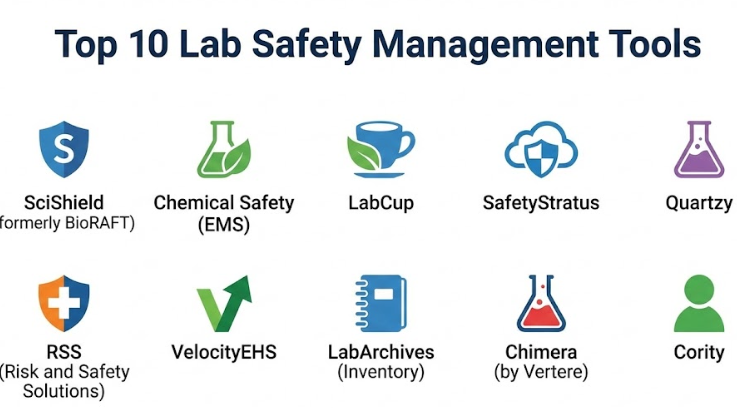
Top 10 Lab Safety Management Tools
1 — SciShield (formerly BioRAFT)
SciShield is a popular platform used by many large universities and research centers. it is designed to manage the entire “lifecycle” of safety, from the moment a researcher joins a lab to the day they leave. It focuses heavily on organizing people and their specific safety requirements.
- Key features:
- Automated training trackers that send reminders to staff.
- A central hub for managing laboratory inspections and checklists.
- Biological and chemical integrated inventory management.
- Equipment tracking for maintenance and calibration schedules.
- Incident reporting tools that help analyze why an accident happened.
- Document storage for standard operating procedures (SOPs).
- Dashboards that show safety compliance across the whole organization.
- Pros:
- It is built specifically for the complex world of academic and biological research.
- The automated reminders save managers a lot of time on “chasing” people for paperwork.
- Cons:
- The system can be complex and takes a while to set up initially.
- The interface can feel a bit crowded because it holds so much information.
- Security & compliance: Supports Single Sign-On (SSO), encrypted data storage, and helps meet OSHA and local government safety rules.
- Support & community: Strong customer support with dedicated account managers and a large community of university safety experts.
2 — Chemical Safety (EMS)
Chemical Safety Software, often called EMS, is a veteran in the industry. It is known for having a massive database of chemicals and Safety Data Sheets. It is built for organizations that handle a huge variety of hazardous materials and need to know exactly where every bottle is located.
- Key features:
- A library of over a million Safety Data Sheets (SDS).
- Barcoding and labeling tools to track individual chemical containers.
- Waste management tracking to ensure hazardous materials are disposed of correctly.
- Mobile app for doing inventory “on the go” in the stockroom.
- Tools to track chemical limits to ensure you don’t store too much of a dangerous substance.
- Reporting features for environmental regulations and fire codes.
- Pros:
- The mobile scanning feature makes inventory audits much faster than manual counting.
- Excellent for staying compliant with strict environmental laws regarding waste.
- Cons:
- The software looks a bit older compared to some of the newer, modern apps.
- There is a steep learning curve for users who aren’t tech-savvy.
- Security & compliance: ISO certified, GDPR compliant, and includes detailed audit logs to see who changed what data.
- Support & community: Provides online training videos, technical documentation, and direct email support.
3 — LabCup
LabCup is a modern, user-friendly tool that focuses on making safety management less of a chore. It is designed to be very visual, using maps and icons to show where hazards are located within a building. It is very popular in European research circles but is used worldwide.
- Key features:
- Interactive floor plans that show where chemicals and safety equipment are kept.
- Emergency response tools that give firefighters a map of hazards in a specific room.
- A shared chemical database that lets different labs “trade” or share chemicals.
- Automated SDS updates so you always have the latest safety info.
- Risk assessment forms that are easy to fill out on a tablet.
- Integrated “Smart Search” to find chemicals by name or structure.
- Pros:
- The visual map interface is very helpful during an emergency.
- It encourages labs to share chemicals, which saves money and reduces waste.
- Cons:
- Mapping out every room during setup requires a significant upfront time investment.
- It may lack some of the deeper “business” features found in massive enterprise platforms.
- Security & compliance: SOC 2 compliant, uses high-level encryption, and offers full audit trails for compliance.
- Support & community: Known for being very responsive to user feedback and offering personalized onboarding.
4 — SafetyStratus
SafetyStratus is a comprehensive platform that covers everything from lab safety to general workplace health. It is built to be a “one-stop shop” where you can manage chemicals, inspections, and even employee health records in one place.
- Key features:
- Comprehensive inspection module with customizable checklists.
- Chemical inventory with built-in hazard identification.
- Incident and “near-miss” reporting to prevent future accidents.
- Training management system for safety certifications.
- Equipment management for lasers, X-ray machines, and other tools.
- Analytical tools that spot trends in safety violations.
- Pros:
- It is very flexible and can be customized to fit almost any type of lab.
- The “near-miss” reporting helps build a better safety culture before an injury occurs.
- Cons:
- Because it does so much, it can feel overwhelming for a small team.
- Pricing can be higher than specialized “inventory-only” tools.
- Security & compliance: HIPAA compliant (important for medical labs), SSO support, and secure cloud hosting.
- Support & community: Offers an extensive knowledge base and a dedicated support team for enterprise clients.
5 — Quartzy
Quartzy is slightly different because it started as a lab supply ordering tool. However, it has grown into a powerful inventory and safety management platform. It is a favorite for startups and smaller labs because it is very modern and easy to start using.
- Key features:
- Easy-to-use inventory list that tracks where everything is stored.
- SDS attachment feature so safety info is right next to the chemical name.
- Request and approval system for buying new chemicals.
- Automatic updates when a chemical is running low.
- Integration between the inventory and the “shop” to simplify restocking.
- Simple labeling system for shelves and bins.
- Pros:
- It has a very “clean” and modern look that most researchers find easy to use.
- Combining ordering and inventory prevents duplicate records.
- Cons:
- It is not as deep as SciShield or Chemical Safety when it comes to regulatory reporting.
- It lacks some of the advanced waste tracking features found in bigger tools.
- Security & compliance: Varies / Basic encryption and secure login protocols are standard.
- Support & community: Excellent online chat support and a very active community of lab managers.
6 — RSS (Risk and Safety Solutions)
Originally developed by the University of California, RSS is a tool built by lab safety experts for lab safety experts. It is designed to handle the massive scale of a university system while remaining useful for the individual researcher.
- Key features:
- “Chemical” module that uses a phone camera to scan and identify bottles.
- “Inspect” module that allows for mobile-friendly safety audits.
- “Assess” module for identifying specific risks in a project.
- Ability to track personal protective equipment (PPE) requirements for each room.
- Signage generator that prints out safety signs for lab doors.
- Data sharing between different campuses or departments.
- Pros:
- The mobile app is one of the best in the industry for doing real work in the lab.
- It was built for a university, so it handles “academic freedom” and “sharing” very well.
- Cons:
- It is very specialized for research and might not fit a manufacturing plant perfectly.
- Some users find the separation of different “modules” a bit confusing at first.
- Security & compliance: Meets high government and university security standards; SOC 2 and SSO support.
- Support & community: Robust training materials and a strong community of academic users.
7 — VelocityEHS
VelocityEHS is a giant in the world of safety software. While it is used in factories and construction sites, its “Industrial Hygiene” and “Chemical Management” modules are very popular in large-scale commercial laboratories.
- Key features:
- Massive database of Safety Data Sheets that is constantly updated.
- Tools for measuring chemical exposure levels for workers.
- Risk management dashboards for high-level executives.
- Multilingual support for global companies.
- Ergonomics tracking to prevent strain injuries in the lab.
- Incident management with “root cause” analysis tools.
- Pros:
- It is a “heavy-duty” tool that can handle thousands of users across the globe.
- The SDS database is one of the most reliable in the world.
- Cons:
- It is very expensive and likely out of reach for a small research lab.
- The interface is professional but lacks the “friendly” feel of a tool like Quartzy.
- Security & compliance: Top-tier compliance including ISO, GDPR, and enterprise-grade security.
- Support & community: 24/7 global support and professional onboarding for large companies.
8 — LabArchives (Inventory)
LabArchives is famous for its Electronic Lab Notebook (ELN), but their Inventory tool is a key part of lab safety. It links your research data directly to the materials you are using, which is great for keeping safety records accurate.
- Key features:
- Seamless integration with lab notebooks.
- Customizable fields to track hazardous properties of chemicals.
- Simple check-in and check-out system for shared materials.
- Storage location management (down to the freezer shelf).
- Low-stock alerts to prevent work stoppages.
- Ability to import inventory from spreadsheets easily.
- Pros:
- If you already use their lab notebook, adding the inventory tool is a no-brainer.
- It is very good at maintaining a “history” of what was used in an experiment.
- Cons:
- It is more of an “inventory” tool than a full “safety” suite (lacks training/incident tracking).
- Not ideal for managing waste or complex environmental reporting.
- Security & compliance: SOC 2 Type 2 compliant and follows strict data privacy rules.
- Support & community: Good documentation and helpful webinars for new users.
9 — Chimera (by Vertere)
Chimera is a specialized tool often used in hospitals and chemical labs. It is a no-nonsense platform that focuses on the core tasks of tracking hazardous materials and keeping safety data accessible.
- Key features:
- High-speed data entry for large chemical shipments.
- Reconciliation tools to match physical inventory with the digital list.
- Disposal tracking for regulated materials.
- Reporting for “Right-to-Know” laws.
- Multi-level location tracking (Building > Room > Cabinet > Shelf).
- Support for handheld scanners and mobile devices.
- Pros:
- Very reliable and “fast” for people who do a lot of inventory work.
- It is designed to be a “workhorse” that doesn’t crash or slow down.
- Cons:
- The user interface looks quite dated (like software from the early 2000s).
- It can feel less intuitive for young researchers used to modern web apps.
- Security & compliance: Strong audit trails and secure access controls.
- Support & community: Known for having very knowledgeable support staff who understand lab workflows.
10 — Cority
Cority is an EHS (Environment, Health, and Safety) platform that focuses on the “health” part of the equation. It is excellent for labs that need to monitor the health of their employees who work with dangerous pathogens or chemicals.
- Key features:
- Occupational health modules to track employee medical exams.
- Industrial hygiene tools for air and water quality testing in the lab.
- Audit and inspection management.
- Environmental compliance tracking (air emissions, water waste).
- Advanced data analytics to predict where risks are highest.
- Mobile app for safety field-work.
- Pros:
- The best tool for managing the long-term health of laboratory staff.
- Powerful enough for the world’s largest chemical and pharma companies.
- Cons:
- Very complex to implement; requires a dedicated project manager.
- Focuses more on “compliance” than the daily needs of a scientist.
- Security & compliance: Highest levels of security including HIPAA and global privacy standards.
- Support & community: Enterprise-level support with a strong focus on professional services.
Comparison Table
| Tool Name | Best For | Platform Supported | Standout Feature | Rating |
| SciShield | Large University Research | Web / Mobile | Integrated Training Tracker | N/A |
| Chemical Safety | Large Chemical Inventories | Web / Mobile | 1M+ SDS Database | N/A |
| LabCup | Visual Map-Based Safety | Web / Mobile | Real-time Floorplan Maps | N/A |
| SafetyStratus | Multi-Site EHS Needs | Web / Mobile | Near-Miss Reporting | N/A |
| Quartzy | Startups & Small Labs | Web | Supply Ordering Integration | N/A |
| RSS | University Safety Depts | Mobile First | Camera-based Bottle Scanning | N/A |
| VelocityEHS | Global Industrial Labs | Web / Mobile | Industrial Hygiene Focus | N/A |
| LabArchives | Lab Notebook Integration | Web | Links Safety to Research | N/A |
| Chimera | High-Volume Inventory | Web / Mobile | Rapid Data Entry Mode | N/A |
| Cority | Occupational Health | Web / Mobile | Employee Health Monitoring | N/A |
Evaluation & Scoring of Lab Safety Management Tools
Choosing a tool requires balancing different needs. We use this scoring rubric to see how these tools perform across the most important categories for a busy laboratory.
| Criteria | Weight | Explanation |
| Core Features | 25% | Does it track chemicals, training, and incidents well? |
| Ease of Use | 15% | Will researchers actually use it, or is it too hard? |
| Integrations | 15% | Does it connect to LIMS, ELNs, or purchasing systems? |
| Security | 10% | Is the data safe and compliant with privacy laws? |
| Performance | 10% | Is the software fast, especially the mobile app? |
| Support | 10% | Is there help available when things go wrong? |
| Price / Value | 15% | Is the cost worth the safety benefits provided? |
Which Lab Safety Management Tool Is Right for You?
Selecting the right software depends on your organization’s size, your specific hazards, and how much you are willing to spend.
Solo Users and Small Labs
If you are running a small startup or a single lab, you don’t need a massive enterprise system. Look for tools like Quartzy or LabArchives. They are easy to set up, usually cheaper, and focus on the things you do every day, like ordering supplies and checking where a chemical is located.
Mid-Market and Growing Facilities
If you have several rooms and a few dozen people, you need more structure. LabCup or SafetyStratus are great choices because they offer more safety-specific features (like floor plans and incident reports) without being as overwhelming as the giant corporate tools.
Large Enterprises and Universities
For a whole university or a global pharmaceutical company, you need a tool that can handle thousands of people. SciShield, RSS, and VelocityEHS are the industry leaders here. They offer the deep reporting that “Big Safety” needs to stay out of legal trouble and protect a huge workforce.
Budget-Conscious vs. Premium Solutions
If money is tight, some tools offer “freemium” versions for very small teams, or you can use the inventory module of a tool you already own (like an ELN). However, if you have a high-risk lab with dangerous chemicals, a premium solution like Chemical Safety (EMS) is worth the investment because it can prevent a multi-million dollar accident or fine.
Integration and Scalability
Think about where you will be in five years. If you plan to grow, choose a tool with a good API (a way for software to talk to other software). This allows you to connect your safety data to your HR system or your lab equipment later on.
Frequently Asked Questions (FAQs)
What is the difference between a LIMS and a Lab Safety Tool?
A LIMS (Laboratory Information Management System) tracks samples and experiment results. A Safety Tool tracks hazards, people, and compliance. Some LIMS have safety features, but specialized safety tools are usually much deeper.
Is it hard to move my old spreadsheet into a new tool?
Most modern tools allow you to “import” a CSV or Excel file. However, you will usually need to spend some time “cleaning up” the data to make sure everything is spelled correctly and placed in the right room.
Do these tools work if the internet goes out?
Most are “cloud-based,” meaning you need the internet. However, many have mobile apps that can store some data “offline” and sync it later once you are back on Wi-Fi.
Can these tools help me during an OSHA inspection?
Yes! This is one of their best uses. Instead of digging through filing cabinets, you can just click a button to show the inspector your training records and SDS library.
How much do these tools usually cost?
Pricing varies widely. Small lab tools might be a few hundred dollars a year, while enterprise systems for a whole university can cost tens of thousands of dollars.
Do I need a barcode scanner?
You don’t need one, but they help. Many modern tools allow you to use the camera on your smartphone as a barcode scanner, which saves you from buying extra hardware.
How often should I update my chemical inventory?
Best practice is to update it every time a new bottle arrives or is finished. Most labs also do a “full sweep” once or twice a year to make sure the digital list matches the shelves.
Can these tools track equipment like fire extinguishers?
Yes, most of the comprehensive tools have an “Equipment” or “Assets” module where you can set reminders for annual inspections and maintenance.
Is my data safe in the cloud?
Professional vendors use the same level of security as banks (encryption and secure servers). Look for “SOC 2” or “ISO 27001” certifications to be sure.
Who is responsible for managing the software?
Usually, it is a joint effort. A “Safety Officer” or “Lab Manager” oversees the whole system, but individual researchers are responsible for updating their own chemical lists.
Conclusion
Finding the right Lab Safety Management Tool is about more than just checking a box for compliance; it is about creating a culture where safety is easy and automatic. If the software is too hard to use, people will ignore it, and that is when accidents happen. Whether you choose a simple inventory tracker like Quartzy or a massive university system like SciShield, the goal is to make sure every researcher has the information they need to stay safe.
When making your final choice, remember that the “best” tool is the one that your team will actually use every day. Start by looking at your most painful safety task—whether it’s tracking training or finding SDS sheets—and pick the tool that makes that specific job the easiest.