Introduction
Mining operations management software is a specialized digital tool designed to help mining companies plan, track, and manage everything that happens at a mine site. In very simple terms, it is a central system that connects the people in the office with the workers and machines in the pit or underground. It handles tasks like scheduling where to dig, tracking where trucks are moving, monitoring the health of expensive machinery, and ensuring that the mine is meeting its production goals safely.
This software is important because a mine is a massive, moving puzzle. Without a central system, it is very hard to keep track of how much ore is being pulled out of the ground or if a machine is about to break down. By using these tools, mining companies can reduce waste, save money on fuel, and keep their workers out of harm’s way.
Key Real-World Use Cases
- Fleet Management: Tracking trucks and loaders in real-time to make sure they are taking the most efficient routes.
- Production Scheduling: Creating a calendar that shows exactly what needs to be mined and when.
- Machine Health Monitoring: Getting alerts before a large engine fails so it can be fixed early.
- Safety Reporting: Recording incidents and managing safety checks to comply with laws.
- Inventory Tracking: Keeping a digital count of the explosives, fuel, and spare parts on-site.
When choosing a tool in this category, users should look for ease of integration with existing hardware, the ability to work offline in remote areas, and how well the software handles large amounts of data without slowing down.
Best for: Large-scale mining corporations, site managers, geological engineers, and maintenance supervisors who need to coordinate complex activities across big geographic areas.
Not ideal for: Very small quarrying operations with only one or two machines, or artisanal miners who do not have the digital infrastructure to support complex data systems.
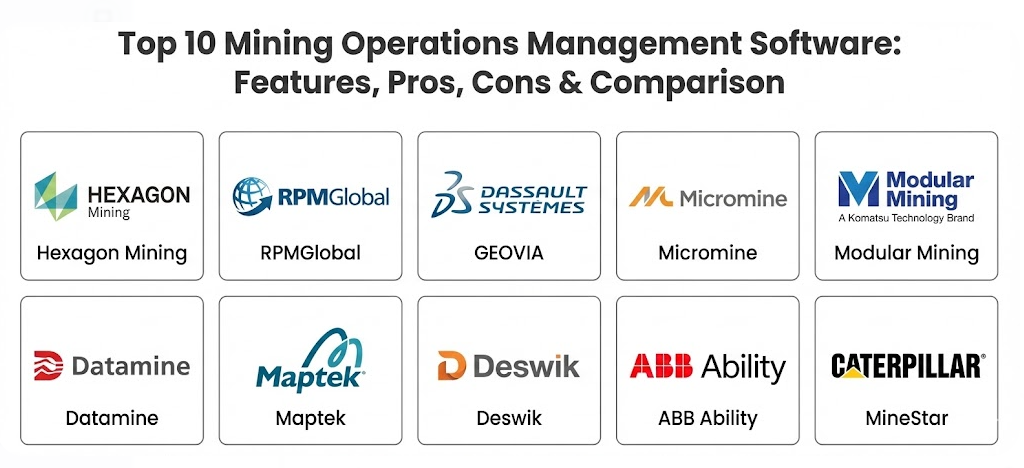
Top 10 Mining Operations Management Software Tools
1 — Hexagon Mining
Hexagon Mining provides a massive suite of tools that connect the life of a mine from the first drill hole to the final shipment. It is designed for large-scale operations that want a “one-stop-shop” for all their technology needs, including safety and machine control.
Key Features
- MinePlan: A tool for designing the mine and scheduling the work over many years.
- Hitech Safety: Uses sensors and cameras to prevent trucks from hitting people or other vehicles.
- Operations Portfolio: Connects the office to the field to track how much material is moved every hour.
- Machine Control: Helps drillers and shovel operators hit their targets more accurately using GPS.
- Enterprise Integration: Moves data from the mine site to the main company headquarters automatically.
- Predictive Maintenance: Analyzes machine data to predict when parts will wear out.
Pros
- It covers almost every single part of the mining process in one single brand.
- The safety features are some of the most advanced in the world for preventing accidents.
Cons
- Because it is so large, it can be very complicated and expensive to set up.
- Getting all the different Hexagon modules to talk to each other perfectly takes significant time.
Security & compliance: Includes SSO, high-level data encryption, and audit logs. It follows global ISO standards for data management.
Support & community: Offers massive documentation, a dedicated training academy, and 24/7 support for large enterprise customers.
2 — RPMGlobal
RPMGlobal is well-known for being the “math and money” software for miners. It focuses heavily on the financial side of mining, helping companies understand if they are actually making a profit on every ton of rock they move.
Key Features
- Financial Modeling: Predicts the costs of running a mine over many decades.
- XERAS: A specialized tool for budgeting and financial forecasting.
- Asset Management: Tracks the life and cost of big machines like excavators.
- Open Pit Scheduling: Creates detailed plans for how a surface mine should be dug.
- Underground Planning: Specific tools for the complex geometry of digging tunnels.
- Environmental Tracking: Keeps tabs on the company’s impact on the local environment.
Pros
- It is the best choice for companies that care deeply about the financial accuracy of their plans.
- The software is very good at handling the “business” side of a mine, not just the “dirt” side.
Cons
- It is not as strong in “real-time” fleet tracking as some other competitors.
- The interface can look a bit old-fashioned and takes time to learn.
Security & compliance: SSO, GDPR compliance, and encrypted data storage are standard.
Support & community: Very strong global presence with offices in most mining hubs and good technical documentation.
3 — Dassault Systèmes (GEOVIA)
GEOVIA, formerly known as Surpac, is a leader in 3D modeling. It allows miners to create a digital twin of their mine so they can see what is happening underground in a three-dimensional space.
Key Features
- Surpac: The world’s most popular software for 3D geology and mine planning.
- Whittle: A tool specifically for “pit optimization,” which means finding the most profitable way to dig.
- MineSched: Helps schedule exactly which truck goes where every single shift.
- Geology Modeling: Turns drill data into a 3D map of where the gold or coal is hidden.
- Collaborative Design: Allows different engineers to work on the same 3D map at once.
- Data Management: Keeps all geological records in a safe, organized database.
Pros
- The 3D visualization is very powerful and helps people understand the mine layout clearly.
- It has a very large user base, meaning it is easy to find employees who already know how to use it.
Cons
- It requires powerful computers to run the 3D graphics smoothly.
- The pricing can be very high for smaller mining companies.
Security & compliance: ISO 27001 certified, uses secure cloud storage and robust audit logs.
Support & community: A huge global community of users and an extensive online help portal.
4 — Micromine
Micromine is a user-friendly tool that covers everything from exploration to production. It is famous for being easier to learn than many other “heavy” mining software packages while still being very powerful.
Key Features
- Exploration Tools: Helps geologists find where the best minerals are located.
- Resource Estimation: Calculates exactly how much metal is in the ground.
- Pit Optimization: Helps engineers decide where the edges of the mine should be.
- Pitram: A real-time system for tracking people and equipment across the site.
- Geobank: A specialized way to store and manage all the drilling and soil samples.
- Implicit Modeling: Quickly creates 3D shapes from messy drill data.
Pros
- It is much more intuitive and “modern” feeling than most older mining tools.
- The speed at which it processes 3D data is very impressive.
Cons
- The fleet management side is not as “deep” as tools like Modular Mining.
- Customizing the software for very unique mine types can be difficult.
Security & compliance: Standard encryption, audit logs, and secure user permissions.
Support & community: Known for having very friendly customer support and great tutorial videos.
5 — Modular Mining (Komatsu)
Modular Mining is the pioneer of fleet management. If you see a big mining truck with a computer screen in the cab, there is a very good chance it is running Modular Mining software.
Key Features
- DISPATCH: The industry standard for telling truck drivers where to go in real-time.
- ProVision: High-precision GPS for drills and loaders to make sure they are in the right spot.
- MineCare: A health monitoring system that listens to the machine’s engine and parts.
- ReadyLine: A tool that predicts when a machine will need its next oil change or repair.
- MasterLink: A dedicated wireless network system for mine sites without cell service.
- Guided Loading: Helps shovel operators load the right amount of rock into every truck.
Pros
- They are the world leaders in real-time fleet management and machine health.
- The software is proven to work in the harshest environments on Earth.
Cons
- It is very focused on “big machines” and may lack deep geological modeling tools.
- It is most effective when used with Komatsu hardware, though it works with others too.
Security & compliance: SOC 2 compliant, enterprise-grade encryption, and secure SSO.
Support & community: Offers 24/7 enterprise support and on-site technicians for large clients.
6 — Datamine
Datamine provides a very wide range of software that spans the entire life of a mine. They have bought many smaller software companies over the years to create a massive library of specialized tools.
Key Features
- Studio OP: A dedicated tool for designing and scheduling open-pit mines.
- Studio UG: A similar tool but built specifically for the challenges of underground mining.
- Discover: A world-class tool for managing exploration and map data.
- Sirovision: Uses photos to map rock faces safely from a distance.
- Production Control: Tracks the daily movement of ore from the pit to the processing plant.
- Inventory Management: Tracks stockpiles and shipping logs at the port.
Pros
- They have a specialized tool for almost every niche problem a miner might face.
- Their underground mining tools are considered some of the best in the industry.
Cons
- Having so many different apps can make the system feel “fragmented” or messy.
- It can be hard to know which of their many products you actually need to buy.
Security & compliance: GDPR compliant, uses modern encryption, and provides full audit trails.
Support & community: They have a very large global team of consultants who can visit sites in person.
7 — Maptek
Maptek is famous for its “Vulcan” software and its hardware scanners. They are the experts in taking “real world” measurements and turning them into digital maps.
Key Features
- Vulcan: A powerhouse for 3D mine design and geological modeling.
- Evolution: A tool that uses smart math to find the best way to move dirt over many years.
- BlastLogic: A specialized system for planning and tracking explosions at the mine.
- PointStudio: Turns laser scans of the mine into 3D models in minutes.
- Sentry: Monitors mine walls to detect if they are about to collapse or slide.
- Eureka: A tool for looking at large-scale regional exploration data.
Pros
- The integration between their laser scanning hardware and their software is unbeatable.
- Vulcan is very fast at handling massive amounts of 3D data.
Cons
- The software has a steep learning curve and requires expert training.
- It is a premium product with a price tag to match.
Security & compliance: Varies by setup; generally offers SSO and secure local data hosting.
Support & community: Excellent training programs and a strong user group that meets regularly.
8 — Deswik
Deswik is often called the “gold standard” for mine planning. It was started by mining consultants who were frustrated with other tools, so it is built exactly how engineers like to work.
Key Features
- Deswik.CAD: A powerful drawing tool for designing tunnels, roads, and pits.
- Deswik.Sched: A Gantt-chart style tool for scheduling thousands of mining tasks.
- Deswik.IS: Combines the design and the schedule into one interactive system.
- Landform & Haulage: Calculates exactly how much fuel and time it takes to move rock.
- Deswik.GO: A mobile app for supervisors to manage the mine from their tablet.
- Value Process Map: Helps find bottlenecks where the mine is slowing down.
Pros
- It is extremely fast and can handle thousands of tasks in a single schedule.
- It is very flexible and works well for both coal and metal mines.
Cons
- It is almost too powerful for simple needs, which can be confusing for new users.
- It is expensive and usually requires a high-end computer.
Security & compliance: Offers SSO, encryption, and is widely used by major global corporations.
Support & community: They have a reputation for having some of the most knowledgeable support staff in the industry.
9 — ABB Ability MineOptimize
ABB is an engineering giant, and their mining software focuses on the “digital” side of the mine—specifically power, automation, and energy efficiency.
Key Features
- Process Control: Manages the heavy machinery in the processing plant automatically.
- Energy Management: Tracks how much electricity the mine is using and finds ways to save.
- Asset Health: Monitors motors and belts to prevent expensive breakages.
- Remote Operations: Allows a person in a city to run a mine thousands of miles away.
- Video Analytics: Uses cameras to detect if workers are wearing their safety gear.
- Stockpile Management: Automatically measures the size of ore piles using sensors.
Pros
- It is the best choice for mines that want to use “green” energy or automate their plants.
- The connection to ABB hardware makes it very reliable.
Cons
- It is more focused on the “plant” and “power” than on the “geology” or “digging.”
- It is a very complex system that usually requires a long-term partnership with ABB.
Security & compliance: High-level industrial security standards, including SOC 2 and ISO certifications.
Support & community: Global enterprise support with heavy emphasis on engineering and technical help.
10 — Caterpillar MineStar
Caterpillar is the world’s largest maker of mining trucks, and MineStar is the software they built to manage them. It is built to make “yellow iron” as efficient as possible.
Key Features
- Fleet: Moves trucks and loaders around the site using real-time GPS.
- Terrain: Helps operators dig to the exact depth needed without over-digging.
- Detect: Uses radar and cameras to keep workers safe around big machines.
- Health: Sends a “text message” to the mechanic if a truck gets a fever or low oil.
- Command: The technology that allows trucks to drive themselves without a human in the cab.
- Edge: A cloud-based version of the tool for smaller mines that don’t need a full server.
Pros
- If you own Caterpillar trucks, this software integrates better than anything else.
- The autonomous (self-driving) features are some of the most proven in the world.
Cons
- It works best with CAT machines and can be more limited with other brands.
- The full system is a massive investment that is only for the largest mines.
Security & compliance: Enterprise-grade security with full encryption and audit logs.
Support & community: Supported by the massive global Caterpillar dealer network.
Comparison Table
| Tool Name | Best For | Platform(s) Supported | Standout Feature | Rating |
| Hexagon | Total site integration | Windows / Cloud / Mobile | Safety & Collision Avoidance | 4.5 / 5.0 |
| RPMGlobal | Financial & Budgeting | Windows / Cloud | Accurate Cost Modeling | 4.3 / 5.0 |
| GEOVIA | 3D Mine Modeling | Windows (High-spec) | Whittle Pit Optimization | 4.6 / 5.0 |
| Micromine | Ease of Use & Speed | Windows / Cloud | Fast Implicit Modeling | 4.7 / 5.0 |
| Modular Mining | Fleet Management | On-site Servers / Mobile | DISPATCH Truck Routing | 4.8 / 5.0 |
| Datamine | Underground Mining | Windows | Studio UG Scheduling | 4.4 / 5.0 |
| Maptek | 3D Scanning & Design | Windows | Vulcan Modeling Engine | 4.5 / 5.0 |
| Deswik | Engineering & Scheduling | Windows | Integrated CAD/Schedule | 4.9 / 5.0 |
| ABB Ability | Energy & Plant Control | Cloud / Industrial PC | Energy Usage Analytics | 4.2 / 5.0 |
| CAT MineStar | Caterpillar Fleets | On-site / Cloud / Mobile | Autonomous Driving (Command) | 4.6 / 5.0 |
Evaluation & Scoring of Mining Operations Management Software
The following table scores these tools based on what matters most to mine managers and engineers.
| Criteria | Weight | Explanation |
| Core Features | 25% | Does it have the necessary tools for planning, tracking, and safety? |
| Ease of Use | 15% | Can a new engineer or operator learn it without months of training? |
| Integrations | 15% | Does it talk to other machines and software brands? |
| Security & Compliance | 10% | Is the data safe and does it meet mining law requirements? |
| Performance | 10% | Does the 3D map crash or lag when the data gets big? |
| Support & Community | 10% | Is there a local person to help when things go wrong? |
| Price / Value | 15% | Is the high cost worth the amount of money the software saves? |
Which Mining Operations Management Software Tool Is Right for You?
Choosing a software package is a long-term commitment. You are not just buying a tool; you are choosing a partner for the next ten years.
By Company Size
- Solo Consultants: If you are a freelance geologist, Micromine or GEOVIA Surpac are the standards that your clients will expect you to use.
- Small & Medium Mines (SMBs): Look for Micromine or the Datamine “Discover” suite. These are easier to get running without a massive IT department.
- Mid-Market Mines: Deswik is excellent here because it grows with you and handles both open-pit and underground needs as your mine changes.
- Global Enterprises: You should be looking at Hexagon, Modular Mining, or Caterpillar. You need the massive scale and the safety systems that only these giants can provide.
By Budget and Needs
- Budget-Conscious: Avoid the “full suites” from CAT or Hexagon. Instead, buy a specific module from Datamine or RPMGlobal that solves your single biggest problem first.
- Safety First: If your main goal is reducing accidents, Hexagon and Caterpillar have the best sensor and camera systems to protect your workers.
- Efficiency & Math: If you need to prove to your bank that the mine is profitable, RPMGlobal is the best tool for showing the “dollars and cents.”
- The “All-Rounder”: Deswik is currently the most popular choice for engineers who want one tool that does planning, scheduling, and haulage perfectly.
Frequently Asked Questions (FAQs)
1. Does mining software work without internet?
Yes. Most mining sites are remote. These tools are built to work on local servers at the mine site. They “sync” with the cloud or the main office when a connection is available.
2. Can I use different software for different parts of the mine?
Yes, but it is harder. You might use Vulcan for geology and Modular Mining for trucks. You will need to make sure they can share data, usually through “CSV” or “API” connections.
3. How long does it take to implement this software?
For a simple tool, a few weeks. For a full fleet management system with hardware on trucks, it can take 6 to 12 months to get everything running perfectly.
4. Is the software expensive?
Yes, mining software is some of the most expensive in the world. A single license can cost tens of thousands of dollars, plus a yearly fee for support and updates.
5. Do these tools help with environmental reporting?
Yes. Most modern tools now include “ESG” modules that track water use, carbon emissions, and land rehabilitation to help you stay legal.
6. Do I need a special computer?
For 3D modeling and mine design, yes. You will need a high-end “Workstation” computer with a powerful graphics card and lots of memory (RAM).
7. Can the software tell me when a machine will break?
Many of them can. Tools like MineCare or CAT Health listen to the sensors on the truck and give you a warning before a major breakdown happens.
8. What is “Autonomous Mining”?
It is when the software drives the trucks or runs the drills without a human in the cab. Caterpillar and Modular Mining are the leaders in this area.
9. Can I switch from one software to another?
It is possible but very difficult. You will have to move all your old data and retrain your entire team. It is better to choose carefully the first time.
10. What is the biggest mistake people make?
The biggest mistake is buying a tool that is too complicated for the team to use. If the software is too hard, workers will stop entering data, and the system becomes useless.
Conclusion
In the modern world, you cannot run a profitable mine with just a shovel and a map. Mining operations management software has become the brain of the mine site. Whether you need the incredible 3D detail of GEOVIA, the financial depth of RPMGlobal, or the real-time truck tracking of Modular Mining, there is a tool designed for your specific challenge.
When choosing, remember that the “best” tool is the one your team will actually use every day. Focus on data accuracy, ease of use, and local support. A tool that is simple and reliable is always better than a complex one that stays in the box. Start by fixing your biggest bottleneck—whether that is scheduling, safety, or costs—and build your digital mine from there.