Introduction
Utility billing software is a specialized tool used by companies to calculate, send, and manage bills for services like water, electricity, gas, and waste removal. At its core, this software takes data—often from meters that measure how much of a resource you have used—and turns it into an accurate invoice. It acts as a bridge between the provider and the customer, making sure that payments are collected on time and that people understand exactly what they are paying for.
In the real world, this software is vital because manual billing is slow and full of mistakes. Think of a city trying to bill thousands of homes for water usage. Without a system to track meter readings, apply different price rates, and send out reminders, the process would be a nightmare. Companies use these tools to handle everything from residential billing to commercial energy management.
When looking for the right tool, you should check for ease of integration with your current meters, the ability to handle different pricing tiers, and how easy the customer portal is for people to use. You want a system that is reliable, secure, and easy for your staff to learn without needing a degree in computer science.
Best for: This software is a perfect fit for municipal governments, water districts, energy cooperatives, and property managers. It is especially useful for billing departments and finance teams who need to manage thousands of accounts without errors.
Not ideal for: Very small companies or solo freelancers who only have a few clients. If you only send five invoices a month, a simple accounting tool or even a basic spreadsheet might be better and cheaper than a full utility billing suite.
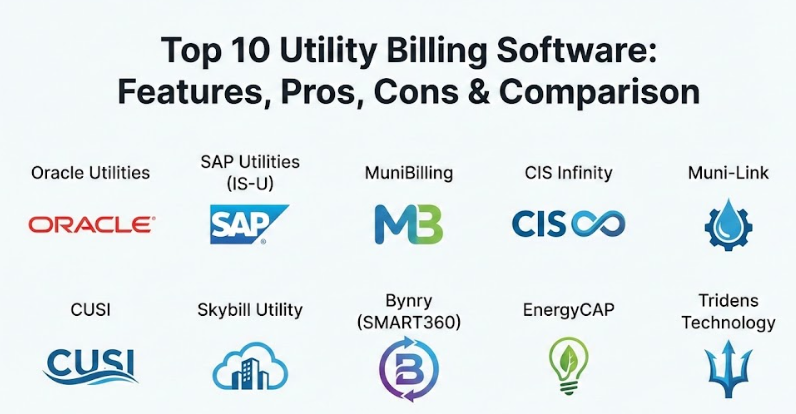
Top 10 Utility Billing Software Tools
1 — Oracle Utilities
Oracle Utilities is a heavy-duty platform designed for large-scale energy and water providers who need to manage millions of customers across vast regions. It is a complete system that handles everything from the moment a meter is read to the final payment collection.
- Key features:
- Advanced meter data management for high-frequency usage tracking.
- Complex tariff modeling for tiered and seasonal pricing.
- Integrated customer self-service portals.
- Automated collection and debt management workflows.
- Real-time analytics for usage and revenue forecasting.
- Support for multi-utility billing (water, gas, and electric).
- Pros:
- Extremely reliable for massive volumes of data.
- Highly customizable to fit complex local regulations.
- Cons:
- The setup process is long and requires specialized expertise.
- The price is very high, making it out of reach for smaller towns.
- Security & compliance: Enterprise-grade encryption, SOC 2, and GDPR ready. It features deep audit logs and role-based access to keep data safe.
- Support & community: Offers extensive enterprise support, a large global user community, and very detailed technical documentation.
2 — SAP Utilities (IS-U)
SAP Utilities is a part of the larger SAP ecosystem, focusing on providing a robust “meter-to-cash” solution for global utility companies. It is designed to link billing directly with the rest of a company’s financial and supply chain operations.
- Key features:
- Seamless integration with SAP S/4HANA for total financial control.
- High-volume bill processing for millions of transactions.
- Device management for tracking physical meters in the field.
- Customer relationship management specifically for utility needs.
- Regulatory reporting tools for government compliance.
- Automated tax calculation for multiple regions.
- Pros:
- Excellent for companies already using the SAP suite.
- Very strong at handling global, multi-currency operations.
- Cons:
- The user interface can feel very “robotic” and complex.
- Implementation costs can easily spiral if not managed tightly.
- Security & compliance: ISO 27001, GDPR, and HIPAA compliant. Includes multi-factor authentication and high-level data masking.
- Support & community: Worldwide support network with certified partners and a massive ecosystem of consultants.
3 — MuniBilling
MuniBilling is a cloud-based solution that is popular with smaller municipalities, homeowners’ associations (HOAs), and private utility companies. It is much easier to use than the giant enterprise systems and focuses on simplicity.
- Key features:
- Simple import tools for meter readings.
- Automated email billing and paper bill printing services.
- Easy-to-use customer payment portal.
- Tiered rate structures for different types of users.
- Basic reporting for revenue and aging accounts.
- Quick setup that doesn’t require an IT team.
- Pros:
- Very friendly and intuitive interface for office staff.
- Affordable pricing for small to mid-sized organizations.
- Cons:
- Lacks some of the deep analytics found in bigger tools.
- Customization options are more limited than enterprise suites.
- Security & compliance: Uses SSL encryption and secure data hosting. Varies by package but generally covers standard municipal needs.
- Support & community: Known for very responsive human support and helpful onboarding for new users.
4 — CIS Infinity (Advanced Utility Systems)
CIS Infinity is a flexible customer information and billing system that works well for mid-market utility providers. It focuses on giving customer service reps a “360-degree view” of the customer to solve problems faster.
- Key features:
- Comprehensive customer account management.
- Flexible billing cycles for different neighborhoods.
- Integrated work order management for field repairs.
- Automated alerts for high usage or leaks.
- Mobile-friendly portals for customers to pay on the go.
- Strong reporting tools for financial audits.
- Pros:
- Great balance between power and ease of use.
- The customer service tools help reduce phone call times.
- Cons:
- Can feel a bit “busy” with so many menus.
- Updates can sometimes be slow to roll out.
- Security & compliance: SSO (Single Sign-On) support and detailed audit trails. GDPR and PCI compliance are standard.
- Support & community: Strong North American presence with regular user group meetings and training sessions.
5 — Muni-Link
Muni-Link is a web-based billing system built specifically for municipal authorities like water and sewer boards. It was designed by people who worked in those industries, so it understands the specific daily pains of city billing.
- Key features:
- Cloud-based access from any device.
- Fully integrated payment processing.
- Automated late notices and shut-off lists.
- Easy meter reading uploads from various hardware.
- Simple dashboard to see daily collection totals.
- Disaster recovery and automatic backups.
- Pros:
- No expensive hardware to buy or maintain.
- Very easy to learn for people who aren’t “tech experts.”
- Cons:
- Not designed for huge cities with millions of users.
- Integration with non-municipal software can be tricky.
- Security & compliance: Secure cloud hosting with daily backups and encryption. SOC 2 compliant.
- Support & community: Excellent documentation and a reputation for treating customers like partners.
6 — CUSI (Utility Billing)
CUSI provides a long-standing solution that is very popular with small to medium water and gas districts. It is known for being a “workhorse” that does exactly what it says on the tin without extra fluff.
- Key features:
- Efficient meter-to-cash workflow.
- Support for many different meter reading devices.
- Customer portals with auto-pay features.
- Financial reporting that links to popular accounting tools.
- Rate change simulators to test price increases.
- Service order tracking for field technicians.
- Pros:
- Solid and dependable with a long track record.
- Good price-to-feature ratio for mid-sized towns.
- Cons:
- The design looks a bit older compared to modern startups.
- Mobile app features are somewhat basic.
- Security & compliance: PCI-DSS certified for payments. Audit logs and user permissions are built-in.
- Support & community: Reliable customer support with deep industry knowledge.
7 — Skybill Utility
Skybill is built on the Microsoft Dynamics platform, which means it feels very familiar to anyone who uses Office or Windows. It is a great choice for companies that want an ERP (Enterprise Resource Planning) and billing system in one.
- Key features:
- Built-in accounting and financial management.
- Automated meter data processing.
- Multi-currency and multi-language support.
- Flexible tariff and contract management.
- Real-time data sync across all departments.
- Cloud-first architecture for remote work.
- Pros:
- Integrates perfectly with Microsoft Outlook and Excel.
- Very scalable—it grows as your company grows.
- Cons:
- You need a good understanding of Microsoft Dynamics to use it well.
- Initial configuration can be complex.
- Security & compliance: Inherits Microsoft’s top-tier cloud security, including ISO and GDPR certifications.
- Support & community: Massive global network of Microsoft partners can provide help.
8 — Bynry (SMART360)
Bynry is a newer, AI-driven platform that focuses on making utility management “smart.” It uses modern technology to help small and medium utilities work faster by automating the boring stuff.
- Key features:
- AI-powered leak detection and usage alerts.
- Mobile-first customer self-service app.
- Digital field force management for repairs.
- Automated billing based on real-time meter data.
- Easy-to-read analytics dashboards.
- Quick deployment through a SaaS model.
- Pros:
- Very modern and “human” user interface.
- Great for engaging younger customers who want to use apps.
- Cons:
- Newer to the market than giants like Oracle.
- Might lack some niche features needed by very old utilities.
- Security & compliance: Cloud-native security, encryption, and GDPR compliance.
- Support & community: High-touch digital support and modern documentation.
9 — EnergyCAP
EnergyCAP is a bit different because it specializes in energy management and utility bill auditing for large organizations like universities and government agencies that have many buildings to manage.
- Key features:
- Automated bill entry and verification.
- Benchmarking for energy efficiency.
- Greenhouse gas tracking for sustainability.
- Integration with smart building sensors.
- Cost and usage reporting across thousands of meters.
- Audit tools to find billing errors from providers.
- Pros:
- The best tool for finding ways to save money on energy.
- Incredible at handling complex, multi-building campuses.
- Cons:
- Not a traditional “billing-out” tool for selling to residents.
- Focused more on the buyer of energy than the seller.
- Security & compliance: SOC 2 and FedRAMP authorized for government use. High-level encryption.
- Support & community: Strong community of energy managers and regular training webinars.
10 — Tridens Technology
Tridens offers a modern, cloud-native billing platform that is particularly strong for “innovative” utilities, such as those offering electric vehicle (EV) charging or renewable energy subscriptions.
- Key features:
- Real-time charging and billing engine.
- Support for subscription-based utility models.
- API-first design for easy integration with other apps.
- Multi-utility and convergent billing.
- Automated revenue recognition.
- Customer self-care portals with real-time usage.
- Pros:
- Very flexible for “new” types of utility services.
- Fast to set up and highly scalable.
- Cons:
- Might feel too “techy” for a traditional water department.
- Lacks some old-school features like paper-check processing focus.
- Security & compliance: ISO 27001, GDPR, and PCI-DSS compliant. Advanced API security.
- Support & community: Technical-focused support with good developer documentation.
Comparison Table
| Tool Name | Best For | Platform(s) | Standout Feature | Rating |
| Oracle Utilities | Large Enterprises | Cloud / On-prem | Massive scale data handling | 4.4 / 5 |
| SAP Utilities | Global Corps | Cloud / Hybrid | Financial ecosystem sync | 4.2 / 5 |
| MuniBilling | Small Towns / HOAs | Cloud | Extreme ease of use | 4.7 / 5 |
| CIS Infinity | Mid-market Utilities | On-prem / Cloud | 360-degree customer view | 4.1 / 5 |
| Muni-Link | Municipalities | Cloud | Built for city clerks | 4.8 / 5 |
| CUSI | Water/Gas Districts | Cloud / On-prem | Reliable meter-to-cash | N/A |
| Skybill Utility | MS Dynamics Users | Cloud | Microsoft Office integration | 4.5 / 5 |
| Bynry | Modern Utilities | Cloud | AI-driven leak detection | 4.6 / 5 |
| EnergyCAP | Campuses / Gov | Cloud | Energy auditing & savings | 4.7 / 5 |
| Tridens Tech | EV / Renewables | Cloud | Real-time billing engine | N/A |
Evaluation & Scoring of Utility Billing Software
| Category | Weight | Description of Evaluation Criteria |
| Core Features | 25% | Ability to handle complex rates, meter data, and billing cycles accurately. |
| Ease of Use | 15% | How quickly staff can learn the system and how intuitive the customer portal is. |
| Integrations | 15% | How well it talks to meters, accounting software, and payment gateways. |
| Security | 10% | Level of data encryption, compliance (GDPR/SOC2), and audit logging. |
| Performance | 10% | System speed, uptime, and the ability to handle large data spikes without crashing. |
| Support | 10% | Quality of help desk, documentation, and the size of the user community. |
| Price / Value | 15% | Total cost of ownership versus the benefits and time saved. |
Which Utility Billing Software Tool Is Right for You?
Choosing a tool can feel overwhelming, but it usually comes down to the size of your operation and what your goals are.
By Organization Size
- Small Districts & HOAs: If you have under 5,000 customers, look for cloud-based tools like MuniBilling or Muni-Link. These are affordable and don’t require you to hire a full-time computer expert to keep them running.
- Mid-Market Providers: If you are growing and need more power, CIS Infinity or CUSI offer a great balance. They can handle more complex service orders while remaining relatively easy to manage.
- Large Enterprises: If you serve millions of people, you need the heavy hitters like Oracle or SAP. They are expensive, but they are the only ones that can handle that much data safely.
Budget vs. Features
If your primary goal is to save money, a simple SaaS (Software as a Service) model is best because you pay a monthly fee and don’t have to buy servers. If your goal is to modernize, tools like Bynry or Tridens offer apps and AI that will impress younger customers.
Integration Needs
Do you already use Microsoft for everything? Skybill is the logical choice. Do you need to track energy efficiency for a university? EnergyCAP is the winner. Always look at what software you already have and make sure the new billing tool can “talk” to it.
Frequently Asked Questions (FAQs)
1. What is the most important feature in utility billing software?
The most important feature is the “billing engine”—the part that takes meter readings and calculates prices. It must be able to handle tiered rates, taxes, and late fees perfectly every single time.
2. Is cloud-based software better than on-premise?
For most companies, cloud-based is better because it is easier to update and doesn’t require you to maintain your own servers. However, some very large utilities prefer on-premise for total control over their data.
3. How long does it take to set up this software?
For small systems like MuniBilling, it might take a few weeks. For massive enterprise systems like Oracle, the implementation can take many months or even over a year.
4. Can this software help reduce water or energy leaks?
Yes. Modern tools like Bynry use AI to spot unusual usage patterns. If a home suddenly uses ten times its normal water, the system can alert the homeowner immediately.
5. Does utility billing software include a customer portal?
Most modern options do. This allows customers to log in, see their usage graphs, pay their bills, and sign up for paperless billing without calling your office.
6. Is the software secure enough for credit card payments?
Yes, but you must ensure the tool is “PCI-DSS Compliant.” This means it follows the strict security rules set by the credit card industry to keep payment data safe.
7. Can I use this for multiple utilities at once?
Absolutely. Most top-tier tools are “multi-utility,” meaning you can bill for water, electricity, gas, and trash on the same monthly invoice.
8. What happens if my internet goes down?
With cloud-based tools, you can usually still access the data from a mobile phone or a different location. On-premise tools will only work if your local office has power and a connection.
9. Do I need special training to use these tools?
Most vendors offer a training period during setup. Simple tools are very easy to learn, while enterprise tools might require a dedicated administrator to manage the system.
10. What is the biggest mistake people make when buying?
The biggest mistake is buying more features than they actually need. Don’t pay for a massive enterprise system if you are only billing a small town; it will just make your work harder.
Conclusion
Choosing the right utility billing software is one of the most important decisions a service provider can make. It isn’t just about sending out pieces of paper; it’s about making sure your business has the cash flow it needs to keep the lights on and the water flowing. A good system makes life easier for your staff and provides a clear, helpful experience for your customers.
Remember that there is no “perfect” tool for everyone. The best choice for a tiny water district will look very different from the best choice for a massive energy company. Focus on your specific needs: your budget, the number of customers you have, and how much “tech help” you have available. By starting with these simple questions, you can find a partner that will help your utility thrive for years to come.