Introduction
Water quality monitoring software is a specialized type of technology designed to collect, store, and analyze data related to the chemical, physical, and biological characteristics of water. This can include everything from checking pH levels and chlorine amounts to tracking the presence of harmful bacteria or heavy metals. The primary goal of these tools is to provide a “single source of truth” for water data, making it easier for teams to stay compliant with environmental laws and protect public health.
Why is it Important?
Without proper software, managing water data is incredibly difficult. Manual data entry is prone to human error, and it can take days or weeks to spot a dangerous trend in water quality. Modern software automates these processes, providing real-time alerts if something goes wrong. This immediate feedback allows for quick interventions, such as adjusting chemical doses in a treatment plant or issuing a warning to the public if a source is contaminated.
Key Real-World Use Cases
- Municipal Utilities: Ensuring that drinking water is safe for residents and that wastewater is properly treated before being released back into the environment.
- Industrial Facilities: Monitoring the water used in manufacturing processes to prevent equipment damage and ensure that factory discharge meets environmental regulations.
- Environmental Agencies: Tracking the health of lakes, rivers, and coastal areas to protect local wildlife and ecosystems.
- Agriculture: Monitoring irrigation water to ensure it is suitable for crops and does not contain high levels of salt or pollutants.
What to Look For in a Tool
When evaluating different software options, there are several key criteria to keep in mind:
- Data Integration: Can the software connect to your existing sensors and lab equipment?
- Ease of Use: Is the interface simple enough for field technicians and office staff to use without months of training?
- Reporting: Does it automatically generate the specific reports required by your local or national government?
- Alerting: Does it send instant notifications via email or text when water parameters fall outside the safe range?
Best for: This software is most beneficial for environmental engineers, utility managers, and compliance officers working in government agencies, large manufacturing plants, or public water utilities.
Not ideal for: It may not be necessary for very small-scale operations with only one or two testing points, or for casual hobbyists who only need to check a home aquarium or small garden pond. In those cases, simple handheld testers or basic spreadsheets are usually sufficient.
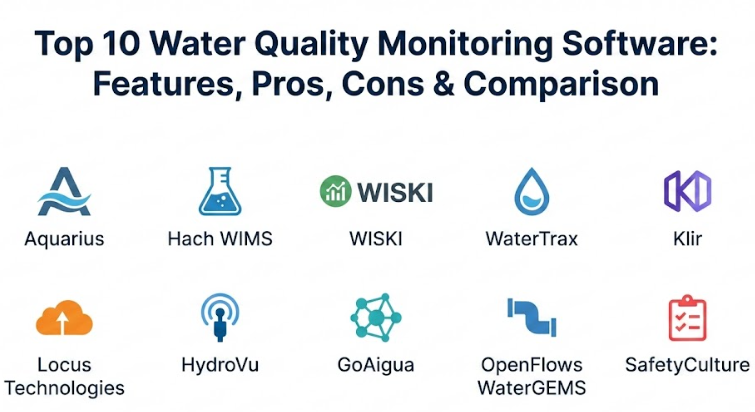
Top 10 Water Quality Monitoring Software Tools
1 — Aquarius (by Aquatic Informatics)
Aquarius is widely considered one of the most powerful tools for managing water data. It is specifically designed for organizations that need to handle massive amounts of information from many different locations. It focuses on making data accurate and easy to audit, which is why many government agencies use it to track river levels and water quality across entire regions.
Key Features:
- Centralized Data Hub: Brings together all your water data into one place for a complete overview.
- Automated Error Detection: Automatically spots and flags data that looks incorrect or suspicious.
- Audit Trails: Keeps a permanent record of every change made to the data for legal compliance.
- Real-Time Dashboards: Provides a visual look at current water conditions across your entire network.
- Regulatory Reporting: Includes built-in templates to help you meet official reporting standards.
- Data Validation: Tools to clean up noisy data caused by sensor malfunctions.
Pros:
- Excellent at handling complex and large datasets without slowing down.
- Very strong features for verifying that data is accurate and trustworthy.
Cons:
- The system has a steep learning curve and can be difficult for beginners to master.
- It is a premium solution, which might be too expensive for smaller organizations.
Security & Compliance:
The platform offers high-level security features including data encryption and detailed user access controls. It is designed to meet the strict standards required by government environmental agencies.
Support & Community:
Aquatic Informatics provides extensive documentation and professional onboarding services. They have a strong reputation for customer support and a dedicated user community that shares best practices.
2 — Hach WIMS (Water Information Management Solution)
Hach WIMS is a specialized tool built specifically for water and wastewater treatment plants. It acts like a bridge between the physical treatment process and the administrative office. It takes the complicated data coming from the plant’s machinery and turns it into clear, actionable reports that help managers make better decisions about chemical usage and safety.
Key Features:
- SCADA Integration: Easily connects to the systems that control your plant’s pumps and valves.
- Pre-Built Lab Forms: Simplifies the process of entering data from laboratory tests.
- Formula Library: Includes over a hundred industry-standard formulas for calculating water quality metrics.
- Auto-Generated Reports: Creates official government compliance reports with just a few clicks.
- Dashboard Visuals: Uses charts and graphs to show how the plant is performing over time.
- Problem Flagging: Instantly alerts operators when a specific water level or chemical reading is off.
Pros:
- Designed by water experts who understand exactly what a treatment plant needs.
- The automation of complex calculations saves hours of manual work every week.
Cons:
- The interface can feel a bit dated compared to modern consumer software.
- Installation and initial setup can be time-consuming and may require technical help.
Security & Compliance:
WIMS includes strong audit trails and secure login features. It is built to help utilities stay in compliance with national drinking water and wastewater standards.
Support & Community:
Hach offers a massive range of support options, including on-site training, webinars, and a very deep knowledge base. Their long history in the industry means they have a very established support network.
3 — WISKI (by KISTERS)
WISKI is a high-performance system used for environmental monitoring. While it is famous for tracking weather and hydrology, its water quality modules are top-tier. It is built to handle “time-series” data, which is data that is collected continuously over long periods. This makes it a great choice for monitoring the long-term health of watersheds and groundwater.
Key Features:
- Time-Series Management: Built to handle millions of data points collected every minute.
- Advanced Analytics: Includes tools for predicting future water quality trends based on past data.
- Web Portals: Allows you to share specific water data with the public or other agencies through a secure website.
- Mobile Connectivity: Field workers can upload data directly from their smartphones or tablets.
- Quality Control: Highly sophisticated tools for correcting and validating sensor data.
- Integration Engine: Connects to almost any type of external sensor or database.
Pros:
- Incredible scalability; it works just as well for a single site as it does for a whole country.
- Highly customizable to fit the specific needs of a particular project or organization.
Cons:
- The software is very complex and usually requires a dedicated administrator to manage.
- The cost can be high due to the specialized nature of the system.
Security & Compliance:
Supports enterprise-grade security including single sign-on (SSO) and complex encryption. It is used by many national agencies, meaning it meets very high compliance standards.
Support & Community:
KISTERS provides professional support and training programs. They host regular user group meetings where experts can share how they use the software to solve environmental challenges.
4 — WaterTrax
WaterTrax is designed with a focus on simplicity and compliance. It is a cloud-based tool that helps water and wastewater utilities manage their data without having to install complicated software on their own computers. It is particularly popular because it sends “stoplight” alerts—red, yellow, and green—to let you know if your water quality is in a safe range.
Key Features:
- Cloud Hosting: Access your water data from any computer with an internet connection.
- Automatic Data Mapping: Simplifies the process of importing data from commercial laboratories.
- Compliance Dashboard: Shows you exactly which tests need to be done and when they are due.
- Mobile Data Entry: Allows field staff to enter results directly into the system while on-site.
- Email Alerts: Sends immediate notices to your phone if a test result is outside of safe limits.
- Electronic Reporting: Simplifies the submission of data to regulatory agencies.
Pros:
- Very user-friendly and doesn’t require a lot of technical knowledge to get started.
- Excellent at making sure you never miss a required test or a compliance deadline.
Cons:
- Less flexible than some of the more advanced systems like Aquarius or WISKI.
- The basic version might lack some of the deeper analytical tools that large research teams need.
Security & Compliance:
Uses modern cloud security standards to protect data. It is specifically built to help utilities comply with environmental regulations and reporting requirements.
Support & Community:
Provides solid online documentation and customer support. They offer training webinars and a straightforward onboarding process for new users.
5 — Klir
Klir is a newer, modern platform that aims to be an “operating system” for water utilities. It doesn’t just look at water quality; it also helps manage permits, samples, and inspections all in one place. Its goal is to reduce the “paperwork” part of water management so that experts can focus on the “water” part.
Key Features:
- Permit Management: Tracks all your environmental permits and when they need to be renewed.
- Integrated Sampling: Organizes your entire sampling schedule so everyone knows what to test.
- Task Automation: Automatically assigns tasks to team members based on incoming data.
- Unified Dashboard: Combines data from labs, sensors, and field reports into one screen.
- Modern Interface: Very clean and easy to navigate, similar to modern apps you use every day.
- Compliance Tracking: Keeps a live record of your compliance status against all regulations.
Pros:
- Saves a huge amount of time by automating manual administrative tasks.
- The modern design makes it much more enjoyable and easier to use than older software.
Cons:
- As a newer company, it may not have as many niche integrations as the older, established players.
- Might be “more than you need” if you are only looking for a simple data storage tool.
Security & Compliance:
Complies with modern data security standards and is built with a focus on regulatory transparency. It is designed to make audits as painless as possible.
Support & Community:
Known for having very responsive customer support and a modern approach to user training. They work closely with clients during the setup phase.
6 — Locus Technologies (Water Management)
Locus Technologies offers a cloud-based platform that is heavily focused on environmental compliance and “ESG” (Environmental, Social, and Governance) reporting. It is a great choice for large corporations or multi-site utilities that need to track water quality as part of a larger environmental strategy.
Key Features:
- GIS Mapping: Visualizes your water sampling points on a real-world map.
- Mobile Information: A dedicated mobile app for field teams to record data without paper.
- Advanced Calculations: Handles complex chemical calculations and data conversions automatically.
- Regulatory Content: Includes a library of regulations to help you stay compliant.
- Analytical Tools: Provides deep-dive charts to help you find trends in your water quality.
- Multi-Site Support: Easily switches between different locations or facilities.
Pros:
- Very strong at managing “big picture” environmental data across many locations.
- The mobile app is robust and works well even in remote areas.
Cons:
- Can be overkill for a small, single-site operation.
- Requires some time to set up and configure the various modules correctly.
Security & Compliance:
Includes SOC 2 compliance and high-level encryption. It is built for large enterprises that have very strict data security requirements.
Support & Community:
Locus offers professional consulting services to help with setup, along with standard technical support and training documentation.
7 — HydroVu (by In-Situ)
HydroVu is a cloud-based data management system that is designed to work perfectly with In-Situ’s physical water sensors. It is famous for its “plug-and-play” feel. If you use their sensors in the field, this software makes it incredibly easy to see that data on your computer in near real-time.
Key Features:
- Direct Integration: Automatically connects to In-Situ sensors and telemetry systems.
- Real-Time Visualization: Shows live data feeds from the field as they happen.
- Alarm System: Sends text or email alerts if a sensor detects something unusual.
- Battery Monitoring: Tracks the battery life and health of your field equipment.
- Custom Dashboards: You can build your own screens to show only the data you care about.
- Low Maintenance: Being cloud-based means you don’t have to manage any local servers.
Pros:
- The easiest system to set up if you are already using In-Situ hardware.
- Very reliable for real-time monitoring of remote sites.
Cons:
- While it can import other data, it is primarily optimized for its own brand of hardware.
- Does not have the deep “permit management” features found in tools like Klir.
Security & Compliance:
Provides secure data hosting with triple-redundant servers. It ensures that your environmental data is safe and always accessible.
Support & Community:
Excellent technical support, specifically for hardware-related questions. They offer clear guides and quick help for troubleshooting sensors.
8 — GoAigua (by Idrica)
GoAigua is a sophisticated platform that uses “Digital Twin” technology. This means it creates a virtual model of your entire water system. It uses this model to predict how the water quality will change if you make adjustments to the real-world system. It is a very advanced tool for modern “Smart Cities.”
Key Features:
- Digital Twin: Creates a live virtual simulation of your water network.
- Predictive AI: Uses artificial intelligence to predict future water quality issues.
- Centralized Command: Provides a single control center for all your water operations.
- Sensor Agnostic: Can connect to sensors and systems from many different manufacturers.
- Operational Optimization: Helps you find ways to save energy and chemicals while maintaining quality.
- Mobile Workforce: Includes tools to manage and schedule your field workers efficiently.
Pros:
- One of the most advanced systems for predicting and preventing future problems.
- Breaks down “silos” between different departments by putting all data in one place.
Cons:
- Very complex and requires a high level of technical maturity from the organization.
- The initial investment in time and money is significant.
Security & Compliance:
Built with enterprise-level security for large utility networks. It follows international standards for data protection and infrastructure security.
Support & Community:
Idrica provides high-end consulting and implementation services. They act more as a partner than just a software vendor.
9 — OpenFlows WaterGEMS (by Bentley Systems)
WaterGEMS is a hydraulic modeling tool that includes very strong water quality analysis features. While its main job is to help engineers design pipes and pumps, it also allows them to simulate how chemicals (like chlorine) move through the system and how long the water stays in the pipes (water age), which is crucial for quality.
Key Features:
- Hydraulic Modeling: Simulates water flow and pressure through complex pipe networks.
- Water Quality Simulation: Tracks how chlorine levels drop as water travels to customers.
- Source Tracing: Shows you exactly which water source is reaching a specific customer.
- GIS Integration: Works directly inside mapping software like ArcGIS.
- Scenario Management: Lets you test “what if” situations, like a pipe break or a new pump.
- Optimization Tools: Helps you find the best way to run your system to keep water fresh.
Pros:
- The gold standard for engineers who need to understand the physics of their water system.
- Incredible depth for analyzing things like water age and chemical decay.
Cons:
- It is engineering software, not a daily compliance tool, so it can be hard for non-engineers to use.
- It requires a lot of accurate data about your pipes and valves to work correctly.
Security & Compliance:
Uses Bentley’s enterprise security framework. It is used by the world’s largest engineering firms and utilities, so it meets very high standards.
Support & Community:
Bentley provides world-class training and a huge library of learning materials. They have a massive global community of professional engineers.
10 — SafetyCulture
SafetyCulture (formerly known as iAuditor) is a versatile inspection and monitoring tool. While not strictly “water-only” software, it is widely used by water teams to conduct field inspections, check equipment, and log manual water quality tests. It is the best choice for teams that want a simple way to replace paper clipboards.
Key Features:
- Custom Checklists: Create your own digital forms for water quality testing.
- Photo Evidence: Allows field workers to take photos of sampling sites and attach them to reports.
- Instant Reporting: Generates a professional PDF report as soon as an inspection is finished.
- Action Tracking: If a test fails, the software can automatically assign a “fix” task to someone else.
- Offline Mode: Works in basements or remote areas where there is no internet.
- Trend Analysis: Shows you how your inspection results are changing over time.
Pros:
- Extremely easy to use; most people can learn it in minutes.
- Very affordable and flexible—you can use it for safety checks and water tests at the same time.
Cons:
- Lacks the deep chemical modeling and SCADA integrations of specialized water software.
- You have to build your own templates, as it’s not pre-configured specifically for water utilities.
Security & Compliance:
Includes enterprise security features like SSO and is ISO 27001 certified. It is great for maintaining an audit-ready record of all your field activities.
Support & Community:
Offers 24/7 customer support and has a massive library of free templates shared by other users in various industries.
Comparison Table
Below is a summary of the top 10 tools to help you compare them at a glance.
| Tool Name | Best For | Platform(s) Supported | Standout Feature | Rating |
| Aquarius | Large Environmental Agencies | Web, Desktop | Data Validation & Audit Trails | N/A |
| Hach WIMS | Treatment Plant Operators | Web, Desktop | 100+ Built-in Water Formulas | N/A |
| WISKI | Long-term Watershed Studies | Web, Desktop | Time-Series Data Management | N/A |
| WaterTrax | Compliance & Reporting | Web, Mobile | “Stoplight” Alerting System | N/A |
| Klir | Modern Utility Management | Web | All-in-one “Water OS” | N/A |
| Locus Water | ESG & Corporate Compliance | Web, Mobile | Robust Mobile Data Entry | N/A |
| HydroVu | Real-time Sensor Monitoring | Web, Mobile | Seamless In-Situ Sensor Sync | N/A |
| GoAigua | Smart Cities & Prediction | Web | Digital Twin Simulation | N/A |
| WaterGEMS | Engineering & Modeling | Desktop, GIS | Hydraulic & Quality Simulation | N/A |
| SafetyCulture | Field Inspections & Logs | Mobile, Web | Easy Checklist Customization | N/A |
Evaluation & Scoring of Water Quality Monitoring Software
Choosing the right software involves looking at several different factors. We have evaluated these tools based on a weighted scoring rubric to show what really matters in a professional environment.
| Criteria | Weight | What it Measures |
| Core Features | 25% | Ability to handle sampling, alerts, and reporting. |
| Ease of Use | 15% | How quickly a new user can learn the system. |
| Integrations | 15% | Connecting to labs, sensors, and SCADA systems. |
| Security & Compliance | 10% | Data encryption, audit trails, and legal standards. |
| Performance | 10% | System speed and reliability during heavy use. |
| Support & Community | 10% | Quality of help desk and training resources. |
| Price / Value | 15% | Overall return on investment for the features provided. |
Which Water Quality Monitoring Software Tool Is Right for You?
Selecting a tool is not about finding the “best” one overall, but finding the one that fits your specific situation.
Solo Users and Small Teams
If you are a consultant or part of a very small team, you probably want something simple and affordable. SafetyCulture is an excellent choice here because it is flexible and doesn’t require a huge setup fee. It allows you to digitize your notes and photos without needing an IT department.
Small to Medium Utilities (SMB)
For a small town or a medium-sized water district, compliance is usually the biggest headache. WaterTrax is specifically built to solve this. It’s easy to use and makes sure you don’t forget to send your reports to the government.
Mid-Market and Large Industrial Sites
If you are managing a complex treatment plant or a large factory, you need deep data. Hach WIMS or Klir are the top contenders here. Hach is better if you want a tool that “speaks the language” of plant operators, while Klir is better if you want a modern, unified system for all your permits and tasks.
Large Enterprise and Government Agencies
When you are monitoring an entire state, country, or massive utility network, you need maximum power. Aquarius and WISKI are the industry leaders for handling huge amounts of data. If you are also interested in cutting-edge tech like simulations and AI, GoAigua is the way to go.
Budget-Conscious vs. Premium
- Budget: SafetyCulture or simpler cloud-based tools.
- Premium: Aquarius, WaterGEMS, or GoAigua. These require more money upfront but provide much deeper insights that can save money in the long run through efficiency.
Frequently Asked Questions (FAQs)
1. What is the main difference between water quality software and a spreadsheet?
A spreadsheet is a blank slate where you have to do everything manually. Water quality software has built-in formulas, automatic alerts, and secure audit trails that a spreadsheet simply cannot provide reliably.
2. Can these tools work without an internet connection?
Many modern tools like SafetyCulture or the mobile apps for Locus and WaterTrax have “offline modes.” This allows you to collect data in the field and sync it to the cloud once you get back to a place with a signal.
3. Do I need to buy specific sensors to use this software?
It depends. Some software, like HydroVu, is designed for specific sensors. Others, like Aquarius or GoAigua, are “agnostic,” meaning they can take data from almost any sensor or laboratory.
4. How long does it take to set up these systems?
Simple tools like SafetyCulture can be ready in an hour. Complex enterprise systems like GoAigua or Aquarius can take several months of planning, data migration, and staff training to fully implement.
5. Is my data safe in the cloud?
Most modern providers use high-level encryption and secure servers. If you have extreme security needs, some older systems like Hach WIMS can still be installed on your own local office computers.
6. Can the software help me save money?
Yes. By catching issues early, you avoid expensive fines. By optimizing chemical doses at a treatment plant, you reduce your monthly supply costs.
7. Does the software automatically send reports to the government?
Many tools generate the exact files required by environmental agencies. While some can submit them automatically, most produce a finished report that you simply review and then upload to the official portal.
8. Can I track more than just water quality?
Yes. Many of these platforms also track water flow, pressure, levels in tanks, and even the electricity used by your pumps.
9. What happens if a sensor breaks?
Sophisticated tools like Aquarius or WISKI have “data validation” features. They can spot when a sensor is giving “impossible” readings and flag them so they don’t ruin your reports.
10. Do I need to be an engineer to use these tools?
While some (like WaterGEMS) are built for engineers, most modern water software is designed for operators and managers. If you can use a smartphone or an email account, you can learn to use most of these tools.
Conclusion
Choosing a water quality monitoring software tool is a major decision that will affect your daily operations for a long time. The most important thing to remember is that there is no “one-size-fits-all” answer. The best tool for a research scientist tracking a remote river is very different from the best tool for a technician at a busy wastewater treatment plant.
When making your choice, focus on what your biggest problem is right now. Is it the time spent on paperwork? Is it the fear of missing a compliance deadline? Or is it a lack of real-time data from the field? By identifying your main pain point, you can pick a tool from this list that addresses it directly.
In the end, the goal of all these tools is the same: to provide the clear, accurate information you need to keep our water safe and our environment healthy. With the right software in place, you can move away from chasing data and start using data to make the world a better place.