Introduction
An open data portal is a specialized website or software platform designed to host and share large amounts of information with the general public. These tools allow organizations to upload datasets, which are then organized into categories like health, transport, or finance. Once uploaded, the data is made available for anyone to download, analyze, or even build new applications with. These portals are essential because they turn hidden spreadsheets and private databases into public resources that can solve real-world problems.
The importance of these tools lies in transparency and innovation. When a city government shares its traffic data, a local developer might create an app that helps people find parking faster. When a health organization shares disease statistics, researchers can find patterns that lead to better treatments. Open data portals also help hold organizations accountable by letting citizens see exactly how public money is being spent or how well public services are performing.
In the real world, these portals are used for many different things. Journalists use them to find facts for their stories. Businesses use them to study market trends or decide where to open a new office. Scientists use them to find environmental data for climate studies. Students use them to learn how to work with real information instead of made-up examples. To choose the right portal, users should look for things like how easy it is to search for data, if the data is updated regularly, and if the platform allows for easy downloads in different formats.
Best for:
These tools benefit government agencies at all levels, from small towns to large countries, who want to be more open with their citizens. They are also perfect for non-profit organizations and research institutions that need a way to share their findings with the global community. Additionally, large companies that want to share specific industry data to encourage innovation within their ecosystem find these portals very useful for building trust and collaboration.
Not ideal for:
Open data portals are not the right choice for sharing private or sensitive information. If you need to keep your data behind a password or only share it with a few specific people, a private cloud storage service or a secure internal database is a better option. They are also not ideal for very small projects where you only have one or two files to share, as the effort to set up and maintain a full portal might be more work than is actually needed.
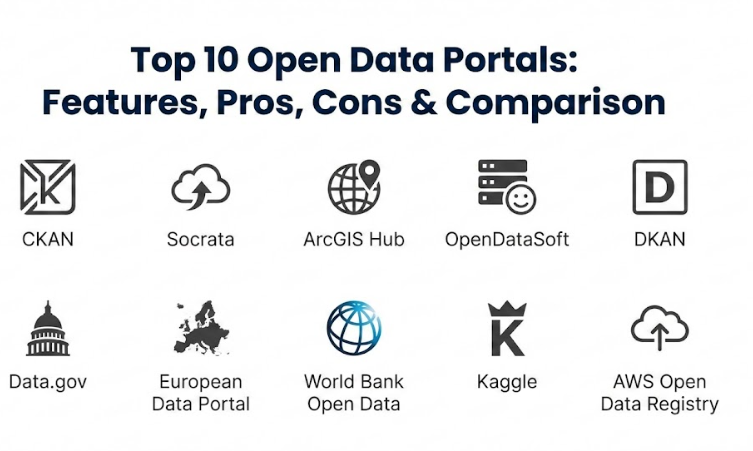
Top 10 Open Data Portals Tools
1 — CKAN
CKAN is a powerful, open-source platform that helps organizations manage and publish their data. It is widely considered the standard for government data portals because it is flexible and can be customized to fit many different needs.
- Easy search and filtering to find specific datasets quickly.
- The ability to preview data directly in the browser without downloading it.
- Tools for developers to access data automatically through a specialized interface.
- A robust system for organizing information into different groups and themes.
- A modular design that allows users to add new features through plugins.
- Strong support for many different file types, from simple tables to complex maps.
- Automatic metadata collection to help keep information organized.
Pros
- It is completely free to use the software code, which saves on licensing costs.
- A massive global community of developers constantly works to improve it and fix bugs.
Cons
- Setting it up and keeping it running requires a good amount of technical knowledge.
- The default look of the website can feel a bit basic unless you spend time customizing it.
Security & compliance: This platform offers role-based access control and can be integrated with external login systems. Compliance levels like GDPR or SOC 2 usually depend on the specific server where the software is hosted.
Support & community: It has one of the largest and most active communities in the world. There is extensive documentation available, and many third-party companies offer professional support for a fee.
2 — Socrata
Socrata is a popular cloud-based platform that focuses on making government data easy to read and understand. It is designed for organizations that want a polished, professional-looking portal without having to write their own code or manage their own servers.
- An easy-to-use interface for uploading data without technical skills.
- Built-in tools for creating charts, maps, and dashboards instantly.
- Advanced search capabilities that understand human language and context.
- Automatic updates that keep datasets fresh without manual work.
- Strong focus on “citizen-friendly” views that explain what the numbers mean.
- Integrated tools for tracking how many people are using the data.
- Mobile-friendly designs that work well on phones and tablets.
Pros
- Very quick to set up because it is a hosted service in the cloud.
- Excellent customer service and training resources for new users.
Cons
- It can be quite expensive, especially for smaller organizations with limited budgets.
- Users are locked into the vendor’s system, making it harder to switch to a different tool later.
Security & compliance: Highly secure with built-in encryption and audit logs. It often meets strict government standards like FedRAMP and is compliant with major data privacy laws.
Support & community: Provides professional 24/7 support and a dedicated success manager for enterprise clients. There is also a helpful user community and regular webinars.
3 — ArcGIS Hub
ArcGIS Hub is a specialized tool for organizations that work heavily with maps and geographic information. It turns traditional maps into interactive community hubs where people can explore data based on their physical location.
- Deep integration with mapping software for advanced geographic analysis.
- The ability to create “initiatives” that focus on specific community goals.
- Interactive maps that allow users to zoom in and click on specific areas.
- Tools for gathering feedback and data directly from the community.
- Easy sharing of spatial data in formats that other mapping tools can use.
- A clean, modern design that feels like a professional community website.
- Support for real-time data feeds, like live traffic or weather updates.
Pros
- The best choice for any project that relies on location and spatial information.
- Makes it easy for citizens to get involved in local projects through interactive tools.
Cons
- Can be complicated to use if you are not already familiar with mapping software.
- Requires an existing subscription to specific mapping tools to get the full benefit.
Security & compliance: Offers robust security features including single sign-on and detailed permissions. It follows international standards for data security and geographic information.
Support & community: Backed by a major technology company with extensive training, documentation, and a global network of experts.
4 — OpenDataSoft
OpenDataSoft is a modern platform that helps organizations transform their raw data into engaging stories. It is built to be fast and user-friendly, allowing users to build entire data-driven websites without needing a team of programmers.
- Fast data processing that can handle very large files with ease.
- A “no-code” editor for building beautiful dashboards and visualizations.
- The ability to combine data from many different sources into one view.
- Automatic creation of interfaces that help developers use the data in their apps.
- Strong tools for cleaning and fixing errors in data as it is uploaded.
- Support for multiple languages, making it great for international projects.
- Real-time monitoring to see how datasets are performing.
Pros
- Focuses heavily on the user experience, making data easy for everyone to enjoy.
- Very flexible and works well for both government and private business needs.
Cons
- The cost is based on how much data you use, which can become expensive as you grow.
- Some of the most advanced features require a higher-tier payment plan.
Security & compliance: Compliant with GDPR and offers high-level encryption for all stored data. It includes detailed audit logs to track who is accessing information.
Support & community: Known for having a very responsive support team. They offer a wealth of online tutorials and a growing community of users.
5 — DKAN
DKAN is an open-source tool built on top of a popular website management system. It is designed for people who want the power of a data portal but also want the flexibility of a traditional blog or content website.
- Full integration with a powerful content management system.
- A visual workflow for reviewing and approving data before it goes live.
- The ability to create rich pages that combine text, images, and data.
- Support for international data standards to ensure compatibility.
- Tools for managing different versions of a dataset over time.
- Extensive search features that look through both data and text content.
- A flexible theme system for changing the look and feel of the portal.
Pros
- Great for organizations that already use similar website tools and want a familiar feel.
- Strong focus on the “storytelling” aspect of data publishing.
Cons
- The system can be heavy and slow if it is not hosted on a powerful server.
- It has a smaller community compared to some of the other open-source options.
Security & compliance: Benefits from the security features of its underlying website platform. Security depends largely on how the user configures their own server.
Support & community: Community-driven support through forums and documentation. Several specialist agencies provide professional help for setup.
6 — Data.gov
Data.gov is the official home of the United States government’s open data. While it is a specific website, it serves as a template and a tool for how large-scale national portals should be structured and managed.
- Access to hundreds of thousands of datasets from hundreds of different agencies.
- A centralized catalog that makes it easy to search the entire federal government.
- Clear descriptions of where the data came from and who is responsible for it.
- Tools for developers to build apps that use national-level information.
- Educational resources that teach people how to use and interpret open data.
- A strong focus on data quality and standardized formats.
- Links to local and state data portals to provide a complete picture.
Pros
- Provides access to a massive amount of high-quality, official information.
- It is a completely free resource for anyone in the world to use.
Cons
- Because it is so large, it can sometimes be overwhelming to find exactly what you need.
- Different agencies might have different levels of detail in their data descriptions.
Security & compliance: Follows the highest federal security standards. It is designed to be a safe and reliable source of official information.
Support & community: Offers extensive guides and a help desk for users. It is supported by a large team of government experts and data scientists.
7 — European Data Portal
The European Data Portal is a massive project that collects data from countries across Europe. It is designed to break down language barriers and make it easy for people to compare information between different nations.
- Support for over 20 different languages, with automatic translations of data titles.
- Advanced tools for comparing statistics between different European countries.
- A training academy with free courses on how to work with data.
- A “quality dashboard” that shows which datasets are the most reliable.
- The ability to search across thousands of different local and national catalogs.
- Regularly updated “data stories” that highlight interesting trends in Europe.
- Developer tools that allow for complex searches across the whole continent.
Pros
- Unrivaled for finding and comparing international data in a single place.
- Provides excellent educational materials for beginners and experts alike.
Cons
- Navigating such a huge amount of information across many languages can be tricky.
- The speed of the site can sometimes be slow due to the massive number of sources.
Security & compliance: Strictly follows European privacy and security laws. It is a highly trusted source of official information.
Support & community: Provides a dedicated support team and a wealth of online resources. There is a strong community of data experts across Europe.
8 — World Bank Open Data
The World Bank Open Data portal is a specialized resource for global economic and development information. It is used by people all over the world to track progress on things like poverty, education, and the environment.
- High-quality datasets covering almost every country in the world.
- Easy-to-use tools for creating line charts and bar graphs.
- Pre-made “country profiles” that give a quick overview of a nation’s health.
- The ability to download data in many different formats for offline analysis.
- Specialized tools for tracking long-term trends over many decades.
- A robust API that lets researchers pull data directly into their own software.
- Detailed documentation explaining how the data was collected and calculated.
Pros
- The gold standard for reliable global economic and social information.
- Very simple to use, even for people who are not data experts.
Cons
- It only covers specific topics related to global development and economy.
- Information for some developing countries may not be as detailed as others.
Security & compliance: Maintains high standards for data integrity and reliability. It is a globally recognized and trusted institution.
Support & community: Offers a dedicated help desk and very clear documentation. It is used by millions of researchers and students globally.
9 — Kaggle
Kaggle is a bit different from a traditional government portal. It is a community-driven site where data scientists share datasets and compete to build the best machine learning models.
- A huge collection of datasets uploaded by people from all over the world.
- Built-in tools for writing and running code directly in the browser.
- Discussion forums for every dataset where people ask questions and share tips.
- “Competitions” where organizations offer prizes for solving specific data problems.
- A ranking system that highlights the most helpful and talented contributors.
- Tutorials and courses on how to use data for machine learning and AI.
- The ability to “fork” or copy someone else’s work to build upon it.
Pros
- The best place to learn practical skills by working with real-world information.
- A very friendly and helpful community that is great for beginners.
Cons
- Because the data is uploaded by users, the quality can vary quite a bit.
- It is more focused on data science and AI than on general public transparency.
Security & compliance: Platform-level security controls protect user accounts. Privacy depends on the license of the individual dataset.
Support & community: A world-class community of millions of data enthusiasts. There is a huge amount of peer-to-peer support available.
10 — AWS Open Data Registry
The AWS Open Data Registry is designed for people who need to work with truly massive amounts of information. It hosts datasets like satellite imagery and genetic data that are too big for a normal computer to download.
- Hosts petabytes of data that can be accessed instantly in the cloud.
- Deep integration with cloud computing tools for fast analysis.
- No cost for the actual data storage, making it very affordable for researchers.
- Search tools that help you find specific types of big data quickly.
- Support for specialized file formats used in science and engineering.
- Regularly updated datasets from major organizations like NASA and NOAA.
- Step-by-step guides on how to analyze big data using cloud tools.
Pros
- The best choice for “Big Data” projects that require massive computing power.
- Saves researchers a huge amount of time and money on data storage.
Cons
- You need to have some knowledge of cloud computing to use it effectively.
- While the data storage is free, you might have to pay for the computing power to analyze it.
Security & compliance: Inherits the world-class security of the AWS platform. Highly compliant with almost every international standard.
Support & community: Backed by one of the largest tech companies in the world. Extensive technical documentation and support forums are available.
Comparison Table
| Tool Name | Best For | Platform Supported | Standout Feature | Rating |
| CKAN | Large Governments | Self-hosted / Cloud | Open-source flexibility | N/A |
| Socrata | Easy Transparency | Cloud (SaaS) | Built-in visualization | 4.5/5 |
| ArcGIS Hub | Mapping Projects | Cloud (SaaS) | Geographic focus | 4.4/5 |
| OpenDataSoft | User Engagement | Cloud (SaaS) | No-code dashboards | 4.6/5 |
| DKAN | Content Portals | Self-hosted | CMS integration | N/A |
| Data.gov | Official US Data | Web Portal | Massive federal catalog | N/A |
| European Data Portal | Cross-border Data | Web Portal | Multi-language support | N/A |
| World Bank | Economic Research | Web Portal | Global indicators | N/A |
| Kaggle | Learning & AI | Cloud | Social community | 4.8/5 |
| AWS Registry | Big Data Science | Cloud | Petabyte scalability | N/A |
Evaluation & Scoring of Open Data Portals
| Metric | CKAN | Socrata | OpenDataSoft | ArcGIS Hub | Kaggle |
| Core Features (25%) | 24 | 22 | 23 | 21 | 20 |
| Ease of Use (15%) | 10 | 14 | 14 | 12 | 13 |
| Integrations (15%) | 13 | 12 | 13 | 14 | 11 |
| Security (10%) | 8 | 10 | 9 | 10 | 8 |
| Performance (10%) | 9 | 9 | 10 | 9 | 9 |
| Support (10%) | 7 | 10 | 10 | 10 | 9 |
| Value (15%) | 14 | 9 | 10 | 10 | 15 |
| Total Score | 85 | 86 | 89 | 86 | 85 |
Which Open Data Portal Tool Is Right for You?
Choosing the right tool depends mostly on who you are and what you want to achieve. If you are a solo user or a student, you should start with Kaggle or the World Bank portal. These are free, easy to use, and have a lot of community support to help you learn the basics. You won’t need to worry about setting up servers or writing complex code just to see some interesting numbers.
For small to medium organizations (SMBs) that want to share their own data, OpenDataSoft or Socrata are excellent choices. These platforms do the heavy lifting for you, meaning you don’t need a dedicated technical team to keep the site running. They offer a “what you see is what you get” experience that allows you to create professional dashboards in a few hours.
If you are a large enterprise or a major government agency, the choice usually comes down to CKAN versus a high-end cloud solution like ArcGIS Hub. CKAN is perfect if you want total control over every single part of the system and have the staff to manage it. If your data is mostly based on locations—like bus routes or park maps—then ArcGIS Hub is almost certainly the best fit because of its specialized mapping tools.
Finally, you must consider budget and security. Open-source tools like CKAN are free to download but cost money in terms of staff time and server fees. Cloud solutions have a clear monthly cost but save you time and provide expert security out of the box. Always think about how much data you have today and how much you think you will have in a few years to make sure the tool you pick can grow with you.
Frequently Asked Questions (FAQs)
What exactly is an open data portal?
It is a special website that acts as a digital library for data. It collects information from different sources and puts it in one place so that anyone can search, view, and download it for free.
Is open data always free to use?
Yes, the whole point of “open” data is that it should be free for anyone to access. However, while the data itself is free, the software used to host the portal might cost money to buy or maintain.
Do I need to be a programmer to use these portals?
No, most modern portals are designed for everyone. You can usually search for data, look at charts, and download files just like you would use a regular website or an online store.
Can I trust the data I find on these websites?
Generally, yes, especially if the portal is run by a known organization like a government or a large university. Many portals also show a “quality score” to help you see how reliable the data is.
What kind of files can I download from a portal?
You will usually find simple table files like CSV or Excel. Some portals also offer JSON for developers or special spatial files for people who work with maps.
Can businesses use open data to make money?
Yes, many startups use open data to build new apps and services. For example, weather apps and navigation tools often rely on free data provided by government agencies.
Is my personal information safe on these portals?
Open data portals are not meant for personal information. They only share “public” data, such as city spending or weather patterns, which does not include private details about individuals.
How often is the information on these portals updated?
It varies. Some data, like weather or traffic, might be updated every few minutes. Other data, like census results, might only be updated once every few years.
What is an API and why do portals have them?
An API is a tool that lets two computers talk to each other. It allows developers to pull data directly from the portal into their own apps without having to download a file manually.
What is the biggest mistake people make when starting a portal?
The biggest mistake is uploading data without clear descriptions. If people don’t understand what the numbers mean or where they came from, they won’t be able to use the data effectively.
Conclusion
Finding the right open data portal is a journey that starts with understanding your own specific needs. Whether you are a city leader wanting to show citizens how taxes are spent or a researcher looking for global climate trends, there is a tool designed just for you. The most important thing is to choose a platform that makes the data easy to find, simple to understand, and reliable to use.
When you are looking at different options, remember that the “best” tool is the one that fits your budget and your technical skills. Some tools are great because they are free and flexible, while others are better because they are polished and easy to manage. No matter which one you choose, the goal is always the same: to take information out of dark corners and put it into the hands of the people who can use it to build a better future.
Take your time to explore a few of these portals and see which one feels the most natural to you. Every organization is different, so what works for a large national government might be too much for a small local charity. By focusing on simple language, clear organization, and helpful features, you can turn a pile of numbers into a powerful resource that truly serves the community.