Introduction
Civic engagement platforms are digital spaces where local governments, community groups, and people come together to share ideas and solve problems. These tools act like a bridge. Instead of just hanging a notice at city hall, leaders use these platforms to ask for opinions, run surveys, and host virtual meetings. This helps everyone feel heard and ensures that public projects actually reflect what the community wants. Whether it is deciding how to spend a city budget or planning a new park, these platforms make the process open and easy for everyone to join.
Using these tools is important because it builds trust. When people can see their feedback being used to make decisions, they feel more connected to their neighborhood. It also saves time for officials because they can collect information in one place rather than digging through emails or paper forms. When looking for a platform, it is best to check if it is easy for regular people to use, if it keeps data safe, and if it can handle different languages so no one is left out.
Best for: These tools are a great fit for city councils, local government departments, and non-profit organizations that need to reach a large group of people. They work well for urban planners, community organizers, and public relations teams who want to move beyond basic social media posts to gather real, organized data.
Not ideal for: They might not be necessary for very small clubs or private businesses that only need to talk to a few dozen members. In those cases, a simple email list or a basic chat app might be enough. These platforms are also not a replacement for in-person meetings; they are meant to work alongside them.
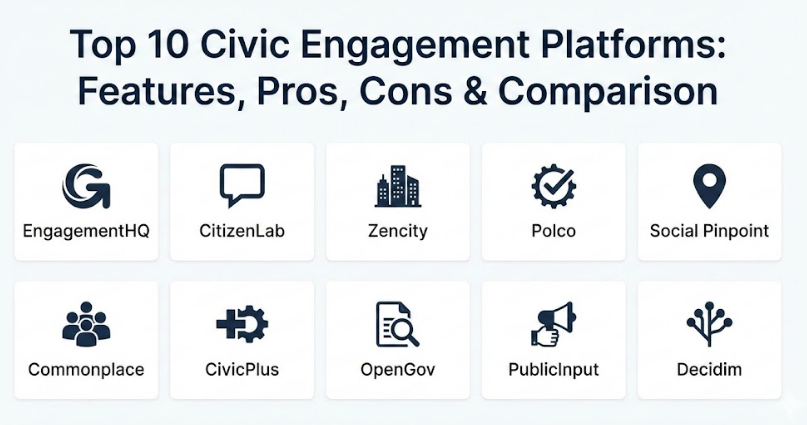
Top 10 Civic Engagement Platforms Tools
1 — EngagementHQ (by Granicus)
This is a very powerful tool used by many large cities to manage public consultations. It gives leaders a central hub where they can run multiple projects at once and track how people are feeling about each one.
- Includes many different ways to participate, like forums, polls, and maps.
- Has a built-in “Brainstormer” tool for collecting new ideas from the public.
- Allows for detailed surveys that go beyond simple yes or no questions.
- Provides automated reports that summarize community feedback clearly.
- Includes a “Places” feature where people can drop pins on a map to show specific issues.
- Offers moderated discussion boards to keep conversations polite and on-topic.
- Integrates with social media to help spread the word about new projects.
Pros
- It is very flexible and can handle everything from small polls to massive city-wide plans.
- The data analysis tools save staff hours of work by grouping similar comments together.
Cons
- Because it has so many features, it can take some time for staff to learn how to use everything.
- It is a premium solution, so it might be too expensive for very small towns.
Security & compliance: This platform follows high safety standards like SOC 2 and GDPR. It uses strong encryption to keep personal information private and offers secure login options for staff.
Support & community: Users get access to a large help center and a community of other government professionals. They also provide dedicated account managers for larger organizations.
2 — CitizenLab
CitizenLab is designed to make democracy feel more modern and digital. It focuses on “co-creation,” meaning it helps residents and leaders work together on projects rather than just asking for a vote at the end.
- Features a very clean and simple design that looks great on mobile phones.
- Uses smart technology to group similar ideas together automatically.
- Allows for “participatory budgeting” where residents help decide where tax money goes.
- Includes a map-based tool for reporting issues in specific neighborhoods.
- Supports multiple languages so every community member can participate.
- Offers a “Proposal” section where citizens can start their own initiatives.
- Provides a dashboard that shows the impact of community feedback in real-time.
Pros
- The interface is so simple that most people can start using it without any instructions.
- It does a great job of showing people that their feedback actually led to a real change.
Cons
- It is focused more on engagement than on deep data management for internal city records.
- Some of the advanced automated features are only available on higher-priced plans.
Security & compliance: It is fully GDPR compliant and focuses heavily on user privacy. Data is stored securely, and the platform undergoes regular safety checks.
Support & community: They offer excellent onboarding and have a library of “case studies” to show how other cities have successfully used the tool.
3 — Zencity
Zencity takes a different approach by looking at what people are already saying online. It gathers feedback from social media, local news, and official surveys to give leaders a big-picture view of public opinion.
- Gathers data from publicly available social media conversations.
- Provides “Sentiment Analysis” to show if the community is happy or upset about a topic.
- Includes a survey tool that targets specific groups of people to ensure a fair sample.
- Organizes feedback into easy-to-read dashboards for different city departments.
- Alerts leaders to “hot topics” before they become major public issues.
- Compares your city’s data with other similar towns to see how you are doing.
- Allows for custom reports that can be shared with the public or city council.
Pros
- It catches the opinions of people who might never show up to a town hall meeting.
- It provides a constant stream of information rather than just a one-time snapshot.
Cons
- Because it uses social media data, it might miss older residents who are not online.
- It is more of a listening tool than a place for two-way conversations.
Security & compliance: Zencity is very careful with data and ensures that all information collected follows privacy laws. They do not track individual people, only general trends.
Support & community: They provide a lot of help with data interpretation and have a dedicated team to help you set up your first dashboards.
4 — Polco
Polco is well-known for its scientific approach to surveys. They help cities get reliable data that truly represents everyone in the community, not just the loudest voices.
- Access to the National Community Survey, which is a gold standard for city data.
- Tools that verify if a participant actually lives in the city they are voting in.
- Uses a “Balanced Sample” method to make sure all age and ethnic groups are heard.
- Allows for quick polls that can be shared via email or text message.
- Provides benchmarks so you can compare your city’s performance over several years.
- Includes a library of pre-written questions that have been tested for fairness.
- Generates professional reports that are ready to be presented to a board or council.
Pros
- The data is very high quality and can be used to make serious policy decisions.
- It helps eliminate “trolls” or people from outside the city from influencing local votes.
Cons
- The platform feels a bit more formal and “academic” compared to some modern apps.
- It focuses more on surveys than on open discussion forums or idea boards.
Security & compliance: They take identity verification seriously and follow strict rules to protect voter privacy. Security audits are conducted regularly.
Support & community: Polco offers a wealth of research and expertise. They host webinars and have a strong network of public sector researchers.
5 — Social Pinpoint
Social Pinpoint is all about being visual and interactive. It is famous for its “social maps” where people can leave comments on a digital map of their neighborhood.
- Interactive maps that allow people to drop pins, photos, and comments.
- A “Drag and Drop” project builder that makes it easy for staff to create new pages.
- Visual “Idea Walls” where people can post and “like” each other’s suggestions.
- Real-time moderation to filter out bad language or spam.
- Mobile-friendly designs so people can comment while they are out for a walk.
- Simple surveys and polls that can be embedded into any project page.
- Detailed analytics that show exactly where people are clicking and what they care about.
Pros
- It is very engaging and fun for the public to use, which leads to more comments.
- The map feature is one of the best in the industry for planning and construction projects.
Cons
- It can sometimes be difficult to export and organize thousands of individual map pins.
- If not managed well, the maps can become cluttered with too many icons.
Security & compliance: It is ISO certified and follows GDPR and local privacy standards. They offer clear audit logs to see who changed what on the platform.
Support & community: They have a very responsive support team and provide a great knowledge base with video tutorials.
6 — Commonplace
Commonplace is widely used in Europe and is gaining popularity elsewhere. It is designed to be a “social media for the neighborhood,” making it feel familiar to regular users.
- Customizable “heatmaps” that show where the most community activity is happening.
- A newsfeed-style layout that keeps people updated on project progress.
- Simple “emojis” and reactions to make giving feedback fast and easy.
- Automated email updates to keep participants involved over the long term.
- Tools specifically designed for urban planning and neighborhood redevelopment.
- Dashboards that show demographic data to ensure a diverse range of responses.
- Easy social media sharing buttons to help projects go viral locally.
Pros
- It feels very friendly and less like “government software.”
- Excellent at building long-term relationships with residents rather than just one-off surveys.
Cons
- The design options can be a bit limited if you want a very specific “corporate” look.
- It might not have enough deep “data crunching” power for massive government agencies.
Security & compliance: They are fully compliant with UK and EU data protection laws (GDPR) and prioritize user anonymity where requested.
Support & community: Commonplace provides excellent strategy advice on how to get more people to join the platform.
7 — CivicPlus (CivicEngage)
CivicPlus is a huge name in local government software. Their engagement tool is part of a larger system that can also handle city websites, agendas, and mass notifications.
- Integrates directly with your main city website for a seamless experience.
- Includes “CivicOptimize” for creating digital forms and workflows.
- Allows for easy management of public meetings and agendas.
- Provides a central “Identity” for citizens so they only need one login for all city services.
- Includes tools for sending out emergency alerts and general newsletters.
- Allows residents to report issues like potholes or broken streetlights.
- Offers a modular design so you can add new features as your budget grows.
Pros
- If you already use CivicPlus for your website, adding the engagement tool is very easy.
- It is a “one-stop shop” for almost every digital need a local government has.
Cons
- Because it is so large, the engagement specific features may not be as “cutting edge” as smaller startups.
- The system can feel a bit complex because it does so many different things.
Security & compliance: They offer world-class security including SOC 2 compliance and 24/7 monitoring. They are a leader in government data safety.
Support & community: They offer 24/7 emergency support and have a huge library of training materials for government employees.
8 — OpenGov
OpenGov is focused on transparency. It helps governments show their data (like budgets and spending) in a way that the average person can actually understand.
- Interactive budget builders that let the public see where money is going.
- Dashboards that turn complex spreadsheets into easy-to-read charts.
- Tools for “Performance Tracking” to show if the city is meeting its goals.
- Allows for “Virtual Town Halls” and online feedback sessions.
- Includes a “Procurement” module to make government buying more open.
- Highly searchable database for all public documents and records.
- Integrates with existing financial systems to keep data accurate and up-to-date.
Pros
- It is the best tool for showing “the why” behind government decisions.
- Excellent for building trust through total financial transparency.
Cons
- It is a major system that requires a lot of setup and integration with city finances.
- It is less about “brainstorming ideas” and more about “sharing data.”
Security & compliance: OpenGov uses advanced cloud security and follows all major government data standards. They are very focused on audit trails and accountability.
Support & community: They provide professional services to help with the initial setup and have a dedicated “customer success” team.
9 — PublicInput
PublicInput is built for teams that need to manage a lot of public outreach across many different channels like email, social media, and physical meetings.
- A central “CRM” (Customer Relationship Management) just for residents.
- Allows you to send targeted emails to specific neighborhoods.
- Includes a tool for managing “In-Person” meeting check-ins and notes.
- Offers a phone-in option for people who do not have internet access.
- Automatically tracks every interaction a person has with the city.
- Provides a “Project Hub” where all related documents and maps are kept.
- Includes simple drag-and-drop survey builders.
Pros
- It is excellent at organizing data from “everywhere” into one single file for each resident.
- The phone-in and text-message features make it very inclusive.
Cons
- The interface can look a bit cluttered because it shows so much information at once.
- It might be “overkill” for a group that only wants to run a single survey.
Security & compliance: They follow standard security protocols and offer options for secure data hosting. Varies by plan.
Support & community: They offer great training on how to move from “paper-based” outreach to a digital system.
10 — Decidim
Decidim is unique because it is “Open Source.” This means it was built by a community of developers and is free to download, though you will need a technical team to set it up.
- Supports very complex “Participatory Democracy” processes.
- Allows for citizen proposals, debates, and actual voting on laws.
- Highly customizable because the code is open for anyone to change.
- Includes modules for “Conferences” and large-scale assemblies.
- Allows for “Face-to-Face” meeting integration with digital notes.
- No “Per-User” fees, making it very cost-effective for large populations.
- Transparent by nature—anyone can see how the software works.
Pros
- There are no expensive monthly subscription fees to a big company.
- It is one of the most “democratic” tools available, used by cities like Barcelona.
Cons
- You need your own IT team or a specialized consultant to install and maintain it.
- It does not come with a “Customer Support” phone number like a paid product.
Security & compliance: Security depends on how you host it, but the open-source community is very active in finding and fixing bugs.
Support & community: There is a large global community of users and developers who help each other on forums and at events.
Comparison Table
| Tool Name | Best For | Platform(s) Supported | Standout Feature | Rating |
| EngagementHQ | Large-scale city projects | Web, Mobile | Brainstorming & forums | 4.8 / 5 |
| CitizenLab | Community co-creation | Web, Mobile | Participatory budgeting | 4.7 / 5 |
| Zencity | Big-picture public opinion | Web, Dashboards | Social media listening | 4.6 / 5 |
| Polco | Scientific city research | Web, Email | Benchmarking surveys | 4.5 / 5 |
| Social Pinpoint | Interactive mapping | Web, Mobile | Visual social maps | 4.7 / 5 |
| Commonplace | Neighborhood vibes | Web, Mobile | Project newsfeeds | 4.4 / 5 |
| CivicPlus | All-in-one city management | Web, Mobile App | Full website integration | 4.3 / 5 |
| OpenGov | Budget transparency | Web, Dashboards | Financial visualizations | 4.6 / 5 |
| PublicInput | Multi-channel outreach | Web, SMS, Phone | Resident CRM database | 4.5 / 5 |
| Decidim | Democratic innovators | Web (Self-hosted) | Open-source flexibility | N/A |
Evaluation & Scoring of Civic Engagement Platforms
The following table shows how we evaluate these tools. We look at seven key areas to see which ones offer the most value to a community.
| Category | Weight | What We Look For |
| Core features | 25% | Variety of tools like maps, polls, and forums. |
| Ease of use | 15% | Is it simple for residents and city staff? |
| Integrations | 15% | Does it work with other city software? |
| Security | 10% | Is personal data kept safe and private? |
| Reliability | 10% | Does the site stay up during busy times? |
| Support | 10% | Is help available when something goes wrong? |
| Price / value | 15% | Does the cost match the benefits provided? |
Which Civic Engagement Platforms Tool Is Right for You?
Choosing the right tool depends on your goals and the size of your community.
Based on Organization Size
- Solo Organizers & Small Groups: If you are a small neighborhood group, look at Decidim (if you have a tech friend) or a basic plan from Commonplace. These are often more affordable and easier to manage with a tiny team.
- SMB & Mid-Market Cities: For towns with 20,000 to 100,000 people, CitizenLab or Social Pinpoint are excellent choices. They offer a great balance of modern features without being too complex for a small city staff to handle.
- Large Enterprises & Major Cities: Big cities with hundreds of thousands of residents should look at EngagementHQ or CivicPlus. These platforms are built to handle massive amounts of traffic and have the advanced security features large governments require.
Budget vs. Features
If your budget is tight, OpenGov can actually save you money by making your financial reporting more efficient. On the other hand, if your goal is purely to get people excited and talking, paying a bit more for the visual tools in Social Pinpoint is usually worth it.
Ease of Use vs. Deep Data
If you want something that anyone can use in 30 seconds, choose CitizenLab. If you need “scientific” data that you can use in a court case or for federal grants, Polco is the better way to go.
Integrations and Security
If you already use a specific set of tools for your city website or accounting, check which platform “talks” to them already. CivicPlus and OpenGov are the leaders here. For security, almost all paid platforms offer high-level encryption, but always double-check if they host data in your specific country.
Frequently Asked Questions (FAQs)
1. What exactly is a civic engagement platform?
It is a website or app where governments can talk to citizens. Instead of just pushing information out, these tools allow people to send feedback back through surveys, maps, and forums.
2. Are these platforms hard for the public to use?
No, most are designed to be as simple as social media. The goal is to make sure anyone, regardless of their tech skills, can share their opinion easily on their phone or computer.
3. Do people need to create an account to participate?
It depends on the platform. Some allow “guest” comments for quick polls, but most require an email to ensure that one person is not voting a hundred times.
4. Can these tools help with city budgeting?
Yes! Tools like CitizenLab and OpenGov have special features that let residents see how much projects cost and “vote” on which ones should be funded first.
5. How much do these platforms cost?
Pricing varies widely. Smaller towns might pay a few thousand dollars a year, while big cities might spend much more for a full suite of tools and 24/7 support.
6. Is the data collected on these sites private?
Yes. Reputable platforms use strong security to protect your email and personal details. They usually only share “anonymous” data (like “70% of people want a new park”) with the public.
7. Can I use these for a private community or club?
You can, but they might be too powerful for a small group. For a private club, a simple member portal or even a private social media group might be a cheaper alternative.
8. Do these platforms replace town hall meetings?
Not at all. They are meant to help the people who cannot make it to a meeting at 6:00 PM on a Tuesday. They help you reach a much larger and more diverse group of people.
9. Can these tools handle multiple languages?
Yes, the best tools have “Auto-Translate” or allow staff to upload translations. This is very important for making sure every neighborhood can participate.
10. What is the biggest mistake cities make when choosing a tool?
The biggest mistake is buying a tool but not having a plan to tell people about it. A platform only works if people know it exists and feel that their feedback is actually being listened to.
Conclusion
Finding the right civic engagement platform is a big step toward building a better, more connected community. These tools move beyond old-fashioned paperwork and bring the conversation into the modern world. By using them, leaders can make decisions based on real data, and residents can feel proud that they had a hand in shaping their neighborhood.
When you are ready to choose, remember that the most important thing is not just the list of features. What matters most is finding a tool that your residents will actually enjoy using. Whether you need a simple survey app or a deep financial dashboard, the goal remains the same: listening to the people you serve. There is no single “winner” that works for everyone, so take the time to think about what your specific city or group needs most before diving in.