Introduction
Land records and GIS cadastral systems are digital tools that help people keep track of who owns what piece of land. Think of it like a giant, very detailed digital map that is connected to legal papers, tax information, and property history. These systems make it easy for governments and private companies to see exactly where property lines are and who is responsible for that land. By using these tools, everyone can be on the same page about land ownership, which helps prevent arguments and makes it simpler to buy or sell property. It is essentially a digital filing cabinet for every square inch of land in a specific area, ensuring that records are safe, accurate, and easy to find whenever someone needs them.
Land Records and GIS Cadastral Systems are specialized platforms designed to manage the “where” and “who” of property ownership. In simple terms, they combine a map (the GIS part) with a legal register (the cadastral part). This combination is incredibly important because it provides a clear and official record of land boundaries and titles. Without these systems, it would be very difficult to manage cities, build new roads, or even prove that you own your own home. They serve as the foundation for modern society by allowing for fair land taxes, organized urban planning, and the protection of property rights for every citizen.
In the real world, these systems are used by city planners to decide where to build schools or parks, by utility companies to know where they can dig for pipes, and by banks to verify property value before giving a loan. When you are looking for a tool like this, you should focus on how accurate the maps are and how easy it is to link them to legal documents. It is also important to look for tools that can grow with your needs and that keep your sensitive data very safe from hackers. You want a system that is easy for your team to learn and that can talk to other software you already use, such as tax or building permit systems.
Best for: These tools are a perfect fit for government land offices, large city planning departments, and real estate developers who manage many properties at once. They are also very helpful for land surveyors and civil engineers who need to be extremely precise about where a building starts and ends. Large organizations that manage natural resources or big infrastructure projects will also find these systems necessary for their daily work.
Not ideal for: If you are just a regular homeowner who wants to see where your fence should go, these professional systems might be too complicated and expensive for you. Small businesses that only own one or two buildings probably do not need the deep features of a full cadastral system. In those cases, a simple map or a standard legal consultation is often a better and cheaper choice than investing in high-end land management software.
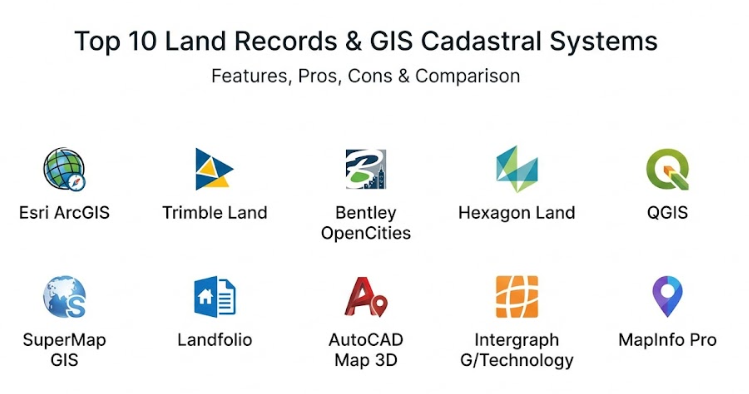
Top 10 Land Records & GIS Cadastral Systems Tools
1 — Esri ArcGIS Parcel Fabric
This is a very powerful tool used by many governments to manage property lines and land records in a single system. It is designed for experts who need to maintain a very accurate and historical record of how land is divided over time. This tool is great for big teams that need to work on the same map at once without making mistakes.
- Advanced tools for creating and fixing property boundary lines.
- A special system that tracks every change made to a piece of land over many decades.
- The ability to create high-quality maps that meet strict legal standards.
- Tools that automatically check for errors like overlapping property lines.
- Works well on desktop computers, web browsers, and mobile devices for field workers.
- Strong analysis features to help understand land value and usage trends.
- Connects easily to large databases that hold millions of land records.
Pros:
- It is considered the most trusted tool in the world for managing professional land data.
- The system is very good at keeping track of old records so you never lose property history.
Cons:
- It can be very hard to learn for people who are not trained in map software.
- The cost can be quite high for small towns or small private companies.
Security & compliance: This tool offers very high security, including SSO, deep encryption, and role-based access to keep land data private.
Support & community: There is a huge community of users who share tips, and the company offers very detailed training and professional support.
2 — Trimble Land Administration
Trimble provides a system that focuses on the entire process of managing land, from measuring it in the field to recording it in an office. It is built to help governments make their land offices more efficient and transparent for the public. This tool is especially good at connecting the physical work of surveyors with the digital work of record keepers.
- A complete system for managing land titles, deeds, and maps in one place.
- Mobile tools that let workers update land records while they are standing on the property.
- Automated workflows that guide staff through the process of selling or dividing land.
- Support for 3D maps which is helpful for modern cities with tall buildings.
- Public portals that let citizens check their own property records online.
- Strong reporting tools to show how much land is being used or sold.
Pros:
- It makes the work move much faster by connecting field workers and office staff.
- It is very reliable for ensuring that land records follow local laws and regulations.
Cons:
- Setting up the system to fit your specific local rules can take a lot of time.
- It works best if you also use other Trimble hardware, which can be an extra cost.
Security & compliance: It uses strong audit logs to show exactly who changed a record and when, ensuring total accountability.
Support & community: The company provides direct onboarding help and has a professional support team for large government projects.
3 — Bentley OpenCities Map
Bentley focuses on the needs of large cities and infrastructure projects. This tool is excellent at handling very complex maps that include not just land, but also buildings, roads, and utilities. It is designed for engineers and planners who need to see how land records fit into the bigger picture of a growing city.
- High-speed mapping tools that can handle massive amounts of data without slowing down.
- Special features for managing “vertical” property, like apartments and condos.
- Excellent integration with engineering and construction software.
- Tools that help plan for the future of a city by modeling different land-use scenarios.
- Very precise drawing tools for creating perfect boundary lines.
- Supports many different types of map files and data sources.
Pros:
- It is incredibly fast when working with huge maps of entire cities or regions.
- The 3D features are some of the best in the industry for urban planning.
Cons:
- The interface is very technical and can be intimidating for office staff.
- It might be too much power for a simple office that only manages rural land.
Security & compliance: Includes secure multi-user editing and standard data protection to keep city records safe.
Support & community: Provides professional technical support and has many online forums for engineering experts.
4 — Hexagon Land Administration
This tool is built for national and regional governments that need a total solution for land management. It handles everything from the first survey to the final tax bill. It is meant to be the main brain of a government land office, making sure that all information is accurate and up to date.
- A full suite of tools for land registry, mapping, and property valuation.
- Highly customizable to follow the specific land laws of any country.
- Strong tools for managing taxes and fees related to land ownership.
- A “single source of truth” so that all departments are looking at the same map.
- Advanced security to prevent any unauthorized changes to land titles.
Pros:
- It covers every single step of land management in one single software package.
- It is very good at handling the legal and financial side of land records.
Cons:
- It is a very big system that requires a lot of computer power and professional setup.
- Because it does so much, it can take a long time for a team to become experts.
Security & compliance: Complies with international standards for data security and land administration (ISO standards).
Support & community: Offers high-level professional services to help large governments set up and maintain the system.
5 — QGIS with Cadastral Plugins
QGIS is a free, open-source tool that anyone can download. By adding special “plugins” created by the community, it can be used to manage land records very effectively. This is a great choice for organizations that have skilled people but a very small budget.
- Totally free to download and use with no yearly fees.
- A huge library of community-made tools for land mapping and boundary management.
- Works on almost any computer, including Windows, Mac, and Linux.
- Can be changed and improved by your own team if they know how to code.
- Connects to many different types of databases and online map services.
Pros:
- The biggest benefit is the cost, as it allows even the smallest offices to have professional tools.
- It is very flexible and can be customized to do exactly what you need.
Cons:
- There is no official customer support phone number to call if you have a problem.
- You have to spend time finding and testing the right plugins for land records.
Security & compliance: Security is up to you and how you set up your own computers and servers.
Support & community: There is a massive global community of users who write guides and help each other online for free.
6 — SuperMap GIS
SuperMap is a tool that is very popular for large-scale projects because it is built to handle “big data.” It is excellent for managing millions of land parcels across very large areas. It is known for being very modern and working well with cloud technology and 3D visualization.
- Very fast performance even when looking at an entire country on one map.
- Excellent 3D mapping that makes land records look very realistic.
- Works well on many different types of operating systems.
- Includes tools that use artificial intelligence to help find errors in land maps.
- Good at managing land records alongside big infrastructure like power grids.
Pros:
- It can handle much more data at once than many other systems.
- The 3D and cloud features are very modern and easy to use for new projects.
Cons:
- Most of the detailed help guides are written for the Asian market and might be harder to find in other regions.
- It may not have as many specialized “land law” features as some other tools.
Security & compliance: Supports modern enterprise security and secure data storage on servers or in the cloud.
Support & community: Has a growing international support team and offers professional training for big clients.
7 — Landfolio
Landfolio is a system that focuses on the business and administrative side of land. It is great for managing land rights, leases, and natural resources. It is designed to be easy for people who are not map experts to use for their daily office tasks.
- A very clean and simple interface for managing land titles and contracts.
- Automated alerts that tell you when a land lease or permit is about to expire.
- A map that is directly connected to all your legal documents.
- Built-in tools for managing payments and taxes for land assets.
- Easy to access through a web browser from anywhere.
Pros:
- It is much easier to learn than the more technical mapping systems.
- It is excellent at keeping your paperwork organized and your deadlines on track.
Cons:
- It is not as powerful for drawing very detailed or complex new maps.
- Large organizations might need to use it alongside another mapping tool for deep analysis.
Security & compliance: Focuses heavily on data governance and keeping a clear trail of all business transactions.
Support & community: Offers good onboarding programs and a helpful customer support team.
8 — AutoCAD Map 3D
This tool is the perfect bridge for people who already use AutoCAD for drawing buildings or roads. It adds geographic mapping features to the standard drawing tools. It is the best choice for engineering teams that need to keep their land records extremely precise for construction projects.
- Combines traditional drawing tools with powerful map data.
- High-precision tools for drafting property boundaries.
- Can connect directly to many different types of professional map databases.
- Includes tools that automatically clean up messy drawings and fix map errors.
- Works perfectly with other engineering software used for design and building.
Pros:
- If your team already knows AutoCAD, they will find this very easy to start using.
- It is the best tool for creating “survey-grade” drawings of property lines.
Cons:
- It requires a very powerful and expensive computer to run smoothly.
- It does not have as many features for managing the “legal” paperwork side of land records.
Security & compliance: Security depends on your own office network and how you save your files.
Support & community: There is a huge amount of help available, including books, videos, and professional training centers.
9 — Intergraph G/Technology
This system is specialized for organizations that manage land for utilities like water, gas, or electricity. it is designed to help these companies keep track of their “easements”—which are the rights they have to put pipes or wires on someone else’s land.
- Specialized tools for managing rights-of-way and utility land records.
- Rules-based editing that stops users from making common map mistakes.
- Can handle very complex networks of pipes and wires over large land areas.
- Integration with big company systems for finances and asset management.
- Supports work being done in the office or by crews out in the field.
Pros:
- It is the most specialized tool for utility companies and infrastructure owners.
- The system is very good at enforcing high standards for data quality.
Cons:
- It is a very expensive and complex tool that is only for large organizations.
- The software can feel a bit old-fashioned compared to newer web-based tools.
Security & compliance: Provides very detailed audit logs and enterprise security for sensitive utility data.
Support & community: Offers specialized professional support for large companies and utility providers.
10 — MapInfo Pro
MapInfo Pro is a well-known tool that balances power with being easy to use. It is often used for land valuation and for analyzing how land is used in different areas. It is a good “all-around” tool for people who need to do mapping and data analysis without being a computer scientist.
- A very user-friendly interface that looks a lot like modern office software.
- Extremely fast at searching through large amounts of land data.
- Easy tools for creating beautiful maps to show to managers or the public.
- Strong support for 3D visualization and modern cloud databases.
- Special tools for analyzing land patterns, such as where new homes are being built.
Pros:
- It is much quicker to learn than the high-end government systems.
- It is excellent at turning complex land data into simple, clear maps.
Cons:
- It is not as specialized for the “legal” registration of land as some other tools.
- Some advanced features might require buying extra add-on software.
Security & compliance: Includes modern security features and safe ways to connect to company databases.
Support & community: Has a helpful customer support team and a dedicated community of professional users.
Comparison Table
| Tool Name | Best For | Platform Supported | Standout Feature | Rating |
| Esri ArcGIS | Large Governments | Windows, Web, Cloud | Historical Records | 4.8 / 5 |
| Trimble Land | Field & Office Work | Windows, Mobile | Workflow Automation | 4.6 / 5 |
| Bentley OpenCities | Big City Planning | Windows, Server | 3D Urban Mapping | 4.5 / 5 |
| Hexagon Land | National Registry | Windows, Server | Total Land Lifecycle | 4.7 / 5 |
| QGIS (Plugins) | Budget Projects | Windows, Mac, Linux | Free Open-Source | N/A |
| SuperMap GIS | Massive Data Sets | Windows, Linux, Web | Big Data AI Tools | 4.4 / 5 |
| Landfolio | Land Asset Business | Web, Cloud | Simple Interface | 4.3 / 5 |
| AutoCAD Map 3D | Engineering Teams | Windows | High-Precision CAD | 4.5 / 5 |
| Intergraph G/Tech | Utility Companies | Windows, Server | Rights-of-Way Tools | 4.2 / 5 |
| MapInfo Pro | Land Analysis | Windows | Fast Spatial Search | 4.4 / 5 |
Evaluation & Scoring of Land Records & GIS Cadastral Systems
We have looked at these tools using a special scoring system to help you see which one might be best for your needs.
| Category | Weight | What We Look For |
| Core Features | 25% | How good are the maps and the legal record tools? |
| Ease of Use | 15% | Is the software easy for regular staff to learn? |
| Integrations | 15% | Does it talk to other tools and databases? |
| Security & Compliance | 10% | Is the sensitive land data kept safe? |
| Performance | 10% | Does the map move fast or get stuck? |
| Support & Community | 10% | Is there help available when you have a problem? |
| Price / Value | 15% | Is the tool worth the money you are paying? |
Which Land Records & GIS Cadastral Tool Is Right for You?
Choosing the right tool is all about finding a balance between what you need to do and what you can afford.
- Solo Users and Small Projects: If you are working alone or on a very small project, you should start with QGIS. It is free and will help you learn the basics without spending any money. If you already use drawing software for engineering, AutoCAD Map 3D is a great step up.
- Small and Medium Businesses (SMBs): For companies that manage property or analyze land for clients, MapInfo Pro or Landfolio are excellent. They are simple enough that you don’t need a huge IT team, but they are powerful enough to give you professional results every time.
- Mid-Market Organizations: If you are a mid-sized city or a utility company, you need something more robust. Trimble Land Administration or Intergraph G/Technology are designed specifically for your kind of work and will help you stay organized as you grow.
- Large Enterprises and Governments: For national land registries or the biggest cities, only the most powerful tools will do. Esri ArcGIS and Hexagon Land Administration are the top choices here. They can handle the most complex legal rules and the largest amounts of data while keeping everything very secure.
No matter which tool you choose, make sure it can grow with you. It is better to pick a system that is a little more powerful than you need today so that you don’t have to switch to a new one in a few years.
Frequently Asked Questions (FAQs)
What is a cadastral system?
It is a formal register of the land in a country or region. It includes a map showing where the land is and a record of who owns it and what it is worth.
Why is GIS important for land records?
GIS allows the legal records to be shown on a map. This makes it much easier to see property boundaries and understand how different pieces of land relate to each other.
Is cloud-based software safe for land records?
Yes, most professional cloud tools use very high-level security that is often better than what a small office can provide on its own. It also makes it easier to back up your data.
How much do these systems usually cost?
The price varies a lot. Some like QGIS are free, while professional systems for large governments can cost thousands or even millions of dollars depending on the size of the project.
Can these tools help with property taxes?
Yes, most cadastral systems are designed to link with tax offices so that property taxes can be calculated automatically based on the size and value of the land.
Do I need a special computer to run this software?
For the more powerful tools like AutoCAD or Esri, you will usually need a fast computer with a good graphics card. Web-based tools like Landfolio can run on a normal laptop.
How accurate are the maps in these systems?
The maps are as accurate as the data you put in. If you use professional survey data, these systems can be accurate down to a few millimeters.
Can I move my old paper records into these systems?
Yes, you can scan old maps and type in old deeds. This process is called “digitization” and it is a great way to protect your history from being lost or destroyed.
What is an easement?
An easement is a legal right for someone else to use a part of your land, like a utility company putting a power line across your backyard. These systems are great at tracking these rights.
What is the most common mistake when choosing a tool?
The biggest mistake is picking a tool that is too complex for your team to use. It is always better to have a simple tool that works than a fancy tool that no one understands.
Conclusion
Finding the right land records and GIS cadastral system is a big decision that will affect your work for many years. These tools are the key to keeping property ownership clear, fair, and organized for everyone. Whether you are a small office looking for a free tool or a large government building a national system, there is a perfect option out there for you. The most important thing is to choose a system that fits your specific needs and that your team feels comfortable using every day.
When you make your choice, focus on accuracy, ease of use, and how well the tool protects your data. A good system will help you avoid legal fights, save time on paperwork, and make better decisions about how to use your land. Remember that the “best” tool is not always the most expensive one; it is the one that solves your problems in the simplest way possible. Taking the time to research and test these tools today will pay off with a more efficient and reliable land office in the future. In the end, these systems are about more than just maps and papers; they are about providing a stable foundation for your community to grow and thrive.