Introduction
A Municipal Tax Collection System is a specialized type of software that helps local governments—like towns, cities, and counties—manage the entire process of billing and collecting money from residents and businesses. Think of it as a digital bridge between the government’s finance office and the community. These systems are used to track who owes property taxes, business fees, or utility payments, and they provide a secure way for people to pay those bills online. By moving away from old-fashioned paper ledgers and manual data entry, these tools allow government workers to be more accurate, save time, and ensure that public funds are handled safely.
This software is incredibly important because tax collection is the primary way local governments pay for essential services. Without an efficient system, it becomes very difficult to fund things like police and fire departments, road repairs, school programs, and public parks. When a city uses a modern collection tool, it reduces the chance of human error, ensures that bills are sent out on time, and makes it much easier for citizens to stay in compliance with local laws. A good system also provides transparency, allowing both the government and the public to see exactly how much revenue is being generated to support the community. This builds trust because people can see that their money is being handled professionally and used for the public good.
In the real world, these systems are used every day to handle a variety of tasks that used to take hours of manual labor. For example, a city might use the software to automatically calculate interest on late payments, or a county might use it to manage legal notices for properties that have not paid their dues in a long time. Another common use case is providing a self-service portal where a homeowner can log in at midnight, view their current tax balance, and pay using a credit card or bank transfer without ever having to visit city hall. This convenience is a win-win for everyone involved.
When a government is looking to choose a new tool, there are several key things they should consider before making a commitment. They need to evaluate how well the software integrates with their existing accounting records and mapping systems. It is also important to look for a user-friendly interface so that staff do not need months of training just to get the basics right. Security is a top priority, as the system will handle sensitive financial data and personal information. Finally, the software should be able to grow as the town’s population increases, ensuring it remains a helpful tool for a long time.
Best for: These tools are a perfect fit for city managers, finance directors, and tax collectors in local government offices. They work exceptionally well for mid-to-large cities that handle thousands of transactions, as well as small rural towns that want to modernize their billing process and offer online payment options to their residents. They are also ideal for county treasurers who need to coordinate tax data across multiple smaller jurisdictions within their borders.
Not ideal for: Private corporations or retail businesses would not find these tools useful, as they are specifically built for public sector tax laws and government fund accounting. Additionally, very tiny volunteer-led organizations might find these systems too complex and might be better served by a basic, general-purpose accounting app. They are also not a replacement for specialized corporate tax software used by large global firms for their internal tax filings.
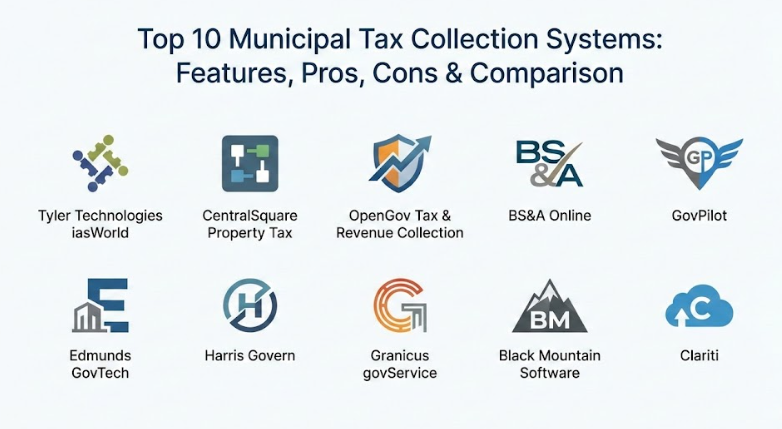
Top 10 Municipal Tax Collection Systems Tools
1 — Tyler Technologies iasWorld
This tool is a comprehensive solution designed specifically for large-scale government operations. It manages everything from the initial assessment of a property’s value to the final collection of tax dollars. It is built to handle the heavy data needs of major counties and metropolitan areas without losing speed or accuracy. Because it is so deep, it helps offices stay organized during the busiest times of the fiscal cycle.
- Key features:
- Full integration between property appraisal and tax billing modules.
- Advanced mobile tools for field workers to update property data on site.
- Automatic mapping to visualize tax data across different neighborhoods.
- A dedicated portal for citizens to view their entire payment history.
- Automated workflows that guide employees through complex daily tasks.
- Deep reporting tools that help with long-term financial planning.
- Support for high-volume billing and payment processing.
- Pros:
- It is a very stable and well-known system used by some of the largest governments.
- The mobile capabilities significantly increase the productivity of staff working outside the office.
- Cons:
- The high level of detail can make the software feel overwhelming for beginners.
- It typically carries a higher price tag that may be out of reach for very small villages.
- Security & compliance: Uses high-level data encryption and detailed audit logs to track every change made in the system.
- Support & community: Offers extensive on-site training and has a large network of professional users who share best practices.
2 — CentralSquare Property Tax
CentralSquare offers a modern, cloud-based platform that helps local governments move their entire tax office into the digital age. It focuses on making the collection process as smooth as possible for both the government staff and the people living in the community. By using the cloud, it allows for better collaboration between different departments in the city.
- Key features:
- Electronic billing that sends digital invoices directly to a resident’s email.
- A secure online payment portal that is open every hour of every day.
- Real-time financial dashboards that show collection progress at a glance.
- Customizable fee structures to handle unique local taxes and assessments.
- Automatic calculation of interest, penalties, and early-payment discounts.
- Simple integration with other city management and utility software.
- Automated delivery of statements and late payment reminders.
- Pros:
- Being cloud-based means the government does not have to worry about maintaining expensive servers.
- The system is very good at reducing the amount of physical mail the office has to process.
- Cons:
- Initial setup can take some time if your local tax laws are very unusual.
- Software updates happen often, which requires staff to stay on their toes.
- Security & compliance: Built on secure cloud infrastructure with regular third-party audits and high-level safety standards.
- Support & community: Provides a comprehensive online knowledge base and responsive phone support for technical issues.
3 — OpenGov Tax & Revenue Collection
OpenGov is known for having a very clean and modern design that looks like a high-quality consumer website. It is focused on transparency and making sure that tax data is easy to understand for everyone involved, from the mayor to the average citizen. It simplifies complex financial information into visual charts that are perfect for public meetings.
- Key features:
- A centralized dashboard that tracks all forms of government revenue in one place.
- Highly intuitive self-service portals that make paying taxes feel simple.
- Real-time data updates so that financial reports are always current.
- Visual analytics that turn complex spreadsheets into easy-to-read charts.
- Automated reminders for business licenses and recurring tax deadlines.
- Digital document storage to eliminate the need for physical filing cabinets.
- Built-in tools for bulk processing and automated tax calculations.
- Pros:
- The user interface is exceptionally easy to navigate for people who are not technology experts.
- It helps build trust with the community by making financial data more accessible.
- Cons:
- It may lack some of the very specific property appraisal tools found in older systems.
- Pricing is generally geared toward mid-sized cities rather than the smallest towns.
- Security & compliance: Features modern cloud security standards, including data encryption and secure user authentication.
- Support & community: They provide excellent customer service and often host user groups to gather feedback.
4 — BS&A Online
This software is a favorite for many local governments because it is incredibly reliable and does exactly what it promises. It is built to be a workhorse for the tax office, handling high volumes of data with a very low rate of errors. It is particularly popular because it feels familiar and stable to long-term staff.
- Key features:
- Seamless data sharing between tax, utility billing, and the general ledger.
- Powerful search functions that allow staff to find any record in seconds.
- Automatic software updates to keep up with changing state and local laws.
- Detailed tracking of delinquent accounts and automatic generation of late notices.
- Flexible data export options for creating custom reports in other programs.
- User-friendly screens that focus on the tasks that staff perform most often.
- Ability for citizens to search public records and view data remotely.
- Pros:
- Their customer support team is widely considered to be among the best in the industry.
- The system is very stable and rarely experiences technical downtime or glitches.
- Cons:
- The visual design of the software looks a bit older compared to some newer competitors.
- Navigating through the many different menus can sometimes feel a bit repetitive.
- Security & compliance: Includes robust permission settings so you can control exactly who sees sensitive data.
- Support & community: Known for high-quality, one-on-one training sessions during the implementation phase.
5 — GovPilot
GovPilot takes a unique “building block” approach to government software. Instead of buying a massive, rigid system, a town can choose only the specific tax and revenue modules they need, making it a very flexible and customizable option. This allows small governments to start with the basics and expand their capabilities over time.
- Key features:
- A modular design with over a hundred different government functions to choose from.
- Interactive mapping that layers tax data over a digital map of the town.
- Fast implementation that can get a small office up and running quickly.
- Automated digital workflows that send forms to the right person for approval.
- Custom dashboards tailored to the specific job of each employee.
- Integration with major payment providers for secure, instant collections.
- Real-time data updates that are accessible from any device with an internet connection.
- Pros:
- It is very easy to change and grow the system as your town’s needs change.
- The mapping feature is a great way to spot trends and manage property data visually.
- Cons:
- If you choose to add too many modules, the total cost can become quite high.
- It requires some clear planning at the start to ensure the modules work together perfectly.
- Security & compliance: Focuses on secure cloud storage and provides regular security patches to protect data.
- Support & community: Offers a dedicated representative to help guide you through the setup process.
6 — Edmunds GovTech
This system is an excellent choice for small to medium-sized municipalities that want one single software package to handle all their business. It is designed to be an “all-in-one” solution that connects the tax office to every other part of the government, like payroll and utility billing. This connection reduces the need for entering the same data twice.
- Key features:
- An integrated suite that shares data across all city and town departments.
- A resident-facing mobile app for checking balances and paying bills on a phone.
- Unlimited storage for property photos, deeds, and other important documents.
- Simple tools for importing property data from county or state records.
- Automated email and text notifications to remind residents of due dates.
- A clear audit trail that tracks every transaction and data change.
- Flexible rate schedules to handle many different types of local fees.
- Pros:
- Perfect for smaller towns that do not want to manage multiple different software systems.
- It does a great job of automating the boring, repetitive parts of data entry.
- Cons:
- Creating very specific or unusual financial reports can be a bit complicated.
- There is no trial period, so you have to be sure it is the right fit before buying.
- Security & compliance: Fully compliant with all major government accounting and data protection standards.
- Support & community: Provides on-site training and a library of video tutorials for staff.
7 — Harris Govern
Harris Govern is built for governments that need very deep technical capabilities. It is particularly strong in the areas of auditing and revenue recovery, helping cities make sure they are collecting every dollar they are legally owed. It provides staff with the tools to dig deep into financial records to find discrepancies.
- Key features:
- Advanced analytics designed to identify missing or underpaid tax revenue.
- Specialist tools for field auditors to use when inspecting business properties.
- Automatic handling of complex tax rules, exemptions, and discounts.
- Secure integration with bank services for high-volume mail processing.
- Sophisticated query tools for pulling very specific sets of financial data.
- Scheduled reporting that automatically sends updates to department heads.
- Advanced valuation tools to ensure property assessments are accurate.
- Pros:
- It is a powerful tool for finding and collecting money that might otherwise be lost.
- The software is very good at connecting different departments to share information.
- Cons:
- The interface is more technical and can take longer for staff to learn.
- A very small village might find that the system has more power than they actually need.
- Security & compliance: Includes multi-layered security controls and deep transaction logging for every user.
- Support & community: They offer professional consulting services to help governments optimize their collection process.
8 — Granicus govService
Granicus focuses on the “digital experience” for the citizen. Their tax collection tools are part of a larger system designed to let residents handle all their government business online, making the town hall accessible from anywhere at any time. This approach significantly modernizes how a town interacts with its people.
- Key features:
- A simple builder for creating online tax forms that work on any mobile device.
- A “one-stop shop” portal where residents can manage taxes and other fees.
- Drag-and-drop tools for staff to build and change their own internal processes.
- Real-time data on how many people are using online services.
- Automated email updates to keep citizens informed of their payment status.
- Broad integration capabilities with many other types of government software.
- Tools for digital engagement to encourage more residents to pay on time.
- Pros:
- It significantly reduces the number of people who need to call or visit the office in person.
- Very flexible and can be used for much more than just tax collection.
- Cons:
- It is a general service tool, so it might not have some niche property tax features.
- Some of the most advanced tax configurations might require extra setup time.
- Security & compliance: Meets the high security and accessibility standards required by large public agencies.
- Support & community: Offers a large community of users and many resources for digital service growth.
9 — Black Mountain Software
This company focuses specifically on the needs of small cities and towns. They know that in a small office, one person might be the tax collector, the clerk, and the manager all at once, so they keep their tools simple and efficient. Their software feels like it was made for the reality of small-town life.
- Key features:
- Specifically designed for the workflow of small to medium-sized local governments.
- A unified system for fund accounting and property tax billing.
- Easy management of many different bank accounts and public funds.
- Straightforward delinquency reporting to help track unpaid bills.
- Screens that are designed to be clean and easy for anyone to read.
- Full compliance with the latest government accounting standards.
- Integrated receipting that updates the general ledger in real time.
- Pros:
- The software is built by people who truly understand the challenges of a small town office.
- Their support team is very friendly and often gets to know their customers personally.
- Cons:
- It does not have the slick visual look of some modern high-end applications.
- It is not the right choice for a massive city with millions of residents.
- Security & compliance: Provides secure cloud backups and controlled user access to protect data.
- Support & community: Highly rated for being responsive and helpful during the busy tax season.
10 — Clariti
Clariti is built on a very famous and powerful technology platform. This gives it incredible strength and makes it one of the most modern and connected tools available for government use today. It is designed to be highly flexible and can handle the most complex tax scenarios with ease.
- Key features:
- Built on a world-class cloud platform used by major organizations worldwide.
- Can be changed and updated using simple clicks rather than complex code.
- Advanced artificial intelligence tools to help check for errors in applications.
- High-quality reporting tools that can track almost any piece of information.
- Full mobile access so that field workers can stay connected to the office.
- Inherits the highest levels of security and reliability from its underlying platform.
- Ability to handle complex automated workflows for multi-step approvals.
- Pros:
- It is extremely modern and can grow and change along with your community.
- The data analysis and reporting features are among the best available.
- Cons:
- Managing this type of platform can be complex and might require a specialist.
- The price point may be higher than more simple, dedicated tax software.
- Security & compliance: Comes with top-tier security certifications and follows global data protection standards.
- Support & community: Access to a global network of experts and extensive online learning resources.
Comparison Table
| Tool Name | Best For | Platform(s) Supported | Standout Feature | Rating |
| Tyler iasWorld | Large Counties | Cloud / On-Premise | Mobile Field App | N/A |
| CentralSquare | Modernization | Cloud | Electronic Billing | N/A |
| OpenGov | Transparency | Cloud | Visual Analytics | N/A |
| BS&A Online | Reliability | Cloud / On-Premise | Support Quality | N/A |
| GovPilot | Customization | Cloud | GIS Mapping | N/A |
| Edmunds GovTech | Small-Mid Cities | Cloud / On-Premise | All-In-One Suite | N/A |
| Harris Govern | Revenue Recovery | Cloud / On-Premise | Audit Query Tool | N/A |
| Granicus | Citizen Experience | Cloud | Self-Service Portal | N/A |
| Black Mountain | Small Towns | Cloud | Small-Office Focus | N/A |
| Clariti | Scalability | Cloud | AI Error Checking | N/A |
Evaluation & Scoring of Municipal Tax Collection Systems
| Criterion | Weight | Description |
| Core features | 25% | The ability to bill, collect, and track many different types of taxes and fees. |
| Ease of use | 15% | How simple the software is for staff to use and for citizens to make payments. |
| Integrations | 15% | How well the system talks to other tools like accounting and mapping software. |
| Security | 10% | The level of encryption and audit trails used to keep information safe. |
| Performance | 10% | The speed and reliability of the system, especially during busy deadlines. |
| Support | 10% | The quality of training and how quickly the help desk responds to questions. |
| Price / Value | 15% | Whether the cost of the system is fair based on the features it provides. |
Which Municipal Tax Collection Systems Tool Is Right for You?
Choosing the right software is a big step, and the best choice really depends on the size of your town and what your specific goals are. You should think about your daily challenges and which tool will solve them most effectively. Here is a simple guide to help you think through the decision.
Solo Users and Very Small Towns
If you have a very small team where everyone does a little bit of everything, you need a tool that is easy to learn and hard to break. Black Mountain Software and Edmunds GovTech are designed specifically for this situation. They do not have thousands of confusing buttons you will never use, and they focus on making the core job of billing and collecting simple and reliable. This ensures that even with a limited staff, you can keep your finances in perfect order.
Medium-Sized Cities and Growing Communities
If your community is growing quickly and you want to look more professional and modern, OpenGov or CentralSquare are excellent choices. These systems are built for the modern world, offering great online portals that residents will appreciate. They help you stay organized even as the amount of data you handle starts to increase. They are a good balance between powerful features and ease of use, making them a great long-term investment.
Large Counties and Major Cities
When you are managing a huge population, you need a system that is built to be extremely tough and powerful. Tyler Technologies iasWorld and Clariti are designed for high-volume work. They can handle millions of records and offer deep technical tools that large organizations need to stay on top of their complex finances. While they take longer to learn, the efficiency they provide at a large scale is worth the effort.
Budget-Conscious vs. Premium Solutions
If you are very worried about the initial cost, look for modular options like GovPilot where you can start with just one or two features. This allows you to pay for what you need now and add more later. However, if you have the budget for a premium experience, tools like OpenGov or Clariti provide a level of data analysis and citizen engagement that can actually help the town grow more effectively in the long run.
Feature Depth vs. Ease of Use
Some tools focus on having every feature imaginable, even if they are a bit harder to learn. Others focus on being so simple that you can start using them on the first day. If you have complex auditing needs, a deeper tool like Harris Govern is better. But if you have high staff turnover or need something everyone can use immediately, a simpler tool like BS&A Online is the way to go.
Frequently Asked Questions (FAQs)
1. What is the main purpose of a Municipal Tax Collection System?
The main goal is to help local governments bill and collect taxes and fees accurately. It replaces old paper records with a digital system that tracks exactly who has paid and who still owes money.
2. Can citizens pay their taxes on their mobile phones?
Yes, almost all modern systems include a portal that works perfectly on smartphones. This allows people to pay their property taxes or business fees while they are on the go, at any time of day.
3. Is the data in these systems safe from hackers?
Security is a top priority for these software companies. They use strong encryption to protect data and follow strict financial rules to make sure that credit card and bank information is always handled safely.
4. How long does it take to switch to a new system?
It varies depending on the size of the town. A small town might be ready in a few weeks, while a large city with many years of old records might take several months to get everything moved over and tested.
5. Does this software automatically add late fees?
Yes, one of the best features of these tools is that they can automatically calculate interest and penalties based on your local laws, which saves staff from having to do the math by hand.
6. Can the system send out email or text reminders?
Many modern tools can be set up to send automatic reminders. This helps residents remember their due dates and can significantly reduce the number of late payments the office has to deal with.
7. Will it work with our current mapping software?
Most high-quality systems are designed to connect with mapping software. This allows you to see tax information layered over a map of the town, which is very helpful for planning and visual analysis.
8. Is it hard for staff to learn how to use the new software?
While every new tool has a learning curve, many of these systems are designed to be intuitive. Most companies also provide several days of training to make sure everyone in the office feels comfortable.
9. Can we scan and save our old paper documents into the system?
Yes, these systems usually allow you to attach digital copies of deeds, photos, and letters directly to a property record, which helps eliminate the need for large, dusty physical filing cabinets.
10. What happens if our local laws or tax rates change?
The companies that make this software stay up to date on law changes. They send out regular updates to the software to ensure that your system is always following the correct legal rules for your specific area.
Conclusion
Choosing a new system for collecting municipal taxes is a decision that will affect your local government for many years to come. It is about more than just moving numbers from one place to another; it is about providing a reliable and professional service to the community. A modern system can take the stress out of the tax season, reduce the workload for your staff, and provide a quick and easy way for residents to fulfill their obligations. This leads to a more efficient government and a happier community that feels their taxes are being managed with care.
As you look at the different tools available, keep in mind that the most important thing is finding a system that fits your town’s specific personality and needs. There is no one-size-fits-all answer in the world of government software. Whether you need a simple tool for a small office or a high-tech platform for a large city, the right software is out there. By taking the time to understand the features and benefits of these top ten options, you can make a choice that will bring your tax office into the future.
The best tool is ultimately the one that your staff will use effectively and your citizens will find easy to navigate. By focusing on security, ease of use, and the ability to grow, you can ensure that your municipal tax collection remains strong and accurate. This foundation will support your community and help fund the vital services that everyone relies on every single day.