Introduction
Prison and corrections management software is a specialized type of digital tool designed to help jail administrators and law enforcement agencies manage their facilities more effectively. At its core, this software acts as a central database that tracks everything happening within a correctional institution. From the moment an individual is booked into the facility to the day they are released, the software records their personal information, medical needs, housing assignments, and even their behavior. It replaces old-fashioned paper files and messy spreadsheets with a single, secure digital system that staff can access in real-time. This helps ensure that everyone stays safe, records remain accurate, and the facility follows the law.
The importance of these tools cannot be overstated because managing a prison is a high-stakes job where mistakes can lead to serious safety risks or legal trouble. By using a modern management system, officers can quickly check where an inmate is located, see if they have any medical alerts, or manage their visitation schedules without having to dig through physical folders. This automation reduces the chance of human error, such as releasing someone early by mistake or missing a court date. Furthermore, it helps with budgeting and resource planning by showing exactly how much is being spent on food, medicine, and staffing. When choosing a tool in this category, users should look for ease of use, strong security features, and the ability to work on mobile devices so officers can update information while moving around the facility.
Best for: These tools are most beneficial for county sheriffs, state prison administrators, and private correctional facilities of all sizes. They are ideal for agencies that need to manage large amounts of data while keeping staff and inmates safe. Larger institutions with complex needs like medical wings and work programs will find these systems especially helpful for keeping everything organized.
Not ideal for: This software may not be necessary for very small holding cells that only keep people for a few hours before transferring them. It is also not a replacement for general police record systems; while they often work together, corrections software is specifically for what happens inside the jail walls. If an agency only handles patrol and investigations without a permanent detention area, they might be better off with a standard records management system.
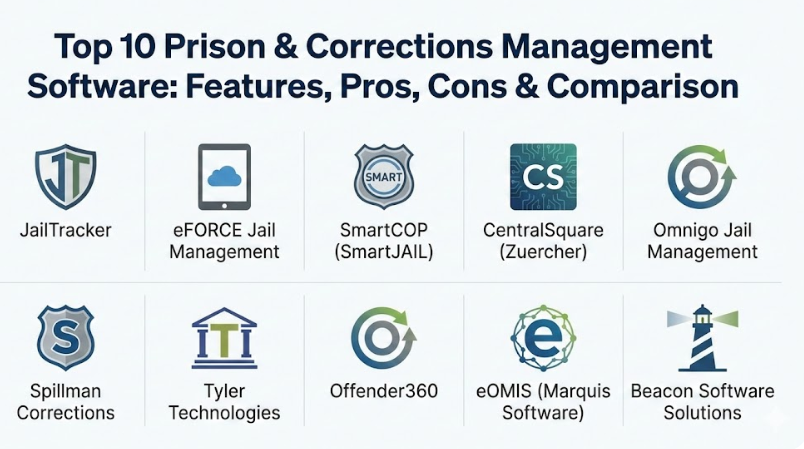
Top 10 Prison & Corrections Management Software Tools
1 — JailTracker
JailTracker is a well-known cloud-based solution that helps small to large facilities manage their inmate populations with ease. It is designed to be a complete “booking-to-release” system that simplifies the daily tasks of correctional officers.
- Key features:
- Automated inmate booking and intake workflows.
- Real-time tracking of inmate locations and movements.
- Integrated inmate accounting and trust fund management.
- Comprehensive visitation scheduling and log tracking.
- Automated court date reminders and transport scheduling.
- Detailed incident reporting and disciplinary tracking.
- Pros:
- The cloud-based nature means you don’t need expensive servers on-site.
- It is very easy to learn, which helps when training new staff.
- Cons:
- Some advanced features might require additional setup time.
- Updates can occasionally change the layout, requiring a quick re-adjustment for users.
- Security & compliance: Includes multi-level user permissions, full audit logs, and data encryption.
- Support & community: Offers a dedicated help desk, online training videos, and a growing community of users across different states.
2 — eFORCE Jail Management
eFORCE provides a web-based jail management system that is known for being highly flexible and easy to navigate. It focuses on making data entry quick so that officers can spend more time on safety and less time at a computer.
- Key features:
- Mobile-friendly interface for use on tablets and handheld devices.
- Customizable dashboards that show the most important facility stats.
- Advanced inmate classification tools to ensure safe housing assignments.
- Built-in reporting for state and federal compliance.
- Secure digital storage for inmate photos and biometrics.
- Easy integration with local law enforcement record systems.
- Pros:
- Can be accessed from anywhere with an internet connection.
- The interface is very clean and does not feel cluttered.
- Cons:
- Customizing deep reports can be a bit technical for some users.
- Smaller agencies might find they have more features than they actually need.
- Security & compliance: Follows standard CJIS security protocols.
- Support & community: Provides excellent onboarding support and has a responsive customer service team.
3 — SmartCOP (SmartJAIL)
SmartJAIL is part of the SmartCOP public safety suite, offering a deep level of integration between the jail, the dispatch center, and the patrol officers on the street. It is designed for agencies that want all their data in one single place.
- Key features:
- Automatic data sharing between the jail and patrol records.
- Advanced medical tracking for inmate health and prescriptions.
- Interactive floor plans for visual inmate tracking.
- Automated alerts for high-risk inmates or specific medical needs.
- Detailed property management to track inmate belongings.
- Comprehensive staff scheduling and shift management.
- Pros:
- Eliminates the need to enter the same data twice across different departments.
- Very strong at handling high-risk security data and alerts.
- Cons:
- Works best if you are already using other SmartCOP products.
- The initial setup can be complex due to the deep integration features.
- Security & compliance: Robust encryption and secure login features are standard.
- Support & community: Offers enterprise-level support with dedicated account managers for larger facilities.
4 — CentralSquare Public Safety Suite (Zuercher)
This software is a heavy-duty solution used by many large agencies to manage every aspect of the corrections process. It is highly respected for its stability and the massive amount of data it can handle without slowing down.
- Key features:
- Fully integrated offender management and jail records.
- Electronic “face cards” for quick inmate identification.
- Digital document management to reduce paper use.
- Integrated commissary management for inmate purchases.
- Smart alerts for conflicts between specific inmates.
- Detailed tracking of inmate work programs and education.
- Pros:
- Extremely reliable even for very large, high-traffic jails.
- Highly customizable to fit the specific laws of different regions.
- Cons:
- It has a steeper learning curve than some simpler tools.
- The cost can be higher, making it a bigger investment for small towns.
- Security & compliance: Compliant with major national security standards and offers detailed audit trails.
- Support & community: Large user base with regular regional training events and 24/7 technical support.
5 — Omnigo Jail Management
Omnigo focuses on “proof of presence” and safety, making it a top choice for facilities that want to ensure their officers are doing rounds and checks correctly. It uses smart technology to confirm that tasks are actually completed.
- Key features:
- Guard tour tracking with mobile device check-ins.
- Automated prompts for cell checks and safety observations.
- Simplified inmate intake and release processes.
- Incident management with digital evidence attachment.
- Visitor management with background check integration.
- Detailed analytics for facility safety and risk management.
- Pros:
- Excellent for reducing liability by proving that safety checks were done.
- The mobile app is very rugged and built for the jail environment.
- Cons:
- Focuses more on security than on complex accounting or medical features.
- Some users might find the frequent prompts for checks to be repetitive.
- Security & compliance: High-level data security and compliance with safety reporting standards.
- Support & community: Strong documentation and a very helpful customer onboarding process.
6 — Spillman Corrections (Motorola Solutions)
Spillman is a legendary name in law enforcement software, and their corrections module is built on decades of experience. It is famous for its “single-source” database where every piece of information is linked together.
- Key features:
- Deep search capabilities to find historical data on any inmate.
- Integrated mapping to track crime trends and inmate addresses.
- Comprehensive booking and mugshot modules.
- Inmate grievance tracking and resolution workflows.
- Medical screening and daily treatment logs.
- Highly detailed report writing tools.
- Pros:
- The search functionality is arguably the best in the industry.
- Very stable and rarely experiences any downtime.
- Cons:
- The user interface can look a bit old-fashioned compared to newer apps.
- It can be expensive to add new modules as your facility grows.
- Security & compliance: Meets all federal requirements for data protection and user access.
- Support & community: A very large and active community of users who share tips and best practices.
7 — Tyler Technologies (Incode/Eagle)
Tyler Technologies provides a wide range of government software, and their jail systems are built to bridge the gap between the courts and the corrections facility. It is great for ensuring that court orders are followed exactly.
- Key features:
- Real-time sync with court calendars and judges’ orders.
- Automated calculation of “good time” and release dates.
- Inmate trust accounting with bank-level accuracy.
- Self-service kiosks for inmate commissary and messaging.
- Secure photo and fingerprint capture during booking.
- Detailed facility maintenance and asset tracking.
- Pros:
- Reduces mistakes in release dates by pulling data directly from the court.
- The inmate kiosk features save a lot of staff time.
- Cons:
- Can feel a bit “corporate” and less tailored to small-town needs.
- Integration with non-Tyler software can sometimes be a challenge.
- Security & compliance: Fully compliant with ISO and other international data standards.
- Support & community: Offers an extensive online portal with manuals and troubleshooting guides.
8 — Offender360
Built on Microsoft technology, Offender360 is a modern and highly flexible system that treats every inmate’s time in jail as a managed “case.” It is excellent for facilities that focus heavily on rehabilitation and reducing recidivism.
- Key features:
- Case management approach to track inmate progress.
- Highly customizable fields and screens without needing a programmer.
- Integrated behavioral health and substance abuse tracking.
- Advanced analytics to predict facility trends.
- Secure cloud hosting on government-grade servers.
- Modern, familiar interface that looks like other Microsoft apps.
- Pros:
- Very easy to customize as your needs or laws change.
- Great for facilities that run a lot of inmate programs and classes.
- Cons:
- Requires a good internet connection to perform at its best.
- Might be too “high-tech” for agencies that just want a simple digital logbook.
- Security & compliance: Built on top of secure Microsoft platforms, ensuring high-level encryption.
- Support & community: Professional enterprise support with a focus on long-term partnership.
9 — eOMIS (Marquis Software)
eOMIS is an Enterprise Offender Management Information System that is built for large-scale operations, such as entire state prison systems. It handles massive amounts of data across multiple different facilities.
- Key features:
- Centralized management for multiple jail locations.
- Deep medical and mental health records management.
- Advanced classification algorithms for inmate safety.
- Detailed parole and probation tracking after release.
- Integrated pharmacy and lab result tracking.
- Comprehensive financial auditing for the entire system.
- Pros:
- Built specifically for the largest and most complex systems.
- Handles the entire lifecycle from jail to prison to parole.
- Cons:
- Far too complex for a small city or county jail.
- The implementation process can take a very long time.
- Security & compliance: State-of-the-art security designed for government-level protection.
- Support & community: Intensive onsite training and dedicated 24/7 technical teams.
10 — Beacon Software Solutions
Beacon provides a suite of jail management tools that are popular among mid-sized agencies. They focus on providing high-quality software that is affordable and does not come with hidden fees.
- Key features:
- Straightforward inmate booking and release screens.
- Automated mugshot and fingerprint integration.
- Simple inmate accounting for commissary and fees.
- Visitation logs with time-limit tracking.
- Basic medical screening and allergy alerts.
- Easy-to-read reports for daily facility counts.
- Pros:
- Very affordable pricing for the amount of features you get.
- The company is known for listening to user feedback and making quick updates.
- Cons:
- Lacks some of the “predictive” AI features of more expensive systems.
- The reporting is good, but not as deep as enterprise-level tools.
- Security & compliance: Standard security features including user logs and encrypted data.
- Support & community: Highly personal support where you can often talk to the same technician twice.
Comparison Table
| Tool Name | Best For | Platform(s) Supported | Standout Feature | Rating |
| JailTracker | SMBs & Counties | Cloud / Web | Ease of Learning | N/A |
| eFORCE | Mobile-First Users | Web / Mobile | Mobile Accessibility | N/A |
| SmartCOP | Integrated Agencies | Windows / Web | Shared Data Ecosystem | N/A |
| CentralSquare | Large Facilities | On-Premise / Cloud | High Stability | N/A |
| Omnigo | Security-Focused Jails | Mobile / Web | Guard Tour Tracking | N/A |
| Spillman | Search-Heavy Needs | On-Premise | Powerful Search | N/A |
| Tyler Tech | Court Integration | Web / Cloud | Court Sync | N/A |
| Offender360 | Rehab Programs | Microsoft Cloud | Case Management | N/A |
| eOMIS | State Systems | Enterprise Cloud | Multi-Facility View | N/A |
| Beacon | Budget-Conscious | Windows / Web | Personal Support | N/A |
Evaluation & Scoring of Prison Management Software
When choosing a software, we use a weighted scoring system to see how they perform in the real world. This helps you understand which areas a tool is strongest in.
| Criteria | Weight (%) | Description of Importance |
| Core Features | 25% | Includes booking, tracking, and basic facility management. |
| Ease of Use | 15% | How quickly new staff can learn to use the system correctly. |
| Integrations | 15% | Ability to talk to courts, patrol records, and medical systems. |
| Security | 10% | Encryption, user permissions, and audit logs to prevent leaks. |
| Performance | 10% | Speed of the system and how often it experiences downtime. |
| Support | 10% | Quality of the help desk and training materials provided. |
| Price / Value | 15% | Does the feature set justify the cost for the specific agency? |
Which Prison & Corrections Management Software Tool Is Right for You?
Choosing the right tool depends mostly on the size of your facility and what you care about most. If you are a solo user or a small agency, you might not need a massive enterprise system. A tool like Beacon or JailTracker is often perfect because they are easy to set up and don’t cost a fortune. For mid-market and growing counties, having mobile access is a game-changer. In these cases, eFORCE or Omnigo are great choices because they allow officers to do their work on the move, which keeps them more active in the housing units.
For large enterprises and state systems, the focus shifts to stability and data depth. You need something that can handle thousands of records without crashing. CentralSquare or eOMIS are built for this kind of heavy lifting. If your facility is very focused on court compliance, look at Tyler Technologies because of how well it links up with judicial records. On the other hand, if security and liability are your biggest worries, Omnigo offers the best tools to prove that your staff are doing their required safety checks every single hour.
Finally, consider your budget versus your need for features. It is tempting to buy the most expensive software with all the “bells and whistles,” but if your staff finds it too hard to use, they won’t use it correctly. Sometimes a simpler, more user-friendly tool is actually safer because it ensures that all data is entered accurately. Always ask for a demo and let your actual corrections officers try the software before you make a final decision.
Frequently Asked Questions (FAQs)
1. What exactly is a Jail Management System?
It is a digital platform used by correctional facilities to track inmates from intake to release. It handles housing, medical alerts, visitation, and incident reporting in one place.
2. Is cloud-based software safe for prisons?
Yes, most modern cloud providers for law enforcement use high-level government encryption. Cloud systems are often safer because they get automatic security updates.
3. Can these tools help reduce legal liability?
Absolutely. By keeping perfect records of cell checks, medical treatments, and incident reports, you have digital proof that your facility followed all safety rules.
4. How long does it take to train staff on new software?
For simple systems, basic training can take a few days. For more complex enterprise tools, it might take a couple of weeks to master every feature.
5. Do these systems work on tablets?
Many modern systems like eFORCE are built to work on mobile devices. This allows officers to update records while they are walking through the jail.
6. Can the software track inmate money and commissary?
Yes, most top-tier tools include an accounting module. This tracks how much money an inmate has and what they spend it on at the jail store.
7. Is it possible to link the jail software with the local courthouse?
Some tools, like Tyler Technologies, specialize in this. It allows the jail to see new court orders and release dates as soon as a judge signs them.
8. What happens if the internet goes out?
Most systems have a “read-only” offline mode or a way to sync data once the connection returns. Some facilities prefer on-premise servers for this reason.
9. Can I customize the intake questions?
Most modern tools allow you to change the booking screens. This is helpful if your local laws require you to ask specific health or safety questions.
10. How much does this software usually cost?
The price varies wildly based on the size of your facility. Small jails might pay a monthly fee, while large prisons pay a large upfront cost for a permanent license.
Conclusion
In conclusion, choosing the right prison and corrections management software is one of the most important decisions a facility leader can make. A good system does much more than just store names and dates; it acts as a digital backbone that supports the safety of the staff, the rights of the inmates, and the security of the community. By moving away from manual paperwork, agencies can significantly reduce the risk of dangerous errors and ensure that they are always in compliance with the law. Whether you choose a cloud-based app or a large-scale enterprise system, the goal remains the same: to have accurate information available at the touch of a button.
The “best” tool for your facility really depends on your specific needs rather than there being one single winner for everyone. A small county jail has different challenges than a massive state prison, and your software should reflect those differences. Some will prioritize mobile ease of use, while others will need deep integration with the court system. Take the time to evaluate your facility’s daily workflows, involve your staff in the decision-making process, and choose a partner that offers the support you need to succeed. With the right technology in place, managing a correctional facility becomes a much more organized and safe profession for everyone involved.