Introduction
Court e-filing systems are digital tools that allow lawyers, legal assistants, and regular people to send legal documents to the court through the internet. In the old days, you had to print out thick stacks of paper, drive to the courthouse, and stand in line to hand them to a clerk. Now, these systems let you upload your files from your office or home computer. They are designed to make the legal process faster, cheaper, and much more organized for everyone involved. These tools act as a digital bridge between the law firm and the courthouse, ensuring that every document is delivered and recorded without the need for physical travel.
These systems are important because they reduce the chance of losing papers and help cases move through the court much quicker. People use them to start new lawsuits, file responses to cases, and pay court fees online. When you are looking for a tool like this, you should check if it works with the specific courts you visit, how easy it is to use, and if it helps you keep track of your deadlines. A good system should also be very safe so that private legal information stays protected and only the right people can see it. Having a reliable system means fewer rejected filings and less time spent on administrative tasks.
Best for: These tools are best for law firms of all sizes, independent lawyers, and government agencies. They are also very helpful for corporate legal teams that need to manage many cases at once across different states or counties. Large organizations that handle thousands of documents particularly benefit from the search and storage features.
Not ideal for: They might not be needed for people who only have one simple legal matter in a lifetime, as many courts have a basic public portal for that. Also, they aren’t a fit for those working in very small jurisdictions that still only accept paper filings or for individuals who do not have access to a reliable internet connection.
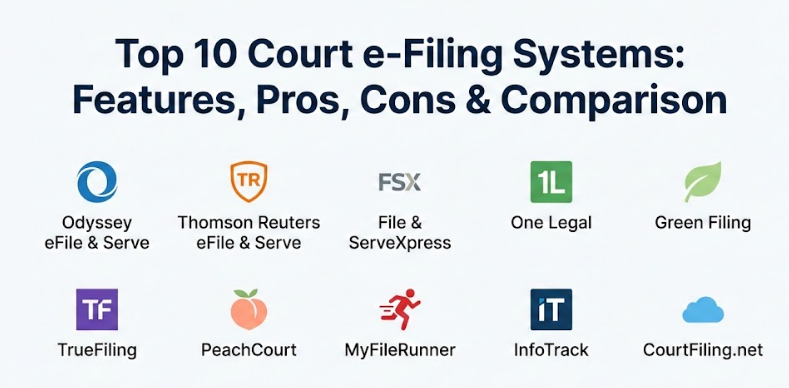
Top 10 Court e-Filing Systems Tools
1 — Odyssey eFile & Serve
Odyssey is one of the most common systems used by courts across the country. It is a powerful platform that connects law firms directly to the court’s internal records system to make sure documents are sent and received correctly. It is built to handle high volumes of data and is the standard in many state-wide court systems.
- Direct connection to many state and local court systems for instant filing.
- Automatic calculation of court fees so you do not have to guess the price.
- A single dashboard to see the status of all your filings in one place.
- Tools to serve legal papers to other parties electronically and instantly.
- Ability to save drafts and finish your filing later if you get interrupted.
- Integration with case management software for easier record keeping and tracking.
- Mobile-friendly design so you can check case status on your phone or tablet.
Pros
- It is used by a huge number of courts, so you only need one account for many places.
- The system checks for common errors before you submit, which prevents rejections by the clerk.
Cons
- The interface can feel a bit crowded and take time to learn for new users.
- Customer support wait times can be long during the busy morning hours.
Security & compliance: Uses high-level encryption and audit logs to track who touched every file and when.
Support & community: Offers an online help center, video training, and phone support for law firm administrators.
2 — Thomson Reuters eFile & Serve
This tool is built by a company that specializes in legal information and technology. It is designed to be very reliable and works well for firms that handle a lot of civil litigation and complex cases that require many documents. The system is known for its stability and professional look.
- Searchable filing history to find old documents fast whenever you need them.
- Multi-court support that lets you file in different jurisdictions from one screen.
- Advanced document conversion that turns your files into the correct PDF format automatically.
- Email alerts that tell you the second the court accepts or rejects your papers.
- Shared folders so everyone in your firm can see the same case info and stay updated.
- Tools to manage and track service of process for all parties involved in a case.
Pros
- The platform is very stable and rarely goes down for maintenance or updates.
- The billing reports are very clear, making it easy to charge clients for specific filing fees.
Cons
- It can be more expensive than some of the basic portals or smaller competitors.
- Setting up the account for a large firm can be a slow and detailed process.
Security & compliance: Follows strict industry standards for data protection and privacy of sensitive legal files.
Support & community: Provides a dedicated account manager for larger firms and 24/7 technical support.
3 — File & ServeXpress
This system focuses on making the filing process as simple as possible for the user. It is widely used for complex litigation and is known for having a very helpful support team that understands the specific legal rules of each court. It is designed to take the guesswork out of the filing process.
- A very clean and simple filing wizard that walks you through each step of the process.
- Customized alerts so you only get emails about the specific cases you care about.
- The ability to file one document into multiple cases at the same time to save time.
- 24/7 access to filing experts who can help you if you get stuck on a court rule.
- Secure document storage so you always have a digital backup of your filed papers.
- Detailed tracking of who has been served and exactly when they opened the file.
Pros
- The human touch is great; you can actually talk to people who know the specific court rules.
- It handles very large files much better than many other basic filing systems.
Cons
- The website design looks a bit old-fashioned compared to some of the newer tools.
- It is not available in every single state, so you must check your specific area first.
Security & compliance: ISO certified and uses secure data centers to keep all legal files safe.
Support & community: Known for excellent live chat and phone support that is available day and night.
4 — One Legal
One Legal is a favorite for small to medium firms because it offers more than just digital filing. They also help with physical service of process and getting documents from the court archives in person. This makes it a “one-stop shop” for legal support services.
- Combines e-filing with traditional “boots on the ground” legal services like process serving.
- Easy document uploading with a simple drag-and-drop feature for any file type.
- Automated deadline tracking based on the specific court rules for your case.
- Expert review option where a human checks your filing for mistakes before it goes to court.
- Integration with popular legal accounting and practice management tools.
- Clear pricing with no hidden monthly subscription fees or surprise costs.
Pros
- It is perfect for firms that still need to do some physical filing or service of process.
- The user interface is very modern and easy to understand without any special training.
Cons
- The extra “concierge” or human-review services can add up in cost over time.
- Some advanced features are only available in specific states like California or Texas.
Security & compliance: Uses bank-level security to protect financial information and legal data.
Support & community: Features a very active blog with legal tips and a responsive support team.
5 — Green Filing
Green Filing is designed for lawyers who want a fast, no-nonsense way to get their papers to the court. It is very popular in states like Utah, Maryland, and Illinois because of its speed and simple layout. It is perfect for those who do not want to click through many screens.
- Extremely fast filing process with very few steps needed to complete a submission.
- Works perfectly on tablets and smartphones for lawyers on the move.
- Syncs with Dropbox and Google Drive to pull your documents easily from the cloud.
- Low-cost pricing model that is great for solo lawyers and small offices.
- Reports that show you exactly how much you spent on court fees each month.
- Direct links to the court’s official record for every case you have filed.
Pros
- It is likely the fastest system to set up and start using immediately for a new case.
- The support staff is very quick to respond to email questions or technical issues.
Cons
- It lacks some of the deep “enterprise” management features that massive firms might want.
- The reporting tools are a bit basic compared to more expensive national competitors.
Security & compliance: Complies with all state court security requirements for data handling.
Support & community: Offers a great knowledge base with step-by-step guides and helpful screenshots.
6 — TrueFiling
TrueFiling is built to handle the needs of both the person filing and the court clerk who receives the files. It is known for its ability to handle very complex court rules without technical issues. It is often the choice for higher-level courts.
- Strong validation engine that catches court rule violations instantly before submission.
- Support for “bulk filing” for firms that handle hundreds of cases at once.
- Easy management of multiple payment accounts for different clients or departments.
- Detailed audit trail for every single action taken within the filing system.
- Templates for common filings to save you time on repetitive data entry.
- Notifications for when a judge signs an order or a new document is added to the case.
Pros
- Very reliable for appellate courts and high-level legal work that requires precision.
- The system is very good at handling fee waivers and special government payment types.
Cons
- The learning curve is a bit steeper than the “drag-and-drop” systems.
- Requires a more detailed setup process before you can send your first file to the court.
Security & compliance: SOC 2 compliant and uses very high levels of data encryption for protection.
Support & community: Offers professional training sessions for new law firm staff members.
7 — PeachCourt
While many systems try to cover the whole country, PeachCourt focused on being the best in specific areas like Georgia. This local focus makes it incredibly easy to use for local lawyers who know those specific courts. It feels very tailored to the local legal community.
- Simplified workflow designed specifically for local court rules and terminology.
- A “Discovery” feature that helps you find cases you aren’t even part of yet.
- Quick-pay options that save your credit card safely for future filing use.
- Automated alerts for new filings by the opposing side in your active cases.
- Excellent mobile app that lets you file or check status directly from the courtroom.
- Simple document formatting tools to ensure you meet the local court standards.
Pros
- Because it is localized, the system rarely has “rule mismatches” with the court clerks.
- The user interface feels like a modern app, not a clunky government website.
Cons
- Limited geographic availability; if you move your practice, you might need a new tool.
- Does not integrate with as many third-party software tools as national providers.
Security & compliance: Fully compliant with state-specific privacy laws and data rules.
Support & community: Known for having a friendly, local support team that knows the court clerks by name.
8 — MyFileRunner
MyFileRunner is a veteran in the e-filing world. It is built by people who used to be physical runners for law firms, so they understand the stress of getting things to the court on time. They focus on reliability and helpfulness above all else.
- 24/7 customer service that actually answers the phone when you call.
- Automatic PDF conversion for almost any file type like Word or Excel.
- A dashboard that highlights upcoming deadlines and any rejected filings clearly.
- Support for multiple users under one firm account with different access levels.
- Detailed expense reports that you can export to Excel for your billing department.
- Training videos that cover every possible filing scenario and common mistake.
Pros
- The staff is incredibly knowledgeable about “tricky” court rules and procedures.
- It is very reliable during the “midnight rush” just before a legal deadline.
Cons
- The website can feel a bit slow when you are uploading very large documents.
- Some of the screens have a lot of text, which can be overwhelming for a new user.
Security & compliance: Secure socket layer (SSL) protection and regular security audits of the system.
Support & community: Offers live webinars and one-on-one training for new law firms.
9 — InfoTrack
InfoTrack is more than just e-filing; it is a “legal productivity” tool. It integrates directly into your case management software so you never have to leave your main screen to file. It is built for efficiency and reducing the amount of typing you have to do.
- Direct integration with Clio, LEAP, and other major law practice software.
- Automatic mapping of case data so you do not have to type names and numbers twice.
- Unified billing where court fees go straight to the specific client’s digital invoice.
- Electronic signatures are built right into the filing workflow for easier signing.
- Real-time tracking of court status directly inside your own office software.
- Tools for searching property records and other legal data within the same site.
Pros
- It saves a massive amount of time by eliminating double data entry for every case.
- The workflow is seamless if you already use a supported practice management tool.
Cons
- It is much more expensive if you are not using one of their partner software tools.
- The system has so many features that it can be confusing if you only want simple e-filing.
Security & compliance: High-level enterprise security with full audit trails for every file.
Support & community: Excellent onboarding and a wide network of partner integrations.
10 — CourtFiling.net
This is a modern, web-based tool that prides itself on being accessible to everyone. It is very easy to navigate and offers clear guidance for people who are not technology experts. It is built with a focus on a clean user experience and clear instructions.
- Simple, 3-step filing process that is very hard to mess up even for beginners.
- Flat-fee pricing that is easy to understand for budgeting purposes.
- Email and text alerts for case updates and filing confirmations.
- Secure storage for all your file-stamped copies of court documents.
- Built-in tools to help you format your documents correctly for the court.
- Support for various states with a single, easy-to-use login.
Pros
- The “help” prompts throughout the site are very clear and use simple language.
- It is a great choice for solo practitioners who want to avoid monthly subscription fees.
Cons
- It lacks some of the high-end reporting needed by massive national law firms.
- The customer support is mostly through email and chat rather than immediate phone calls.
Security & compliance: Uses modern web security standards to keep all user data private.
Support & community: Great online documentation with lots of “how-to” articles and tips.
Comparison Table
| Tool Name | Best For | Platform(s) Supported | Standout Feature | Rating |
| Odyssey eFile | Large-scale state courts | Web, Mobile | Direct court integration | N/A |
| Thomson Reuters | Complex litigation | Web | Advanced PDF tools | N/A |
| File & ServeXpress | High-volume firms | Web | 24/7 human support | N/A |
| One Legal | Small/Mid firms | Web | Physical + Digital services | N/A |
| Green Filing | Speed & Solo users | Web, Mobile | Dropbox/Google Drive sync | N/A |
| TrueFiling | Appellate & Complex rules | Web | Bulk filing capability | N/A |
| PeachCourt | Local Georgia firms | Web, Mobile app | Local court expertise | N/A |
| MyFileRunner | Deadline-focused users | Web | 24/7/365 phone support | N/A |
| InfoTrack | Integrated workflows | Practice Software | No double data entry | N/A |
| CourtFiling.net | Ease of use | Web | 3-step filing wizard | N/A |
Evaluation & Scoring of Court e-Filing Systems
Choosing the right tool depends on how you weigh different factors for your specific office. Below is a look at how these tools are generally judged in the legal industry based on a standard scoring rubric.
| Evaluation Criteria | Weight | What it Means for You |
| Core Features | 25% | How well the tool handles the actual filing, fee payment, and document submission. |
| Ease of Use | 15% | How quickly your staff can learn the system without needing a thick manual. |
| Integrations | 15% | Does it talk to your other software (like Clio or Microsoft Word)? |
| Security & Compliance | 10% | How safe your private client data and legal files are from unauthorized access. |
| Performance | 10% | Is the site fast, and does it stay online during the busy end-of-day hours? |
| Support & Community | 10% | Can you get a real human on the phone when a legal deadline is very near? |
| Price / Value | 15% | Does the cost of the service make sense for the amount of time it saves you? |
Which Court e-Filing Systems Tool Is Right for You?
Finding the best tool really depends on who you are and how your office works every day. Here is a simple guide to help you make a decision based on your situation.
Solo Users and Very Small Firms
If you work by yourself or with just one other person, you probably want something cheap and easy that does not require a long setup. Look for tools like Green Filing or CourtFiling.net. These often have a “pay as you go” model, meaning you do not have to pay a big monthly bill if you only have a few cases. They are simple enough that you will not need an IT person to help you get started.
Small to Medium Businesses (SMB)
Firms with 5 to 20 lawyers often need more organization and a way for different people to see the same cases. One Legal is a great choice here because it handles both the electronic side and the physical side (like serving people who are not online). It helps keep everything in one place so your legal assistants do not have to use ten different websites to get one job done.
Large Firms and Enterprise
Large firms need tools that can handle a lot of data and many different users with different permission levels. Odyssey or Thomson Reuters are better for this because they are built for scale. They offer “firm administrator” accounts so one person can manage the bills and permissions for everyone else. They also have much better reporting tools for your accounting department.
Budget vs. Premium
If you are worried about costs, stick to the basic portals provided by the court or a “flat fee” provider. If you have a larger budget and want to save as much time as possible, a premium tool like InfoTrack is worth the investment. It costs more per filing, but it saves you hours of typing by pulling info straight from your practice management software, which reduces errors.
Frequently Asked Questions (FAQs)
1. What is an e-filing service provider (EFSP)?
An EFSP is a company that acts as the “middleman” between you and the court system. They provide the website where you upload your files and they make sure those files get to the court’s computer system safely and in the right format.
2. Is e-filing more expensive than paper filing?
Usually, it is cheaper for a firm overall. While there is often a small convenience fee for using the software, you save a lot of money on paper, printer ink, gas for driving, and parking fees at the courthouse.
3. What happens if I file the wrong document by mistake?
Most systems allow you to cancel a filing if the court clerk hasn’t looked at it yet. If they have already accepted it, you will usually need to file a “notice of correction” or call the clerk directly to ask for help fixing the error.
4. How do I pay the court fees online through these tools?
You can usually use a credit card, a debit card, or an electronic check (e-check). Most systems let you save your payment info securely so you do not have to type it in every time you need to file something.
5. Can I use these filing systems on my phone?
Yes, most modern tools have a website that works well on mobile screens. Some even have a dedicated app you can download, which is very helpful if you need to check a case status while you are standing in a courtroom.
6. Do I need special software to make my documents ready?
No, you just need a way to turn your documents into PDF files. Most word processors like Microsoft Word or Google Docs can do this with one click, and many filing tools will even do it for you during the upload.
7. Is my private legal information safe in these systems?
Yes. These companies use the same kind of high-level security that banks use. They encrypt your files so that only you and the court can see what is inside them, protecting your client’s privacy at all times.
8. What if the website goes down right before my filing deadline?
Many courts have a specific rule that if the official system is broken, your deadline is automatically extended to the next day. However, it is always a good idea to file a few hours early just in case you run into a problem.
9. Can I serve the other lawyer through these tools?
Yes, most of these systems have an “e-service” feature. When you file your papers with the court, the system will automatically email a copy to the other lawyers involved in the case so everyone stays updated instantly.
10. Do I still need to mail a paper copy to the court?
In most cases, no. The electronic version is now the official legal version. However, some individual judges still like a “courtesy copy” on paper for very long trials, so you should always check the specific local rules for your judge.
Conclusion
Choosing a court e-filing system is a big decision for any legal professional. The right tool can turn a stressful afternoon of paperwork into a simple task that takes only a few minutes to complete. Whether you are a solo lawyer looking for a simple way to send a few documents or a large firm needing a complex system that connects to all your other software, there is a tool on this list that can meet those needs. It is all about finding a balance between features, cost, and ease of use.
What matters most is that the tool fits your specific daily workflow and the courts where you practice. You should think about which courts you visit most often, how much you are willing to pay per filing, and how much help you need from customer support. There is not one single tool that is perfect for every single person, but by looking at the features and pros and cons listed above, you can find the one that will make your professional life much easier and more organized. A good system is an investment in your firm’s efficiency and peace of mind.