Introduction
A Digital Evidence Management System (often called a DEMS) is a centralized hub designed to handle the massive amount of digital data that comes with modern investigations. In the past, evidence was mostly physical, like fingerprints or paper notes. Today, almost every incident involves a video, a text message, or a digital record. A DEMS helps agencies ingest this data from various sources, keep it organized by case number, and share it securely with people like prosecutors or defense attorneys. It is a vital tool because it creates a clear paper trail for digital files, showing exactly who looked at a file and when they looked at it. This ensures that the evidence remains “pure” and has not been tampered with.
The importance of these systems cannot be overstated. Without them, digital files are often scattered across different hard drives, making it very hard to find what you need during a trial. Furthermore, if a lawyer can prove that a digital file was not stored securely, that evidence might be thrown out of court. Real-world use cases include managing footage from police body-worn cameras, storing CCTV video from retail stores, and organizing cell phone data during an investigation. When choosing a tool, users should look for things like how easy it is to use, how well it keeps data secure, and if it can handle very large video files without slowing down. It is also important that the system can grow with your organization over time.
Best for:
These tools are best for law enforcement agencies of all sizes, from small town police departments to large federal organizations. They are also incredibly helpful for legal firms that need to manage thousands of documents for a single case, and for private security teams at large corporations or transportation hubs. Any industry that deals with high-stakes digital data that must be proven authentic in a professional or legal setting will find these systems essential for their daily operations. Large hospitals or insurance companies may also use them to manage sensitive video or audio records related to claims.
Not ideal for:
A full digital evidence system might not be ideal for very small businesses or individuals who only have a few files to keep track of. For a solo practitioner or a small office with low-security needs, a simple and secure cloud storage folder might be enough. These systems are powerful and can be complex, so if you do not need to prove a strict chain of custody for a court of law, the cost and features might be more than you actually need. They are also not meant for basic photo storage or personal file backups where legal verification is not required.
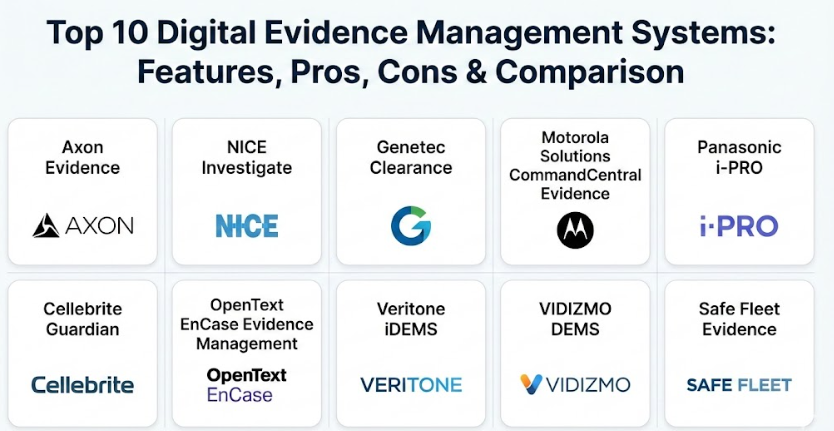
Top 10 Digital Evidence Management Systems Tools
1 — Axon Evidence
Axon Evidence is a leading cloud-based platform that is most famous for its connection to police body cameras. It is designed to help public safety officials move data from the field to the office without any manual work. It is built to handle huge amounts of video data every day.
- Key features:
- Automatic uploading from body-worn and in-car cameras.
- Powerful tools that help blur faces and license plates automatically.
- A secure sharing feature to send evidence to the District Attorney.
- Detailed search filters based on officer name, date, or location.
- Automatic transcription that turns spoken words in videos into text.
- Strict folder structures that keep every file tied to a specific case number.
- Mobile app access so officers can tag evidence while still on the scene.
- Pros:
- Extremely easy to use for officers who are already using Axon hardware.
- Saves a huge amount of time by automating the privacy masking process.
- The cloud storage is very reliable and almost never goes offline.
- Cons:
- Works best with Axon’s own cameras, so it might feel limited with other brands.
- The cost can be quite high for smaller departments on a tight budget.
- You need a very fast internet connection to upload long high-definition videos.
- Security & compliance: This tool meets the highest government standards, including CJIS (Criminal Justice Information Services) compliance. It uses strong encryption and has a permanent audit log that cannot be deleted or changed by anyone.
- Support & community: They offer 24/7 technical support and have a very large community of users. There are many training videos and a deep library of documents to help new users get started quickly and stay updated on new features.
2 — NICE Investigate
NICE Investigate is a vendor-neutral system, which means it doesn’t care what brand of camera or computer you use. It is built to bring data from many different places into one single view so investigators don’t have to log into ten different websites.
- Key features:
- Ability to pull in data from private CCTV systems and public cameras.
- A portal where citizens can upload their own videos of an incident.
- Automated case building that gathers all related files into one folder.
- Timeline views that show how an event unfolded step-by-step.
- Advanced analytics to find patterns across many different cases.
- Secure messaging between investigators and legal teams.
- Integration with computer-aided dispatch systems.
- Pros:
- Great for complex investigations that involve a lot of different sources.
- The citizen upload feature makes it very easy to gather evidence from the public.
- It helps clear cases faster by showing all the data in one simple timeline.
- Cons:
- Because it has so many features, the interface can take time to learn.
- Setting up the initial connections to other systems can be a complex task.
- Smaller agencies might find some of the advanced features unnecessary.
- Security & compliance: It features multi-factor authentication and single sign-on support. It is fully compliant with international data protection laws and ensures a secure chain of custody for every file.
- Support & community: NICE provides a dedicated account manager for large clients and has a strong global presence. They offer on-site training and regular software updates based on what real police officers say they need.
3 — Genetec Clearance
Genetec Clearance focuses on making collaboration simple. It is a web-based system that allows different agencies to work together on a case without having to ship physical disks or USB drives to each other.
- Key features:
- A web-based portal that requires no special software to be installed.
- One-click redaction tools to protect the privacy of bystanders.
- Automated retention rules that delete old files when they are no longer needed.
- Support for a wide variety of video formats from different DVR systems.
- The ability to invite external experts to view specific files securely.
- Detailed audit reports that track every single mouse click in the system.
- A global search that finds files across all open and closed cases.
- Pros:
- Very user-friendly and looks like a modern web application people use every day.
- The invite feature is perfect for sharing evidence with lawyers or witnesses.
- It works inside a regular web browser, so you can use it on any computer.
- Cons:
- Some advanced video editing features might be missing compared to forensic tools.
- The price increases as you add more storage space in the cloud.
- It might not integrate as deeply with hardware as some other brand-specific tools.
- Security & compliance: It uses high-level encryption for files both while they are being moved and while they are stored. It is designed to meet GDPR and CJIS requirements for data privacy.
- Support & community: They have a helpful online support center and a community forum. Their technical team is well-known for responding quickly to help tickets and providing clear answers to simple questions.
4 — Motorola Solutions CommandCentral Evidence
This tool is part of a much larger group of software used by emergency services. It is designed to work perfectly with the radios and dispatch systems that many police departments already use for their daily work.
- Key features:
- Deep integration with Motorola radios and computer-aided dispatch.
- Cloud-based storage that can grow as the agency’s needs grow.
- Tools to organize evidence by incident, even before a case is opened.
- Automated workflows that alert supervisors when new evidence is added.
- High-quality video playback that supports 4K and 360-degree footage.
- A mobile app for capturing photos and audio notes in the field.
- Simple drag and drop interface for uploading documents and files.
- Pros:
- Excellent for agencies that already use Motorola hardware and radios.
- Provides a very smooth workflow from the moment a 911 call is placed.
- The mobile app is very fast and easy for officers to use on the street.
- Cons:
- It can feel very “locked-in” to the Motorola brand of products.
- Smaller agencies might find it too large and expensive for their needs.
- The initial setup can take several weeks because it is such a large system.
- Security & compliance: It provides bank-level security and is fully CJIS-aligned. Every action is recorded in a tamper-proof audit log that shows exactly who saw what.
- Support & community: Being a huge company, Motorola offers robust support. They have training centers located all over the world and 24/7 phone support for emergencies.
5 — Panasonic i-PRO (Unified Digital Evidence)
Panasonic has built a system that is very flexible. It can be kept on your own local servers or put into the cloud, depending on what your agency prefers or what your budget allows.
- Key features:
- Works with a wide range of body cameras and in-car video systems.
- Hybrid storage options (keep some data locally and some in the cloud).
- Automatic data scrubbing to remove sensitive info before sharing.
- Centralized management for many different sites or precincts.
- Fast search capability that handles millions of records.
- Highly customizable dashboard to show the most important case info.
- Standardized file formats that work in any courtroom or computer.
- Pros:
- The hybrid storage option can save a lot of money on monthly cloud fees.
- The system is very stable and doesn’t crash often under heavy load.
- It is a good choice for departments that want to keep their data in-house.
- Cons:
- The software interface looks a bit older than some of its competitors.
- Setting up the local server version requires more computer knowledge.
- It might not have as many “smart” AI features as newer cloud-only tools.
- Security & compliance: It includes end-to-end encryption and strict user permissions. It meets all major law enforcement security standards globally and keeps data safe.
- Support & community: Panasonic provides excellent hardware and software support. They have a long history in the industry and a very reliable network of local partners to help with repairs.
6 — Cellebrite Guardian
Cellebrite is famous for getting data out of mobile phones, and Guardian is their tool for managing all that mobile evidence once it has been collected. It helps investigators make sense of thousands of texts and photos.
- Key features:
- Specially designed to handle phone dumps and mobile forensic files.
- Allows investigators to review phone data without changing the original file.
- Secure sharing of mobile reports with other detectives or lawyers.
- Centralized repository for all extracted digital intelligence.
- Collaborative tools where multiple people can tag the same evidence.
- A clear history of how the phone data was handled from start to finish.
- Integrates with Cellebrite’s other phone extraction tools.
- Pros:
- The best tool if your investigations involve a lot of mobile phone data.
- Very secure and trusted by federal agencies around the world.
- It makes very complicated phone data easy for a jury to understand.
- Cons:
- Not as focused on body cameras or CCTV as other platforms.
- The specialized nature of the tool makes it a bit more expensive.
- It requires specific training to use all the advanced forensic features.
- Security & compliance: It features heavy-duty encryption and ISO certification. It is designed for high-security environments like intelligence agencies and federal police.
- Support & community: They offer a professional academy with certifications. Their support team is filled with forensic experts who understand the science of digital evidence.
7 — OpenText EnCase Evidence Management
EnCase is a legendary name in digital forensics. Their management system is built for the deep dive investigator who needs to look at every single bit of data on a computer.
- Key features:
- Powerful forensic search that can find hidden or deleted files.
- Support for legal holds which prevents evidence from being deleted by mistake.
- Detailed reporting for court testimony.
- Management of evidence from laptops, servers, and cloud accounts.
- Automated data processing to save investigators’ time.
- Strict chain of custody logs for every single action.
- Integrates with the EnCase forensic analysis tools.
- Pros:
- Extremely powerful for finding hidden evidence that others might miss.
- Highly respected in the legal world; lawyers trust these reports.
- It can handle data from almost any type of electronic device.
- Cons:
- It is very technical and can be difficult for a regular person to use.
- It requires a powerful computer to run the management console smoothly.
- The software can be slower because it is doing such a deep search.
- Security & compliance: It offers military-grade security and full compliance with legal standards for digital discovery and courtroom presentation.
- Support & community: They have a very large user base and many training courses available. Their technical support is top-tier but can be quite expensive for small teams.
8 — Veritone iDEMS
Veritone uses smart computer intelligence to help you search through your data. This system is great for agencies that have thousands of hours of video and don’t have time to watch it all.
- Key features:
- Smart search that lets you look for things like a red car or a blue shirt in videos.
- Automatic transcription for audio in many different languages.
- Rapid tools that can blur many faces at once in a crowd.
- Cloud-native design that works on any device with a browser.
- Centralized dashboard for all digital media and photos.
- Easy sharing with public and private partners.
- Advanced analytics to track how long cases are taking to solve.
- Pros:
- The smart search is a massive time-saver for finding specific moments in video.
- Very good at handling audio recordings and multi-language files.
- The interface is very modern and easy to understand at a glance.
- Cons:
- The smart search is not always 100% perfect and still needs a human to check it.
- Depends entirely on having a fast internet connection to work well.
- The cost can go up as you use more of the advanced “smart” features.
- Security & compliance: It is built on secure government cloud platforms and is CJIS compliant. It includes full audit logging and encryption to keep data safe.
- Support & community: They are a very modern company with great online chat and phone support. They offer a lot of self-help videos for new users to learn on their own.
9 — VIDIZMO DEMS
VIDIZMO is known for being extremely flexible. It can be used by the government, but it is also a favorite for private corporations that need to manage internal evidence or training videos.
- Key features:
- Can be kept in the cloud, on your own servers, or a mix of both.
- Support for different departments to have their own private areas.
- Automated blurring for video, audio, and even photos.
- Support for a huge variety of file types including unusual formats.
- Deep integration with major secure cloud providers.
- Customizable workflows that match how your specific office works.
- A very powerful search engine that indexes everything inside a case.
- Pros:
- Gives you the most control over where your data is actually stored.
- The multi-department setup is great for large cities or companies.
- It can be tailored to fit very specific legal or business rules.
- Cons:
- The setup process can be complicated because there are so many options.
- The interface has many buttons and settings which can be overwhelming at first.
- It might require a dedicated IT person to manage the system.
- Security & compliance: Supports high-level encryption, multi-factor login, and strict access rules. It is highly compliant with global privacy and security standards.
- Support & community: They offer excellent documentation and a dedicated support portal. Their team is very helpful with custom projects and making the software work for you.
10 — Safe Fleet Evidence
Safe Fleet is often used by transportation agencies and smaller police departments. It is simple, reliable, and focuses on the basics of getting the job done without extra fluff.
- Key features:
- Focuses on video from buses, trains, and police vehicles.
- Simple push button way to get data from vehicles into the system.
- Secure cloud hosting that is easy to manage for small teams.
- Basic tools for protecting identities in videos.
- Clear chain of custody reports that are easy to read and print.
- Role-based access so you only see what you are allowed to see.
- Automated rules to delete old files to save on storage costs.
- Pros:
- Very straightforward and doesn’t require much training for users.
- Great value for the price, especially for vehicle-focused teams.
- It is very reliable and focuses on doing a few things very well.
- Cons:
- Lacks some of the high-end smart search features found in other tools.
- Not as good at handling non-video evidence like complex phone data.
- The reporting options are more basic than the larger systems.
- Security & compliance: It uses encrypted storage and follows standard public safety security rules to keep your evidence from being tampered with.
- Support & community: They have a solid support team that understands the needs of fleet managers and local police. They offer good training when you first buy the software.
Comparison Table
| Tool Name | Best For | Platform(s) Supported | Standout Feature | Rating |
| Axon Evidence | Axon hardware users | Cloud | Auto AI Redaction | 4.8 / 5 |
| NICE Investigate | Multi-source cases | Cloud / Web | Public Upload Portal | 4.7 / 5 |
| Genetec Clearance | Easy collaboration | Web-based | External Invitations | 4.6 / 5 |
| Motorola Solutions | Motorola ecosystems | Cloud / Hybrid | Radio & CAD Integration | 4.5 / 5 |
| Panasonic i-PRO | Hybrid storage needs | On-Prem / Cloud | Cost-effective Storage | 4.3 / 5 |
| Cellebrite Guardian | Mobile phone data | Cloud | Mobile Forensic Focus | 4.7 / 5 |
| OpenText EnCase | Forensic experts | Desktop / Server | Deep Data Recovery | 4.4 / 5 |
| Veritone iDEMS | Fast media search | Cloud | AI-Powered Search | 4.5 / 5 |
| VIDIZMO DEMS | Large organizations | Cloud / On-Prem | Multi-Tenant Support | 4.6 / 5 |
| Safe Fleet | Vehicle video | Cloud | Fleet Integration | 4.1 / 5 |
Evaluation & Scoring of Digital Evidence Management Systems
| Criteria | Weight | Description |
| Core features | 25% | How well it handles evidence upload, storage, and searching. |
| Ease of use | 15% | Can a regular officer or lawyer use it without a week of training? |
| Integrations | 15% | Does it play nice with cameras, radios, and other software? |
| Security | 10% | Is the data encrypted and is the audit trail permanent? |
| Performance | 10% | Does it stay fast when you have thousands of large video files? |
| Support | 10% | Is the company helpful when something goes wrong? |
| Price / Value | 15% | Is the cost worth the features you actually get? |
Which Digital Evidence Management System Tool Is Right for You?
Choosing the right tool is a big decision and depends on your specific situation. Here is a simple guide to help you decide which path to take for your organization:
Solo Users vs. Small Departments
If you are a solo private investigator or a very small department, you should look for ease of use and low cost. A tool like Safe Fleet or a basic version of Genetec Clearance might be best because they don’t require you to be a computer expert. You want something that you can set up in one day and start using immediately without calling a specialized IT person for help. Focus on tools that offer a simple monthly price so you can manage your budget easily.
Mid-Market to Large Enterprise
For larger agencies, scalability and security are the most important things. You need a system like VIDIZMO or NICE Investigate that can handle hundreds of users and massive amounts of data at the same time. These systems are great for cities that have multiple police stations and need to share evidence across different locations seamlessly. They also offer the best ways to manage “permissions,” ensuring that only the right people can see sensitive files.
Budget-Conscious vs. Premium
If money is tight, look for a tool that offers hybrid storage, like Panasonic i-PRO. By keeping some data on your own servers, you can avoid the high monthly fees that some cloud-only companies charge for every gigabyte. If you have a larger budget and want the best features, a “premium” solution like Axon Evidence provides incredible automation. It saves you money in the long run by reducing the hours that officers spend doing boring paperwork and blurring videos.
Feature Depth vs. Ease of Use
If your team is very tech-savvy or does deep forensic work, you might want a tool like OpenText EnCase which offers every technical feature imaginable. However, if your team is busy and just needs to get files stored quickly without any fuss, “ease of use” is much more important. In that case, Genetec Clearance or Veritone iDEMS are excellent choices because they are designed to be as simple as using a regular smartphone app.
Frequently Asked Questions (FAQs)
1. What is the most important feature of a digital evidence system?
The most important feature is the chain of custody. This is a digital record that proves who touched the evidence and when. Without this, the evidence might not be allowed in a court of law. It keeps the investigation honest and accurate.
2. Can these systems handle files from my old cameras?
Yes, most systems are built to be vendor-neutral, meaning they can accept files from almost any brand of camera. However, some special features might only work with certain brands. It is always good to test a few files before you buy the system.
3. Is my data safe in the cloud?
Yes, these companies use very high levels of encryption. In many cases, professional cloud storage is actually safer than keeping files on a local computer. Local computers can be stolen, damaged in a fire, or break down over time.
4. Do I need a fast internet connection to use these tools?
For cloud-based systems, a good internet connection is very important, especially for uploading large videos. If your internet is slow, you might want to look at a hybrid system. This lets you store files locally first and then upload them slowly.
5. How long is evidence usually kept in the system?
This depends on your agency’s rules and the type of crime. Most systems let you set rules that automatically delete files after a certain number of years. Serious cases can be tagged to be kept forever so they are never lost.
6. Can I share evidence with people outside my agency?
Yes, these tools are designed to share files securely with lawyers or other police. You can usually send a secure link that expires after a few days. This is much safer than mailing a DVD or a USB drive.
7. Does the software automatically blur faces in videos?
Many modern systems have smart tools that can automatically find and blur faces. This is a huge help for privacy laws. It saves hours of manual work for the person preparing the evidence for the public or court.
8. Is it hard to move my old evidence into a new system?
Most companies offer help to move your old files into the new system. It can be a big job if you have thousands of files, but it is worth it. Having everything in one organized place makes your daily work much faster.
9. Can I use these systems on my phone or tablet?
Yes, many of the top tools have mobile apps. This allows officers to take photos or record interviews on their phones. They can upload them directly to a case file while they are still at the scene of the incident.
10. How much do these systems usually cost?
The price varies a lot based on how many people use the system and how much data you store. Most companies give you a custom price quote based on what you need. It is usually a monthly or yearly fee.
Conclusion
Choosing a Digital Evidence Management System is one of the most important decisions a modern agency can make. In a world where digital proof is everywhere, having a single, secure place to keep everything organized is no longer just a luxury—it is a requirement. Throughout this guide, we have seen that there are many great options, each with its own strengths. Some tools are perfect for body cameras, while others are better for mobile phone data or vehicle management. Taking the time to pick the right one will save your team a lot of stress and time.
When you are ready to choose, remember to focus on what matters most to your specific team and your daily tasks. If you need speed and automation, look at the smart AI-powered tools that do the work for you. If you need to save money on storage, look for flexible hybrid options. No matter which one you pick, the goal is always the same: to protect the truth and make sure justice can be served by keeping your evidence safe and reliable. The best tool is the one that fits into your daily routine and makes your job easier, not harder. It should be a partner in your work, helping you stay organized and professional every single day.