Introduction
Crowd Management Tools are smart technology solutions designed to help organizers and venue managers oversee the movement and safety of large groups of people. These tools act as the “eyes and ears” of a space, using sensors, cameras, and data analysis to understand where people are gathering, how fast they are moving, and if an area is becoming too packed for comfort. Instead of relying on a person standing at a gate with a manual clicker, these systems provide a digital map of the crowd that updates in real-time. They are the backbone of modern safety, ensuring that public spaces remain organized even when thousands of people are present. By turning physical movement into clear data, they allow managers to spot potential problems before they turn into emergencies.
The importance of these tools cannot be overstated because they save lives and improve the overall experience of being in a crowd. When a venue is too crowded, it is not just uncomfortable; it can lead to dangerous surges or blocks at exits. These tools help prevent those situations by alerting staff the moment a “pinch point” or bottleneck starts to form. They also help with the small things that make a big difference, such as showing people which bathroom has the shortest line or which exit is the least busy. In a real-world scenario, a stadium might use these tools to balance the flow of fans entering through different gates, while a retail mall might use them to see which shops are attracting the most foot traffic. Ultimately, they bridge the gap between simple observation and active safety management.
When choosing a crowd management tool, you should look for accuracy above all else. A system that misses one out of every five people is not reliable enough for safety. You also want to consider how easy the information is to read; a manager in the middle of a busy event needs clear alerts, not a complicated spreadsheet. It is vital to check if the tool respects privacy by not storing personal faces or names, as people today are very concerned about their data. Other important things to look for include how well the sensors work in different lighting or weather and if the software can connect to your existing security cameras. A good tool should offer both a “live” view for the day of the event and a “historical” report so you can learn how to do better next time.
Best for: Large-scale event organizers, stadium managers, airport operations teams, and city planners benefit the most from these tools. They are perfect for anyone managing thousands of people where manual counting is impossible. Security directors and safety officers in industries like tourism, transportation, and entertainment find these systems essential for meeting legal safety requirements and protecting their guests.
Not ideal for: Very small gatherings, such as a local neighborhood party or a small boutique shop, likely do not need the power of a full crowd management system. If you can see every person in your space just by turning your head, a high-tech sensor network is probably an unnecessary expense. In those cases, a simple manual count or a basic guest list app is more than enough to keep things under control.
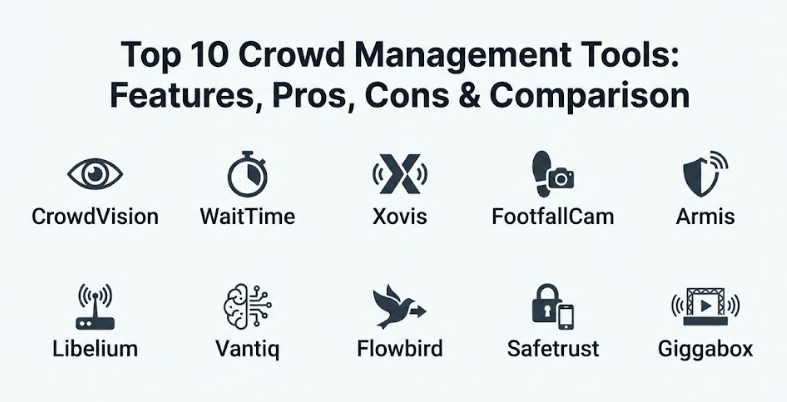
Top 10 Crowd Management Tools
1 — CrowdVision (by Beonic)
CrowdVision is a leading software that uses video cameras and smart math to track how people move through busy places like airports and train stations. It is designed for managers who need to see a “live” picture of pedestrian flow to reduce wait times and prevent dangerous crowding. The system is famous for being very accurate even in high-traffic areas where people are constantly crossing paths. It helps venues increase their efficiency by showing exactly where the “clogs” are happening in real-time. By using existing camera networks, it turns a standard security system into a powerful management tool.
Key Features:
- Real-time monitoring of queue lengths and wait times.
- Heatmaps that show where people are standing still the most.
- Automatic alerts that trigger when an area exceeds its safe capacity.
- Detailed analysis of “journey times” from one point to another.
- Ability to distinguish between staff members and visitors.
- High-level data that predicts future crowd patterns based on past events.
- Integration with digital signs to tell guests which lines are shortest.
Pros:
- Very powerful at handling the massive, constant flow of people in airports.
- The visual heatmaps are very easy for security teams to understand at a glance.
- Works with most standard IP cameras, so you might not need new hardware.
Cons:
- Setting up the smart math for a new venue can take some technical expertise.
- It can be a significant investment for smaller venues with limited budgets.
- Requires a stable and strong network connection to process live video data.
Security & Compliance: Fully GDPR and CCPA compliant, ensuring that individual identities are masked and data is processed securely.
Support & Community: Offers professional onboarding, a dedicated customer success team, and deep technical documentation for enterprise users.
2 — WaitTime
WaitTime is a specialized crowd intelligence platform that focuses on giving both managers and guests real-time information about wait times. It is a favorite for major sports stadiums and entertainment venues where thousands of people all want to use the concessions or bathrooms at the same time. The tool provides a “dashboard” for the operations team and can also send live updates to the fans’ phones. This dual approach helps balance the crowd naturally by encouraging people to move toward less busy areas. It takes the “guesswork” out of finding the fastest way to get a snack or find a seat.
Key Features:
- Patented technology that measures crowd density at a very high resolution.
- Guest-facing displays that show “green, yellow, red” status for different lines.
- Operations dashboard that tracks every entry and exit point in the venue.
- Real-time alerts for staff when a line grows too long.
- Historical data reports that help with planning staff for future events.
- Integration with mobile apps so fans can see wait times from their seats.
- Automated reporting that compares the performance of different venue sections.
Pros:
- Excellent at improving the “guest experience” by reducing frustration in lines.
- Very easy for guests to use without needing to learn any complicated app.
- Proven to increase revenue by sending fans to shorter concession lines.
Cons:
- Primarily focused on line management rather than overall site security.
- Requires specific camera placements to get the most accurate density readings.
- Some users might find the setup for very large outdoor spaces more difficult.
Security & Compliance: Uses encrypted data transmission and follows global privacy standards to protect visitor info.
Support & Community: Known for strong partnerships with major tech brands and high-quality customer support for live events.
3 — Xovis
Xovis is a high-tech company that makes its own specialized 3D sensors to count people with incredible accuracy. Unlike systems that just use regular cameras, Xovis sensors are built specifically for one job: seeing exactly how many people are in a space. This makes them a top choice for places that need 100% accurate data, like high-security buildings or major international transport hubs. The sensors do all the “thinking” right on the device, which means no private video ever has to leave the sensor. It is a very robust and professional-grade solution for serious crowd management needs.
Key Features:
- 3D sensor technology that can tell the difference between people and objects.
- Ability to count children and adults separately for better demographic data.
- Multisensor stitching that allows you to cover a huge area as one single space.
- Privacy-first design where no personal images are stored or sent to the cloud.
- Real-time occupancy tracking for rooms, buildings, or open-air plazas.
- Highly durable hardware that works in many different types of environments.
- Simple alerts that notify staff when occupancy limits are reached.
Pros:
- Unmatched accuracy compared to standard video-based counting systems.
- Very high level of privacy since everything is processed “on the edge.”
- Easy to scale from a single small room to a massive airport terminal.
Cons:
- Requires purchasing and installing specialized hardware sensors.
- The initial cost is higher than software-only solutions that use existing cameras.
- Needs a professional to install the sensors at the correct height and angle.
Security & Compliance: Complies with the strictest privacy laws globally, as no PII (Personally Identifiable Information) is ever captured.
Support & Community: Provides extensive technical manuals, training for installers, and a global network of support partners.
4 — FootfallCam
FootfallCam is a popular all-in-one solution that provides both the hardware sensors and the software to manage them. It is widely used in retail malls, museums, and public buildings to see how many people are entering and how they are moving around inside. The tool is very friendly for businesses that want a “plug-and-play” system that is ready to go out of the box. It offers a wide range of reports, including “heatmap” views and “path” analysis, to show the most popular routes people take. It is a very balanced tool that works well for both daily business needs and special event management.
Key Features:
- Dual-lens 3D sensors for highly accurate counting in all lighting.
- Wi-Fi tracking to see how long people stay in certain areas (dwell time).
- Automated reports sent directly to your email every day or week.
- Social distancing and occupancy alerts for health and safety compliance.
- Ability to exclude staff movements from the visitor count automatically.
- Mobile app for managers to check live numbers from anywhere.
- Integration with weather data to see how the rain or sun affects your crowd.
Pros:
- Very easy to set up and provides a lot of “ready-made” reports.
- More affordable for mid-sized venues than some of the industrial systems.
- The Wi-Fi tracking provides extra insight into how people spend their time.
Cons:
- Accuracy can be affected if the sensors are not mounted at the perfect height.
- The Wi-Fi tracking relies on people having their phones turned on.
- Software updates can sometimes be complex for non-technical users.
Security & Compliance: GDPR compliant with built-in features to anonymize all data at the point of capture.
Support & Community: Offers a helpful online knowledge base, video tutorials, and remote installation assistance.
5 — Armis
Armis is a unique tool on this list because it focuses on the “unseen” crowd—the thousands of digital devices that people carry with them. In a modern crowd, every person has a smartphone, a smartwatch, or a tablet, and Armis tracks these devices to understand where people are gathering. This is a very powerful way to manage security and crowd flow in places where you can’t install cameras, like large outdoor parks or city streets. It helps security teams see the “digital footprint” of a crowd, which can reveal a lot about how people are moving and if there are any suspicious devices in the area.
Key Features:
- Agentless monitoring that detects every Wi-Fi and Bluetooth device in the area.
- Real-time visibility into crowd density based on active digital signals.
- Automated risk assessment to spot devices that shouldn’t be in a secure area.
- Continuous monitoring that works 24/7 without needing human operators.
- Ability to map out “hot zones” where people are congregating based on device count.
- Integration with other security tools to provide a complete picture of safety.
- Detailed alerts for unusual crowd movements or device patterns.
Pros:
- Perfect for outdoor or open-air areas where camera coverage is difficult.
- Provides a unique layer of security by monitoring the digital side of a crowd.
- Very easy to deploy since it doesn’t require any software on the users’ phones.
Cons:
- Does not provide a visual picture of the crowd, only a digital map.
- Accuracy depends on how many people have their phones and Bluetooth on.
- Can be more focused on cybersecurity than simple people counting.
Security & Compliance: High-level enterprise security standards with a focus on protecting network integrity and data privacy.
Support & Community: Offers 24/7 technical support, a professional community forum, and extensive onboarding for new users.
6 — Libelium (Meshlium & Smart Spot)
Libelium provides a set of sensors and gateways that are built for “Smart Cities.” Their tools are designed to be placed on streetlights or buildings to monitor everything from air quality to crowd noise and movement. For crowd management, their “Smart Spot” can detect the Wi-Fi and Bluetooth signals of passing pedestrians to estimate how many people are in an area. It is a very rugged and durable tool that is built to live outside in the rain and sun. It is a top choice for city governments that want to understand how their streets and parks are being used by the public.
Key Features:
- Rugged hardware designed for long-term outdoor use in any weather.
- Ability to track crowd density and movement speed over large city areas.
- Integration with environmental sensors for air quality and noise levels.
- Low-power design that can be run on solar panels if needed.
- Support for many different types of data transmission, like 4G or LoRaWAN.
- Real-time alerts for city officials when a plaza becomes overcrowded.
- Anonymized data collection that protects the privacy of citizens.
Pros:
- The best choice for city-wide monitoring projects that need to last for years.
- Provides a lot of extra information beyond just crowd counting.
- Very flexible and can be customized with many different types of sensors.
Cons:
- Requires a bit of technical knowledge to set up the data networks.
- Not as “visual” as camera-based systems for live event management.
- The data is an estimate based on devices, not a perfect head-count.
Security & Compliance: Follows standard IoT security protocols and ensures that all pedestrian data is hashed and anonymous.
Support & Community: Offers deep technical documentation, developer kits, and a strong community for smart city planners.
7 — Vantiq
Vantiq is a software platform that acts like a “brain” for all your other crowd management tools. It doesn’t count people itself, but it takes the data from your cameras, sensors, and staff reports and puts them all into one smart system. It is designed to “take action” the moment something happens. For example, if a sensor shows a gate is too crowded, Vantiq can automatically tell a digital sign to show a different direction and alert the nearest security guard. It is a very powerful tool for venues that want a fully automated and reactive safety system.
Key Features:
- Real-time orchestration of many different data sources (cameras, IoT, staff).
- Visual “low-code” builder to create your own custom safety rules.
- Automated alerts that reach the right people on the right devices instantly.
- High-speed processing that can handle thousands of events every second.
- Ability to run on the “edge” (near the cameras) or in the cloud.
- Smart decision-making that can change signs or unlock doors automatically.
- Detailed dashboards that show a unified view of the entire venue’s safety.
Pros:
- The only tool that focuses on “taking action” rather than just showing data.
- Perfect for very complex venues with many different systems that need to work together.
- Very fast to build and change your safety protocols as needed.
Cons:
- Requires other sensors or cameras to provide the initial data.
- It is a high-end platform that might be more than a simple venue needs.
- Setting up the automated “actions” requires careful planning and testing.
Security & Compliance: Built-in safeguards for trusted AI decisions and military-grade security for data transmission.
Support & Community: Offers professional solution experts, platform demos, and a partner community for developers.
8 — Flowbird
Flowbird is a major name in city mobility and transport management, but they also offer powerful tools for managing crowds in urban areas. They focus on how people move between different types of transport, like buses, trains, and parking lots. Their software helps city planners see the “flow” of people through a city to prevent blocks and reduce waiting times at stations. It is a very practical tool that is built for daily city life, making sure that getting from point A to point B is as smooth as possible even during the busiest hours of the day.
Key Features:
- Integrated mobility tracking for pedestrians and transport users.
- Real-time data on occupancy at transit hubs and parking areas.
- Mobile app integration to give travelers live updates on crowd levels.
- Automated payment and access systems that reduce bottlenecks at gates.
- Detailed maps that show the movement of people across a whole city district.
- Predictive tools to help cities prepare for big festivals or holiday crowds.
- Anonymized data collection that keeps city movement private.
Pros:
- Excellent for managing the movement of people in “transport-heavy” areas.
- Proven track record in hundreds of cities around the world.
- Very strong at connecting different parts of city life (parking, transit, walking).
Cons:
- Primarily designed for city governments and transport authorities.
- Not as specialized for indoor event spaces like small stadiums.
- Setup requires integration with existing city infrastructure.
Security & Compliance: Complies with all major international data protection and payment security standards.
Support & Community: Offers professional city planning support and a global network of mobility experts.
9 — Safetrust
Safetrust is a security and access control tool that helps manage crowds by controlling who can go where and when. It uses “virtual badges” on people’s phones to let them through gates and doors without needing a physical card. For crowd management, this is a huge help because it prevents the long lines that form when people are fumbling for tickets or IDs. The tool also shows you exactly how many people are in each room in real-time based on who has “checked in.” It is a very high-tech way to keep a crowd moving quickly while maintaining a very high level of security.
Key Features:
- Mobile “virtual credentials” that allow for fast, hands-free entry.
- Real-time occupancy tracking for every room and floor in a building.
- Automated “muster reports” to see who is safe during an emergency.
- Secure Bluetooth communication that works with your existing door readers.
- Capability to manage different “access levels” for staff, guests, and VIPs.
- High-speed check-in that can handle hundreds of people per minute.
- Integration with other security systems like video and fire alarms.
Pros:
- Dramatically reduces entry wait times for busy offices or private events.
- Provides very high security by knowing exactly who is in the building.
- Very modern and convenient for guests who just want to use their phones.
Cons:
- Requires guests to have a smartphone with the Safetrust app or credential.
- You need to have specific hardware (readers) installed at every door.
- Not as helpful for managing crowds in public streets where there are no gates.
Security & Compliance: Uses military-grade encryption and is fully compliant with modern access control standards.
Support & Community: Provides extensive onboarding support and a professional help center for security managers.
10 — Giggabox (Crowd Management Services)
Giggabox is an event-focused tool that provides the “boots on the ground” management for festivals, conferences, and sporting events. They combine digital tools with professional staffing to ensure that every part of the crowd is being watched and managed. They are particularly good at “site planning,” using software to design the best layout for a festival to ensure people can move easily between stages and exits. It is a very hands-on solution that provides the human expertise needed to handle the unpredictable nature of live crowds.
Key Features:
- Professional site design and layout planning to optimize crowd flow.
- Real-time communication systems for security and staff members.
- Digital ticketing and entry management to reduce front-gate lines.
- On-site monitoring teams that use cameras and drones for a bird’s-eye view.
- Detailed risk assessments and emergency planning for every event.
- Post-event analysis to see where the crowd had the most trouble.
- Integration with public address systems to give live crowd instructions.
Pros:
- Perfect for organizers who want a “done-for-you” safety and flow solution.
- Combines technology with real-world human experience for better safety.
- Very flexible and can be adapted for any type of event, large or small.
Cons:
- It is a service-based solution, which can be more expensive than a software subscription.
- Not designed for 24/7 permanent use in a city or airport.
- Relies on having a professional team available on the day of the event.
Security & Compliance: Adheres to all local safety and health regulations and provides full audit trails for security.
Support & Community: Offers personalized event planning and direct expert support throughout the entire project.
Comparison Table
| Tool Name | Best For | Platform(s) Supported | Standout Feature | Rating |
| CrowdVision | Airports & Transit | Web, Cloud | Accurate Pedestrian Flow | N/A |
| WaitTime | Stadiums & Venues | Web, Mobile, Cloud | Live Guest Wait Times | N/A |
| Xovis | High-Accuracy Hubs | Hardware, Cloud | Specialized 3D Sensors | N/A |
| FootfallCam | Retail & Public Space | Web, Mobile, Cloud | Daily Heatmaps & Reports | N/A |
| Armis | Device-Based Security | Cloud, Edge | Digital Crowd Footprint | N/A |
| Libelium | Smart Cities | Hardware, Edge | Rugged Outdoor Sensors | N/A |
| Vantiq | Real-Time Action | Web, Cloud, Edge | Automated Safety Rules | N/A |
| Flowbird | City Mobility | Web, Cloud | Transport Integration | N/A |
| Safetrust | Access & Entry | Mobile, Cloud | Mobile Hands-Free Entry | N/A |
| Giggabox | Event Site Planning | Professional Service | Human-Tech Hybrid Flow | N/A |
Evaluation & Scoring of Crowd Management Tools
We have evaluated these tools based on the most important factors for modern crowd safety and efficiency. This table helps you see where each tool focuses its strength so you can pick the one that matches your specific venue’s needs.
| Category | Weight | Description |
| Core Features | 25% | How well it counts, tracks, and analyzes crowd movement and density. |
| Ease of Use | 15% | How simple the dashboard is for a manager during a busy event. |
| Integrations | 15% | Does it work with your existing cameras, signs, and Wi-Fi networks? |
| Security & Compliance | 10% | Does it follow privacy laws (GDPR) and keep data secure? |
| Performance | 10% | Is the data truly real-time and does it work in crowded networks? |
| Support & Community | 10% | Is there a team to help you set up and a community to learn from? |
| Price / Value | 15% | Is the cost fair for the accuracy and safety improvements it provides? |
Which Crowd Management Tool Is Right for You?
Choosing the right crowd management tool depends on the size of your space and what you are trying to achieve. If you are a solo organizer or a small business looking for basic stats, a tool like FootfallCam is often the best choice because it is affordable and gives you a complete “out-of-the-box” experience. You don’t need a massive network of servers; you just need to know how many people came in today and where they walked. Focus on tools that are easy to install yourself so that you don’t spend more on the setup than the software.
For mid-market venues like local stadiums, museums, or larger shopping centers, you need to balance cost with deeper insight. This is where WaitTime or Safetrust really shine. These tools help improve the “guest experience” by reducing lines and making entry faster, which directly helps your business grow. You should look for a tool that can grow with you and that offers good mobile support so your managers can use it while walking around the floor. At this stage, accuracy becomes more important as your crowd sizes get bigger and safety becomes more complex.
If you are an enterprise-level manager for an airport, a major city, or a national transport hub, you need the highest level of accuracy and automation. Tools like Xovis, CrowdVision, or Vantiq are built for this scale. You need a system that can process thousands of movements a second and “take action” without a human having to click every button. For you, security and privacy compliance are non-negotiable, and you need a system that is trusted by government agencies. Pick a partner that can provide a total, unified view of your entire operation across many different buildings or even cities.
Frequently Asked Questions (FAQs)
What exactly do these tools do?
They are software and hardware systems that count and track how many people are in a space. They help managers see crowd density, wait times, and movement patterns to make sure everyone stays safe and lines stay short.
Is my face being recorded by these cameras?
Most modern crowd management tools are designed to be “privacy-first.” They don’t record your face or name; instead, they turn you into a simple “dot” or “shape” on a map. This keeps you anonymous while still allowing the system to count you.
How do the sensors work in the dark?
Specialized sensors, like the ones from Xovis or FootfallCam, often use 3D or thermal technology. This means they can “see” the shape or heat of a person even in very low light where a regular camera might struggle to see anything.
Can these tools tell me how long a line is?
Yes, tools like WaitTime and CrowdVision are built specifically to measure “queue length.” They can show you exactly how many people are in line and estimate how many minutes it will take to get to the front.
Do I need a big IT team to set this up?
For some of the simpler tools like FootfallCam, a regular person can follow the instructions to set it up. For the larger enterprise systems, the company will usually send a team of experts to help you install the sensors and set up the software correctly.
Can these tools work outside?
Yes, many tools like Libelium are built specifically for outdoor use in cities and parks. They are rugged enough to handle rain, wind, and sun while still providing accurate data through Wi-Fi or digital sensors.
What happens if the internet goes down?
Most professional-grade sensors have “edge processing,” which means they can keep counting even if the internet is lost for a bit. Once the signal comes back, they will send all the data to the central dashboard so no numbers are lost.
Can these tools help in an emergency?
Absolutely. They are a vital part of emergency planning. They show managers where the bottlenecks are during an evacuation and can help security teams identify “empty” vs “full” rooms to make sure no one is left behind.
Do these tools work on mobile phones?
Yes, almost all the tools on this list have a mobile version or app. This allows security guards and venue managers to see the crowd levels on their phones while they are moving around the event.
How much do these tools cost?
The price varies a lot. Small retail systems can be a few hundred dollars, while massive airport systems can cost tens of thousands. Most companies offer a custom quote based on how many people you need to track and how large your venue is.
Conclusion
In conclusion, choosing a Crowd Management Tool is one of the most important safety decisions a venue manager can make. These tools are no longer just “nice-to-have” gadgets; they are essential for keeping large groups of people safe, happy, and organized in an increasingly busy world. Whether you are managing a small local museum or a massive international airport, there is a technology on this list that can turn your crowd into clear, manageable information. By putting people’s safety and comfort first, you are building a professional reputation that will keep guests coming back year after year.
Remember that there is no one “perfect” tool that works for every single space. The best tool for you is the one that fits your specific venue and gives you the exact answers you need to do your job better. Take the time to think about your biggest crowd problems—is it long bathroom lines? Is it dangerous entry gates? Is it knowing where the most popular exhibit is? Once you know your problem, you can pick the tool that was built to solve it. A small investment of time and money today can prevent a major emergency and create a much better experience for every person who walks through your doors.
We hope this guide has helped you understand the wide world of crowd technology and given you the confidence to pick the right partner for your next event or project. Managing a crowd is a huge responsibility, but with the right tools in your pocket, it becomes much less about stress and much more about success. By prioritizing clear data and active safety management, you are setting the stage for a great event where everyone can focus on having fun rather than worrying about the crowd. Take that first step, choose a tool that fits your vision, and see the difference that real crowd intelligence can make.