Introduction
In the world of event management, the moment an attendee arrives at the gate is the most critical point for making a good first impression. Ticket Scanning & Access Tools are important because they provide the first layer of security and the primary method of data collection for any live gathering. Without these tools, event organizers are left guessing about attendance numbers and are highly vulnerable to ticket duplication or “pass-backs” where one ticket is used multiple times. These systems do more than just beep at a valid code; they provide a wealth of information, such as which entry gates are the busiest and what time most people arrived. This data is vital for planning future events, managing staff levels at the door, and ensuring that fire safety limits are never exceeded.
When you are looking for a tool in this category, there are several evaluation criteria to keep in mind. First, look for speed; a scanner that takes several seconds to process a single person will lead to frustrated crowds. Second, check for offline functionality, as internet connections at festivals or deep inside convention centers can be notoriously unreliable. Third, the tool must be easy enough for a temporary volunteer to learn in under five minutes. Finally, consider how well the software syncs across multiple devices; if one gate scans a ticket, every other gate must know instantly that the ticket is now “used” to prevent fraud. A good system should feel like an invisible assistant that keeps the crowd moving while keeping the organizers fully informed.
Best For and Not Ideal For
Best for: These tools are a perfect fit for professional event organizers, venue managers, concert promoters, and non-profit fundraisers who need to handle anywhere from a few dozen to several thousand attendees. They are especially beneficial for roles like Head of Security or Registration Leads who need to monitor flow rates and prevent unauthorized entry. Industries like entertainment, sports, education, and corporate conferences find them indispensable for maintaining an orderly and secure environment. They are also ideal for organizations that want to use attendance data to improve their marketing and operational strategies for future years.
Not ideal for: Very small, casual gatherings like a neighborhood backyard barbecue or an informal office lunch probably do not need the complexity of a digital scanning system. If you know every person who is walking through the door by name and you are not charging for entry, a simple paper list or a “check-in” by hand is much more efficient. Additionally, these tools might not be ideal for organizations that have zero access to smartphones or modern hardware, as the software requires a digital device to function. If your event is held in a location with absolutely no electricity and no way to charge mobile devices, the physical limitations might make these high-tech tools more of a burden than a help.
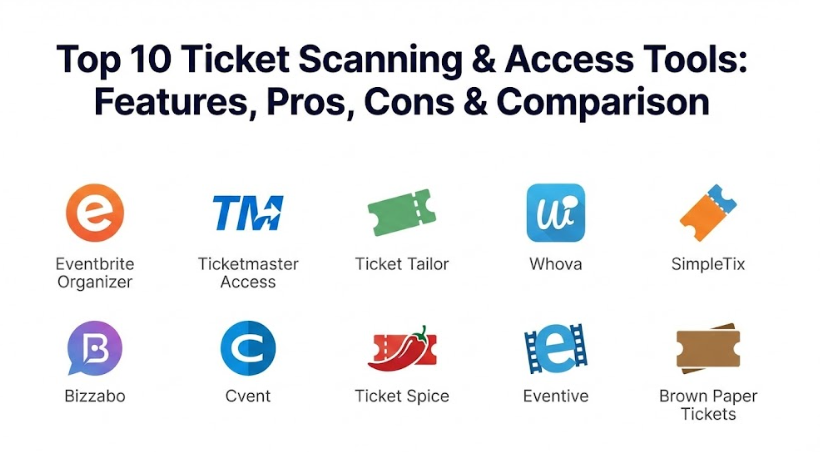
Top 10 Ticket Scanning & Access Tools Tools
1 — Eventbrite Organizer
Eventbrite Organizer is a highly popular mobile app designed to turn any smartphone into a professional entry management system. It is part of the broader Eventbrite ecosystem, making it a natural choice for those already using the platform to sell their tickets. This tool is built to handle everything from small workshops to massive music festivals with ease. It provides a clean, visual interface that allows volunteers to see exactly who is checking in and how many tickets are left. Because it is so widely used, many event staff are already familiar with how it works, which reduces the need for extensive training.
- Key Features:
- Real-time syncing across all scanning devices at multiple entry points.
- Ability to sell tickets and take payments directly at the door.
- Robust offline mode to keep scanning even when Wi-Fi fails.
- Detailed attendee search for those who lost their physical or digital tickets.
- Integrated “Check-in” data that feeds directly into the main organizer dashboard.
- Support for multiple ticket types and VIP lists within one app.
- Multi-user access with specific permissions for different staff members.
- Pros:
- The interface is incredibly intuitive, making it perfect for temporary volunteers.
- It eliminates the need for expensive, specialized hardware since it works on standard phones.
- The instant data syncing prevents ticket fraud across different gates very effectively.
- Cons:
- It is heavily tied to the Eventbrite ticketing platform and doesn’t work well with outside data.
- High-volume events may find that standard smartphone cameras scan slower than dedicated lasers.
- Security & Compliance: Offers secure data encryption, SOC 2 compliance through the main platform, and is fully GDPR compliant for handling attendee data.
- Support & Community: Extensive online help center, a massive global community of organizers, and 24/7 phone support for premium events.
2 — Ticketmaster Access (Presence)
Ticketmaster Presence is an enterprise-grade access control system designed for stadiums, arenas, and massive venues that handle tens of thousands of people. It focuses on “Smart Token” technology, which replaces traditional barcodes with moving digital signatures that cannot be screenshotted or stolen. This tool is all about high-volume speed and high-level security, making it the top choice for major league sports and world-tour concerts. It is a very technical system that often involves dedicated hardware pedestals and high-speed laser scanners rather than just mobile apps.
- Key Features:
- SafeTix technology that uses rotating barcodes to prevent ticket theft.
- Real-time map of the venue showing attendee density at different gates.
- Integration with stadium “tap-to-enter” NFC (Near Field Communication) technology.
- Advanced analytics on attendee behavior, such as arrival times and food purchases.
- “Presence” hardware that includes heavy-duty pedestals and handheld lasers.
- Deep integration with the Ticketmaster marketing and resale database.
- Support for digital “wallets” like Apple Wallet and Google Pay.
- Pros:
- It offers the highest level of security against ticket fraud in the industry.
- The scanning speed is incredibly fast, designed to move thousands of people per hour.
- It provides massive amounts of data that help venue owners maximize their revenue.
- Cons:
- The system is extremely expensive and only accessible to very large venues.
- It requires specialized hardware and technical staff to set up and maintain.
- Security & Compliance: Highest-level encryption, ISO certified, and fully compliant with global data privacy and financial standards.
- Support & Community: Dedicated enterprise account managers, on-site technical teams, and a professional user network for venue managers.
3 — Ticket Tailor (Check-in App)
Ticket Tailor is a favorite for independent event organizers who want a professional tool without the high fees associated with major platforms. Their check-in app is a straightforward, no-nonsense tool that allows you to scan QR codes and check people off a list with your phone. It is designed to be lean and fast, focusing on the core task of getting people inside. This tool is perfect for theater groups, small festivals, and community centers that need a reliable way to manage their doors on a budget.
- Key Features:
- Simple QR code scanning using a phone’s built-in camera.
- Manual check-in mode for guests who forget their tickets.
- Real-time stats showing how many people have arrived versus how many are left.
- Ability to handle multiple events and dates within the same app.
- Permission-based access so volunteers can scan but not see sensitive data.
- Works on both iOS and Android devices without specialized hardware.
- Clean, minimal design that keeps the focus on the task at hand.
- Pros:
- It is very affordable, making it accessible for charities and small businesses.
- The app is very lightweight and doesn’t drain phone batteries quickly.
- It is extremely simple to set up, even for someone who isn’t tech-savvy.
- Cons:
- It lacks the advanced “anti-fraud” moving barcodes found in enterprise tools.
- The reporting is basic compared to the deep analytics offered by stadium-level systems.
- Security & Compliance: Secure data handling, GDPR compliant, and uses standard web encryption for all syncing.
- Support & Community: Excellent documentation, a helpful email support team, and a loyal community of independent artists and organizers.
4 — Whova (Check-in & Lead Retrieval)
Whova is more than just a ticket scanner; it is a comprehensive event app that handles everything from agendas to networking. Its check-in tool is specifically designed for professional conferences and corporate events where attendee tracking is used for more than just entry. It allows organizers to track who attended which specific session, which is vital for providing “Continuing Education” credits. It is a highly integrated tool that connects the person at the door with the person sitting in the lecture hall.
- Key Features:
- Session-based check-in to track attendance for specific speakers or workshops.
- Self-service kiosk mode for attendees to check themselves in and print badges.
- Real-time attendee profiles visible to staff during the scanning process.
- Lead retrieval features for sponsors and exhibitors to scan badges.
- Automated email notifications when VIPs or specific guests arrive.
- Integration with badge-printing hardware for on-site registration.
- Detailed attendance reports for post-event analysis and certificate generation.
- Pros:
- It is the best tool for conferences that need to track attendance by the minute.
- The self-service kiosk significantly reduces the need for staff at the front desk.
- It provides a very professional, “high-tech” feel for corporate environments.
- Cons:
- The full suite of features can be overwhelming for a simple music or social event.
- It requires a more complex setup phase compared to basic scanning-only apps.
- Security & Compliance: SOC 2 certified, GDPR compliant, and offers secure SSO for corporate logins.
- Support & Community: High-quality onboarding, a dedicated customer success manager, and a very active community of event planners.
5 — SimpleTix (Promoter App)
SimpleTix focuses on simplicity and speed, offering an app that is specifically designed for local attractions, farm tours, and recurring events. Their scanning tool is built for “high-frequency” scanning, where staff might be checking in a new group of people every thirty minutes. It is a very reliable tool for businesses that operate daily and need a system that just works every time. It places a heavy emphasis on making the process as quick as a single tap, which is vital for keeping lines short during peak hours.
- Key Features:
- High-speed QR code scanning optimized for fast-paced entry.
- Integration with Square for selling tickets and merchandise at the gate.
- Support for “Timed Entry” tickets to manage crowd flow throughout the day.
- Ability to scan multiple people from a single family ticket at once.
- Real-time capacity alerts to let managers know when the venue is full.
- Detailed search and filter options for finding specific guest orders.
- Automatic syncing that prevents a single ticket from being used at two different locations.
- Pros:
- It handles “family tickets” much better than many other basic apps.
- The integration with Square makes it a powerhouse for selling on-site.
- It is very reliable for daily, recurring business use.
- Cons:
- The interface is functional but lacks the “modern” look of apps like Eventbrite.
- It doesn’t offer the deep corporate networking features of conference-specific tools.
- Security & Compliance: Standard encryption, GDPR compliant, and PCI compliant for on-site payments.
- Support & Community: Responsive technical support, detailed video tutorials, and a growing user base of local attraction owners.
6 — Bizzabo (Check-in & On-site)
Bizzabo is a premium platform for “B2B” (business-to-business) events and high-end corporate summits. Their access control tool is designed to provide a “white-glove” experience, where the check-in process feels like a concierge service rather than a security gate. It focuses on personalization, allowing staff to see an attendee’s history and preferences the moment their ticket is scanned. It is a great choice for companies that want their events to feel luxurious and extremely organized from the very first second.
- Key Features:
- Personalized greeting prompts for staff based on attendee data.
- On-site badge printing that triggers instantly upon successful scan.
- Advanced VIP tracking and arrival alerts for event executives.
- Integration with CRM tools like Salesforce to sync attendance data.
- Support for multi-day, multi-session access management.
- Real-time dashboard for monitoring total attendance and “no-shows.”
- Professional hardware rentals, including iPads and high-speed printers.
- Pros:
- It provides a superior, professional experience for high-value attendees.
- The integration with marketing and sales software is best-in-class.
- It makes badge management and on-site printing incredibly efficient.
- Cons:
- The cost is quite high, making it unsuitable for small or community events.
- It is a “heavy” system that requires more time to set up and configure.
- Security & Compliance: ISO 27001 certified, SOC 2 compliant, and offers full data privacy protections for global attendees.
- Support & Community: Dedicated professional services team, 24/7 enterprise support, and a high-level network of corporate planners.
7 — Cvent (OnArrival)
Cvent is a giant in the event technology space, and their “OnArrival” app is the standard for large-scale corporate meetings and trade shows. It is designed to replace the old-fashioned “check-in table” entirely with a digital-first approach. The app can be used by staff to scan people in, or it can be set up on a tablet for attendees to check themselves in. It is a very robust and reliable system that is built to handle the complexity of events that have hundreds of different sessions and thousands of guests.
- Key Features:
- Wireless badge printing that connects directly to the scanning app.
- Signature capture for legal waivers or terms of service agreements.
- Ability to edit attendee info and swap badges on the fly at the door.
- Real-time syncing with the massive Cvent event management database.
- Session-specific access control for “breakout” rooms and dinners.
- Advanced analytics showing “dwell time” and popular sessions.
- Kiosk mode with facial recognition support for ultra-fast check-in.
- Pros:
- It is the most comprehensive tool for massive, multi-faceted corporate events.
- The badge printing and waiver features solve many common front-door problems.
- It is extremely reliable and backed by one of the largest companies in the industry.
- Cons:
- It is one of the most complex systems to learn and navigate.
- The pricing is aimed at large corporations and may be out of reach for smaller teams.
- Security & Compliance: Highest enterprise security ratings, SOC 1/2, PCI compliant, and fully GDPR/HIPAA ready.
- Support & Community: 24/7 global support, dedicated account teams, and a massive library of professional training resources.
8 — Ticket Spice (Scanning App)
Ticket Spice is known for being a “disruptor” in the ticketing world, offering a platform that gives organizers more control over their money and their data. Their scanning app is built to be fast, flexible, and extremely powerful. It is a favorite for high-volume outdoor events like state fairs, pumpkin patches, and festivals where the environment is tough and the lines are long. It focuses on being “field-ready,” with features that allow it to work perfectly under bright sun or in rainy conditions where other apps might struggle.
- Key Features:
- Multi-gate synchronization that works even on slow cellular networks.
- High-volume “Batch Scanning” for groups arriving in buses or cars.
- Ability to handle “Flex-Pass” tickets that are good for any day.
- Permission-based staff levels to protect sensitive revenue data.
- Instant reports on which gates are scanning the fastest.
- Custom branding for the scan screen to match the event’s theme.
- Integrated “Entry Logic” that can show custom messages for specific tickets.
- Pros:
- It is one of the most flexible tools for handling unusual ticket types.
- The syncing is very efficient, making it great for remote locations.
- Organizers love the level of control and customization they have over the app.
- Cons:
- It lacks the specialized “badge-printing” focus of corporate tools.
- The setup requires a bit more thought because it offers so many options.
- Security & Compliance: Secure SSL encryption, PCI compliant, and offers privacy controls for attendee information.
- Support & Community: Very helpful customer support team, detailed video guides, and a community of independent festival owners.
9 — Eventive (Film & Arts)
Eventive is a specialized tool designed specifically for film festivals and arts organizations. Their scanning and access tool is unique because it handles both physical entry to a theater and digital entry to an online streaming platform. It is a “hybrid” tool that understands the specific needs of the arts world, where people might be using passes, physical tickets, or member IDs to get inside. It is a very elegant and modern system that makes the arts experience feel very professional for the audience.
- Key Features:
- Hybrid access control for both in-person theaters and virtual screenings.
- Pass-holder management that allows for “scanned-in” seating priority.
- Integration with cinema box office hardware and ticketing.
- Real-time theater capacity tracking to prevent over-selling.
- Ability to scan physical member cards or digital ticket QR codes.
- Clean, aesthetic interface that fits well with cultural and artistic events.
- Support for “Voucher” redemption at the door.
- Pros:
- It is the only major tool that perfectly blends virtual and physical entry.
- The design is beautiful and adds to the overall “artsy” feel of an event.
- It handles complex “member passes” better than almost anyone else.
- Cons:
- It is very specialized and might not work well for a sports game or a trade show.
- The digital streaming focus makes it more complex than a simple “entry-only” app.
- Security & Compliance: Advanced DRM for virtual content, GDPR compliant, and secure ticketing encryption.
- Support & Community: High-level support for film festivals and a specialized community of arts administrators.
10 — Brown Paper Tickets (Scanning Tool)
Brown Paper Tickets is an “old-school” favorite for community theaters, small charities, and grassroots movements. Their scanning tool is built for the “everyday” organizer who wants a free and reliable way to manage their door without any bells and whistles. It is a very straightforward system that focuses on the basics of entry management. It is a great choice for those who value mission over profit and want a system that is supported by a company with a strong ethical focus.
- Key Features:
- Basic QR and barcode scanning using any standard smartphone.
- Manual search for attendees based on name or order number.
- Simple real-time check-in stats for a quick view of attendance.
- Support for physical tickets sent via mail or digital print-at-home tickets.
- Multi-device support for small teams with several entry points.
- No-cost entry management for those using the main ticketing platform.
- Integration with the “Fair Trade” ticketing philosophy of the company.
- Pros:
- It is completely free for those who use the platform to sell tickets.
- It is very simple to understand and requires almost no training.
- It works well for very small, community-focused events.
- Cons:
- It lacks almost all of the advanced analytics and anti-fraud features of modern tools.
- The software can feel dated and slower than newer cloud-based competitors.
- Security & Compliance: Basic secure syncing and standard data privacy protections.
- Support & Community: Dedicated phone support and a loyal community of grassroots organizers.
Comparison Table
| Tool Name | Best For | Platform(s) Supported | Standout Feature | Rating |
| Eventbrite Organizer | General Events | iOS / Android | Ease of Use & Sync | 4.6 / 5 |
| Ticketmaster Access | Massive Venues | Specialized Hardware | SafeTix Fraud Protection | 4.8 / 5 |
| Ticket Tailor | Independent Events | iOS / Android | Low-Cost Simplicity | 4.5 / 5 |
| Whova | Conferences | iOS / Android / Web | Session-Based Tracking | 4.7 / 5 |
| SimpleTix | Local Attractions | iOS / Android | Square POS Integration | 4.4 / 5 |
| Bizzabo | High-End Corporate | iOS / Android / Web | Concierge Style Check-in | 4.7 / 5 |
| Cvent OnArrival | Trade Shows | iOS / Android / Web | Wireless Badge Printing | 4.9 / 5 |
| Ticket Spice | Outdoor Festivals | iOS / Android | Rugged Field Syncing | 4.6 / 5 |
| Eventive | Film & Arts | iOS / Android / Web | Hybrid Virtual Access | 4.5 / 5 |
| Brown Paper Tickets | Community Events | iOS / Android | Ethical & Free Basics | 4.0 / 5 |
Evaluation & Scoring of Ticket Scanning & Access Tools
Choosing the right tool requires looking at several different factors. Below is a scoring rubric that breaks down what matters most to those managing a live event entrance.
| Criteria | Weight | What We Look For |
| Core Features | 25% | Scanning speed, offline mode, and guest list search capability. |
| Ease of Use | 15% | How quickly a volunteer can learn the app and start scanning accurately. |
| Integrations | 15% | Ability to connect with payment tools, CRMs, and ticketing platforms. |
| Security & Compliance | 10% | Anti-fraud technology, data encryption, and GDPR compliance. |
| Performance & Reliability | 10% | App stability, battery efficiency, and cross-device sync speed. |
| Support & Community | 10% | Quality of help documentation and availability of 24/7 technical support. |
| Price / Value | 15% | Whether the features and reliability justify the cost for the specific event size. |
Which Ticket Scanning & Access Tools Tool Is Right for You?
Selecting the perfect tool depends heavily on the scale of your event and what you plan to do with the data afterward.
Solo Users vs SMB vs Mid-Market vs Enterprise
- Solo Users & Small Charities: You should stick with Ticket Tailor or Brown Paper Tickets. These are low-cost or free and provide exactly the basics you need without any confusing extras.
- Small to Mid-Market (500 – 2,000 attendees): Eventbrite Organizer or Ticket Spice are the best options here. They offer a great balance of speed, fraud protection, and ease of use for small professional teams.
- Large Corporate & Enterprise (5,000+ attendees): You need the heavy-duty power of Cvent, Bizzabo, or Ticketmaster Access. These systems are designed to handle the massive pressure and complexity of thousands of people arriving at once.
Budget-Conscious vs Premium Solutions
- On a Budget: Ticket Tailor is the clear winner for those who want professional features with a simple “pay-as-you-go” or flat-fee model.
- Premium & White-Glove: If your event is for high-level executives or VIPs, Bizzabo or Cvent are worth the investment. They make the entry feel like a luxury experience rather than a security check.
Feature Depth vs Ease of Use
- If you care about Simplicity: Eventbrite is the king of “pick up and scan.” Almost anyone can use it without any training.
- If you care about Data & Tracking: Whova or Cvent are the specialized tools for you. They will tell you exactly which sessions were popular and which attendees were the most engaged.
- If you care about Security: Ticketmaster with its rotating SafeTix technology is the only choice for preventing professional ticket fraud at scale.
Frequently Asked Questions (FAQs)
1. What exactly is a ticket scanning and access tool?
It is a software system (usually an app on a phone) that reads a digital or physical code on a ticket and checks it against a database to see if the person is allowed inside. It prevents fake tickets from being used and ensures each ticket can only be used once.
2. Do I need special hardware or can I just use my phone?
Most modern tools like Eventbrite and Ticket Tailor are built to work perfectly on standard iPhones and Android phones using the built-in camera. However, huge stadiums often use “laser” scanners or “NFC” pedestals because they are much faster than a standard camera.
3. What happens if the internet goes out during my event?
Almost all high-quality scanning tools have an “offline mode.” This means the app stores a copy of the guest list on your phone. You can keep scanning people in, and the moment you get back to Wi-Fi, the app will sync up and update the main records.
4. Can I scan tickets at multiple different gates at the same time?
Yes, this is one of the main reasons people use these tools. As long as the phones have a connection, they will talk to each other. If a ticket is scanned at Gate A, Gate B will instantly know that the ticket is now “used” and won’t let that person in again.
5. How much do these tools usually cost?
The cost varies wildly. Some are free if you use the main ticketing platform, while others charge a “per scan” fee. Large enterprise tools like Cvent or Ticketmaster are custom-priced and can cost thousands of dollars for a single massive event.
6. Is it difficult to train volunteers to use these apps?
Generally, no. Most modern apps are designed to be “idiot-proof.” A volunteer usually just has to open the app, point the camera at the QR code, and wait for a green or red screen. Training usually takes less than five minutes.
7. Can these tools help me track which guests were the most engaged?
Yes, especially conference-focused tools like Whova and Bizzabo. They can track which specific rooms a guest visited and how long they stayed, giving you a very clear picture of what parts of your event were the most successful.
8. Do these tools handle VIP lists and walk-in sales?
Most of the better apps like SimpleTix and Eventbrite allow you to search for a name manually if someone lost their ticket. They also let you sell a new ticket and take a payment right there at the door using a connected card reader.
9. Can I print badges at the door when I scan a ticket?
Yes, this is a major feature of corporate tools like Cvent OnArrival. When the staff scans a ticket, the app sends a signal to a nearby printer that instantly prints a badge with the person’s name and company on it.
10. What is the most common mistake organizers make with scanning?
The most common mistake is not checking the battery life of the scanning phones. Scanning codes all day uses a lot of power. Always make sure you have “power banks” or chargers at the gate so your scanning doesn’t stop halfway through the event.
Conclusion
Choosing the right Ticket Scanning & Access Tool is one of the most important decisions you can make to ensure your event runs smoothly and securely. These tools represent a shift from the old, slow days of paper lists to a modern, data-driven approach that protects your revenue and improves the experience for your guests. By investing in the right platform, you can significantly reduce the stress of the front door, eliminate ticket fraud, and gain valuable insights that will help you grow your audience in the future. It is about more than just a “beep” at the gate; it is about having the data and the control to lead your event with confidence and professionalism. When your entrance is fast and secure, it sets a positive tone that follows your attendees through the rest of the day.
When you begin your search for the perfect scanning tool, remember that the “best” choice is the one that fits your specific team and your specific venue. A massive stadium needs the high-speed laser power of Ticketmaster, while a local theater will thrive with the simple, low-cost approach of Ticket Tailor. The most important thing is to focus on the person at the door—is the app easy enough for them to use under pressure? Is it reliable enough that it won’t crash when the lines get long? Do not get distracted by fancy features that you will never use; instead, look for the tool that answers your most basic daily questions about attendance and security. A tool that stays in the background but works perfectly every time is the most valuable one you can buy.
Take the time to test your chosen app on several different types of phones, check how it handles poor internet, and make sure your staff feels comfortable using it. The right platform will not just give you a count of heads; it will tell you the story of your event and show you exactly where you can improve for the next time. In a world where every attendee’s time is valuable and every ticket sale counts, having the right access technology can be your greatest advantage. By making a thoughtful and informed choice, you are not just buying software; you are investing in the safety, happiness, and long-term success of every single person who walks through your door. Every scan is a moment of connection, and with the right tool, you can make sure that moment is as smooth and welcoming as possible.