Introduction
In today’s changing work environment, managing an office has become much more complicated than just handing out desk keys. Facilities space planning tools are important because they allow companies to adapt to new ways of working, such as hybrid schedules where people only come in a few days a week. When you have a clear digital view of your space, you can save a massive amount of money by getting rid of extra office floors you don’t actually need. These tools are also essential for keeping employees happy, as they allow staff to book their own desks or find their teammates in a large building easily. By turning physical space into digital data, companies can make smart decisions about their real estate instead of just following a “gut feeling” that they might need more or less room.
Real-world use cases for these tools are found in almost every industry. A large tech company might use space planning software to coordinate a massive move where five hundred employees change floors in a single weekend. A hospital might use it to track where expensive mobile medical equipment is located throughout the building. In a university setting, administrators use these tools to manage classroom schedules and ensure that large lectures aren’t booked into rooms that are too small. Even small businesses use them to create “neighborhoods” for different teams, like putting the creative team near the windows and the accounting team in a quieter corner.
When choosing a tool in this category, there are several evaluation criteria you should consider. First, look for ease of use; if the software is too hard to navigate, your employees won’t use it to book their desks. Second, check the “move management” features to see how easy it is to drag and drop people into new seats on the digital map. Third, integration is key; the tool should talk to your existing calendar systems like Outlook or Google. Finally, reporting and analytics are vital so you can see actual data on how many people are in the office each day.
Best for: These tools are an excellent fit for facility managers, operations directors, and human resources teams in mid-to-large sized companies. They are particularly valuable for organizations moving to a hybrid work model or those with large corporate campuses and multiple floors. Industries like finance, technology, and healthcare benefit the most because they often have complex floor plans and high numbers of employees to manage across different locations.
Not ideal for: Very small businesses with only five or ten employees who sit in the same spot every day will likely find these tools unnecessary. If your team is entirely remote and has no physical office, you certainly won’t need space planning software. They are also not a great fit for organizations that do not have the time to keep their floor plans updated, as the software is only as good as the information you put into it.
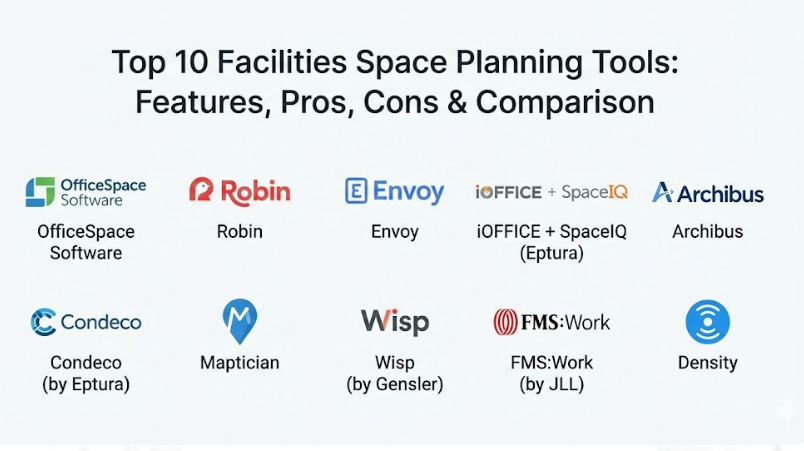
Top 10 Facilities Space Planning Tools
1 — OfficeSpace Software
OfficeSpace is a highly visual and user-friendly platform designed to make office moves and seating charts as simple as possible. It is built for companies that want to move away from static spreadsheets and toward a dynamic, interactive map of their workplace. The software excels at “what-if” scenarios, allowing managers to play with different floor plan ideas before actually moving a single piece of furniture. It is widely used by some of the biggest names in business because it manages to make a complex task feel very intuitive. This tool helps bring the office to life by giving everyone a clear view of where people and assets are located. It is particularly strong at helping teams transition to hot-desking or hoteling models where seats aren’t assigned permanently.
- Key features:
- Visual Directory that allows employees to find colleagues instantly.
- Drag-and-drop Move Manager for planning large-scale team relocations.
- Scenario Planning to test new floor layouts in a private “sandbox” mode.
- Desk Booking and Room Reservation modules for hybrid workers.
- Real-time Stack Plans to see how different departments are distributed across floors.
- Detailed analytics on space utilization and occupancy rates.
- Integration with Slack and Microsoft Teams for easy communication.
- Pros:
- The interface is very clean and easy for non-technical people to understand quickly.
- Their customer support team is known for being very helpful during the initial setup.
- Cons:
- The mobile app could be more powerful compared to the desktop version.
- It can become quite expensive as you add more buildings or employees to the system.
- Security & compliance: SSO, 256-bit encryption, SOC 2 Type II, and GDPR compliant.
- Support & community: High-quality documentation, dedicated account managers for large teams, and a very active user community with regular training webinars.
2 — Robin
Robin focuses heavily on the “employee experience” side of space planning. It is designed to help teams coordinate their office days so that they are actually in the building at the same time as their favorite coworkers. While it handles the technical floor plan management well, its real strength is in its mobile app, which employees use to book desks and see who else is coming in. Robin aims to make the office a destination people want to visit rather than just a place they have to go. It provides leaders with the data they need to understand why people are coming in and what types of spaces—like quiet zones or collaborative tables—they prefer. This tool is great for companies that want to focus on culture and collaboration.
- Key features:
- Interactive office maps that show real-time desk availability.
- “Workplace Weeklies” that show team schedules and planned office days.
- Abandoned meeting protection that releases rooms if no one shows up.
- Visitor management to track who is entering the building.
- Advanced sensors integration to track live occupancy without manual check-ins.
- Wayfinding tools to help people navigate large or confusing office layouts.
- Deep integrations with Google Workspace and Microsoft 365.
- Pros:
- The mobile experience is one of the best in the industry for daily employees.
- It is very fast to set up and get running compared to older, traditional systems.
- Cons:
- Lacks some of the deep “heavy-duty” move management features for massive corporate relocations.
- Reporting can sometimes feel a bit basic for very high-level real estate analysts.
- Security & compliance: SSO, SOC 2 Type II, GDPR, and Privacy Shield compliant.
- Support & community: Extensive online help center, chat-based support, and a library of guides on hybrid work best practices.
3 — Envoy
Envoy started as a simple way to sign in visitors at the front desk, but it has grown into a full workplace platform that includes space planning and desk booking. It is designed for companies that want a “one-stop-shop” for everything happening in their building. Because Envoy already knows who is entering the building (visitors and employees), it can provide very accurate data on how the space is actually being used. The tool is built to be modern and sleek, removing the friction from the workday. It is a great choice for companies that want to manage their doors, their desks, and their mailroom all in the same place. It emphasizes a safe and organized return to the office.
- Key features:
- Integrated visitor registration and employee check-ins.
- Desk booking with customizable “neighborhoods” for specific teams.
- Map-based views of the office to find available desks or rooms.
- Workplace health and safety checks for people entering the building.
- Mailroom management to track packages and deliveries.
- Analytics on peak office hours and most-used areas.
- Room scheduling that connects to existing digital calendars.
- Pros:
- Having visitors, desks, and safety in one app is incredibly convenient.
- The setup process is very modern and doesn’t require a lot of technical help.
- Cons:
- The space planning features are not as deep as tools built solely for facility managers.
- It can feel like a “jack of all trades” rather than a master of complex floor planning.
- Security & compliance: SOC 2 Type II, GDPR, ISO 27001, and CCPA compliant.
- Support & community: 24/5 live chat support, a detailed knowledge base, and a professional services team for enterprise setup.
4 — iOFFICE + SpaceIQ (Eptura)
Now part of a larger company called Eptura, iOFFICE and SpaceIQ are traditional powerhouses in the facilities management world. These tools are designed for large corporations that have millions of square feet to manage across many different countries. They provide very deep, data-rich floor plans that can track everything from where a specific chair is located to how much the electricity costs for a specific wing of the building. This is “enterprise-grade” software, meaning it is built to handle huge amounts of information and very complex business rules. It is ideal for facility managers who need to justify their real estate spending to the board of directors using hard numbers and detailed charts.
- Key features:
- Comprehensive asset tracking for furniture, computers, and equipment.
- Advanced move management with multi-step approval workflows.
- Integration with CAD drawings to keep digital maps perfectly accurate.
- Service request management for maintenance and repairs.
- Lease management to track rent and important contract dates.
- Strategic space forecasting to predict future real estate needs.
- Occupancy sensors and badge integration for precise tracking.
- Pros:
- It offers the most complete set of features for professional facility managers.
- The reporting is incredibly detailed and can be customized for any business need.
- Cons:
- The software is very complex and takes a long time to learn how to use well.
- The interface can feel a bit older and more “robotic” than modern startups.
- Security & compliance: SOC 2 Type II, ISO 27001, GDPR, and HIPAA compliant.
- Support & community: Dedicated enterprise support teams, professional onboarding, and a massive network of global partners.
5 — Archibus
Archibus is often called the “gold standard” for Integrated Workplace Management Systems (IWMS). It is a highly technical tool used by huge organizations like universities, government agencies, and global banks. It doesn’t just plan space; it manages the entire lifecycle of a building, including the plumbing, the wiring, and the long-term structural health. For space planning, it is incredibly powerful because it connects the physical floor plan to every other piece of data the organization owns. It is designed for people whose primary job is managing buildings and who need every single detail at their fingertips. It is a very stable and proven platform that has been a leader in the industry for many years.
- Key features:
- Industrial-strength space accounting and chargeback features.
- Integration with Building Information Modeling (BIM) and 3D drawings.
- Capital project management for new construction or major renovations.
- Sustainability and energy management tracking.
- Compliance tracking for safety and government regulations.
- Real estate portfolio management for hundreds of properties.
- Advanced mobile tools for maintenance crews in the field.
- Pros:
- It can handle the most complex building management tasks on the planet.
- The level of customization is unmatched; you can make it do almost anything.
- Cons:
- It is extremely expensive and requires a dedicated team to manage the software.
- It is way too much power for a typical small or medium-sized office.
- Security & compliance: FedRAMP, SOC 2, ISO 27001, and GDPR compliant.
- Support & community: Global network of consultants, extensive training certifications, and a very formal support structure.
6 — Condeco (by Eptura)
Condeco is a tool that focuses very specifically on the scheduling aspect of space planning. It is a leader in meeting room booking and desk hoteling for large, global companies. The software is designed to solve the problem of “meeting room friction” where people fight over space or rooms stay empty because of “ghost bookings.” Condeco provides beautiful hardware displays that go outside of meeting rooms to show if they are busy or free. It is a very polished and professional tool that makes an office look high-tech and organized. For space planners, it provides a very clear view of which rooms and desks are the most popular so they can design better layouts in the future.
- Key features:
- High-quality touchscreens for meeting room doors and desk edges.
- Global search to find and book space across different time zones.
- Outlook and Teams integration for seamless scheduling.
- Occupancy sensing to automatically check people into their booked seats.
- Visitor management and car parking space booking.
- Detailed reporting on workspace “waste” and underused areas.
- Mobile app for quick on-the-go bookings.
- Pros:
- The physical hardware makes the system much more useful in the actual office.
- It is very reliable for large companies with thousands of meeting rooms.
- Cons:
- It is very focused on booking and less on the “moving” and “designing” of floor plans.
- Adding the hardware displays can make the total cost much higher.
- Security & compliance: ISO 27001, SOC 2 Type II, GDPR, and SSO support.
- Support & community: 24/7 global support, professional installation services, and a dedicated customer success program.
7 — Maptician
Maptician is a newer, fast-growing tool that prides itself on being very visual and very quick to set up. It was built to help companies move away from the “dark ages” of static PDF floor plans. The software uses a very simple “map-first” approach, where everything you do starts by looking at a colorful drawing of your office. It is designed to be accessible to anyone, not just professional facility managers. Maptician is a great choice for companies that want to get their floor plans online in a matter of days rather than months. It focuses on helping teams collaborate by showing them exactly where their coworkers are sitting and what the office “vibe” is like on any given day.
- Key features:
- Easy “Upload and Trace” service to get your floor plans into the system.
- Presence tracking to see who is currently in the building.
- Neighborhood planning to keep specific departments together.
- Social distancing and safety tools for office health.
- Simple desk and room booking for all employees.
- Analytics on how often specific desks or zones are used.
- Integration with HR systems to keep employee lists updated.
- Pros:
- It is much more affordable and faster to implement than the big enterprise tools.
- The visual maps are very attractive and easy for staff to use.
- Cons:
- It lacks the deep maintenance and asset tracking features of an IWMS.
- The reporting is helpful but not as customizable as some advanced users might want.
- Security & compliance: SOC 2 Type II, GDPR compliant, and uses secure cloud hosting.
- Support & community: Friendly chat support, a library of help videos, and personalized onboarding for new clients.
8 — Wisp (by Gensler)
Wisp is a unique tool because it was created by Gensler, one of the world’s largest and most famous architecture firms. Because it was built by architects, it is obsessed with the accuracy and cleanliness of floor plan data. It is designed for companies that want to maintain a “perfect” record of their space as it changes over time. Wisp is a cloud-based tool that focuses on space management, move planning, and occupancy tracking. It is meant to be a steady, reliable partner for facility managers who need to report accurate square footage and headcounts to their leadership. It provides a very clear and “architectural” view of the workplace that is easy to share with executives.
- Key features:
- Professional-grade floor plan management with high accuracy.
- Interactive seating charts that are easy to edit.
- Move management tools with clear “from” and “to” reporting.
- Utilization tracking using badge data or manual audits.
- Portfolio-wide reporting to compare different buildings.
- Benchmarking to see how your space use compares to industry standards.
- Wayfinding and employee directory features.
- Pros:
- The data quality is often higher because of the architectural focus.
- It is a very stable and “no-nonsense” tool that does exactly what it promises.
- Cons:
- It can feel a bit traditional and less “fun” than the newer hybrid-work apps.
- The feature set is narrower, focusing mostly on space rather than visitors or mail.
- Security & compliance: SOC 2 Type II, GDPR compliant, and strict data privacy standards.
- Support & community: Supported by Gensler’s global team of experts, with professional data cleanup services available.
9 — FMS:Work (by JLL)
FMS:Work is part of the JLL family, one of the largest real estate companies in the world. This tool is designed for organizations that want to use their space data to make major real estate decisions, such as whether to sign a new lease or sell a building. It is a very data-heavy tool that provides a lot of insight into the “cost” of space. It is excellent for global companies that need to manage a large portfolio of properties across different regions. FMS:Work helps bridge the gap between daily facility management and long-term real estate strategy. It is built to be a reliable system of record for the entire physical footprint of a company.
- Key features:
- Advanced real estate portfolio management and lease tracking.
- Strategic planning tools for long-term growth and contraction.
- Mobile-first employee experience for desk and room booking.
- Workplace sensors integration for real-time occupancy data.
- Project management tools for building renovations.
- Detailed financial reporting on space costs and ROI.
- Employee engagement surveys to get feedback on the office environment.
- Pros:
- Backed by the deep real estate expertise of the JLL organization.
- Excellent for high-level strategic planning and financial analysis.
- Cons:
- The user interface can be a bit dense and requires some training.
- It may be overkill for a company that only has one or two office locations.
- Security & compliance: ISO 27001, SOC 2, and GDPR compliant.
- Support & community: Professional consulting services, a large online knowledge base, and 24/7 global support.
10 — Density
Density is a bit different from the other tools on this list because it focuses entirely on “occupancy analytics” using modern sensors. While other tools rely on people checking in to a desk, Density uses privacy-first sensors (that don’t use cameras) to count exactly how many people are in a room at any given second. It provides the “ground truth” data that space planners use to see if people are actually using the spaces they’ve designed. It is designed for companies that want to stop guessing and start knowing exactly how their office is performing. Density is often used alongside one of the other mapping tools to provide the most accurate picture possible.
- Key features:
- Real-time headcount and occupancy sensors that are 100% anonymous.
- “Heat maps” that show which parts of the office are the busiest.
- Comparative analytics to see which floors or buildings are underused.
- Predictive alerts to tell you when a room is likely to reach capacity.
- Integration with HVAC systems to save energy when rooms are empty.
- Public displays to show employees which cafeteria or lounge is currently quiet.
- API-first design that allows data to be sent to other planning tools.
- Pros:
- Provides the most accurate data possible without requiring employee action.
- The insights can save millions of dollars by identifying truly empty space.
- Cons:
- It is not a mapping or “moving” tool; it is a data-gathering tool.
- Installing physical sensors in a building adds a significant upfront cost.
- Security & compliance: GDPR compliant, CCPA compliant, and SOC 2 Type II certified; sensors do not capture images of people.
- Support & community: High-touch hardware support, dedicated data analysts, and professional installation teams.
Comparison Table
| Tool Name | Best For | Platform(s) Supported | Standout Feature | Rating |
| OfficeSpace | Move Management | Web, iOS, Android | “What-If” Scenario Sandbox | 4.8 / 5 |
| Robin | Hybrid Culture | Web, iOS, Android | Team Coordination Weekly | 4.7 / 5 |
| Envoy | All-in-One Office | Web, iOS, Android | Visitor + Desk Integration | 4.6 / 5 |
| iOFFICE | Enterprise IWMS | Web, iOS, Android | Deep Asset & Lease Tracking | 4.4 / 5 |
| Archibus | Complex Portfolios | Windows, Web, Mobile | Full Building Lifecycle Tech | N/A |
| Condeco | Global Scheduling | Web, Mobile, Hardware | Meeting Room Door Displays | N/A |
| Maptician | Quick Setup | Web, iOS, Android | Fast Floor Plan Tracing | N/A |
| Wisp | Data Accuracy | Web, Mobile | Architect-Level Plan Quality | N/A |
| FMS:Work | Real Estate Strategy | Web, iOS, Android | Strategic Portfolio ROI | 4.5 / 5 |
| Density | Real-Time Data | Web, Hardware Sensors | 100% Anonymous Sensor Tech | N/A |
Evaluation & Scoring of Facilities Space Planning Tools
| Criteria | Weight | Explanation |
| Core features | 25% | The quality of the floor plans, seating charts, and move management tools. |
| Ease of use | 15% | How simple the interface is for both facility managers and daily employees. |
| Integrations | 15% | How well it connects to calendars, HR software, and badge systems. |
| Security | 10% | Compliance with data privacy laws and the strength of the encryption. |
| Performance | 10% | The speed of the maps and the reliability of the mobile booking apps. |
| Support | 10% | The availability of live help and the quality of the training materials. |
| Price / value | 15% | Whether the software’s cost is justified by the space savings it provides. |
Which Facilities Space Planning Tool Is Right for You?
Choosing the right tool is a personal journey that depends on your company’s size, your budget, and what exactly you are trying to fix. If you are a solo user or a manager at a small business (SMB), you should prioritize simplicity and speed. You don’t need a tool that tracks plumbing; you just need to know where everyone is sitting. Maptician or the basic versions of Robin are great for this because they get your maps online quickly and are easy for staff to use without a training manual. These tools help you look organized and professional without a massive investment.
For mid-market companies, the focus often shifts toward hybrid work and employee happiness. You want a tool that makes coming into the office feel easy and collaborative. Envoy and OfficeSpace are excellent in this category because they combine desk booking with other useful features like visitor management or detailed move planning. They offer a good balance of professional facility tools and modern, “cool” apps that employees will actually enjoy using on their phones. They help you bridge the gap between being a small shop and a large corporation.
If you are an enterprise-level organization or have a massive real estate portfolio, you need a heavy-duty system of record. At this scale, mistakes are very expensive, so you need the deep reporting of iOFFICE + SpaceIQ or the structural power of Archibus. These tools allow you to manage global locations with different currencies, languages, and local laws. They provide the “big data” that your CFO will want to see before making multi-million dollar decisions about office leases. They are an investment in your company’s long-term financial health.
Finally, consider your budget and technical needs. If you have some money to spend on hardware and want perfect data, Density’s sensors are the way to go. If you are budget-conscious and just want to stop using paper maps, YAMM or a simple Maptician plan might work best. Always think about your “primary pain point”—is it that you don’t know who is in the office, or is it that moving people is a nightmare? Choose the tool that solves your biggest headache first, and the rest will usually follow.
Frequently Asked Questions (FAQs)
1. Do these tools require special technical skills to use?
Most modern tools like Robin or Maptician are designed for regular office workers and are very easy to use. However, advanced systems like Archibus require some formal training and are usually managed by professional facility experts who do this as a full-time job.
2. Can I use these tools if I only have a PDF of my floor plan?
Yes, almost every tool on this list has a service where they can take your PDF or AutoCAD files and turn them into interactive digital maps. Some, like OfficeSpace, will even do the initial “cleanup” of your data for you as part of the setup.
3. Is my employee’s privacy protected?
In most cases, yes. Professional tools follow strict privacy laws like GDPR. However, you should always check if the software is tracking people’s exact movements or just their desk bookings, and make sure your team is comfortable with that level of data.
4. How much do these tools usually cost?
Pricing varies a lot, but most are charged per employee or per square foot. Small tools might cost a few hundred dollars a month, while large enterprise systems can cost tens of thousands of dollars a year. It is best to start with a specific goal to get an accurate quote.
5. Will these tools work with my existing calendar?
Nearly all the top space planning tools integrate directly with Microsoft Outlook and Google Calendar. This means if you book a room in the app, it will show up on your work calendar automatically, preventing double bookings.
6. Do I need to buy sensors for these to work?
No, sensors are completely optional. Most companies start by just using the software where people “check-in” manually. Sensors are a great “add-on” later if you find that people are forgetting to check in and you need more accurate data.
7. Can these tools help me save money on my lease?
Yes, that is one of their biggest benefits. By showing you that your office is only 40% full even on busy days, these tools give you the evidence you need to downsize your space and potentially save millions in rent every year.
8. Can I manage more than one building in the same app?
Absolutely. All of these tools are built to handle multiple locations. You can flip between a map of your office in New York and your office in London with just one click, all within the same dashboard.
9. What happens if I move desks around in the real office?
You will need to update the digital map to match. The best tools make this a simple “drag and drop” process that takes only a few seconds. Keeping the digital map accurate is the most important part of making the software useful.
10. How long does it take to get started?
For a simple setup, you can be up and running in about two weeks. For a large corporation with complex requirements and thousands of employees, it can take three to six months to fully set up and train everyone.
Conclusion
Finding the right facilities space planning tool is about finding a partner that helps you understand your physical world through a digital lens. It is one of the most effective ways to turn a confusing, expensive office into a streamlined and happy workspace. Whether you choose a simple app to help people find their desks or a massive system to manage a global real estate portfolio, the goal is the same: to make sure your space is working as hard as your employees are. By investing in the right technology, you are making a commitment to a smarter, more organized, and more sustainable future for your company.
When you look back at all the options, remember that the “best” tool is the one that your team actually feels comfortable using every day. There is no point in having the most powerful software in the world if it is so complicated that people avoid it. Take the time to try out a few free trials and talk to your employees about what they need most. A tool that makes the workday feel a little bit smoother and the office feel a little bit more organized is always going to be worth the investment. Look for a solution that grows with you and adapts as your company’s needs change.
Ultimately, space planning is about people. It is about making sure that the humans who drive your business have the best possible environment to do their work. The transcription of physical space into digital data is just a way to reach that goal more accurately. As the world of work continues to change, having a flexible and data-driven approach to your office will give you a huge advantage. Start with a clear plan, pick a tool that fits your culture, and you will see how much better a well-planned office can be. It is a small change in how you manage your building that can lead to a very big difference in your bottom line and your team’s happiness.