Introduction
Subcontractor management tools are specialized software platforms designed to help general contractors, project managers, and developers oversee the work of external specialized teams. In the complex world of construction and large-scale field services, a general contractor rarely does all the work themselves; they hire experts for electrical, plumbing, roofing, or specialized engineering. Subcontractor management tools act as a central hub where all these moving parts come together. These platforms handle everything from the initial pre-qualification and bidding process to tracking daily progress on-site, managing safety compliance, and processing payments. Instead of relying on a mess of spreadsheets, paper notes, and endless phone calls, these tools provide a single digital space where everyone can stay on the same page.
Using these tools is important because managing external teams involves high risks. If a subcontractor doesn’t have the right insurance or fails to follow safety protocols, the general contractor is often the one held responsible. Real-world use cases include a construction firm managing fifty different trade partners on a high-rise project, or a maintenance company dispatching hundreds of independent technicians across a city. These tools ensure that work is done on time, within budget, and according to legal standards. When choosing a tool in this category, you should evaluate how well it handles document storage (like insurance certificates), how easy it is for workers to use on a mobile device at a job site, and how clearly it tracks financial data like change orders and invoices.
Managing subcontractors effectively is the difference between a profitable project and a legal nightmare. These tools provide transparency, allowing managers to see exactly who is on-site at any given moment and what progress has been made. They also help in building better long-term relationships with quality subcontractors by ensuring they get paid on time and have clear instructions. By automating the boring but essential parts of the job—like checking if an insurance policy has expired—these platforms allow project leaders to focus on the actual building and quality control. Ultimately, subcontractor management software is about reducing risk, increasing speed, and protecting the bottom line for everyone involved in a large project.
Best for: These tools provide the greatest value to project managers, site supervisors, and business owners in the construction, real estate development, and heavy engineering industries. They are ideal for mid-sized to large firms that manage multiple projects and dozens of external vendors simultaneously. Government contractors and facilities management companies also find these tools essential for maintaining strict compliance and safety standards across a distributed workforce.
Not ideal for: Small independent contractors or “solopreneurs” who only hire one or two helpers occasionally may find these platforms too expensive or complicated for their needs. If your work is very simple and doesn’t require strict safety documentation or complex bidding, a basic project management app or even a shared digital calendar might be enough. They are also not a great fit for companies that do 100% of their work with internal employees, as many of the vendor-specific features would go unused.
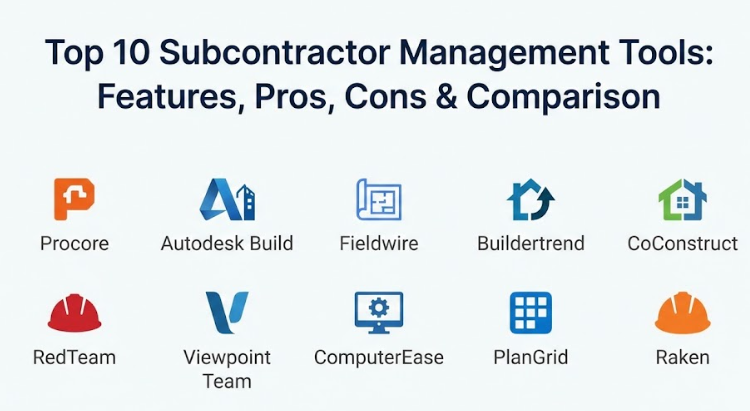
Top 10 Subcontractor Management Tools
1 — Procore
Procore is a giant in the construction technology world, offering a massive platform that connects every person on a project from the office to the field. It is designed for large-scale general contractors who need a “source of truth” for everything happening on their job sites. The subcontractor management features within Procore are particularly strong, focusing on clear communication, financial transparency, and document control. It allows subcontractors to log in and update their own progress, which saves the general contractor from having to enter data manually.
- Key features:
- A dedicated “Subcontractor Portal” where external teams can view drawings and submit reports.
- Robust pre-qualification tools to vet subcontractors based on financial health and safety records.
- Integrated “Procore Conversations” for instant messaging between teams.
- Advanced daily log tracking to see exactly which crews are on-site.
- Seamless management of RFI (Request for Information) and submittal workflows.
- High-level financial tools to track contracts, change orders, and invoices in real-time.
- A comprehensive mobile app that works perfectly even in areas with poor internet connection.
- Pros:
- It is the industry standard, so many of your subcontractors likely already know how to use it.
- The level of detail and reporting is unmatched, making it perfect for multi-million dollar projects.
- Cons:
- The pricing is based on the total value of your projects, which can make it very expensive for some users.
- Because it is so powerful, it can feel overwhelming and requires a significant amount of training.
- Security & compliance: Enterprise-grade security including SOC 2 Type II compliance, SSO, and advanced data encryption at rest and in transit.
- Support & community: Offers a world-class support team, a massive online “Procore Community” forum, and extensive certification programs for users.
2 — Autodesk Build
Autodesk Build is part of the Construction Cloud family and is the natural choice for firms that already use AutoCAD or Revit. It is built to bridge the gap between the design phase and the actual construction phase. For subcontractor management, it focuses heavily on “quality and safety” and ensuring that the specialized teams are building exactly what the architects designed. It is a very technical tool that excels at managing complex digital blueprints and making sure subcontractors always have the latest version of the plans.
- Key features:
- Direct integration with BIM (Building Information Modeling) data for high accuracy.
- Easy-to-use “Issues” tracking that allows managers to pin a problem directly to a digital drawing.
- Automated meeting minutes and task tracking for subcontractor coordination.
- Strong “Safety Management” modules to track incidents and safety meetings.
- Photo and video attachments for every task to provide visual proof of work.
- Centralized document management that ensures subcontractors never use outdated drawings.
- Comprehensive cost management tools to keep project budgets on track.
- Pros:
- The connection to design software makes it the most accurate tool for technical construction projects.
- The mobile experience is very smooth, making it easy for subcontractors to use on tablets while working.
- Cons:
- It works best within the Autodesk ecosystem; if you use other design tools, it might feel a bit rigid.
- Some users find the setup process for new projects to be quite time-consuming.
- Security & compliance: Meets global standards including ISO 27001, GDPR, and SOC 2, providing a very secure environment for sensitive project data.
- Support & community: Backed by the massive Autodesk support network, including extensive training webinars and a global network of consultants.
3 — Fieldwire
Fieldwire is a “task-first” platform that focuses on making life easy for the people actually doing the work on-site. It is designed to be lean and fast, making it a favorite for both general contractors and the subcontractors themselves. It allows everyone to see the same set of plans and track tasks in real-time. Fieldwire is less about the “corporate” side of management and more about the “day-to-day” coordination of crews. It is a great choice for teams that want to get up and running quickly without a month-long training period.
- Key features:
- High-speed plan viewing that works on almost any mobile device.
- “Task Management” that allows for scheduling, assigning, and tracking individual work items.
- Built-in “Punch List” features to quickly close out projects.
- Daily reports that are generated automatically based on the day’s tasks.
- Photo and markup tools that let you draw on plans to explain a problem.
- Version control for blueprints to prevent expensive mistakes from using old designs.
- Simple “Checklists” for safety and quality inspections.
- Pros:
- It is very intuitive and can be learned in minutes, which is vital for getting subcontractors to actually use it.
- The pricing is per-user, making it easier for smaller or mid-sized firms to predict their costs.
- Cons:
- It lacks the deep “back-office” financial tools found in bigger platforms like Procore.
- While it is great for task tracking, it might not be enough for managing the complex legal bidding process.
- Security & compliance: Uses SSL encryption and secure cloud hosting, and is compliant with GDPR for international projects.
- Support & community: Offers a very helpful knowledge base, email support, and a growing library of “how-to” videos for field teams.
4 — Buildertrend
Buildertrend is a leading platform specifically built for residential home builders and remodelers. It is designed to manage the entire lifecycle of a home build, from the first sales call to the final warranty period. For subcontractor management, it offers a “Subcontractor Portal” where trade partners can see their schedules, view project files, and submit their invoices for payment. It is a very friendly and accessible tool that is perfect for smaller businesses that want to look professional and stay organized.
- Key features:
- A “Trade Partner Portal” that gives subcontractors a clear view of their upcoming jobs.
- Integrated scheduling that automatically notifies subcontractors when a date changes.
- Document and photo sharing so everyone knows what the finished kitchen or bathroom should look like.
- “Daily Logs” that allow for quick updates from the field.
- Bid management tools to send out requests for pricing to multiple subcontractors at once.
- Invoicing and online payment features to speed up the “work-to-pay” cycle.
- A customer portal that lets the homeowner see the progress of their new house.
- Pros:
- It is perfectly tailored for the residential market, so you aren’t paying for “extra” features you don’t need.
- The customer support is highly praised for being very “hands-on” during the initial setup.
- Cons:
- It might not be powerful enough for a company doing massive commercial or industrial projects.
- The number of features can sometimes feel a bit “busy” for very small remodelers.
- Security & compliance: Provides secure data hosting, password protection, and follows standard privacy practices for business software.
- Support & community: Offers a dedicated “Buildertrend University” for training and very responsive phone and chat support.
5 — CoConstruct
CoConstruct is another heavy hitter in the residential construction space, recently joined with Buildertrend but still maintaining its own unique feel. It is famous for its “Selection” and “Change Order” features, which are vital when subcontractors need to know exactly which tiles or fixtures a client has picked. It focuses heavily on the communication between the builder, the client, and the subcontractor. It is a great tool for custom home builders who have complex projects with many moving parts and high client expectations.
- Key features:
- Advanced “Selection” tracking that ensures subcontractors always have the right specs.
- Streamlined “Change Order” process that gets digital signatures on the spot.
- Integrated communication that keeps all messages, photos, and files in one place.
- Scheduling tools that can be shared with subcontractors via a simple link.
- Bid management that allows you to compare different quotes side-by-side.
- Budget tracking that updates automatically as change orders are approved.
- A mobile app that allows subcontractors to check their schedule on the fly.
- Pros:
- It excels at handling the “fluid” nature of custom building where things change every day.
- The communication hub stops the “he said, she said” arguments that can derail a project.
- Cons:
- Like Buildertrend, it is strictly for residential work and lacks enterprise-scale commercial features.
- Some users find the interface to be a bit less modern compared to newer mobile-first apps.
- Security & compliance: Uses secure cloud infrastructure, provides role-based access controls, and adheres to standard data privacy rules.
- Support & community: Known for high-quality onboarding and “coaching” to help businesses improve their overall processes.
6 — RedTeam
RedTeam is a comprehensive project management tool built specifically for commercial general contractors. It is a “full-suite” solution, meaning it handles everything from pre-construction and bidding to project closeout. Its subcontractor management features are built around compliance and risk reduction. It is very strong at making sure every subcontractor has the right paperwork before they even set foot on the job site. RedTeam is designed for professional builders who need to meet strict commercial standards.
- Key features:
- Deep “Compliance Tracking” for insurance certificates and safety licenses.
- A professional bidding platform that helps you find and vet the best subcontractors.
- Integrated “Contract Management” that handles all the legal paperwork digitally.
- Real-time cost tracking that compares actual spending against the project budget.
- Field reports and progress photos that are linked directly to the project timeline.
- A dedicated “Subcontractor Console” for easy communication and document sharing.
- Strong integration with accounting software like Sage and QuickBooks.
- Pros:
- It is built by people with commercial construction experience, so it “speaks the language” of the industry.
- The focus on compliance is a major benefit for firms that are worried about legal risks.
- Cons:
- It is a complex system that takes time to master; it is not a “quick fix” tool.
- The mobile app is good, but the full power of the system really requires a desktop computer.
- Security & compliance: Provides SOC 2 compliance, advanced encryption, and keeps a very detailed audit log of all project changes.
- Support & community: Offers a knowledge base, regular training webinars, and a professional services team for larger rollouts.
7 — Viewpoint Team
Viewpoint Team is part of the Trimble family and is a cloud-based tool designed to work alongside the Viewpoint Vista and ProContractor accounting systems. It is perfect for large firms that want their field data to talk directly to their back-office accounting data. Its subcontractor management features focus heavily on “collaboration” and “workflow.” It is a very structured tool that is excellent for companies that need to manage very large teams and want a high level of consistency across all their projects.
- Key features:
- Seamless sync between the field reports and the office accounting software.
- “RFI” and “Submittal” tracking that ensures everyone has the answers they need.
- Shared calendars and project timelines that subcontractors can view online.
- Document management with advanced version control and “read-receipts.”
- Daily logs that track labor hours and equipment usage for every subcontractor.
- Mobile-friendly interface that allows for quick data entry from the job site.
- Integration with “Trimble Connect” for advanced 3D model viewing.
- Pros:
- For companies already using Viewpoint for accounting, this is the most logical choice on the market.
- It is very stable and built to handle the data needs of massive, multi-year projects.
- Cons:
- It can feel very “corporate” and might be too formal for smaller, more agile teams.
- The setup requires a lot of coordination with your IT and accounting departments.
- Security & compliance: Enterprise-grade security including SSO, SOC 2 compliance, and high-level data centers.
- Support & community: Offers a very deep library of technical documentation and a global network of support specialists.
8 — ComputerEase
ComputerEase is primarily known for its construction accounting software, but its project management and subcontractor tools are highly respected for their practicality. It is a “no-nonsense” tool that focuses on the numbers. For subcontractor management, it is excellent at tracking “committed costs”—meaning it knows exactly how much you have promised to pay your subs and how that affects your overall profit. It is a great choice for builders who want to stay on top of their cash flow.
- Key features:
- Integrated “Subcontractor Tracking” that links directly to the general ledger.
- Automated “Lien Waiver” management to protect your company from legal claims.
- Daily log tools that help verify the hours billed by your subcontractors.
- Easy management of unit-price contracts and progress billings.
- Document imaging that allows you to store digital copies of every invoice and contract.
- Field-to-office communication tools to resolve issues quickly.
- Strong reporting on subcontractor performance and budget adherence.
- Pros:
- It is perhaps the best tool for contractors who are primarily focused on the financial health of their projects.
- The “Lien Waiver” automation is a huge time-saver and a major risk-reducer.
- Cons:
- The user interface is more traditional and may not feel as “modern” as some newer cloud apps.
- It is less focused on the “visual” side of construction, like markup and photo-sharing.
- Security & compliance: Offers secure hosting options, data backups, and keeps a clear paper trail for all financial transactions.
- Support & community: Known for having a very knowledgeable support staff that understands construction accounting.
9 — PlanGrid (now part of Autodesk)
While now officially part of Autodesk Build, PlanGrid is still often referred to by its original name because it revolutionized how blueprints are handled on a job site. It is the gold standard for “Sheet Management.” For subcontractors, PlanGrid is a dream because it allows them to carry thousands of pages of blueprints on a single iPad. It focuses on making sure that everyone is working from the “Current Set” and allows for instant markups that can be shared with the entire team.
- Key features:
- Industry-leading plan viewing speed and ease of use.
- Automatic “Hyperlinking” of detail callouts within the blueprints.
- “Sheet Versioning” that automatically carries over markups to the newest set of plans.
- Photo attachments that can be pinned to exact locations on a blueprint.
- “Issue Tracking” that allows for quick assignment and resolution of site problems.
- Offline access that allows teams to view plans in basements or remote sites.
- Simple “Punch List” creation for project closeout.
- Pros:
- Subcontractors love it because it is simple and actually makes their job easier, not harder.
- It is very reliable and almost never crashes, even with massive plan sets.
- Cons:
- It is less of a “management” tool and more of a “communication” tool; it lacks bidding and contract features.
- Since being acquired by Autodesk, it is increasingly being merged into a more complex platform.
- Security & compliance: Enterprise-level security including ISO 27001, SOC 2, and high-level data encryption.
- Support & community: Backed by the massive Autodesk support team and a very large global user base.
10 — Raken
Raken is a tool that focuses specifically on “Daily Reporting” and “Field Management.” It is designed to be the easiest possible way for a foreman or a subcontractor to report what happened on the job site today. It is a mobile-first tool that uses voice-to-text and photo capture to make reporting fast. It is a great choice for general contractors who struggle to get their subcontractors to submit their daily logs on time. Raken makes it so easy that there are no more excuses for missing reports.
- Key features:
- Super-fast “Daily Logs” that can be completed in minutes.
- “Superintendent Dashboard” to see updates from all subcontractors in one view.
- Photo and video gallery to provide visual documentation of daily progress.
- Built-in “Safety Meetings” (Toolbox Talks) that subcontractors can sign digitally.
- Time tracking features to monitor labor hours across different crews.
- Automated weather reporting that adds site conditions to every daily log.
- Professional “Executive Reports” for stakeholders and owners.
- Pros:
- It has a very high adoption rate because it feels like a simple social media app, not a chore.
- The visual documentation is excellent for defending against future claims or disputes.
- Cons:
- It is a “point solution,” meaning it only handles field reports and doesn’t do bidding or full accounting.
- For very large projects, you might need to pair it with a bigger platform for full project control.
- Security & compliance: Uses secure SSL encryption and is compliant with standard data protection regulations.
- Support & community: Offers a very friendly help center, quick email support, and regular tips on how to improve field reporting.
Comparison Table
| Tool Name | Best For | Platform(s) Supported | Standout Feature | Rating |
| Procore | Large Enterprises | Web, iOS, Android | Subcontractor Portal | 4.6 / 5 |
| Autodesk Build | Technical Projects | Web, iOS, Android | BIM Integration | 4.5 / 5 |
| Fieldwire | Task Coordination | Web, iOS, Android | Rapid Plan Viewing | 4.7 / 5 |
| Buildertrend | Home Builders | Web, iOS, Android | Trade Partner Portal | 4.6 / 5 |
| CoConstruct | Custom Home Builds | Web, iOS, Android | Selection Tracking | 4.5 / 5 |
| RedTeam | Commercial GC | Web, iOS, Android | Compliance Management | 4.4 / 5 |
| Viewpoint Team | Accounting Sync | Web, Mobile | Office-to-Field Sync | 4.3 / 5 |
| ComputerEase | Financial Control | Web, Mobile | Lien Waiver Automation | 4.4 / 5 |
| PlanGrid | Sheet Management | Web, iOS, Android | Version Control | 4.7 / 5 |
| Raken | Daily Reporting | Web, iOS, Android | Voice-to-Text Logs | 4.6 / 5 |
Evaluation & Scoring of Subcontractor Management Tools
When choosing a tool, we use a weighted system to see which ones offer the most value for a professional construction firm. This scoring rubric helps you see where a tool excels and where it might be lacking.
| Evaluation Criteria | Weight | What We Look For |
| Core Features | 25% | Portal access, bidding, compliance, and daily reporting. |
| Ease of Use | 15% | How quickly a subcontractor can learn to use the mobile app. |
| Integrations | 15% | Connection with accounting software and design tools. |
| Security & Compliance | 10% | GDPR, SOC 2, and digital signature legality. |
| Performance | 10% | Speed of plan viewing and offline reliability. |
| Support & Community | 10% | Training resources and responsiveness of help desks. |
| Price / Value | 15% | Whether the monthly cost is justified by the features. |
Which Subcontractor Management Tool Is Right for You?
Choosing the right tool is a big decision that affects everyone on your project. Here is a guide to help you narrow it down.
Solo Users vs SMB vs Mid-Market vs Enterprise
If you are an individual managing very small projects, a simple tool like Raken or Fieldwire is likely all you need. Small and Medium Businesses (SMBs) in the home building space will find the most success with Buildertrend or CoConstruct. Mid-market commercial contractors should look at RedTeam or ComputerEase. If you are a massive enterprise managing multiple high-rise buildings or infrastructure projects, Procore and Autodesk Build are the only real choices that can handle that level of data.
Budget-Conscious vs Premium Solutions
If you are watching every dollar, look for tools with per-user pricing like Fieldwire or Raken. These allow you to start small and pay as you grow. If you have a larger budget and want a “gold-standard” solution that covers every possible angle, Procore is the premium choice. Remember that a “cheap” tool might cost you more in the long run if it doesn’t catch a missing insurance certificate or a major construction error.
Feature Depth vs Ease of Use
If your primary goal is to get your subcontractors to actually use the software, prioritize “Ease of Use.” Tools like PlanGrid and Fieldwire are famous for having very high adoption rates in the field. If you need a high level of “Feature Depth” for legal and financial reasons, you will have to accept a steeper learning curve with tools like Viewpoint Team or RedTeam.
Integration and Scalability Needs
Always think about the software you already use. If you love your accounting software, pick a tool that talks to it. If you plan to double your company size next year, pick a tool that can scale with you. A tool like Procore can grow with you forever, while a simpler tool might become too limited as your projects get more complex.
Frequently Asked Questions (FAQs)
1. Will my subcontractors actually use this software?
Subcontractors will use software if it makes their life easier. Tools that allow them to see the plans instantly and submit their reports via phone usually have very high adoption rates.
2. How much do these tools typically cost?
Pricing varies wildly. Some charge per user ($30-$100/month), while others charge a percentage of your total project value. Many enterprise tools require a custom quote.
3. Do these tools work without an internet connection?
Most high-quality field tools like Fieldwire and PlanGrid have an “offline mode.” This allows workers to view plans and enter data in basements or remote areas, and it syncs once they are back on Wi-Fi.
4. Can these tools help me if I get sued?
Yes. By keeping a digital paper trail of every photo, daily log, and signed contract, you have a “source of truth” to defend your company against legal claims or disputes.
5. How do I get my data out of the system if I want to switch tools?
Most professional platforms allow you to export your project data as PDFs or Excel files. Always check the “export” features before signing a long-term contract.
6. Do I need a full-time person to manage the software?
For small companies, a project manager can handle it. For very large firms using Procore or Autodesk Build, it is common to have a “VDC Manager” or “Construction Tech Lead” to oversee the system.
7. Can I use these tools for non-construction projects?
While built for construction, they work well for any “field-based” project where you are managing external vendors, such as event planning or large-scale landscaping.
8. Are digital signatures on these platforms legally binding?
Yes, most of these tools use e-signature technology that meets legal standards (like the ESIGN Act in the US), making the signed contracts fully valid.
9. Can these tools track my own company’s employees too?
Yes, almost all of them allow you to track your internal labor and equipment alongside your subcontractors for a total project view.
10. What is a “Subcontractor Portal”?
It is a private area where a subcontractor can log in to see only the information that applies to them. They can’t see your other projects or other subs’ prices, but they can see their own schedules and tasks.
Conclusion
Managing subcontractors is one of the most challenging parts of any large-scale project, but the right digital tools can turn a chaotic process into a smooth operation. By centralizing your communication, photos, and legal documents, you reduce the risks of mistakes and ensure that everyone is working toward the same goal. These platforms don’t just help the general contractor; they also help the subcontractors by providing clear instructions and faster payments, which leads to better work and fewer arguments.
There is no “best” tool for every single business. The right choice depends on whether you are building a custom home, a massive bridge, or a commercial office park. Take the time to involve your team in the decision, watch a few demos, and think about your long-term goals. If you choose a tool that your team and your subcontractors actually enjoy using, you will see a massive improvement in your project’s efficiency, safety, and overall success. In today’s fast-moving construction world, these tools are no longer a luxury—they are a necessity for anyone who wants to stay competitive.