Introduction
Construction estimating software is a specialized digital tool that helps builders, contractors, and engineers calculate the total cost of a building project before they ever break ground. In the past, people had to do this with paper blueprints, long rulers, and handheld calculators, which took a lot of time and led to many mistakes. This software replaces those old methods by allowing users to upload digital plans and quickly measure walls, floors, and materials with just a few clicks. It acts as a smart brain for a construction business, helping them understand exactly how much money they need to spend on wood, steel, concrete, and labor so they can give their clients a fair and accurate price.
Using this software is important because the construction industry runs on very tight profit margins, and one small math error can cause a company to lose thousands of dollars. Real-world use cases include a residential builder estimating the cost of a new home extension or a large civil engineering firm figuring out the budget for a new highway bridge. It is also used by specialized trades, such as plumbers or electricians, who need to count every pipe and wire in a large office building. When you are looking for a tool in this category, you should evaluate how fast it can perform “takeoffs” (measuring from plans), whether it has a built-in database of material prices, and how easily it connects to your accounting or project management software. A good tool should be easy to learn so that your team actually uses it every day without getting frustrated.
Best for: This software is most helpful for general contractors, subcontractors, and professional estimators who need to bid on many projects quickly. It is perfect for medium to large construction firms that handle complex builds and need to keep their budgets very organized. Even small home remodeling businesses can benefit from it if they want to look more professional and avoid undercharging their customers.
Not ideal for: Very small handyperson services or individuals doing simple one-day repairs might find these tools too expensive and complicated for their needs. If you only do small jobs that you can price in your head or on a simple piece of paper, you probably do not need a full software suite. Also, companies that do not work with blueprints or detailed plans will not get much value from the takeoff features that these tools offer.
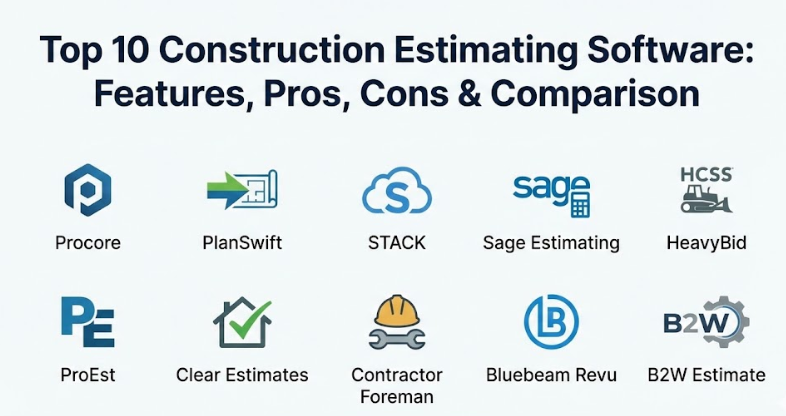
Top 10 Construction Estimating Software Tools
1 — Procore
Procore is a massive, all-in-one construction management platform that includes a very powerful estimating module. It is designed to help large construction companies manage every single part of a project from the first bid until the keys are handed over to the owner. It is built to be a central “hub” where everyone on the team can see the same information at the same time. Because it is so large, it offers features that most smaller tools simply cannot match, such as deep financial tracking and real-time site communication.
- Key features:
- Automated takeoff tools that pull measurements directly from digital blueprints.
- A central database for storing all your historical material costs and labor rates.
- Deep integration with the rest of the Procore platform for seamless project handoff.
- Advanced reporting that shows you where your money is going on every job.
- Collaborative bidding that lets you invite subcontractors to submit their prices online.
- Mobile access so you can look at estimates and plans while standing on the job site.
- Pros:
- It is incredibly comprehensive and handles much more than just estimating.
- The cloud-based system means that your office staff and field staff are always in sync.
- It is very reliable for huge projects that have thousands of different moving parts.
- Cons:
- It is one of the most expensive options on the market, which can be hard for small firms.
- Because it has so many features, it takes a long time for a team to learn how to use it all.
- Security & compliance: Procore is highly secure, offering SSO, SOC 2 Type II certification, and ISO 27001 compliance. It uses strong encryption to protect sensitive financial data and blueprints.
- Support & community: They offer 24/7 customer support and have a massive online “Procore Community” where users share advice. They also provide an extensive library of training videos and certifications.
2 — PlanSwift
PlanSwift is one of the most popular tools for digital takeoffs and is used by thousands of contractors across the world. It is designed specifically to make the process of measuring from a computer screen as fast and simple as possible. It is a great choice for companies that already have a way to do their math but need a better way to pull numbers from their plans. It has been a staple in the industry for a long time because it is straightforward and does exactly what it says it will do.
- Key features:
- Point-and-click takeoff tools for measuring lengths, areas, and volumes.
- A drag-and-drop parts and assemblies feature to speed up the counting process.
- Integration with Excel so you can send your measurements directly into your spreadsheets.
- The ability to create custom formulas for complex calculations like concrete pours.
- Support for many different types of digital image files and PDF blueprints.
- Multi-page takeoff capabilities to handle large sets of drawings.
- Pros:
- It is very easy to learn, and most people can start using it in just a few hours.
- The takeoff speed is excellent, which helps contractors bid on more jobs in less time.
- It is a very flexible tool that can be customized for almost any specialized trade.
- Cons:
- It is primarily a desktop-based software, so it does not work as well on mobile devices.
- The interface looks a bit old-fashioned compared to some of the newer cloud-based apps.
- Security & compliance: Security varies as it is often installed locally on your own computer. It is important to keep your own computer backups and antivirus updated to keep your data safe.
- Support & community: They offer a solid knowledge base and technical support via phone or email. There are also many third-party training courses available because the tool is so widely used.
3 — STACK
STACK is a modern, cloud-based takeoff and estimating software that is built for speed and collaboration. Because it runs in your web browser, you do not have to install any heavy software on your computer, and you can access your plans from anywhere. It is designed to help teams work together on bids, allowing multiple people to look at the same plans at the same time. It is a very popular choice for teams that want a clean, fast, and high-tech feel to their estimating process.
- Key features:
- Cloud-based takeoff that works on any computer with an internet connection.
- Automatic symbol recognition that can count items like light fixtures or outlets for you.
- A library of pre-built material and labor catalogs to save you time on data entry.
- Real-time collaboration so your whole team can see updates as they happen.
- Clear and professional proposal generation to help you impress your clients.
- Integration with other popular tools like Excel and various project management apps.
- Pros:
- The user interface is very clean and easy to navigate for people of all skill levels.
- No installation means you can get started immediately without help from an IT person.
- It is excellent for remote teams or people who need to work from home and the office.
- Cons:
- You must have a strong internet connection for it to work properly.
- The monthly subscription cost can add up over time for smaller businesses.
- Security & compliance: STACK uses modern cloud security standards, including data encryption and secure login. They are compliant with GDPR and focus on keeping user data private.
- Support & community: They provide great onboarding support and have a helpful help center. Their team is known for being very responsive to chat and email questions.
4 — Sage Estimating
Sage Estimating is a high-powered tool that is often used by very large construction companies and professional cost estimators. It is famous for having one of the most detailed and deep material databases in the entire industry. It is designed for those who need to be 100% accurate on massive, complex projects where even a small mistake is not allowed. It has been a trusted name in construction for many years and is known for its reliability and professional-grade features.
- Key features:
- Access to the industry-standard RSMeans database for the most accurate material prices.
- A “spreadsheet-style” interface that will feel familiar to people who use Excel.
- Powerful “2D and 3D takeoff” options to pull numbers from any type of plan.
- Detailed audit trails that show exactly how every number in your estimate was calculated.
- Integration with Sage accounting software for a complete financial view of your business.
- Custom report building so you can show your data exactly the way you want to.
- Pros:
- The accuracy and depth of information are among the best in the business.
- It is perfect for large firms that need to follow very strict professional standards.
- The connection to Sage accounting makes it very easy to track your actual costs.
- Cons:
- It is a very complex tool that takes a lot of training to use correctly.
- It can be expensive to buy and maintain, especially for smaller companies.
- Security & compliance: Sage provides high-level enterprise security, including secure user permissions and audit logs. It is designed to meet the strict compliance needs of the construction and finance sectors.
- Support & community: They offer professional training services and a very deep network of consultants. There is also a large community of Sage users who can help answer technical questions.
5 — HeavyBid (HCSS)
HeavyBid is a specialized tool built specifically for heavy civil construction projects like highways, bridges, dams, and tunnels. It is not designed for building houses or offices; instead, it is for the people who build the infrastructure that our world runs on. It is incredibly powerful at handling complex labor and equipment costs, which are the most important parts of a heavy construction bid. It is the tool of choice for the largest infrastructure companies in the country.
- Key features:
- Detailed equipment tracking to calculate the cost of fuel, maintenance, and operators.
- A library of historical data so you can see what similar jobs cost in the past.
- Integration with “HeavyJob” to track how your bid compares to the real work in the field.
- Powerful bidding tools that help you submit your numbers to government agencies.
- Support for complex “unit price” bids which are common in civil engineering.
- Collaboration tools for large teams working on multi-million dollar estimates.
- Pros:
- It is the absolute best tool for heavy civil and infrastructure work.
- It helps companies find ways to be more efficient and win more government contracts.
- The support team is made up of people who actually understand the construction industry.
- Cons:
- It is far too complex and specialized for a general residential or commercial builder.
- The cost is high, reflecting its status as a professional enterprise tool.
- Security & compliance: HeavyBid offers robust security features like SSO and detailed audit logs. It is built to handle the high security requirements of government and infrastructure projects.
- Support & community: HCSS is famous for its 24/7 “instant” support where a real person answers the phone quickly. They also hold a large annual users’ conference for training and networking.
6 — ProEst
ProEst is a cloud-based estimating platform that combines takeoff, estimating, and bid management in one single place. It is known for its modern look and its ability to integrate with almost any other software a construction company might use. It is designed to help companies move away from paper and spreadsheets and into a fully digital workflow. It is a great choice for medium-sized businesses that want a professional tool that is still relatively easy to use.
- Key features:
- An all-in-one dashboard that shows all your active bids and their status.
- High-quality digital takeoff tools that work directly in your browser.
- A robust material database that can be customized for your specific trade.
- Direct integration with Procore, Sage, and many other popular construction apps.
- Professional proposal templates that can be branded with your company logo.
- Cloud storage for all your project documents and blueprints.
- Pros:
- The integration with other tools is excellent, saving you from entering data twice.
- Being cloud-based means you can work from anywhere without any hassle.
- It offers a very good balance between powerful features and ease of use.
- Cons:
- Some of the advanced features can take a little while to set up at first.
- It is a subscription-based service, so you have to keep paying every year.
- Security & compliance: ProEst uses high-level encryption and secure data centers to protect your information. They follow modern privacy rules and are SOC 2 compliant.
- Support & community: They offer unlimited training and support for their users, which is a big benefit. Their help center is filled with clear guides and videos to help you get started.
7 — Clear Estimates
Clear Estimates is a tool built specifically for residential remodelers and small general contractors. It is designed to be very simple and to help a builder create a professional estimate in just a few minutes while standing in a client’s kitchen. It comes pre-loaded with local material and labor prices for thousands of different tasks. It is perfect for the “one-person” business or small team that needs to get bids out fast without a lot of technical work.
- Key features:
- A database of over 12,000 common remodeling tasks with pre-set prices.
- Localized pricing that updates based on your specific zip code.
- A simple tool for creating professional, easy-to-read proposals for homeowners.
- Integration with QuickBooks to make your bookkeeping much easier.
- Templates for common jobs like bathroom remodels or deck builds.
- A very simple interface that does not require any special computer skills.
- Pros:
- It is very affordable compared to almost every other tool on this list.
- It is incredibly fast for creating simple residential bids.
- The pre-loaded prices save you from having to call suppliers for every little thing.
- Cons:
- It does not have digital takeoff features, so you have to enter measurements manually.
- it is not powerful enough for large commercial or industrial projects.
- Security & compliance: Clear Estimates uses secure cloud hosting and basic encryption. It is suitable for small businesses that do not have extreme security needs.
- Support & community: They offer friendly email and phone support. Their documentation is simple and written in plain language that is easy to understand.
8 — Contractor Foreman
Contractor Foreman is a “jack-of-all-trades” tool that offers estimating along with many other project management features. It is designed to be the most affordable all-in-one solution for small and medium-sized contractors. It provides a huge list of features for a much lower price than competitors like Procore. It is a great choice for builders who want one single place to handle their bids, their schedules, and their invoices.
- Key features:
- A simple estimating tool that allows you to create bids and send them to clients.
- Integration with QuickBooks and other popular accounting software.
- A built-in “Bid Management” area to track which subcontractors have responded.
- Features for scheduling, daily logs, and time tracking all in the same app.
- A mobile app that works well for people out in the field.
- The ability to collect digital signatures on your estimates and contracts.
- Pros:
- It offers an incredible amount of features for a very low price.
- It is very helpful for getting a whole business organized in one place.
- The company offers a long trial period so you can make sure it works for you.
- Cons:
- Because it does so many things, the estimating part is not as deep as specialized tools.
- The user interface can feel a bit cluttered because there are so many buttons.
- Security & compliance: Contractor Foreman uses secure servers and standard data encryption. It is a safe and reliable choice for general construction businesses.
- Support & community: They provide daily training webinars and a very active support team. There is a strong community of users who help each other through online forums.
9 — Bluebeam Revu
Bluebeam Revu is a tool that many people in the construction industry already use for looking at PDFs, but it also has very powerful takeoff features. It is designed for people who want to stay inside their digital blueprints and do all their work directly on the drawings. It is famous for its “Markups” and its ability to organize huge sets of project documents. It is used by everyone from architects to subcontractors and is a staple in almost every construction office.
- Key features:
- Advanced PDF markup tools that let you draw and write directly on plans.
- Specialized takeoff tools for measuring area, volume, and length.
- “Studio Sessions” which allow many people to mark up the same plan at once.
- The ability to link your measurements to an Excel spreadsheet.
- Search features that can find every instance of a specific symbol on a plan.
- A powerful file organizer to keep thousands of drawings in order.
- Pros:
- It is the best tool in the world for working with digital blueprints and PDFs.
- Most people in the industry already know how to use it, which makes sharing easy.
- It is very versatile and can be used for many things besides just estimating.
- Cons:
- It is not a full estimating system, so you still need another tool for your math.
- The takeoff features can be a little bit manual compared to automated software.
- Security & compliance: Bluebeam offers secure “Studio” environments with user permissions. It is a professional-grade tool used by major firms with high security standards.
- Support & community: There is a massive global community of Bluebeam users and endless tutorials online. Their technical support is professional and very knowledgeable.
10 — B2W Estimate
B2W Estimate is another powerful tool built for heavy civil construction and infrastructure projects. It is designed to work as part of the “B2W Platform,” which handles everything from bidding to scheduling and equipment maintenance. It is built to help heavy construction firms win more bids by being more accurate and finding ways to save money on labor and machines. It is a serious tool for serious engineering firms.
- Key features:
- A “Master Database” to keep all your company’s prices consistent across all bids.
- Powerful tools for handling complex “What-if” scenarios during a bid.
- Integration with specialized heavy construction data sources.
- A “Bid Wizard” that guides you through the process of setting up a new project.
- Close integration with B2W Track to see how your estimate holds up in the real world.
- Advanced reporting to show your margins and risks on every single bid.
- Pros:
- It is incredibly reliable and built to handle the biggest, toughest jobs.
- The ability to track actual field data back to your estimate is a huge advantage.
- The support team actually knows how heavy construction works.
- Cons:
- It is far too much software for a simple home builder or small contractor.
- The setup and training process is long and requires a real commitment.
- Security & compliance: B2W offers enterprise-grade security and follows strict data protection protocols. It is suitable for large-scale government and infrastructure work.
- Support & community: They offer excellent 24/7 support and professional implementation services. They also host regular training events and user conferences.
Comparison Table
| Tool Name | Best For | Platform(s) Supported | Standout Feature | Rating |
| Procore | Large Enterprise Firms | Web, iOS, Android | Full project management hub | 4.6 / 5 |
| PlanSwift | Fast Digital Takeoffs | Windows (Desktop) | Simple point-and-click takeoff | 4.3 / 5 |
| STACK | Modern Cloud Teams | Web Browser | Browser-based collaboration | 4.5 / 5 |
| Sage Estimating | Accuracy & Databases | Windows (Desktop) | Deepest material databases | 4.2 / 5 |
| HeavyBid | Bridges & Highways | Windows, Web | Equipment & fuel cost tracking | 4.7 / 5 |
| ProEst | Mid-Market Integration | Web Browser | Seamless connection to Procore | 4.4 / 5 |
| Clear Estimates | Home Remodelers | Web Browser | Localized pre-set prices | 4.1 / 5 |
| Contractor Foreman | Small Biz All-in-One | Web, iOS, Android | Best value for the money | 4.5 / 5 |
| Bluebeam Revu | PDF & Plan Markups | Windows, iPad | Industry-standard PDF tools | 4.8 / 5 |
| B2W Estimate | Heavy Civil Engineering | Windows, Web | Link to field performance data | 4.6 / 5 |
Evaluation & Scoring of Construction Estimating Software
To help you understand how these tools were selected and scored, we have used a weighted rubric that focuses on the things that actually matter to a construction business.
| Evaluation Category | Weight | Description of What is Measured |
| Core Features | 25% | Quality of takeoffs, database depth, and proposal building. |
| Ease of Use | 15% | How quickly a team can learn the tool without getting stuck. |
| Integrations | 15% | How well it talks to QuickBooks, Excel, and other tools. |
| Security & Compliance | 10% | Data encryption, secure logins, and industry certifications. |
| Performance | 10% | The speed of the software and its reliability during big jobs. |
| Support & Community | 10% | Availability of help, training videos, and user forums. |
| Price / Value | 15% | Whether the features justify the cost for the target user. |
Which Construction Estimating Software Tool Is Right for You?
Choosing the right tool is a big decision that depends on what kind of building you do and how big your team is. If you are a solo user or a small residential contractor, you should look for simplicity and value. Clear Estimates is wonderful for remodeling, while Contractor Foreman offers a lot of extra tools for a very low price. You don’t want a tool that is so complex that you spend more time on the computer than you do on the job site.
For mid-market and growing companies, you need a tool that can handle more data and more people. STACK is great if you want to work in the cloud, and PlanSwift is the classic choice for fast takeoffs. If you already use other software, a tool like ProEst is an excellent choice because it will connect everything together. In this stage of business, you are looking for efficiency and a way to make your whole team more productive.
If you are a large enterprise or a heavy infrastructure firm, you need the most powerful tools available. Procore is the gold standard for huge commercial builds, while HeavyBid and B2W are the only real choices for bridges and highways. These tools are expensive and take a long time to learn, but they are essential for managing the risks of multi-million dollar projects. Always remember to check for security and compliance—if you are working on government or high-security buildings, you must pick a tool that meets those high standards.
Frequently Asked Questions (FAQs)
What is construction takeoff?
Takeoff is the process of measuring your digital plans to see how many materials you need. The software helps you measure area, length, and count items like doors or windows automatically.
Does this software include the price of lumber and steel?
Some tools like Clear Estimates or Sage include built-in databases of prices. Others require you to enter your own prices from your local suppliers.
Can I use this software on a Mac or an iPad?
Cloud-based tools like STACK and ProEst work on any device with a web browser. Desktop tools like PlanSwift usually require a Windows computer.
How long does it take to learn construction estimating software?
Simple tools can be learned in a few hours. Massive systems like Procore or HeavyBid can take several weeks of training to master completely.
Will this software help me win more bids?
Yes, because it allows you to bid on more jobs in less time and ensures that your prices are accurate. If your prices are right, you can bid more confidently.
Can I export my estimates to QuickBooks or Excel?
Almost all of the top tools allow you to export your data to Excel or sync directly with accounting software like QuickBooks or Sage.
Is my data safe if the software is in the cloud?
Professional tools use high-level security like encryption and secure data centers. For most companies, cloud storage is actually safer than keeping files on a single laptop.
What is the difference between estimating and project management?
Estimating is figuring out the cost before the job starts. Project management is organizing the actual work and people once the job is underway.
Do I have to pay for this software every month?
Most modern tools use a subscription model where you pay monthly or yearly. Some older desktop tools still allow you to pay once and own it forever.
Can multiple people work on the same estimate at once?
Cloud-based tools like STACK and Procore allow for real-time collaboration where everyone sees the same numbers at the same time.
Conclusion
Finding the right construction estimating software is one of the best things you can do to make your business more professional and more profitable. Whether you choose a simple tool for home remodeling or a massive platform for building skyscrapers, the goal is always the same: to be fast, accurate, and organized. By moving away from paper and into a digital workflow, you are giving your business a huge advantage over the competition.
When you are ready to pick a tool, take the time to use a free trial and see how it feels in your hands. Talk to your team and make sure they are comfortable with the interface. There is no single “best” tool for everyone—the winner is the one that fits your specific trade, your budget, and the way you like to work. By choosing a tool that is secure, reliable, and easy to use, you are setting your construction business up for a much more successful and less stressful future.