Introduction
Asset inspection apps are specialized digital tools designed to help businesses monitor, check, and maintain their physical equipment and property using smartphones or tablets. These apps replace old-fashioned paper forms with digital checklists that allow workers to record the condition of an asset, take photos of damage, and mark specific locations on a map. By moving these processes to a mobile device, companies can collect data in real-time, ensuring that every piece of machinery, building, or vehicle is safe and working correctly. They act as a central hub where all data about an asset’s health is stored, organized, and analyzed to prevent unexpected breakdowns or safety hazards.
Using these tools is important because they drastically reduce the chances of human error and save an incredible amount of time. Instead of waiting for a paper report to be filed at the end of the day, managers receive instant updates the moment an inspection is finished. Key real-world use cases include construction teams checking heavy machinery for wear and tear, facility managers inspecting fire safety equipment in large buildings, and logistics companies ensuring their delivery trucks are roadworthy. When choosing a tool in this category, you should look for things like offline functionality for remote areas, the ability to attach high-quality photos, ease of report generation, and how well the app allows you to assign follow-up tasks when a problem is found. A good app should make the inspector’s job faster and the manager’s job easier.
Who Benefits and Who Doesn’t
Best for: Asset inspection apps are most beneficial for safety officers, maintenance managers, and site supervisors who are responsible for large amounts of physical equipment. They are a perfect fit for mid-sized to large companies in industries like construction, manufacturing, energy, and property management. These organizations often have complex compliance requirements and need a clear digital trail to prove that inspections were done correctly. Even smaller businesses with high-value assets, such as a local delivery fleet or a boutique hotel, find these tools helpful for staying organized and avoiding expensive emergency repairs.
Not ideal for: These tools may not be necessary for very small businesses that only own one or two items of equipment that are easily monitored by hand. If your “assets” are mostly digital or if you work in an office environment where nothing needs regular safety checks, a dedicated inspection app would be more than you need. In those cases, a simple spreadsheet or a basic task list is a better and cheaper alternative. Furthermore, companies that do not have a mobile workforce or those who have zero interest in tracking data over time might find the setup process for these apps to be more work than the actual benefit they provide.
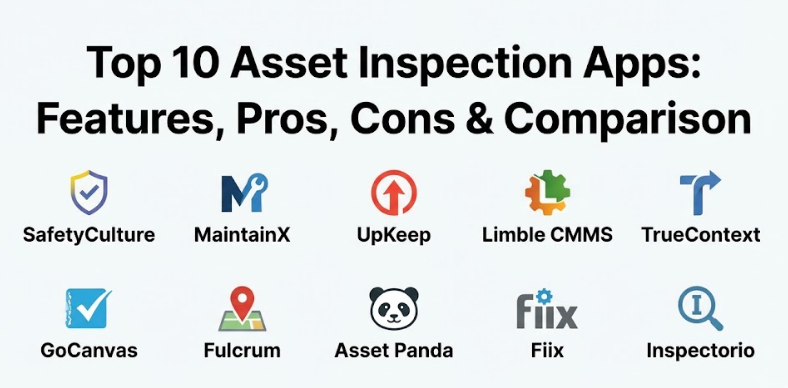
Top 10 Asset Inspection Apps
1 — SafetyCulture
SafetyCulture is a world-renowned app that focuses on helping teams perform high-quality inspections and build a culture of safety. It is designed for everyone from frontline workers in a factory to corporate safety directors who need to see data across multiple global locations.
- Key features:
- A massive library of pre-made inspection templates for almost every industry.
- Smart logic that changes the checklist based on the answers a worker gives.
- The ability to capture photos and draw on them to highlight specific issues.
- “Heads Up” feature for sending quick safety alerts and messages to the whole team.
- Automated reporting that sends a PDF of the inspection as soon as it is completed.
- Detailed analytics dashboard to identify which assets are failing most often.
- Sensor integration that can trigger inspections based on temperature or vibration changes.
- Pros:
- The user interface is very clean, making it easy for people who aren’t tech-savvy to use.
- It has one of the most powerful template builders, allowing for very detailed checklists.
- Cons:
- Some of the most advanced reporting and integration features require a premium subscription.
- With so many features, it can take some time for a team to learn everything it can do.
Security & compliance: SafetyCulture uses high-level encryption for data and is SOC 2 Type 2 compliant. It also helps businesses meet ISO and GDPR requirements by keeping all records secure and organized.
Support & community: They offer excellent documentation and a very active user community. Their customer support is available around the clock for business users, and they provide thorough onboarding for new teams.
2 — MaintainX
MaintainX is a mobile-first tool that combines asset inspections with work order management. It is built for teams that want to fix problems the moment they are found during an inspection without having to switch to a different app.
- Key features:
- A built-in chat feature that allows inspectors to talk to maintenance teams in real-time.
- Seamless conversion of a failed inspection item into a detailed work order.
- QR code scanning that instantly pulls up the history and checklist for a specific asset.
- Proof of presence features to ensure inspectors were actually at the site.
- Digital signature capture for official sign-offs on safety reports.
- Automatic scheduling for recurring inspections so nothing is ever missed.
- Offline mode that syncs all your data once you are back in range of the internet.
- Pros:
- The integrated chat is a huge time-saver for communicating between the field and the office.
- It is exceptionally fast at creating and assigning tasks directly from a mobile device.
- Cons:
- The free version is great but limits the number of photos and attachments you can use.
- It is more focused on maintenance than pure safety compliance compared to other tools.
Security & compliance: MaintainX provides secure data storage and follows modern privacy standards. They offer audit logs to see who performed each action and support SSO for larger organizations.
Support & community: They have a very helpful resource center and provide fast email and chat support. Their onboarding process is designed to get teams up and running in just a few days.
3 — UpKeep
UpKeep is a mobile-first asset management app that focuses on making the inspector’s life as simple as possible. It is designed for maintenance workers who are constantly on their feet and need a tool that works quickly on a small screen.
- Key features:
- A simplified dashboard that shows exactly what needs to be inspected today.
- Inventory management that tracks the spare parts needed for asset repairs.
- Cost tracking to see how much money is being spent on maintaining each asset.
- Asset downtime tracking to measure the impact of failures on the business.
- Easy photo uploads with the ability to attach voice notes to the report.
- Meter reading capabilities to track the usage hours of heavy machinery.
- Customizable alerts that notify managers when an inspection fails a safety check.
- Pros:
- It is very intuitive and requires very little training for new employees to start using.
- The focus on cost and downtime makes it a favorite for business owners who watch the bottom line.
- Cons:
- The reporting features can feel a little basic compared to high-end enterprise solutions.
- Some users find the web version to be less powerful than the mobile application.
Security & compliance: The platform is secure and offers role-based permissions to control who can see sensitive data. They follow standard encryption protocols for all information stored in the cloud.
Support & community: UpKeep provides a wealth of educational videos and a dedicated “Maintenance Community” for networking. They offer strong customer support via several different channels.
4 — Limble CMMS
Limble CMMS is a flexible and modern app that prides itself on being “built for the people who actually use it.” It is designed for mid-sized maintenance teams that need a strong tool that doesn’t feel overly complicated or “clunky.”
- Key features:
- Custom inspection forms that can be built in minutes using a drag-and-drop editor.
- Predictive maintenance tools that suggest inspections before a failure happens.
- High-quality asset hierarchies to organize thousands of different parts and tools.
- Mobile notifications that pop up when an inspection is due or overdue.
- Deep search capabilities to find any inspection report from the past.
- Multi-language support for teams that operate across different countries.
- Detailed work history for every asset, including every inspection ever done.
- Pros:
- The customer support is often cited as some of the best in the software industry.
- It balances being powerful with being very easy to navigate and set up.
- Cons:
- The pricing can be higher for smaller teams who don’t need all the enterprise features.
- The initial setup of the asset hierarchy can be time-consuming if you have many items.
Security & compliance: Limble provides SOC 2 compliance and ensures all data is backed up regularly. They use secure servers and provide detailed audit trails for every inspection.
Support & community: They offer a dedicated account manager for most business plans. Their documentation is very thorough, and they provide personalized training sessions.
5 — TrueContext (formerly ProntoForms)
TrueContext is a high-end enterprise tool that specializes in complex, data-heavy inspections. It is designed for large organizations that need to collect very specific information and send it into many different back-office systems.
- Key features:
- Advanced data routing that sends different parts of a report to different people.
- Heavy-duty offline capabilities for working in mines, remote oil rigs, or forests.
- Complex conditional logic that can handle thousands of different “if/then” scenarios.
- Direct integration with major systems like Salesforce, SharePoint, and SAP.
- The ability to pre-populate forms with data from your existing database.
- High-resolution photo capture with timestamps and GPS locations.
- Bulk editing tools for managing large volumes of inspection data.
- Pros:
- It is incredibly powerful for companies with complex workflows and many stakeholders.
- The ability to pull data into the form automatically saves inspectors from typing.
- Cons:
- It has a much steeper learning curve than simpler apps on this list.
- It can be expensive and is definitely geared more toward large corporations than small shops.
Security & compliance: They offer enterprise-grade security including SOC 2, HIPAA compliance, and data residency options. They are a top choice for highly regulated industries.
Support & community: They provide professional services to help build complex forms. Their technical documentation is extensive and geared toward IT professionals.
6 — GoCanvas
GoCanvas is a versatile tool that focuses on helping businesses get rid of paper and go digital quickly. It is designed for small to mid-sized businesses that want a simple way to create their own inspection apps without any coding.
- Key features:
- An easy-to-use app builder that lets you turn any paper form into a digital one.
- A large store of ready-to-use templates for common industry inspections.
- The ability to collect payments or signatures directly within the inspection app.
- Dispatching features to send specific inspection tasks to workers in the field.
- Basic analytics to track how many inspections are being completed each week.
- Submission history that allows you to view old reports as PDFs or data files.
- Integration with cloud storage tools like Dropbox and Google Drive.
- Pros:
- It is one of the fastest ways to move a paper-based business into the digital world.
- The pricing is flexible, making it accessible for businesses that are just starting out.
- Cons:
- It lacks some of the deep “asset management” logic found in more specialized apps.
- The design of the mobile app can feel a bit basic compared to modern competitors.
Security & compliance: GoCanvas offers secure data transmission and is HIPAA compliant. They provide a safe environment for sensitive business information and client data.
Support & community: They have a solid help center and provide email and phone support. They also offer a “Senior Mobile App Consultant” to help new users get started.
7 — Fulcrum
Fulcrum is a data collection platform that is heavily focused on location and geography. It is the go-to tool for inspections that involve assets spread out over large areas, such as utility poles, pipelines, or environmental sites.
- Key features:
- Advanced GPS and mapping tools that show exactly where every asset is located.
- High-performance offline mapping so you never lose your place without a signal.
- The ability to create custom maps with your own data layers.
- Automatic geotagging for every photo and report submitted.
- A powerful API for developers who want to build custom connections.
- Team management tools to see where all your inspectors are in real-time.
- Version control for forms to ensure everyone is using the latest checklist.
- Pros:
- It is the best tool on the market for inspections where location is the most important factor.
- The map-based interface makes it very easy to manage assets across a city or state.
- Cons:
- It can be more complex to set up if you aren’t familiar with mapping software.
- It doesn’t have the “work order” or “fixing” focus that maintenance-specific apps have.
Security & compliance: Fulcrum provides strong data security and follows industry standards for privacy. They offer detailed permissions to ensure only the right people see map data.
Support & community: They offer a comprehensive help site and responsive technical support. Their user base includes many environmental and engineering professionals.
8 — Asset Panda
Asset Panda is a highly customizable asset tracking app that adds strong inspection capabilities. It is designed for organizations that want to track the entire lifecycle of an asset, from the day it is bought to the day it is retired.
- Key features:
- Extremely flexible data fields that can be renamed and changed to fit any asset.
- A mobile barcode scanner that works with the camera on any phone.
- Maintenance tracking that records every repair and inspection in one timeline.
- Role-based access so you can control exactly what each inspector can see and do.
- Check-in/Check-out features to track who has a specific tool or piece of equipment.
- Automated email alerts for when an asset is due for its next inspection.
- The ability to link documents like manuals and warranties directly to an asset.
- Pros:
- It is one of the most customizable tools available, fitting into almost any workflow.
- The lifecycle tracking is excellent for long-term planning and budgeting.
- Cons:
- Because it is so customizable, it can take longer to set up than “out-of-the-box” tools.
- The interface can sometimes feel like a database rather than a modern mobile app.
Security & compliance: They offer secure cloud hosting and follow standard data protection rules. They provide audit logs and support for SSO to help large teams stay secure.
Support & community: Asset Panda is known for its high-quality training and onboarding. They offer a knowledge base and dedicated support representatives for their clients.
9 — Fiix
Fiix is an AI-driven maintenance platform that helps businesses move from reactive to proactive inspections. It is built for manufacturing and industrial teams that want to use data to predict when an asset might fail.
- Key features:
- An AI engine that analyzes inspection data to find hidden patterns.
- A mobile app that works offline and syncs automatically when online.
- Tools for managing spare parts and inventory directly from the inspection report.
- Detailed asset health dashboards that show which machines are most reliable.
- Easy integration with sensors and machinery data (IoT).
- Automated scheduling for complex, multi-step inspection routines.
- Professional reporting that helps with audits and regulatory compliance.
- Pros:
- The AI features help businesses save money by fixing things before they actually break.
- It is a very mature product with features that cover every part of maintenance.
- Cons:
- It might be more “powerful” than a small business needs for simple inspections.
- The pricing is definitely aimed at the enterprise and industrial market.
Security & compliance: Fiix is SOC 2 Type 2 compliant and takes data security very seriously. They use high-level encryption and provide secure backups for all user data.
Support & community: They offer a very deep learning center and a community forum for users. Their customer success team is highly regarded for helping teams improve their processes.
10 — Inspectorio
Inspectorio is a specialized app designed for supply chain and quality inspections. It is the best choice for businesses that need to inspect products or assets across a network of different vendors and factories.
- Key features:
- A centralized platform for managing inspections across hundreds of different sites.
- Real-time visibility into the quality performance of different suppliers.
- Automated risk assessment that tells you which assets or sites need more attention.
- Standardized inspection workflows to ensure everyone is following the same rules.
- Collaboration tools that allow you to talk directly to your vendors.
- High-quality data visualization to see trends in inspection failures.
- Tools for managing corrective actions and making sure problems are fixed.
- Pros:
- It is the gold standard for businesses that don’t own the assets but need to inspect them anyway.
- The data it provides helps businesses choose better partners and improve their products.
- Cons:
- It is very specialized for supply chains and might not fit a local construction company.
- The setup requires getting your vendors on board, which can take time and effort.
Security & compliance: They provide enterprise-grade security and are compliant with global data privacy laws. They offer secure access for both the company and its external partners.
Support & community: They offer specialized onboarding for both the main company and their suppliers. Their support team is global and experienced in international logistics.
Comparison Table
| Tool Name | Best For | Platform(s) Supported | Standout Feature | Rating |
| SafetyCulture | Global safety teams | Web, iOS, Android | Massive template library | 4.8/5 |
| MaintainX | Maintenance & Fixes | Web, iOS, Android | Built-in team chat | 4.9/5 |
| UpKeep | Mobile-first workers | Web, iOS, Android | Inventory & cost tracking | 4.7/5 |
| Limble CMMS | Mid-sized teams | Web, iOS, Android | User-friendly design | 4.8/5 |
| TrueContext | Complex enterprise data | Web, iOS, Android | Advanced data routing | 4.5/5 |
| GoCanvas | Going digital quickly | Web, iOS, Android | No-code app builder | 4.4/5 |
| Fulcrum | Map-based assets | Web, iOS, Android | Advanced GPS & mapping | 4.6/5 |
| Asset Panda | Full asset lifecycle | Web, iOS, Android | Extreme customizability | 4.7/5 |
| Fiix | Industrial AI | Web, iOS, Android | Predictive AI insights | 4.6/5 |
| Inspectorio | Supply chain quality | Web, iOS, Android | Supplier collaboration | 4.5/5 |
Evaluation & Scoring of Asset Inspection Apps
To help you make the best choice, we have evaluated these apps based on a specific scoring rubric. This ensures that we are looking at more than just the flashy features, focusing instead on what actually makes a tool useful in the long run.
| Criteria | Weight | What We Looked For |
| Core Features | 25% | Quality of templates, photo capture, and report generation. |
| Ease of Use | 15% | How quickly a field worker can learn to use the app. |
| Integrations | 15% | Ability to talk to other tools like Slack, SAP, or Salesforce. |
| Security | 10% | Compliance with SOC 2, HIPAA, and data encryption. |
| Performance | 10% | App speed, offline reliability, and battery usage. |
| Support | 10% | Quality of documentation and speed of customer service. |
| Price / Value | 15% | Whether the cost matches the benefits provided. |
Which Asset Inspection App Tool Is Right for You?
The “perfect” app depends entirely on what you are trying to achieve and how large your organization is. No two businesses are exactly alike, so it is important to match the tool to your specific daily challenges.
- For Solo Users and SMBs: If you are a small team, you want something that is easy to set up and doesn’t cost a fortune. MaintainX and GoCanvas are great choices because you can start using them in a single afternoon. They focus on the basics and don’t overwhelm you with too many complex buttons.
- For Budget-Conscious Teams: If you need to keep costs low, look at UpKeep or the free tiers of SafetyCulture. These allow you to get the benefits of digital inspections without a huge upfront investment. You can always upgrade as your business grows.
- For Feature Depth and Ease of Use: If you want a tool that is both powerful and beautiful, Limble CMMS is the winner. It has everything you need but keeps it organized in a way that feels modern and simple.
- For Integration and Scalability: Large companies that need to connect their inspections to a main office database should look at TrueContext or Fiix. These tools are built to handle massive amounts of data and can grow as your company expands into new regions.
- For Security and Compliance: If you are in a highly regulated industry like healthcare or nuclear energy, security is your top priority. SafetyCulture and TrueContext offer the highest levels of certification and audit trails to keep your business safe and legal.
Frequently Asked Questions (FAQs)
1. Do these apps work without an internet connection?
Yes, most top-tier asset inspection apps have a dedicated offline mode. You can perform your full inspection and take photos even in a basement or a remote field, and the app will automatically sync the data once you find a signal again.
2. Can I use my own paper checklists in these apps?
Absolutely. Most of these tools have a “form builder” that allows you to recreate your exact paper forms digitally. Some even allow you to upload a photo of your paper form and will try to build the digital version for you.
3. Is it difficult to move my data from paper to an app?
The initial setup can take a little time because you have to list your assets and build your forms. However, once that is done, the daily work becomes much faster. Most companies find that the time saved in the first month more than makes up for the setup time.
4. Are these apps secure enough for sensitive data?
Yes, most professional apps use the same level of encryption as online banks. If you have specific needs, look for apps that mention SOC 2 or HIPAA compliance, as these have been officially checked by security experts.
5. Can I attach videos or audio notes to my reports?
Many modern apps now support video and voice-to-text features. This is very helpful for inspectors who need to record a specific sound a machine is making or explain a complex problem without typing it all out on a small screen.
6. Do I need to buy special phones or tablets?
No, most of these apps work on standard iPhones, iPads, and Android devices. As long as the device has a working camera and a reasonably modern operating system, it should be able to run the software without any issues.
7. How do these apps help with government audits?
When an auditor asks for proof of maintenance, you can simply pull up a report for that specific asset and show every inspection done over the last few years. This digital trail is much more professional and reliable than a box of old papers.
8. Can I send my inspection reports to people who don’t have the app?
Yes, you can usually set the app to automatically email a PDF version of the report to a client or a manager as soon as the inspection is finished. They can read it on any computer or phone without needing to download anything.
9. What happens if I lose my phone during an inspection?
Most apps save your progress as you go. If you lose your phone or it breaks, you can simply log into your account on a new device and most—if not all—of your work will be right where you left it in the cloud.
10. How much do these apps typically cost?
Pricing varies widely. Some have free basic versions, while professional plans usually start around $20 to $50 per user per month. Large enterprises usually get custom pricing based on how many assets and users they have.
Conclusion
Moving from paper checklists to a dedicated asset inspection app is one of the smartest moves a modern business can make. By making inspections easier for your workers and the data clearer for your managers, you create a safer and more efficient workplace. These tools don’t just help you find problems—they help you solve them before they become expensive disasters. It is an investment in the long-term health of your equipment and the safety of your people.
When you are ready to choose an app, remember that the “best” one is the one that your team will actually use every day. Don’t just look for the most features; look for the tool that feels right in your hand and fits into your existing workflow. We recommend starting a free trial with two or three of the tools on this list to see which one works best for your specific assets. Once you find the right fit, you will likely wonder how you ever managed to keep track of everything without it.