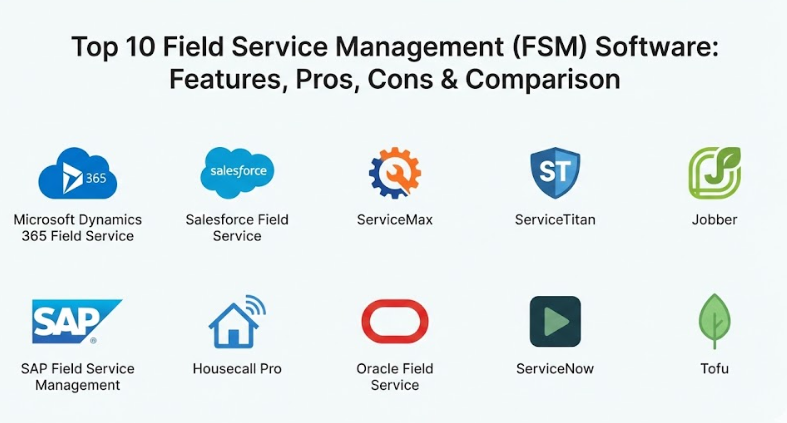
Introduction
Field Service Management (FSM) Software is a specialized type of computer program that helps businesses manage employees who work “in the field” or at customer locations. Instead of having workers come into an office every day, these companies send technicians, repair crews, or delivery drivers directly to where the work needs to be done. The software acts as a central brain that keeps track of where everyone is, what jobs they are doing, and what tools or parts they need to finish the task. It replaces old-fashioned paper schedules and whiteboards with a digital system that everyone can see on their phones or tablets. By using this kind of tool, a business can make sure that the right person with the right skills gets to the right job at the right time.
This software is extremely important because it helps a company run smoothly and keep its customers happy. When a technician arrives late or doesn’t have the correct part to fix a broken heater, it makes the company look bad and wastes a lot of money. FSM software prevents these problems by organizing schedules so that drivers take the shortest routes and managers can see exactly when a job is finished. It also helps with the “paperwork” side of things, like sending invoices immediately after a job is done or keeping track of how much stock is left in a service van. In the modern world, customers expect fast and clear communication, and this software provides the alerts and updates that people have come to rely on. It creates a bridge between the office staff, the workers on the road, and the customers waiting at home.
Key real-world use cases for this software include HVAC repair, plumbing, electrical work, and landscaping services. It is also used in much larger industries like telecommunications for installing internet cables or in manufacturing for maintaining giant factory machines. When you choose a tool in this category, you should look for things like how easy the mobile app is to use for workers who are always on the go. You also want to check if the software can grow with your business and if it connects easily to your existing accounting or customer list programs. Good evaluation criteria also include the quality of the maps and routing features, as well as how well the system handles emergency jobs that pop up at the last minute. Ultimately, you are looking for a tool that reduces stress for your team and provides a professional experience for your clients.
Best for: This software is best for companies that have a mobile workforce and need to coordinate many different appointments every day. It is highly beneficial for service managers, dispatchers, and business owners who want a clear view of their daily operations. Industries like home repairs, heavy equipment maintenance, and logistics find these tools essential for staying organized. Both small local shops and giant international corporations can find a version of this software that fits their specific scale and needs.
Not ideal for: It is not ideal for businesses where all the work happens inside a single office building or factory. If your employees do not travel to customer sites, the GPS and mobile dispatching features of an FSM tool would be a waste of money. In those cases, a simple project management app or a basic task list would likely be a better and more affordable choice. It is also not necessary for very small solo operations where one person can manage their own calendar without needing a complex digital system to track their every move.
Top 10 Field Service Management (FSM) Software Tools
1 — Microsoft Dynamics 365 Field Service
Microsoft Dynamics 365 Field Service is a very powerful and professional tool designed for businesses that want a high level of automation and intelligence. It is part of the larger Microsoft family, which means it works perfectly with things you probably already use, like Outlook and Teams. This software is especially good at using “smart” features to help schedule jobs based on a technician’s specific skills and how long it will take them to drive to the next house. It is designed for companies that have complex needs and want to move toward “predictive” maintenance—where the software can tell you a machine is about to break before it actually does. This tool provides a very deep look into every part of your business, from inventory levels to customer satisfaction scores.
Key Features:
- Advanced scheduling that automatically assigns the best worker for every task.
- Real-time maps that show exactly where every service van is located.
- Inventory tracking that keeps an eye on parts inside every vehicle.
- A mobile app that works even when there is no internet connection.
- Remote assistance features that allow experts to guide technicians via video.
- Integration with smart sensors to monitor equipment health from afar.
- Customer portals where clients can track their technician’s arrival time.
Pros:
- Incredibly deep features that can handle almost any business challenge.
- Seamlessly connects with other Microsoft apps for a unified experience.
- Excellent for very large companies that need to manage hundreds of workers.
Cons:
- It can be quite expensive and might be too much for a small family business.
- The setup process is complex and often requires a professional to help.
- Some users find the interface a bit overwhelming because there are so many buttons.
Security & Compliance: Offers top-tier security including SOC 2, ISO 27001, and GDPR compliance, with advanced data encryption and secure logins.
Support & Community: Provides a massive library of guides, a global network of partners for setup, and 24/7 enterprise-grade customer support.
2 — Salesforce Field Service
Salesforce is a world leader in customer relationship management, and their field service tool is built right on top of that foundation. This makes it an excellent choice for businesses that want their field work to be closely connected to their sales and marketing efforts. The software focuses heavily on the “customer experience,” ensuring that every interaction feels personal and professional. It uses artificial intelligence to help dispatchers make quick decisions and helps technicians see a full history of the customer’s previous issues before they even walk through the door. It is a very flexible platform that can be customized to look and work exactly how your company needs it to.
Key Features:
- A “Dispatcher Console” that gives a bird’s-eye view of all daily appointments.
- AI-powered recommendations for scheduling and parts management.
- High-quality mobile app that provides technicians with step-by-step instructions.
- Automated customer notifications via SMS, email, or WhatsApp.
- Detailed reporting and dashboards to track team productivity and profit.
- Capability to manage both employees and outside contractors in one system.
- Secure payment collection features directly from the field.
Pros:
- Best-in-class tools for keeping customers informed and happy.
- Very easy to customize the software to match your unique workflows.
- Strong integration with the rest of the Salesforce ecosystem.
Cons:
- The pricing can get very high as you add more users and features.
- Requires a lot of time and expertise to set up and maintain properly.
- Some features might require extra “add-ons” that cost more money.
Security & Compliance: Highly secure with SSO, audit logs, and compliance for HIPAA, GDPR, and other international standards.
Support & Community: Offers a huge online learning community (Trailhead), extensive documentation, and various levels of paid support.
3 — ServiceMax
ServiceMax is a tool that was built specifically for “asset-heavy” industries, which means companies that take care of very expensive and complex machines. Think of things like medical MRI scanners, airplane engines, or massive wind turbines. Because these machines are so important, the software focuses more on the equipment itself than just the schedule of the person fixing it. It tracks the entire life of a machine, from the day it was installed until the day it is replaced. This makes it a top choice for manufacturers and service providers who need to follow very strict rules about maintenance and safety.
Key Features:
- Deep tracking of equipment history, including every repair ever made.
- Advanced contract and warranty management to ensure proper billing.
- Tools for managing complex parts and expensive tools across many locations.
- Optimized scheduling for long-term projects and multi-day jobs.
- Mobile tools designed for technicians working in remote or industrial areas.
- Detailed safety checklists and compliance forms for every job.
- Integration with “Internet of Things” (IoT) devices for real-time monitoring.
Pros:
- The absolute best for managing high-value, complex equipment.
- Very strong at handling legal contracts and service agreements.
- Built for industries where safety and precision are the highest priorities.
Cons:
- Too complicated and heavy for a simple residential service company.
- The learning curve for new employees can be quite steep.
- Generally requires a larger IT budget to manage effectively.
Security & Compliance: Meets strict industrial and medical security standards, including GDPR and ISO certifications.
Support & Community: Offers specialized training, professional onboarding services, and a community for industrial service leaders.
4 — ServiceTitan
ServiceTitan is the go-to software for many home service contractors, such as plumbers, HVAC technicians, and electricians. It is an “all-in-one” platform, meaning it handles everything from the first phone call to the final payment and even the marketing in between. The software is designed to help trade businesses grow by making them look more professional and making it easier for them to sell more services. It includes features like a “pricebook” that technicians can show customers on a tablet to help them choose the best repair option. It is very popular in North America for medium to large-sized residential service companies.
Key Features:
- Call booking features that show the customer’s history as soon as they ring.
- Intelligent dispatching that matches technicians to jobs based on their sales skills.
- A professional mobile app that acts as a digital sales catalog for techs.
- Automated follow-ups for customers who haven’t finished a booking.
- Detailed “real-time” reporting that shows exactly how much money the business is making.
- Built-in tools for managing marketing campaigns and tracking where leads come from.
- Payroll and financing integrations to handle the money side of the business.
Pros:
- Excellent at helping trade businesses increase their sales and professional image.
- The “all-in-one” nature means you don’t need five different apps to run your shop.
- Very strong community of “ServiceTitan” users who share tips and tricks.
Cons:
- It is one of the most expensive options specifically for the trades.
- Can be “too much” software for a very small shop with only one or two vans.
- Some users find it takes a long time to fully set up all the features.
Security & Compliance: Provides secure payment processing, audit logs, and standard data protection features.
Support & Community: Known for having an active user community, extensive training videos, and a dedicated customer success team.
5 — Jobber
Jobber is a fantastic choice for small to mid-sized businesses that want to stay organized without the complexity of a giant enterprise system. It is famous for being easy to learn and very friendly for both the business owner and the customer. The software covers all the basics: quoting, scheduling, invoicing, and getting paid. It is used by thousands of landscapers, cleaners, and handymen who need to move quickly and spend less time on paperwork. Jobber focuses on making the “business” part of the job as simple as possible so that the workers can focus on the actual service they are providing.
Key Features:
- Quick and easy quoting that customers can approve with one click.
- Simple drag-and-drop calendar for managing daily schedules.
- Automated text messages to remind customers of their appointments.
- Mobile app for technicians to track time and add notes or photos.
- Easy invoicing that can be sent via email or text as soon as a job is done.
- “Client Hub” where customers can view their quotes, appointments, and pay bills.
- Integration with popular accounting software like QuickBooks and Xero.
Pros:
- Very affordable and provides great value for smaller teams.
- Extremely easy to set up and start using in just a few days.
- The customer-facing side is very professional and helps build trust.
Cons:
- Might lack some of the advanced AI or industrial features of larger tools.
- Not designed for businesses with thousands of employees.
- Some of the more helpful features are only available in the higher-priced plans.
Security & Compliance: Uses secure Stripe integration for payments and offers standard cloud data protection.
Support & Community: Offers great email and phone support, along with a helpful online help center and “Jobber Academy” for business tips.
6 — SAP Field Service Management
SAP is a giant in the world of business software, and their field service tool is built for large organizations that need to manage massive amounts of data. It is particularly strong for companies that already use SAP for their accounting or factory management. The software is designed to be highly efficient, using smart algorithms to make sure that technicians aren’t wasting any time or fuel. It provides a very detailed view of every part of the service process, making it a favorite for global brands that need to keep a close eye on their operations. It is a very “serious” tool for businesses that prioritize efficiency and scalability above all else.
Key Features:
- AI-driven scheduling that optimizes routes across entire regions.
- Strong “Self-Service” portals where customers can book their own repairs.
- Deep integration with inventory and supply chain data.
- Mobile app with “offline” capability for working in basements or remote areas.
- Detailed analytics that show where the business can save money.
- Support for many different languages and currencies for global use.
- Tools for managing knowledge bases so technicians have all the info they need.
Pros:
- Built for the largest and most complex businesses in the world.
- Incredible at finding small ways to save money through better efficiency.
- Integrates perfectly with the rest of the SAP business ecosystem.
Cons:
- Very expensive and usually requires a team of experts to set up.
- Can be difficult to learn for employees who aren’t used to technical software.
- The interface can feel a bit “corporate” and less friendly than newer apps.
Security & Compliance: Top-of-the-line security including ISO certifications, SOC compliance, and global privacy standards.
Support & Community: Provides extensive enterprise support, a huge network of consultants, and global training programs.
7 — Housecall Pro
Housecall Pro is a mobile-first software designed specifically for home service pros who are always on the go. It is a direct competitor to Jobber and ServiceTitan, finding a nice middle ground between being easy to use and having powerful features. The software is very good at helping small businesses grow by providing tools like “online booking” and automated “thank you” notes. It is a favorite for younger business owners who want a tool that feels modern and works perfectly on their smartphones. It covers everything from dispatching and GPS tracking to invoicing and marketing.
Key Features:
- Online booking bar that you can add to your website or Facebook page.
- Simple “Drag-and-Drop” dispatch board for quick scheduling changes.
- Real-time employee tracking so you always know where your team is.
- Automated “On My Way” texts that customers love.
- High-quality invoicing and payment processing built-in.
- Marketing tools like postcards and email campaigns to win repeat business.
- Simple “Checklist” feature for technicians to ensure quality on every job.
Pros:
- Very modern design that is easy for anyone to understand.
- Excellent mobile app that is fast and reliable for field workers.
- Great balance of price and features for growing small businesses.
Cons:
- Can get expensive as you add more technicians to the system.
- Some advanced reporting features can be a bit basic compared to enterprise tools.
- Primarily focused on the North American market.
Security & Compliance: Offers secure payment handling, data encryption, and standard cloud security.
Support & Community: Known for a very active and helpful Facebook community and good customer support via chat and phone.
8 — Oracle Field Service
Oracle Field Service is a high-performance tool built for organizations that have thousands of workers and very complex schedules. It is famous for its “routing algorithms,” which are some of the smartest in the world at figuring out the best paths for drivers to take. The software doesn’t just look at where a job is; it looks at traffic, the technician’s experience, and even the weather. It is designed to be incredibly fast and reliable, handling millions of data points without slowing down. This is the tool you use if you are a giant utility company or a major internet provider.
Key Features:
- Predictive routing that learns from past data to get more accurate over time.
- Real-time monitoring of all field activities on a high-definition map.
- Advanced capacity planning to help you hire the right amount of staff.
- Mobile tools that provide technicians with everything they need in one place.
- Integration with “smart” devices to help diagnose problems before arrival.
- Automated customer communications that provide very precise arrival times.
- Extensive tools for managing both your own team and third-party contractors.
Pros:
- Unmatched at optimizing routes for huge teams of workers.
- Very strong at helping businesses predict future needs and costs.
- Extremely reliable and built to never go down, even during busy times.
Cons:
- Generally too complex and expensive for anything other than a large enterprise.
- The interface can be very technical and requires specialized training.
- Setup time is measured in months, not days.
Security & Compliance: Meets the highest global security standards, including ISO, SOC 1/2, and HIPAA.
Support & Community: Offers enterprise-level support with dedicated account managers and global training centers.
9 — ServiceNow Field Service Management
ServiceNow is a platform that many large companies use for their IT and office management, and their field service tool is an extension of that system. This makes it a perfect choice for businesses that want to manage their “inner office” and their “outer field” in the exact same software. It focuses on connecting the entire service chain—from the moment a customer reports a problem to the final repair. The software is excellent at using automation to reduce manual tasks and ensuring that information flows smoothly between departments. It is a very modern, cloud-based tool that is built for speed and collaboration.
Key Features:
- Automated work order generation from customer requests or machine alerts.
- Dynamic scheduling that updates in real-time as jobs are finished.
- Mobile app with “Offline Mode” and augmented reality support for technicians.
- Detailed inventory management that tracks parts across vans and warehouses.
- Powerful dashboards that show the health of the whole service department.
- Collaboration tools that allow office staff and field techs to chat easily.
- Integration with a huge variety of other business and IT software.
Pros:
- Excellent at connecting field work to other parts of the company (like IT or HR).
- Very modern and “clean” interface that is relatively easy to navigate.
- Powerful automation features that save a lot of time for dispatchers.
Cons:
- It is a very large platform and can be expensive if you only need the field service part.
- Often requires a specialist to help set up the more advanced workflows.
- Best suited for very large companies rather than small local shops.
Security & Compliance: Highly secure with multiple certifications including SOC 2, ISO, and global privacy compliance.
Support & Community: Massive online community, extensive training courses, and professional enterprise support.
10 — Tofu
Tofu is a newer and very specialized tool designed specifically for solo contractors and very small field teams. It focuses on the most important parts of the job: making professional quotes, sending invoices, and getting paid fast. It is a “mobile-first” tool, meaning it is designed to be used entirely from a phone or tablet while you are standing on a customer’s porch. Tofu is perfect for people who find other FSM tools too “bloated” or complicated. It is clean, simple, and affordable, making it a favorite for electricians, plumbers, and handymen who are just starting out or want to keep things basic.
Key Features:
- Extremely fast quote and invoice creation from your mobile phone.
- Professional templates that make your small business look like a big company.
- Simple scheduling and job tracking for a small crew.
- Integrated payments with Stripe, allowing you to accept cards on the spot.
- Ability to track expenses and see your profit for every job.
- Clean, distraction-free interface that requires zero training.
- Web version available for when you want to handle the “books” from a computer.
Pros:
- The easiest and fastest tool to start using on this entire list.
- Very affordable and doesn’t charge for “extra” features you don’t need.
- Perfect for mobile workers who hate spending time on their computers.
Cons:
- Lacks the advanced AI and routing features of enterprise software.
- Not designed for large companies with many layers of management.
- Focuses more on the “money” side of field service than complex dispatching.
Security & Compliance: Secure payment handling through Stripe and standard data protection for cloud users.
Support & Community: Responsive email support and a simple, helpful knowledge base.
Comparison Table
| Tool Name | Best For | Platform(s) Supported | Standout Feature | Rating |
| Dynamics 365 | Enterprise Automation | Web, Mobile, Cloud | Deep Microsoft Integration | N/A |
| Salesforce | Customer Experience | Web, Mobile, Cloud | Best-in-Class CRM focus | N/A |
| ServiceMax | Industrial Equipment | Web, Mobile, Cloud | Asset-Centric Lifecycle | N/A |
| ServiceTitan | Home Service Trades | Web, Mobile, Cloud | All-in-One Sales Engine | N/A |
| Jobber | Small/Mid Business | Web, Mobile, Cloud | Simple & User-Friendly | N/A |
| SAP FSM | Global SAP Users | Web, Mobile, Cloud | Smart Routing Algorithms | N/A |
| Housecall Pro | Growing Small Teams | Web, Mobile, Cloud | Excellent Mobile Experience | N/A |
| Oracle FSM | Massive Fleet Routing | Web, Mobile, Cloud | Advanced Predictive Routing | N/A |
| ServiceNow | Connected Enterprise | Web, Mobile, Cloud | Unified Internal/Field Ops | N/A |
| Tofu | Solo / Small Crew | Web, Mobile, Cloud | Simple Mobile Invoicing | N/A |
Evaluation & Scoring of Field Service Management (FSM) Software
To help you understand how these tools compare, we have used a weighted scoring system. This helps you see which areas each software prioritizes so you can match them to your own business goals.
| Category | Weight | What We Look For |
| Core Features | 25% | Scheduling, dispatching, mobile app quality, and inventory tracking. |
| Ease of Use | 15% | How fast can a new technician or dispatcher learn the system? |
| Integrations | 15% | Does it connect to accounting (QuickBooks), CRM, and GPS tools? |
| Security & Compliance | 10% | Data encryption, secure payments, and international standards. |
| Performance | 10% | Speed of the app, reliability, and offline working capabilities. |
| Support & Community | 10% | Quality of help guides, phone support, and user forums. |
| Price / Value | 15% | Is the cost worth the time and money saved by using the tool? |
Which Field Service Management (FSM) Software Tool Is Right for You?
Choosing the right FSM tool depends entirely on the size of your company and the type of work you do every day. If you are a solo user or a small crew with less than five people, you should prioritize ease of use and affordability. Tools like Tofu or Jobber are perfect here because they don’t require weeks of training and they help you get paid fast. You don’t need a system that can track a hundred vans; you just need something that keeps your quotes looking professional and your calendar organized. Start with something simple so that the software doesn’t become a second job for you to manage.
For mid-market businesses that are growing fast and have between 10 and 50 technicians, you need more “depth” in your features. This is where tools like Housecall Pro or ServiceTitan (for the trades) really shine. These tools offer more advanced marketing and sales features that help you turn a small shop into a major local player. You will also want to look closely at integration and scalability, ensuring that the software can talk to your accounting office and grow as you hire more people. At this stage, you are looking for a tool that helps you manage a “team,” not just a few individuals.
If you are an enterprise-level organization with hundreds or thousands of workers, your needs are completely different. You should be looking for advanced automation and high security. Tools like Dynamics 365, Salesforce, or Oracle Field Service are built for this scale. They offer the “smart” routing and big-data analytics that can save a large company millions of dollars in fuel and time. At this level, security and compliance are non-negotiable, and you need a software provider that can meet the strictest global standards. You aren’t just looking for a calendar; you are looking for a “central nervous system” for your entire global operation.
Frequently Asked Questions (FAQs)
What is the difference between FSM and a regular calendar app?
A calendar app just shows when you have a meeting. FSM software shows where the job is, how to get there, what parts are needed, and allows you to invoice the customer and track your profit all in the same place. It is a complete business tool, not just a schedule.
Do these tools work if my technicians lose their internet signal?
Most of the top tools have an “offline mode.” This allows technicians to fill out forms, take photos, and finish jobs while they are in a basement or a remote area. The data then “syncs” up to the office as soon as they get back into a cell service area.
Is my customer data safe in the cloud?
Yes, modern FSM tools use very strong encryption and high-level security to protect your data. Companies like Microsoft, Salesforce, and Oracle spend billions of dollars every year to make sure their cloud systems are more secure than any private office computer could ever be.
Can these tools help me save money on gas?
Absolutely. One of the biggest benefits of FSM software is “route optimization.” The software figures out the shortest path for your drivers to take between jobs, which reduces driving time and lowers your monthly fuel costs significantly.
How long does it take to get started?
For small business tools like Jobber or Housecall Pro, you can be up and running in a few days. For large enterprise systems, it can take several months because there is a lot of data to move and many people to train.
Will I still need an accounting program like QuickBooks?
In most cases, yes. While FSM tools handle the “job” side of money (invoices and payments), you still need an accounting program for your taxes and overall business books. Most good FSM tools connect directly to QuickBooks so you don’t have to type the same info twice.
Can these tools track my employees’ locations?
Yes, most have GPS tracking built into the mobile app. This allows dispatchers to see where every van is on a map in real-time. This helps in sending the closest person to an emergency job and provides accurate arrival times for customers.
Do these tools help with marketing?
Some of the “all-in-one” tools like ServiceTitan and Housecall Pro have marketing features built-in. They can send automated emails to old customers, manage your Google reviews, and even help you send physical postcards to people in a specific neighborhood.
What is the “first-time fix rate”?
This is a very important number in field service. It shows how often a technician fixes a problem on their very first visit. FSM software helps improve this by making sure the technician has the right info, the right tools, and the right parts before they even leave the shop.
How much do these tools cost?
The price varies a lot. Some simple tools are just $20-$50 a month, while enterprise systems can cost thousands. Most charge “per user” or “per technician,” so the price grows as your team grows. Always ask for a demo to see which price plan fits your needs.
Conclusion
In conclusion, choosing a Field Service Management (FSM) Software is one of the most important decisions you can make for your mobile business. The right tool acts as a partner that stays awake while you sleep, making sure that your schedules are tight, your customers are informed, and your team is productive. Whether you are a solo plumber looking for a professional way to send invoices or a global utility company managing a fleet of thousands, there is a solution on this list that can transform the way you work. By moving away from paper and spreadsheets and into a modern digital system, you are setting your business up for long-term success and growth.
Remember that the “best” tool is not always the one with the most buttons or the highest price tag. The most successful businesses are the ones that pick a tool their team actually enjoys using every day. If a software is too complicated, your technicians won’t use it, and you will lose all the benefits of having it. Take the time to try out a few demos, talk to your dispatchers and technicians, and choose a tool that feels like it was built for your specific industry and team culture. When the software fits naturally into your daily routine, it stops being a “task” and starts being a powerful engine for your business.
We hope this guide has given you a clear look at the top options available today and helped you understand which features matter most for your unique situation. The world of field service is moving faster than ever, and having the right technology at your side is the only way to keep up and stay ahead of the competition. By prioritizing efficiency, customer experience, and clear communication, you are building a professional brand that people will trust for years to come. Take that next step, choose a tool that matches your vision, and watch your field operations reach a whole new level of excellence.