Introduction
Data Collection Mobile Apps are digital tools designed to help people gather information directly through their smartphones or tablets, often while they are moving around in the real world. Instead of using paper forms that can get lost or messy, these apps provide digital forms that can capture text, photos, GPS locations, and even signatures instantly. They act as a bridge between the field and the office, ensuring that information is recorded accurately at the exact moment it is discovered. By using the built-in sensors of a mobile device, these apps turn a regular phone into a powerful scientific or business instrument that can track inventory, record wildlife sightings, or perform safety inspections with high precision. They are built to work even without an internet connection, storing data locally until the device can sync with a central server, making them indispensable for work in remote or outdoor environments.
Data Collection Mobile Apps are important because they eliminate the errors that come with manual data entry and paper-based systems. When a worker in the field types information into a mobile app, it is immediately structured and ready for analysis, which saves hours of administrative work. These tools are no longer just simple forms; they are sophisticated platforms that allow for complex logic, where the answer to one question can change which questions appear next. This ensures that the person collecting data always follows the correct process, leading to higher quality information that leaders can trust to make critical decisions.
Key real-world use cases for these apps include conducting social research surveys in remote villages, performing maintenance checks on industrial equipment, and tracking progress at construction sites. They are also used extensively in disaster relief to map out areas that need urgent help and in environmental science to record the health of forests or oceans. When choosing a tool in this category, you should evaluate it based on its ability to work offline, the ease of building custom forms without coding, and how well it integrates with your existing databases. You should also prioritize security features like encryption and user authentication to protect sensitive data. A good app should feel intuitive for the person in the field while providing powerful reporting tools for the manager in the office.
Best For and Not Ideal For
Best for: These tools are a perfect fit for field researchers, construction managers, safety inspectors, and logistics coordinators who spend most of their time away from a desk. Medium to large-sized organizations that need to coordinate large teams of workers in the field will find these apps indispensable for maintaining consistency. They are also ideal for non-profits and government agencies that need to collect high-quality data in areas with poor internet connectivity. If your work requires capturing rich media like high-resolution photos, audio recordings, or precise geographic coordinates, a dedicated mobile data collection app is a must-have part of your workflow.
Not ideal for: Very small businesses that only need to collect a few pieces of information once a week might find these tools to be more than they need. If you are just doing simple office-based surveys where everyone has a stable computer and internet connection, a basic web-based form builder might be a better and cheaper alternative. Additionally, if your data collection requires extremely specialized hardware sensors that a smartphone does not have, you may need a dedicated industrial device rather than a mobile app. Organizations that are not ready to move away from paper processes or do not have the time to set up a digital workflow may also find the initial transition to be a challenge.
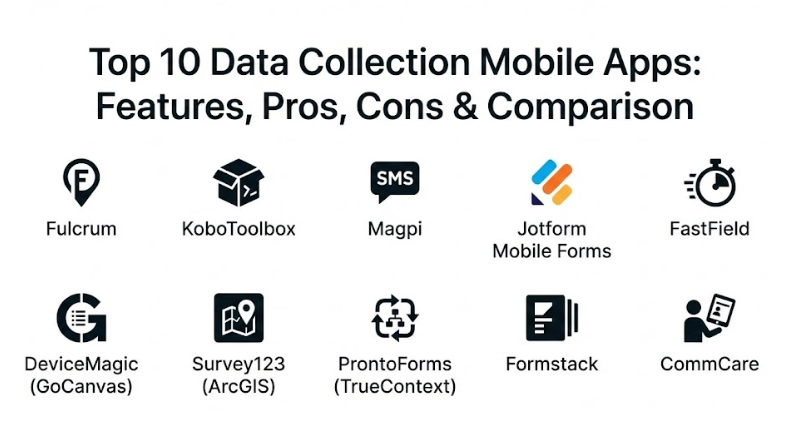
Top 10 Data Collection Mobile Apps Tools
1 — Fulcrum
Fulcrum is a highly flexible and powerful data collection platform that focuses on helping businesses build mobile apps without needing any programming skills. It is designed specifically for teams that need to perform inspections, audits, and field surveys where location data is critical. The platform is famous for its “no-code” approach, allowing a manager to drag and drop elements to create a complex form in minutes. It is built to handle large-scale operations and provides deep insights into where and when data was collected through its advanced mapping features.
- Key Features:
- Drag-and-drop app builder for creating custom forms without coding.
- Automatic GPS tagging for every record collected in the field.
- Robust offline mode that allows for data capture without internet.
- Support for capturing photos, videos, audio, and signatures.
- Real-time data syncing and collaboration for large teams.
- Advanced mapping and geospatial analysis tools.
- Customizable reports that can be generated and shared instantly.
- Pros:
- It is incredibly easy to set up and use, even for people who aren’t tech experts.
- The location-based features are among the best in the market for field work.
- It significantly reduces the time it takes to go from collecting data to analyzing it.
- Cons:
- The pricing can be higher than some of its competitors for large teams.
- Some of the most advanced reporting features require a higher-priced plan.
- Security & Compliance: Offers SOC 2 Type II compliance, end-to-end encryption, and full audit logs to track data changes.
- Support & Community: High-quality documentation, a responsive customer support team, and a helpful online community for users.
2 — KoboToolbox
KoboToolbox is a free and open-source platform that is a favorite among humanitarian organizations and researchers working in challenging environments. It was built specifically for use in developing countries and disaster zones, where reliability and simplicity are vital. Despite being free for many users, it offers a professional-level set of features, including complex logic and high-volume data handling. It is a great choice for non-profits and academic researchers who need a powerful tool without a high monthly cost.
- Key Features:
- Completely free for humanitarian organizations and academic researchers.
- Built-in support for the XLSForm standard for complex form logic.
- Works fully offline on both Android devices and through web browsers.
- Simple and intuitive interface for designing forms quickly.
- Powerful data visualization tools for maps and charts.
- Ability to manage large groups of surveyors and multiple projects.
- Support for multiple languages within a single form.
- Pros:
- It is a very cost-effective solution for organizations with limited budgets.
- The offline reliability is exceptional, making it perfect for remote work.
- It has a strong focus on data privacy and security for sensitive research.
- Cons:
- The user interface for administrators can feel a bit technical compared to modern SaaS apps.
- Professional support is more limited than what you would get with a paid corporate tool.
- Security & Compliance: Compliant with GDPR standards and allows for self-hosting if you need total control over your data.
- Support & Community: Large global community of users, extensive online help center, and active discussion forums.
3 — Magpi
Magpi is one of the most established names in mobile data collection, known for its focus on simplicity and ease of use in the global health and development sectors. It allows users to create forms and collect data via mobile apps, SMS, and even voice prompts. This makes it a very versatile tool for reaching people who might not have a smartphone. Magpi is designed for users who want a “plug-and-play” experience without needing to worry about technical details or complicated setups.
- Key Features:
- Support for data collection via mobile apps, SMS, and IVR (Interactive Voice Response).
- No-code form designer that is easy for non-technical staff to learn.
- Automatic syncing of field data to the central cloud database.
- Real-time dashboards and data visualization for quick decision making.
- Integration with popular business tools like Zapier and Microsoft Excel.
- Secure data storage with automatic backups and version control.
- Support for logic and branching to create smart, dynamic forms.
- Pros:
- The ability to collect data via SMS is a huge plus for reaching remote populations.
- It is very stable and has been proven in thousands of global projects.
- The setup process is very straightforward, allowing projects to start quickly.
- Cons:
- The mobile app interface can feel a bit dated compared to newer competitors.
- Customizing the reports and dashboards can be somewhat limited for advanced users.
- Security & Compliance: HIPAA and GDPR compliant, uses high-level encryption for data in transit and at rest.
- Support & Community: Dedicated professional support team and a library of training videos and guides.
4 — Jotform Mobile Forms
Jotform is a household name in form building, and their mobile forms app brings that power into the field. It is designed for businesses of all sizes that want a beautiful and easy-to-use interface for their data collection. The app allows users to turn their forms into mobile-friendly apps that work perfectly on any screen size. It is a great choice for companies that want a tool that looks professional and integrates seamlessly with a wide variety of third-party applications.
- Key Features:
- Thousands of pre-built templates to help you start in seconds.
- Offline mode that syncs automatically once you are back online.
- Kiosk mode that allows a device to act as a public data collection station.
- Support for capturing digital signatures and processing payments.
- Advanced collaboration features for assigning forms to specific team members.
- Powerful form logic and conditional formatting for a smooth user experience.
- Integration with over 100 apps including Salesforce, Dropbox, and Slack.
- Pros:
- The user interface is beautiful and extremely easy for both creators and users.
- It offers incredible flexibility through its massive library of templates and integrations.
- The “Kiosk Mode” is a unique and very useful feature for events and public spaces.
- Cons:
- The free version is quite limited in terms of the number of submissions you can receive.
- Very complex, data-heavy research projects might find it lacks some specialized field tools.
- Security & Compliance: Offers HIPAA compliance, GDPR readiness, and SOC 2 Type II security for enterprise users.
- Support & Community: 24/7 customer support, a massive knowledge base, and an active user forum.
5 — FastField
FastField is a professional-grade tool built for businesses that need to turn complex paper forms into smart mobile apps. It focuses heavily on workflow and automation, making it ideal for industries like construction, manufacturing, and energy. The platform allows you to create highly detailed forms with rich media and complex logic that guide the user through every step of an inspection or audit. It is a very robust solution for organizations that want to eliminate paper entirely and improve their operational efficiency.
- Key Features:
- Advanced form builder with support for calculations and complex logic.
- Offline data capture with automatic background synchronization.
- Ability to annotate photos and draw on diagrams directly in the app.
- Customizable PDF report generation that looks exactly like your old paper forms.
- Workflow automation that triggers emails or actions based on data.
- Enterprise-level user management and permissions.
- Integration with a wide range of cloud storage and database systems.
- Pros:
- It is excellent at mimicking the look and feel of traditional paper forms for easier adoption.
- The workflow automation features save a massive amount of time for office staff.
- It is built for the “rough” environment of field work and is very reliable.
- Cons:
- The advanced features take some time to learn and set up correctly.
- The interface focuses more on function than on “modern” aesthetics.
- Security & Compliance: SOC 2 Type II certified, features full data encryption and secure Single Sign-On (SSO).
- Support & Community: Responsive technical support and a detailed help center with professional training.
6 — DeviceMagic (GoCanvas)
DeviceMagic, which has recently joined forces with GoCanvas, is a tool designed to simplify mobile data collection for technical and industrial teams. It focuses on taking the pain out of managing field workers and ensuring that every piece of data is captured correctly. The platform is known for its reliability and its ability to handle very large volumes of data without slowing down. It is a great choice for companies that need a “workhorse” tool for daily inspections, work orders, and safety checks.
- Key Features:
- Simple but powerful form builder with drag-and-drop elements.
- Offline capabilities that ensure data is never lost in areas with no signal.
- Support for dynamic lists and lookups from external data sources.
- Automated document delivery to multiple destinations like email or cloud storage.
- Rich media support including photos, GPS, and barcodes.
- Advanced dispatch features to send specific forms to specific field workers.
- Real-time monitoring of team activity and form submissions.
- Pros:
- It is very stable and can handle the most demanding industrial workflows.
- The dispatching features are excellent for managing large, mobile teams.
- It integrates very well with other business systems to keep data flowing.
- Cons:
- Some users find the form building process a bit more rigid than newer competitors.
- The transition between the old DeviceMagic and the new GoCanvas platform can be confusing.
- Security & Compliance: Features secure encryption, audit trails, and is designed to meet standard corporate security requirements.
- Support & Community: Strong customer support team and a well-established library of help articles.
7 — Survey123 (ArcGIS)
Survey123 is a specialized data collection app that is part of the massive Esri ArcGIS ecosystem. It is the gold standard for organizations that need to collect data where geography and maps are the most important part of the work. It is designed for scientists, engineers, and city planners who need to record information that will be analyzed in a professional Geographic Information System (GIS). If your work involves mapping assets, tracking wildlife, or managing city infrastructure, this is the most powerful tool available.
- Key Features:
- Deep integration with ArcGIS for advanced mapping and spatial analysis.
- Support for high-accuracy GPS and professional survey equipment.
- Ability to create smart forms with complex branching and logic.
- Works fully offline with the ability to download base maps for field use.
- Seamless data flow from the mobile app to professional desktop mapping tools.
- Enterprise-grade security and user management.
- Support for both form-centric and map-centric data collection.
- Pros:
- It is unmatched for any project where the location of data is the primary focus.
- The integration with professional GIS tools makes it essential for scientific and technical work.
- It is very robust and designed for use in the most extreme field conditions.
- Cons:
- It is a very technical tool that requires knowledge of the ArcGIS system.
- The cost is high, as it usually requires a full ArcGIS subscription.
- Security & Compliance: Meets the highest enterprise security standards, including SOC 2, ISO, and HIPAA readiness.
- Support & Community: Massive global community of GIS professionals and enterprise-level technical support.
8 — ProntoForms (TrueContext)
ProntoForms, now known as TrueContext, is a high-end platform designed for enterprise-level field service management. It focuses on making complex business processes digital and measurable. The platform is built for companies that have hundreds or thousands of field workers and need to ensure absolute compliance with safety and quality standards. It is a very sophisticated tool that doesn’t just collect data but helps companies understand their entire field operation through advanced analytics.
- Key Features:
- Enterprise-scale form building with deep logic and data lookups.
- Multi-step workflow automation that connects field data to office systems.
- Advanced analytics and BI (Business Intelligence) integration.
- Support for high-volume data capture and complex multi-page forms.
- Secure data routing to a wide variety of enterprise cloud platforms.
- Offline functionality with robust data recovery features.
- Specialized features for safety, compliance, and asset management.
- Pros:
- It is built for the most complex and demanding enterprise environments.
- The analytics provided are excellent for spotting trends and improving efficiency.
- It offers a very high level of security and control for large organizations.
- Cons:
- It is one of the most expensive options on the market.
- Setting up the advanced workflows can be a long and technical process.
- Security & Compliance: SOC 2 Type II certified, HIPAA compliant, and features financial-grade data encryption.
- Support & Community: Premium enterprise support with dedicated account managers and expert training.
9 — Formstack
Formstack is a versatile platform that focuses on “workplace productivity” by connecting forms, document generation, and digital signatures. Its mobile app allows teams to take their workflows into the field, making it easy to collect data and immediately generate a professional document from it. It is an excellent choice for businesses that need to complete contracts, healthcare records, or legal documents while on the move. Formstack is designed to be a “bridge” that connects different parts of a business into one smooth digital process.
- Key Features:
- Seamless connection between data collection, document creation, and signatures.
- Easy-to-use form builder with a focus on professional design.
- Offline data capture that syncs once a connection is found.
- Advanced security features tailored for healthcare and finance.
- Drag-and-drop workflow builder to automate repetitive tasks.
- Integration with hundreds of CRM and cloud storage tools.
- Support for multi-page forms and complex conditional logic.
- Pros:
- The ability to go from data collection to a signed document in one app is a huge time-saver.
- It is very friendly for users who aren’t tech-savvy.
- The focus on HIPAA and other compliance makes it great for regulated industries.
- Cons:
- The pricing can get complex as you add different modules for documents and signatures.
- It might lack some of the most specialized “field-only” tools like advanced GPS mapping.
- Security & Compliance: HIPAA, GDPR, and PCI compliant with SOC 2 security standards.
- Support & Community: Strong customer success team and a well-organized library of training materials.
10 — CommCare
CommCare is a specialized mobile platform built for frontline workers, particularly in the global health and development sectors. It is unique because it is designed to support long-term relationships, like tracking a patient through a pregnancy or a student through a school year. It is built for low-resource settings and focuses on “case management,” where data is not just collected once but updated over time. It is a vital tool for organizations that are doing deep, impactful work in communities around the world.
- Key Features:
- Specialized “Case Management” for tracking subjects over time.
- Built for use by frontline workers with low digital literacy.
- Works fully offline on even the most basic Android smartphones.
- Support for audio prompts and images to guide users through forms.
- Powerful backend for managing thousands of workers and millions of records.
- Advanced reporting and data export tools for research and monitoring.
- Open-source core with professional support options.
- Pros:
- It is the best tool for projects that need to follow a person or a “case” over a long period.
- It is incredibly robust in the most difficult and remote environments.
- The focus on empowering frontline workers makes it a very human-centered tool.
- Cons:
- The initial setup for a complex case-management project can be very difficult.
- The interface is more focused on simplicity and durability than on “modern” looks.
- Security & Compliance: HIPAA compliant and follows strict international data privacy standards for research.
- Support & Community: High-level professional services and a very dedicated community of global health experts.
Comparison Table
| Tool Name | Best For | Platform(s) Supported | Standout Feature | Rating |
| Fulcrum | Inspections & Mapping | iOS / Android / Web | Geospatial Analysis | 4.7 / 5 |
| KoboToolbox | Non-Profits & Research | Android / Web | Free for Humanitarian Use | 4.5 / 5 |
| Magpi | Global Health & SMS | iOS / Android / SMS | SMS Data Collection | 4.3 / 5 |
| Jotform | Easy Forms & Kiosks | iOS / Android / Web | Kiosk Mode | 4.6 / 5 |
| FastField | Industrial Workflows | iOS / Android / Web | Workflow Automation | 4.6 / 5 |
| GoCanvas | Field Service Teams | iOS / Android / Web | Dispatching Tools | 4.5 / 5 |
| Survey123 | Professional GIS | iOS / Android / Web | ArcGIS Integration | 4.7 / 5 |
| TrueContext | Enterprise Field Ops | iOS / Android / Web | Advanced Analytics | 4.8 / 5 |
| Formstack | Healthcare & Legal | iOS / Android / Web | Document Generation | 4.6 / 5 |
| CommCare | Case Management | Android / Web | Long-term Tracking | 4.5 / 5 |
Evaluation & Scoring of Data Collection Mobile Apps
Choosing the right tool requires a balanced look at several factors. Below is a scoring rubric based on what matters most to field professionals and researchers.
| Criteria | Weight | What We Look For |
| Core Features | 25% | Offline mode, GPS accuracy, media capture, and logic branching. |
| Ease of Use | 15% | How quickly a non-technical worker can learn the app in the field. |
| Integrations | 15% | Ability to connect with CRM, GIS, or cloud storage software. |
| Security & Compliance | 10% | SOC 2, HIPAA, GDPR compliance, and data encryption. |
| Performance & Reliability | 10% | App stability and how well it handles large amounts of field data. |
| Support & Community | 10% | Quality of documentation and speed of help for field emergencies. |
| Price / Value | 15% | Does the benefit justify the cost for the specific project size? |
Which Data Collection Mobile Apps Tool Is Right for You?
Selecting the perfect app depends heavily on your current situation and your goals for the future.
Solo Users vs. SMB vs. Mid-Market vs. Enterprise
- Solo Users & Small Researchers: You likely don’t need a massive enterprise system. KoboToolbox (if you have no budget) or Jotform (if you want something pretty and easy) are great starting points.
- Small to Mid-Market (teams of 10–50): Look for tools that focus on speed and ease of setup, like Fulcrum or GoCanvas. These give you great data without needing a full-time IT person.
- Large Enterprise (100+ field workers): You need the power and stability of TrueContext or FastField. These can handle the complex workflows and strict security needs of a large company.
Budget-Conscious vs. Premium Solutions
- Budget-Conscious: KoboToolbox is the undisputed king of free, powerful tools. Magpi also offers a good balance of features for a lower cost in the development sector.
- Premium Solutions: If you want the absolute best analytics and professional document generation, TrueContext or Formstack are the gold standards. They cost more, but they save money by automating entire business processes.
Feature Depth vs. Ease of Use
- If you care about Maps: Choose Survey123 or Fulcrum. They are the best at making sense of where your data is coming from.
- If you care about Workflow: Choose FastField or Formstack. They will help you turn a field visit into a finished, signed document instantly.
- If you care about Tracking People: Choose CommCare. It is the only tool built specifically for following a subject over months or years.
Frequently Asked Questions (FAQs)
1. What exactly is a Data Collection Mobile App?
It is a software tool that allows you to replace paper forms with digital ones on your phone or tablet. It lets you capture text, photos, GPS locations, and more, and then sends that information directly to a central database for analysis.
2. Does the app work if I have no internet or cell signal?
Yes, almost all high-quality data collection apps are built with an “Offline Mode.” You can collect as much data as you need, and the app will store it safely on your phone. Once you reach a Wi-Fi or cellular signal, the app will automatically sync the data to the cloud.
3. Do I need to be a programmer to build these apps?
No, most modern tools use a “drag-and-drop” interface. You just pick the type of question you want (like a checkbox, a photo, or a signature) and move it into place. Some advanced tools use Excel-like formulas for logic, but you generally don’t need to write code.
4. Is my sensitive data safe in these apps?
Yes, reputable apps use high-level encryption to protect your data while it is on the phone and while it is being sent to the server. If you handle healthcare or financial data, look for apps that are “HIPAA compliant” or “SOC 2 certified.”
5. Can I capture photos and GPS coordinates automatically?
Yes, this is one of the biggest benefits of mobile apps. You can set the app to automatically record the GPS location every time a form is filled out. You can also take photos directly within the app, and they will be attached to that specific record forever.
6. How much do these apps typically cost?
Pricing varies widely. Some are free for humanitarian use, like KoboToolbox. Professional business tools usually charge per user, per month, ranging from $15 to $100 or more depending on how many advanced features and integrations you need.
7. Can these apps replace my old paper forms exactly?
Yes, tools like FastField and TrueContext are specifically designed to take your old paper form and turn it into a digital version that looks exactly the same, but with “smart” features like automatic math and forced signatures.
8. Can I send data from the app to my other software like Excel or Salesforce?
Absolutely. Most of these apps have built-in “integrations” that allow data to flow directly into tools like Microsoft Excel, Google Sheets, Salesforce, or Dropbox the moment the person in the field hits “Submit.”
9. What is “Logic” or “Branching” in a mobile form?
This is a feature that makes your forms “smart.” For example, if a worker answers “Yes” to “Is the equipment damaged?”, the app can then automatically show a new section for photos of the damage. If they answer “No,” that section stays hidden.
10. What is the most common mistake when starting with mobile data collection?
Making the forms too complicated. It is better to start with a simple, short form that the field workers find easy to use. You can always add more complex questions later once the team is comfortable with using the mobile app.
Conclusion
Choosing the right Data Collection Mobile App is one of the best ways to improve the speed and accuracy of your work. These tools represent a shift from the old, slow world of paper and clipboards to a modern, digital way of working that provides instant answers. By investing in the right platform, you can significantly reduce errors, save hours of manual data entry, and get a real-time view of what is happening in the field. It is about more than just collecting numbers; it is about having the information you need to lead your team, solve problems, and make a real impact in your industry. When everyone in the field is empowered with a smart tool, the whole organization becomes more efficient and successful.
When you begin your search for the perfect tool, remember that the “best” app is the one that your team will actually use every day. A high-end tool with thousands of features is useless if it is too complicated for the person in the field to understand. The most important thing is to focus on your specific needs—are you tracking wildlife in a forest? Inspecting power lines? Or conducting health surveys in a city? Do not get distracted by fancy features you will never use; instead, look for the tool that feels intuitive and solves your biggest daily frustrations. A tool that works every time, even without internet, is worth its weight in gold.
Take the time to watch several demos, test the apps on your actual devices, and make sure the tool will grow with you as your projects get bigger. The right platform will not just give you a list of data points; it will tell you the story of your field operations and show you exactly where you can improve. In a world where every organization is trying to be more data-driven, having the right mobile tool can be your greatest advantage. By making a thoughtful and informed choice, you are not just buying software; you are investing in the long-term success and growth of your entire team.