Introduction
Template management tools are specialized software systems that allow organizations to create, store, and control all their branded document templates in one single, secure location. Instead of having employees save old versions of files on their own computers, these tools ensure that everyone in a company uses the same official layout for things like letters, presentations, and contracts. These platforms act as a central library where the latest versions of templates are always available, automatically updated with the correct logos, fonts, and legal disclaimers. They are designed to sit right inside the applications your team already uses, making it very easy to generate professional documents without having to worry about formatting from scratch.
Using a template management tool is important because it protects a company’s brand and saves a massive amount of time. Real-world use cases include a sales team quickly generating a personalized proposal that follows the company’s newest branding rules, or a legal department updating a standard contract clause across thousands of documents instantly. It is also used by HR teams to ensure all offer letters are consistent and by marketing departments to stop employees from using outdated logos. When you are looking for a tool in this category, you should evaluate how easily it connects with Microsoft Office or Google Workspace, how well it handles user permissions, and whether it can automatically pull in data from your other business systems to fill out the templates for you.
Best for: Template management tools are perfect for marketing managers, legal teams, and branding experts who need to maintain consistency across a large workforce. They are especially beneficial for medium to large enterprises in industries like finance, law, and professional services where document accuracy is critical. Any company that produces a high volume of documents and has multiple departments will see a huge boost in productivity from these tools.
Not ideal for: Very small businesses or solo freelancers who only use one or two standard documents might find these platforms to be more than they need. If you don’t have a large team and your branding rarely changes, a simple shared folder on a cloud drive might be a better and cheaper alternative. Also, creative agencies that need a unique, custom design for every single project may find the structured nature of templates a bit too restrictive for their specific workflow.
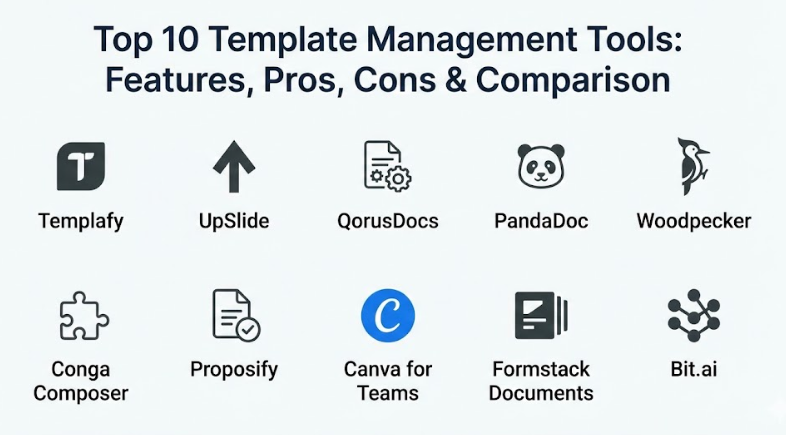
Top 10 Template Management Tools
1 — Templafy
Templafy is a powerful platform designed to help large organizations manage their document templates and digital assets directly within their favorite office applications. It is built to ensure that every document created by an employee is on-brand, compliant, and up-to-date. This tool is a favorite for global companies that need to manage complex branding across different regions and languages.
- Key features:
- A central dashboard for managing all document templates and brand assets.
- Deep integration with Microsoft Office, Google Workspace, and CRM systems.
- An automated “Document Content” feature that pulls in user-specific data.
- An email signature manager to keep all employee signatures consistent.
- A library of approved images and icons that can be used inside documents.
- Advanced analytics to see which templates are being used the most.
- Pros:
- It makes it almost impossible for employees to use the wrong logo or font.
- The tool is very fast and doesn’t slow down your computer while you work.
- It saves hours of work by automatically filling in employee details like names and titles.
- Cons:
- The setup process can be quite technical and usually requires help from an IT team.
- It is a premium tool with a price tag that might be too high for smaller businesses.
- Security & compliance: Templafy offers enterprise-grade security including SSO, data encryption at rest and in transit, and is SOC 2 Type II compliant. It also helps companies meet GDPR standards by managing how data is used in documents.
- Support & community: They provide high-quality documentation and a dedicated customer success team for enterprise clients. There is also an online help center with video tutorials and a community of professional users.
2 — UpSlide
UpSlide is a specialized tool built specifically for financial and professional services teams who live in Excel, PowerPoint, and Word. It focuses on making it easy to link data between spreadsheets and presentations so that your reports are always accurate. It is designed for experts who need to produce high-stakes documents that must look perfect every time.
- Key features:
- A “Link” feature that updates PowerPoint charts instantly when Excel data changes.
- A branded content library that stores slides, icons, and company photos.
- A formatting tool that fixes alignment and spacing issues with one click.
- Automated table of contents and dividers for long presentations.
- Compliance checks to ensure all legal disclaimers are present on every slide.
- Shared templates that are locked so employees cannot change the core layout.
- Pros:
- It is arguably the best tool for anyone who does heavy financial reporting.
- The “one-click” formatting features save a massive amount of time during busy periods.
- It creates a very professional look that helps teams win more client business.
- Cons:
- It is built specifically for Microsoft Office, so it won’t work for Google Workspace users.
- It has a steeper learning curve because it offers so many advanced technical features.
- Security & compliance: UpSlide supports SSO and works entirely within your local Microsoft environment, meaning your data stays within your company’s control. It is GDPR compliant and focuses on data privacy for sensitive financial info.
- Support & community: They offer personalized training sessions and have a very responsive support team. They also provide regular webinars to help users master the more advanced features of the software.
3 — QorusDocs
QorusDocs is a proposal and document automation tool that helps sales and marketing teams create winning documents faster. It uses smart technology to suggest the best content for your proposals based on what has worked in the past. It is designed for businesses that need to respond to many requests for proposals (RFPs) and want to keep their content organized.
- Key features:
- An AI-powered search that finds the most relevant content for your document.
- Direct integration with Microsoft 365 and major CRM platforms like Salesforce.
- A “cart” system that lets you pick and choose different sections to build a custom proposal.
- Tracking tools that show you when a client has opened and read your document.
- Collaborative workflows that allow multiple people to work on one template.
- Automatic version control to ensure everyone is using the latest content.
- Pros:
- It significantly speeds up the time it takes to respond to client inquiries.
- The tracking features give sales teams great insight into client interest.
- It helps keep all your best “answers” in one place so you don’t have to rewrite them.
- Cons:
- Some users find the interface a bit cluttered because of the many search options.
- It works best when connected to a CRM, so companies without one may lose some value.
- Security & compliance: QorusDocs uses Azure-based security, offering SSO, encryption, and audit logs. It is compliant with GDPR and maintains high standards for data residency and privacy.
- Support & community: They provide a comprehensive knowledge base and email support. For larger accounts, they offer dedicated success managers to help with content organization and strategy.
4 — PandaDoc
PandaDoc is a well-known platform that focuses on the entire lifecycle of a document, from template creation to the final electronic signature. It is designed to be a “one-stop shop” for sales quotes, contracts, and proposals. It is very popular because it is easy to use and helps teams get documents signed much faster than traditional paper methods.
- Key features:
- A drag-and-drop editor that makes it easy to build templates without any design skills.
- Built-in electronic signature capabilities that are legally binding.
- Interactive fields that allow clients to choose options or sign directly in the document.
- Real-time notifications that tell you when a document is opened or signed.
- A library of pre-built templates for almost every type of business contract.
- Payment integration so you can collect money as soon as a contract is signed.
- Pros:
- The interface is very modern and simple, making it great for teams who aren’t tech experts.
- It combines template management with signatures and payments, saving you money on other tools.
- Clients generally love the experience of viewing and signing documents on their phones.
- Cons:
- The editor is proprietary, so you can’t always export documents back to Word easily.
- The free version is very basic and mostly just for simple signatures.
- Security & compliance: PandaDoc is SOC 2 Type II compliant and offers HIPAA-ready settings for healthcare. It uses secure encryption and provides a detailed audit trail for every signature.
- Support & community: They have a massive library of templates and a very active blog. Support is available through 24/7 chat, and they have a large community of users who share tips.
5 — Woodpecker
Woodpecker is a document automation tool that lives directly inside Microsoft Word. It is designed specifically for legal professionals and small firms that want to automate their standard contracts without learning a complex new system. It focuses on taking the “copy and paste” out of legal work, allowing you to fill out complex forms in seconds.
- Key features:
- A “field-based” system that allows you to turn any Word doc into a template.
- A dashboard that lets you see all your client data and reuse it in different files.
- The ability to create “conditional” clauses that only appear when specific rules are met.
- A client-facing portal where people can fill out their own info to start a document.
- Version tracking to see how a template has changed over time.
- Easy sharing of templates with other members of your firm.
- Pros:
- Since it stays inside Microsoft Word, there is almost no learning curve for most people.
- It is much more affordable than the big enterprise platforms.
- It is perfect for turning a messy folder of Word files into a clean library of templates.
- Cons:
- It is not designed for presentations or spreadsheets, only for text documents.
- It lacks the advanced branding and analytics tools of larger competitors.
- Security & compliance: Woodpecker uses standard encryption and offers secure cloud storage. It is GDPR compliant and allows users to control exactly where their data is stored.
- Support & community: They offer excellent video tutorials and a very helpful support team. They are known for being very responsive to feedback and adding new features requested by users.
6 — Conga Composer
Conga Composer is a heavy-duty document generation tool that is built primarily for companies that use Salesforce. It allows you to take any data from your CRM and turn it into a perfectly formatted document, presentation, or report. It is designed for businesses that want to automate their most complex and data-heavy document workflows.
- Key features:
- Deep integration with Salesforce data to populate documents automatically.
- Support for many different output formats, including Word, Excel, PowerPoint, and PDF.
- The ability to bundle multiple documents together into one single package.
- Automated delivery options, allowing you to send documents via email or e-signature.
- Sophisticated logic that can change the content of a document based on CRM data.
- Batch processing to generate hundreds of documents at the same time.
- Pros:
- It is incredibly powerful and can handle the most complex document needs.
- It completely removes the need for manual data entry, which reduces mistakes.
- It is highly reliable for large companies that generate thousands of files every day.
- Cons:
- It is very expensive and is mostly designed for companies with a large Salesforce budget.
- You really need a Salesforce administrator to set it up and manage it correctly.
- Security & compliance: Conga is an enterprise-level tool with SOC 2 compliance, ISO certification, and HIPAA readiness. It offers robust audit logs and follows strict global data privacy rules.
- Support & community: They have a very large ecosystem of partners and consultants who specialize in Conga. Their support is top-tier, and they have an extensive online university for learning.
7 — Proposify
Proposify is a template management tool focused specifically on the “sales closing” phase. It helps teams create beautiful, high-impact proposals that look like modern websites rather than boring PDF files. It is designed for creative agencies and sales teams who want to stand out from the competition with visually stunning documents.
- Key features:
- A visual editor that allows for beautiful layouts with images and videos.
- A central content library for storing your best “About Us” and “Pricing” sections.
- Interactive pricing tables where clients can choose different options.
- Built-in e-signatures so clients can sign as soon as they are finished reading.
- Detailed analytics that show you exactly which pages the client spent the most time on.
- Automated follow-up emails to remind clients to look at your proposal.
- Pros:
- It makes your company look very modern and professional to potential clients.
- The analytics give you a huge advantage by telling you what the client cares about.
- The editor gives you more design freedom than almost any other template tool.
- Cons:
- It can be a bit slower to use because the documents are so visually heavy.
- It is not a good choice for internal documents like HR letters or legal notices.
- Security & compliance: Proposify offers SSO, secure data encryption, and is GDPR compliant. It provides a safe environment for handling client contracts and signatures.
- Support & community: They offer a great blog and a library of proposal templates for different industries. Support is available through chat and email, with a very friendly team.
8 — Canva for Teams
Canva for Teams is a popular design-focused platform that has recently added strong template management features for businesses. While it started as a tool for social media posts, it is now a great way for companies to manage their branded presentations, reports, and marketing materials. It is designed for teams that want to create high-quality visuals without needing a professional designer.
- Key features:
- A “Brand Kit” that locks in your company’s official colors, fonts, and logos.
- Collaborative editing that lets multiple people work on a design at the same time.
- Template locking that allows admins to control which parts of a design can be changed.
- A massive library of millions of photos, icons, and fonts.
- Built-in tools for scheduling social media posts and printing physical documents.
- Easy sharing via links, PDFs, or live presentations.
- Pros:
- It is incredibly easy to use and most people already know how to use it.
- It is very affordable and offers a huge amount of value for small to mid-sized teams.
- The design options are much better than what you can find in Word or PowerPoint.
- Cons:
- It is not a good tool for long, text-heavy legal documents.
- It doesn’t integrate as deeply with CRM data as some of the other tools on this list.
- Security & compliance: Canva offers SSO for its teams and enterprise plans. They are GDPR compliant and have made significant investments in security and data protection recently.
- Support & community: There is a massive global community of Canva users and endless tutorials online. Their support team is helpful, and they have a very deep help center.
9 — Formstack Documents
Formstack Documents is a versatile tool that focuses on taking data from online forms and turning it into finished documents. It is perfect for businesses that need to automate the creation of invoices, applications, or work orders. It acts as a bridge between the data you collect from customers and the official files you need for your records.
- Key features:
- Integration with hundreds of apps like Salesforce, Microsoft Dynamics, and Zapier.
- Support for multiple document types, including PDF, Word, and Excel.
- A conditional logic engine that changes content based on the data received.
- Multiple delivery options, including cloud storage, email, and e-signature.
- A simple drag-and-drop builder for creating your initial templates.
- The ability to merge data from several different sources into one document.
- Pros:
- It is very flexible and can be used in almost any department of a company.
- It completely automates the boring process of turning data into files.
- It works seamlessly with other Formstack tools for a complete data workflow.
- Cons:
- The setup can be a bit like “building with blocks” and might take some time to get right.
- The pricing is based on how many documents you generate, which can get expensive.
- Security & compliance: Formstack is well-known for its high security, offering HIPAA, SOC 2, and GDPR compliance. It is a top choice for healthcare and government organizations.
- Support & community: They provide very detailed documentation and a responsive support team. They also offer professional services to help you build complex document workflows.
10 — Bit.ai
Bit.ai is a modern document collaboration platform that focuses on “smart” templates for internal teams. It is designed for companies that want to move away from static files and towards interactive, living documents. It is perfect for managing things like project plans, training manuals, and internal wikis where information changes frequently.
- Key features:
- A library of interactive templates that can include videos, code snippets, and live links.
- Real-time collaboration with a side-by-side chat for team members.
- Document tracking to see who has viewed your document and for how long.
- A central “workspace” for organizing all your company’s documents and assets.
- Custom branding to make sure all your internal guides look professional.
- A smart search that finds information inside your documents and images.
- Pros:
- It feels much more modern and fast than traditional document editors.
- It is great for sharing information with teams who need to see more than just text.
- The workspace organization is very helpful for keeping a company’s knowledge tidy.
- Cons:
- It is not designed for creating formal, printed letters or legal contracts.
- It is its own ecosystem, so it doesn’t live inside Word or Google Docs.
- Security & compliance: Bit.ai offers password protection, document tracking, and secure cloud storage. They are GDPR compliant and use standard encryption to protect user data.
- Support & community: They have a very clean help center and offer support via email and chat. They are also active in creating “how-to” guides for modern team collaboration.
Comparison Table
| Tool Name | Best For | Platform(s) Supported | Standout Feature | Rating |
| Templafy | Large Global Enterprises | Office 365, Google, Web | Regional brand control | 4.8 / 5 |
| UpSlide | Finance & Reporting | Microsoft Office | Excel-to-PowerPoint link | 4.7 / 5 |
| QorusDocs | Sales Proposals & RFPs | Office 365, Salesforce | AI-powered content search | 4.5 / 5 |
| PandaDoc | Small-Mid Sales Teams | Web, Mobile | All-in-one signatures & pay | 4.7 / 5 |
| Woodpecker | Legal Professionals | Microsoft Word | Direct Word automation | 4.6 / 5 |
| Conga Composer | Salesforce Power Users | Salesforce, Web | Complex data-to-doc merge | 4.4 / 5 |
| Proposify | Creative Agencies | Web | High-impact visual editor | 4.6 / 5 |
| Canva for Teams | Visual Marketing Teams | Web, Mobile, Desktop | Easy-to-use Brand Kit | 4.8 / 5 |
| Formstack | Data-Driven Workflows | Web, Integrated Apps | Form-to-document bridge | 4.5 / 5 |
| Bit.ai | Internal Team Wikis | Web | Interactive smart docs | 4.3 / 5 |
Evaluation & Scoring of Template Management Tools
To help you decide which tool is worth your investment, we have evaluated each platform based on a weighted rubric that covers the most important aspects of professional software.
| Category | Weight | What is Evaluated |
| Core Features | 25% | How well it manages templates, branding, and assets. |
| Ease of Use | 15% | How simple it is for non-technical employees to learn. |
| Integrations | 15% | How well it works with Office, Google, and CRM systems. |
| Security & Compliance | 10% | Certifications like SOC 2, HIPAA, and GDPR readiness. |
| Performance | 10% | The speed of document generation and system reliability. |
| Support & Community | 10% | The quality of the help desk and user documentation. |
| Price / Value | 15% | Whether the cost is justified by the features provided. |
Which Template Management Tools Tool Is Right for You?
Selecting the right tool depends heavily on your company size and the type of work you do every day. If you are part of a solo or small team that just needs to look professional, Canva for Teams or PandaDoc are excellent choices. They are easy to set up, affordable, and don’t require you to be a computer expert to get great results. They handle the basic needs of branding and signatures without a high price tag.
For mid-market companies that are growing fast, efficiency is the goal. Woodpecker is fantastic if you live in Word, while Proposify is the way to go if you are in a creative field and want to impress clients with your visual style. These tools offer more power than the basic versions but are still easy enough for a small team to manage without dedicated IT help.
If you are an enterprise-level organization, you need something that can scale across thousands of people. Templafy is the leader for general branding across global offices, and UpSlide is the essential choice for anyone in the world of finance. For those who have built their entire business around a CRM, Conga Composer or QorusDocs will provide the deepest integration with your data. Always remember to consider your security requirements—if you handle health or legal data, make sure you choose a tool like Formstack or Templafy that offers the highest levels of compliance.
Frequently Asked Questions (FAQs)
What exactly is a template management tool?
It is software that helps you store and organize official document layouts so that all employees use the same branding and legal language. It stops people from using old, outdated files.
How is this different from a shared folder in Google Drive?
Shared folders just store files, but template management tools actually live inside your apps. They can automatically fill in your name, update logos, and lock certain parts of the document so they can’t be changed.
Do I need a professional designer to use these tools?
No, most of these platforms are built for regular employees. They often come with a “Brand Kit” that handles the design rules for you, so you only have to focus on the text and data.
Can these tools help with legal compliance?
Yes, very much so. Legal teams can update a disclaimer in the central library, and it will immediately update in every new document created by the sales or HR team.
Will my data be safe in these platforms?
Most reputable tools use very high-level encryption and are compliant with global privacy laws like GDPR. If you are in a highly regulated industry, look for tools with SOC 2 or HIPAA certifications.
Can I use these tools on my phone or tablet?
Many modern platforms like PandaDoc and Canva have excellent mobile apps. However, tools that live inside Microsoft Word usually work best on a laptop or desktop computer.
Do these tools work with both Word and Google Docs?
Some do, like Templafy, but others are specialized. For example, UpSlide and Woodpecker are built specifically for Microsoft Office, so always check the compatibility before buying.
Is it difficult to set up these systems for a large team?
For large companies, it can take a few weeks to organize all your content and set up the permissions. Most enterprise tools provide a customer success manager to help you through this process.
Can I track if someone has viewed my document?
Yes, tools like Proposify, PandaDoc, and QorusDocs provide detailed analytics that tell you when a client opened your file and how much time they spent on each page.
What happens if I want to stop using the tool?
Most platforms allow you to export your templates as standard Word or PDF files. However, you will lose the automation features and the central branding control once you leave the platform.
Conclusion
Finding the right template management tool is one of the smartest moves a growing business can make. It solves the headache of inconsistent branding, reduces the risk of legal mistakes, and gives your employees hours of their time back every week. Instead of fighting with margins and old logos, your team can focus on the work that actually grows the business. Whether you need a simple signature tool or a massive global brand portal, there is a solution on this list that will make your professional life much easier.
As you move forward, take the time to audit your current documents. See where people are wasting time and where mistakes are happening most often. This will help you pick a tool that solves your specific problems rather than just one that has the most features. Remember that the best tool is the one that your employees feel comfortable using every day. By choosing a system that is secure, helpful, and easy to navigate, you are setting your organization up for a much more professional and productive future.