Introduction
Choosing a tool for your company’s organizational chart and directory is about creating a single, clear place where everyone can find the information they need about their coworkers. In the past, human resources teams had to spend hours manually updating spreadsheets or drawing charts by hand, which almost always led to mistakes. Modern tools fix this by connecting directly to the systems that handle payroll and hiring. This means that as soon as a change is made in the official records, the visual chart updates itself without anyone needing to lift a finger. It takes the stress out of keeping records and ensures that everyone is looking at the most current information.
These tools are used in many different ways across a business. A brand-new hire might use the directory to find a mentor or to see which department is in charge of a specific project they are working on. A manager might use the chart to play around with different ideas for how to structure their team before they make any permanent changes. HR teams find them helpful for tracking how the company is growing and making sure that managers don’t have too many people reporting to them at once. By making this map available to everyone, a company builds a culture where information is shared openly and everyone understands their role.
When you are picking a tool, you should look for one that is very easy to use and does not require a manual to understand. It should connect well with the email or chat software you already use and allow you to change how the charts look to fit your company’s style. Security is very important because these tools hold private details like phone numbers and office locations, so you need a tool that lets you control who can see what. You want something that feels like a helpful part of the workday rather than a complicated chore.
Best for:
- Fast-Growing Startups: Companies that are adding new people every week and need to keep their structure clear.
- Large Corporations: Businesses with hundreds or thousands of people where it is impossible to know everyone by name.
- Remote and Hybrid Teams: Teams that work from home and need a digital way to “meet” their colleagues and see where they fit in.
- Operations and HR Teams: People who need to plan for future hiring and manage the current workforce effectively.
Not ideal for:
- Very Small Shops: If you only have five or ten people, you can probably just talk to each other to find out who is doing what.
- Businesses That Never Change: If your company structure stays the same for decades, a fancy automated tool might be an extra expense you don’t need.
- Teams with No Budget: Those who aren’t ready to pay for a subscription and are okay with making manual charts in free drawing apps.
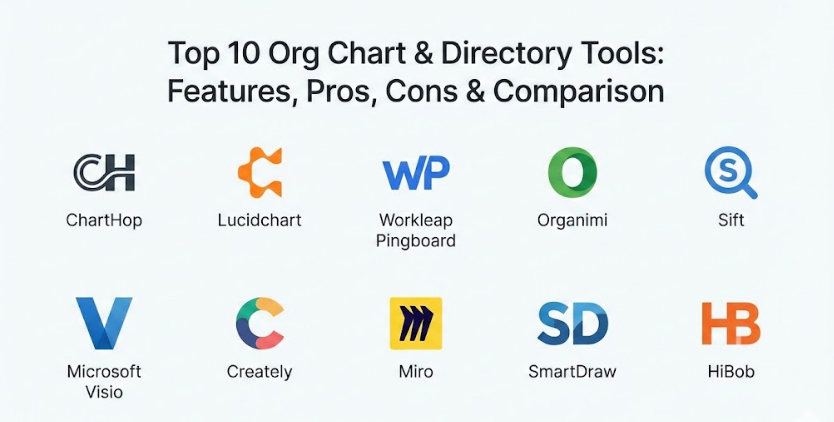
Top 10 Org Chart & Directory Tools
1 — ChartHop
ChartHop is a powerful platform that takes all the data about your employees and turns it into a visual story that is easy to understand. It is built for companies that want to use their people data to make smart choices about the future. It helps you see not just who reports to who, but also how things like pay and diversity are spread across the company. It makes the job of planning for new hires much simpler by showing you exactly how those changes will look. It is a great choice for leaders who want to see the big picture of their organization.
- Key features:
- Automatic charts that stay updated through your payroll system.
- Planning tools that let you test out new team structures in private.
- Visual maps for looking at pay, performance, and team diversity.
- Detailed profiles for every worker that show their history at the company.
- Tracking for open job roles so you can see where you are hiring.
- Custom dashboards that show the most important stats to leaders.
- Connections to many other business apps to keep data in sync.
- Pros:
- Very good for planning ahead and seeing the cost of new hires.
- Puts many different HR tasks into one simple, visual place.
- Cons:
- It can take some time to set up because it handles so much information.
- Might be a bit too much for a company that just wants a simple list of names.
- Security & compliance: Uses high-level encryption, follows global data rules like GDPR, and offers SOC 2 protection.
- Support & community: Offers direct help for setting up, a large library of help articles, and regular training sessions.
2 — Lucidchart
Lucidchart is a very popular app for drawing all kinds of diagrams, and it is especially good at making organizational charts. It is famous for being very easy to use, even if you have never made a chart before. You can simply drag and drop boxes onto the screen and connect them with lines. It is built for teams that want to work together on a design in real-time. Because it is so flexible, you can use it to map out almost anything, from a simple team list to a complex business process.
- Key features:
- Simple drag-and-drop tools that anyone can learn in a few minutes.
- Ability to pull in names and roles from Google Sheets or Excel files.
- Real-time editing so several people can work on the chart at once.
- Lots of ready-made templates to help you start your chart quickly.
- Tools that automatically line up your boxes so the chart looks neat.
- Works with apps like Slack and Microsoft Teams for easy sharing.
- Lets you add your own colors and logos to match your company brand.
- Pros:
- Extremely easy to pick up and start using right away.
- Great for creating charts that don’t follow a standard top-down layout.
- Cons:
- It does not always stay updated automatically with your HR software.
- If your company is huge, updating the chart manually can take a lot of work.
- Security & compliance: Follows standard security rules and allows for secure login through SSO.
- Support & community: Has a massive community of users who share tips and a very helpful support center.
3 — Workleap Pingboard
Workleap Pingboard is designed with a focus on helping employees get to know each other better. It is more than just a chart; it is a way to build a stronger culture by making the workplace feel more personal. It includes fun features like games to help you remember people’s names and faces. It is a favorite for companies that want to make their office directory feel like a community hub. By focusing on the human side of work, it helps people feel more connected even if they are working far apart.
- Key features:
- A live directory that serves as the official “map” of the company.
- Flashcard games and quizzes to help staff learn who their coworkers are.
- Stays in sync with popular HR tools like BambooHR and Rippling.
- A private mode where you can plan out future changes to the team.
- Rich profiles that show hobbies, skills, and even work anniversaries.
- A mobile app so you can look up a coworker while you are on the move.
- Custom spots to record things like office locations or special interests.
- Pros:
- Makes the directory fun and engaging for everyone to use.
- Very quick to get running if you already have your staff list ready.
- Cons:
- Can be a bit pricey compared to simple drawing tools.
- Some of the best planning features are only on the more expensive plans.
- Security & compliance: Data is encrypted and protected, and it meets standard privacy laws.
- Support & community: Provides great help for new users and has a blog full of tips for HR teams.
4 — Organimi
Organimi is a specialized tool that is all about making the process of building a chart as fast as possible. It is a great choice for HR professionals who need to manage very large and complex companies. It uses smart technology to build your charts for you as soon as you upload your data. It also offers different ways to look at your team, like a “photo board” which is very helpful for seeing faces. It is built to handle thousands of names without slowing down or becoming messy.
- Key features:
- Smart technology that builds charts automatically from your data files.
- Different view modes like directories and photo-based boards.
- Easy tools for moving large amounts of data in and out of the app.
- Can pull in information from LinkedIn to keep profiles looking professional.
- Excellent options for printing large charts for meetings or office walls.
- Color-coding tools to show different departments or locations clearly.
- Lets you create many different charts for different parts of the business.
- Pros:
- Can handle massive companies with ease and stays very fast.
- The printing features are some of the best in the business.
- Cons:
- The look of the app is a bit more traditional and less “social” than others.
- The mobile version is not as powerful as the version you use on a computer.
- Security & compliance: Fully compliant with GDPR and uses secure storage for all data.
- Support & community: Offers good email support and has a very clear set of instruction guides.
5 — Sift
Sift is a modern tool that acts like a powerful search engine for your company’s people. It is designed to help everyone find the right person for a job based on their skills and experience. The interface is very clean and easy to browse, making it simple to find someone even in a very large organization. It helps break down walls between departments by showing you exactly who knows what. It is perfect for teams that want to encourage their employees to share their expertise and collaborate more often.
- Key features:
- A very fast search bar that works just like a search engine for your office.
- Interactive charts that are fun to click through and explore.
- Works very well with Google Workspace and Microsoft 365.
- Builds profiles automatically by pulling data from your existing systems.
- Lets employees tag themselves with their specific skills and interests.
- Dashboards that show how your company is growing and changing.
- Strong security tools built for large, professional organizations.
- Pros:
- The search tool is amazing for finding experts within your own company.
- The design is very modern and looks great on any screen.
- Cons:
- You have to remind employees to keep their skills and tags updated.
- Small companies might find it has more features than they actually need.
- Security & compliance: Meets high security standards like SOC 2 and provides audit logs for admins.
- Support & community: Provides a dedicated person to help large teams succeed and a deep help library.
6 — Microsoft Visio
Visio is a very well-known tool that many big companies have used for a long time. It is part of the Microsoft family, so it works perfectly with things like Excel and Word. It gives you a huge amount of control over how your chart looks, allowing you to move every line and box exactly where you want it. It is built for creating very formal charts that need to look perfect for a big presentation or a board meeting. It is a reliable choice for teams that are already comfortable with Microsoft software.
- Key features:
- Deep connection to Excel and other Microsoft Office tools.
- Very advanced design tools for making perfect, professional visuals.
- A wizard tool that helps you build a chart quickly from a list of names.
- A massive library of different shapes and styles for any kind of chart.
- You can put your charts directly into PowerPoint or Word documents.
- Teams can work together on charts using the web version of the app.
- Can handle very complicated reporting lines that other tools might struggle with.
- Pros:
- Gives you the most control over the visual design and the layout.
- Many companies already have it as part of their Microsoft subscription.
- Cons:
- It takes a bit more time to learn how to use all the advanced buttons.
- It feels more like a drawing app than a live, social directory.
- Security & compliance: Backed by Microsoft’s very strong enterprise security and privacy rules.
- Support & community: There is a huge global community of users and official support is always available.
7 — Creately
Creately is a visual tool that gives you a huge, “infinite” space to plan out your company. It is designed to be a place where teams can brainstorm and work on ideas together in real-time. It is very simple to use and feels a bit like a digital whiteboard where you can draw your charts. It is a great choice for companies that want a tool that is affordable and can be used for more than just org charts. You can use it to map out projects, workflows, and team structures all in the same place.
- Key features:
- A giant digital canvas where you can build charts alongside your notes.
- Shapes that automatically resize and snap into place as you work.
- You can see where your teammates are clicking and typing in real-time.
- Works with popular apps like Slack and Google Drive.
- Comes with thousands of templates so you never have to start from scratch.
- Keeps a history of your changes so you can see how your chart has grown.
- Simple ways to save your charts as images or PDF files for sharing.
- Pros:
- The price is very fair, which is great for startups and small teams.
- You can use it for many different types of visual planning, not just org charts.
- Cons:
- It doesn’t have as many automated HR features as some of the other tools.
- If you put too much on one page, it can start to look a bit crowded.
- Security & compliance: Follows standard privacy rules and uses encryption to keep your data safe.
- Support & community: Has a good online help center and plenty of design tips on their blog.
8 — Miro
Miro is a digital whiteboard that has become very popular for remote teams. While it is used for all kinds of things, it is also a fantastic way to build a visual org chart very quickly. It is all about collaboration and moving fast. It is perfect for meetings where you want to “sketch out” how a new team might look. Because it is so flexible, you can add sticky notes, pictures, and even videos to your chart to make it more interesting and helpful for your team.
- Key features:
- A very fast and flexible canvas that feels just like a real whiteboard.
- Tools for teams to vote on ideas, set timers, and use digital sticky notes.
- Special templates specifically made for building company charts.
- Connects with video call apps like Zoom and Microsoft Teams.
- You can link cards to other data to help keep information current.
- Works very well on tablets and phones for viewing your charts anywhere.
- A special mode for presenting your charts during a meeting.
- Pros:
- The best choice for teams that want to brainstorm their structure together.
- Very easy for anyone to use without needing any special training.
- Cons:
- It isn’t a database, so it won’t work as a searchable phonebook for the office.
- Keeping a very large and detailed chart updated by hand can be difficult.
- Security & compliance: Meets very high security standards used by large global companies.
- Support & community: Has a huge group of users who share their own chart templates.
9 — SmartDraw
SmartDraw is a powerful tool that focuses on doing the hard work for you. It uses a special engine that automatically moves your boxes and lines so that your chart always looks perfect. If you add a new person to the middle of your chart, SmartDraw will shift everything else around to make room. It is a great alternative to more complicated software because it gives you professional results without the headache of manual drawing. It is a reliable tool for businesses that need high-quality charts that are easy to maintain.
- Key features:
- An engine that automatically fixes your chart layout as you make changes.
- Can pull in employee lists from professional data sources very quickly.
- Offers over 70 different kinds of diagrams for all your business needs.
- You can use it in your web browser or download it to your computer.
- Very easy to share your charts with others through a simple link.
- Lets you save your work in high-quality formats that look great in print.
- Comes with a wide range of professional templates that look very corporate.
- Pros:
- The automation saves a huge amount of time on design and alignment.
- Strikes a perfect balance between being powerful and being easy to use.
- Cons:
- Might be a bit more expensive for just a single person or a tiny team.
- It lacks the “social” features of a directory, focusing mostly on the chart.
- Security & compliance: Follows all the major security and privacy laws like HIPAA and GDPR.
- Support & community: Offers very reliable help and has lots of videos to teach you how to use it.
10 — HiBob
HiBob is much more than just an org chart; it is a full platform for managing everything about your people. It is built to make the company culture feel modern and fun. The directory in HiBob feels a lot like a social media site where people can post updates and give each other “shout-outs.” Because it is a complete HR system, it handles everything from your time-off to your performance reviews. It is the ultimate choice for a company that wants one place for all their employee information.
- Key features:
- A directory that looks like a social media feed to help people connect.
- An interactive chart that is very easy to click through and explore.
- Full HR tools for handling pay, time-off, and performance reviews.
- Insights that show you things like how long people have been at the company.
- Groups and clubs that help people find coworkers with similar interests.
- Designed for mobile use so it is easy for employees to check on their phones.
- Automatically updates the chart whenever someone is hired or promoted.
- Pros:
- The data is always correct because it is linked to the main HR system.
- Helps people feel more involved and happy at work through social features.
- Cons:
- It is a big change to move your whole company over to a new HR platform.
- The price is higher than tools that only do organizational charts.
- Security & compliance: Very high levels of security and follows all global privacy rules.
- Support & community: Provides a lot of personal help to ensure your company is successful.
Comparison Table
| Tool Name | Best For | Platform(s) Supported | Standout Feature | Rating |
| ChartHop | Data-driven planning | Web | AI Scenario Modeling | N/A |
| Lucidchart | Team collaboration | Web, Mobile | Intuitive Drag-and-Drop | N/A |
| Pingboard | Employee engagement | Web, Mobile | Flashcard Learning Game | N/A |
| Organimi | Large-scale automation | Web | Bulk Smart Import | N/A |
| Sift | Finding internal experts | Web, Mobile | “Google-like” Search | N/A |
| Visio | Formal corporate charts | Web, Desktop | Microsoft Ecosystem Sync | N/A |
| Creately | Brainstorming & Sketching | Web | Infinite Canvas Workspace | N/A |
| Miro | Fast remote planning | Web, Mobile | Interactive Whiteboard | N/A |
| SmartDraw | Automatic formatting | Web, Desktop | Layout Automation Engine | N/A |
| HiBob | Culture & Core HR | Web, Mobile | Social-style Directory | N/A |
Evaluation & Scoring of Org Chart & Directory Tools
| Criteria | Weight | Content Focus |
| Core Features | 25% | Ability to build, view, and share accurate organizational structures. |
| Ease of Use | 15% | How quickly an average employee can learn and navigate the tool. |
| Integrations | 15% | Connection to HRIS, payroll, and communication tools like Slack. |
| Security | 10% | Data privacy, encryption, and compliance with global standards. |
| Performance | 10% | Loading speed and stability when handling large amounts of data. |
| Support | 10% | Quality of documentation, community, and direct customer help. |
| Price / Value | 15% | Whether the features justify the monthly or annual cost. |
Which Org Chart & Directory Tool Is Right for You?
Picking the right tool depends mostly on what you want your employees to do with it. If you are a solo user or a very small business, you probably don’t need a heavy HR system. A simple tool like Miro or Creately is perfect because it gives you a digital space to draw your structure without costing a lot of money. For Small to Medium-sized Businesses, a tool like Pingboard or Organimi is often the best choice. These tools are built for companies of this size, offering enough automation to save time without being too difficult to manage.
If you work for a large company, your needs are very different. You probably have thousands of people and a lot of changes happening every single month. In this case, you need a tool that connects deeply with the software you already use. Sift or ChartHop are great for this because they can handle huge amounts of data and offer the powerful search tools that big teams need. If your company is already using Microsoft 365 for everything, then Visio is often the most natural choice because it fits right in with your other apps.
Money is also an important thing to think about. If you are watching your budget, look for tools that have a free version or a flat monthly price. If you are looking for a premium solution, you are usually paying for extra features like deep data analysis and very high security. HiBob is a good example of a premium tool that offers a lot of value, but only if you are ready to use it for all your HR tasks.
Finally, think about security and growth. As your company gets bigger, your data becomes more private and your team structure gets more complicated. You want a tool that can grow with you. Make sure the tool you pick today is something you can still use next year, even if you hire a lot more people or if your security needs change.
Frequently Asked Questions (FAQs)
1. What is the main difference between an org chart and a directory?
An org chart is a picture showing who reports to who. A directory is like a modern phonebook that has contact info, skills, and photos for everyone in the company.
2. Why should I use a real tool instead of just drawing it in a document?
Real tools update themselves automatically and let everyone search for what they need. Documents are static and get outdated as soon as someone leaves or joins.
3. Do these tools talk to my payroll software?
Yes, most modern tools like ChartHop and Pingboard can connect directly to your HR systems to pull in new employee data automatically.
4. Is my company’s data safe in these tools?
Yes, professional tools use strong encryption and follow strict privacy laws to keep your data safe. Always check their security page to be sure.
5. How much do these tools usually cost?
It varies. Simple drawing tools can be free or very cheap, while big HR platforms might cost a few dollars for every employee each month.
6. Can I use these tools to plan for the future?
Yes, many tools have a “draft” mode where you can move people around and see how a new structure would look before you show it to anyone else.
7. Are there apps for these on my phone?
Many tools, like Pingboard and HiBob, have great mobile apps so employees can look up a coworker’s info while they are away from their desk.
8. Can I show complex reporting lines?
Yes, but some tools are better at this than others. Lucidchart and Visio are great for complex charts, while some simpler tools prefer a standard top-down look.
9. How long does it take to get started?
If you have a list of names ready in a spreadsheet, you can often see a basic chart in just a few minutes. Setting up deeper connections might take a few days.
10. Do employees actually like using these directories?
They do if the directory helps them find people and has fun features. Tools that show skills and interests usually get used much more than just a list of names.
Conclusion
In summary, picking the right organizational chart and directory tool is a big step toward making your company more organized and connected. A good tool takes away the confusion of who does what and helps every employee find their place in the big picture. Whether you need a simple way to sketch out your team or a massive database that stays updated by itself, there is a tool that fits your company’s style. These modern apps have moved far beyond simple boxes on a screen, offering everything from social profiles to deep data insights that help leaders plan for the future.
What matters most is choosing a tool that fits the way your specific team works every day. A small startup might want something fun and social to help people learn names, while a massive corporation will care most about security and how the tool connects to their other systems. The “best” tool isn’t always the one with the most buttons; it’s the one that your staff will actually use and that makes their work life just a little bit simpler. By focusing on ease of use and accuracy, you can make sure your organization stays healthy and grows in the right direction.
It is also good to remember that your needs will change as your business grows. The tool that works for you today when you are small might not be enough when you reach a hundred or a thousand employees. Look for a solution that can scale with you and provides the right kind of help when you need it. Ultimately, the goal is to create a workplace where information is easy to find and where everyone feels like they are part of one big, successful team.
Finally, an effective directory acts as the heart of your company’s internal world. It is a place where communication starts and where people feel empowered to reach out to one another. When you pick the right platform, you are building a stronger culture where people can collaborate more easily. It is a simple investment that leads to a much happier, more productive, and more organized workforce for a very long time.