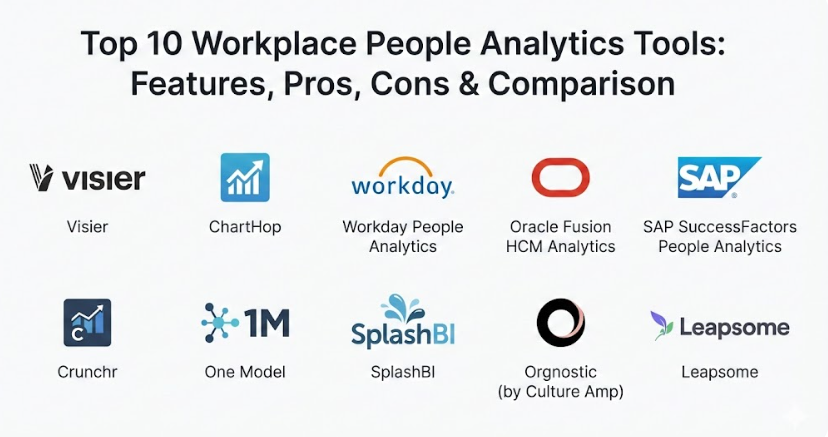
Introduction
Workplace People Analytics Tools are special software programs that help businesses collect and understand information about their employees. Instead of just having a list of names and salaries, these tools look at patterns to help leaders see how people are working, if they are happy, and why some might be leaving the company. They act like a smart assistant for a business, turning messy data into clear stories that show what is actually happening within a team. By looking at things like how long people stay at their jobs or how they perform during reviews, these tools give managers the evidence they need to make better choices for their staff. This technology allows a company to move beyond simple record-keeping and start understanding the human behavior that drives their success every day.
These tools are very important because they take the guesswork out of managing people. In the past, bosses might have made decisions based on a “gut feeling,” but now they can use real facts to support their choices. For example, a company might use these tools to figure out which departments are feeling burnt out or which hiring methods lead to the best long-term employees. They are also used to make sure pay is fair across the whole company and to plan for future growth by seeing what skills the team currently has and what they might need later. When a company uses these tools well, it leads to a more balanced workplace where employees feel understood and the business stays strong. It helps in creating a culture where people feel valued because the company is actually paying attention to their needs and career paths.
When you are looking for the right tool, you should focus on how easy it is to use and how well it talks to your other software. It is also vital to check if the tool can grow with you and if it keeps your data safe with high security standards. A good tool should offer clear charts that anyone can understand without needing a degree in math. You want a system that helps you solve problems before they happen, such as identifying a group of workers who might be planning to quit soon. Choosing a tool with strong customer support and a helpful community is also a big plus for when you have questions. Additionally, consider how much training your team will need and whether the tool provides the specific types of reports that your leadership team asks for most often.
Best for: Large companies with a lot of employees benefit the most because they have so much data that it is impossible to track manually. HR managers, business owners, and data teams use these tools to spot trends across thousands of people. Industries like tech, healthcare, and finance often find them essential for keeping track of specialized skills and staying competitive. It is also perfect for organizations going through a lot of changes, like merging with another company or opening new offices in different parts of the world.
Not ideal for: Very small businesses with only a few employees might find these tools too complicated or expensive for their needs. If you can still know everyone by name and see how they are doing just by chatting in the kitchen, a high-tech analytics platform might be overkill. In those cases, a simple spreadsheet or a basic payroll system might be all you need to keep things organized. It might also not be the right fit for companies that do not have digital records yet, as the tool needs data to work properly.
Top 10 Workplace People Analytics Tools
1 — Visier
Visier is a very popular choice for big companies that want to see the “big picture” of their workforce. It is built to help leaders ask tough questions about their staff and get clear, visual answers that are easy to share in a meeting. This tool is great for organizations that have data spread out in many different places and need one central spot to make sense of it all. It focuses heavily on predicting what might happen in the future, like who might leave or where the company might be short on staff. Because it is so detailed, it provides a very deep look into the health of a company’s culture and its productivity levels. It acts as a bridge between the HR department and the executive boardroom by speaking the language of business results.
Key Features:
- Advanced charts and maps that show employee trends over time.
- Tools that predict which employees are most likely to quit soon.
- Detailed reports that compare your company’s data to others in your industry.
- A central dashboard that brings together info from payroll, hiring, and reviews.
- Special sections for tracking diversity and making sure pay is fair for everyone.
- Easy-to-use “storyboards” that help you present findings to your boss.
- Ability to drill down from high-level trends into specific team details.
Pros:
- Very powerful at handling huge amounts of data from many different sources.
- Provides “pre-built” questions that help you start analyzing right away.
- Excellent at showing long-term trends rather than just a quick snapshot.
Cons:
- Can be quite expensive, especially for companies that are just starting to grow.
- The advanced features might take some time for beginners to learn properly.
- Requires clean data from your other systems to give the best results.
Security & Compliance: Offers SOC 2 Type II compliance, GDPR readiness, and strong data encryption to keep employee records private.
Support & Community: Provides extensive online guides, a dedicated customer success team, and a community forum for sharing best practices.
2 — ChartHop
ChartHop is famous for its visual organization charts that do much more than just show who reports to whom. It is designed for fast-growing companies that need to plan their future teams and see how changes will affect the whole office. The tool makes it very easy to see employee information directly on the company map, which helps everyone stay on the same page. It is a very transparent tool that aims to make data accessible to more people in the company, not just the top executives. By focusing on visualization, it helps turn boring lists into interactive maps of the workforce. It is particularly helpful during times of rapid hiring or restructuring because it makes complex changes easy to see.
Key Features:
- Dynamic org charts that update automatically as people are hired or promoted.
- A “sandbox” mode where you can test out new team structures before making them official.
- High-quality tools for tracking diversity and inclusion goals.
- Integrated surveys that help you see how happy employees are in real-time.
- Simple dashboards that show headcount and budget information side-by-side.
- Automated reporting that sends regular updates to your inbox.
- Personal profiles for employees that show their career history and skills.
Pros:
- The visual design is very clean and easy for anyone to navigate.
- Excellent for planning “what-if” scenarios for future hiring and budgets.
- Integrates very quickly with most popular payroll and HR software.
Cons:
- Might lack some of the deeper “predictive” math that much larger tools offer.
- The setup process can be a bit long if your current data is messy.
- Some users might find the amount of visible data overwhelming at first.
Security & Compliance: Uses SSO for secure logins and is compliant with standard data protection laws like GDPR.
Support & Community: Offers a helpful knowledge base and responsive email support for all users.
3 — Workday People Analytics
Workday is a massive name in the business world, and its analytics tool is part of a much larger system that handles everything from pay to training. This tool is best for very large enterprises that already use Workday and want to get more value out of the data they already have. It uses smart technology to look for patterns and “hidden” stories in the data that a human might miss. It is very polished and professional, making it a favorite for global companies with offices in many different countries. Because it is so integrated, it provides a very smooth experience for managers who are already used to the Workday look and feel. It helps large leadership teams stay aligned by using the same data for every decision.
Key Features:
- Uses “augmented analytics” to automatically highlight important trends.
- Deep integration with payroll and finance data for a complete business view.
- Global reporting capabilities that handle different laws and currencies.
- Personalized dashboards for different roles, from CEOs to team leads.
- Advanced skills tracking to see if your team is learning the right things.
- Automated alerts that tell you when a specific metric reaches a certain level.
- Benchmarking to compare your performance against other big companies.
Pros:
- Everything is in one place, so you don’t have to switch between different apps.
- The automated insights save a lot of time by doing the “digging” for you.
- Extremely reliable and built to handle the needs of the world’s biggest brands.
Cons:
- It is a very large system that can feel overwhelming if you only need basic features.
- Requires a significant investment in both money and setup time.
- Can be difficult to integrate with tools outside of the Workday family.
Security & Compliance: Top-tier security including ISO certifications, SOC 1 and 2, and global privacy compliance.
Support & Community: Massive user community and enterprise-grade support with dedicated account managers.
4 — Oracle Fusion HCM Analytics
Oracle is another heavyweight that offers a very deep and technical tool for people data. It is designed for businesses that need to look at HR data alongside financial and supply chain information to see how the whole company is performing. This tool is very flexible and allows experts to build almost any kind of report they can imagine. It is particularly strong for companies that need to manage a very complex workforce with many different types of roles and locations. It provides a level of detail that is hard to match, though it usually requires a bit more technical skill to get the most out of it. It is perfect for organizations that want to treat their people data with the same precision as their financial data.
Key Features:
- A library of over a thousand pre-made metrics to help you get started.
- Ability to mix HR data with sales or finance data easily.
- Mobile-friendly dashboards so you can check stats on your phone.
- Natural language search where you can “ask” the tool questions in plain English.
- Strong focus on talent acquisition and seeing how well your hiring is going.
- Tools to help plan long-term career paths for top-performing employees.
- Detailed tracking for workforce costs and budget adherence.
Pros:
- Unmatched depth for companies that have very complex data needs.
- The pre-made reports cover almost every possible HR scenario.
- High performance even when dealing with millions of data points across the globe.
Cons:
- The interface can feel a bit technical compared to newer, sleeker tools.
- Often requires a dedicated person or team to manage the system properly.
- The learning curve can be steep for users who are not used to data tools.
Security & Compliance: Comprehensive security including HIPAA readiness and global data residency options.
Support & Community: Extensive documentation and a global network of experts and consultants.
5 — SAP SuccessFactors People Analytics
SAP’s tool is built for the modern enterprise that wants to focus on employee experience and performance. It is very good at showing how individual goals contribute to the success of the whole company. This tool is ideal for organizations that want to use data to drive better conversations between managers and their teams. It has a very professional look and feel and is designed to be used by everyone in the company, not just the HR department. By focusing on “people stories,” it helps leaders understand the human side of their business numbers. It turns abstract data into actionable advice that helps managers lead their teams more effectively.
Key Features:
- High-quality visualizations that turn data into easy-to-read stories.
- Strong integration with learning and training platforms to track skill growth.
- Tools for managing performance reviews and goal setting in one spot.
- Benchmarking features to see how your team’s engagement compares to others.
- Simplified reporting for daily tasks like tracking attendance or leave.
- Predictive tools to help with long-term workforce planning and budgeting.
- Visual tiles that give you a quick summary of your most important metrics.
Pros:
- Very good at connecting employee happiness to business results.
- The reporting is very flexible and can be customized for different departments.
- Large global presence with support for many different languages and regions.
Cons:
- Can be complex to set up if your existing SAP system is highly customized.
- Some users find the navigation a bit confusing at first glance.
- Updates can sometimes be large and require time to learn.
Security & Compliance: High-level encryption, SOC compliance, and extensive data privacy features built-in.
Support & Community: Large online community, training courses, and professional support services.
6 — Crunchr
Crunchr is a newer, more modern tool that focuses on making people analytics simple and fast. It is designed to be very intuitive so that HR teams can get the answers they need without having to wait for a data expert to help them. This tool is great for companies that want to move quickly and start seeing insights in weeks rather than months. It has a very friendly interface and uses “guides” to help you through the process of analyzing your data. It is a fantastic choice for mid-sized companies that want professional-grade analytics without the massive price tag or complexity of the giant software suites. It focuses on solving real HR problems without getting lost in technical jargon.
Key Features:
- A “Data Health” check that tells you if your employee info is clean and accurate.
- Very easy drag-and-drop dashboard builder for custom reports.
- Simple tools for tracking turnover and identifying “at-risk” teams.
- Integrated surveys that match up with your employee records automatically.
- A clean, modern design that works well on any computer screen.
- Automated recommendations on how to improve your workforce health.
- Clear visuals that show how people move through your company over time.
Pros:
- Much faster to set up and use than the traditional enterprise tools.
- The “Data Health” feature is incredibly helpful for fixing messy records.
- Very clear and transparent pricing compared to many of the larger competitors.
Cons:
- Might not have as many advanced “data science” options as the biggest tools.
- The community and list of third-party integrations are still growing.
- Best suited for those who want a focused tool rather than an all-in-one suite.
Security & Compliance: Fully GDPR compliant and uses modern encryption to protect user data.
Support & Community: Known for very responsive and personal customer service for all clients.
7 — One Model
One Model is a very flexible platform that acts as a bridge between all your different HR systems. It is unique because it gives you a “clean” copy of all your data that you can use however you want, which is great for companies that have very specific reporting needs. It is built for businesses that want to own their data and not be locked into one single software’s way of doing things. This tool is very powerful for data teams that want to build their own custom models and predictions. It offers a lot of freedom and is very popular with companies that are serious about data science and want full control over their analytics.
Key Features:
- A central “Data Warehouse” that collects info from every HR tool you use.
- Fully transparent AI models so you can see exactly how it makes predictions.
- Powerful tools for building your own custom metrics and calculations.
- High-quality storyboards for presenting data to company leaders.
- Automated data cleaning that fixes errors as information flows in.
- Role-based access so everyone sees only the data they are allowed to.
- Ability to export data to other business tools like Power BI or Tableau.
Pros:
- Incredible flexibility for companies that want to do things their own way.
- You are not stuck using just one HR system; it works with everything.
- Great for advanced teams that want to write their own code or queries.
Cons:
- Requires more technical knowledge to set up than the “simpler” tools.
- Might be too complex for a small HR team with no data experience.
- The initial setup can take more time because it is so customizable.
Security & Compliance: Built with “privacy by design” and complies with major global standards like SOC 2.
Support & Community: Provides deep technical support and works closely with clients on setup.
8 — SplashBI
SplashBI is an all-around business intelligence tool that has a special focus on people analytics. It is designed to be a “one-stop-shop” for any kind of reporting a business might need. This makes it a great choice for companies that want to use the same tool for HR, finance, and marketing data. It is very good at pulling information from older, legacy systems that other tools might struggle with. The platform is built to be used by anyone, with a focus on simple charts and “point-and-click” reporting that doesn’t require any coding skills. It helps break down the walls between different departments by showing how everyone’s data connects.
Key Features:
- Over a thousand pre-built reports specifically for HR needs.
- Ability to schedule reports to be sent automatically to managers.
- Strong mobile app so you can view dashboards on the go.
- Tools to help with headcount planning and labor cost tracking.
- Diversity and inclusion dashboards that are easy to understand.
- High-speed data processing that keeps reports running fast.
- Capability to combine data from many different software brands in one chart.
Pros:
- Great value for money since it can be used for more than just HR data.
- Very good at connecting to a wide variety of different software brands.
- The mobile experience is one of the best in the industry for checking stats.
Cons:
- The interface can feel a little bit busy because it does so many things.
- Customizing the pre-built reports can sometimes be a bit tricky for beginners.
- It may lack some of the “people science” focus of more specialized HR tools.
Security & Compliance: Offers robust security features and is compliant with standard enterprise requirements.
Support & Community: Good documentation and a helpful customer support team.
9 — Orgnostic (by Culture Amp)
Orgnostic is a very smart tool that focuses on “telling a story” with your data. It was recently joined with Culture Amp, making it even better at combining numbers with employee feedback. This tool is perfect for companies that want to understand the “why” behind their metrics, such as why turnover is high in one specific department. It is very easy to use and provides a “Health Audit” of your company data as soon as you plug it in. It is a very people-focused tool that feels more like a coach than a calculator. It helps you see the connection between how people feel and how they perform.
Key Features:
- Instant “Data Health” scores to help you fix missing employee info.
- Beautifully designed storyboards that explain what your numbers mean.
- Pre-built surveys that help you measure things like engagement and burnout.
- Automated insights that point out areas where your company is doing great or struggling.
- Simple search bar where you can type in a question to find a metric.
- Tools to help with planning for future leadership and internal promotions.
- Direct connection between survey results and actual employee turnover data.
Pros:
- The design is very modern and a joy to look at every day.
- Excellent at turning complex data into a “story” that is easy to tell leaders.
- Integrates very smoothly with most popular payroll and hiring tools.
Cons:
- Some of the more advanced features are only available on the more expensive plans.
- It is best for mid-sized companies and might lack some very deep enterprise features.
- Requires a commitment to acting on employee feedback to be truly effective.
Security & Compliance: High standards for data privacy and fully compliant with GDPR.
Support & Community: Excellent support with a focus on helping you understand the “people science” behind the data.
10 — Leapsome
Leapsome is a platform that combines employee reviews, learning, and analytics into one easy package. It is designed for modern companies that want to help their employees grow while keeping a close eye on the company’s performance. This tool is great because it makes the data part of the daily routine, rather than something you only look at once a month. It is very focused on “enablement”—helping people do their best work through feedback and clear goals. It is a fantastic choice for smaller to mid-sized teams that want a tool that does everything in one place without being overly complicated. It helps create a culture of continuous learning and improvement.
Key Features:
- Integrated performance reviews that feed directly into your analytics.
- Real-time employee engagement surveys that are easy to fill out.
- A learning platform where you can assign training based on data insights.
- Simple dashboards for managers to see how their specific team is doing.
- Goal-tracking tools that show progress across the whole company.
- Automated reminders to keep everyone on track with their reviews and goals.
- Competency frameworks to help people see how they can get promoted.
Pros:
- Very easy to get started and doesn’t require a lot of training for staff.
- Great for building a culture of feedback and continuous improvement.
- Much more affordable for smaller companies than the big enterprise suites.
Cons:
- The analytics part is a bit simpler than the specialized data-only tools.
- Might not be enough for a company with tens of thousands of employees and complex needs.
- Focuses more on performance management than deep statistical modeling.
Security & Compliance: Based in Europe with very high standards for data privacy and GDPR.
Support & Community: Very helpful customer success team and plenty of online resources.
Comparison Table
| Tool Name | Best For | Platform(s) Supported | Standout Feature | Rating |
| Visier | Large Enterprise | Web, Cloud | Predictive Analytics | N/A |
| ChartHop | Growth Companies | Web, Cloud | Interactive Org Charts | N/A |
| Workday | Global Brands | Web, Mobile, Cloud | Augmented Insights | N/A |
| Oracle Fusion | Complex Data Needs | Web, Mobile, Cloud | Cross-Functional Data | N/A |
| SAP SuccessFactors | Employee Experience | Web, Cloud | People Storytelling | N/A |
| Crunchr | Mid-Market HR Teams | Web, Cloud | Data Health Check | N/A |
| One Model | Advanced Data Teams | Web, Cloud | Transparent AI Models | N/A |
| SplashBI | Multi-Dept Reporting | Web, Mobile, Cloud | 1,000+ Pre-built Reports | N/A |
| Orgnostic | Culture-Driven Orgs | Web, Cloud | Data Storytelling | N/A |
| Leapsome | Modern SMB / Mid-Market | Web, Cloud | Integrated Performance | N/A |
Evaluation & Scoring of Workplace People Analytics Tools
To help you decide, we have looked at these tools across several important categories. We have given each category a “weight” to show how much it usually matters to a business when they are trying to make a choice.
| Evaluation Category | Weight | Description of What We Look For |
| Core Features | 25% | Does it have the charts, predictions, and reports you need for your goals? |
| Ease of Use | 15% | Can a regular manager use it without needing a thick manual or training? |
| Integrations | 15% | Does it talk to your current payroll, hiring, and review software easily? |
| Security & Compliance | 10% | Does it follow international laws and keep sensitive employee data safe? |
| Performance | 10% | Is it fast, reliable, and able to handle a lot of information without crashing? |
| Support & Community | 10% | Is there a real person or a helpful community to turn to when you get stuck? |
| Price / Value | 15% | Is the cost of the software worth the benefits and time it saves you? |
Which Workplace People Analytics Tool Is Right for You?
Choosing the right tool is a big decision, but it doesn’t have to be hard if you follow a few simple steps. Start by looking at the size of your company and your future plans. If you have thousands of employees across the world, you will likely need a heavy-duty tool like Workday or Visier because they can handle the sheer volume of data and offer the complex security big companies need. On the other hand, if you are a fast-growing team of a few hundred people, a tool like ChartHop or Orgnostic might be much better because they are easier to set up and focus more on the “visual” side of your team’s growth and daily culture.
Budget is also a big factor that you must consider early on. Some of the top-tier tools require a custom quote and can be quite an investment, while others like Crunchr or Leapsome are more transparent about their costs and offer plans that work well for smaller budgets. You should also think about who will be using the tool every day. If you have a dedicated data team, they might love the freedom and power of One Model. But if you want your HR managers and team leads to use the tool themselves, you should pick something with a very simple and friendly interface that doesn’t feel like “work.”
Finally, check what software you already have in place. If you are already using Oracle or SAP for your other business needs, sticking with their analytics tools can save you a lot of headache because they are designed to work together perfectly. If you use a mix of many different apps for payroll, reviews, and hiring, look for a tool that is famous for having “open” integrations that can connect to almost anything. You want a tool that fits into your life, not one that forces you to change everything you are currently doing. Taking the time to match the tool to your specific team culture will ensure that people actually use it to make better decisions.
Frequently Asked Questions (FAQs)
What exactly do these tools do?
They are software programs that take all the information you have about your employees—like when they started, how much they get paid, and their performance reviews—and turn it into easy-to-read charts. This helps you see trends in your company that you might not notice just by looking at lists. They help you understand your team as a whole rather than just as individual names.
Do I need a data expert to use these tools?
Not necessarily! Many modern tools are designed for regular HR people to use without any special training. While the very advanced enterprise systems might benefit from having a data specialist on hand, most of the tools on this list are built to be “point-and-click” and very user-friendly. They are meant to make your job easier, not harder.
Is my employee data safe in these systems?
Yes, these companies take security very seriously because they know how sensitive employee information is. They use high-level encryption and follow strict international laws like GDPR to make sure that private information stays private and can only be seen by the people who are allowed to see it. Most also offer features like single sign-on to keep your login secure.
Can these tools tell me who is going to quit?
Many of them can identify patterns that suggest someone might be unhappy. They look for things like if someone has stopped taking training or hasn’t had a raise in a long time. They then give managers a “heads up” so they can talk to that employee and try to fix any problems before the person decides to leave the company.
How long does it take to get a tool like this running?
It varies depending on which one you choose and how much data you have. Simple tools can be ready in just a few weeks, while massive systems for global companies can take several months to set up perfectly. A lot of it depends on how organized your current data is before you start the process.
Can I use these tools on my phone?
Most of the top tools have mobile-friendly websites or dedicated apps that you can download. This is great for managers who need to check a quick stat while they are in a meeting or away from their desk. It allows you to have the facts you need whenever a question comes up.
Will these tools help with diversity and inclusion?
Absolutely. Almost all of these tools have special sections that show you the breakdown of your company by things like gender and age. This helps you see where you are doing well and where you need to improve your hiring and promotion practices to make the company more fair for everyone.
Do these tools work with my existing payroll software?
Most of the time, yes. They are built to “pull” data from popular systems like ADP, Workday, or Gusto automatically. You should always check the list of “integrations” on the tool’s website to make sure your specific software is included before you buy.
What is the biggest mistake people make when choosing a tool?
The biggest mistake is picking a tool that is too complicated for what they actually need. It is much better to have a simple tool that everyone on your team actually uses than an advanced one that is so hard to understand that it just sits there. Start with what you need today and grow from there.
How much do these tools cost?
Pricing is usually based on how many employees you have in your company. Some have a monthly fee per person, while others require a yearly contract for the whole office. It is always best to ask for a demo and a custom price quote so you know exactly what the cost will be for your specific situation.
Conclusion
In the end, choosing a Workplace People Analytics Tool is all about finding a partner that helps you understand your team better and make their lives easier. The right tool will take the piles of data you already have and turn them into clear, helpful stories that allow you to make better choices for your workers and your business success. Whether you need a massive system that covers the whole world or a simple, visual map of your office, there is a solution out there that fits your needs perfectly. By focusing on how your people are doing, you are building a stronger and more successful future for everyone in the company.
Remember that there isn’t one “perfect” tool that works for every single business in every situation. What matters most is that you pick a system that your team feels comfortable using and that gives you the specific answers you are looking for. Take the time to try out a few demos, look at the charts they produce, and see which one feels the most natural to your way of working. When you have the right facts at your fingertips, managing a workforce becomes much less about guessing and much more about making smart, kind, and evidence-based decisions that help your business grow.
I hope this guide helps you find the perfect tool to start your journey into understanding your workforce better. It is an exciting step to take, and it can truly change the way your company operates for the better by putting people at the center of every decision. By using data to support your team, you are showing them that their work and their happiness truly matter to the company. This leads to a more loyal, productive, and satisfied workforce that can help your business reach its highest goals over the long term.