Introduction
Pulse survey tools are specialized software applications designed to help organizations collect frequent, quick, and actionable feedback from their employees. Unlike traditional annual surveys that are long and often overwhelming, pulse surveys are short and focused, usually consisting of just a few questions that can be answered in minutes. These tools act as a “heartbeat” monitor for a company, allowing leadership to understand the mood, engagement levels, and concerns of their workforce in real-time. By using these platforms, businesses can move away from guessing how their people feel and start making decisions based on actual data provided by the team members themselves.
The importance of these tools lies in their ability to catch issues before they grow into major problems. In a fast-moving workplace, waiting an entire year to ask employees about their experience is simply too long. Pulse survey tools provide a continuous loop of communication that builds trust and transparency. They are used for various real-world scenarios, such as measuring the impact of a new company policy, checking in on mental health during stressful periods, or gathering thoughts on diversity and inclusion efforts. When choosing a tool, you should look for ease of use, strong data privacy, the ability to keep responses anonymous, and clear reporting dashboards that don’t require a degree in statistics to understand.
Best for: These tools are a perfect fit for human resources professionals, department heads, and executive leaders who want to foster a culture of open communication. They work exceptionally well for mid-sized to large organizations where it is difficult for leaders to have one-on-one conversations with everyone. Companies in fast-growing industries like technology, healthcare, and retail find them particularly useful for staying connected with a distributed or high-turnover workforce.
Not ideal for: Very small teams (under 10 or 15 people) might find these tools unnecessary, as direct, face-to-face communication is often more effective at that scale. They are also not a good replacement for deep, structural organizational audits or for companies that are not yet ready to actually act on the feedback they receive. If a business collects feedback but never makes changes, using a pulse survey tool can actually lower morale instead of improving it.
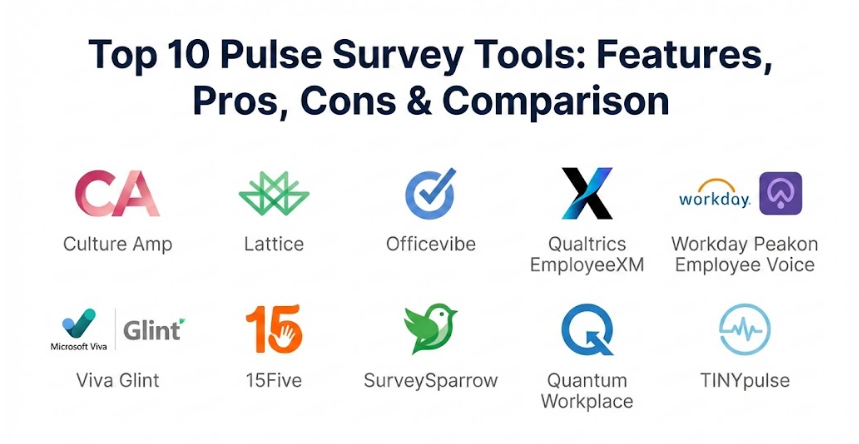
Top 10 Pulse Survey Tools
1 — Culture Amp
Culture Amp is one of the most well-known platforms in the employee experience space, designed to help companies of all sizes understand and improve their workplace culture. It focuses heavily on using psychology and data science to create surveys that truly measure engagement and provide a clear roadmap for improvement.
- Key features:
- Science-backed survey templates created by organizational psychologists.
- Powerful “Impact Analysis” that identifies which factors most influence engagement.
- Real-time reporting dashboards for managers and HR teams.
- Benchmarks that allow you to compare your results against other companies in your industry.
- Action planning tools that suggest specific steps to take based on survey results.
- Text analytics that use artificial intelligence to categorize open-ended comments.
- Pros:
- The platform is incredibly deep yet remains intuitive, making it easy for both administrators and employees to use.
- The focus on “action” means you aren’t just looking at numbers; you get actual guidance on how to fix culture issues.
- Cons:
- The pricing can be on the higher end, which might make it a stretch for smaller businesses with tight budgets.
- Some of the more advanced reporting features have a learning curve for people who aren’t familiar with data analysis.
- Security & compliance: Adheres to global standards including GDPR, SOC 2 Type II, and uses high-level data encryption for all stored information.
- Support & community: Offers an extensive “Culture First” community, a deep knowledge base, and dedicated customer success managers for larger enterprise clients.
2 — Lattice
Lattice is a comprehensive people management platform that blends pulse surveys with performance reviews and goal tracking. It is designed for companies that want to see how employee sentiment directly connects to individual and team performance.
- Key features:
- Automated pulse surveys that can be scheduled to go out weekly or monthly.
- Integration with performance management tools to see the “big picture” of an employee’s journey.
- Kudos and recognition features to celebrate wins within the survey platform.
- Sentiment analysis that tracks how the “vibe” of the company changes over time.
- Easy-to-read heatmaps that show which departments are struggling and which are thriving.
- Direct links between survey feedback and one-on-one meeting agendas.
- Pros:
- Having everything in one place (reviews, goals, and surveys) reduces the number of tools your employees have to log into.
- The interface is modern and very clean, which encourages higher participation rates among staff.
- Cons:
- If you only need pulse surveys, the platform might feel too “busy” or expensive because it includes many other HR features.
- Initial setup can take some time because you have to configure how the surveys interact with the performance modules.
- Security & compliance: Provides SSO (Single Sign-On), role-based access controls, and is fully compliant with GDPR and SOC 2 standards.
- Support & community: Provides excellent onboarding support, regular webinars on HR best practices, and a responsive help desk.
3 — Officevibe (by Workleap)
Officevibe is built around the idea of simplicity and manager empowerment. It is specifically designed to give managers the tools they need to have better conversations with their teams based on weekly, automated feedback.
- Key features:
- A set of 10 key metrics that cover everything from wellness to relationship with managers.
- Weekly automated “micro-surveys” that take less than two minutes to complete.
- An anonymous “suggestion box” where employees can share thoughts anytime.
- Built-in templates for one-on-one meetings that pull in recent survey feedback.
- Customizable surveys for specific company initiatives or events.
- Easy Slack and Microsoft Teams integrations for quick survey distribution.
- Pros:
- It is perhaps the easiest tool on this list to get started with, often requiring very little training for managers.
- The focus on small, weekly check-ins keeps engagement top-of-mind without causing survey fatigue.
- Cons:
- The reporting is not as deep as some enterprise-level tools, which might frustrate large data-hungry HR teams.
- The automated nature of the surveys means you have less control over the specific timing of every question.
- Security & compliance: Includes SOC 2 compliance, data encryption at rest and in transit, and strict anonymity protections for small teams.
- Support & community: Offers a self-service help center and email support, with higher levels of service available for larger accounts.
4 — Qualtrics EmployeeXM
Qualtrics is an enterprise-grade “Experience Management” platform. It is massive, powerful, and built for large global organizations that need to analyze massive amounts of employee data across the entire lifecycle, from hiring to retirement.
- Key features:
- Predictive analytics that can identify which employees are at risk of leaving the company.
- Multi-channel distribution including email, SMS, and in-app notifications.
- Advanced “Text IQ” that understands the emotion and sentiment behind thousands of comments.
- Deep benchmarking against global high-performance standards.
- Ability to create highly complex, multi-layered survey logic and branching.
- Lifecycle tracking that connects pulse data with onboarding and exit interviews.
- Pros:
- It offers an unmatched level of customization; if you can dream of a way to slice data, Qualtrics can likely do it.
- The platform is incredibly stable and can handle hundreds of thousands of users without slowing down.
- Cons:
- It is generally the most expensive option on the market, putting it out of reach for many small and medium businesses.
- The platform is so complex that most companies need a dedicated administrator or consultant to manage it properly.
- Security & compliance: Enterprise-ready with ISO 27001, SOC 2, HIPAA, and GDPR compliance, plus advanced audit logs and permissions.
- Support & community: Provides 24/7 global support, a dedicated university for learning the platform, and specialized implementation partners.
5 — Workday Peakon Employee Voice
Peakon, which is now part of the Workday family, is famous for its “intelligent” listening. It uses a sophisticated algorithm to ensure that no two employees are asked the exact same questions at the same time, preventing the feeling of repetitive surveys.
- Key features:
- An intelligent “question engine” that adapts based on previous answers.
- Segmented dashboards that give every manager exactly the data they need for their specific team.
- Predictive insights that highlight potential turnover or burnout risks.
- Benchmarks updated in real-time based on millions of data points from other users.
- Two-way anonymous conversations that allow managers to ask for more detail on a specific comment.
- Automated action suggestions for managers based on team low-scores.
- Pros:
- The “intelligent” delivery means employees rarely get bored or feel like they are answering “the same old questions.”
- The integration with the broader Workday ecosystem is a massive benefit for companies already using Workday for HR.
- Cons:
- If you don’t already use Workday, the standalone setup might feel like it’s missing some of the “all-in-one” magic.
- The depth of data can sometimes feel overwhelming for managers who aren’t used to looking at analytical charts.
- Security & compliance: Leverages Workday’s world-class security infrastructure, including SOC 2, GDPR, and FedRAMP for government clients.
- Support & community: Offers comprehensive documentation, a user community, and professional services for enterprise-scale rollouts.
6 — Viva Glint (by Microsoft)
Originally Glint and now part of Microsoft Viva, this tool is designed to bring employee listening directly into the tools people use every day, like Microsoft Teams and Outlook. It is perfect for organizations heavily invested in the Microsoft software family.
- Key features:
- Deep integration with Microsoft 365 to see how work habits (like meeting time) correlate with engagement.
- AI-driven “Narrative Intelligence” to summarize thousands of employee comments in seconds.
- Manager “Action Checklists” that provide a step-by-step guide to improving team scores.
- Cross-program analysis that looks at engagement alongside performance and learning data.
- A clean, “manager-first” dashboard design that focuses on the most critical metrics.
- Frequent, high-quality benchmarking data across various industries and regions.
- Pros:
- The integration with Microsoft Teams makes it very easy for employees to respond without ever leaving their chat window.
- It excels at turning complex data into a “story” that executives can easily understand and act upon.
- Cons:
- It is less ideal for companies that use Google Workspace or other non-Microsoft communication tools.
- The transition into the Microsoft Viva suite has made the licensing and setup a bit more complex than it used to be.
- Security & compliance: Protected by Microsoft’s enterprise-grade security, including global data residency options and full GDPR/SOC 2 compliance.
- Support & community: Backed by Microsoft’s global support network and extensive online training resources.
7 — 15Five
15Five started as a simple “check-in” tool but has grown into a full-featured engagement platform. It is designed to help managers and employees build stronger relationships through continuous feedback and meaningful conversations.
- Key features:
- Weekly check-ins that take “15 minutes for the employee to write and 5 minutes for the manager to read.”
- Evidence-based engagement surveys that focus on psychological safety and growth.
- “High Fives” feature for peer-to-peer recognition and appreciation.
- OKR (Objectives and Key Results) tracking to keep everyone aligned on company goals.
- Career development tools that help employees map out their future within the company.
- Transformational coaching services available as an add-on for managers.
- Pros:
- It is very human-centric and focuses more on the relationship between the manager and the employee than just raw data.
- The “High Fives” feature is a great way to boost morale and create a positive feedback loop within teams.
- Cons:
- For very large companies, the individual check-in format can become hard for upper management to aggregate and analyze.
- Some users find the number of emails and notifications from the platform to be a bit high.
- Security & compliance: Standard security features including SSO, data encryption, and SOC 2 Type II compliance.
- Support & community: Offers a robust help center, manager training programs, and a friendly customer support team.
8 — SurveySparrow
SurveySparrow takes a unique approach by making surveys feel like a chat conversation. This “conversational” style is designed to significantly increase the number of people who actually complete the surveys.
- Key features:
- A chat-like interface that feels more like a text message than a formal form.
- Multi-channel distribution via WhatsApp, SMS, Slack, and email.
- 360-degree feedback tools to gather input from peers, managers, and subordinates.
- Offline survey capability for workers who might not always have an internet connection.
- Automated workflows that trigger specific surveys based on employee milestones.
- Custom branding options to make the surveys look and feel like your company’s own tool.
- Pros:
- The “conversational” style really does lead to much higher participation rates because it feels less like “work.”
- It is very affordable compared to the big enterprise names, making it a great choice for growing startups.
- Cons:
- It lacks some of the deep organizational psychology and data science backing that tools like Culture Amp provide.
- The reporting is good, but it might not be detailed enough for a company with very complex data needs.
- Security & compliance: Includes GDPR compliance, encryption of data at rest, and secure hosting on Amazon Web Services (AWS).
- Support & community: Provides 24/5 support, a comprehensive knowledge base, and a community of users sharing survey templates.
9 — Quantum Workplace
Quantum Workplace is one of the original players in the engagement space and is known for being the power behind many “Best Places to Work” lists. It is a reliable, data-heavy platform that is excellent for companies that want deep historical benchmarking.
- Key features:
- A massive library of research-backed survey questions and templates.
- Lifecycle surveys that track an employee from their first day to their last.
- Manager-specific dashboards that highlight exactly where a team is struggling.
- Recognition tools that allow employees to “shout out” their colleagues for great work.
- Action planning software that helps HR track whether managers are actually following up on feedback.
- Powerful data filtering that lets you look at results by age, tenure, location, and more.
- Pros:
- The benchmarking data is some of the best in the industry, giving you a very clear idea of where you stand against the competition.
- The customer support is highly praised for being helpful and deeply knowledgeable about HR practices.
- Cons:
- The user interface can feel a bit “old school” or less modern compared to newer tools like Lattice.
- It can be a bit rigid; making highly custom changes to the platform can sometimes be difficult.
- Security & compliance: Fully compliant with SOC 2 standards and places a high priority on data privacy and respondent anonymity.
- Support & community: Known for high-touch customer service, including dedicated account managers and strategic consulting services.
10 — TINYpulse
TINYpulse (now a part of the Limeade family) is built around the idea of “tiny” surveys that lead to big changes. It is famous for its simple “one question a week” format and its focus on making feedback feel fun and rewarding.
- Key features:
- One simple, rotating question sent to employees every week to keep things fresh.
- “Cheers for Peers” for instant recognition and a digital “wall of fame.”
- A “Virtual Suggestion Box” that allows for anonymous, ongoing feedback.
- “Win” tracking where managers can share what changes were made because of employee feedback.
- Integrations with popular tools like Slack, MS Teams, and Google Chrome.
- Simple, colorful dashboards that show engagement trends at a glance.
- Pros:
- The weekly “one question” format is extremely low-effort for employees, which keeps participation high over the long term.
- The focus on “Wins” is excellent for showing employees that their voice actually matters, which builds deep trust.
- Cons:
- It might not be deep enough for companies that want to do a massive, 50-question “deep dive” into their culture once a year.
- Now that it is part of a larger company, some users feel the personal touch of the original tool has changed.
- Security & compliance: Adheres to SOC 2 and GDPR requirements and ensures all feedback is aggregated to protect individual identities.
- Support & community: Offers a help center, email support, and a blog filled with tips on improving workplace happiness.
Comparison Table
| Tool Name | Best For | Platform(s) Supported | Standout Feature | Rating |
| Culture Amp | Culture-driven companies | Web, iOS, Android | Impact Analysis | 4.6 / 5 |
| Lattice | Scaling teams | Web, iOS, Android | HR Performance Sync | 4.7 / 5 |
| Officevibe | Small to mid-size managers | Web, Slack, MS Teams | Simple Weekly Pulses | 4.5 / 5 |
| Qualtrics | Large global enterprises | Web, iOS, Android | Predictive Analytics | 4.4 / 5 |
| Workday Peakon | Large Workday users | Web, iOS, Android | Intelligent Question Engine | 4.6 / 5 |
| Viva Glint | Microsoft-centric offices | Web, MS Teams, Outlook | Narrative Intelligence | 4.5 / 5 |
| 15Five | Relationship building | Web, iOS, Android | Weekly Check-ins | 4.7 / 5 |
| SurveySparrow | High participation needs | Web, SMS, WhatsApp | Conversational UI | 4.4 / 5 |
| Quantum | Data & benchmarks | Web, iOS, Android | Best Places to Work Data | 4.5 / 5 |
| TINYpulse | Ongoing micro-feedback | Web, Slack, MS Teams | “Wins” Tracking | 4.3 / 5 |
Evaluation & Scoring of Pulse Survey Tools
When choosing the right tool, it helps to look at them through a structured lens. Below is a scoring rubric based on what matters most for long-term success with employee feedback.
| Evaluation Criteria | Weight | What We Look For |
| Core Features | 25% | Variety of questions, survey logic, and action planning tools. |
| Ease of Use | 15% | How simple it is for employees to answer and for HR to set up. |
| Integrations | 15% | Connection with Slack, Teams, and HRIS (like Workday or BambooHR). |
| Security & Compliance | 10% | GDPR, SOC 2, and guaranteed anonymity for responders. |
| Performance | 10% | Speed of the platform and reliability of mobile applications. |
| Support & Community | 10% | Quality of documentation and availability of human help. |
| Price / Value | 15% | Whether the features justify the monthly cost per user. |
Which Pulse Survey Tool Is Right for You?
Choosing a tool depends heavily on your specific situation. Here is a practical guide to help you decide:
Company Size and Structure
- Solo Users / Very Small Teams: You probably don’t need a formal tool. A simple, free form or a regular team lunch for honest talk is often better.
- SMBs (15–200 employees): Look for tools like Officevibe or SurveySparrow. They are affordable, easy to set up, and don’t require a full-time person to manage them.
- Mid-Market (200–1,000 employees): Lattice and 15Five are great choices because they help you scale your culture as you grow without becoming too “corporate.”
- Enterprise (1,000+ employees): You need the heavy hitters like Qualtrics, Workday Peakon, or Viva Glint. These can handle complex data and global regulations.
Budget Considerations
If you are on a tight budget, focus on the value-per-user. TINYpulse and Officevibe offer great core features for a reasonable price. If budget is not an issue and you want the absolute best data science, Culture Amp and Qualtrics are the premium solutions that offer the most depth.
Feature Depth vs. Ease of Use
If you want to just “set it and forget it,” choose a tool that automates everything, like Officevibe. If you have an HR team that loves digging into data and creating custom reports, you will be happier with the depth of Culture Amp or Quantum Workplace.
Security and Technical Needs
For companies in highly regulated industries like healthcare or finance, security is non-negotiable. Ensure the tool you pick has SOC 2 Type II and GDPR compliance as a bare minimum. Also, consider your “ecosystem”—if everyone in your company lives in Microsoft Teams, a tool that integrates perfectly with it (like Viva Glint) will have much higher adoption.
Frequently Asked Questions (FAQs)
1. How often should we send out pulse surveys?
Most experts suggest sending them weekly, bi-weekly, or monthly. The goal is to be frequent enough to catch trends but not so frequent that employees stop answering them because they feel “surveyed to death.”
2. Are employee responses truly anonymous?
In high-quality tools, yes. Most platforms aggregate data (meaning they group it) so that a manager can only see results for teams of 3 to 5 people or more. This prevents the manager from figuring out exactly who said what.
3. How do we get employees to actually take the surveys?
The best way is to show them that their feedback matters. If you share the results and say, “You told us X was a problem, so we are doing Y to fix it,” participation will stay high.
4. Can these tools help with employee retention?
Yes, by identifying the early signs of burnout or dissatisfaction, leadership can step in and fix issues before an employee decides to quit. Many of these tools even have “attrition prediction” features.
5. How much do these tools typically cost?
Most charge on a “per user, per month” basis. Prices can range from $2 to $15 per employee depending on the features and the size of your company. Many offer discounts for annual billing.
6. Do we need a dedicated HR person to manage the tool?
For smaller tools like Officevibe, a manager can handle it in a few minutes a week. For enterprise tools like Qualtrics, you will likely need a dedicated person or a team to manage the data and implementation.
7. Can we customize the questions, or do we have to use the templates?
Most tools allow for both. It is often best to use the science-backed templates for general engagement and custom questions for specific company events or unique culture topics.
8. What is the difference between a pulse survey and an engagement survey?
An engagement survey is usually a deep, 50-question dive once a year. A pulse survey is a quick, 3-to-5-question “check-in” done frequently throughout the year.
9. Will these tools work for remote or frontline workers?
Absolutely. Most have excellent mobile apps or can send surveys via SMS or Slack, which is perfect for employees who don’t sit at a desk all day.
10. What is a “good” participation rate?
While 100% is rare, most successful companies aim for 70% to 85% participation. Anything below 50% usually means employees don’t trust the process or don’t think anything will change.
Conclusion
Choosing the right pulse survey tool is one of the most important steps a company can take toward building a healthy, open, and high-performing workplace. These platforms offer a bridge between leadership and staff, ensuring that everyone’s voice is heard and that data—not guesswork—drives the future of the company. Whether you are a small startup looking for a simple way to stay connected or a global giant needing deep predictive analytics, there is a solution on this list that can help you monitor the “pulse” of your organization and make it a better place to work.
When you are ready to make a choice, remember that the “best” tool isn’t necessarily the one with the most features or the highest price tag. The best tool is the one that your employees will actually use and that your managers will actually listen to. Take the time to involve your team in the decision, try a few demos, and think about what you really want to achieve. If you focus on building trust and taking real action based on what you learn, any of these high-quality tools can become a game-changer for your company’s culture and success.