Introduction
Email encryption tools are specialized security solutions designed to protect the content and attachments of electronic messages by scrambling them into an unreadable format. Only a recipient with the corresponding decryption key or authorization can revert the message to its original state. These tools serve as a critical defense layer, ensuring that even if a message is intercepted during transit or accessed through an unauthorized breach, the sensitive information remains confidential.
these tools are vital for maintaining privacy and ensuring legal compliance. From protecting patient records in healthcare to securing trade secrets in the corporate world, email encryption prevents financial loss, reputational damage, and legal penalties. When choosing a solution, users should prioritize factors like end-to-end encryption (E2EE), ease of use for both sender and recipient, seamless integration with existing platforms like Gmail or Outlook, and robust compliance certifications.
Best for:
Email encryption tools are most beneficial for professionals who handle sensitive data, including lawyers, healthcare providers, financial advisors, and HR managers. It is essential for mid-market to large enterprises that must adhere to strict regulatory frameworks such as HIPAA, GDPR, or CCPA. These tools provide the necessary audit trails and security guarantees required by these industries.
Not ideal for:
Organizations or individuals who only communicate non-sensitive, public information may find these tools unnecessary. If your communication involves strictly collaborative, non-confidential content where speed is the only priority and security risks are negligible, the extra step of encryption might be seen as an unnecessary hurdle. In such cases, standard secure webmail provided by mainstream vendors may be sufficient.
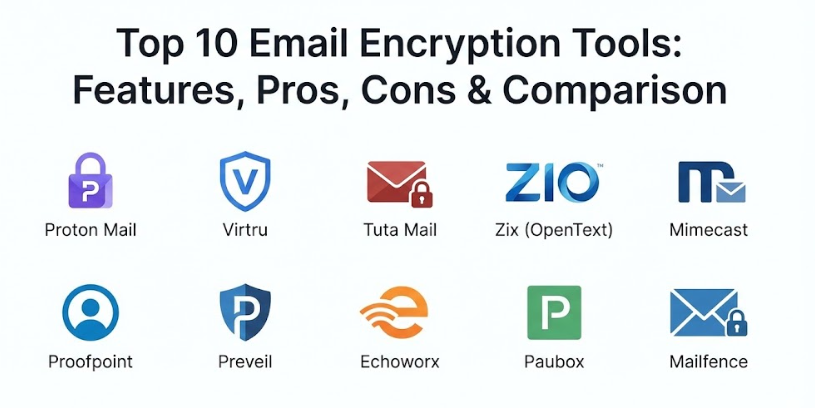
Top 10 Email Encryption Tools
1 — Proton Mail
Proton Mail is the world’s largest end-to-end encrypted email service, famously headquartered in Switzerland to leverage some of the strictest privacy laws globally. It is designed for both individuals and businesses who want a privacy-first inbox that is virtually impossible for third parties—including Proton itself—to access.
- Key features:
- Zero-access and end-to-end encryption (E2EE) by default.
- “Easy Switch” tool to migrate from Gmail or Outlook in one click.
- Hide-my-email aliases to prevent tracking and spam.
- PhishGuard for advanced anti-phishing protection.
- Open-source code that is independently audited.
- Integrated secure calendar and drive storage.
- Support for PGP encryption with external users.
- Pros:
- User-friendly interface that feels like a standard modern email client.
- Strong legal protection under Swiss jurisdiction.
- Cons:
- The free plan offers limited storage (1GB).
- Advanced features like custom domains require a paid subscription.
- Security & compliance: GDPR compliant, Swiss Federal Data Protection Act (FDPIC), SOC 2 Type II (in progress/varies), zero-access encryption.
- Support & community: Extensive documentation, active community forum, and 24/7 customer support for paid tiers.
2 — Virtru
Virtru is an enterprise-level data security platform that uses the Trusted Data Format (TDF) to provide granular control over shared information. It is specifically built for organizations that want to add military-grade encryption to their existing workflows in Google Workspace and Microsoft 365.
- Key features:
- Seamless integration with Gmail and Microsoft Outlook.
- Attribute-based access control (ABAC) for dynamic data governing.
- One-click encryption/decryption within the native email app.
- Virtru Secure Share for large file transfers.
- Persistent control (revoke access or set expiration dates after sending).
- Detailed audit logs for administrative oversight.
- Gateway automation to encrypt sensitive data automatically.
- Pros:
- Requires no change in user behavior; it works where you already work.
- Provides “Zero Trust” architecture where Virtru never sees the encryption keys.
- Cons:
- Can be expensive for smaller teams.
- Recipient experience can sometimes involve an extra login step.
- Security & compliance: HIPAA, CMMC, ITAR, CJIS, SOC 2, GDPR, FIPS 140-2 validated encryption.
- Support & community: Priority phone support, dedicated success teams, and an extensive technical knowledge base.
3 — Tuta Mail
Formerly known as Tutanota, Tuta Mail is a German-based provider that focuses on total mailbox encryption. Unlike many other services, it encrypts not only the body and attachments but also the subject lines and headers of your emails.
- Key features:
- Automatic end-to-end encryption between all Tuta users.
- Zero-knowledge architecture (no one can read your data).
- Eco-friendly servers powered by 100% renewable energy.
- Encrypted contact lists and calendars.
- Secure search functionality that runs locally on your device.
- No-logs policy and anonymous signup options.
- Open-source client apps for web, desktop, and mobile.
- Pros:
- Very affordable pricing compared to other premium providers.
- Sustainable and environmentally conscious operations.
- Cons:
- Does not support IMAP or POP (you must use their official apps).
- The search function can be slow on older devices due to local indexing.
- Security & compliance: GDPR compliant, German Federal Data Protection Act (BDSG).
- Support & community: Help center, email support for premium users, and an active open-source contributor community.
4 — Zix (OpenText)
Zix, now part of OpenText, is a staple in the healthcare and financial sectors. It specializes in policy-based encryption, making it easy for organizations to meet strict compliance mandates without relying on employees to remember to hit an “encrypt” button.
- Key features:
- Patented “Best Method of Delivery” (BMOD) for a seamless recipient experience.
- Pre-configured compliance filters for HIPAA, FINRA, and SEC.
- Policy-based encryption (automatically scans and secures sensitive info).
- ZixGateway for organization-wide transparent encryption.
- Customizable secure portals for third-party recipients.
- Integrated data loss prevention (DLP).
- Advanced mobile security for tablets and phones.
- Pros:
- Extremely reliable for highly regulated industries.
- Automatic encryption eliminates the risk of human error.
- Cons:
- The administrative interface can feel outdated compared to newer SaaS tools.
- Setup is complex and usually requires professional assistance.
- Security & compliance: HIPAA, FINRA, SEC, SOC 2, SOC 3, PCI DSS.
- Support & community: 24/7 technical support, dedicated account managers, and professional implementation services.
5 — Mimecast
Mimecast is a comprehensive cloud-based email security gateway. While it offers robust encryption, it is primarily a full-stack security platform that protects against phishing, malware, and data leaks.
- Key features:
- AI-powered threat detection and link sandboxing.
- Secure Messaging Service portal for external communication.
- Granular Data Loss Prevention (DLP) policies.
- Automated encryption based on content scanning.
- Integrated email archiving and continuity.
- Secure file attachments (up to 2GB).
- Centralized administration console.
- Pros:
- An all-in-one solution for encryption, archiving, and threat protection.
- Great for large enterprises looking to consolidate their security stack.
- Cons:
- Recipients outside the network must log into a portal to read messages.
- Steep learning curve for new administrators.
- Security & compliance: SOC 2, GDPR, HIPAA, FIPS 140-2.
- Support & community: 24/7 live representative support, comprehensive “Mimecast University” training, and user forums.
6 — Proofpoint
Proofpoint is a market leader in enterprise-grade email protection. Its encryption tools are part of a larger ecosystem focused on stopping advanced threats like Business Email Compromise (BEC) and targeted phishing.
- Key features:
- NexusAI machine learning for advanced threat detection.
- Trigger-based encryption (e.g., credit card numbers or SSNs).
- Proofpoint Essentials version specifically for SMBs.
- Secure email relay and outbound filtering.
- Revocation and expiration controls for sent messages.
- Integrated archiving and e-discovery tools.
- Easy Outlook plugin for manual encryption.
- Pros:
- Industry-leading threat blocking accuracy.
- The “Essentials” plan makes enterprise tech accessible to smaller teams.
- Cons:
- The user interface can be sluggish when managing large logs.
- Attachment scanning can sometimes delay message delivery.
- Security & compliance: SOC 2, HIPAA, GDPR, FedRAMP (in specific versions).
- Support & community: 24/7 technical support, extensive training resources, and a global partner network.
7 — Preveil
Preveil is a zero-trust platform designed for organizations that need the highest levels of security, particularly those working with the Department of Defense (DOD). It uses end-to-end encryption without the need for passwords.
- Key features:
- No-password login (uses secret keys stored on your device).
- Works with your existing Gmail or Outlook address.
- Zero-knowledge architecture; Preveil never has access to your data.
- AWS GovCloud storage for high-level compliance.
- Massive storage limits (up to 10TB for business users).
- Compliance Accelerator with pre-filled forms for DOD standards.
- “Approval Groups” to prevent individual accounts from being a single point of failure.
- Pros:
- Unrivaled security for high-risk government and legal sectors.
- Easier to use than traditional PGP systems despite its power.
- Cons:
- Significantly more expensive than standard privacy email providers.
- Manual installation is required for some third-party email clients.
- Security & compliance: CMMC, FedRAMP Moderate Equivalent, ITAR, HIPAA, NIST 800-171, SOC 2.
- Support & community: Priority support, dedicated customer success team, and a compliance expert network.
8 — Echoworx
Echoworx provides a highly customizable, cloud-based email encryption platform aimed at large enterprises. Its primary goal is to eliminate recipient friction by offering multiple secure delivery methods.
- Key features:
- Supports multiple delivery methods (Portal, TLS, S/MIME, PGP).
- Social login (Google, LinkedIn, etc.) to simplify recipient access.
- Customizable branding for the recipient experience.
- FIDO2 biometric authentication (facial recognition or fingerprint).
- Out-of-band verification (SMS challenges for recipients).
- Bulk statement and document delivery at scale.
- Fully managed “Sovereignty as a Service” for sensitive data.
- Pros:
- Best-in-class for reducing recipient complaints and helpdesk calls.
- Highly scalable for organizations sending millions of secure emails.
- Cons:
- Not available for individuals or very small teams (enterprise focus only).
- The vast number of configuration options can be overwhelming.
- Security & compliance: GDPR, NIS 2, DORA, FSQS, SOC 2.
- Support & community: 24/7 global support, dedicated implementation managers, and professional services.
9 — Paubox
Paubox is the leader in “frictionless” email encryption for healthcare. It is unique because it eliminates the need for portals, passwords, or plugins for the recipient. The message lands directly in their inbox, fully encrypted.
- Key features:
- “No-portal” encryption for a seamless recipient experience.
- HITRUST CSF certified (the gold standard for healthcare).
- Seamless integration with Google Workspace and Microsoft 365.
- Advanced outbound monitoring to prevent data loss.
- Automated encryption for all outgoing mail.
- Anti-phishing and anti-malware protection included.
- Secure email archiving and reporting.
- Pros:
- Zero friction for the patient or recipient; they just open their email.
- Eliminates 90% of support tickets related to “forgotten portal passwords.”
- Cons:
- Niche focus on healthcare might lack broader corporate features.
- Pricing is based on user tiers which can get expensive for larger hospitals.
- Security & compliance: HIPAA, HITRUST CSF, SOC 2.
- Support & community: Fast email/phone support and a helpful blog focused on healthcare security trends.
10 — Mailfence
Mailfence is a Belgian-based secure email suite that provides a full set of productivity tools—including calendar, contacts, and document storage—all protected by OpenPGP encryption.
- Key features:
- Integrated keystore for managing PGP keys easily.
- Digital signatures to verify sender identity.
- No trackers and a strong commitment to privacy.
- Belgian privacy law protection (outside of the 14 Eyes).
- Supports IMAP, POP, and SMTP for third-party client use.
- Anonymous payment options (Bitcoin, cash).
- Collaboration tools like shared calendars and files.
- Pros:
- A complete alternative to Google Workspace for privacy-conscious users.
- Open-source cryptographic fundamentals provide high transparency.
- Cons:
- Free storage is quite low (500MB).
- No document editing features like those found in Google Docs.
- Security & compliance: GDPR compliant, Belgian Privacy Law.
- Support & community: Detailed help center, email support, and a transparent “warrant canary.”
Comparison Table
| Tool Name | Best For | Platform(s) Supported | Standout Feature | Rating |
| Proton Mail | Individuals & Privacy | Web, iOS, Android, Desktop | Swiss Privacy Protection | 4.8 / 5 |
| Virtru | Workspace Users | Gmail, Outlook, Chrome | Data Revocation Controls | 4.6 / 5 |
| Tuta Mail | Affordable E2EE | Web, iOS, Android, Desktop | Subject Line Encryption | 4.7 / 5 |
| Zix (OpenText) | Healthcare / Finance | Gateway, Cloud, Outlook | Automatic Compliance Filters | 4.5 / 5 |
| Mimecast | All-in-One Security | Gateway, Cloud | Security + Gateway DLP | 4.4 / 5 |
| Proofpoint | Enterprise Threat Prot. | Cloud, Outlook | NexusAI Threat Detection | 4.5 / 5 |
| Preveil | Military / Defense | Gmail, Outlook, iOS, Android | Zero-Trust (No Passwords) | 4.7 / 5 |
| Echoworx | Scaling Enterprises | Cloud, SMTP | Social Login for Recipients | 4.6 / 5 |
| Paubox | Healthcare Frictionless | G-Suite, Office 365 | No-Portal Inbox Delivery | 4.9 / 5 |
| Mailfence | Full Productivity Suite | Web, IMAP, POP | Belgian Privacy & PGP Keystore | 4.4 / 5 |
Evaluation & Scoring of Email Encryption Tools
The following rubric evaluates these tools based on the most important criteria for businesses and individuals in 2026.
| Evaluation Category | Weight | What We Looked For |
| Core Features | 25% | Quality of E2EE, PGP/S-MIME support, and attachment security. |
| Ease of Use | 15% | Recipient friction and the complexity of the sender’s interface. |
| Integrations | 15% | Compatibility with Google Workspace, Microsoft 365, and mobile apps. |
| Security & Compliance | 10% | Certifications (SOC 2, HIPAA, HITRUST) and jurisdiction. |
| Performance | 10% | Speed of encryption/decryption and server uptime. |
| Support & Community | 10% | Quality of documentation and responsiveness of technical help. |
| Price / Value | 15% | Fairness of pricing relative to the feature set. |
Which Email Encryption Tool Is Right for You?
Solo Users & Individuals
If you are an individual looking for a private alternative to Gmail, Proton Mail and Tuta Mail are the gold standards. They are easy to set up and offer free versions to get you started. If you prefer to stay on your current Gmail or Outlook address but need to send secure files occasionally, Virtru (Free version) or Preveil for personal use are excellent.
SMBs & Mid-Market
Small to medium businesses should look for tools that balance security with ease of deployment. Paubox is the winner for medical clinics due to its lack of recipient friction. For standard corporate environments, Virtru or Proofpoint Essentials provide great protection with minimal IT overhead.
Large Enterprises
For organizations with thousands of users, Echoworx and Zix are the top choices. They offer the scalability, branding, and automation needed for high-volume environments. Mimecast and Proofpoint are also strong contenders if you need to combine encryption with a full email security gateway.
High-Compliance Sectors (DOD, Legal)
If your organization works with the Department of Defense or handles high-stakes legal matters, Preveil is the most specialized solution. Its zero-trust, passwordless model and GovCloud storage ensure you meet the rigorous standards of CMMC and FedRAMP.
Frequently Asked Questions (FAQs)
1. What is end-to-end encryption (E2EE)?
E2EE means the message is encrypted on the sender’s device and only decrypted on the recipient’s device. No one in the middle—not even the service provider—can read the content.
2. Why do recipients often have to use a portal to read my secure emails?
Traditional encryption requires the recipient to have a specific “key.” Portals allow the recipient to verify their identity (usually through a code sent to their phone or a login) so they can read the message securely without installing special software.
3. Do I need a new email address to use these tools?
Not necessarily. Services like Proton Mail give you a new address, but tools like Virtru, Preveil, and Paubox allow you to keep your existing Gmail, Outlook, or corporate email address.
4. Is email encryption the same as a VPN?
No. A VPN secures your overall internet connection from snooping. Email encryption specifically secures the contents of your messages, ensuring they remain private even after they have been delivered.
5. Can I send encrypted emails to people who don’t use the same tool?
Yes. Most tools allow you to set a password for the email or send the recipient to a secure web portal where they can view and reply to the message for free.
6. Does encryption protect my attachments?
Yes, all professional-grade encryption tools secure both the body text and any attached files (PDFs, images, zip files, etc.).
7. Is PGP better than S/MIME?
Both are strong. PGP is better for decentralized, privacy-focused individuals, while S/MIME is the standard for corporate environments because it uses digital certificates that are easier for IT departments to manage centrally.
8. Can I search my encrypted emails?
Some tools like Tuta and Proton Mail index your emails locally on your device so you can search them. Because the server can’t read them, it can’t search them for you like Gmail does.
9. What happens if I lose my encryption key or password?
With zero-knowledge providers (like Proton or Preveil), if you lose your recovery phrase, you may lose access to your old emails forever. This is why following the recovery setup is critical.
10. How much does a professional encryption service cost?
Pricing typically ranges from $5 to $30 per user per month, depending on the level of storage, compliance features, and administrative controls required.
Conclusion
Selecting the right email encryption tool depends entirely on your specific balance of security, budget, and recipient experience. For those in the healthcare sector, the frictionless delivery of Paubox is often the top priority to ensure patients can easily read their records. For the privacy-conscious individual, the Swiss-based security of Proton Mail is unmatched. Meanwhile, enterprise giants will find the scalability and customization of Echoworx or Zix to be the most effective solutions for their complex needs.
Ultimately, there is no one universal winner. The “best” tool is the one that fits into your existing workflow without causing enough friction to make employees bypass the security altogether. By investing in a robust encryption solution, you are not just checking a compliance box; you are protecting your organization’s reputation and your customers’ most private data.