Introduction
Marketing attribution platforms are specialized software tools that help businesses understand exactly which of their advertisements and marketing efforts are leading to sales. In the past, it was easy to see if an ad worked, but today, a customer might see five different ads on their phone, laptop, and tablet before they finally buy something. These platforms act like a digital detective; they track every single “touchpoint” a customer has with a brand and assign credit to the specific channels that helped the most. By providing a clear picture of what is actually making money, these tools help companies stop wasting their budget on ads that don’t work and spend more on the ones that do.
Using these tools is very important because the way we track people online has changed. With new privacy rules and the removal of “cookies,” many ad platforms like Facebook or Google may over-report their own success. An attribution platform provides an honest, “third-party” view of the truth. Real-world use cases include an online clothing store trying to see if their TikTok videos are driving sales on their website, or a software company trying to find out which of their blog posts led to a big contract. When choosing a tool, users should look for how accurate the data is, if it connects easily to their store, and if the dashboard is simple enough for their team to understand without needing to be a math expert.
Best for: These tools benefit growth marketers, data analysts, and business owners who manage advertising budgets across many different channels. They are essential for mid-sized and large companies in e-commerce, mobile apps, and professional services that need to prove the value of every dollar they spend.
Not ideal for: These platforms might not be needed by very small businesses that only run one ad at a time or local shops that rely mostly on people walking in the door. If you only use one platform to find customers, the free tools inside that platform are usually enough for you.
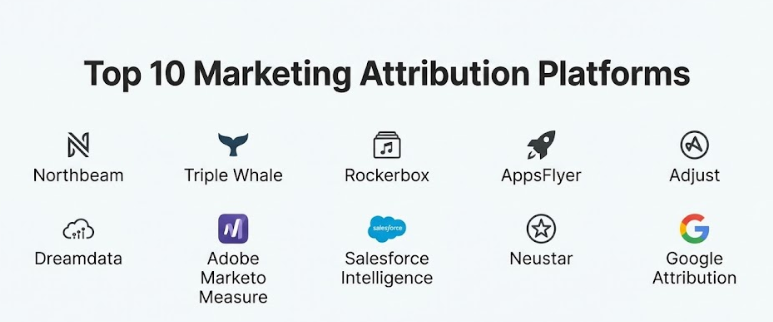
Top 10 Marketing Attribution Platforms Tools
1 — Northbeam
Northbeam is a very powerful platform built for e-commerce brands that spend a lot of money on social media ads. It uses its own special “pixel” to collect data directly from your website, which makes it much more accurate than standard tracking. It is designed for teams that need to see their performance every hour so they can make quick decisions. Northbeam is famous for showing the “big picture” of the customer journey, from the very first time someone sees an ad until they finally make a purchase.
- Key features:
- First-Party Data Tracking: Collects information directly from your site to avoid being blocked by privacy settings.
- Hourly Updates: Shows you how your ads are performing in near real-time.
- Multi-Channel View: Connects data from Facebook, Google, TikTok, and more in one place.
- Machine Learning: Uses smart algorithms to fill in missing data gaps.
- Creative Analytics: Shows you which specific photos or videos are making the most money.
- Customer Journey Mapping: Visualizes every step a customer takes before buying.
- Pros:
- Very accurate data for brands that spend a lot on social media.
- Helps you find hidden “wasted spend” that other tools might miss.
- Cons:
- It is a more expensive option that might not fit small budgets.
- There is a lot of data, which can be overwhelming for beginners.
- Security & compliance: SOC 2 compliant and follows strict GDPR rules to keep your data safe.
- Support & community: Offers very high-quality onboarding and a helpful group of experts to answer questions.
2 — Triple Whale
Triple Whale is a very popular tool made specifically for shops that use the Shopify platform. It acts as a “central hub” where a business owner can see their total profit, their ad spend, and their shipping costs all in one simple dashboard. It is designed to be very easy to use, even if you are not a data expert. Many Shopify owners love it because it has a great mobile app that lets them check their “net profit” while they are on the go. It focuses on making the complex world of data feel very simple and actionable.
- Key features:
- Profit Dashboard: Automatically subtracts costs like shipping and product prices from your sales.
- Proprietary Pixel: A special tracker that helps find where your customers are coming from.
- Mobile App: One of the best apps for checking your business stats on your phone.
- Influencer Tracking: Simple tools to see which creators are bringing in the most sales.
- Creative Cockpit: A visual area that shows which ad images are working best.
- LTV Tracking: Shows you the long-term value of your customers over time.
- Pros:
- Extremely fast and easy to set up for anyone using Shopify.
- The dashboard is very pretty and easy for a non-technical person to understand.
- Cons:
- It only works well for businesses that use Shopify.
- Some of the best features are only available on the more expensive plans.
- Security & compliance: Uses secure data connections and is fully compliant with modern privacy standards.
- Support & community: Offers a great “university” to teach you how to use the tool and a very active user community.
3 — Rockerbox
Rockerbox is a high-level tool for companies that advertise in many different places, both online and offline. It is designed for businesses that might use TV ads, podcasts, and even physical mail alongside their digital ads. Rockerbox is an expert at “de-duplication,” which means it makes sure that if a customer sees five ads, the sale is not counted five times. It is a very professional tool that provides a deep and honest look at the entire path a customer takes. It is built for brands that want to grow in a very smart and steady way.
- Key features:
- De-duplication Engine: Stops different ad platforms from “stealing” credit for the same sale.
- Offline Tracking: Connects your TV and podcast ads to your online sales.
- Identity Resolution: Recognizes that a person on a phone and a person on a laptop are the same customer.
- Path to Purchase: Shows the exact timeline of every touchpoint a customer had.
- Custom Modeling: Let’s you decide how much credit each ad should get.
- Incrementality Testing: Shows you if an ad actually caused a sale or if the person was going to buy anyway.
- Pros:
- It is the best choice for brands that use traditional media like TV or mail.
- Provides a very granular and detailed look at every single customer interaction.
- Cons:
- The setup process can take a long time and requires some technical knowledge.
- It is a premium-priced tool meant for larger marketing budgets.
- Security & compliance: SOC 2 compliant and handles sensitive customer data with high encryption.
- Support & community: Provides a dedicated person to help you get started and high-level technical support.
4 — AppsFlyer
AppsFlyer is the world leader when it comes to tracking mobile apps. If you have an app and you want to know which ad made someone download it, this is the tool you use. It is designed to be very secure and is famous for its “fraud protection” tools that stop you from paying for fake clicks from bots. AppsFlyer is used by many of the biggest app developers in the world to manage their global growth. It is a very technical tool that focuses on the specific needs of the mobile phone world.
- Key features:
- Mobile Attribution: Tracks exactly where every app install came from.
- Fraud Block: A smart system that finds and stops fake ad traffic.
- Deep Linking: Sends people directly to a specific page inside your app from an ad.
- Privacy Cloud: A safe way to handle data without breaking modern privacy rules.
- Cross-Platform View: Sees how your website and your app work together to find customers.
- In-App Tracking: Shows what users are actually doing after they download your app.
- Pros:
- Unmatched expertise in the world of mobile phones and app stores.
- Very strong security that protects your money from being wasted on scams.
- Cons:
- The pricing can get very high as your app starts to get more downloads.
- It can be a bit complicated for a beginner who has never managed an app before.
- Security & compliance: Holds many global security certificates and is a leader in data privacy.
- Support & community: Offers global support in many languages and very deep technical guides for developers.
5 — Adjust
Adjust is a direct competitor to AppsFlyer and is also a top choice for tracking mobile apps. It is designed for marketers who want to automate their work so they don’t have to spend all day looking at numbers. Adjust is very good at “auto-pausing” ads that are not making money, which saves the business a lot of time. It is known for having a very clean and fast interface that helps teams move quickly. It is a very reliable tool for anyone building a business around a mobile application.
- Key features:
- Automation Engine: Automatically stops bad ads based on rules you create.
- Subscription Tracking: Specialized tools for apps that charge a monthly fee.
- Cybersecurity Suite: Proactively blocks ad fraud before it ruins your data.
- Ad Spend View: Collects all your costs from every ad network into one place.
- Datascape: A fast and pretty way to see all your data in visual charts.
- TV to App Tracking: Shows if someone downloaded your app after seeing a TV ad.
- Pros:
- The system is very intuitive and easy for a marketing team to navigate.
- The automation tools are a massive time-saver for busy people.
- Cons:
- Like other app tools, it requires a developer to help with the initial setup.
- Some of the most advanced security features cost extra money.
- Security & compliance: ISO certified and follows very strict data safety and privacy standards.
- Support & community: Provides local support in many countries and regular training for its users.
6 — Dreamdata
Dreamdata is a tool built specifically for B2B (Business-to-Business) companies. In B2B, a sale can take months and involve many different people at the same company. Dreamdata is an expert at connecting all those dots. It hooks into your sales tools (like a CRM) and your website to show you which blog posts or whitepapers actually led to a big deal. It is designed for “Revenue Teams” who want to prove exactly how much money the marketing department is making for the company.
- Key features:
- Account-Based Tracking: Groups data by “company” instead of just by “person.”
- CRM Sync: Connects directly to tools like Salesforce or HubSpot to see actual sales.
- Content ROI: Shows which articles or videos are actually driving revenue.
- Long Cycle Tracking: Remembers touchpoints from many months ago.
- Revenue Analytics: Connects your ad spend to real dollars in your bank account.
- Customer Journey Map: A visual timeline of every person involved in a deal.
- Pros:
- The best solution for B2B companies with long and complex sales cycles.
- It helps the marketing and sales teams finally agree on the data.
- Cons:
- It is not a good fit for fast-selling e-commerce stores.
- It requires your sales team to keep very clean records in their own tools.
- Security & compliance: GDPR compliant and keeps your business data in secure European servers.
- Support & community: Offers great onboarding help and regular webinars to teach B2B strategies.
7 — Adobe Marketo Measure
Marketo Measure (which used to be called Bizible) is a very high-end tool for large enterprise companies. It is designed for big marketing teams that use the Salesforce or Adobe systems and need to track millions of dollars in spending. It provides the most detailed data possible and can track almost any interaction, even offline ones. It is a very serious tool for serious companies that need to prove their ROI to their bosses. It is considered one of the most robust and deep systems in the entire industry.
- Key features:
- Granular Tracking: Captures every tiny detail of a customer’s journey.
- Predictive AI: Guesses which of your leads are most likely to buy something.
- Native CRM Integration: Works perfectly with Salesforce to provide a unified view.
- Custom Weighting: You can decide exactly how much credit each marketing step gets.
- ABM Focus: Specifically built for “Account-Based Marketing” at a massive scale.
- Enterprise Reporting: Creates the high-level reports that big corporate leaders need.
- Pros:
- It is the most powerful tool available for very large organizations.
- The data is incredibly deep and can answer almost any business question.
- Cons:
- It is very difficult and slow to set up correctly.
- The interface can feel a bit old and complicated for a beginner.
- Security & compliance: Follows the world’s highest security standards as part of Adobe.
- Support & community: Offers professional enterprise support and a massive global network of users.
8 — Salesforce Marketing Cloud Intelligence
This tool (formerly known as Datorama) is a “data unification” platform. It is designed for big agencies and large brands that have data coming from hundreds of different places. It uses smart AI to “clean” and organize all that messy data so you can see it in one beautiful dashboard. It is much more than just an attribution tool; it is a total “intelligence” center for a brand’s entire marketing department. It is perfect for those who want to tell a story with their data using visual charts and graphs.
- Key features:
- Data Connectors: Can hook into thousands of different apps to pull data automatically.
- AI Data Mapping: Automatically organizes your data so it makes sense.
- Beautiful Dashboards: Some of the best-looking charts and graphs in the business.
- Goal Tracking: Set your targets and see if you are hitting them in real-time.
- Trend Alerts: An AI assistant that tells you when something unusual is happening.
- Total Media View: Connects email, ads, and organic social posts into one screen.
- Pros:
- Excellent for visual storytelling and making data easy for leaders to see.
- You will never outgrow this tool because it can connect to everything.
- Cons:
- You really need a dedicated expert to manage this tool because it is so complex.
- It can be very expensive once you start connecting many different data sources.
- Security & compliance: Backed by the high security of Salesforce and follows all global data rules.
- Support & community: Offers deep training and a huge network of agency partners to help you.
9 — Neustar
Neustar is a very high-level platform focused on “Identity” and “Marketing Mix Modeling.” It is designed for giant, traditional brands—like car companies or big soda brands—that spend hundreds of millions on TV, Radio, and Digital ads. Neustar is an expert at recognizing that a person who saw a TV ad is the same person who just visited the website. It focuses on the “long-term” strategy of brand building rather than just quick clicks. It is a very serious tool for the world’s largest companies.
- Key features:
- Identity Resolution: A massive database that helps link different devices to one person.
- Marketing Mix Modeling: Advanced statistics to see how all your ads work together.
- Privacy Clean Rooms: A very safe way to analyze data without seeing private user info.
- Strategic Planning: Helps big brands decide where to spend their next million dollars.
- Offline to Online: Connects traditional media like billboards to digital results.
- Lifecycle Analytics: Looks at the entire history of a customer’s relationship with a brand.
- Pros:
- One of the few tools that can accurately track the impact of TV and Radio ads.
- Highly respected by top-level corporate executives for its accuracy.
- Cons:
- It is way too expensive and complex for a small or mid-sized business.
- The data is usually used for big quarterly plans, not daily ad changes.
- Security & compliance: Extremely high security and follows the strictest global financial standards.
- Support & community: Provides high-level consulting and dedicated teams of data scientists for clients.
10 — Google Attribution
Google Attribution is the tool that is built right into the “free” Google Analytics 4 (GA4) that most businesses already use. It is designed for anyone who runs Google Ads and wants to see how they are doing. While it is simpler than the other tools, it has become much more powerful recently because of Google’s smart AI. It is the default choice for millions of small businesses because it is already “set up” and ready to go. It is a great way to get started with attribution without spending extra money.
- Key features:
- Data-Driven Attribution: Uses Google’s AI to decide which ads get the credit.
- Native Google Sync: Works perfectly with your Google Ads and YouTube accounts.
- Cross-Device View: Uses Google’s data to track users across their phone and laptop.
- Path Exploration: A simple way to see the most common paths people take on your site.
- Conversion Export: Sends your data back to your ads to help the AI bid better.
- Model Comparison: Let’s you compare different ways of giving credit to your ads.
- Pros:
- It is free for most users and very easy to access if you already use Google.
- The connection to Google Ads is the best in the business.
- Cons:
- It can be a bit biased toward showing that Google’s ads are working best.
- It is not as good at tracking data from other places like Facebook or TikTok.
- Security & compliance: Follows Google’s standard security and global privacy rules.
- Support & community: Offers a massive amount of free videos and guides to help you learn.
Comparison Table
| Tool Name | Best For | Platform(s) Supported | Standout Feature | Rating |
| Northbeam | DTC/E-com Growth | Shopify, Web | Hourly First-Party Data | N/A |
| Triple Whale | Shopify Founders | Shopify (Exclusive) | Net Profit Dashboard | N/A |
| Rockerbox | Multi-channel Enterprise | Web, Offline, TV | Offline Attribution | N/A |
| AppsFlyer | Mobile App Growth | iOS, Android, CTV | Fraud Protection Suite | N/A |
| Adjust | Mobile App Scaling | iOS, Android | Automated Rule Engine | N/A |
| Dreamdata | B2B Growth Teams | Web, CRM | B2B Account Mapping | N/A |
| Marketo Measure | Enterprise B2B | Salesforce, Adobe | Deep CRM Integration | N/A |
| Salesforce Intelligence | Agencies / Large Brands | Multi-Cloud | Visual Data Mapping | N/A |
| Neustar | Fortune 500 Brands | All (Global) | Identity Resolution | N/A |
| Google Attribution | GA4 / Small Business | Google Ecosystem | Free Data-Driven Model | N/A |
Evaluation & Scoring of Marketing Attribution Platforms
| Category | Weight | Score (Avg) | What We Look For |
| Core Features | 25% | 9/10 | Accuracy of tracking, de-duplication, and model variety. |
| Ease of Use | 15% | 8/10 | How simple it is for a marketer to navigate the dashboard. |
| Integrations | 15% | 8/10 | Connections to Shopify, Google, Meta, and CRM tools. |
| Security & Compliance | 10% | 10/10 | Data encryption, SOC 2 status, and following privacy laws. |
| Performance | 10% | 9/10 | System speed and how fast the data refreshes. |
| Support & Community | 10% | 8/10 | Helpful guides and fast answers to user questions. |
| Price / Value | 15% | 7/10 | Overall ROI and if the cost makes sense for the brand. |
Which Marketing Attribution Platforms Tool Is Right for You?
Choosing the right tool depends mostly on your business model and how much you spend on ads. If you are a solo user or a very small startup, Google Attribution is the best starting point. It’s free and will help you get organized. As you grow and move into the small business (SMB) category on Shopify, Triple Whale is a great choice because it shows you your actual profit. These tools focus on being helpful without being too complicated.
For mid-market brands that are spending a lot across TikTok, Facebook, and Google, Northbeam or Adjust are the strongest choices. They provide the very fast data you need to make big budget decisions every day. If you are a B2B company and your sales take a long time, Dreamdata will be your best friend because it understands how to track companies over many months. These tools are built for teams that are ready to use deep data to grow fast.
If you are a large enterprise, you should look at Marketo Measure or Rockerbox. These tools are the most powerful and can handle millions of data points from both online and offline ads. They are very secure and provide the deep reports that big corporate leaders need. Always pick a tool that matches your current budget but also gives you enough room to grow. Make sure the system is safe and has a good support team to help you when you have a question.
Frequently Asked Questions (FAQs)
1. What is the difference between an attribution platform and Google Analytics?
Google Analytics mostly shows what people do on your website. An attribution platform shows where they came from before they got to your site and which ads deserve the most credit for the sale.
2. Why do different ad platforms show different numbers?
Every platform (like Facebook or Google) wants to take credit for a sale. If a person sees a Facebook ad and then a Google ad, both platforms might claim the sale. An attribution tool finds the truth and removes the duplicates.
3. Is it hard to set up a marketing attribution tool?
For Shopify users, it is usually very easy and takes just a few minutes. For mobile apps or large businesses, it can take a few weeks and might require a technical person to help with the setup.
4. How much should I spend on ads before I buy a tool?
Most experts say that once you are spending $10,000 to $20,000 a month on ads, the “mistakes” in your data start to cost you a lot of money. At that point, a tool will usually pay for itself.
5. Can these tools track influencer marketing?
Yes, tools like Northbeam and Triple Whale are very good at tracking discount codes and influencer links to see which creators are actually helping you grow.
6. Do I need to be a “tech person” to use these tools?
No, tools like Triple Whale are designed for business owners and are very easy to read. However, larger enterprise tools like Datorama usually require a specialist to manage them.
7. Is my customer data safe in these systems?
Yes, these professional platforms use high-level encryption and follow strict global laws like GDPR. They are often safer than keeping your data in a simple spreadsheet.
8. Can I track TV or podcast ads?
Yes, but you need a tool like Rockerbox or Neustar that is specially designed to handle “offline” data alongside your digital clicks.
9. What is “last-click” attribution and why is it bad?
“Last-click” gives all the credit to the very last ad a person clicked. This is bad because it ignores all the other ads that helped the person decide to buy from you over several weeks.
10. What is the biggest mistake people make when buying a tool?
The biggest mistake is buying a tool that is too complicated for your needs. If you don’t have a data expert on your team, don’t buy an enterprise tool that requires one!
Conclusion
Choosing the right marketing attribution platform is a big step that will help your business stay organized and grow in a smart way. These tools are much more than just a place to see numbers; they are the key to understanding your customers and making sure your money is spent wisely. By moving away from “guessing” and toward “knowing,” you can finally be confident that your marketing is actually working. It saves your team time and helps your business grow without wasting money on bad ads. It is a long-term investment that brings professional results to your whole brand.
When you are ready to pick a tool, remember that the “best” one is the one that fits your specific business and your current budget. A small Shopify store doesn’t need the same giant system as a global car company, and that is completely fine. Take your time to look at the features, think about how easy it is to use, and maybe even try a “demo” to see how the software feels in your daily work. The right choice will save you from messy spreadsheets and help you build a stronger, more profitable brand. Finding the right attribution partner is the first step toward a very successful and organized future for your marketing.