Introduction
Concept testing platforms are specialized websites or software programs designed to help teams gather feedback on early-stage ideas. In the simplest terms, they provide a safe place to show sketches, slogans, or prototypes to a target audience to see how they react. These tools are important because they move research into the modern world. Instead of spending months on a project only to find out nobody wants it, organizations can launch a test and get answers in a few days or even hours. This speed is vital when a company needs to stay ahead of competitors or when a project has a very tight deadline.
You will see these tools being used in many real-world ways. For example, a marketing team might use a platform to test three different ad headlines to see which one makes people want to buy. A product designer might use one to show a new app layout to see if users can find the “buy” button easily. Even a small startup might use these tools to test if their brand name sounds trustworthy to their future customers. When looking for the right tool, you should check how easy it is to find the specific group of people you want to talk to, what kind of automated reports the system provides, and if the software can handle both simple questions and complex tasks.
Best for: Product managers, UX designers, marketing leads, and startup founders who need to validate their ideas quickly. Small groups love them because they offer pre-made templates, while large organizations benefit from the deep data and high-level security they provide across many different global teams. They are perfect for anyone who wants to stop guessing and start making decisions based on real user evidence.
Not ideal for: If you are just a single person looking for a quick opinion from a friend or a family member, a formal platform might be more than you actually need. Also, very small projects with no budget might find the cost of professional audience panels a bit too high. If your goal is just to chat with a small group of people you already know, a basic video call or a free messaging app might be a simpler alternative.
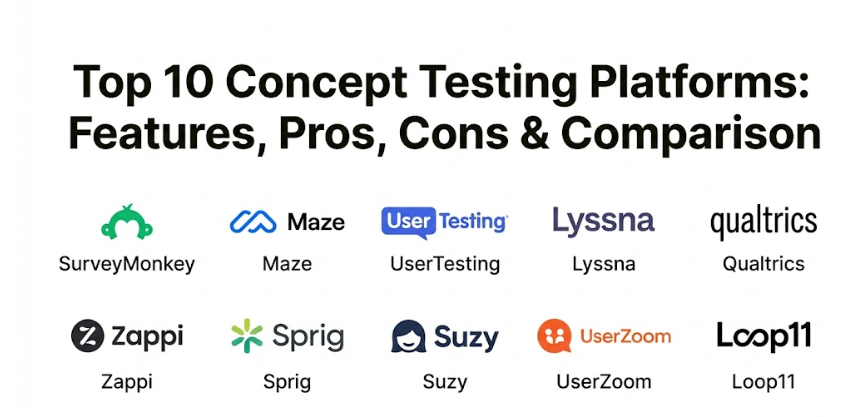
Top 10 Concept Testing Platforms Tools
1 — SurveyMonkey
SurveyMonkey is one of the most famous tools for gathering opinions from large groups of people. It is built for teams that want to create professional surveys quickly without needing a degree in data science. This tool is a favorite because it offers thousands of pre-written questions and templates that make the research process very smooth. It is known for being reliable and having a very fast system for sending out tests to millions of potential respondents around the world. Many people choose it because it is flexible enough to handle anything from a simple one-question poll to a massive global research project.
- Key features:
- Thousands of expert-written templates that help you ask the right questions.
- A built-in audience panel that lets you buy responses from specific groups of people.
- Simple “drag-and-drop” builders to create your tests in minutes.
- Automated charts and summaries that update as soon as someone answers.
- Artificial intelligence tools that check your survey for mistakes before you send it.
- Private folders and shared workspaces for teams to collaborate on projects.
- Options to add your own brand colors and logos to the surveys.
- Pros:
- It is incredibly easy to set up and start using, even if you are not a researcher.
- The reporting is very visual, which makes it easy to show the results to your boss.
- It works well with many other tools like email systems and project management apps.
- Cons:
- Some of the most helpful features are locked behind expensive monthly plans.
- It is mostly focused on written questions, so it is not as good for testing interactive apps.
- The free version is very limited and only lets you see a small number of answers.
- Security & compliance: Uses the strongest available encryption and follows all rules for safe data storage like GDPR.
- Support & community: Offers a very helpful online help center and email support that responds quickly to questions.
2 — Maze
Maze is a modern platform that focuses on testing digital products and prototypes. It is designed to make user research feel fast and exciting by turning static designs into interactive tests. This tool is a favorite for designers because it connects directly to popular design software, allowing them to test their work without leaving their favorite apps. It is a great choice for teams that want to see how people move through a new website or app before they write any code. It also offers unique reports that show exactly where people clicked and where they got confused.
- Key features:
- Direct connections to design tools like Figma and Adobe XD.
- Visual reports called “heatmaps” that show where people clicked on your designs.
- Unmoderated testing that lets users complete tasks on their own time.
- Automated “usability scores” that tell you how easy your prototype is to use.
- Simple ways to record the screen and voice of the people taking your test.
- Pre-made blocks for testing copy, card sorting, and tree testing.
- Tools to send your tests to your own customers or a hired audience panel.
- Pros:
- It is very fast to go from a design sketch to a finished test result.
- The visual way it shows data makes it very easy for designers to see what needs to be fixed.
- It focuses on “doing” rather than just “talking,” which gives you more realistic feedback.
- Cons:
- It is a specialized tool for digital designs, so it is not the best for testing physical products.
- The setup for complex app prototypes can take a little bit of time to get right.
- Some users find the mobile experience for testers to be a little bit less smooth than the desktop version.
- Security & compliance: Fully compliant with safe data standards and offers secure logins for all team members.
- Support & community: Has an active user group and many video guides to show you how to build great tests.
3 — UserTesting
UserTesting is a giant in the research world that focuses on watching people use your products. It takes the simplicity of a survey and adds the power of video, allowing you to see and hear exactly what a person is thinking. This platform is perfect for organizations that want to get “deep” into the minds of their customers. It provides a level of detail that is hard to find anywhere else, as you can see a person’s facial expressions and hear their tone of voice. It is built to handle everything from small one-on-one interviews to massive studies with hundreds of participants.
- Key features:
- High-quality video recordings of real people using your products or ideas.
- A massive network of participants from almost every country and background.
- Tools to create “highlight reels” of the most important moments in your research.
- Live interview options where you can talk to a customer face-to-face in real-time.
- Automated transcriptions that turn everything people say into written text.
- Smart tools that automatically find and flag the most positive and negative moments in a video.
- Professional research templates that help you structure your video tasks.
- Pros:
- Hearing a customer’s voice is much more powerful than just reading a chart or a graph.
- The audience panel is very high quality and answers questions much faster than most other sites.
- It is a very flexible tool that can test websites, apps, physical prototypes, or even store shelves.
- Cons:
- It is a premium tool with a high price, making it difficult for very small teams to afford.
- Watching many hours of video can take a lot of time if you don’t use the automated tools.
- The interface has many buttons and options, so it takes some time to learn how to use it all.
- Security & compliance: Follows very strict security rules and is a safe choice for large global groups.
- Support & community: Offers high-level support teams and a massive library of research best practices.
4 — Lyssna
Lyssna is a fast and simple tool that is famous for its “five-second tests.” It is designed to help you check if your ideas are clear and easy to understand at a single glance. This tool is a favorite for designers who want quick answers to simple questions, like “which logo looks better?” or “what do you remember about this page?” It is simple, honest, and very focused on helping the design community move quickly. Despite being easy to use, it still offers a surprisingly wide range of features that help you understand the first impressions people have of your brand.
- Key features:
- Five-second tests to see what people remember after a quick glance at your idea.
- First-click tests to see if people know where they should click to find information.
- Simple “A/B” tests to compare two different designs side-by-side.
- Card sorting tools that help you organize information on a website.
- Preference tests where people vote on which design they like best and why.
- An audience panel that provides responses in just a few minutes.
- Automated charts that show the most common words and themes in the feedback.
- Pros:
- It is one of the fastest ways to get feedback on a design or a brand idea.
- It is very affordable for small groups and individual designers who are just starting out.
- The setup is so simple that you can have a test live in less than ten minutes.
- Cons:
- It is not built for long, complex interviews or deep app testing.
- Some of the more advanced data tracking features are missing compared to larger tools.
- The audience panel can be a bit smaller than the ones found on premium sites.
- Security & compliance: Uses industry-standard encryption and follows all rules for safe online data.
- Support & community: Good email support and a growing library of help articles and guides.
5 — Qualtrics
Qualtrics is a heavy hitter that focuses on “experience management.” It is designed for large organizations that want to connect their concept testing to their entire business strategy. It is built to handle the high-pressure environment of a large corporation where data needs to be shared across many different departments. The platform focuses on providing deep insights that help executives make long-term plans. From the moment you have an idea to the final launch, Qualtrics provides a level of detail and automation that is considered the gold standard for serious researchers.
- Key features:
- Advanced analytics that use complex math to predict which ideas will be successful.
- Tools to manage every interaction a customer has with your brand in one place.
- “Text IQ” tools that automatically read and summarize thousands of open-ended comments.
- Highly customizable dashboards that show your research results in real-time to the whole team.
- Specialized tools for testing product pricing and identifying the best features.
- Native integrations with major business software like Salesforce and SAP.
- Complex logic that lets you show different questions to different people based on their answers.
- Pros:
- It is the most powerful and complete research system available in the world today.
- It is perfect for organizations with very complex needs and massive global teams.
- The data insights it provides are much deeper than what you get from simple survey tools.
- Cons:
- The cost is very high and usually requires a significant investment and a long-term contract.
- It is much more complex than what a small or medium-sized company would ever need.
- You usually need a professional researcher or a dedicated staff member to manage the system.
- Security & compliance: Top-tier security certifications and very complex data audit logs for safety.
- Support & community: Provides dedicated account managers and expert training sessions for teams.
6 — Zappi
Zappi is a specialized tool that focuses on testing advertisements and consumer goods. It uses automated research to help marketing teams see if their new ad ideas will actually sell products. This data-driven approach takes the guesswork out of marketing and leads to much more successful campaigns. It is designed to be fast and professional, providing a high-end experience for teams that need to move quickly in the competitive world of retail. It is an excellent choice for organizations that want to see how their ideas compare to other successful brands in their industry.
- Key features:
- Automated tests for ad creative, brand names, and new product packaging.
- Benchmarking tools that compare your scores to thousands of other successful projects.
- Audience panels that are specifically built for shoppers and consumers.
- Real-time charts that show you exactly where your idea is strong or weak.
- Simple “traffic light” systems that tell you if an idea is ready to launch or needs work.
- Deep integrations with popular marketing and advertising computer systems.
- Professional reports that are ready to be shown to executives and clients immediately.
- Pros:
- It is built specifically for the needs of marketers and consumer brand managers.
- The benchmark data is incredibly helpful for seeing how you stack up against the competition.
- It focuses on the “science” of advertising to help you get the best possible return on your investment.
- Cons:
- It is a specialized tool, so it is not the best choice for general UX research or design sketches.
- The price point is aimed at professional marketing departments rather than solo creators.
- Some of the advanced features can be a bit more complex than what a small group needs.
- Security & compliance: Fully compliant with global data standards and ensures high data safety for all tests.
- Support & community: Offers professional onboarding and very detailed technical documents for researchers.
7 — Sprig
Sprig is a tool that helps you gather feedback while people are actually using your website or app. It uses small, friendly surveys that pop up at the perfect moment to ask a quick question. This is a great choice for organizations that want to hear from their actual users rather than just a hired audience panel. It is built to provide a “live” view of what people are thinking while they are interacting with your brand. It is a long-term solution for growing teams that want to build a better experience for their customers without being annoying or intrusive.
- Key features:
- In-product surveys that appear based on what a user is doing in your app.
- AI tools that automatically read and group thousands of open-ended responses.
- Video interviews that can be triggered by specific actions on your website.
- Simple ways to target specific groups of users based on their data.
- Dashboards that show how your concept tests are performing over many months.
- Tools to see exactly which parts of your app are confusing or frustrating to users.
- Native integrations with major app building and marketing software.
- Pros:
- Hearing from real users in the middle of their experience provides the most accurate feedback.
- The AI features save a massive amount of time by doing the “reading” work for you.
- It is a very polite and professional way to ask for help without bothering your customers.
- Cons:
- You need an existing app or website with real traffic to get the most out of it.
- The initial setup and connecting it to your app can be a little bit complicated for non-tech people.
- It is mostly for existing products rather than testing completely brand new ideas from scratch.
- Security & compliance: Very strong focus on data privacy and follows all major international security rules.
- Support & community: Has a growing network of users and helpful guides to show you how to set up your first test.
8 — Suzy
Suzy is a tool that focuses on “real-time” consumer insights. It allows you to ask a question to a group of people and get thousands of answers in just a few minutes. This platform is perfect for teams that need to make quick decisions during a brainstorming meeting or a fast-moving project. It is designed to be very simple and direct, acting like a “search engine” for the human mind. It is a favorite for large brands that want to keep their supporters engaged and feel like they are part of the creative process.
- Key features:
- A private network of thousands of consumers ready to answer questions instantly.
- Tools to run surveys, focus groups, and one-on-one interviews in one place.
- Simple charts that update every second as new answers come in.
- “Deep-dive” tools that let you follow up with specific people to ask more questions.
- Professional research templates that help you write your questions quickly.
- Sharing tools that let you send a live link of the results to your whole team.
- Advanced audience targeting to make sure you are talking to the right people.
- Pros:
- It is incredibly fast; you can often get the answers you need before your meeting is over.
- The audience panel is very active and provides high-quality, honest feedback.
- It handles all the technical complexity of finding and paying respondents for you.
- Cons:
- The focus on “fast” means it is not always the best for long, deep, and complex studies.
- It is a premium tool aimed at larger companies with serious research budgets.
- Some of the most advanced data tracking options are simpler than what you find in Qualtrics.
- Security & compliance: Uses encrypted data and full compliance for safe transactions and private records.
- Support & community: Offers good email support and a very easy-to-read knowledge base for researchers.
9 — UserZoom
UserZoom is a professional system designed for “enterprise UX research.” It brings together many different ways to test ideas into one massive and powerful ecosystem. It is designed specifically for large organizations that need to manage hundreds of different tests across many different websites and apps. This is an enterprise-level tool that covers everything from simple surveys to complex usability tests and accessibility audits. It is built for the organization that needs the absolute best in data quality and the ability to grow. It is often the choice for well-known banks, healthcare companies, and retail giants.
- Key features:
- Enterprise-level research management that can handle hundreds of tests at once.
- Deep tools for managing remote usability testing on both mobile and desktop.
- Advanced analytics and charts that show how your ideas compare to your competitors.
- Specialized tools for testing how easy it is for people to navigate your menus and links.
- High-level security settings that let you control exactly who can see sensitive data.
- Unified data that connects all your different research projects in one big system.
- Tools to find and hire specific participants for your studies in any country.
- Pros:
- It is one of the most powerful and complete research systems available for digital products.
- It is perfect for organizations with very complex needs and global operations.
- The data quality is very high, ensuring that your decisions are based on the truth.
- Cons:
- The cost is high and usually requires a significant upfront investment and a long-term contract.
- It is much more complex than what a small or medium-sized company would ever need for their work.
- It requires specialized training and often dedicated researchers to manage the system effectively.
- Security & compliance: Top-tier certifications including SOC 2 and complex data audit logs for safety.
- Support & community: Provides dedicated account managers and expert training sessions for your entire team.
10 — Loop11
Loop11 is a specialized tool that focuses on “benchmarking” and usability testing. It lets you see exactly how easy it is for people to use your ideas compared to other sites on the web. This platform is perfect for teams that want to prove that their new idea is actually better than what exists today. It is designed to be very clean and focused on data, providing a high-end experience for researchers who want to see real numbers. Thousands of organizations use it because it makes them look like they have a much larger research team than they actually do.
- Key features:
- Professional tools for running unmoderated usability tests on any website or app.
- Benchmarking tools that let you see your scores compared to your top competitors.
- Simple ways to record the screen, voice, and even the face of the people taking your test.
- Detailed data on how much time people spent on each task and where they gave up.
- Accessibility testing to make sure your ideas work for everyone, including people with disabilities.
- Audience panels that provide high-quality responses from all over the world.
- Tools to add your own questions to the end of a usability test to get more detail.
- Pros:
- It is a very effective way to prove that your new idea is an improvement over the old one.
- The benchmarking data is incredibly powerful for winning arguments during project meetings.
- It is a very reliable and high-quality system that provides very deep data.
- Cons:
- It does not have the deep database management tools that giant charities or banks might need.
- The setup for complex app prototypes can be a little bit more technical than tools like Maze.
- It is mostly focused on usability, so it is not the best for testing simple brand names or logos.
- Security & compliance: Uses encrypted data and follows all major international security rules for safety.
- Support & community: Offers good email support and a very easy-to-read library of articles to help you learn.
Comparison Table
| Tool Name | Best For | Platform(s) Supported | Standout Feature | Rating |
| SurveyMonkey | Global surveys | Web, Mobile | Expert-written templates | 4.8 / 5 |
| Maze | Digital prototypes | Web, Mobile | Figma & Adobe XD sync | 4.9 / 5 |
| UserTesting | Video feedback | Web, Mobile | Watching real people | 4.7 / 5 |
| Lyssna | Fast first impressions | Web, Mobile | Five-second tests | 4.8 / 5 |
| Qualtrics | Enterprise strategy | Web, Mobile | Predictive data analytics | 4.5 / 5 |
| Zappi | Ad & Product testing | Web, Mobile | Consumer benchmarks | 4.9 / 5 |
| Sprig | In-product feedback | Web, Mobile, App | AI-summarized insights | 4.6 / 5 |
| Suzy | Real-time insights | Web, Mobile | Instant consumer network | 4.8 / 5 |
| UserZoom | Advanced UX research | Web, Mobile | Enterprise-level testing | 4.7 / 5 |
| Loop11 | UX benchmarking | Web, Mobile | Competitor comparison | 4.5 / 5 |
Evaluation & Scoring of Concept Testing Platforms
When choosing a platform, it is helpful to look at how they score in the areas that matter most for your project. We have used a weighted system to show which tools are the most well-rounded for different types of users.
| Category | Weight (%) | Why it Matters | Avg. Industry Score |
| Core Features | 25% | This is the basic ability to find people and run tests. | High |
| Ease of Use | 15% | Can a regular team member use this without training? | Varies |
| Integrations | 15% | How well does it talk to your design or data tools? | Medium |
| Security | 10% | This is non-negotiable for keeping ideas and data safe. | Very High |
| Reliability | 10% | Does the site stay up during your big research day? | High |
| Support | 10% | How fast can you get help when a test is stuck? | Medium |
| Price / Value | 15% | Does the amount of data justify the software cost? | Varies |
Which Concept Testing Platforms Tool Is Right for You?
Choosing the right tool is a big decision, but it becomes easier if you look at your specific situation and what you hope to achieve for your project.
Solo Users and SMB
If you are just starting or only have one or two people working on the project, focus on Ease of Use and Price. Tools like Lyssna or Maze are fantastic because they don’t cost anything upfront and are very simple for a beginner to learn. You want to spend your time talking to customers, not fighting with a computer system. These tools are perfect for those who want to launch a simple test today and start seeing results tomorrow without a long learning curve.
Mid-market Companies
For groups that are growing and have a small research team, you need a balance of Feature Depth and Automation. SurveyMonkey and Suzy are great choices here. They offer more professional features but still keep things simple enough that a marketing lead or a product manager can manage them without needing a full-time researcher. These platforms help you look professional while saving your team time through features like automated reports and fast audience panels.
Enterprise and Global Brands
If you are managing hundreds of projects and need deep data, you need Security, Compliance, and Data Integration. Systems like Qualtrics, UserZoom, or UserTesting are built specifically for this. They allow you to connect your research directly to your business strategy and your other departments, ensuring that everything is tracked perfectly and legally across the entire organization. These are for teams that need deep reporting and the ability to manage thousands of respondents across many different countries.
Frequently Asked Questions (FAQs)
1. Is it safe to show my secret ideas on these platforms?
Yes, all the major tools mentioned use high-level encryption and follow strict security rules. Most platforms also allow you to add “non-disclosure agreements” (NDAs), which means the people seeing your idea agree to keep it a secret.
2. How many people do I need to talk to for a good test?
For simple design tests, talking to five to ten people can often show you the biggest mistakes. For large marketing campaigns or pricing tests, you might need to talk to a few hundred people to feel confident in the numbers.
3. Do these platforms find the people for me?
Almost all professional platforms have “audience panels” that you can pay to answer your questions. You just tell the system what kind of people you want to talk to, and they handle the work of finding and paying them.
4. Can I use these tools for physical products?
Yes! While many focus on digital designs, tools like UserTesting and Qualtrics are great for testing physical items. You can send a sample to a customer and have them record a video of themselves opening and using it.
5. How long does a typical concept test take?
On fast platforms like Suzy or Lyssna, you can often get results in less than an hour. On more complex platforms where you are watching videos or doing deep interviews, it might take a few days to collect and read all the feedback.
6. Do I need to be a professional researcher to use these?
No, most of these tools are designed for regular people like designers, marketers, and founders. If you can use a basic website or send an email, you can usually set up a simple test in about fifteen to thirty minutes.
7. Can I test my ideas in different languages?
Absolutely. Many platforms like UserZoom and Qualtrics are built to handle multiple languages. They automatically show the right language to the person looking at your test, no matter where they are in the world.
8. What happens if I get confusing results?
The best tools, like UserTesting and Sprig, let you follow up with specific people to ask “why” they answered a certain way. Hearing their voice or watching them use the idea often clears up any confusion in the data.
9. Can I put a test button on my own website?
Yes, some platforms like Sprig and UserZoom give you a small piece of computer code that you can copy and paste onto your site. This allows people to give feedback without ever having to leave your organization’s main page.
10. What is the most common mistake in concept testing?
Asking “leading” questions that push people to give the answer you want to hear. The best tests are honest and give people the freedom to say they don’t like an idea. Good tools often have pre-written questions to help you avoid this mistake.
Conclusion
Finding the right way to test your ideas is one of the most important things a modern organization can do to ensure its success. While there are many options available, the best one is always the one that fits your specific team, your budget, and your unique goals. Whether you need a simple poll for a new logo, a complex video test for an app, or a data-driven system for a global brand, the platforms we have discussed offer something for everyone. You should take the time to think about your technical skills and how much detail you really need before making a final choice.
Remember that these tools are more than just computer programs; they are partners in your mission. They handle the complex parts of technology so that you can focus on the heart of your work and the people you serve every day. As you look through these names, think about what will make the research process easiest and most pleasant for your supporters. When a customer feels like their voice is being heard, they are much more likely to trust your brand and come back again. A smooth process shows your customers that you value their time and their honest thoughts.
By choosing a system that matches your needs today while leaving room for you to grow tomorrow, you are setting your organization up for long-term success and a greater impact on the world. Don’t be afraid to try out a few demos or sign up for free trials to see which system feels most natural to your team. Every organization is different, and the “perfect” tool is the one that your team actually enjoys using. With the right technology in your hands, there is no limit to the good you can achieve for your community and your mission. Checking your ideas today is the best way to ensure your success tomorrow.