Introduction
Market research platforms are specialized digital tools that help businesses gather, organize, and study information about their customers, competitors, and the overall industry. In the past, doing this kind of research meant hiring expensive consultants or spending months making phone calls and handing out paper forms. Today, these platforms make it much faster. They allow you to create surveys, watch how people use your website, and even listen to what people are saying about your brand on social media—all from one computer screen. By using these tools, a company can stop “guessing” what people want and start making decisions based on real facts.
Understanding why these tools are important is simple: they reduce risk. Whether you are a small business looking to open a second shop or a global company launching a brand-new product, you need to know if people will actually buy what you are offering. Real-world use cases include testing a new advertisement before it goes live, checking why people are leaving your website without buying anything, or tracking how your brand’s reputation changes over time. When choosing a tool, you should look at how easy it is to reach your target audience, the quality of the data analysis, and how simple the software is for your team to use daily.
Best for: These platforms are most helpful for marketing managers, product developers, and business owners who need to stay ahead of trends. They are widely used in industries like retail, software, healthcare, and consumer goods. Large companies that need deep data and small startups that need quick feedback will both find great value here.
Not ideal for: Very small businesses that have a close, personal relationship with all their customers might not need a large digital platform. If you only have ten clients and can talk to them directly, a complex research tool might be overkill. Also, if you are looking for simple one-off feedback from friends or family, free and basic form builders are usually a better alternative.
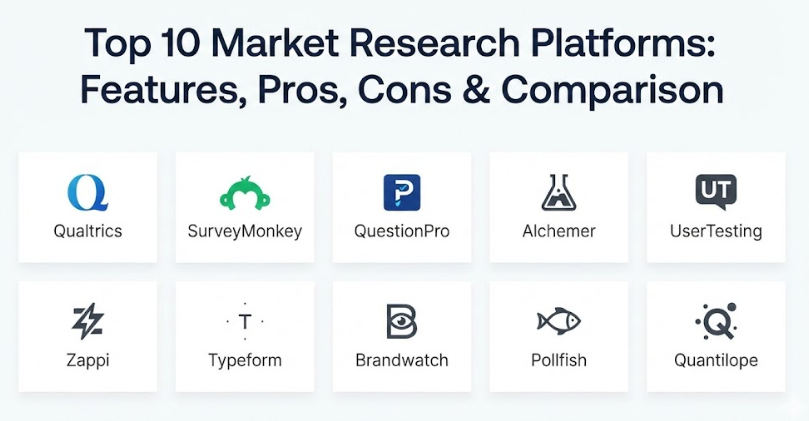
Top 10 Market Research Platforms Tools
1 — Qualtrics
Qualtrics is often considered the “gold standard” for large-scale research. It is an extremely powerful platform that focuses on what they call “Experience Management.” It is designed for enterprise-level companies that need to manage every single interaction a customer or employee has with their brand. The software is famous for its ability to handle very complex surveys and provide advanced mathematical analysis that helps predict future trends.
- Key features:
- Advanced Logic: Create complex paths in surveys where questions change based on previous answers.
- Predictive Analytics: Uses smart technology to guess how customers will behave next.
- Multi-Channel Distribution: Send your research via email, SMS, mobile apps, or even offline.
- Sentiment Analysis: Automatically reads text responses to tell you if the tone is happy or frustrated.
- Real-time Dashboards: Visual charts that update the second a new response comes in.
- Brand Tracking: Ongoing monitors that tell you how your brand compares to competitors daily.
- Pros:
- Unmatched Power: There is almost no research question too big or too complicated for this tool to handle.
- Enterprise Scaling: It can handle millions of responses across dozens of different languages easily.
- Cons:
- Very Expensive: The price is much higher than most other tools, putting it out of reach for small teams.
- Complex to Learn: Because it has so many buttons and settings, you will likely need a dedicated expert to run it.
- Security & compliance: SOC 2 Type II, ISO 27001, GDPR, HIPAA, and high-level data encryption.
- Support & community: Offers 24/7 technical support, a dedicated account manager, and a massive online university for training.
2 — SurveyMonkey (Momentive)
SurveyMonkey is perhaps the most well-known name in the world of online research. It is designed to be accessible to everyone, from a student working on a project to a professional marketing team. It strikes a great balance between being easy to use and having enough “pro” features to get deep insights. Its biggest strength is its massive “Audience” panel, which allows you to pay to get responses from specific types of people all over the world.
- Key features:
- Pre-built Templates: Hundreds of expert-written surveys that you can use immediately.
- Audience Panel: Access to millions of real people who can answer your surveys in minutes.
- Simple Logic: Basic “skip logic” that makes surveys easier for people to fill out.
- Mobile App: Manage your research and check your results while you are on the go.
- Collaboration Tools: Let multiple team members work on the same survey at once.
- AI Assistant: Suggests the best way to write questions to get the most honest answers.
- Pros:
- Speed: You can create a survey and get 500 responses back in a single afternoon.
- Familiarity: Most people have filled out a survey from this brand before, so they feel safe using it.
- Cons:
- Feature Gating: Many of the best tools are hidden behind the most expensive plans.
- Design Limits: It is harder to make your surveys look like a custom part of your own brand.
- Security & compliance: GDPR compliant, SOC 2, and uses standard web encryption.
- Support & community: Extensive online help center, email support, and phone support for business plans.
3 — QuestionPro
QuestionPro is a strong competitor that offers many of the same features as the “big names” but often at a more reasonable price. It is designed for businesses that need advanced research tools—like heatmaps or specialized pricing tests—but don’t have the massive budget required for enterprise-only platforms. It is an all-in-one solution that covers everything from simple surveys to complex customer communities.
- Key features:
- Specialized Question Types: Includes tools for “Conjoint Analysis” and “MaxDiff” to test what people truly value.
- Offline App: Collect data in person without an internet connection and sync it later.
- Custom Branding: Make every part of the survey match your company’s colors and logo.
- Community Software: Build a private group of loyal customers to talk to whenever you need feedback.
- Multilingual Surveys: Easily translate your research into over 100 languages.
- Automated Workflows: Send results automatically to other tools like your CRM or email platform.
- Pros:
- Value for Money: You get a lot of “high-end” research tools for a lower cost than Qualtrics.
- Great Logic: The software is very good at handling complicated survey paths without breaking.
- Cons:
- Interface Design: The dashboard can feel a bit cluttered and takes some time to get used to.
- Occasional Bugs: Some users have reported small glitches when building very long surveys.
- Security & compliance: GDPR, HIPAA, ISO 27001, and SOC 2 compliant.
- Support & community: Offers 24/7 live chat and email support for all business users.
4 — Alchemer
Alchemer, which many people used to know as SurveyGizmo, is a tool built for flexibility. It is designed for research teams that want to do more than just collect data—they want to do something with it. It focuses on “closing the loop,” which means it can automatically trigger an email or a support ticket if a customer gives a bad review. It is an excellent middle ground for businesses that want power without extreme complexity.
- Key features:
- Workflow Automation: Automatically send data to your sales or support teams based on survey answers.
- Market Segmentation: Tools that help you group your customers by their interests or habits.
- Interactive Charts: Reports that let you click and filter data to find hidden stories.
- Custom CSS: If you know a little code, you can make your surveys look exactly how you want.
- File Uploads: Allow your customers to send you photos or documents as part of their feedback.
- Deep Integrations: Works seamlessly with tools like Salesforce, Microsoft Teams, and Slack.
- Pros:
- Highly Customizable: It is one of the best tools for making your surveys feel like a natural part of your brand.
- Reliable Support: The company is known for having a very helpful and human customer support team.
- Cons:
- Price Increases: The cost can go up quickly as you add more users to your team.
- Feature Overload: Some of the advanced settings can be confusing for a beginner.
- Security & compliance: SOC 2 Type II, GDPR, and HIPAA compliant.
- Support & community: Dedicated support tickets and a large library of training videos.
5 — UserTesting
UserTesting is a bit different from a standard survey tool. Instead of asking people questions to read later, this platform lets you see and hear people as they use your product or website. It is designed for companies that want deep “qualitative” research—meaning they want to understand the “why” behind what people do. You can watch a video of someone struggling to find a button on your site and hear them explain exactly why they are confused.
- Key features:
- Video Recordings: See the user’s screen and their face while they talk through their experience.
- Rapid Panel: Access a global pool of testers who can start a test in as little as 15 minutes.
- Live Conversations: Schedule one-on-one video calls to interview customers directly.
- Highlight Reels: Easily cut together the most important parts of videos to show your team.
- Task-based Testing: Give users a specific goal (like “buy a shirt”) and watch them try to do it.
- Mobile Testing: Record users as they use your app on their actual smartphones.
- Pros:
- Emotional Connection: Seeing a real person get frustrated or excited is much more powerful than reading a chart.
- Identify Problems Fast: It often takes just five videos to find the biggest mistakes on a new website.
- Cons:
- Very High Cost: It is one of the most expensive ways to do research.
- Small Sample Sizes: Because watching videos takes a lot of time, you can’t test thousands of people at once.
- Security & compliance: GDPR, SOC 2, and high-level data privacy controls for tester identity.
- Support & community: Full onboarding support and a dedicated success manager for business clients.
6 — Zappi
Zappi is a platform built for speed and specifically for testing new ideas and advertisements. It is designed for creative teams and marketers who need to know right now if their new ad is good or if their new product name is catchy. It uses pre-designed research “blueprints” that have been tested by experts, so you don’t have to worry about writing the right questions yourself.
- Key features:
- Ad Testing: See how people react to your commercials before you spend money on airtime.
- Innovation Testing: Quickly see which of your ten new product ideas is the most popular.
- Expert Benchmarks: Compare your results against the industry average to see if you are winning.
- Automated Analysis: The software does all the math and gives you a clear “go” or “no-go” score.
- Global Audience: Reach shoppers in over 30 countries with specific demographic targets.
- Rapid Results: Most tests are finished and analyzed in less than 24 hours.
- Pros:
- Standardized Testing: Because every test is done the same way, you can accurately compare your results over time.
- Focus on Creativity: It helps creative people get the data they need without making them become math experts.
- Cons:
- Rigid Structure: You have less freedom to change the questions compared to a blank survey tool.
- Specific Use Case: It is great for ads and products but less useful for general customer support research.
- Security & compliance: GDPR compliant and SOC 2 certified.
- Support & community: High-quality strategic support and a large library of case studies.
7 — Typeform
Typeform is the best choice for businesses that care about design and user experience. It is designed to be “conversational,” which means it asks one question at a time just like a real person would. This approach is famous for getting more people to finish the research. It is perfect for brands that want their surveys to look beautiful and feel like a natural part of their high-end website or app.
- Key features:
- One-at-a-Time Questions: A clean interface that doesn’t overwhelm the person filling it out.
- Logic Jumps: Smoothly move people to different questions based on their previous answers.
- Interactive Media: Easily add high-quality photos and videos into your research flow.
- Brand Customization: Total control over fonts, colors, and backgrounds.
- VideoAsk: A specialized tool for collecting video responses instead of written ones.
- Clean Reports: Visual summaries that make it easy to share results with your team.
- Pros:
- Higher Completion Rates: Because the surveys feel like a game or a chat, people are more likely to finish them.
- Exceptional Design: It is the “coolest” looking tool on the market, which is great for modern brands.
- Cons:
- Limited Data Analysis: It lacks the heavy-duty mathematical tools found in Qualtrics or QuestionPro.
- Pricey for Features: You pay a premium for the design, even if the features are somewhat basic.
- Security & compliance: GDPR and SOC 2 compliant.
- Support & community: Helpful online guides and email support for all paid users.
8 — Brandwatch
Brandwatch is a “consumer intelligence” platform that focuses on social media and the “public” internet. Instead of sending out surveys, this tool “listens” to billions of conversations happening on X (formerly Twitter), Reddit, blogs, and news sites. It is designed for companies that want to know what people are saying about them when they think no one is listening. It is the best tool for understanding brand reputation and spotting new trends.
- Key features:
- Social Listening: Track specific keywords or brand names across the entire internet.
- AI Trend Spotting: Automatically identifies when a new topic is starting to “bubble up” in your industry.
- Image Recognition: Find pictures of your logo even if people don’t mention your name in the text.
- Audience Analysis: Group people by their interests, location, and what they care about most.
- Competitive Intelligence: See exactly how people talk about your competitors compared to you.
- Historical Data: Access years of past conversations to see how trends have changed.
- Pros:
- Honest Feedback: People are often more honest in a public tweet than they are in a private survey.
- Spot Crises Early: It can alert you immediately if people start complaining about your brand online.
- Cons:
- Massive Data: It can be overwhelming to see millions of mentions, and it takes time to find the “gold.”
- No Direct Questions: You can only hear what people choose to say; you can’t ask them specific new questions.
- Security & compliance: ISO 27001 certified and GDPR compliant.
- Support & community: Dedicated analysts available for enterprise clients and full training programs.
9 — Pollfish
Pollfish is a mobile-first research tool designed for high speed and reaching people in their “natural habitat.” Instead of sending emails, it puts your survey inside other popular mobile apps and games. This allows you to reach people while they are active on their phones. It is designed for researchers who need thousands of quick responses from a general audience without waiting weeks for results.
- Key features:
- In-App Distribution: Your surveys appear as a natural part of thousands of mobile apps.
- Narrow Targeting: Filter respondents by their device, location, interests, and more.
- AI Survey Builder: Helps you write your questions to ensure they fit perfectly on a phone screen.
- Real-time Results: Watch your data roll in as people answer in real-time.
- Fraud Detection: Uses smart tech to ensure that real humans are answering, not bots.
- Global Reach: Access to over 500 million mobile users around the world.
- Pros:
- Speed and Volume: You can get 1,000 responses in just a few hours for a very fair price.
- High Engagement: Mobile users are often very willing to answer quick, 3-minute surveys for a reward.
- Cons:
- Question Limits: It is not built for very long or complex academic research.
- Demographic Gaps: It is great for reaching younger people but might be harder for reaching the elderly.
- Security & compliance: GDPR compliant and uses standard data protection practices.
- Support & community: 24/7 live chat and a very detailed online help center.
10 — Quantilope
Quantilope is an “Agile Insights” platform that focuses on automating the hardest parts of professional research. It is designed for medium to large companies that want “Qualtrics-level” data but want to do it themselves without hiring a separate research agency. It uses “automated methods,” which means the software has built-in expertise to guide you through very difficult types of research.
- Key features:
- Automated Advanced Methods: One-click setups for complex tests like “Conjoint” or “Implicit Association.”
- End-to-End Platform: Manage everything from finding the audience to creating the final report in one tool.
- Integrated Panels: Easy access to high-quality respondents without leaving the software.
- Collaboration Portals: Share live, interactive reports with your entire company easily.
- AI-driven Analysis: Automatically highlights the most important numbers in your data.
- Fast Turnaround: Professional-grade research that used to take weeks now takes days.
- Pros:
- Professional Grade: It allows a regular marketing team to do research that usually requires a PhD.
- Beautiful Reports: The final charts look very professional and are ready to be shown to a board of directors.
- Cons:
- Learning Curve: While it is “automated,” you still need a basic understanding of research to use it well.
- Premium Pricing: It is priced for serious businesses, not for tiny startups.
- Security & compliance: ISO 27001, GDPR, and SOC 2 compliant.
- Support & community: High-touch implementation and ongoing strategic support.
Comparison Table
| Tool Name | Best For | Platform(s) Supported | Standout Feature | Rating (Avg.) |
| Qualtrics | Large Enterprises | Web, Mobile, App | XM Predictive Analytics | 4.8 / 5 |
| SurveyMonkey | All-Purpose / DIY | Web, Mobile | Massive Audience Panel | 4.7 / 5 |
| QuestionPro | Complex Research / Value | Web, Mobile, Offline | 24/7 Live Support | 4.6 / 5 |
| Alchemer | Customization / Workflow | Web, API | Action-oriented Workflows | 4.5 / 5 |
| UserTesting | Video / UX Insights | Web, iOS, Android | Real-time Video Feedback | 4.8 / 5 |
| Zappi | Ad & Product Testing | Web | Expert Research Blueprints | 4.7 / 5 |
| Typeform | Completion Rates / Design | Web, Mobile | Conversational UI | 4.6 / 5 |
| Brandwatch | Social Listening | Web | Sentiment & Image Analysis | 4.5 / 5 |
| Pollfish | Mobile Speed | Mobile Web, In-App | 500M+ Mobile Panel | 4.4 / 5 |
| Quantilope | Agile Professional Insights | Web | Automated Advanced Methods | 4.7 / 5 |
Evaluation & Scoring of Market Research Platforms
To help you decide, we have evaluated these tools using a specific scoring system. This rubric is designed to show which tools offer the best balance for a modern business.
| Category | Weight | Description |
| Core Features | 25% | The quality of survey tools, logic, and data analysis. |
| Ease of Use | 15% | How quickly a team can learn and use the tool daily. |
| Integrations | 15% | How well it talks to other tools like Salesforce or Slack. |
| Security & Compliance | 10% | Handling of GDPR, HIPAA, and data protection. |
| Reliability | 10% | Uptime and how well the mobile apps perform. |
| Support & Community | 10% | Availability of help and training materials. |
| Price / Value | 15% | Whether the features justify the monthly cost. |
Which Market Research Platforms Tool Is Right for You?
Choosing the right tool is a big decision that depends on your specific goals and your budget. Here is a practical guide to help you find your match.
- Solo Users & Small Businesses: If you are a team of one or a small startup, SurveyMonkey is the easiest place to start. If you care deeply about your brand’s look and want people to enjoy the survey, Typeform is your best bet.
- Medium-Sized Companies (SMB): If you are growing and need deeper data without spending a fortune, QuestionPro and Alchemer provide excellent value. They give you “pro” tools at a price that fits a mid-sized budget.
- Enterprise & Large Teams: For giant companies that need to protect their brand and predict the future, Qualtrics is the industry standard. If you want high-level research but want to do it fast, Quantilope is the modern alternative.
- Budget-Conscious Teams: If you need thousands of answers but don’t have a lot of money, Pollfish allows you to reach people on their phones for a lower cost than traditional research panels.
- Product & Creative Teams: If you need to test a specific commercial, logo, or product idea, Zappi is built exactly for that. If you need to see why people are confused by your new app, UserTesting is essential.
- PR & Reputation Managers: If your main goal is to know what people are saying about you in the “wild,” Brandwatch is the best tool for listening to the internet.
Frequently Asked Questions (FAQs)
1. Is it hard to learn how to use these platforms?
It depends on the tool. SurveyMonkey and Typeform are designed to be used by anyone immediately. Qualtrics and Quantilope are much deeper and usually require a few days of training to use all their features correctly.
2. How many people do I need to survey for my research to be “good”?
For most business decisions, 400 to 500 responses give you a very reliable result. For smaller decisions, even 100 responses can show you clear patterns. Qualitative tools like UserTesting only require 5 to 10 videos to find major problems.
3. Are my survey results safe and private?
Yes, if you choose a reputable tool like the ones on this list. Look for “GDPR compliant” and “SOC 2” logos. These ensure that your customer’s personal information is protected and that your business data stays private.
4. Can these tools reach people in other countries?
Absolutely. Most of these platforms have panels of millions of people worldwide. You can specifically target “moms in France” or “IT professionals in Brazil” with just a few clicks.
5. What is the difference between “Qualitative” and “Quantitative” research?
Quantitative is about numbers (How many people like this?). Tools like SurveyMonkey are best for this. Qualitative is about the “why” (Why don’t they like this?). Tools like UserTesting and one-on-one interviews are best for this.
6. Can I use these for my own employees?
Yes. Many companies use Qualtrics or QuestionPro to do “Employee Engagement” research. This helps them understand how happy their staff is and how to keep them from leaving.
7. Do I need a PhD to understand the results?
No. Modern platforms like Zappi and SurveyMonkey use “automated analysis” to tell you exactly what the results mean in plain English. They use charts and “scores” so you don’t have to do the math yourself.
8. Can I connect these tools to my existing CRM?
Yes. Most of these tools connect directly to Salesforce, HubSpot, and other common business software. This allows you to see a customer’s survey answers right next to their purchase history.
9. What is a “Research Panel”?
A panel is a pre-organized group of people who have agreed to answer surveys for a small reward. Instead of finding your own customers to talk to, you pay the platform to send your survey to their panel.
10. How much do these tools cost on average?
It varies wildly. You can get a basic plan for around $30 a month. Professional business plans usually start at $100 to $300 a month. Enterprise systems like Qualtrics can cost tens of thousands of dollars per year.
Conclusion
Choosing the right market research platform is one of the most important steps toward your organization’s success. When you move away from manual tracking and use a modern platform, you are opening the door to deeper customer understanding and smarter business moves. These tools take the stress out of the technical side of data collection, allowing you to spend your time acting on insights rather than just gathering them.
The most important thing to remember is that there is no “best” tool for everyone. The right choice depends on your specific needs, your budget, and how much time you have to manage the software. Whether you need a simple “yes/no” poll for your social media followers or a high-tech system for a 50-country product launch, there is a solution on this list that will work for you. Start by thinking about your biggest challenge—is it finding new customers, or is it keeping the ones you already have? Once you know that, the perfect tool will become clear.