Introduction
Social commerce platforms are special digital tools that allow people to buy products directly inside social media apps. Instead of clicking a link that takes you to a different website, these platforms let you see an item, talk to the seller, and pay for it all without ever leaving the app you are already using. It is like turning your favorite social media feed into a giant, interactive shopping mall. These tools are very important because they make shopping much faster and easier for the customer. In the real world, this looks like a makeup brand letting you “try on” lipstick using a camera filter on your phone and then letting you buy it instantly. It also looks like a small business owner showing off handmade jewelry on a live video while viewers click a button to purchase. When choosing a tool like this, you should look for how easy it is to set up, how safe the payments are, and if it can connect to the shipping tools you already use.
Having the right social commerce tool is the key to reaching customers where they already spend most of their time. It removes the extra steps that often make people change their minds about buying something. For example, if a person sees a cool t-shirt while scrolling, they are much more likely to buy it if they can do it in two clicks right there. These platforms help businesses build a community where shopping feels like a conversation rather than just a transaction. You want a system that provides clear data so you can see which posts are making money and which ones are not. It is all about making the journey from “seeing” to “owning” as smooth as possible for every single user.
Best for: Social commerce tools benefit most for fashion brands, beauty companies, home decor shops, and independent creators who have a loyal following. It is perfect for small to mid-sized businesses that want to grow fast by using viral videos and pretty pictures to sell their goods.
Not ideal for: These tools may not be needed by companies selling very large or complex items, like industrial machinery, construction services, or medical equipment. They are also not a great fit for businesses that require long contracts or many face-to-face meetings before a sale happens.
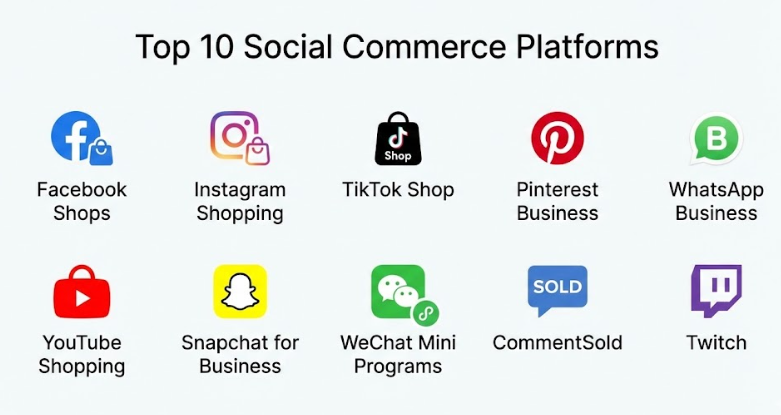
Top 10 Social Commerce Platforms Tools
1 — Facebook Shops
Facebook Shops is a very powerful tool that lets you create a single online store that works across both Facebook and Instagram. It is designed for businesses of all sizes that want to give their customers a smooth way to browse products and buy them without ever leaving the social network. The platform is very easy to use because it connects directly to the business page you probably already have. It uses smart technology to show your products to the people most likely to want them. Many small shops use this as their main way to reach thousands of local and global customers every day.
- Key features:
- Customized Storefront: Change the colors and images to match your brand perfectly.
- Direct Checkout: Let customers pay for items right inside the Facebook app.
- Inventory Sync: Automatically updates your stock levels so you never oversell.
- Messaging Sales: Talk to customers and close sales through Messenger or WhatsApp.
- Smart Ads: Turn your product listings into ads that find new buyers automatically.
- Product Collections: Group your items together, like “Summer Essentials” or “Gift Ideas.”
- Insights Dashboard: See exactly how many people are looking at your products and buying them.
- Pros:
- It gives you access to a massive number of people who are already on the app.
- The setup is completely free and very simple for beginners to understand.
- Cons:
- You have to pay a small fee to the platform for every sale you make.
- You don’t have total control over the design like you would on your own website.
- Security & compliance: High-level data encryption, SOC 2 compliant, and follows all major privacy laws.
- Support & community: Offers a huge help center, video tutorials, and a large community of other sellers to talk to.
2 — Instagram Shopping
Instagram Shopping is built for brands that have beautiful photos and videos to show off. It lets you “tag” your products in your posts, so when someone taps on a picture of a model wearing a hat, the price and a “buy” button pop up instantly. It is perfect for creators and brands that want to turn their aesthetic feed into a real business. The platform focuses on discovery, helping people find your items while they are looking for inspiration. It is a very visual way to sell that feels more like a magazine than a store.
- Key features:
- Shoppable Posts: Add product tags to any photo or video in your main feed.
- Stories Shopping: Use stickers in your Stories to let people buy items quickly.
- Explore Tab: Your products can show up in the main search area for new people to find.
- Live Shopping: Pin products to the bottom of the screen while you are doing a live video.
- Product Details Page: A clean page for every item with photos, descriptions, and prices.
- AR Try-On: Let customers see how sunglasses or makeup look on their own faces.
- Save to Wishlist: Users can save your items to a special folder to buy them later.
- Pros:
- It is the best place for visual brands like fashion, jewelry, and home decor.
- Customers love the “discovery” feel where they find cool things naturally.
- Cons:
- You need to spend a lot of time making very high-quality photos and videos.
- The app’s rules on what you can and cannot show can be very strict.
- Security & compliance: Uses secure payment gateways and follows strict international data rules.
- Support & community: Provides professional guides for creators and a very active support team.
3 — TikTok Shop
TikTok Shop is the most exciting new way to sell things using short, fun videos that can go viral in a matter of hours. It is designed for brands and creators who want to use “entertainment” to sell their products to a younger audience. When you post a video of someone using your product, a small link appears that lets viewers buy it right then and there. The platform is very high-energy and relies on “shoppertainment,” which means making shopping feel like a fun game or a show. It is perfect for items that look great in action and have a “wow” factor.
- Key features:
- In-Video Links: Put a direct “buy” button right on top of your short videos.
- Live Stream Sales: Run a live show where you talk about items and sell them live.
- Creator Marketplace: Connect with famous influencers who can sell your products for you.
- Seller Center: A dedicated app just for managing your orders and your stock.
- Campaign Tools: Run special sales and “limited time” offers to drive fast purchases.
- Frictionless Checkout: A very fast way for people to pay without typing a lot of info.
- Affiliate Program: Let other people promote your items in exchange for a small commission.
- Pros:
- The potential for a single video to reach millions of people is very high.
- It is the most popular app for younger generations like Gen Z.
- Cons:
- Trends move very fast, so you have to keep making new videos every day.
- It can be difficult to manage if you get a sudden “viral” rush of thousands of orders.
- Security & compliance: SOC 2 Type II compliant and uses secure data storage in different regions.
- Support & community: Offers a “TikTok Academy” to teach you how to sell and a very active seller forum.
4 — Pinterest Business
Pinterest Business is a tool for groups that want to reach people who are already planning and looking for ideas. It is designed for brands that sell things for the home, weddings, fashion, or DIY projects. Instead of just showing ads, you create “Product Pins” that look like regular pins but include a price and a link to buy. Users on Pinterest are usually in a “shopping mindset” because they are looking for things to buy for a future project. It is a very quiet and helpful way to sell that builds long-term interest in your brand.
- Key features:
- Product Pins: Pins that automatically update their price and availability from your store.
- Shop the Look: Tag many different items inside one single lifestyle photo.
- Visual Search: Let people find your products just by taking a picture of something similar.
- Catalogs: Upload your entire inventory at once so everything becomes a shoppable pin.
- Merchant Badges: A special checkmark that shows people your shop is trusted and safe.
- Detailed Analytics: See which pins are leading to the most sales over a long time.
- Ad Integration: Boost your best pins so they show up at the top of search results.
- Pros:
- Pins last much longer than posts on other apps, sometimes bringing in sales for months.
- People who use Pinterest often have more money to spend on high-quality items.
- Cons:
- It takes longer to see results compared to a viral video on TikTok.
- It is mostly used for specific categories like home, food, and fashion.
- Security & compliance: PCI DSS compliant and follows standard data safety practices.
- Support & community: Offers a very detailed “Pinterest Academy” and dedicated help for businesses.
5 — WhatsApp Business
WhatsApp Business is a conversational tool that lets you sell products through direct messages and chat. It is designed for small to mid-sized businesses that want to build a very personal relationship with their customers. You can create a digital catalog inside the app, so when a customer asks a question, you can send them a picture of the product with a “buy” button. It is a very direct way to sell that works perfectly for customer service and repeat buyers. It is the most popular way to do social commerce in many parts of the world.
- Key features:
- Digital Catalog: Show off your products with photos and prices right inside the chat.
- Quick Replies: Save answers to common questions so you can respond in seconds.
- Labels: Organize your chats into categories like “New Order” or “Paid.”
- Automated Messages: Send a “hello” or an “away” message automatically to customers.
- Cart Functionality: Let customers add many items to a list and send it to you as an order.
- Payment Links: Send a secure link for the customer to pay right inside the conversation.
- Business Profile: A professional page with your address, email, and website link.
- Pros:
- It builds a very high level of trust because you are talking one-on-one.
- Almost everyone already knows how to use the app, so there is no learning curve.
- Cons:
- It can be hard to manage if you have thousands of people messaging you at once.
- It doesn’t have a “feed” where new people can find you easily.
- Security & compliance: End-to-end encryption for all messages and follows strict privacy laws.
- Support & community: Provides a clear help center and developer guides for larger teams.
6 — YouTube Shopping
YouTube Shopping lets creators and brands sell products directly under their long videos or inside their short “YouTube Shorts.” It is designed for people who make tutorials, reviews, or “unboxing” videos where they show how a product works in detail. When a viewer is watching a video about a new camera, a small shelf appears below the video showing that exact camera and where to buy it. It is very effective because it catches the viewer when they are already learning about the item. It is a great way to turn “content” into a “store” effortlessly.
- Key features:
- Product Shelf: A row of items displayed directly under your video for easy clicking.
- Live Tagging: Pin a product to the top of the chat during a live stream.
- End Screens: Show products at the very end of your video to catch people before they leave.
- Shorts Shopping: Add a “buy” button to your 60-second viral videos.
- Store Tab: A dedicated page on your channel that shows everything you have for sale.
- Affiliate Tools: Earn money by tagging products from other brands that you like.
- Analytics: See exactly which video is responsible for making the most money.
- Pros:
- Great for expensive or complex items that need a long video to explain.
- It uses the power of Google search to help people find your videos and your products.
- Cons:
- Making high-quality videos takes a lot of time, equipment, and effort.
- You need a certain number of subscribers before you can turn on the shopping features.
- Security & compliance: Follows Google’s very high security standards and data privacy rules.
- Support & community: Offers a professional “Creator Academy” and a massive support forum.
7 — Snapchat for Business
Snapchat for Business uses “Augmented Reality” (AR) to let people try on products using their phone’s camera. It is designed for brands that want to reach a younger audience with something fun and interactive. A customer can see how a pair of shoes looks on their feet or how a new lipstick looks on their lips just by pointing their camera. It is a very high-tech way to sell that reduces the number of people returning items because they already know how they look. It is a very playful and modern way to build a brand community.
- Key features:
- AR Lenses: Filters that let users “try on” your products in 3D.
- Public Profiles: A permanent home on the app for your brand and your products.
- Shoppable Lenses: A “buy” button that stays on the screen while the user is playing with the filter.
- Collection Ads: Show four items at once in a single ad that looks like a story.
- Snap Pixel: A tool to track if people are buying things after seeing your snaps.
- Direct Messaging: Talk to your customers and answer their questions in real-time.
- Spotlight Ads: Show your products in the app’s main video discovery feed.
- Pros:
- The AR “try-on” feature is a great way to stand out from other boring ads.
- It is the most effective way to reach the youngest shoppers in the market.
- Cons:
- Creating the 3D “lenses” can be expensive and requires special skills.
- It is not as good for reaching older people who don’t use the app.
- Security & compliance: Uses secure data encryption and follows all modern privacy standards.
- Support & community: Provides a dedicated “Snap Focus” training program and expert help.
8 — WeChat Mini Programs
WeChat Mini Programs are like “apps inside an app” that let people in China do almost anything, including full e-commerce shopping. It is designed for businesses that want to reach the massive Chinese market without making a separate, expensive app. Users can browse your store, use coupons, and pay with “WeChat Pay” all in a few seconds. It is the most advanced social commerce system in the world. It combines social talking, games, and shopping into one single experience that is very fast and efficient.
- Key features:
- Mini Stores: A full-featured store that opens instantly inside the WeChat app.
- WeChat Pay: The most popular and fastest way to pay for things in the region.
- Social Sharing: Easily send product cards to group chats and friends.
- Loyalty Programs: Digital cards that reward people for buying from you repeatedly.
- Livestreaming: Native tools to run a shopping show and sell items live.
- Offline Sync: Use QR codes in your physical shop to take people to your digital store.
- CRM Tools: Very deep data to help you understand every single customer’s habits.
- Pros:
- You don’t need a separate website or app to run a huge business.
- It is the only way to truly succeed in the world’s largest social commerce market.
- Cons:
- It is mostly for the Chinese market and can be hard to set up from outside.
- You need a local business license to use many of the best features.
- Security & compliance: Highly secure and follows very strict regional data privacy laws.
- Support & community: Extensive technical guides and a huge network of specialized agencies.
9 — CommentSold
CommentSold is a specialized platform that lets you sell things across many different social apps at the same time using “live shows.” It is designed for small boutiques and clothing shops that want to run a high-energy live auction or sale. When you are on a live video, a customer just has to type the word “Sold” in the comments, and the system automatically sends them an invoice. It is a very exciting and fast-paced way to sell that feels like a real-life auction. It takes away all the boring manual work of tracking who said what in the comments.
- Key features:
- Multi-Channel Streaming: Go live on Facebook, Instagram, and TikTok all at once.
- Automatic Invoicing: The system detects the word “Sold” and emails the customer a bill.
- Inventory Management: One central place to see all your stock across all apps.
- Waitlist Feature: Let people sign up for out-of-stock items so they get an alert when they are back.
- Live Overlays: Show a “count” on the screen of how many items are left in each size.
- Branded App: The platform can build you your own dedicated shopping app for your fans.
- Shipping Integration: Connects to all major shipping companies to print labels fast.
- Pros:
- It makes live selling very easy and removes the risk of making mistakes with orders.
- The “comment to buy” system is very addictive and fun for customers.
- Cons:
- There is a monthly cost and a percentage fee for every sale you make.
- You have to be very comfortable being on camera for long periods.
- Security & compliance: PCI DSS compliant and uses secure cloud technology for all data.
- Support & community: Offers outstanding 24/7 support and a very helpful community of other sellers.
10 — Twitch
Twitch is a live-streaming platform that is perfect for selling “tech,” “gaming,” and “lifestyle” products to a very dedicated community. It is designed for creators who want to build a deep trust with their audience over many hours of live video. While it is mostly for gaming, many brands use “extensions” that let viewers buy gear or merchandise without even pausing the video. It is a very long-form way to sell where the “personality” of the seller is the most important part. It is perfect for items that need to be demonstrated or explained in real-time.
- Key features:
- Commerce Extensions: Interactive boxes on the screen that show items for sale.
- Drops: Give away items to viewers to get them excited about a new product launch.
- Profile Panels: Permanent links under the video to your store or your Amazon page.
- Chat Commands: Set up a bot that gives a product link whenever someone types a certain word.
- Integrated Subscriptions: A built-in way for people to pay to support your channel.
- Live Demos: Spend hours showing exactly how a product works and answering questions.
- Partner Program: Special tools for high-level creators to earn money from ads and sales.
- Pros:
- The trust level on Twitch is very high; viewers often buy things just to support the creator.
- It is the best place for anything related to technology, software, or gaming.
- Cons:
- You have to spend many hours every day live on camera to be successful.
- It is not as “native” for shopping as TikTok or Instagram is.
- Security & compliance: Backed by Amazon’s high security and data protection standards.
- Support & community: Offers a helpful “Twitch Creator Camp” and a very active community forum.
Comparison Table
| Tool Name | Best For | Platform(s) Supported | Standout Feature | Rating |
| Facebook Shops | SMB Growth | Facebook, Instagram | Huge Global Reach | N/A |
| Instagram Shopping | Visual Brands | Product Tagging & AR | N/A | |
| TikTok Shop | Viral Trends | TikTok | “Shoppertainment” Focus | N/A |
| Planning & Ideas | Long Content Shelf Life | N/A | ||
| WhatsApp Business | Personal Service | Mobile App | Direct Chat Selling | N/A |
| YouTube Shopping | Reviews & Demos | Web, Mobile | Product Shelf under Video | N/A |
| Snapchat | Young Shoppers | Snapchat | AR Try-On Lenses | N/A |
| WeChat Mini-Apps | China Market | WeChat App | All-in-one Ecosystem | N/A |
| CommentSold | Live Boutiques | Multi-channel | “Sold” Comment Invoicing | N/A |
| Twitch | Tech & Gaming | Web, Mobile | High Community Trust | N/A |
Evaluation & Scoring of Social Commerce Platforms
| Category | Weight | Average Score | What We Look For |
| Core Features | 25% | 9/10 | Native checkout, catalog sync, and live commerce tools. |
| Ease of Use | 15% | 8/10 | How simple it is for a beginner to set up a shop. |
| Integrations | 15% | 8/10 | Connections to Shopify, Etsy, and shipping tools. |
| Security | 10% | 10/10 | Data encryption, payment safety, and privacy laws. |
| Performance | 10% | 9/10 | System speed and reliability during a viral rush. |
| Support | 10% | 8/10 | Helpful guides and fast answers to questions. |
| Price / Value | 15% | 7/10 | Transaction fees and the overall ROI for the business. |
Which Social Commerce Platforms Tool Is Right for You?
Choosing the right platform depends on what you sell and who your customers are. If you are a solo user or a very small business, WhatsApp Business or Instagram Shopping are the best places to start. They don’t cost anything to set up and you can start talking to your first customers today. They focus on the basics and help you build a strong foundation for your brand.
For mid-market brands that want to grow fast, TikTok Shop is the strongest choice right now. Its ability to send your products viral is much higher than any other app. If you have a clothing boutique and want to do live shows, CommentSold will save you a lot of time by automating all your invoices. These tools are built for teams that are ready to handle a lot of orders at once.
If you are a large enterprise, you should look at Facebook Shops and Pinterest Business. These tools give you the most data and connect best with the big business systems you already use. They are very secure and can handle millions of people looking at your products at the same time. Always pick a tool that matches where your customers hang out—if they like video, go to TikTok; if they like planning, go to Pinterest. Make sure the system is safe and has a good support team to help you when you have a question.
Frequently Asked Questions (FAQs)
1. What exactly is a social commerce platform?
It is a tool that lets you sell products directly inside a social media app. It allows the customer to discover, research, and buy an item without ever leaving the app they are using.
2. Is social commerce better than a regular website?
It is a great addition to a website. It is faster for the customer and removes the steps that make people stop buying, but your own website gives you more long-term control.
3. How much does it cost to sell on these platforms?
Most platforms are free to join, but they take a small fee (usually around 5%) for every sale you make. Some specialized tools like CommentSold have a monthly subscription fee.
4. Is it safe for my customers to pay inside an app?
Yes, these major platforms use very high-level encryption and secure payment gateways. Most people feel very safe buying through a known app like Facebook or TikTok.
5. Do I need a business license to sell on social media?
Yes, most platforms will ask for your tax information or a business license before they let you turn on the “buy” button for your customers.
6. Can I sell digital products like e-books?
Most social commerce tools are built for physical items like clothes and gear. While you can promote digital items, the “buy” button usually works best for physical goods.
7. How do I handle shipping and returns?
You are usually responsible for shipping the item to the customer. The platform’s dashboard will show you the order and help you print a label or track the package.
8. Do I need a lot of followers to start selling?
No! While more followers help, apps like TikTok and Facebook use smart technology to show your products to people who might like them, even if they don’t follow you yet.
9. Can I use these tools on my phone?
Yes, almost all of these platforms have a “Seller App” or a mobile website that lets you manage your entire business from your smartphone while you are on the go.
10. What is the biggest mistake people make in social commerce?
The biggest mistake is being “too boring.” Social media is for entertainment, so if your product posts look like boring ads, people will just scroll past them. You need to be fun and engaging!
Conclusion
Choosing the right social commerce platform is a big step that will help your business reach more people and grow in a modern way. These tools are much more than just a place to post ads; they are a way to turn every conversation and every video into a potential sale. By moving your store to where your customers already are, you make shopping feel like a natural part of their day. It saves your customers time and helps your brand look professional and trustworthy. It is a long-term investment that brings your business closer to your community.
When you are ready to pick a tool, remember that the “best” one is the one that fits your specific brand and your audience. A clothing shop needs a different tool than a tech reviewer, and that is completely fine. Take your time to look at the features, think about how easy it is to use, and maybe even try a few different apps to see which one your customers like best. The right choice will remove all the friction from your sales and help you build a stronger, more connected business. Finding the right social commerce partner is the first step toward a very successful and modern future for your shop.