Introduction
Creator monetization platforms are special websites designed to help people who make content online earn a steady income. In the simplest terms, they give you a way to charge for your work without needing to build your own complicated website from scratch. These tools are important because they let you own the relationship with your fans. On social media, an algorithm might hide your posts, but on these platforms, you have a direct line to the people who actually want to pay to support you. They turn your audience’s attention into a real business that you control, which is much safer than relying on likes or views alone. Using these tools means you don’t have to be a computer expert to start a business; the technology does the heavy lifting for you.
You will see these tools used in many real-world ways. For example, a podcaster might use one to offer ad-free episodes to their biggest fans, or a digital artist might use one to sell “how-to” guides. A fitness coach might use these systems to host a library of workout videos that people pay a monthly fee to access. When choosing a tool, you should look for how much they charge in fees, how easy it is for your fans to sign up, and if the platform allows you to keep your email list if you ever decide to leave. You should also consider if the platform matches the way you like to create, whether that is through long articles, short videos, or live meetings. A good tool should grow with you as you get more fans and offer more things for them to buy.
Best for: These tools are perfect for writers, podcasters, YouTubers, and experts who have a loyal following. It is great for small business owners and solo entrepreneurs who want to turn their hobbies or skills into a full-time job. Teachers and community leaders also benefit by having a place to share knowledge and get paid fairly for their time.
Not ideal for: If you are just posting photos for fun and don’t want to sell anything, you don’t need these platforms. They are also not a great fit for very large corporations that already have their own private billing systems and huge tech teams. If you do not have any followers yet, you might find it hard to make money on these sites right away.
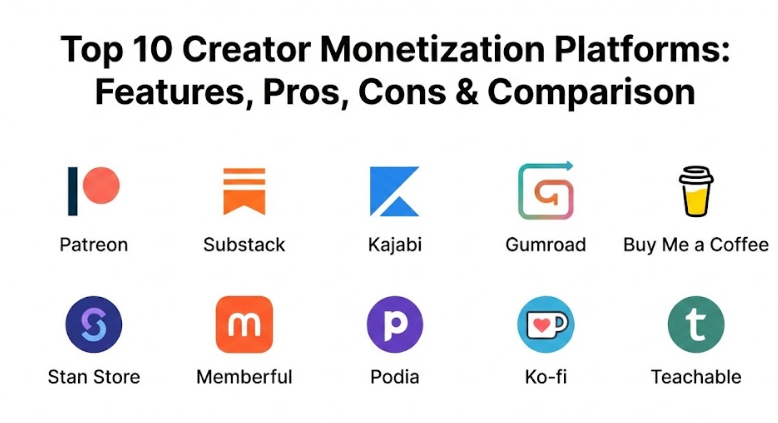
Top 10 Creator Monetization Platforms Tools
1 — Patreon
Patreon is the most famous tool for creators who want to build a “club” for their fans. It lets you set up different levels of support where people pay a monthly fee to get special rewards. It is built for anyone with a loyal audience who wants a predictable paycheck every month. Many people use it to offer behind-the-scenes videos or early access to their work. It has become a standard in the industry, meaning your fans likely already have an account and feel safe using it.
- Key features:
- Create multiple levels of membership (tiers) with different prices for different fans.
- Host your videos and audio files directly on the site so you don’t need other apps.
- Private chat areas where you can talk directly to your paying members.
- Tools to sell one-time items like posters or digital art alongside your memberships.
- Automatic billing that charges fans at the start of every month so you don’t have to ask.
- Detailed data that shows you which fans are your biggest supporters over time.
- An easy-to-use mobile app for both you and your fans to stay connected anywhere.
- Pros:
- Most fans already know and trust the name, so they aren’t afraid to enter their card details.
- It is very good for building a long-term community that stays with you for many years.
- The setup is very clear, walking you through every step of creating your first membership level.
- Cons:
- They take a significant percentage of your earnings as a fee, which can add up to a lot.
- You can’t change the look of your page very much to match your personal brand perfectly.
- It can be hard to manage many different rewards if you have too many levels for fans.
- Security & compliance: Uses high-level encryption and follows all rules for safe online payments like PCI compliance.
- Support & community: Offers a very large library of help articles and direct support for successful creators.
2 — Substack
Substack is a very simple tool that turned newsletters into a real business. It is designed for writers and journalists who want to send their work directly to their fans’ email inboxes and charge a subscription fee for the best stories. It focuses on the written word but has recently added features for audio and video. It is perfect for those who want to be independent and not answer to a boss.
- Key features:
- A clean writing space that makes it easy to publish your stories without distractions.
- Built-in tools to charge for your newsletter or offer it for free to grow your list.
- Ability to host podcasts and voice messages for your subscribers to listen to.
- A social area called “Notes” that helps new readers find your work through other writers.
- You can use your own web address to look more professional to your readers.
- Simple buttons for fans to share your work with their friends on social media.
- Tools to see how many people are actually opening and reading your emails every day.
- Pros:
- It is incredibly easy to use; you can start a paid newsletter in just a few minutes.
- You own your email list, so you can take your fans with you if you ever move to another site.
- The platform helps you find new readers by suggesting your work to people with similar interests.
- Cons:
- They take a 10% cut of your earnings, which is quite high as your business grows larger.
- It is mostly for writing, so it’s not the best choice for creators who only make videos.
- You have very little control over how the website looks, as every Substack looks the same.
- Security & compliance: Fully GDPR compliant and uses safe systems like Stripe for all money transactions.
- Support & community: Has a strong community of writers who share tips on how to grow and find success.
3 — Kajabi
Kajabi is a heavy-duty tool for creators who sell online classes or coaching programs. It is an “all-in-one” system, meaning it replaces your website, your email tool, and your checkout system all at once. It is designed for creators who are ready to run a professional business with many moving parts. While it costs more, it offers much more power than simple tip jars. It is very popular with experts who want to sell their knowledge for a high price.
- Key features:
- Professional tools to build and host your own online courses with videos and text.
- A website builder that lets you create beautiful pages without ever needing to code.
- Automated email systems that send the right messages to your customers at the right time.
- A mobile app where your students can watch your classes and learn on the go.
- Tools to manage one-on-one coaching sessions and keep track of your schedule easily.
- Detailed marketing funnels that help you find and close new sales automatically.
- A place to host your own podcast and private community forum for your students.
- Pros:
- Having everything in one place saves you from paying for and learning many different apps.
- They do not take a percentage of your sales; you just pay one fixed monthly fee for the service.
- The quality of the websites you can build is much higher than most other simple platforms.
- Cons:
- It is quite expensive, so it is not a good choice for beginners who aren’t making money yet.
- There are so many buttons and features that it can take a long time to learn everything.
- It might be too much “software” for someone who just wants to sell a simple book.
- Security & compliance: High-level security including SSL encryption and full GDPR compliance for user data.
- Support & community: Offers 24/7 live chat and a massive community of successful business owners to help.
4 — Gumroad
Gumroad is a very popular site for selling “items” rather than memberships. If you have an eBook, a piece of software, or a digital painting to sell, this tool makes the checkout process incredibly fast for your customers. It is designed to get out of the way so people can buy your work in just a few seconds. It is a great choice for creators who have many different digital products and want to sell them anywhere on the internet.
- Key features:
- A very simple way to upload and sell any digital file of any size to your fans.
- Tools to let other people sell your products for a commission to help you grow.
- Let fans “pay what they want,” which often leads to more money from generous supporters.
- Safe ways to deliver software license keys to your buyers automatically after purchase.
- It handles taxes for different countries for you, which is a huge help for international sales.
- A mobile app that lets fans read or watch what they bought on their phones.
- Simple subscription options if you want to charge every month for a library of files.
- Pros:
- The checkout is so fast that fans are less likely to change their minds while buying.
- It works very well on mobile phones, which is where most people do their shopping now.
- You can start selling for free without any monthly costs; you only pay when you make a sale.
- Cons:
- They take a 10% fee on every sale, which can be expensive if you sell a lot of items.
- It doesn’t have many features for building a community or talking back and forth with fans.
- The design of the store is very basic and might not look as professional as a custom website.
- Security & compliance: Uses industry-standard safety rules and keeps your digital files secure from theft.
- Support & community: Good help center and a strong presence on social media with helpful creator advice.
5 — Buy Me a Coffee
Buy Me a Coffee is a friendly and casual way to get support from your fans. Instead of a formal subscription that feels like a bill, it lets fans give you a small “tip” as a way to say thank you. It is perfect for creators who want to keep things light and fun without a lot of pressure. It is often used by people who provide free content but want to give fans a way to show their appreciation.
- Key features:
- A “Buy me a coffee” button that is very easy and inviting for fans to click on.
- A small store where you can sell digital items, shout-outs, or even physical goods.
- Simple membership options if you decide you want to charge for extra content every month.
- A mobile app that tells you the exact moment a fan supports you so you can thank them.
- Widgets and buttons that you can put on your blog or personal website very easily.
- You get your money almost instantly through safe payment apps like Stripe or PayPal.
- A clean and simple page that shows your goals and how much progress you have made.
- Pros:
- It is very low pressure; fans don’t feel like they are signing a long-term contract.
- There are no monthly fees to use the site; you only pay a small cut when you actually earn.
- The language used is very friendly, which makes fans feel good about giving you a few dollars.
- Cons:
- It doesn’t have the deep data or marketing tools that a big business might eventually need.
- The casual look might not fit a very professional, high-end, or corporate brand image.
- It is not the best choice if your main goal is to sell expensive online courses.
- Security & compliance: Uses encrypted systems and safe payment gateways for all money transactions.
- Support & community: Fast email help and a growing community of creative people using the platform.
6 — Stan Store
Stan Store is a tool designed specifically for people who are active on social media like TikTok or Instagram. It gives you one simple link for your profile bio that lets your followers buy your products without ever leaving the app. It is built for speed and works perfectly on mobile phones. It is a great choice for creators who want to sell things quickly to their followers while they are watching their videos. It makes the jump from “follower” to “customer” very easy.
- Key features:
- A high-speed checkout that works in just one or two taps on a mobile phone screen.
- Tools to let fans book time on your calendar for a meeting or a coaching call.
- Simple ways to sell digital downloads like guides, templates, or short video lessons.
- Forms that help you collect email addresses from your fans to build your marketing list.
- Basic subscription tools for people who want recurring access to your private content.
- A very simple dashboard that shows you exactly how many people clicked your bio link.
- Professional-looking templates that match the style and energy of modern social media.
- Pros:
- It converts more followers into buyers because the process is so fast and simple for them.
- It combines all your business needs into one single link, saving space in your profile bio.
- You don’t need to be a designer to make your store look great on a phone.
- Cons:
- There is a fixed monthly fee you must pay even if you do not sell anything that month.
- You cannot use it to build a full blog or a complex website with many different pages.
- It is very focused on mobile users, so it might not look as good on a big computer screen.
- Security & compliance: Fully GDPR compliant and uses safe encryption for all payments and user data.
- Support & community: Very active social media community and responsive customer chat support.
7 — Memberful
Memberful is a professional tool for people who already have their own website and just want to add a way to charge for memberships. It is very clean and stays in the background so your own brand is always the star. It is owned by Patreon but is much more customizable for professional businesses. It is a favorite for podcasters and magazines that want a high-quality feel. It works by adding a “paywall” to your existing content so only members can see it.
- Key features:
- A professional system that connects easily to your existing WordPress or custom website.
- It lets you create your own look so fans never feel like they have left your own site.
- Special tools to send private podcasts only to your paying members securely.
- A system that lets fans buy memberships as gifts for their friends or family members.
- Easy tools to manage your members, their plans, and their private billing information.
- Ability to sell group access to schools, offices, or other businesses at a discount.
- Deep data reports that show you exactly how your membership business is growing.
- Pros:
- You have total control over your brand and exactly what the fan sees when they pay.
- It is a very reliable and high-quality system used by some of the world’s top experts.
- The system is built to stay out of the way, making the experience feel very high-end.
- Cons:
- You need to already have a website of your own, as they do not host your content for you.
- It can be a little bit harder to set up if you are not comfortable with basic web technology.
- The monthly cost can be high if you want access to all the best features.
- Security & compliance: Follows very strict security rules like SOC 2 to keep all your donor and member data safe.
- Support & community: Exceptional professional support and a deep library of guides to help you.
8 — Podia
Podia is an “all-in-one” tool that is famous for being very easy to use and friendly. It is designed for creators who want to sell courses, downloads, and community access without having to learn complicated software. It is a great middle ground between the simple tip jars and the expensive corporate systems. They focus on making the experience “stress-free” for the creator. It is perfect for those who want a professional look without a professional price tag.
- Key features:
- Simple and beautiful tools to build your own online courses with videos and text.
- A safe place to host your digital files like eBooks, audio, or video for your fans.
- A built-in community area where your fans can talk to each other and you.
- Tools to send email newsletters and marketing messages directly to your list.
- A website builder that is very simple and doesn’t require any technical coding skills.
- Ability to sell and host live webinars or coaching calls for your audience.
- They will move your content for free if you are coming from another platform.
- Pros:
- They do not take a percentage of your sales on their paid plans, so you keep more money.
- The customer support is run by real humans and is known for being very fast and helpful.
- The design of the site is very modern and clean, which makes your work look great.
- Cons:
- The website designs are a bit simple and you cannot customize them as deeply as Kajabi.
- It doesn’t have some of the most advanced marketing automation tools for very large teams.
- It might feel a bit too simple if you have a very complex business with many moving parts.
- Security & compliance: Uses safe data encryption and is fully GDPR compliant for all users.
- Support & community: Famous for its very friendly live chat support and weekly Q&A sessions.
9 — Ko-fi
Ko-fi is a tool that is very popular with artists, gamers, and cosplayers. It is like a mix between a tip jar and a membership site, but it is very friendly to creators because it doesn’t take a cut of your tips. It has a more “creative” and fun feel compared to the professional business tools. You can use it as a simple way for people to support you or build a full storefront. It is a very flexible platform that grows as you decide to offer more things to your fans.
- Key features:
- A tool to take custom “commission” requests where fans pay you for specific work.
- Progress bars that show fans how close you are to a specific goal like new equipment.
- Simple “buy me a coffee” tips that go straight to your account without fees.
- Tiered memberships if you want to offer monthly rewards and recurring support.
- A simple online shop to sell physical items like stickers or prints to your fans.
- Alerts that show up live while you are streaming on sites like Twitch or YouTube.
- You can show off your best work in a beautiful gallery directly on your profile page.
- Pros:
- They take 0% of your tips on the basic plan, so you keep every dollar your fans give you.
- It is very flexible; you can use it for simple tips or as a full online business.
- The community on the site is very supportive and specifically built for artists.
- Cons:
- The dashboard can feel a little bit messy and cluttered because it has so many options.
- It is not designed for selling high-end professional classes or long educational courses.
- Some features require a monthly subscription even though tips are free.
- Security & compliance: GDPR compliant and uses safe payment processors for all money movements.
- Support & community: Very active social community of artists who share advice and support each other.
10 — Teachable
Teachable is a veteran tool designed specifically for people who want to teach online as their main business. It focuses on the “school” experience, providing everything you need to manage many students and professional classes. It is very strong at the technical side of learning, like giving out certificates. It is designed for creators who have a lot of knowledge to share and want to be seen as a professional educator. It is a robust system that can handle very large numbers of students at the same time.
- Key features:
- A robust course builder with quizzes and certificates for students who finish a class.
- Tools to track how much of a class each student has finished to help them stay on track.
- It handles global sales taxes and VAT for you automatically, which is a massive help.
- A system to let other people sell your courses for a cut of the money (affiliates).
- Professional pages to help you sell your courses to new people who don’t know you yet.
- Ability to host videos, audio files, and PDFs all in one lesson for a deep learning experience.
- Tools to grade students and see their scores in your own private dashboard.
- Pros:
- The student experience is very professional and feels like a real online school.
- Handling global taxes for you is a massive time-saver and keeps you out of legal trouble.
- It is very reliable and has been used by thousands of top teachers for a long time.
- Cons:
- Even on paid plans, they still take a small percentage of every sale you make.
- It is mostly for courses and doesn’t have the best community chat or forum features.
- The website builder is a bit limited compared to some of the newer all-in-one tools.
- Security & compliance: Uses enterprise-grade data encryption and follows international safety rules like ISO.
- Support & community: Offers very detailed training for new teachers and responsive technical support.
Comparison Table
| Tool Name | Best For | Platform(s) Supported | Standout Feature | Rating |
| Patreon | Long-term clubs | Web, Mobile | Multi-tier memberships | 4.8 / 5 |
| Substack | Writers & news | Web, Mobile | Email-first relationship | 4.7 / 5 |
| Kajabi | High-end schools | Web, Mobile | All-in-one marketing | 4.6 / 5 |
| Gumroad | Selling digital items | Web, Mobile | Fast mobile checkout | 4.5 / 5 |
| Buy Me a Coffee | Friendly micro-tips | Web, Mobile | No-pressure support | 4.9 / 5 |
| Stan Store | Social media sales | Web (Mobile) | Bio link storefront | 4.8 / 5 |
| Memberful | Existing websites | Web (CMS) | Professional branding | 4.7 / 5 |
| Podia | Simple all-in-one | Web | Human-led support | 4.7 / 5 |
| Ko-fi | Artists & gamers | Web | Zero fees on tips | 4.8 / 5 |
| Teachable | Professional courses | Web | Global tax handling | 4.4 / 5 |
Evaluation & Scoring of Creator Monetization Platforms
To find the best tool for your work, we have scored these platforms based on what matters most for a growing business. Every creator has different needs, so a high score in one area might be more important to you than a high score in another.
| Category | Weight (%) | Why it Matters | Avg. Industry Score |
| Core Features | 25% | This covers memberships, downloads, and community tools. | High |
| Ease of Use | 15% | How fast can you set it up without needing a manual? | High |
| Integrations | 15% | Does it connect to your email and social media apps? | Medium |
| Security | 10% | This is non-negotiable for keeping payments and data safe. | Very High |
| Reliability | 10% | Does the site and app work without crashing or slowing down? | High |
| Support | 10% | How fast can you get help when you have a question? | Medium |
| Price / Value | 15% | Does the cost make sense for how much money you earn? | Varies |
Which Creator Monetization Platform Tool Is Right for You?
Choosing the right tool depends on what you are selling and how much you expect to earn from your work every month.
Solo Users and Beginners
If you are just starting and do not want to pay a monthly fee, look at Buy Me a Coffee or Ko-fi. They are free to set up and very friendly for casual support. If you are a writer, Substack is the best place to begin building your audience through email. These tools allow you to test your ideas without any financial risk, which is perfect for someone just starting their creative journey.
Small to Medium Businesses (SMBs)
If you are growing and want a professional community, Patreon or Podia are excellent choices. They provide more advanced tools to help you manage hundreds of fans and several different types of content without getting overwhelmed. These platforms offer a balance of power and simplicity, allowing you to grow your income without needing to hire a technical team to manage your website.
High Earners and Professional Teachers
If you are earning a lot of money every month, you should switch to a platform with a fixed fee like Kajabi or Podia. This prevents you from paying thousands of dollars in “percentage cuts” to the platform. For those who want the absolute best school experience with formal student tracking, Teachable is the top professional choice. These enterprise-level tools provide the stability and deep marketing power needed to run a major online brand.
Frequently Asked Questions (FAQs)
1. Is it better to pay a monthly fee or a percentage of my sales?
If you are just starting and don’t make much money, a percentage cut is better because you only pay when you earn. Once you make over $1,000 a month, a fixed monthly fee is usually much cheaper. Always calculate which one will let you keep more of your hard-earned money.
2. Can I use more than one platform at once for my work?
Yes, but it can be confusing for your fans to know where to go. It is usually best to pick one “home base” for your business so people always know where to find your best work. Having too many links can make people feel overwhelmed and less likely to buy anything.
3. Do I really own my fans’ information on these sites?
On sites like Substack and Podia, you own your email list and can download it at any time to move elsewhere. On some other sites, the data belongs more to the platform, so always check the rules before you sign up. Ownership is important because it means you can never be “locked out” of your own business.
4. How do these sites handle taxes if I have fans in other countries?
Tools like Teachable and Gumroad are very helpful because they automatically calculate and collect global taxes for you. This is a huge benefit because tax laws in other countries are very complicated to manage on your own. It keeps your business safe and legal without extra work.
5. How long does it take to get the money in my bank account?
Most platforms use safe systems like Stripe or PayPal to handle the money. Once a fan pays you, it usually takes about two to seven days for the money to land in your bank account. Some sites allow you to withdraw your money the same day you earn it.
6. Do I need my own separate website to use these tools?
No, most of these tools provide a professional-looking page for you. However, having your own web address (like yourname.com) makes you look more professional and is a good long-term plan. It ensures that you have a permanent home on the internet that you fully control.
7. Can I sell physical items like t-shirts or stickers on these sites?
Yes, tools like Patreon, Ko-fi, and even Stan Store allow you to sell physical products alongside your digital work. Some even connect to other services that will print and ship the items for you so you don’t have to go to the post office.
8. What is the most common mistake new creators make?
Picking a tool because it has the most “fancy” features rather than what their fans actually want to buy. You should start simple and only add more features as your fans ask for them. It is better to have a simple tool that you use well than a complex tool that confuses you.
9. Can these platforms help me find new followers and fans?
A few sites like Substack and Patreon have search tools to help new fans find you, but you should still spend most of your time on social media to find new people. These platforms are best at turning your existing fans into paying customers, not finding new ones for you.
10. What happens if I want to leave a platform later?
This is why owning your email list is so important. If you have your fans’ email addresses, you can simply move to a new site and send them a link to your new home. Always make sure the platform you choose allows you to export your data before you start building there.
Conclusion
Choosing the right way to make money from your work is one of the most important decisions you will make as a creator. There is no “perfect” tool that fits everyone, but there is definitely a best choice for your specific style and goals. If you want a fun community, Patreon or Podia are great. If you just want to sell digital items quickly to social media followers, Gumroad or Stan Store are the best. For professional teachers building a real school, Kajabi or Teachable provide the deep tools you need. It is important to remember that these tools are partners in your success, so choose one that feels easy and natural for you to use.
The most important thing is that you start today. Don’t wait until you have a huge audience or a perfect plan to begin. By choosing a platform and offering something to your fans, you are building a real business that you own and control. This gives you freedom from social media algorithms and a way to support your creativity for many years to come. Take the time to try a few free trials and see which dashboard feels most comfortable for you to manage. Once you find your digital home, you can focus on what you do best—creating things that your fans love and support. Your talent deserves a professional home that helps you grow and thrive in the modern creative world.