Introduction
Content moderation platforms are special digital tools that help websites, apps, and social media pages keep their spaces safe and friendly. Think of them as a smart filter or a digital security guard for the internet. When people post comments, upload photos, or share videos, these platforms check the content to make sure it follows the rules. They look for things like mean words, scary images, or scams that could hurt other users. These platforms use a mix of very smart computer programs, often called artificial intelligence, and real people who review things that the computer isn’t sure about. Without these tools, the internet would be a much messier and more dangerous place for everyone.
These tools are very important because they protect the reputation of a business and the well-being of the people using a website. If a site is full of mean comments or bad pictures, people will stop visiting it, and the company could get into trouble. Real-world use cases include social media apps checking for bullying, online stores making sure reviews are honest, and gaming sites stopping players from being rude to each other. When you are looking for a platform like this, you should check how accurate it is, how fast it works, and if it is easy for your team to use. You also want to make sure it can grow as your website gets more popular and that it keeps all the data safe.
Best for: These tools are perfect for community managers, trust and safety teams, and website owners who have a lot of users talking to each other. They work well for social media startups, big online shopping sites, and gaming companies that want to build a kind and safe community.
Not ideal for: They might not be needed by very small personal blogs where only a few people comment, or sites that don’t allow users to post anything at all. In those cases, a simple “delete” button or a basic spam filter is usually enough and much cheaper.
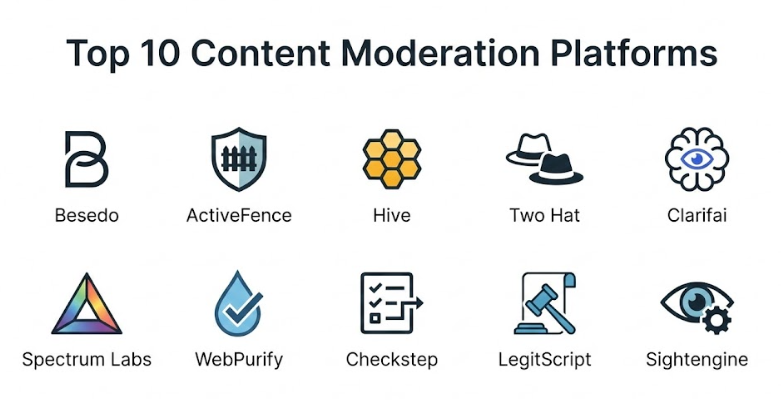
Top 10 Content Moderation Platforms Tools
1 — Besedo
Besedo is a well-known platform that helps online marketplaces and dating sites keep their users safe from scams and bad behavior. It is designed for companies that want a mix of fast AI and carefully trained human experts to review what people are posting. Besedo focuses on making sure the “good” stuff gets posted quickly while the “bad” stuff is stopped before anyone sees it. They have been helping businesses stay clean and safe for a long time.
- Key features:
- Impro Platform: A central place to manage all your moderation rules easily.
- AI Automation: Uses smart technology to find and block common bad posts instantly.
- Human-in-the-loop: Real people are ready to check the tricky posts the computer misses.
- Customizable Filters: You can set your own rules based on what your community allows.
- Real-time Insights: Shows you exactly what is being blocked and why in a clear dashboard.
- Scam Detection: Special tools that look for patterns used by people trying to trick others.
- Pros:
- Excellent at stopping marketplace scams and fake accounts.
- Offers a very good balance between computer speed and human care.
- Cons:
- Can be more expensive than tools that only use AI.
- The setup process can take some time if you have very specific rules.
- Security & compliance: Uses secure data encryption and follows standard privacy rules like GDPR.
- Support & community: Provides professional onboarding help and has a deep library of guides for their users.
2 — ActiveFence
ActiveFence is a platform that looks for “online harm” on a very large scale. It is designed for big social media companies and apps that need to stop things like hate speech or dangerous groups from organizing. Instead of just looking at one post, it looks at how bad actors behave across the whole internet. This helps them find problems before they even happen on your specific website. It is like having an intelligence agency for your online community.
- Key features:
- Threat Intelligence: Collects data from all over the web to find new types of bad behavior.
- Multi-modal Analysis: Checks text, images, videos, and even audio clips at the same time.
- Proactive Protection: Looks for bad groups before they start posting on your site.
- Scaleable API: Can handle millions of posts every single day without slowing down.
- Context Awareness: Understands the difference between a joke and a real threat.
- Crisis Management: Special tools to help when a big event causes a lot of bad posts at once.
- Pros:
- One of the best tools for finding and stopping dangerous groups.
- Very high level of technology that stays ahead of new types of scams.
- Cons:
- Might be too complex and expensive for a simple community forum.
- Requires a team that knows how to read complex security data.
- Security & compliance: Highly secure, SOC 2 Type II compliant, and very strict on data privacy.
- Support & community: Offers high-level enterprise support and regular training for safety teams.
3 — Hive
Hive is a very popular tool for companies that need to check a lot of images and videos. It is designed for developers who want to add moderation to their apps using a simple set of commands. Hive uses a massive amount of data to teach its computers how to find bad pictures, like violence or adult content, with very high accuracy. It is fast, efficient, and great for any app that allows people to upload their own media.
- Key features:
- Visual Recognition: Top-tier AI that can “see” what is happening in a photo or video.
- Text Moderation: Also checks for bad words and mean sentences in many languages.
- Pre-trained Models: You don’t have to teach it what is “bad”; it already knows.
- Simple Integration: Easy for programmers to connect it to any website or app.
- High Speed: Processes thousands of files in a few seconds.
- Demographic Detection: Can help identify the age of people in photos to keep kids safe.
- Pros:
- Extremely accurate at finding bad images and videos.
- Very easy for developers to start using without a long setup.
- Cons:
- The cost can grow quickly if your users upload millions of photos.
- It doesn’t offer as much human review help as some other platforms.
- Security & compliance: Follows standard security practices and uses encrypted connections.
- Support & community: Good technical documentation and email support for developers.
4 — Two Hat (by Microsoft)
Two Hat is a platform that focuses on making communities “healthy.” It is used by some of the biggest gaming companies in the world to stop bullying and toxic behavior in real-time. It is designed for spaces where people talk a lot, like chat rooms or multiplayer games. Two Hat doesn’t just block bad words; it tries to understand the “vibe” of a conversation to keep things friendly. Microsoft bought this company because they are so good at keeping games safe for kids.
- Key features:
- Community Sift: A smart tool that filters chat as it happens, not after.
- Behavioral Analysis: Looks at how a person acts over time, not just in one post.
- Child Safety Focus: Special rules built to protect younger users from strangers.
- Multi-language Support: Understands slang and bad words in dozens of different languages.
- Reputation Scores: Gives users a “score” based on how nice or mean they are.
- Real-time Alerts: Tells your team instantly if something really bad is happening.
- Pros:
- The best choice for real-time chat and gaming communities.
- Excellent at understanding the context of a conversation.
- Cons:
- Can be difficult to set up for websites that aren’t about gaming or chat.
- Pricing is usually aimed at larger companies.
- Security & compliance: Backed by Microsoft’s high security standards and is COPPA compliant for kids.
- Support & community: Offers enterprise-level support and a dedicated team for community safety.
5 — Clarifai
Clarifai is a big AI company that offers a specific tool for content moderation. It is designed for businesses that want a very “smart” computer to do most of the work. Clarifai is great because you can actually “train” it yourself if your website has very unique rules. For example, if you have a site for plant lovers and you want to block photos of weeds, you can teach the AI to do that. It is a very flexible and powerful system for anyone who likes technology.
- Key features:
- Custom AI Training: You can teach the system new things to look for.
- Computer Vision: High-quality image and video analysis.
- Natural Language Processing: Understands the meaning of sentences, not just single words.
- Workflow Builder: A visual tool to decide what happens to a post after it is checked.
- Searching Tools: Lets you search through all your content for specific patterns.
- Edge AI: Can even work on devices without a fast internet connection.
- Pros:
- Very flexible; you can make it do exactly what you want.
- One of the most advanced AI systems available to the public.
- Cons:
- It takes more effort to set up and “teach” the system.
- Might be “too much” technology for a simple website.
- Security & compliance: SOC 2 compliant and follows strict data safety rules.
- Support & community: Extensive developer documentation and a large community of AI experts.
6 — Spectrum Labs
Spectrum Labs is all about stopping “toxic” behavior online. They focus on the behavior of users, not just the words they use. It is designed for social apps and dating sites that want to stop things like harassment, hate speech, and sexual advances. Spectrum Labs uses very deep data to understand how people try to get around traditional filters by using coded language or emojis. Their goal is to help you build a community where everyone feels welcome.
- Key features:
- Guardian Platform: A full suite of tools to manage user behavior and safety.
- Contextual Moderation: Knows that some words are okay in one setting but bad in another.
- Behavioral Tracking: Keeps an eye on users who are repeatedly mean to others.
- Hate Speech Detection: Special AI built to find and block modern types of hate speech.
- Workflow Automation: Automatically warns or bans users based on your rules.
- Safety Insights: Dashboards that show the “health” of your community over time.
- Pros:
- Very good at finding subtle forms of bullying and harassment.
- Helps your team be more proactive instead of just reacting to reports.
- Cons:
- The setup can be quite complex because it looks at so many things.
- Pricing is often tailored for mid-to-large size platforms.
- Security & compliance: Follows GDPR and other major privacy standards to keep user data safe.
- Support & community: Provides expert consulting on how to build safe communities.
7 — WebPurify
WebPurify is a very reliable and friendly platform that is famous for its human-in-the-loop services. It is designed for businesses that want to be 100% sure that their content is safe. They offer a simple AI service, but their main strength is their team of real people who review photos and videos around the clock. If you have a contest where people upload photos and you can’t afford to have even one bad image go live, WebPurify is a great choice. They are known for being very accurate and easy to work with.
- Key features:
- Human Review Teams: Real people checking content in real-time, 24/7.
- Profanity Filter: A simple and fast API to block bad words in many languages.
- Image & Video Moderation: Checks for adult content, drugs, weapons, and more.
- Kid-Safe Services: Special moderation levels for apps made for children.
- Fast Turnaround: Humans review content usually in under five minutes.
- Custom Rules: You can tell the human team exactly what you want to allow or block.
- Pros:
- Very high accuracy because real people are involved.
- Extremely easy to set up and start using right away.
- Cons:
- Can be more expensive than pure AI tools if you have a lot of content.
- Not as good at “predicting” bad behavior as some of the intelligence platforms.
- Security & compliance: Privacy-focused and works with many big, trusted brands.
- Support & community: Excellent customer service and very clear setup guides.
8 — Checkstep
Checkstep is an all-in-one platform for moderation teams to work together. It is designed to be the “control center” for your safety team. It connects to different AI tools and also gives your human moderators a clean place to see reports and make decisions. It is great for companies that want to organize their team and make sure everyone is following the same rules. Checkstep makes the boring parts of moderation much easier to handle.
- Key features:
- Moderation Workspace: A clean dashboard for human teams to review posts.
- AI Integration: Connects with other AI tools to filter content first.
- Case Management: Tracks a specific problem from the first report to the final decision.
- Rule Builder: An easy way to write your community guidelines into the system.
- Analytics: Shows how fast your team is working and what the common problems are.
- Compliance Tools: Helps your company follow new internet safety laws automatically.
- Pros:
- Great for organizing a team of human moderators.
- Very flexible because it can work with many different AI services.
- Cons:
- It is a management tool, so you might still need to pay for AI services on top of it.
- Might be more than what a one-person team needs.
- Security & compliance: Built with modern privacy rules in mind and is very secure.
- Support & community: Offers good onboarding and technical support for teams.
9 — LegitScript
LegitScript is a specialized platform that focuses on the legal and regulatory side of content. It is designed for companies in industries like healthcare, finance, or e-commerce where selling the wrong thing can be a crime. They don’t just look for bad words; they look for illegal products, fake medicine, and high-risk scams. If you run an ad platform or a marketplace, LegitScript helps you make sure you aren’t accidentally helping people break the law.
- Key features:
- Merchant Monitoring: Checks the people selling on your site to make sure they are real.
- Product Verification: Confirms if a medicine or product is legal to sell.
- Risk Assessment: Gives you a warning if a new user looks like a scammer.
- Global Database: Uses a massive list of known bad actors and illegal products.
- Certification Programs: Lets good businesses prove they are safe to use.
- Expert Analysts: Real people who understand complex laws and regulations.
- Pros:
- The best tool for staying on the right side of the law.
- Essential for any company in a “high-risk” industry like supplements or betting.
- Cons:
- Very specialized; it won’t help much with general bullying or chat.
- Can be quite expensive because of the legal expertise required.
- Security & compliance: Highly compliant with financial and medical privacy laws.
- Support & community: Provides high-level expert consulting and legal guidance.
10 — Sightengine
Sightengine is a developer-focused platform that is known for being very fast and easy to use. It is designed for small and mid-sized startups that need to add photo and video moderation to their app today. It uses very modern AI to find things like nudity, violence, and even how “nice” a photo looks. It is a very simple “plug and play” service that doesn’t require a lot of talking to sales teams to get started.
- Key features:
- Instant API: Get a “yes” or “no” on a photo in milliseconds.
- Video Moderation: Can check live streams or uploaded video files.
- Text Analysis: Basic but effective filters for bad words and spam.
- Face Detection: Finds faces and checks if they are a real person or a drawing.
- Quality Scoring: Can tell you if a photo is blurry or high-quality.
- Dashboard: A simple place to see your usage and set your rules.
- Pros:
- One of the fastest and easiest tools to set up.
- Very fair pricing for startups that are just beginning to grow.
- Cons:
- Doesn’t offer much in the way of human review or deep behavioral insights.
- The community features are simpler than more expensive tools.
- Security & compliance: Standard data security and easy to use with modern privacy rules.
- Support & community: Good email support and very clear technical documentation.
Comparison Table
| Tool Name | Best For | Platform(s) Supported | Standout Feature | Rating |
| Besedo | Marketplaces | Web, Mobile | Combined AI & Human care | N/A |
| ActiveFence | Global Safety | Web, API | Global Threat Intelligence | N/A |
| Hive | Visual Content | Web, API | Massive Image Data accuracy | N/A |
| Two Hat | Gaming/Chat | Web, Mobile | Real-time Chat Context | N/A |
| Clarifai | Custom AI needs | Web, Cloud | User-trained AI models | N/A |
| Spectrum Labs | Stopping Toxicity | Web, Mobile | Behavioral Analysis | N/A |
| WebPurify | Absolute Accuracy | Web, API | 24/7 Human Review Team | N/A |
| Checkstep | Team Management | Web | All-in-one Safety Dashboard | N/A |
| LegitScript | Legal Compliance | Web | High-risk industry checks | N/A |
| Sightengine | Simple Startups | Web, API | Fast & Easy Developer API | N/A |
Evaluation & Scoring of Content Moderation Platforms
| Category | Weight | Score (Average) | What We Look For |
| Core Features | 25% | 9/10 | Can it accurately find and block bad content? |
| Ease of Use | 15% | 8/10 | How easy is it for a team to set up and manage? |
| Integrations | 15% | 7/10 | Does it connect easily with other apps and websites? |
| Security & Compliance | 10% | 10/10 | Does it keep data safe and follow the law? |
| Performance | 10% | 9/10 | Is it fast enough to keep up with millions of posts? |
| Support & Community | 10% | 8/10 | Is there help available when you get stuck? |
| Price / Value | 15% | 7/10 | Does the cost make sense for the safety it provides? |
Which Content Moderation Platform Tool Is Right for You?
Choosing the right platform depends on what kind of community you have and how much help you need. If you are a solo user running a small blog, you probably don’t need a big platform; a simple free plugin for your website is usually enough. However, if you are a startup (SMB) building a new app, look for tools like Sightengine or Hive. They are easy to set up and don’t cost a lot of money to start with. They will help you keep the “bad stuff” out as you get your first few thousand users.
For mid-market companies that have a real team of moderators, Checkstep or WebPurify are great choices. Checkstep will help you organize your team, and WebPurify will give you real people to help when the computer isn’t sure. If you are in a specific industry like selling medicine or managing an ad network, LegitScript is almost a requirement to stay safe from legal trouble.
Enterprise companies like big social media sites or giant gaming platforms need the most advanced technology. Tools like ActiveFence, Two Hat, or Spectrum Labs are the best here. They can look at millions of posts and understand the deep behavior of bad actors. These tools are expensive and require a dedicated safety team, but they are the only way to keep a massive community safe and happy. Always think about your budget and how much risk your website can handle before you make your final choice.
Frequently Asked Questions (FAQs)
1. What is the difference between AI and human moderation?
AI is very fast and can check millions of posts in seconds, but it sometimes makes mistakes with jokes or context. Humans are slower and more expensive, but they are much better at understanding the “feeling” of a post and making the right choice in tricky situations.
2. How much does content moderation software cost?
The price varies a lot. Some simple API tools cost a few dollars for every thousand images, while big enterprise platforms can cost thousands of dollars per month. Most companies offer a “pay as you go” or a custom plan based on your needs.
3. Is my user data safe with these platforms?
Yes, most professional platforms take privacy very seriously. They use encryption and follow strict laws like GDPR. However, you should always check the security section of the tool to make sure they match your company’s needs.
4. Can these tools stop bullying in real-time?
Yes, platforms like Two Hat and Spectrum Labs are built specifically for real-time chat and gaming. They can block a mean message before anyone else in the room even sees it.
5. Do I need to know how to code to use these tools?
Some tools, like Hive or Sightengine, require a developer to connect them to your app. Others, like Besedo or WebPurify, have simple dashboards that anyone can use without knowing any code.
6. Can one tool moderate every language?
Many modern tools support 50 or more languages. However, they are usually “best” at the most common ones like English, Spanish, or Chinese. If your community speaks a very rare language, you might need a human team that speaks it too.
7. How accurate are content moderation platforms?
Most top-tier AI tools are between 90% and 98% accurate. No tool is perfect, which is why many companies use a mix of AI and real people to review the most difficult cases.
8. Can I moderate video live streams?
Yes, but it is much harder and more expensive than moderating text. Tools like Sightengine and Hive have special features that “sample” a live stream every few seconds to look for bad content.
9. What is a “false positive” in moderation?
A false positive is when the computer accidentally blocks something that was actually okay. For example, it might block a photo of a statue because it thinks it is a person without clothes. Good platforms let you fix these mistakes easily.
10. Do I really need a moderation tool for a small forum?
If you have a very loyal community that behaves well, you might not. But as soon as you start getting strangers or “bots” posting on your site, a basic moderation tool will save you many hours of manual work.
Conclusion
Choosing the right content moderation platform is a big step in building a safe and successful online business. These tools are much more than just filters; they are the foundation of trust between you and your users. By picking a platform that fits your needs—whether it is a fast AI for a new app or a high-level intelligence tool for a global community—you are ensuring that your corner of the internet remains a kind and useful place. The “best” tool isn’t always the most expensive one; it is the one that understands your users and helps your team work efficiently.
When you are ready to make a choice, take the time to try a few different tools. Most of them offer a free trial or a demo where you can see how they work with your specific content. Think about how much content you have, how much you can spend, and if you need real people to help you. A safer community means happier users, a better reputation for your brand, and a much easier job for your safety team. Investing in moderation today will prevent many headaches in the future and help your online space grow in a healthy and sustainable way.