Introduction
A Picture Archiving and Communication System (PACS) is a medical imaging technology that provides economical storage and convenient access to images from multiple modalities. In the modern healthcare landscape, PACS has replaced the traditional need for hard-copy films and manual filing systems. By using the DICOM (Digital Imaging and Communications in Medicine) standard, PACS allows healthcare providers to store, retrieve, manage, and share electronic images and clinically relevant reports. This technology is the nerve center of radiology departments, cardiology units, and diagnostic centers, enabling a digitized workflow that accelerates the time from image acquisition to clinical diagnosis.
The importance of a robust PACS system lies in its ability to facilitate rapid decision-making. In critical care scenarios, such as stroke or trauma, every second counts; a PACS allows a specialist to view high-resolution scans from a remote location instantly. Key real-world use cases include long-term archival of patient imaging history, remote teleradiology, 3D post-processing and reconstruction, and inter-departmental collaboration. When evaluating these systems, users should prioritize diagnostic viewer speed, cloud vs. on-premise storage flexibility, vendor-neutrality, and seamless integration with Electronic Health Records (EHR) and Radiology Information Systems (RIS).
Best for: Radiologists, cardiologists, and hospital IT administrators within large health systems, diagnostic imaging centers, and multi-specialty clinics that require high-volume image management and rapid diagnostic tools.
Not ideal for: Small, non-diagnostic clinics that do not perform their own imaging, or basic primary care offices that only require the ability to view final radiology reports without needing to interact with the raw DICOM data.
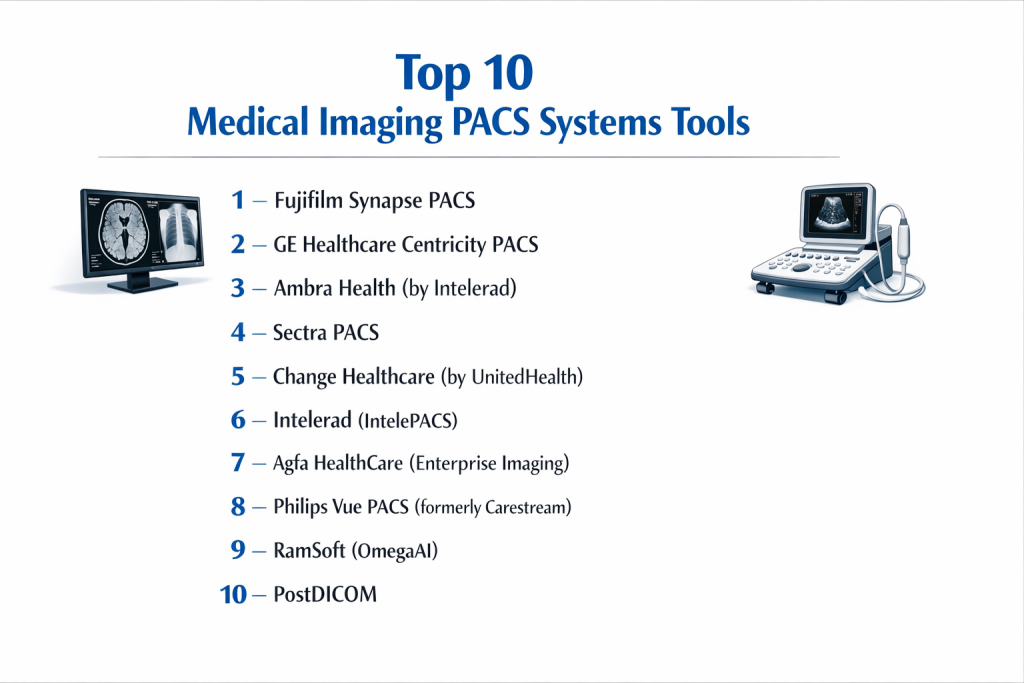
Top 10 Medical Imaging PACS Systems Tools
1 — Fujifilm Synapse PACS
Fujifilm Synapse is an industry-leading, high-performance PACS designed for large-scale enterprise environments. It is renowned for its speed, server-side rendering capabilities, and highly customizable user interface.
- Key features:
- Server-Side Rendering: Delivers large datasets (like thin-slice CTs) to the desktop instantly without local caching.
- Common Diagnostic Viewer: A single interface for radiology, mammography, and cardiology imaging.
- Integrated 3D Tools: Native advanced visualization tools that eliminate the need for third-party workstations.
- Synapse 5 Zero-Footprint Viewer: Allows clinicians to view images on any web browser without software installation.
- AI Integration: Open platform architecture that supports third-party AI algorithms for triage and detection.
- Pros:
- Exceptionally fast image loading times, even across low-bandwidth connections.
- Reduces IT overhead by eliminating the need for high-powered “fat-client” workstations.
- Cons:
- The initial implementation and licensing costs are on the higher end of the spectrum.
- The sheer depth of features requires comprehensive training for new staff.
- Security & compliance: HIPAA compliant, SOC 2 Type II, TLS encryption, and robust audit logging for data access.
- Support & community: Extensive global support network, structured onsite onboarding, and an active user group community for best practices.
2 — GE Healthcare Centricity PACS
GE Centricity is a veteran in the imaging world, offering a deeply integrated suite that combines diagnostic power with sophisticated workflow management for large hospital networks.
- Key features:
- Centricity Universal Viewer: A unified diagnostic workspace that supports multidisciplinary imaging.
- Smart Reading Worklists: Automatically prioritizes urgent cases based on clinical data.
- Advanced Breast Imaging: Specialized tools for 3D tomosynthesis and automated breast ultrasound.
- Integrated RIS/PACS: Seamless communication between the administrative data and the clinical images.
- Cloud Archive Integration: Hybrid storage options for cost-effective long-term data retention.
- Pros:
- Highly reliable and stable, capable of handling millions of exams per year.
- Superior device integration with GE-manufactured modalities (MRI, CT, etc.).
- Cons:
- The user interface can feel somewhat legacy compared to newer cloud-native competitors.
- Upgrades can be complex and time-consuming for on-premise installations.
- Security & compliance: HIPAA and GDPR compliant; features AES-256 encryption and NIST-aligned cybersecurity protocols.
- Support & community: Enterprise-grade support with 24/7 technical assistance and professional clinical consulting.
3 — Ambra Health (by Intelerad)
Ambra Health is a cloud-native medical data management platform that has revolutionized image sharing and exchange. It is the gold standard for facilities that move a lot of data between different institutions.
- Key features:
- Cloud-Based Image Exchange: Eliminates the need for patients to carry CDs between doctors.
- Automated Routing: Rules-based engine that moves studies between facilities based on metadata.
- Patient Portal: Allows patients to upload their own imaging from home for specialist review.
- Zero-Footprint HTML5 Viewer: FDA-cleared for diagnostic viewing on any modern device.
- API-First Architecture: Easy integration into EHRs like Epic, Cerner, and Meditech.
- Pros:
- Best-in-class for interoperability and moving images across a health network.
- Rapid deployment and easy scalability since no on-site server hardware is required.
- Cons:
- Performance is highly dependent on the quality of the facility’s internet connection.
- Some radiologists still prefer the “feel” of a dedicated workstation over a web viewer.
- Security & compliance: SOC 2 Type II, HIPAA, ISO 27001, and HITRUST certified.
- Support & community: Highly rated customer success teams and a modern online knowledge base.
4 — Sectra PACS
Sectra is consistently ranked at the top of “Best in KLAS” surveys for its focus on radiologist efficiency, system stability, and enterprise-wide imaging capabilities.
- Key features:
- Unified Workspace: View radiology, pathology, and cardiology in the same application.
- VNA Integration: Native Vendor Neutral Archive (VNA) capabilities for consolidated storage.
- Trauma Tools: Rapid viewing tools designed for high-stress emergency environments.
- Dose Monitoring: Integrated tools for tracking patient radiation exposure over time.
- Teaching Files: Easy-to-use tools for flagging and categorizing interesting cases for research.
- Pros:
- Exceptional user satisfaction ratings due to the intuitive, ergonomic workflow.
- High system uptime and reliability, even during peak hospital hours.
- Cons:
- Primarily focused on larger enterprises, which may make it cost-prohibitive for small clinics.
- Customization of the workflow can be technically intensive.
- Security & compliance: HIPAA, GDPR, and ISO 27001 compliant; features advanced identity management (SSO).
- Support & community: Top-tier customer support with a reputation for collaborative problem-solving.
5 — Change Healthcare (by UnitedHealth)
Change Healthcare offers an enterprise imaging platform that focuses on business intelligence and workflow orchestration to optimize the radiology department’s productivity.
- Key features:
- Workflow Intelligence: Uses AI to orchestrate the most efficient reading paths for radiologists.
- Enterprise Viewer: A zero-footprint viewer that spans the entire clinical ecosystem.
- Analytics Dashboards: Real-time visibility into turnaround times and modality utilization.
- Secure Image Exchange: Integrated tools for sharing data with referring physicians.
- Hybrid Cloud Archiving: Balances performance and cost for large datasets.
- Pros:
- Strong emphasis on the “business” of radiology—improving efficiency and revenue.
- Very scalable, managing imaging for some of the largest groups in the US.
- Cons:
- Support response times have been reported as inconsistent during organizational transitions.
- Feature updates can occasionally lag behind smaller, more agile cloud competitors.
- Security & compliance: HIPAA, HITRUST, and SOC 2 compliant; robust encryption and audit trails.
- Support & community: Professional service teams and a large ecosystem of third-party integrations.
6 — Intelerad (IntelePACS)
IntelePACS is a scalable and robust system particularly popular with radiology groups and teleradiology providers who need to manage disparate imaging sites from a single cockpit.
- Key features:
- Diagnostic Viewer: Feature-rich toolset with advanced hanging protocols.
- Integrated Voice Recognition: Works seamlessly with tools like Nuance Dragon.
- Teleradiology Optimization: Built for high performance over Wide Area Networks (WAN).
- Multi-Method Worklist: Consolidates cases from multiple facilities into one stream.
- Mobile App: Secure image viewing and reporting on iOS and Android devices.
- Pros:
- Highly flexible for providers who read for multiple hospitals simultaneously.
- Known for its stability and “no-nonsense” diagnostic toolset.
- Cons:
- Advanced modules can require additional licensing fees that add up.
- The learning curve for optimizing hanging protocols can be steep.
- Security & compliance: HIPAA and GDPR compliant; ISO 27001 certification and secure VPN support.
- Support & community: 24/7 technical support and a dedicated onboarding team for new practices.
7 — Agfa HealthCare (Enterprise Imaging)
Agfa’s platform is designed to break down the silos between departments, treating imaging as a single enterprise-wide asset rather than just a radiology tool.
- Key features:
- Task-Based Workflow: Moves beyond simple lists to an intelligent, role-based task engine.
- Clinical Collaboration: Integrated chat and consultation tools within the viewer.
- Multi-Media Support: Manages photos, videos, and PDF reports alongside DICOM images.
- Business Intelligence: Advanced reporting on departmental performance metrics.
- Global Worklist: Allows a single radiologist to serve multiple physical sites efficiently.
- Pros:
- Excellent for “total imaging” strategies that include dermatology, wound care, and pathology.
- High level of customization available for specific clinical workflows.
- Cons:
- Requires significant IT infrastructure and planning for full enterprise deployment.
- User interface can feel dense to the occasional user.
- Security & compliance: HIPAA, GDPR, and ISO 27001 compliant; advanced role-based access control.
- Support & community: Strong international presence and professional implementation services.
8 — Philips Vue PACS (formerly Carestream)
Since acquiring Carestream’s IT business, Philips has integrated the Vue PACS platform into its health tech portfolio, offering a modern, modular approach to imaging.
- Key features:
- MyVue Patient Portal: Allows patients to access and share their own medical images.
- Interactive Reporting: Voice-driven reporting that embeds key images directly into the text.
- Native 3D/MPR: Advanced reconstruction tools built directly into the diagnostic viewer.
- Vue Motion: A zero-footprint viewer that integrates with EHR portals.
- Data Management: High-performance archiving with intelligent lifecycle management.
- Pros:
- Very user-friendly reporting interface that saves radiologists significant time.
- Strong patient engagement tools that reduce the need for physical media.
- Cons:
- Integration between legacy Carestream and Philips systems is still an ongoing process.
- System requirements for on-premise components can be high.
- Security & compliance: HIPAA compliant, ISO 27001 certified, and supports advanced SSO.
- Support & community: Large global service network and specialized clinical training.
9 — RamSoft (OmegaAI)
RamSoft is a pioneer in the web-based PACS space, and its new OmegaAI platform is a cloud-native, serverless solution designed for the next generation of imaging.
- Key features:
- Cloud-Native Design: Built on a serverless architecture for maximum uptime and speed.
- Unified Worklist: Merges RIS, PACS, and VNA into a single “PowerServer” experience.
- AI Orchestration: Native tools to deploy and manage AI clinical assistants.
- Patient Journey Tracking: Follows the patient from scheduling through final reporting.
- Dynamic Scalability: Automatically adjusts resources based on current volume.
- Pros:
- One of the most modern architectures on the market today.
- Very low IT maintenance burden due to the serverless cloud model.
- Cons:
- Newer platform architecture means fewer long-term legacy case studies compared to GE.
- Requires a very stable, high-speed fiber connection for best performance.
- Security & compliance: HIPAA, SOC 2 Type II, and data encryption at rest and in motion.
- Support & community: Known for responsive support and a collaborative approach to feature requests.
10 — PostDICOM
PostDICOM is a highly accessible, cloud-based PACS solution that is popular among smaller clinics and diagnostic centers looking for a modern experience without enterprise pricing.
- Key features:
- Cloud Storage: Accessible from anywhere without the need for on-site servers.
- Advanced Viewer: Includes MPR, MIP, and 3D reconstruction in a web browser.
- Secure Sharing: Simple tools to send studies to colleagues via secure links.
- Modality Connectivity: Easy setup for connecting local CT/MRI machines to the cloud.
- Cross-Platform: Works seamlessly on Windows, macOS, Linux, and mobile devices.
- Pros:
- Extremely competitive pricing for smaller volumes.
- Very easy to set up; a clinic can be “live” in a matter of hours.
- Cons:
- Lacks the complex workflow orchestration features found in Sectra or Change Healthcare.
- Not designed for large-scale academic medical center research needs.
- Security & compliance: HIPAA compliant, AES-256 encryption, and SSL/TLS secure communication.
- Support & community: Robust online documentation and email-based technical support.
Comparison Table
| Tool Name | Best For | Platform(s) Supported | Standout Feature | Rating |
| Fujifilm Synapse | Enterprise Speed | Web / Windows | Server-Side Rendering | 4.7 / 5 |
| GE Centricity | Integrated Systems | Windows / Web | Global Worklist Logic | 4.5 / 5 |
| Ambra Health | Image Exchange | Cloud / Web / Mobile | No-CD Patient Uploads | 4.8 / 5 |
| Sectra PACS | Clinical Efficiency | Windows / Web | High-UX Diagnostic Viewer | 4.9 / 5 |
| Change Healthcare | Business Intelligence | Web / Windows | AI Workflow Orchestration | 4.4 / 5 |
| Intelerad | Teleradiology Groups | Windows / Web / iOS | High-WAN Performance | 4.6 / 5 |
| Agfa HealthCare | Enterprise Imaging | Web / Windows | Task-Based Workflow | 4.3 / 5 |
| Philips Vue | Interactive Reporting | Windows / Web | Voice-Embedded Reporting | 4.5 / 5 |
| RamSoft | Cloud-Native Scaling | Cloud / Serverless | OmegaAI Serverless | 4.6 / 5 |
| PostDICOM | SMB / Small Clinics | Cloud / Web | Rapid Cloud Deployment | N/A |
Evaluation & Scoring of Medical Imaging PACS Systems
| Category | Weight | Score | Reasoning |
| Core Features | 25% | 9.6/10 | Diagnostic tools, 3D MPR, and archiving are mature and robust across the list. |
| Ease of Use | 15% | 8.2/10 | Enterprise systems can be dense; cloud-native tools score higher on modern UX. |
| Integrations | 15% | 9.0/10 | DICOM and HL7/FHIR standards make integration highly reliable today. |
| Security & Compliance | 10% | 9.8/10 | Extremely high standards due to the nature of protected health information (PHI). |
| Performance | 10% | 9.2/10 | Server-side rendering has largely solved the problem of loading large datasets. |
| Support & Community | 10% | 8.5/10 | Traditional vendors have great onsite support; cloud vendors lead in digital docs. |
| Price / Value | 15% | 7.8/10 | Total cost of ownership remains high for large-scale on-premise enterprise PACS. |
Which Medical Imaging PACS Systems Tool Is Right for You?
Solo Users vs SMB vs Mid-Market vs Enterprise
If you are an Enterprise health system, you need the stability and departmental breadth of Fujifilm, Sectra, or GE Healthcare. These tools are built to handle the “everything imaging” strategy. For Mid-Market centers and large radiology groups, Intelerad and Philips Vue offer excellent balances of power and performance. SMBs and small diagnostic clinics will find PostDICOM or Ambra Health to be the most efficient path forward, as they minimize the need for local IT staff and expensive server rooms.
Budget-conscious vs Premium Solutions
If you are Budget-conscious, cloud-based subscription models (SaaS) like PostDICOM or RamSoft are ideal because they trade high upfront capital expenditure (CapEx) for predictable operating expenditure (OpEx). If you have the budget for a Premium solution, Sectra and Fujifilm provide the highest levels of radiologist satisfaction and workflow automation, which often pays for itself through increased throughput and reduced burnout.
Feature Depth vs Ease of Use
For Ease of Use, Ambra Health and Sectra lead the market with modern interfaces that feel like contemporary software. If your clinical work requires incredible Feature Depth—such as complex cardiovascular measurements, surgical planning, or integrated pathology viewing—then the enterprise suites from Agfa or GE Healthcare are the necessary choice despite their higher complexity.
Integration and Scalability Needs
If you plan to scale rapidly across multiple physical locations, a Cloud-Native platform like RamSoft or Ambra Health is non-negotiable. They allow you to add new sites in days rather than months. If your primary need is deep Integration with specialized medical hardware (like a specific brand of MRI), using the PACS from that same modality vendor (e.g., GE or Fujifilm) often provides the smoothest clinical experience.
Security and Compliance Requirements
Every tool on this list is HIPAA compliant. However, if you are an academic institution or a hospital handling clinical trials, look for HITRUST or SOC 2 Type II certified vendors like Ambra Health or Change Healthcare. These certifications provide an additional layer of audited security that satisfies the most stringent institutional risk assessments.
Frequently Asked Questions (FAQs)
1. What is the difference between PACS and RIS?
PACS (Picture Archiving and Communication System) manages the actual medical images. RIS (Radiology Information System) manages the patient data—scheduling, billing, and the text-based radiology reports.
2. Can I use a PACS on a Mac?
Traditionally, PACS were Windows-only. However, modern “Zero-Footprint” viewers (like those from Ambra, Fujifilm, or RamSoft) run in any web browser, making them fully compatible with macOS, Linux, and tablets.
3. What is “Zero-Footprint”?
A Zero-Footprint viewer means no software or plugins (like Java or Flash) need to be installed on the user’s computer. All the processing happens on the server, and the image is simply “streamed” to the browser.
4. How much storage space does a PACS need?
Medical images are massive. A single CT scan can be 500MB+. Most hospitals measure their storage in Terabytes or Petabytes. This is why many are moving to “Cloud Archiving” to avoid managing physical hard drives.
5. What is DICOM?
DICOM is the universal standard for medical imaging. It ensures that an X-ray taken on a Siemens machine can be read by a Fujifilm PACS and viewed on a Barco diagnostic monitor.
6. Do I need special monitors for a PACS?
For official “diagnostic” reading (making a final diagnosis), radiologists must use FDA-cleared, high-luminance medical monitors. For “clinical review” (doctors checking an image in the ER), standard high-quality monitors are usually sufficient.
7. Can PACS integrate with Epic or Cerner?
Yes. Modern PACS use standards like HL7 and FHIR to link images to the patient’s chart in the EHR, allowing a doctor to click a button in the EHR and have the PACS viewer pop up instantly.
8. What is a VNA?
A Vendor Neutral Archive (VNA) is a storage layer that sits behind the PACS. It stores images in a standard way so that if you ever decide to switch PACS vendors, you don’t have to go through a painful and expensive data migration.
9. How long must medical images be stored?
Regulations vary, but most US states require adult images to be stored for 5–7 years and pediatric images until the patient reaches adulthood. Some academic centers choose to store them forever for research.
10. What is “Server-Side Rendering”?
It is a technology where the server does the heavy lifting of processing a 3D image and only sends the “pixels” to the user’s screen. This makes it possible to view massive 3D studies even on a standard laptop or tablet.
Conclusion
The evolution of Medical Imaging PACS Systems has moved from simple digital storage to intelligent, enterprise-wide orchestration. Whether you are a large hospital system seeking the departmental breadth of Fujifilm Synapse, a teleradiology group needing the speed of Intelerad, or a small clinic moving to the cloud with PostDICOM, the choice of PACS will define the efficiency of your clinical workflow.
The “best” system is the one that removes the friction between the image being taken and the patient receiving their diagnosis. By prioritizing speed, interoperability, and radiologist satisfaction, healthcare organizations can ensure that their imaging infrastructure is a tool for healing rather than an administrative burden.