Introduction
Changelog & Release Notes Tools are platforms that automate and organize the process of documenting software updates, bug fixes, and new features. Unlike a raw git log or a messy spreadsheet, these tools provide a polished, public-facing interface (or a private internal portal) where changes are categorized, searchable, and visually appealing. They often include multi-channel distribution capabilities, allowing you to blast updates via email, in-app widgets, Slack, or social media with a single click.
The importance of these tools lies in retention and transparency. In a crowded SaaS market, users stay with products that they perceive as constantly improving. Real-world use cases include keeping enterprise clients informed for compliance reasons, reducing “what’s new” support tickets, and providing sales teams with marketing-ready ammunition regarding recent shipping velocity. When choosing a tool, you should look for ease of automation, custom branding options, in-app notification widgets, and audience segmentation (the ability to show certain notes only to specific user groups).
- Best for: Product Managers, Customer Success leads, and Marketing teams at SaaS companies of all sizes. They are essential for product-led growth (PLG) companies where user engagement with new features is a primary KPI.
- Not ideal for: Purely backend service providers with no direct user interface, or very small “stealth mode” startups where development is erratic and public documentation would be premature. In those cases, a simple Markdown file in a repository is often sufficient.
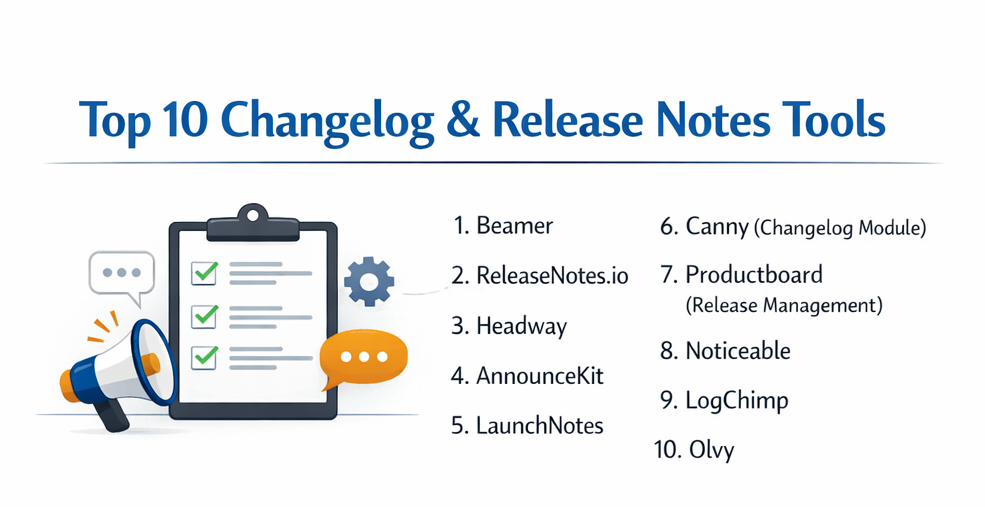
Top 10 Changelog & Release Notes Tools
1 — Beamer
Beamer is a widely popular announcement tool and changelog manager designed to increase user engagement through an intuitive in-app notification center and integrated feedback loop.
- Key Features:
- In-App Notifications: A sleek sidebar widget that alerts users to news without forcing them to leave your app.
- Segmentation: Target updates to specific users based on behavior, location, or role.
- Feedback & Reactions: Allow users to “clap” or leave comments on specific release notes.
- Push Notifications: Send browser-level alerts to re-engage dormant users.
- Custom Branding: Fully customize the look and feel to match your brand identity.
- Multi-Channel Distribution: Sync updates to Twitter, Facebook, and LinkedIn automatically.
- Pros:
- Excellent at driving feature adoption due to the highly visible in-app widget.
- Setup is incredibly fast, often taking less than five minutes to integrate.
- Cons:
- The advanced styling and segmentation features are gated behind higher-priced tiers.
- The analytics dashboard could be more granular for enterprise-level reporting.
- Security & compliance: GDPR compliant, supports SSO (SAML), and provides encrypted data transmission.
- Support & community: High-quality documentation; responsive live chat support; active blog with best practices.
2 — ReleaseNotes.io
ReleaseNotes.io is a robust platform that focuses on the core workflow of managing, publishing, and distributing release notes across multiple channels with a clean, professional aesthetic.
- Key Features:
- Custom Hosted Pages: Create a dedicated, SEO-friendly home for your product’s history.
- Email Notifications: Automatically format and send branded update emails to your subscribers.
- Slack Integration: Push updates directly to your internal teams or customer-facing Slack communities.
- Unbranded Options: Remove “Powered by” links on professional plans for a native look.
- Drafting Workflow: Collaborate on notes internally before hitting the publish button.
- API Access: Programmatically push updates from your CI/CD pipeline.
- Pros:
- Very straightforward pricing model that is accessible for early-stage startups.
- The email distribution engine is highly reliable and easy to configure.
- Cons:
- The in-app widget is functional but lacks the visual “pizazz” of competitors like Beamer.
- Native integrations with project management tools (like Jira) are somewhat limited.
- Security & compliance: SOC 2 compliant; GDPR ready; data is encrypted at rest.
- Support & community: Excellent email support; clear technical documentation; proactive customer success for enterprise users.
3 — Headway
Headway is known for its “simplicity-first” approach, offering a minimal and elegant changelog that appeals to developers and product designers who want a “no-fuss” solution.
- Key Features:
- Public Changelog Page: A clean, chronological feed of all your product updates.
- Simple Widget: A small “badge” notification system for your website or app.
- Markdown Support: Write your updates in Markdown for fast formatting.
- Custom Domains: Map your changelog to
yourdomain.com/changelog. - Team Collaboration: Invite multiple team members to contribute to the feed.
- Subscription Feature: Allow users to follow your updates via a simple RSS feed.
- Pros:
- The “Free” tier is very generous, making it a favorite for open-source projects.
- Extreme ease of use—no complex training required for new staff.
- Cons:
- Lacks advanced features like user segmentation or deep analytics.
- Very few native integrations compared to enterprise-grade platforms.
- Security & compliance: Varies / N/A (Standard encryption; GDPR compliant).
- Support & community: Primarily self-service documentation; email support available for paid tiers.
4 — AnnounceKit
AnnounceKit is an all-in-one announcement platform that focuses heavily on user interaction and transforming static release notes into a dynamic communication channel.
- Key Features:
- Multi-Widget Options: Choose from modals, sidebars, or floating bars to announce news.
- User Feedback Collection: Integrated emoji reactions and text feedback modules.
- Multilingual Support: Localize your release notes for a global audience.
- Advanced Analytics: Track who read what and which updates led to the most engagement.
- Email & Slack Blasts: Integrated distribution to your most important communication hubs.
- Dark Mode Support: Native support for the modern web’s aesthetic preferences.
- Pros:
- One of the best visual builders for creating engaging, rich-media announcements.
- The feedback loop is very tight, allowing PMs to see immediate user sentiment.
- Cons:
- Can become expensive as your user base and “announcement” volume grows.
- The amount of customization options can lead to a slightly steeper learning curve.
- Security & compliance: SOC 2 Type II; GDPR; HIPAA compliant features available.
- Support & community: 24/7 chat support; comprehensive onboarding videos; rich template library.
5 — LaunchNotes
LaunchNotes is designed for modern DevOps and Product teams, focusing on the concept of “continuous communication” to match continuous delivery.
- Key Features:
- Private & Public Portals: Manage internal-only notes and external public updates in one place.
- Category Subscriptions: Allow users to subscribe only to specific parts of your product (e.g., “API updates only”).
- Jira & Slack Integration: Connect your dev workflow directly to your communication portal.
- Stakeholder Management: Targeted internal views for Sales and Support teams.
- Custom Branding & Domains: High-level white-labeling for enterprise clients.
- Roadmap Alignment: Link release notes directly to items on your public roadmap.
- Pros:
- Best-in-class for complex products with multiple sub-modules or services.
- Greatly reduces internal confusion by keeping the whole company synced on “what’s live.”
- Cons:
- Price point is significantly higher than basic changelog tools.
- Might be “over-engineered” for companies with only one simple product.
- Security & compliance: SOC 2 Type II; SSO (Okta/SAML); Enterprise-grade audit logs.
- Support & community: Dedicated success managers for enterprise; active product-led community.
6 — Canny (Changelog Module)
Canny is primarily a feedback and roadmap tool, but its integrated changelog module creates a seamless loop from user request to feature delivery.
- Key Features:
- Closed-Loop Communication: Automatically notify users who requested a feature when it is released.
- Linked Roadmap: Notes are tied directly to roadmap items for visual continuity.
- User Profiles: See a history of what a specific user has requested and what they’ve been notified about.
- In-App Widget: Notify users of new launches within the product interface.
- Custom Styling: Align the look with the rest of the Canny feedback portal.
- Social Sharing: Integrated buttons to share your wins on social platforms.
- Pros:
- Incredible for user satisfaction—nothing beats the “You asked for this, and we built it” automated email.
- Consolidates feedback, roadmap, and changelog into one bill and one interface.
- Cons:
- The changelog is a secondary feature; it lacks some of the distribution depth of dedicated tools.
- The pricing is based on “tracked users,” which can get very expensive for high-growth B2C apps.
- Security & compliance: SOC 2 Type II; GDPR; Supports SSO.
- Support & community: Very active community; detailed documentation; responsive help desk.
7 — Productboard (Release Management)
Productboard is a high-end product management platform that uses its release notes feature to help PMs tell the story of their strategy.
- Key Features:
- Strategic Alignment: Link release notes directly to strategic objectives and pillars.
- Portal Integration: Publish updates directly to your Productboard Customer Portal.
- Customer Segmentation: Tailor the visibility of releases based on customer importance or segment.
- Rich Media Support: Easily embed videos and high-res images to demo new features.
- Internal Visibility: Give your sales and marketing teams a “Coming Soon” vs “Live” view.
- Feedback Sync: Release notes can trigger new feedback loops for iterative development.
- Pros:
- Unparalleled for large product organizations that need to link “Shipping” to “Strategy.”
- Beautiful, high-end presentation that impresses enterprise stakeholders.
- Cons:
- Expensive, as you usually have to buy the full Productboard suite.
- Too heavy for teams just looking for a simple “log of changes.”
- Security & compliance: ISO 27001; SOC 2 Type II; HIPAA; GDPR.
- Support & community: Enterprise-grade support; massive academy for product management training.
8 — Noticeable
Noticeable is a comprehensive platform focused on “Product Marketing,” helping teams turn every minor update into a potential marketing event.
- Key Features:
- Newspage: A highly customizable hub for all your product announcements.
- Widgets & Banners: Multiple ways to grab attention, from discreet dots to full-screen modals.
- Feedback & NPS: Gather sentiment and Net Promoter Scores alongside your updates.
- Custom CSS: Total control over the visual presentation for advanced users.
- Automated Social Posting: Connect to Buffer or Zapier to automate your marketing.
- Segmentation & Targeting: Show relevant updates to specific customer tiers (e.g., Enterprise vs. Basic).
- Pros:
- The visual customization is among the best in the industry.
- Offers a very useful “Newspage” that feels like a professional blog.
- Cons:
- The feature set can feel fragmented for users who just want a simple list.
- Lower tiers have significant branding requirements.
- Security & compliance: GDPR compliant; SSL encryption; standard audit logging.
- Support & community: Good documentation; email-based support; clear onboarding flow.
9 — LogChimp
LogChimp is an open-source alternative for those who want to host their own changelog and maintain complete control over their data.
- Key Features:
- Self-Hosted: Install on your own servers (DigitalOcean, AWS, etc.).
- Feedback Board: Includes a built-in area for users to upvote suggestions.
- Simple Management: A clean admin dashboard to manage posts and users.
- API-Driven: Built with a modern tech stack (Node.js/PostgreSQL) for easy extension.
- Dark Mode: Native support for dark themes.
- Community Contributed: Benefitting from open-source improvements and plugins.
- Pros:
- Completely free if you manage the hosting yourself.
- No vendor lock-in; you own the database and the code.
- Cons:
- Requires technical knowledge to set up, secure, and maintain.
- Lacks the “bells and whistles” of SaaS products (like automated email delivery or advanced widgets).
- Security & compliance: Depends on your hosting environment.
- Support & community: GitHub issues; community Discord; community-driven documentation.
10 — Olvy
Olvy is a newer entrant that focuses on the “Human” side of product updates, emphasizing beautiful typography and storytelling.
- Key Features:
- Beautiful Editor: A Notion-like writing experience for release notes.
- In-App Release Center: A dedicated “home” for updates within your application.
- Feedback Analysis: AI-powered sentiment analysis on user comments.
- User Profiles: Track engagement and sentiment on a per-user basis.
- Multi-Org Support: Manage multiple products or companies from one dashboard.
- Collaboration: Real-time co-editing for teams.
- Pros:
- The aesthetic of the generated pages is arguably the most modern and “premium” on the market.
- The editor is a joy to use for content creators.
- Cons:
- As a newer tool, it has fewer third-party integrations than Beamer or LaunchNotes.
- Analytics features are still maturing compared to established rivals.
- Security & compliance: GDPR compliant; data encryption; SOC 2 roadmap in progress.
- Support & community: Very responsive founder-led support; active Slack community.
Comparison Table
| Tool Name | Best For | Platform(s) Supported | Standout Feature | Rating (G2/TrueReview) |
| Beamer | In-App Engagement | SaaS, Mobile Web | Targeted In-App Sidebar | 4.8 / 5 |
| ReleaseNotes.io | Professional Email Blasts | Web, SaaS | Multi-channel distribution | 4.5 / 5 |
| Headway | Simple & Free | Web, OSS | Minimalism / Free Tier | 4.4 / 5 |
| AnnounceKit | Rich Media Updates | SaaS, E-comm | Multilingual localization | 4.6 / 5 |
| LaunchNotes | Enterprise DevOps | Multi-product SaaS | Category-based subscriptions | 4.7 / 5 |
| Canny | User Feedback Loops | SaaS, B2B | “Closed-loop” notifications | 4.7 / 5 |
| Productboard | Strategic Alignment | Enterprise SaaS | Link to Strategy/Objectives | 4.5 / 5 |
| Noticeable | Product Marketing | Web, SaaS | Visual Customization/Banners | 4.6 / 5 |
| LogChimp | Self-Hosted / Privacy | Linux, Docker | Open Source / Free | N/A |
| Olvy | Modern Storytelling | SaaS, Web | Premium UI/AI Sentiment | 4.8 / 5 |
Evaluation & Scoring of Changelog Tools
To help you decide, we have evaluated these tools against a weighted rubric representing the needs of a modern product team.
| Category | Weight | Evaluation Criteria |
| Core Features | 25% | Drafting workflow, media support, categorical tagging, and public/private options. |
| Ease of Use | 15% | Editor experience, setup time, and administrative UI clarity. |
| Integrations | 15% | Slack, Jira, GitHub, and API availability for automated workflows. |
| Security & Compliance | 10% | SSO, GDPR, SOC 2, and granular permission controls. |
| Performance | 10% | Widget load times and reliability of distribution channels. |
| Support & Community | 10% | Documentation quality, chat support, and community forums. |
| Price / Value | 15% | Scalability of pricing and generosity of the free tier. |
Which Changelog Tool Is Right for You?
Selecting a tool often comes down to the size of your audience and the complexity of your product.
Solo Users vs. SMB vs. Mid-Market vs. Enterprise
- Solo Users & Early Startups: Headway is the perfect starting point. It’s free, takes minutes to set up, and looks professional without requiring any design skills.
- SMBs: Beamer or ReleaseNotes.io offer the best balance. They provide the in-app engagement you need to grow, with pricing that doesn’t scale too aggressively early on.
- Mid-Market: AnnounceKit or Noticeable are excellent for companies that need deep customization and want their release notes to act as a marketing engine.
- Enterprise: LaunchNotes or Productboard are the only real choices here. They offer the security (SSO/Audit logs) and the ability to manage complex, multi-product dependencies that smaller tools simply cannot handle.
Budget-Conscious vs. Premium Solutions
If you have zero budget, LogChimp (self-hosted) or Headway (free tier) are your allies. If you have a budget and want to maximize the “ROI of your features,” premium tools like Beamer pay for themselves by increasing the usage of the features your expensive engineers just built.
Feature Depth vs. Ease of Use
If you want the most “powerful” tool regardless of complexity, LaunchNotes is the winner. If you want the tool that your least technical person can master in five minutes, Headway or Olvy are the top picks.
Frequently Asked Questions (FAQs)
1. Why shouldn’t I just use a blog or a PDF for release notes?
Blogs are for long-form content and SEO; release notes are for rapid reference and technical documentation. A dedicated tool offers search, tagging, and in-app widgets that a blog or PDF cannot provide.
2. Can these tools sync with GitHub or GitLab?
Yes, most top-tier tools (like ReleaseNotes.io and LaunchNotes) have integrations or APIs that can automatically create a draft release note every time a new “Release” is tagged in your version control system.
3. What is an in-app widget, and why do I need one?
It’s a small notification area inside your software. It is vital because it catches the user while they are actually using the tool, making them significantly more likely to click and try a new feature.
4. How often should I publish to my changelog?
Best practice is to publish whenever a meaningful change occurs. For high-velocity teams, this might be weekly. For enterprise software, it might be monthly. Avoid “death by a thousand updates” by grouping minor bug fixes.
5. Is a public changelog a security risk?
Generally, no. However, you should never include specific server paths, internal IP addresses, or the names of private security patches until the patch is fully deployed and the window of vulnerability has closed.
6. Do these tools help with SEO?
Yes. Dedicated tools like Noticeable and LaunchNotes create indexable, structured pages. When people search for “[Your Product] API changes,” your changelog is likely to be the first result.
7. Can I password-protect my release notes?
Enterprise tools like LaunchNotes and AnnounceKit allow you to create “Private” logs that require SSO or a password, which is perfect for internal-only tools or sensitive B2B clients.
8. What is the difference between a roadmap and a changelog?
A roadmap is a promise of what you will do (future). A changelog is a record of what you have done (past). They are two sides of the same coin of product transparency.
9. Can I send my release notes as an email automatically?
Yes, most of these tools (especially ReleaseNotes.io and Beamer) have built-in email automation that formats your post into a beautiful newsletter and sends it to your subscriber list.
10. What is the most common mistake in release notes?
Being too technical. “Fixed bug in React component #402” means nothing to a user. Instead, write: “Fixed an issue where the dashboard wouldn’t load on Safari.” Focus on the user benefit.
Conclusion
A software update that isn’t communicated is a wasted opportunity for growth. Whether you are a solo developer looking for the simplicity of Headway, a growth-focused SMB choosing Beamer, or a global enterprise requiring the governance of LaunchNotes, the right tool will transform your development output into a powerful engagement engine.
The “best” tool is the one that removes the friction from your writing process. When it is easy to share updates, you do it more often. When you do it more often, your users feel heard, your stakeholders feel informed, and your product gains the reputation of being a living, breathing, and constantly improving solution.