Introduction
Application Performance Monitoring, or APM, is like a high-tech health monitor for software. Imagine you run a large digital store. Without an APM tool, you might only know something is wrong when a customer complains that they can’t buy anything. By then, it is too late. An APM tool sits inside your software and watches everything. it tracks how fast pages load, how the database is behaving, and whether the server is getting tired. It acts as an early warning system that points exactly to where a problem is starting so you can fix it before a single customer notices.
In the real world, this is vital for keeping digital services alive. For example, a bank uses APM to ensure that thousands of people can log in at the same time without the system crashing. An airline uses it to make sure ticket searches are lightning-fast. When choosing an APM tool, you should look for how easily it installs, how well it handles different types of computer code, and if it provides “distributed tracing”—which is just a fancy way of saying it follows a user’s journey through every part of your system to find exactly where a delay happens.
Best for:
- DevOps and IT Teams: People who are responsible for keeping websites and apps running smoothly.
- Large Enterprises: Companies with huge, complex systems that involve hundreds of moving parts.
- Tech-Heavy Industries: Finance, e-commerce, and healthcare sectors where even one minute of downtime is a disaster.
Not ideal for:
- Simple, Static Websites: If you just have a blog with text and pictures that doesn’t “do” much, you don’t need this level of detail.
- Very Small Teams on a Budget: These tools can be expensive and require time to learn; a basic uptime monitor might be better at the start.
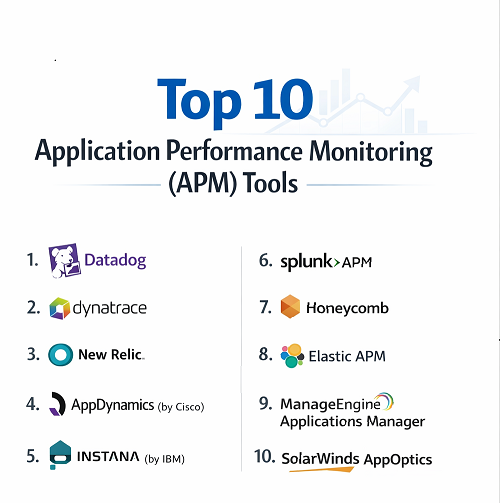
Top 10 Application Performance Monitoring (APM) Tools
1 — Datadog
Datadog is a modern, cloud-focused platform that brings together everything you need to see. It is designed for teams that want to see their servers, their code, and their user experience all on one screen.
- Key features:
- Unified dashboards that show data from many different sources.
- “Watchdog” AI that automatically finds errors you might have missed.
- Over 700 integrations with other software and cloud providers.
- Distributed tracing that follows a request through every step.
- Real-user monitoring to see exactly what your customers see.
- Detailed logging to help you search for specific past events.
- Continuous profiling to see which bits of code use the most energy.
- Pros:
- The interface is beautiful and very easy to customize with drag-and-drop.
- It works incredibly well for modern “cloud-native” apps like those on AWS or Azure.
- Cons:
- The bill can grow very quickly if you aren’t careful about which features you turn on.
- It can be a bit overwhelming at first because it offers so many different options.
- Security & compliance: SOC 2, GDPR, HIPAA, and ISO 27001 compliant.
- Support & community: Extensive documentation, online training, and a very active community of users.
2 — Dynatrace
Dynatrace is often called the “brain” of APM because it is heavily powered by an AI named Davis. It is built for very large companies that don’t have time to set up every single test manually.
- Key features:
- “OneAgent” technology that installs once and discovers everything automatically.
- Davis AI engine that finds the “root cause” of problems, not just symptoms.
- Full-stack observability from the browser to the database.
- Automated discovery of microservices and how they connect.
- Cloud security features that find holes in your application code.
- Business analytics that show how app speed affects your actual sales.
- Pros:
- It saves a huge amount of time because it sets itself up and finds problems on its own.
- It is excellent at stopping “alert fatigue” by grouping 100 small errors into one clear problem.
- Cons:
- It is one of the most expensive tools available.
- It can be “too much” software for a small company with a simple app.
- Security & compliance: FedRAMP authorized, SOC 2 Type II, GDPR, and HIPAA compliant.
- Support & community: High-quality enterprise support, dedicated account managers, and a deep knowledge base.
3 — New Relic
New Relic is a pioneer in the world of APM. It offers a “Full Stack Observability” platform that helps developers see into every corner of their software, from the front end to the deep back end.
- Key features:
- Deep code-level visibility for many languages like Java, Python, and Ruby.
- A very generous free tier that lets small teams try almost everything.
- “Errors Inbox” that collects and groups crashes so you can fix them fast.
- Vulnerability management to help keep your code safe from hackers.
- Integration with OpenTelemetry for more flexible data gathering.
- Predictive AI that warns you before a system is about to fail.
- Pros:
- It provides incredible detail on database queries, showing exactly which one is slow.
- The free plan is likely the best in the industry for starting out.
- Cons:
- The way they charge per “user” can get very expensive as your team grows.
- Some users find the interface a bit cluttered compared to newer tools.
- Security & compliance: SOC 2, HIPAA, GDPR, and ISO 27001 certified.
- Support & community: Huge community forum and professional support for higher-paying customers.
4 — AppDynamics (by Cisco)
AppDynamics is a heavy-duty tool that focuses on “Business Transactions.” Instead of just looking at a server, it looks at “The Checkout Process” or “The Login Process” to see if they are working.
- Key features:
- Business Transaction mapping to see how user actions flow through the system.
- Visual maps of your entire application “topology.”
- Extremely deep diagnostics for Java and .NET applications.
- Real-time monitoring of how app performance changes your revenue.
- Cognition Engine that uses machine learning to find strange patterns.
- Integration with Cisco network hardware for total visibility.
- Pros:
- It is very stable and has been trusted by giant banks and retailers for a long time.
- It is great for showing “non-tech” bosses why the app needs to be faster.
- Cons:
- It can be difficult to set up and usually requires a dedicated person to manage it.
- It doesn’t feel quite as “modern” or fast-moving as Datadog or Honeycomb.
- Security & compliance: SOC 2, HIPAA, and GDPR compliant.
- Support & community: Enterprise-grade support with global consulting and training available.
5 — Instana (by IBM)
Instana is built specifically for modern software that is made of many small pieces (microservices). It is designed to be fully automatic so it can keep up with apps that change every hour.
- Key features:
- Fully automated discovery that updates whenever you change your code.
- High-resolution data (it checks your system every single second).
- Dynamic Graph that shows how all your services are connected in real-time.
- Unbounded analytics that let you search through your data without limits.
- Built-in support for Kubernetes and container-based apps.
- Pros:
- The “one-second” detail is incredible for finding tiny glitches that other tools miss.
- It is very easy to install—you usually just put one agent on your server and it does the rest.
- Cons:
- The interface can get a bit “busy” when you have hundreds of different services.
- It is owned by IBM, which some smaller teams find a bit too “corporate.”
- Security & compliance: SOC 2 and GDPR compliant.
- Support & community: Backed by IBM’s global support network with professional services available.
6 — Splunk APM
Splunk started as a tool for searching through text logs, but their APM tool is a powerhouse for big data. It is unique because it looks at every single transaction without taking “shortcuts.”
- Key features:
- “No-sample” tracing—it analyzes 100% of your data so it never misses a bug.
- Real-time streaming architecture that shows you problems the moment they happen.
- Always-on profiling to find exactly which line of code is using the CPU.
- Tag Spotlight to see if errors only happen in certain cities or on certain phones.
- Deep integration with the famous Splunk Log platform.
- Pros:
- Because it looks at every single request, it is the best at finding “rare” problems.
- The link between performance data and logs is very seamless.
- Cons:
- It requires a lot of expert knowledge to set up and get the most out of it.
- Storing and looking at 100% of your data can be very expensive.
- Security & compliance: SOC 2 Type II, ISO 27001, and HIPAA compliant.
- Support & community: Large ecosystem of experts and a huge library of documentation.
7 — Honeycomb
Honeycomb is not a traditional APM tool. It is built for “Observability.” It is designed for engineers who want to ask very deep, strange questions to find problems they didn’t even know existed.
- Key features:
- Fast query engine that can look through millions of data points in seconds.
- “BubbleUp” feature that visually shows you what makes an error different from a success.
- Focus on “High Cardinality”—finding a problem for one specific user ID.
- Collaborative tools so teams can solve problems together in a chat-like way.
- Service Level Objective (SLO) tracking to keep your team focused on what matters.
- Pros:
- It is the most powerful tool for finding “unsolvable” bugs in complex systems.
- It teaches your team to think like scientists when they look at data.
- Cons:
- It has a steep learning curve because it works differently than most tools.
- It isn’t as good at “basic” server monitoring as some other tools on this list.
- Security & compliance: SOC 2 Type II and HIPAA compliant.
- Support & community: Very friendly Slack community and high-quality technical blog.
8 — Elastic APM
If your team already uses the “ELK Stack” (Elasticsearch, Logstash, and Kibana), then Elastic APM is a natural and cost-effective choice. It is built on open-source technology.
- Key features:
- Built directly into the platform you likely already use for logs.
- Distributed tracing to see how requests flow through your services.
- Machine learning features that find “anomalies” (strange behavior) automatically.
- Customizable dashboards using the powerful Kibana visualization tool.
- Support for Real User Monitoring (RUM) on websites.
- Pros:
- It is very cost-effective because you can host it yourself for free.
- Having your logs and your performance data in the same place is very handy.
- Cons:
- If you host it yourself, you are responsible for the servers and the updates.
- It requires more manual work to set up than “all-in-one” tools like Dynatrace.
- Security & compliance: SOC 2 and GDPR compliant (especially in their cloud version).
- Support & community: Massive open-source community and paid professional support available.
9 — ManageEngine Applications Manager
ManageEngine is a great choice for teams that need to monitor a lot of different things—like old servers, new apps, and databases—all in one place without spending a fortune.
- Key features:
- Monitoring for over 150 different types of technology.
- Code-level visibility for Java, .NET, PHP, and Node.js.
- Synthetic monitoring (simulating a user) to check if your site is up.
- Automated actions that can restart a broken service without a human.
- Detailed reports that are easy to read for managers and directors.
- Pros:
- It is much more affordable than the high-end enterprise tools.
- It is a “Swiss Army Knife” that handles many different IT tasks.
- Cons:
- The visual design looks a bit old-fashioned compared to Datadog.
- It is not as deep when it comes to modern “cloud” features.
- Security & compliance: GDPR and ISO certified.
- Support & community: Good direct support and plenty of video tutorials.
10 — SolarWinds AppOptics
AppOptics is built for teams that want a simple, clear, and easy-to-use tool. It focuses on getting you the data you need without making things too complicated.
- Key features:
- Combined monitoring for your infrastructure (servers) and your apps.
- Shared dashboards so everyone on the team sees the same thing.
- Simple distributed tracing that is easy to set up.
- Alerting that can be sent to Slack, Email, or PagerDuty.
- Broad language support for most common coding languages.
- Pros:
- It is very fast to set up and you can see data in just a few minutes.
- The pricing is much simpler to understand than most competitors.
- Cons:
- It doesn’t have the advanced AI “magic” that some of the bigger tools have.
- It might not be powerful enough for a massive, global corporation.
- Security & compliance: SOC 2 and GDPR compliant.
- Support & community: Helpful customer support via chat and a solid documentation library.
Comparison Table
| Tool Name | Best For | Platform(s) Supported | Standout Feature | Rating |
| Datadog | Cloud Teams | Cloud, On-Prem, Hybrid | 700+ Integrations | 4.6 / 5 |
| Dynatrace | Huge Enterprises | Cloud, On-Prem, Hybrid | Davis® AI Brain | 4.7 / 5 |
| New Relic | Devs & Startups | Cloud, On-Prem | Amazing Free Tier | 4.5 / 5 |
| AppDynamics | Business Insights | Cloud, On-Prem, Hybrid | Transaction Mapping | 4.4 / 5 |
| Instana | Microservices | Cloud, Containers | 1-Second Detail | 4.6 / 5 |
| Splunk APM | Big Data / Logs | Cloud, On-Prem | 100% Data Tracing | 4.5 / 5 |
| Honeycomb | Solving Hard Bugs | Cloud-Native | “BubbleUp” Analysis | 4.8 / 5 |
| Elastic APM | ELK Stack Users | Cloud, Self-Hosted | Open-Source Roots | 4.3 / 5 |
| ManageEngine | Mixed IT Systems | Windows, Linux, Cloud | 150+ Tech Types | 4.2 / 5 |
| AppOptics | Simple Setup | Cloud (SaaS) | Very Easy to Use | 4.1 / 5 |
Evaluation & Scoring of APM Tools
When we score an APM tool, we look at how it helps a business stay online and how much work it takes for the team to use it. Here is the rubric we use:
| Category | Weight | What it Means |
| Core Features | 25% | Can it do tracing, logging, and metrics? Is the data detailed? |
| Ease of Use | 15% | Is the interface clean? Can a new person learn it fast? |
| Integrations | 15% | Does it work with the cloud and tools you already have? |
| Security & Compliance | 10% | Does it follow rules like GDPR and keep data encrypted? |
| Performance | 10% | Does the tool itself run fast without slowing your app down? |
| Support & Community | 10% | Is there help available and a community to talk to? |
| Price / Value | 15% | Is the cost worth the problems it solves for you? |
Which APM Tool Is Right for You?
Choosing a tool is a big decision. Here is a simple guide to help you decide based on your specific situation.
- Solo Users & Small Teams: Start with New Relic. Their free tier is very generous and gives you professional-level tools without a bill. If you find it too complex, try AppOptics.
- Growing Mid-Market Companies: If you are moving fast and using the cloud (AWS/Azure), Datadog is the industry favorite. It grows with you and has a tool for almost every problem you will face.
- Large Corporations: If you have a massive budget and no time to waste, Dynatrace is the winner. The AI does so much work for you that it often pays for itself by saving your engineers’ time.
- Budget-Conscious Teams: If you want to keep costs low and don’t mind a little extra work, Elastic APM (if you host it) or ManageEngine are the best value for your money.
- Complex Debugging Needs: If your team spends days trying to find “weird” bugs that only happen once a week, Honeycomb is the best choice. It is built for finding those specific, difficult issues.
- Security & Compliance: If you are in banking or healthcare, prioritize Dynatrace, AppDynamics, or Splunk. They have the highest levels of official security certifications.
Frequently Asked Questions (FAQs)
1. What is the difference between APM and basic server monitoring?
Server monitoring only tells you if the computer is on or off. APM looks inside the computer at the code to tell you why a specific page is taking five seconds to load.
2. Will an APM tool slow down my website?
Modern tools are very clever and usually only add a tiny delay (less than 2%) that humans cannot notice. The benefit of finding bugs far outweighs this small cost.
3. Do I need to be a programmer to use these tools?
To install them, usually yes. But once they are running, the dashboards are often simple enough that a business manager can see if the “health” of the app is good or bad.
4. Can I use these for mobile apps on iPhones and Android?
Yes. Most of these tools have special bits of code you can put in your mobile app to see if it is crashing or running slowly for your users.
5. What is “Real User Monitoring” (RUM)?
This is when the tool watches what an actual person is doing on your site. It tells you if someone in London is having a slower experience than someone in New York.
6. Is OpenTelemetry important?
Yes. It is a new standard that lets you move your data between different tools easily. Choosing a tool that supports it (like New Relic or Honeycomb) keeps your options open.
7. Why are some tools so much more expensive than others?
Tools like Dynatrace use very advanced AI and automation. You are paying for the tool to do the work of a human expert, which saves you money on hiring.
8. Can I host an APM tool on my own servers?
Some tools, like Elastic APM or the older versions of AppDynamics, allow this. However, most modern tools are “SaaS,” meaning they live in the cloud.
9. What is a “Distributed Trace”?
It is like a digital receipt that follows a user’s click as it travels from their phone, through the internet, to your server, and into your database.
10. What is the biggest mistake when starting with APM?
The biggest mistake is turning on every single alert. If your email is flooded with 500 “warnings” a day, you will start to ignore them. Only alert on what actually matters.
Conclusion
Choosing an Application Performance Monitoring tool is one of the best things you can do for the health of your digital business. It turns “guessing” into “knowing.”
While there is no single tool that is perfect for everyone, the key insights are clear:
- For maximum power and AI, go with Dynatrace.
- For the best all-around cloud experience, go with Datadog.
- For deeply technical debugging, go with Honeycomb.
- For starting for free, go with New Relic.
The best way to decide is to pick two tools that fit your budget and try them on a small part of your app. You will quickly see which one gives you the answers you need.