Introduction
Endpoint Telemetry Platform serves as the eyes and ears of a security operations center. At its simplest, it is a system that collects, records, and analyzes the fine-grained activities happening on individual devices—such as laptops, servers, and mobile devices—across a network. This includes data on process executions, network connections, file modifications, and registry changes. By capturing this “digital exhaust,” these platforms allow security teams to see not just that a threat occurred, but exactly how it entered the environment and what it attempted to do.
The importance of endpoint telemetry cannot be overstated. Traditional antivirus solutions often look for known signatures of “bad” files, but modern attackers use “living-off-the-land” techniques that use legitimate system tools to carry out malicious acts. Telemetry platforms provide the visibility needed to detect these subtle patterns. Key real-world use cases include proactive threat hunting, forensic investigation after a suspected breach, and ensuring compliance by monitoring for unauthorized software or configuration changes. When evaluating these tools, users should look for high-fidelity data collection, low impact on system performance, robust search capabilities, and the ability to retain data long enough to catch slow-moving attacks.
Best for: Security Operations Center (SOC) analysts, incident responders, and IT security managers in mid-market to enterprise-level organizations. It is vital for highly regulated industries like finance, healthcare, and government where data breaches carry extreme consequences.
Not ideal for: Very small businesses without dedicated IT security staff or organizations that only require basic protection against common viruses. For these users, a managed antivirus or a simple “set-and-forget” security suite is usually a better fit than a deep telemetry platform.
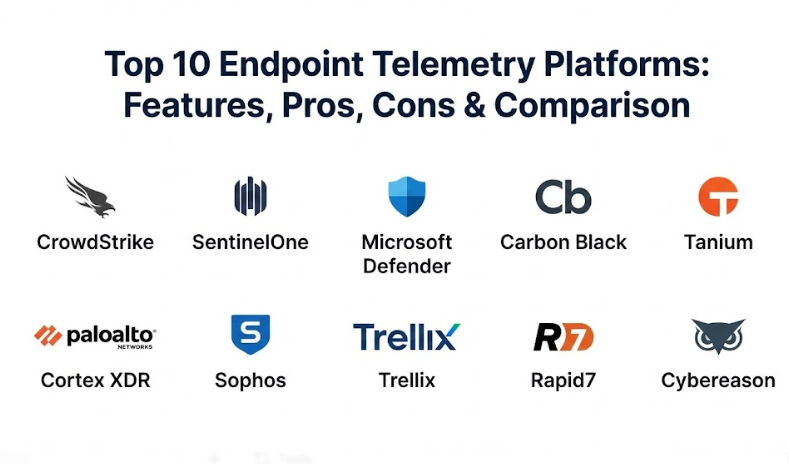
Top 10 Endpoint Telemetry Platforms Tools
1 — CrowdStrike Falcon
CrowdStrike Falcon is a pioneer in cloud-native endpoint protection. It is designed to replace legacy antivirus with a single, lightweight agent that provides deep visibility and automated threat prevention across global infrastructures.
- Key features:
- Single-agent architecture that covers EDR, next-gen AV, and threat hunting.
- “Threat Graph” technology that analyzes trillions of events in real-time.
- Managed threat hunting services (Falcon OverWatch) integrated into the platform.
- Zero-trust assessment scores for every endpoint.
- Cloud-scale data retention for long-term forensic investigations.
- Rapid response capabilities to isolate compromised hosts instantly.
- Comprehensive API for custom integrations and automation.
- Pros:
- Extremely lightweight agent that has almost zero impact on user productivity.
- Excellent cloud-based management console that is easy to navigate even for large fleets.
- Cons:
- The pricing structure can be complex and expensive for smaller organizations.
- Some advanced features require additional modules that can quickly increase costs.
- Security & compliance: SOC 2 Type II, GDPR, HIPAA, FedRAMP authorized, and ISO 27001 compliant.
- Support & community: High-quality technical documentation, a very active user community, and 24/7 premium enterprise support availability.
2 — SentinelOne Singularity
SentinelOne is known for its heavy use of Artificial Intelligence and machine learning to automate the detection and response process. It is designed for teams that want a “self-healing” endpoint environment.
- Key features:
- “Storyline” technology that automatically groups related events into a single narrative.
- One-click rollback to restore files to a healthy state after a ransomware attack.
- Static and behavioral AI engines for detecting fileless malware.
- Full Remote Shell capabilities for deep forensic investigation.
- Native support for IoT and cloud workload protection.
- Automatic mitigation actions like network isolation and process killing.
- Pros:
- The rollback feature is a lifesaver for recovering from successful encryption attempts.
- Very strong automation reduces the manual workload on Tier 1 SOC analysts.
- Cons:
- The management console can occasionally feel cluttered due to the depth of data.
- Highly aggressive AI settings can sometimes lead to false positives if not tuned.
- Security & compliance: SOC 2, GDPR, HIPAA, PCI DSS, and FedRAMP authorized.
- Support & community: Robust knowledge base, specialized onboarding services, and an active partner ecosystem.
3 — Microsoft Defender for Endpoint
Microsoft’s enterprise endpoint platform is unique because it is built directly into the Windows operating system. It provides a deep level of telemetry that is difficult for third-party agents to match on Windows devices.
- Key features:
- Native integration with Windows, macOS, Linux, and mobile platforms.
- Vulnerability management that identifies unpatched software across the fleet.
- Automated investigation and remediation (AIR) to solve common alerts.
- Attack Surface Reduction (ASR) rules to prevent common entry points.
- Integration with Microsoft 365 Defender for a unified security view.
- Advanced hunting using Kusto Query Language (KQL).
- Pros:
- No need to install a separate agent on Windows 10/11 devices, reducing deployment friction.
- Provides the best telemetry for deep OS-level changes on Windows.
- Cons:
- Licensing can be confusing as it is often bundled with expensive Microsoft 365 tiers.
- The management interface can be slow when dealing with very large datasets.
- Security & compliance: ISO 27001, SOC 1/2/3, HIPAA, GDPR, and FedRAMP.
- Support & community: Massive global community, extensive “Learn” documentation, and global enterprise support.
4 — Carbon Black (VMware)
Carbon Black is a veteran in the EDR space, known for providing “unfiltered” telemetry. It is designed for sophisticated security teams that want to see every single event, regardless of whether it was flagged as suspicious.
- Key features:
- Continuous recording of all endpoint activity for retrospective hunting.
- Live Response tool for direct access to endpoint files and memory.
- Customizable “Watchlists” to alert on specific, niche behaviors.
- Integration with VMware vSphere for agentless security in virtual environments.
- Behavioral analytics that look for “known-good” vs “known-bad” deviations.
- Open APIs for building custom security orchestration workflows.
- Pros:
- Provides some of the most granular telemetry available in the industry.
- Highly respected by professional forensic investigators and threat hunters.
- Cons:
- The “unfiltered” data approach can lead to high storage costs if not managed.
- It requires a high level of expertise to get the full value out of the data.
- Security & compliance: SOC 2, HIPAA, GDPR, and ISO 27001.
- Support & community: Strong user community (The User Exchange), detailed technical guides, and 24/7 support.
5 — Tanium Endpoint Platform
Tanium uses a unique “linear chain” architecture that allows it to query and get telemetry from millions of endpoints in seconds. It is designed for massive, global enterprises that need real-time answers.
- Key features:
- Real-time querying using natural language (e.g., “Show me all systems with this file”).
- Comprehensive asset discovery to find “unmanaged” devices on the network.
- Integrated patch management and configuration auditing.
- Threat hunting capabilities that work across the entire fleet simultaneously.
- Performance monitoring to ensure security tools aren’t slowing down users.
- Data sensitivity scanning to find exposed PII on endpoints.
- Pros:
- Unmatched speed for getting data from large-scale environments.
- Consolidates multiple tools (security, IT ops, and risk) into one platform.
- Cons:
- The infrastructure setup is more complex than purely cloud-native rivals.
- Might be overkill for organizations with fewer than 5,000 endpoints.
- Security & compliance: SOC 2, GDPR, HIPAA, and ISO 27001.
- Support & community: Specialized technical account managers (TAMs) for enterprise clients and an extensive knowledge portal.
6 — Palo Alto Networks Cortex XDR
Cortex XDR is designed to break down data silos by stitching together telemetry from endpoints, networks, and cloud environments into a single, cohesive timeline.
- Key features:
- Cross-layered detection (XDR) that correlates data from multiple sources.
- Machine learning-based behavioral analytics for detecting insider threats.
- Integrated incident management and investigation dashboard.
- Managed Detection and Response (MDR) services available as an add-on.
- Native integration with Palo Alto Next-Gen Firewalls.
- Root cause analysis that visually maps out how a threat started.
- Pros:
- Provides excellent context by showing how a network event relates to an endpoint event.
- The “stitching” of data significantly reduces the time spent on manual investigations.
- Cons:
- Best suited for organizations that already use Palo Alto’s network security stack.
- The learning curve for the query language and console can be steep.
- Security & compliance: SOC 2, GDPR, HIPAA, and FedRAMP authorized.
- Support & community: Extensive documentation (LIVEcommunity), training certifications, and global support.
7 — Sophos Intercept X
Sophos focuses on providing high-end telemetry and protection that is easy for general IT staff to manage. It is a favorite for mid-market companies that need strong security without a massive SOC.
- Key features:
- Anti-ransomware technology that automatically reverses unauthorized encryption.
- Deep learning AI that detects never-before-seen malware.
- “Exploit Prevention” that blocks the techniques used by attackers.
- Managed Detection and Response (MDR) that provides 24/7 human monitoring.
- Synchronized Security that shares data between endpoints and firewalls.
- EDR capabilities that prioritize the most important threats for the user.
- Pros:
- One of the easiest consoles to manage, perfect for small-to-mid-sized IT teams.
- The integration between the firewall and the endpoint is very powerful.
- Cons:
- The telemetry isn’t as “unfiltered” as tools like Carbon Black.
- The agent can be slightly “heavier” on system resources than CrowdStrike.
- Security & compliance: SOC 2, GDPR, HIPAA, and ISO 27001.
- Support & community: Very helpful online community, extensive video training, and 24/7 global support.
8 — Trellix Endpoint Security
Trellix (formed by the merger of McAfee and FireEye) offers a massive, integrated platform that focuses on “living” security—tools that adapt to the changing threat landscape.
- Key features:
- Integrated XDR capabilities across endpoint, email, and network.
- Advanced threat intelligence gathered from millions of sensors worldwide.
- Host-based intrusion prevention (HIPS) and firewall.
- Forensic data collection for deep-dive investigation.
- Support for “air-gapped” environments and legacy systems.
- Automated response playbooks to speed up incident resolution.
- Pros:
- Excellent choice for government or military organizations with legacy requirements.
- Very strong threat intelligence that helps identify sophisticated state-sponsored actors.
- Cons:
- The platform can feel fragmented due to its history of various merged products.
- Updates and upgrades can be more cumbersome than cloud-native solutions.
- Security & compliance: SOC 2, GDPR, HIPAA, ISO 27001, and FedRAMP.
- Support & community: Extensive enterprise support, specialized consulting services, and a global partner network.
9 — Rapid7 InsightIDR
Rapid7 focuses on making the detection and response process as simple as possible by combining EDR telemetry with SIEM (Security Information and Event Management) capabilities.
- Key features:
- Lightweight Insight Agent that collects telemetry and monitors for vulnerabilities.
- Behavior-based detection for finding compromised credentials and lateral movement.
- Automated deception technology (honey-tokens) to catch attackers in the act.
- Visual timelines that show exactly what an attacker did after entry.
- Pre-built compliance reports for PCI, HIPAA, and more.
- Integrated SOAR (Security Orchestration, Automation, and Response) tools.
- Pros:
- Great for teams that want their telemetry and their logs in one single place.
- The focus on “user behavior” is excellent for catching insider threats.
- Cons:
- The endpoint agent is good but not as deep as specialized EDR tools.
- Pricing is often based on the number of “assets,” which can get expensive.
- Security & compliance: SOC 2 Type II, GDPR, HIPAA, and ISO 27001.
- Support & community: Strong “Rapid7 Community” forums, Academy for training, and responsive support.
10 — Cybereason
Cybereason is built around a “Malop” (Malicious Operation) engine that correlates data automatically to show the full scope of an attack in a single visual.
- Key features:
- Automated correlation of all events across the environment.
- Visual attack tree that shows the root cause and every impacted machine.
- Proactive threat hunting powered by machine learning.
- Native support for mobile and cloud workload telemetry.
- Integrated remediation actions like killing processes and cleaning registries.
- Ransomware protection that blocks encryption in its tracks.
- Pros:
- The visual representation of an attack is one of the best in the market.
- High automation allows a small team to handle a large number of alerts.
- Cons:
- Less brand recognition than industry giants like Microsoft or CrowdStrike.
- The documentation could be more extensive for advanced custom configurations.
- Security & compliance: SOC 2, GDPR, HIPAA, and ISO 27001.
- Support & community: Specialized customer success managers and 24/7 technical support.
Comparison Table
| Tool Name | Best For | Platform(s) Supported | Standout Feature | Rating |
| CrowdStrike | Cloud-native enterprise | Windows, Mac, Linux, Mobile | Lightweight agent & Threat Graph | 4.8/5 |
| SentinelOne | Automated AI response | Windows, Mac, Linux, IoT | One-click Ransomware Rollback | 4.7/5 |
| MS Defender | Windows-heavy environments | Windows, Mac, Linux, Mobile | Native OS integration | 4.6/5 |
| Carbon Black | Professional threat hunting | Windows, Mac, Linux, Virtual | Unfiltered event recording | 4.5/5 |
| Tanium | Massive global fleets | Windows, Mac, Linux, Solaris | Real-time querying speed | 4.5/5 |
| Cortex XDR | Holistic network/endpoint sync | Windows, Mac, Linux, Cloud | Cross-layer data stitching | 4.6/5 |
| Sophos | Mid-market IT teams | Windows, Mac, Linux, Mobile | Integrated firewall/EP sync | 4.4/5 |
| Trellix | Government & Legacy needs | Windows, Mac, Linux, Legacy | Deep threat intelligence | 4.3/5 |
| InsightIDR | User behavior & log analysis | Windows, Mac, Linux | Integrated SIEM/EDR | 4.4/5 |
| Cybereason | Visual attack investigation | Windows, Mac, Linux, Mobile | Malop Correlation Engine | 4.5/5 |
Evaluation & Scoring of Endpoint Telemetry Platforms
To provide an objective view, we have evaluated these platforms using a weighted rubric that reflects the priorities of a modern security operations center.
| Criterion | Weight | Evaluation Focus |
| Core Features | 25% | Data fidelity, threat detection, hunting tools, and response actions. |
| Ease of Use | 15% | Console intuitiveness, deployment speed, and learning curve. |
| Integrations | 15% | How well the platform talks to firewalls, SIEMs, and cloud apps. |
| Price / Value | 15% | Total cost of ownership vs. the security maturity provided. |
| Security | 10% | Encryption, compliance certifications, and platform self-protection. |
| Performance | 10% | Resource usage on endpoints and system reliability. |
| Support | 10% | Documentation quality and technical support responsiveness. |
Which Endpoint Telemetry Platforms Tool Is Right for You?
Selecting the right platform is a strategic decision that depends on your company size, current security stack, and the technical skill of your team.
Solo Users and Small Businesses
If you are a small business with very limited IT staff, you should avoid the most “unfiltered” telemetry tools like Carbon Black. Instead, look for SentinelOne or Sophos Intercept X. These tools provide strong, automated protection that doesn’t require you to be a security expert to understand what an alert means. They offer the best “bang for your buck” without a massive management headache.
Mid-Market and Growing Teams
For organizations that have a few dedicated IT security people, CrowdStrike and Microsoft Defender for Endpoint are excellent choices. CrowdStrike is incredibly easy to manage from the cloud and has a very light footprint. Microsoft is a great choice if you are already heavily invested in the Microsoft 365 ecosystem, as it simplifies licensing and provides deep visibility into Windows devices.
Large Enterprise and Global Players
If you are managing tens of thousands of devices across multiple countries, you need a platform built for scale. Tanium is the king of real-time visibility for massive fleets. Palo Alto Networks Cortex XDR is another strong contender if you already use their firewalls, as it gives you a complete view of the attack from the network to the endpoint.
Technical Prowess vs. Ease of Use
If your team is made up of veteran threat hunters, they will likely prefer the “unfiltered” data and deep query languages of Carbon Black. However, if you find that your analysts are overwhelmed by too many alerts, a tool like Cybereason or SentinelOne—which uses AI to correlate events into a single “story”—will be much more effective for your daily operations.
Frequently Asked Questions (FAQs)
1. What is the difference between EDR and an Endpoint Telemetry Platform?
Endpoint Detection and Response (EDR) is the category of tools that uses telemetry. A telemetry platform is the actual system that records and stores the data, while EDR is the set of features used to act on that data to stop threats.
2. Does a telemetry agent slow down my computer?
Modern agents like CrowdStrike or SentinelOne use less than 1% of the CPU and very little RAM. However, older legacy agents can sometimes cause performance issues, which is why “lightweight architecture” is a key evaluation criterion.
3. Do I still need an antivirus if I have a telemetry platform?
Most modern telemetry platforms (like those in our Top 10) include “Next-Gen Antivirus” (NGAV) features, so they can replace your traditional antivirus entirely.
4. How long is telemetry data stored?
It varies by platform and plan. Most offer between 7 to 30 days of data retention by default, but enterprise plans can store data for 90 days or even a year for regulatory compliance.
5. Is endpoint telemetry only for Windows?
No. All the top platforms now support macOS and Linux, and many have extended their telemetry collection to Android and iOS devices as well.
6. What is “Threat Hunting”?
Threat hunting is the process of manually searching through telemetry data to find attackers who have bypassed automated defenses. Telemetry platforms make this possible by providing a searchable history of all activity.
7. Can these tools help with HIPAA or GDPR compliance?
Yes. By providing a detailed log of file access and system changes, these platforms allow you to prove who accessed what data and when, which is a core requirement of many privacy laws.
8. What happens if an endpoint goes offline?
Most platforms will store a small amount of telemetry locally on the device while it is offline and then “burst” that data up to the cloud as soon as it reconnects to the internet.
9. Can I use these tools for remote employees?
Yes. Since most of these platforms are cloud-native, the agent communicates directly with the security console over the internet, no matter where the employee is working.
10. What is a “False Positive”?
A false positive occurs when the platform flags a legitimate business action (like a software update) as a threat. High-quality platforms use AI and threat intelligence to keep these to a minimum.
Conclusion
The “best” endpoint telemetry platform is the one that gives your team the most clarity during a crisis. For a global bank, that might be the real-time speed of Tanium. For a small law firm, it might be the automated “rollback” of SentinelOne.
When choosing your platform, don’t just look at the list of features. Consider the “Total Cost of Ownership”—how much will it cost to train your team, how much time will they spend managing false positives, and how much will it cost to store the data you need? Most importantly, pick a partner that has a proven track record of evolving alongside the threats, because in the world of cybersecurity, the only constant is change.