Introduction
Workflow form automation tools are smart software programs that allow you to create digital forms and then automatically move the data you collect to the right places. Instead of just gathering information and letting it sit in an inbox, these tools act as a bridge that connects your forms to your other business apps. For example, when someone fills out a request, the tool can automatically send an email to a manager for approval, save a copy of the document in a folder, and update a spreadsheet all at the same time. These tools are designed to stop people from having to do “busy work” like copying and pasting data or chasing down people for signatures. By using them, a business can make sure that work keeps moving forward without anyone needing to manually push it along every step of the way.
The importance of workflow form automation tools cannot be overstated in a modern office. They reduce the chance of making mistakes, such as losing a piece of paper or mistyping a customer’s phone number. In the real world, these tools are used for everything from hiring new employees and collecting vacation requests to managing complex construction inspections and hospital patient intake. They are especially helpful for teams that work in different locations, as they provide a single digital path for information to travel. When you are looking for a tool in this category, you should evaluate how easy the “drag-and-drop” builder is to use, how many other apps it can talk to, and how well it handles “logic”—which is the ability of the form to change its questions based on the answers someone gives. You also want to make sure the tool works well on mobile phones and has strong security to keep your private data safe.
Beyond just saving time, these tools create a clear record of every action taken, which is helpful for staying organized and proving that work was done correctly. They help build trust within a team because everyone knows exactly where a project stands without needing to ask. By automating the boring parts of a job, these tools allow employees to focus on more creative and important tasks that actually grow the business. They also make the experience much better for the person filling out the form, as digital forms are often faster and clearer than paper ones. Ultimately, investing in a good automation tool is about making your business faster, more accurate, and much less stressful for everyone involved.
Best for: These tools are perfect for operations managers, HR professionals, and IT leads who want to streamline how data moves through their company. They work exceptionally well for mid-sized to large organizations that deal with a lot of internal requests or customer intake forms. Industries like healthcare, legal services, construction, and education benefit the most because they often have strict processes that must be followed every single time.
Not ideal for: Very small businesses or solo workers who only deal with one or two forms a month may find these tools too complex or expensive. If your work is highly unpredictable and doesn’t follow a set pattern, a structured workflow tool might feel too restrictive. Additionally, companies that do not have any digital “ecosystem”—meaning they don’t use other apps like cloud storage or email software—won’t get much value out of the automation features.
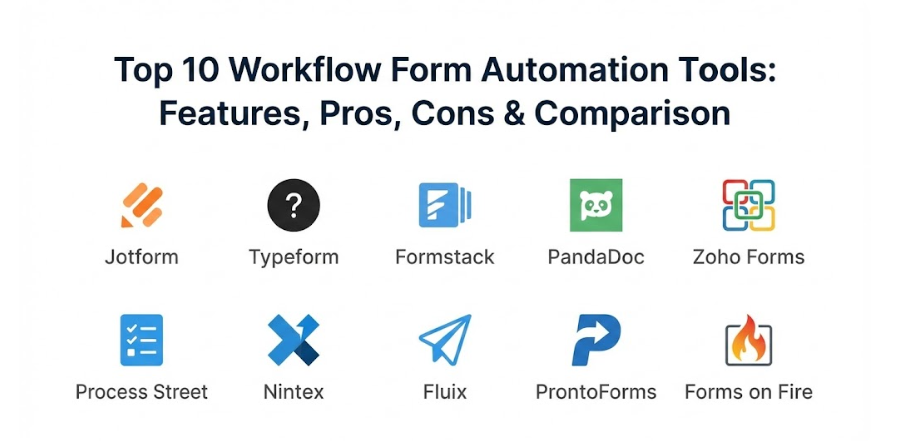
Top 10 Workflow Form Automation Tools
1 — Jotform
Jotform is a very popular and powerful tool that is known for being extremely easy to use while still offering a huge amount of depth. It allows users to build complex forms using a simple drag-and-drop interface, and it comes with thousands of templates to help you get started quickly. The platform is designed for everyone from small local clubs to massive international companies. It stands out because it doesn’t just collect data; it has a whole suite of features for managing that data, including a table view that works like a spreadsheet and a report builder that turns your results into professional charts. It is a true all-in-one solution for anyone who needs to collect and act on information.
- Key features:
- A massive library of over 10,000 pre-made form templates for every industry.
- Advanced logic that hides or shows questions based on user answers.
- Built-in “Jotform Sign” for collecting legally binding digital signatures.
- A “Mobile Forms” app that allows for data collection even without an internet connection.
- Seamless integration with over 100 popular apps like Google Sheets, Dropbox, and Slack.
- Automatic PDF creation that turns form responses into professional documents instantly.
- Approval Workflows that let you set up multi-step sign-off processes with ease.
- Pros:
- It is incredibly flexible and can be used for almost any task you can think of.
- The free version is very generous, allowing people to test all the major features before paying.
- Cons:
- With so many features, the interface can sometimes feel a bit crowded for new users.
- The pricing for the highest-tier enterprise plans can be a big jump for growing businesses.
- Security & compliance: Provides high-level security including SOC 2 compliance, GDPR readiness, and optional HIPAA compliance for healthcare users.
- Support & community: Offers a very active user forum, a deep library of help articles, and 24/7 email support for all users.
2 — Typeform
Typeform changed the way people think about forms by making them feel like a natural, friendly conversation. Instead of showing a long, scary list of questions all at once, Typeform shows just one question at a time with large, beautiful buttons and images. This approach makes people much more likely to finish the form because it feels less like “work” and more like a chat. It is the perfect tool for brands that care deeply about design and want to give their customers a premium experience. While it looks simple on the surface, it has powerful automation features under the hood that can send your data wherever it needs to go.
- Key features:
- A unique “one question at a time” interface that keeps users focused and engaged.
- VideoAsk integration which allows you to collect video and audio responses.
- “Logic Jumps” that create personalized paths for every person who fills out the form.
- Hidden fields that can track where a user came from without them knowing.
- Beautiful design tools that let you match the form perfectly to your company’s colors.
- Direct integrations with tools like HubSpot, Mailchimp, and Airtable.
- Built-in “Calculator” feature that can score quizzes or provide instant price quotes.
- Pros:
- It has some of the highest completion rates in the industry because the forms are so pleasant to use.
- The forms look professional and modern right out of the box without needing any coding skills.
- Cons:
- It is not the best choice for very long, data-heavy internal forms that need to be viewed all at once.
- Some of the more advanced logic features are only available on the more expensive monthly plans.
- Security & compliance: Adheres to GDPR and ISO 27001 standards and uses modern encryption to protect all data in transit and at rest.
- Support & community: Offers a help center, a dedicated community for “Typeformers,” and priority support for business-tier customers.
3 — Formstack
Formstack is a professional-grade tool that is built for organizations that need to balance ease of use with very high security and compliance. It is much more than just a form builder; it is a full “workplace productivity” platform that includes document generation and digital signatures. This makes it a top choice for hospitals, banks, and government offices that handle sensitive information. Formstack is designed to help you take a process that used to be 100% paper and turn it into a 100% digital workflow without any gaps. It is a very stable and reliable choice for companies that cannot afford for their systems to fail.
- Key features:
- “Formstack Go” for collecting data on mobile devices in the field, even offline.
- A dedicated “Documents” tool that can pull data from forms into custom Word or PDF files.
- Native “Formstack Sign” that integrates perfectly with your automated workflows.
- A powerful “Workflows” add-on that lets multiple people edit and approve a single form.
- Advanced data encryption that meets the highest professional standards.
- Conversion rate optimization tools that show you exactly where people are dropping off.
- Deep integrations with Salesforce and other major enterprise software systems.
- Pros:
- The “all-in-one” nature of forms, documents, and signatures saves you from needing three different apps.
- It is one of the most trusted names for businesses that need to follow strict legal data rules.
- Cons:
- The pricing can be a bit confusing because different features (like documents) are often sold as add-ons.
- The form builder, while powerful, does not feel quite as modern or “slick” as some newer competitors.
- Security & compliance: Highly compliant with HIPAA, GDPR, SOC 2, and PCI standards, making it safe for medical and financial data.
- Support & community: Provides professional onboarding services, a comprehensive knowledge base, and a dedicated support team.
4 — PandaDoc
PandaDoc is a tool that focuses specifically on the “document” side of workflows. It is designed for sales teams, legal departments, and business owners who need to create, send, and track professional proposals and contracts. While it started as a signature tool, it now has powerful form features that allow you to collect data and payments directly within your documents. It is perfect for situations where the “form” needs to look like a legal contract or a high-end sales brochure. PandaDoc is excellent at showing you exactly what happens after you send a document, such as when a customer opens it and which pages they spend the most time looking at.
- Key features:
- A powerful document editor that lets you build professional layouts without using Word.
- “Smart Content” blocks that can change based on the information entered in the form.
- Built-in electronic signatures that are legal and secure across the globe.
- Real-time tracking that alerts you the second someone opens or signs your document.
- Ability to collect payments via credit card or bank transfer right as a form is signed.
- A content library for storing your most used paragraphs, logos, and testimonials.
- Deep integrations with almost every major CRM (Customer Relationship Management) system.
- Pros:
- It makes your business look very professional and “put together” to your clients and partners.
- The analytics are a game-changer for sales teams who want to know if their proposals are being read.
- Cons:
- It is not designed for “simple” surveys or feedback forms; it is much better suited for formal documents.
- The mobile experience is good for signing, but building complex documents is much easier on a desktop.
- Security & compliance: Compliant with SOC 2 Type II, HIPAA, and GDPR, and uses legally binding e-signature technology.
- Support & community: Offers 24/7 live chat support, a learning academy for users, and a very helpful customer success program.
5 — Zoho Forms
Zoho Forms is a key part of the massive Zoho ecosystem, but it is also a fantastic standalone tool for anyone who needs to build and automate forms. It is known for offering a huge amount of power for a very low price, making it a favorite for small businesses and startups. Because it is part of a larger family of apps, it can talk to almost any other part of your business, from your accounting software to your customer support desk. It is a very practical tool that focuses on getting the job done efficiently. It also has one of the best mobile apps in the category, allowing you to manage your entire workflow from your phone while you are on the go.
- Key features:
- Over 40 different field types, including signatures, file uploads, and GPS locations.
- Task assignment features that let you turn a form response into a “to-do” item for a team member.
- Multilevel approval workflows that send data through the proper chain of command.
- Offline data collection with automatic syncing as soon as you are back online.
- Built-in QR code generator for every form so people can scan and fill them out instantly.
- Real-time email and SMS notifications to keep everyone in the loop.
- Extremely deep integration with over 40 other Zoho apps and many external ones.
- Pros:
- It is incredibly affordable, especially considering how many advanced features are included in the basic plans.
- If you already use other Zoho tools, this is an absolute “no-brainer” because they work together perfectly.
- Cons:
- The design options for the forms are a bit more basic than tools like Typeform or Jotform.
- Setting up the most complex workflows can take a bit of time to learn because there are so many options.
- Security & compliance: Includes features for GDPR compliance, data encryption, and provides a very high level of data privacy.
- Support & community: Offers email support, a user community forum, and a very detailed library of video tutorials.
6 — Process Street
Process Street is a bit different from the other tools on this list because it focuses on “checklists” and recurring processes. It is designed for teams that need to do the same task the same way every single time, such as onboarding a new client or running a safety inspection. You build a “template” with forms built into each step, and then you run a “checklist” for every new instance. It is fantastic for making sure that nothing ever falls through the cracks. It combines form automation with project management, which makes it a very powerful tool for operations teams who live by set procedures.
- Key features:
- “Conditional Logic” that changes the steps of a checklist based on the data entered in a form.
- Collaborative workflows where different people are assigned to different parts of the process.
- “Stop Tasks” that prevent someone from moving to the next step until a form is filled out correctly.
- Integration with over 1,000 other apps via Zapier to automate your data entry.
- Ability to schedule recurring workflows for daily, weekly, or monthly tasks.
- Video and image embedding to show people exactly how to fill out a form or do a task.
- “Pages” feature for storing your company’s standard operating procedures alongside your forms.
- Pros:
- It is the absolute best tool for making sure a complicated process is followed perfectly every time.
- The “checklist” format is very satisfying for employees and helps them stay organized.
- Cons:
- It is not a traditional “public-facing” form builder; it is much better for internal company use.
- The price per user can add up quickly if you have a very large team using the platform.
- Security & compliance: Offers SSO (Single Sign-On), role-based permissions, and is fully compliant with GDPR and SOC 2 standards.
- Support & community: Provides a great blog with process tips, email support, and dedicated success managers for larger accounts.
7 — Nintex
Nintex is an enterprise-level powerhouse that is built for the most complex workflows in the world. It is designed for huge organizations that have thousands of processes happening at once and need a tool that can scale with them. Nintex is famous for its “no-code” approach to very complex automation, allowing business leaders to build workflows without needing to hire a team of developers. It can handle everything from simple forms to massive, multi-department projects that involve hundreds of people. While it is more complex than the other tools, it offers a level of control and detail that is hard to find anywhere else.
- Key features:
- A visual “workflow designer” that lets you draw out your business processes like a map.
- “Nintex Hawkeye” which provides deep analytics on how your workflows are performing.
- Advanced document generation that can create complex reports and contracts automatically.
- Seamless integration with Microsoft SharePoint and Office 365.
- Mobile apps that work across all platforms for field data collection.
- Robotic Process Automation (RPA) features that can automate even the oldest legacy software.
- “Gateway” technology that safely connects your cloud forms to your internal company servers.
- Pros:
- It is incredibly powerful and can handle literally any workflow you can imagine, no matter how big.
- The “no-code” promise is real; it allows non-technical people to build very advanced systems.
- Cons:
- It is one of the most expensive options and is usually only a good fit for large corporations.
- The learning curve is much steeper than for a simple tool like Jotform or Typeform.
- Security & compliance: Meets the strictest global security standards, including ISO, HIPAA, and GDPR, with full audit logging.
- Support & community: Offers a huge global community, professional certification programs, and 24/7 enterprise support.
8 — Fluix
Fluix is a lightweight but extremely fast and reliable tool that is designed specifically for “mobile-first” teams. It is a favorite in industries like aviation, renewable energy, and construction where workers are out in the field and need to fill out forms on an iPad. It focuses on making sure that documents move from the field back to the office instantly without any errors. Fluix is known for being very “clean”—it doesn’t have a lot of unnecessary buttons or complicated settings, which makes it very easy for field workers to use. It is a great choice for companies that want to get rid of paper clipboards and move to digital tablets quickly.
- Key features:
- A very fast PDF form filler that works perfectly even on older mobile devices.
- Simple workflow rules that tell the app exactly where a document should go after it is signed.
- A central “File Storage” system that keeps all your blank templates and finished forms in one place.
- Offline mode that is famous for being rock-solid even in very remote locations.
- Ability to mark up photos and drawings directly within a form response.
- Simple e-signature feature that allows for quick sign-offs on the job site.
- Integration with popular cloud storage like Box, Google Drive, and SharePoint.
- Pros:
- It is one of the easiest tools to set up and manage, especially for teams that aren’t very tech-savvy.
- The app is very fast and doesn’t crash, which is vital when you are working on a construction site or in a plane.
- Cons:
- It is not as good for “public” forms like customer surveys; it is much better for internal field reports.
- The design options for the forms are limited because it primarily uses the PDF format.
- Security & compliance: Uses high-level encryption and is fully GDPR compliant, with all data stored in secure data centers.
- Support & community: Provides a dedicated account manager for every client and very fast, human-to-human customer support.
9 — ProntoForms (TrueContext)
ProntoForms, which has recently started moving toward the name TrueContext, is a high-end tool for field service management. It is designed for large companies with thousands of technicians who need to collect very detailed, technical data. It stands out because it can pull data from your other systems and put it into the form for the technician, so they don’t have to type as much. For example, when a technician arrives at a machine, the form can automatically show them the machine’s repair history. It is a deeply technical tool that is built for accuracy and speed in the most demanding environments.
- Key features:
- Dynamic data sources that feed real-time company info directly into your mobile forms.
- Advanced “Skip Logic” that can handle thousands of different possible question paths.
- Automated PDF, Word, and Excel report generation that looks exactly how you want it.
- Ability to capture high-resolution photos, sketches, and barcodes.
- Deep analytics that show you which technicians are the most efficient and where mistakes are happening.
- Integration with enterprise systems like SAP, Salesforce, and ServiceMax.
- A “Workflow Engine” that can trigger different actions based on the specific data collected.
- Pros:
- It is the best tool for “smart” forms that need to pull in information from other parts of the company.
- The level of detail you can collect is unmatched, making it perfect for safety and compliance audits.
- Cons:
- It is a very complex tool that requires a good amount of time to set up and configure correctly.
- The pricing is on the higher side and is aimed at professional field service organizations.
- Security & compliance: Offers enterprise-grade security with SOC 2 compliance, HIPAA readiness, and very detailed audit trails.
- Support & community: Provides professional services for implementation, a deep knowledge base, and excellent technical support.
10 — Forms on Fire
Forms on Fire is a very flexible and friendly tool that specializes in mobile data collection and automated workflows. It is known for having a very powerful “no-code” designer that allows you to build very complex apps without needing to be a programmer. It is used by many non-profits, small construction firms, and agricultural companies because it offers a great balance between power and price. One of its best features is how much it can be customized—you can make the app look and feel exactly like your own company’s software. It is a great choice for anyone who wants a “bespoke” feel without the “bespoke” price tag.
- Key features:
- A drag-and-drop builder that lets you create “beautifully simple” forms very quickly.
- Excellent offline capabilities with a “sync” button that just works.
- The ability to send data to hundreds of different places using their built-in connectors.
- Automatic dispatching which lets a manager send a partially filled-out form to a worker in the field.
- Mapping and GPS features that show you exactly where every form was filled out.
- A powerful “database” feature that lets you store and look up information within the app.
- White-labeling options so you can put your own logo and name on the mobile app.
- Pros:
- The customer service is highly rated and the team is very willing to help you build your first forms.
- It is very fast and responsive, even when you are working with very large forms with hundreds of questions.
- Cons:
- The desktop interface for building forms can take a little bit of time to get used to.
- It is not as well-known as some of the bigger names, so there are fewer third-party “how-to” videos online.
- Security & compliance: Compliant with GDPR and uses secure hosting and encryption to keep all your business data safe.
- Support & community: Offers a “Success Academy,” great email and phone support, and a very helpful onboarding process.
Comparison Table
| Tool Name | Best For | Platform(s) Supported | Standout Feature | Rating |
| Jotform | All-in-one use | Web, iOS, Android | 10,000+ Templates | 4.8 / 5 |
| Typeform | Customer engagement | Web, iOS, Android | One-question interface | 4.7 / 5 |
| Formstack | High security/compliance | Web, iOS, Android | Form + Doc + Sign | 4.5 / 5 |
| PandaDoc | Sales and contracts | Web, iOS, Android | Document Analytics | 4.6 / 5 |
| Zoho Forms | Small business value | Web, iOS, Android | Zoho Ecosystem Sync | 4.4 / 5 |
| Process Street | Internal checklists | Web, iOS, Android | Checklist Workflow | 4.6 / 5 |
| Nintex | Global enterprise | Web, iOS, Android | Visual Process Map | 4.3 / 5 |
| Fluix | Field team simplicity | iPad, Web | Ultra-fast PDF filler | 4.5 / 5 |
| ProntoForms | Smart field data | Web, iOS, Android | Live Data Integration | 4.6 / 5 |
| Forms on Fire | Customizable apps | Web, iOS, Android | White-labeling | 4.4 / 5 |
Evaluation & Scoring of Workflow Form Automation Tools
When we look at these tools, we use a specific set of rules to see which ones are the most helpful for a normal business. Here is how we weight the different parts of the software to reach a final score.
| Evaluation Criteria | Weight | What We Look For |
| Core Features | 25% | Variety of fields, logic depth, and workflow rules. |
| Ease of Use | 15% | How simple the builder is for a non-tech person. |
| Integrations | 15% | How many other apps it can talk to easily. |
| Security & Compliance | 10% | GDPR, HIPAA, and data encryption. |
| Performance | 10% | Reliability of the mobile app and offline mode. |
| Support & Community | 10% | Quality of the help pages and response time. |
| Price / Value | 15% | Whether the cost matches the features provided. |
Which Workflow Form Automation Tool Is Right for You?
Choosing a tool is a big decision because once you build your workflows, it is hard to switch. Here is some practical advice based on your specific situation.
Solo Users vs SMB vs Mid-Market vs Enterprise
If you are working alone or in a very small team, you should stick to Jotform or Typeform. They are very easy to set up and don’t require a lot of maintenance. For a growing Small or Medium Business (SMB), Zoho Forms or Forms on Fire offer the best bang for your buck. Mid-market companies that need more structure will love Process Street or Formstack. If you are a massive global enterprise, you really should be looking at Nintex or ProntoForms because they can handle the high level of complexity you likely have.
Budget-Conscious vs Premium Solutions
If you are watching every penny, start with the free version of Jotform or the very affordable plans from Zoho Forms. They give you a lot of power for a very small price. If you have a larger budget and want the absolute best experience and highest level of security, Formstack and PandaDoc are premium solutions that are worth the extra money because of the time they save and the professional image they project.
Feature Depth vs Ease of Use
If you want something that “just works” and you don’t want to spend weeks learning how to use it, choose Typeform or Fluix. They are designed to be simple and intuitive. If you have a complex problem that needs a very specific solution, you will need a deeper tool like Nintex. It will take longer to learn, but it will be able to do exactly what you need it to do.
Integration and Scalability Needs
Think about the other apps you use. If you are a “Microsoft office,” Nintex and Fluix have great connections there. If you use a lot of different modern web apps, Jotform and Typeform have the best connections through tools like Zapier. Always pick a tool that can grow with you—you don’t want to have to start over from scratch in two years because you’ve outgrown your software.
Frequently Asked Questions (FAQs)
1. Do I need to know how to code to use these tools?
Most of the tools on this list are “no-code,” which means you can build everything by just clicking and dragging. You don’t need to be a programmer to set up even very complex automations.
2. Can these tools work if I don’t have an internet connection?
Yes, tools like Jotform, Fluix, and Forms on Fire have excellent mobile apps that let you collect data offline. Once you get back to a Wi-Fi connection, the data will automatically sync.
3. Is my data safe in these tools?
Generally, yes. Most of these companies use very high-level encryption and are audited by security experts. If you handle medical data, just make sure to pick a tool that is specifically “HIPAA compliant.”
4. Can I collect payments through these forms?
Many of them, like Jotform, Typeform, and Zoho Forms, allow you to connect a payment processor like Stripe or PayPal. This lets you collect money for orders or registrations directly on the form.
5. What is “conditional logic” in a form?
This is a feature that makes the form “smart.” For example, if a user clicks “I am a new customer,” the form can show a set of welcome questions. If they click “I am an existing customer,” those questions stay hidden.
6. How much do these tools typically cost?
Prices vary widely. Some have free plans for small use, while paid plans usually start around $15 to $30 per month. Enterprise-level tools can cost hundreds or thousands of dollars depending on your team size.
7. Can I use my own company’s branding on the forms?
Yes, almost all of these tools let you add your logo and change the colors to match your brand. Some even let you use your own web address (URL) so the form looks like it is part of your own website.
8. How do these tools help with “approvals”?
They allow you to set up a chain of command. When a form is submitted, it automatically goes to a manager. Once they click “Approve,” it can then go to the finance department or send a confirmation email to the user.
9. Can I turn form responses into professional-looking PDFs?
Tools like Formstack, Jotform, and PandaDoc are excellent at this. They can take the data from a simple form and automatically put it into a beautifully designed document that you can print or email.
10. What is the best way to get started?
The best way is to pick one tool that looks interesting and try their free version. Start with one very simple process, like an “Employee Suggestion Form,” and see how easy it is to automate before moving on to bigger projects.
Conclusion
Workflow form automation tools are much more than just a way to stop using paper; they are the foundation of a modern, efficient, and stress-free business. By choosing the right tool, you can clear the path for your information to move quickly and accurately, which helps everyone on your team do their best work. These tools act as a silent assistant that handles all the boring, repetitive tasks, allowing you and your employees to focus on what truly matters—growing your business and serving your customers. Whether you are looking for a simple way to collect feedback or a massive system to manage thousands of field technicians, there is a solution that can help you reach your goals.
As you move forward, remember that the “best” tool is the one that fits into your daily life without causing more problems than it solves. Take the time to involve your team in the testing process, because they are the ones who will be using it every day. Start small, get one process working perfectly, and then slowly expand your automation to other parts of your business. If you focus on making the experience better for both the person filling out the form and the person managing the data, you will see a massive improvement in your company’s culture and success. Digital automation is no longer a luxury; it is a necessary tool for anyone who wants to stay competitive in today’s fast-moving world.